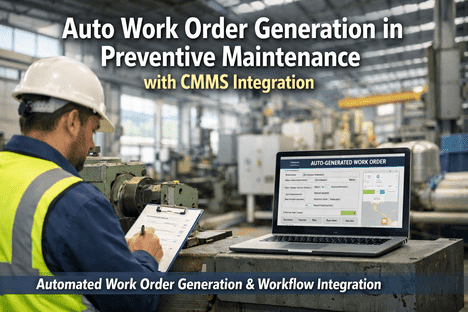
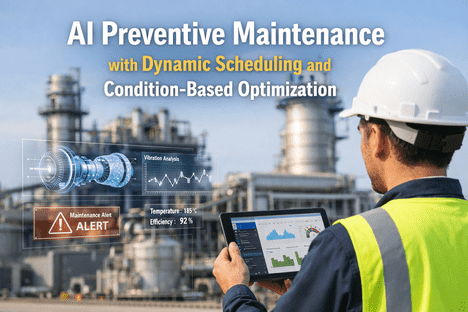
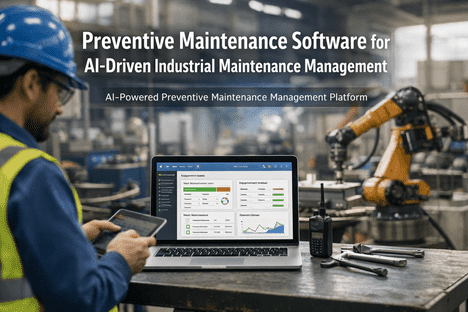
Here is a number that should stop every maintenance director cold: the average technician spends only 25 to 35% of their shift actually turning wrenches. The rest vanishes into work order friction — searching for asset history, tracking down parts, waiting for approvals, re-entering data across three disconnected systems, and chasing status updates down hallways. For a plant running a $12 million maintenance budget, that is roughly $4 million a year paid to move paper, not to fix machines. Auto work order generation plugged into a real CMMS changes the math completely. A sensor spikes, a meter crosses a threshold, a schedule comes due — and within 60 seconds, a fully-populated work order exists with the right asset, right history, right parts reserved, right technician assigned, and a mobile notification already in the technician's pocket. No emails. No clipboards. No handoffs. Teams that get this workflow right report 25–40% more completed work orders per technician, 60–80% faster response times, and a 23% recovery of requests that used to simply get lost. The work order is the atom of maintenance. When it auto-generates correctly, everything downstream gets sharper.
Auto Work Orders & CMMS Integration
Work Orders That Generate Themselves. Workflows That Never Get Stuck.
iFactory turns every trigger — schedule, meter, sensor, inspection, or request — into a complete, assigned, and tracked work order in under 60 seconds, flowing through your ERP, SCADA, and parts inventory without a single manual handoff.
60 sec
Time from trigger to fully-populated work order
25–40%
More completed work orders per technician after automation
60–80%
Faster response times across the entire work order lifecycle
100%
Closure rate with complete data vs. 59% on manual systems
Sources: Oxmaint 2026 · Deloitte · eMaint · MaintainX Work Order Automation Guide
Five Ways a Work Order Starts. One Workflow to Rule Them All.
In most plants, work orders are born in five different places — each with its own format, delay, and data loss problem. iFactory collapses all five into a single intake funnel that normalizes every request into a structured work order, no matter where it originated.
Source 01
Scheduled PM Triggers
Calendar, meter, and runtime thresholds auto-fire due tasks
Source 02
IoT Sensor Alerts
Vibration, temperature, pressure breaches create condition-based WOs
Source 03
QR Code Requests
Operators scan the asset, pick the issue, add a photo — 60 seconds
Source 04
Inspection Failures
Mobile inspection checklists auto-escalate defects into corrective WOs
Source 05
AI Predictive Alerts
Machine learning flags anomalies 2–8 weeks before failure
Unified Work Order
Structured · Assigned · Tracked
The Six-Stage Lifecycle, Automated End to End
A work order is not a line item — it is a lifecycle. Every stage has a handoff, and every handoff is where manual systems leak time, data, and accountability. Here is what each stage looks like when automation owns the motion.
1
Capture
Trigger fires from any of five sources. Work order created in under 60 seconds with asset ID, location, and fault classification.
2
Prioritize
AI priority score based on asset criticality, safety impact, compliance deadline, and historical failure patterns.
3
Assign
Right technician matched by skill, certification, shift, current workload, and proximity to the asset.
4
Execute
Mobile work order with SOPs, parts list, history, and safety checklist. Photos and readings captured in the field.
5
Close
Root cause, failure mode, labor hours, parts used, and total cost required before closure. No silent closures.
6
Learn
Every closed WO feeds analytics: MTTR, MTBF, recurring failures, PM compliance — sharpening the next cycle.
Want to see this lifecycle running on your real assets? Book a 30-minute workflow walkthrough.
Inside an Auto-Generated Work Order
What actually lives inside a well-formed work order? The short answer: everything a technician needs to complete the job without walking back to a desk. No scavenger hunts for manuals, no hunts for parts, no calls to supervisors. Here is a stripped-down view of the fields that auto-populate the moment a trigger fires.
Work Order #WO-48219
HIGH PRIORITY
Asset
CONV-03 — Packaging Line Conveyor Drive
Trigger Source
IoT Vibration Sensor — 4.8 mm/s RMS (threshold 4.5)
Fault Classification
Bearing degradation — AI confidence 92%
Assigned To
J. Martinez — Shift B Mechanical Tech
Parts Reserved
Bearing SKF-6205 (Qty 2) — Crib Rack 4-B
Estimated Duration
45 minutes — based on last 12 similar jobs
SOP & Safety
LOTO-CONV-001 attached · PPE: gloves, safety glasses
Production Impact
Scheduled in shift changeover window — zero downtime
Every field auto-fills from integrated systems — no typing required
Parts reserved from inventory the instant the WO is created
Mobile alert hits the technician's phone in under 60 seconds
The Three Trigger Types That Auto-Create Work Orders
Every auto-generated work order comes from one of three families of triggers. Modern plants run all three in parallel — each catching a different class of maintenance event that the others would miss.
Time & Meter Triggers
Scheduled intervals and usage counters
CalendarGrease pump bearings every 90 days
RuntimeOil change after 2,000 operating hours
CyclesInspect press after 50,000 strokes
MileageService forklift every 5,000 miles
Condition Triggers
Live sensor thresholds & anomalies
VibrationBearing RMS exceeds 4.5 mm/s
TemperatureMotor winding rises above 80°C
PressureDischarge drift beyond ±7% of setpoint
CurrentMotor draw spikes over 130% nominal
Event Triggers
Human, AI, or external system input
QR ScanOperator reports issue via phone
InspectionFailed checklist item auto-escalates
AI AlertML model predicts failure in 14 days
ERPProduction change triggers retooling WO
CMMS Integration: One Platform, Every System
Work order automation only delivers its full value when it is plugged into the other systems that run your plant. iFactory integrates bidirectionally with eight categories of enterprise and shop-floor systems — so data flows in, work orders flow out, and every system stays in sync.
iFactory CMMS
Bidirectional API-first core
ERP
ERP Systems
SAP, Oracle, Microsoft Dynamics
MES
MES Platforms
Production schedule sync
IoT
IoT Sensors
OPC-UA, MQTT, REST API
SCADA
SCADA / PLC
Ignition, Wonderware, PI
INV
Parts Inventory
Auto-reserve & reorder
HR
HR & Scheduling
Skills matrix, shift rosters
BI
BI & Analytics
Power BI, Tableau dashboards
SSO
Identity & SSO
Okta, Azure AD, SAML
What Happens to the Technician's Day
The clearest measure of work order automation is not technology — it is wrench time. Look at how a typical 8-hour technician shift breaks down before and after deploying iFactory, based on aggregated data across manufacturing, facility, and utility deployments in 2025–2026.
Before Automation
Average 8-hour shift
Wrench Time 30%
Finding Info 25%
Waiting 22%
Paperwork 15%
Travel 8%
After iFactory
Same 8-hour shift
Wrench Time 60%
Finding Info 8%
Waiting 10%
Paperwork 12%
Travel 10%
Wrench Time
Finding Asset Info
Waiting on Parts / Approvals
Paperwork & Data Entry
Travel
Net result: 2x wrench time per technician — without hiring a single new tech.
Rollout Roadmap: From Kick-Off to Full Automation
iFactory work order automation deploys in structured milestones. Each milestone delivers measurable business value on its own — so there is no "big bang" wait for ROI.
Week 1–2
Asset & Data Onboarding
Import asset hierarchy, PM schedules, and parts catalog. Connect ERP and SCADA feeds.
Week 3–4
Trigger Rules & Mobile Go-Live
Configure time, meter, and condition triggers. Deploy mobile app to technicians with QR-code intake.
Week 5–6
AI Assignment & Prioritization
Activate skill-based assignment, priority scoring, and auto-parts reservation. First ROI measurable.
Week 7–8
Analytics & Continuous Tuning
Activate BI dashboards, closure-data analytics, and feedback loops. Expand to next plant or line.
23%
Lost requests recovered through structured intake
$4.2M
Admin waste eliminated on a $12M maintenance budget
90%+
Mobile adoption target by week 4 of deployment
8 Weeks
From kickoff to measurable productivity lift
Frequently Asked Questions
What is auto work order generation?
Auto work order generation is the ability of a modern CMMS to create a complete, assigned, and tracked work order automatically the moment a trigger fires — whether that trigger is a scheduled PM interval, a meter reading, an IoT sensor threshold, a failed inspection, or an AI predictive alert. No manual typing, no handoffs.
Book a demo to see it live.
How does iFactory integrate with our existing ERP and SCADA systems?
iFactory is API-first and integrates bidirectionally with SAP, Oracle, Microsoft Dynamics, Ignition, Wonderware, PI, and any IoT platform supporting OPC-UA, MQTT, or REST. No rip-and-replace — work orders flow automatically from sensor triggers and ERP events, and closure data syncs back to finance, inventory, and production planning systems in real time.
What information is included in an auto-generated work order?
Every auto-generated WO includes: asset ID and location, trigger source and fault classification, AI-assigned priority score, matched technician, reserved parts with crib location, estimated duration, attached SOPs and safety procedures, and a mobile notification delivered in under 60 seconds — all populated automatically from integrated systems.
Can operators create work orders without a computer?
Yes. Every asset gets a printed QR code. An operator scans with their phone's native camera (no app download, no login), selects the issue category from a visual menu, attaches an optional photo, and submits. The request becomes a structured work order in the CMMS within 60 seconds, pre-populated with asset, location, and history.
See the QR flow in a demo.
How does AI prioritize work orders without a supervisor?
AI priority scoring evaluates five factors automatically: asset criticality, failure consequence, safety impact, compliance deadline, and historical failure patterns. A chiller serving a data center scores higher than an office HVAC unit. A safety-critical interlock outranks a cosmetic repair. Supervisors can override scores when context demands, and every override trains the model.
How long does it take to deploy iFactory work order automation?
Most plants deploy in 6–8 weeks: weeks 1–2 for asset onboarding, 3–4 for trigger rules and mobile go-live, 5–6 for AI assignment and prioritization, and 7–8 for analytics activation and tuning. Teams that achieve 90%+ mobile adoption by week 4 consistently report full ROI validation by week 12.
The Work Order Should Do the Work
Stop Typing Work Orders. Start Closing Them.
iFactory turns every sensor signal, schedule trigger, and operator request into a fully-formed, assigned, and tracked work order — so your technicians spend their time fixing machines instead of feeding forms.
5 Sources
Collapsed into one unified intake funnel
6 Stages
Automated from capture to continuous learning
8 Systems
Bidirectionally integrated with your stack
2x
Wrench time per technician after go-live