Excel has been the backbone of manufacturing reporting for over three decades. Plant managers, supervisors, and operators rely on spreadsheets to track production output, quality metrics, downtime, and efficiency. But as manufacturing operations grow in complexity — with multiple production lines, real-time sensor data, distributed teams, and increasing regulatory demands — the limitations of Excel become critical bottlenecks. Spreadsheets break under large datasets, version control is nonexistent, collaboration means emailing files back and forth, and errors hide in formula cells until they cause costly decisions. The migration from Excel to live manufacturing dashboards is not about replacing a tool. It is about transforming how your plant sees and acts on its data. This guide walks through a proven four-phase migration approach: Audit, Design, Build, and Deploy, covering every step from inventorying your current Excel reports to retiring legacy files after dashboard cutover.
Get Your Excel-to-Dashboard Migration Plan in 30 Minutes
From 50 Spreadsheets to a Single Source of Truth: Structured Assessment That Audits Your Current Excel Reports, Maps Data Sources, and Produces a 10-Week Migration Roadmap.
iFactory’s migration assessment is a structured 30-minute consultation that reviews your current Excel reporting landscape, identifies the top 10 reports that deliver 80% of your decision-making value, maps every data source and refresh cadence, and produces a detailed 10-week migration roadmap tailored to your plant. You leave the session with a clear understanding of the migration scope, timeline, expected ROI, and the first three steps you need to take. No commitment, no sales pitch — just a practical plan you can start executing immediately.
Excel-to-Dashboard Migration Impact Scoreboard
The scoreboard captures the measurable outcomes of a successful Excel-to-dashboard migration across four plants. Over 350 Excel reports replaced, 18 hours of manual reporting time saved per week per plant, 12 manufacturing sites transformed, and an average ROI of 340% within the first 12 months. These metrics reflect the compounding effect of eliminating manual data manipulation, reducing error rates, and accelerating decision-making speed across the organisation.
The 4-Phase Migration Framework: From Excel Audit to Dashboard Cutover
The migration follows a structured four-phase framework designed to minimise operational disruption while maintaining data integrity at every step. Each phase has a defined duration, clear activities, and a specific deliverable that gates progress to the next phase. The total timeline is 10 weeks, with parallel workstreams for data integration, dashboard construction, and user training running concurrently during the Build phase.
- Inventory all active Excel reports
- Interview report owners per department
- Document data sources and refresh cadence
- Create dashboard wireframes by role
- Define KPI definitions and formulas
- Design data model and ETL mappings
- Configure data connectors and ETL pipelines
- Build dashboard prototypes in iFactory
- Validate data accuracy against source Excel
- Conduct operator and manager training
- Soft launch with pilot user group
- Full cutover and legacy report retirement
Excel vs Live Dashboards: A Side-by-Side Capability Comparison
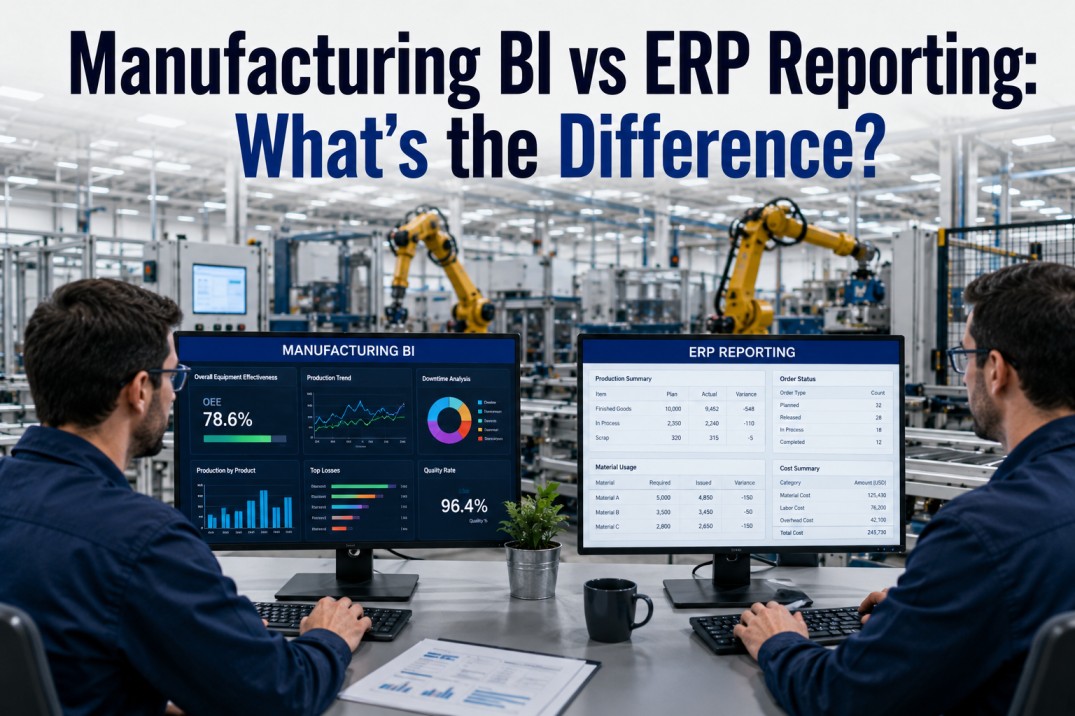
Understanding the gap between Excel-based reporting and live dashboards is essential for building a compelling business case and designing an effective migration. The comparison table below evaluates both approaches across ten critical dimensions: data entry method, refresh speed, collaboration, error risk, mobile access, version control, audit trail, scalability, three-year cost, and user adoption. Dashboards outperform Excel in every category, with the largest gaps in collaboration, error reduction, and decision speed.
| Capability | Excel | Dashboard | Winner |
|---|---|---|---|
| Data Entry Method | Manual cell-by-cell entry | Automated from source systems | Dashboard |
| Refresh Speed | Hours to days, dependent on manual effort | Real-time to hourly, fully automated | Dashboard |
| Collaboration | Single-user file; email-based sharing | Multi-user concurrent access with permissions | Dashboard |
| Error Risk | High — formula breaks, copy-paste mistakes | Low — governed data pipeline with validation | Dashboard |
| Mobile Access | Not available or via remote desktop only | Native mobile dashboards with touch interface | Dashboard |
| Version Control | Manual naming (v1, v2, final); no audit trail | Automatic versioning with full change history | Dashboard |
| Audit Trail | None — no record of who changed what or when | Complete audit log of every interaction and update | Dashboard |
| Scalability | Slows down beyond 50K rows; crashes with large data | Handles millions of data points across multiple plants | Dashboard |
| Cost Over 3 Years | Hidden labour costs exceed software cost by 5-10x | Predictable subscription with measurable ROI | Dashboard |
| User Adoption | Low — only 20-30% of stakeholders actively use Excel reports | High — 80-90% adoption with role-based dashboards | Dashboard |
See the Before-and-After — Excel Report vs Live Dashboard Side by Side
A 10-Minute Demo Comparing an Actual Excel Production Report with Its Dashboard Equivalent on iFactory’s Platform.
See the transformation for yourself. In this focused 10-minute demo, iFactory’s team takes an actual Excel production report — complete with manual data entry, broken formulas, and email-based distribution — and shows the same data rendered as a live, auto-refreshing dashboard with role-based access, mobile views, and drill-down capability. You will see exactly how data accuracy improves, how refresh time drops from hours to seconds, and how the dashboard version eliminates the manual work that consumes 15–25 hours of your team’s time every week.
Migration Architecture: From Excel Silos to Live Dashboards
The SVG architecture diagram below illustrates the migration from disconnected Excel spreadsheets on the left, through the migration bridge layer in the centre, to the live dashboard environment on the right. The migration bridge consists of iFactory connectors that pull data from source systems, an ETL and validation layer that cleanses and standardises the data, and a data model layer that structures data for dashboard consumption. The result is a governed, auto-refreshing pipeline that replaces manual Excel workflows.
Risk Mitigation: Avoiding the Six Most Common Migration Pitfalls
Every Excel-to-dashboard migration carries risks that can derail timelines, erode user confidence, or compromise data accuracy. The six risk mitigation cards below address the most common failure modes: data loss during migration, user resistance to change, report downtime during cutover, incomplete data migration, scope creep, and integration failure with source systems. Each card includes the risk severity, a specific mitigation strategy, and the owner responsible for executing it.
10-Step Migration Implementation Checklist
This checklist covers every action required to execute a successful Excel-to-dashboard migration, organised in chronological order from initial audit through full cutover and legacy report retirement. Each item includes the phased badge (Audit, Design, Build, or Deploy) and a priority rating (P1 or P2) to help your migration team focus on the highest-impact activities first.
Measurable ROI: Six Benefits of Dashboard Migration
The ROI benefit cards quantify the before-and-after impact of migrating from Excel to live dashboards across six value drivers: weekly hours saved, error reduction percentage, decision speed improvement, report coverage increase, user satisfaction score, and annual maintenance cost reduction. Each card shows the before value, an arrow indicating improvement direction, the after value, and the percentage improvement badge.
Frequently Asked Questions
How long does it take to migrate from Excel to live dashboards?
A typical manufacturing Excel-to-dashboard migration takes 8 to 12 weeks for a single plant, depending on the number of active reports, the complexity of data sources, and the number of user roles requiring dashboards. The four-phase approach — Audit (2 weeks), Design (2 weeks), Build (4 weeks), and Deploy (2 weeks) — provides a structured timeline that minimises operational disruption. Multi-plant migrations require additional time for site-specific customisation, but the core timeline scales linearly with the number of plants. iFactory’s migration team follows this exact 10-week model, with parallel workstreams for data integration, dashboard construction, and user training to compress the timeline where possible.
What is the best approach for migrating Excel reports without disrupting operations?
The best approach is a phased parallel-run migration. During the Audit phase, every active Excel report is inventoried and categorised by criticality and refresh frequency. High-priority reports are migrated first, with dashboards running in parallel with Excel for two to four weeks to validate data accuracy and build user trust. Lower-priority reports are migrated in subsequent waves. The parallel-run period gives users time to familiarise themselves with the new dashboards while retaining access to their familiar Excel files as a safety net. Full cutover and legacy report retirement occur only after every dashboard has been signed off by its designated report owner. This approach eliminates the risk of operational downtime because the old system remains fully functional until the new system is proven.
How do I ensure data accuracy when moving from Excel to dashboards?
Data accuracy assurance is built into every phase of the migration. During the Audit phase, each data source is documented with its refresh cadence, transformation logic, and known quirks. During the Build phase, automated data validation scripts compare dashboard numbers against source Excel reports row by row, flagging any discrepancies for investigation. User acceptance testing (UAT) requires each report owner to sign off on dashboard accuracy by comparing at least 30 days of historical data side by side. iFactory’s platform includes a built-in data validation module that runs automated reconciliation checks on every data refresh, alerting administrators immediately if numbers deviate from expected ranges. The result is a dashboard environment with verifiable data accuracy that exceeds what most organisations achieve with manual Excel reporting.
What training do operators and managers need after migrating from Excel?
Training requirements differ by role. Operators typically need a single two-hour hands-on session focused on the operator-facing dashboard, covering how to find their metrics, interpret visualisations, and use the mobile interface. Supervisors and plant managers need a three-hour session covering role-specific dashboards, drill-down navigation, alert configuration, and report scheduling. Power users who previously built Excel reports need a full-day workshop on the dashboard platform’s data model, custom report builder, and self-service analytics capabilities. The best training approach is role-based small-group sessions using real plant data, reinforced by quick-reference guides and a dedicated Slack or Teams channel for post-training questions. iFactory provides role-specific training materials and on-site or virtual training sessions as part of the migration package.
How do I calculate the ROI of moving from Excel to manufacturing dashboards?
ROI is calculated by measuring the total cost of Excel-based reporting (labour hours for data gathering, manual formatting, error correction, and report distribution, plus license costs and indirect costs of delayed decisions) versus the total cost of the dashboard platform (subscription, migration cost, training, and ongoing administration). The three largest value drivers are: labour savings from eliminating manual data manipulation (typically 15–25 hours per week per plant), error reduction from eliminating formula mistakes and data entry errors (error rates drop from 5–8% to below 0.5%), and decision speed improvement from real-time data access (decision cycles shrink from multiple days to minutes). The combined effect typically yields 200–500% ROI within 12–18 months across manufacturing organisations, with labour savings alone covering the platform cost within 6–9 months.
From Excel Chaos to Live Dashboards in 10 Weeks. iFactory Handles the Migration.
Stop Maintaining 50 Spreadsheets. iFactory’s Migration Team Handles Audit, Build, and Deployment so Your Team Stays Productive.
iFactory’s managed migration service takes full ownership of your Excel-to-dashboard transition. Our team conducts the report audit, maps data sources, builds connectors, constructs dashboards, validates data accuracy, trains your users, and manages the cutover — all while your team continues using Excel reports in parallel. The migration runs on a fixed 10-week timeline with a dedicated project manager, weekly progress reports, and a go/no-go checkpoint at the end of each phase. No disruption to your operations, no learning curve for your team, and a guaranteed result: live dashboards that replace 100% of your active Excel reports.