Plant managers need different analytics than executives. Where an executive dashboard serves summary-level strategic context for monthly board reviews and annual planning, a plant manager’s analytics environment must operate at the line, cell, and shift level — delivering real-time operational intelligence that supports decisions made every hour of every shift. The difference is not just in data granularity; it is in the entire design philosophy. Plant manager analytics are exception-based, action-oriented, and tightly scoped to the plant floor. They surface what needs attention — lines running below target, quality alarms, cost variance triggers — while hiding everything else. This guide covers the seven essential components of a plant manager analytics framework designed for 2026: a scoreboard of adoption metrics, six focus area cards spanning the full SQDCP dimension set, a detailed comparison of plant manager versus executive dashboard design, a visual four-stage daily decision flow, a tiered report framework, an eight-KPI daily tracking grid, and an actionable implementation checklist. Each component is built from industry benchmarks and real-world deployments across discrete manufacturing and process industries.
Is Your Plant Manager Analytics Ready? Take the 5-Minute Assessment
Evaluate Your Current Reporting Against the Eight Plant Manager Analytics Requirements and Get a Personalised Gap Analysis.
iFactory’s Plant Manager Analytics Assessment walks you through the eight essential capability areas — from real-time OEE tracking to exception-based alerting — and produces a custom gap analysis showing exactly where your current reporting meets or falls short of the 2026 standard. The assessment takes five minutes and includes a benchmark comparison against plants of similar size and industry. Book your assessment today and receive a personalised improvement roadmap.
Plant Manager Analytics Adoption Scoreboard
The adoption scoreboard measures how effectively plant managers are leveraging analytics to drive daily operational decisions. Metrics Tracked Daily represents the number of KPIs that plant managers review consistently every shift across production, quality, safety, and cost dimensions. Plants Using Analytics shows the percentage of manufacturing facilities that have deployed dedicated analytics tools for plant-level management. Avg Time Saved quantifies the hours recovered per week when manual report generation is replaced with automated analytics. Decision Confidence tracks the self-reported improvement in operational decision-making quality after adopting structured analytics tools.
Six Focus Areas Every Plant Manager Must Track
Effective plant manager analytics span six critical dimensions: Production Attainment, Quality Performance, Cost Control, Safety Metrics, Labour Efficiency, and Maintenance Health. Each area requires a distinct set of KPIs, review cadences, and alert thresholds tailored to the plant manager’s operational decision-making cycle. The cards below show the typical metrics and review frequencies for each focus area, derived from best practices across discrete and process manufacturing environments.
Plant Manager vs Executive Dashboard: Eight Design Differences
The most common mistake in manufacturing analytics is designing a single dashboard that tries to serve both plant managers and executives. These two audiences have fundamentally different needs across eight dimensions — from metric granularity and refresh rate to decision horizon and design philosophy. This comparison table highlights the key differences and explains why plant managers need a dedicated analytics view optimised for fast, granular, exception-based decision-making.
| Dimension | Plant Manager Dashboard | Executive Dashboard |
|---|---|---|
| Metric Granularity | Line, cell, shift-level detail | Plant, division, enterprise summary |
| Refresh Rate | Real-time to hourly | Daily to weekly |
| Actionability | Direct: assign tasks, adjust production | Indirect: strategic resource allocation |
| Drill-Down Depth | 4+ levels: plant to station to operator | 1–2 levels: plant to department |
| Team Visibility | Operator, supervisor, maintenance included | Department heads, directors, executives |
| Decision Horizon | Shift to weekly tactical decisions | Monthly to quarterly strategic decisions |
| Time Horizon | Current shift through current week | Month-to-date through fiscal year |
| Design Philosophy | Exception-based: show what needs action | Summary-based: show what happened |
Key insight: Plant manager dashboards focus on granular, actionable data with real-time refresh and exception-based alerts, while executive dashboards prioritise summary-level strategic context with slower refresh cycles.
See the Plant Manager Dashboard — Designed for Daily Decisions
A 10-Minute Demo of iFactory’s Plant Manager Dashboard with Exception Alerts, Daily OEE Tracking, and Team Action Assignment.
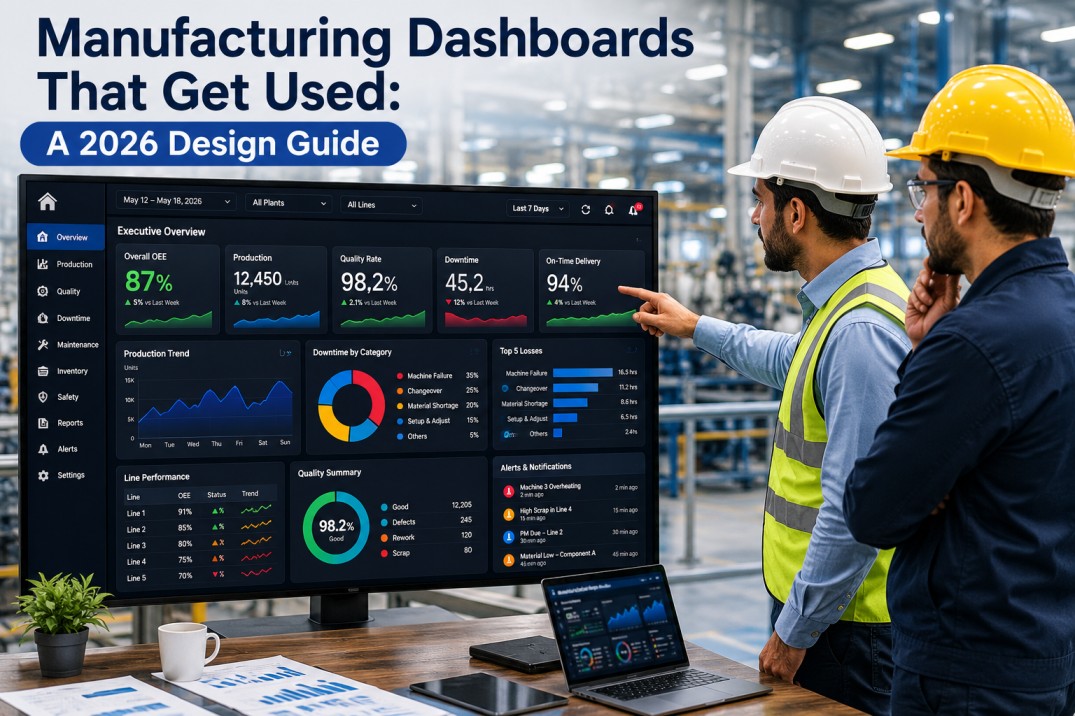
iFactory’s Plant Manager Dashboard is purpose-built for the daily operational decision cycle. It surfaces OEE by line with target vs actual comparison, quality alerts with defect Pareto breakdown, schedule attainment with exception highlighting, and cost variance with drill-down to root cause. The dashboard includes a built-in action assignment panel that lets plant managers allocate tasks to supervisors and track closure in real time. Book a 10-minute demo to see the dashboard configured for a plant like yours.
Daily Plant Manager Decision Flow: From Morning Review to Closure Tracking
Effective plant managers follow a structured daily decision cycle that maximises the value of real-time analytics. The four-stage flow below shows how plant managers move from morning review through exception identification and action assignment to ongoing closure tracking. Each stage has a defined time window and specific analytical outputs that enable fast, confident operational decisions. This cycle compresses the traditional end-of-day report review into a proactive, real-time management approach.
Tiered Report Framework for Plant Managers
Plant managers need analytics at multiple time horizons, each serving a different decision-making purpose. The four-tier framework below defines the shift-level summary for real-time situational awareness, the daily operations review for tactical decisions, the weekly performance review for trend analysis, and the monthly analysis for strategic assessment. Each tier specifies the time required and delivery method to ensure the right information reaches the plant manager at the right cadence.
Eight Essential KPIs Every Plant Manager Should Track Daily
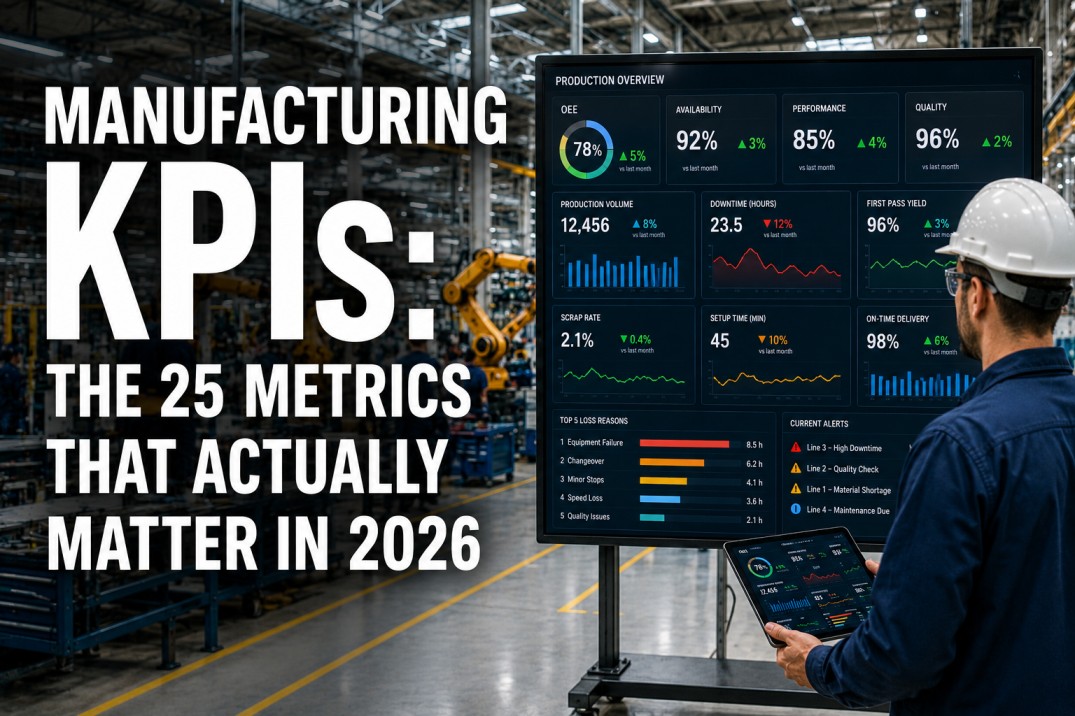
These eight KPIs form the core of a plant manager’s daily analytics review, spanning the full SQDCP framework: OEE, First Pass Yield, Downtime Percentage, Schedule Attainment, Scrap Rate, Safety TRIR, Cost per Unit, and On-Time In-Full delivery. Each KPI includes a target value, the threshold at which an alert should be triggered, and the recommended review cadence. Plant managers who consistently track these eight KPIs achieve faster response times and more predictable operational outcomes.
Plant Manager Analytics Implementation Action Plan
Implementing plant manager analytics does not require a multi-month transformation. The six actions below form a practical implementation roadmap that can be completed in 4–8 weeks, depending on data source readiness. Each action item includes the estimated implementation effort and the expected impact on plant manager decision-making effectiveness. Start with the high-impact items and build momentum from early wins.
Frequently Asked Questions
What analytics do plant managers need most in 2026?
In 2026, plant managers need analytics that cover Safety, Quality, Delivery, Cost, and People—often referred to as the SQDCP framework. The most critical analytics are real-time OEE tracking by line, first-pass yield with defect Pareto breakdown, schedule attainment vs plan, cost per unit with variance drivers, safety incident trending, and labour efficiency across shifts. The key difference from previous years is the expectation of exception-based alerts: instead of manually reviewing dashboards, plant managers expect the system to surface only what needs attention—lines below target, quality alarms, or cost variance exceeding thresholds. Mobile-first delivery is also becoming standard, enabling plant managers to review critical metrics before stepping onto the plant floor.
How is a plant manager’s dashboard different from an executive dashboard?
A plant manager’s dashboard is fundamentally different from an executive dashboard in granularity, refresh rate, and actionability. Plant manager dashboards operate at the line, cell, and shift level with real-time to hourly data refresh, designed to support immediate operational decisions such as reallocating operators, adjusting production schedules, or investigating quality deviations. Executive dashboards operate at the plant, division, or enterprise level with daily to weekly refresh, designed to support strategic decisions such as capital allocation, hiring plans, and annual target setting. The plant manager dashboard emphasises exception-based alerts—highlighting what is below target and needs action—while executive dashboards focus on summary trends, benchmark comparisons, and variance summaries. A well-designed analytics stack serves both audiences with separate views from the same underlying data.
What KPIs should a plant manager track daily?
Plant managers should track eight core KPIs daily to maintain operational control: OEE (target 85%+, alert below 80%), First Pass Yield (target 95%+, alert below 92%), Downtime Percentage (target below 8%, alert above 10%), Schedule Attainment (target 95%+, alert below 90%), Scrap Rate (target below 2%, alert above 3%), Safety TRIR (reviewed monthly, target under 0.5), Cost per Unit (within budget, alert when variance exceeds 5%), and On-Time In-Full delivery (target 95%+, alert below 90%). These eight metrics span the full SQDCP framework and give the plant manager a complete operational picture within a 5–10 minute morning review. Each KPI should have a clearly defined target, alert threshold, and review cadence to ensure consistent daily decision-making.
How can plant managers use analytics to improve shift performance?
Plant managers can use analytics to improve shift performance by implementing a four-step daily cycle: morning review, exception identification, action assignment, and closure tracking. During morning review (06:00–07:00), the plant manager reviews OEE, schedule attainment, quality, and safety metrics from the prior shift. Exception identification (07:00–07:30) highlights lines that fell below target, quality issues requiring escalation, or safety near misses that need investigation. Action assignment (07:30–08:00) allocates specific owners and timelines for each exception, dispatching resources where needed. Closure tracking runs throughout the day, monitoring action completion and escalating unresolved items before the next shift begins. This cycle, enabled by real-time analytics rather than batch reports, reduces response time from days to hours and typically improves OEE by 3–5 percentage points within 90 days.
How do I implement plant manager analytics without overwhelming the team?
The key to implementing plant manager analytics without overwhelming the team is to follow a phased approach: start with the top five KPIs only, automate data collection from existing systems, configure exception alerts before building dashboards, and assign clear metric ownership. Phase 1 (weeks 1–2): define the top five KPIs with targets and alert thresholds—do not attempt to track all metrics from day one. Phase 2 (weeks 3–4): connect data sources and automate collection so plant managers rely on live data, not spreadsheet submissions. Phase 3 (weeks 5–6): configure exception alerts that surface only what needs attention—this is the single highest-impact step. Phase 4 (weeks 7–8): assign metric owners and establish the daily review cadence. iFactory’s plant manager dashboard includes pre-built KPI templates, exception alert rules, and daily review workflows that compress this timeline to 3–4 weeks with no custom development.
Give Your Plant Manager Live Analytics — Deployed in Weeks, Not Months
iFactory’s Plant Manager Dashboard Ships with Pre-Built KPIs, Exception Alerts, and Daily Review Workflows — No Custom Development Required.
iFactory’s Plant Manager Dashboard comes pre-configured with the eight essential KPIs, exception alert rules for each KPI threshold, a daily review workflow with built-in action assignment, and a four-tier reporting framework covering shift, daily, weekly, and monthly views. The system connects to existing PLC, SCADA, MES, and ERP data sources with pre-built connectors for 20+ industrial protocols. Deployment typically takes 3–4 weeks, and the dashboard is fully configurable without custom development. Book a demo to see how quickly your plant manager can start making data-driven decisions.