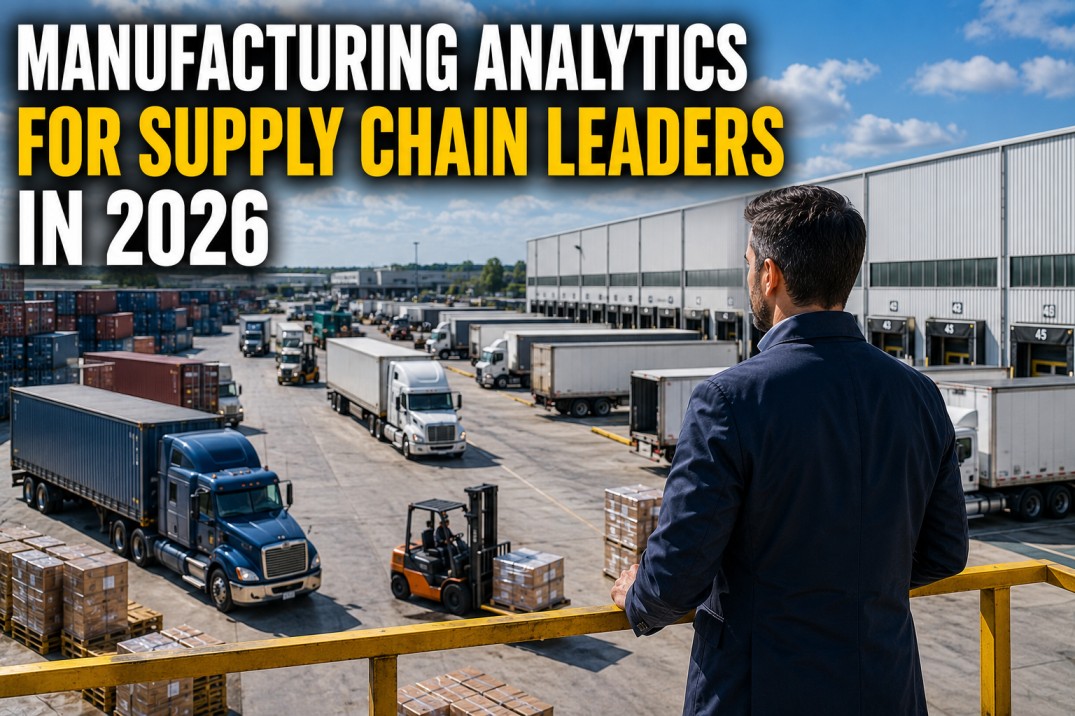
Supply chain leaders need real-time plant data to make sourcing, capacity, and fulfilment decisions, not lagging ERP reports that mask today’s production reality. Manufacturing analytics connects plant-floor operations to supply chain dashboards by feeding OEE, throughput, and schedule attainment into KPIs that drive on-time delivery and inventory optimisation. This guide covers seven essential components: a KPI scoreboard, a KPI reference with formulas and benchmarks, a plant vs supply chain comparison, a data flow diagram, decision cards, bottleneck cards, and an implementation roadmap.
Start Your Supply Chain Analytics Assessment
Map Your Plant Data Sources to Supply Chain Decisions — Identify Gaps, Prioritise KPIs, and Build Your Roadmap in One Session.
iFactory’s analytics platform connects plant-floor data to supply chain dashboards with pre-built connectors for MES, ERP, WMS, and SCADA systems. Our supply chain analytics assessment maps your current data landscape, identifies gaps in KPI coverage, and produces a prioritised implementation plan tailored to your plants and decision workflows. The session includes a live walkthrough of a supply chain leader dashboard configured to your industry and plant profile. There is no obligation and the assessment deliverables are yours to keep.
Supply Chain KPI Scoreboard
The supply chain scoreboard provides a snapshot of four critical metrics that every supply chain leader needs at a glance: OTIF delivery performance against target, production schedule attainment, supplier on-time delivery rate, and inventory turns. OTIF is the ultimate measure of supply chain effectiveness, reflecting how well the entire production-to-delivery process works end to end. Schedule attainment reveals whether plants are producing what was planned, which directly impacts raw material consumption, WIP levels, and finished goods availability. Supplier on-time delivery tracks inbound reliability, and inventory turns measure how efficiently working capital is deployed. Together, these four metrics give supply chain leaders a complete view of plant-to-customer performance.
Supply Chain KPI Reference: Formulas, Benchmarks, and Decisions
Each supply chain KPI is defined with its standard formula, an industry benchmark, and the specific decision it drives. OTIF is the primary customer-facing metric, schedule attainment governs production planning credibility, capacity utilisation determines whether the supply chain has margin for growth, supplier OTIF drives procurement decisions, inventory turns measure working capital efficiency, and lead time sets customer expectations. Understanding the formula and benchmark context ensures that the entire supply chain team interprets each KPI consistently and acts on the right signals.
Plant View vs Supply Chain View: Eight Key Differences
Plant and supply chain teams operate on different time horizons, use different metrics, and source data from different systems. The plant view focuses on real-time operational performance — OEE, downtime, output per line — with minute-by-minute granularity. The supply chain view aggregates plant data into customer-facing metrics — OTIF, turns, lead time — with daily to weekly cadence. Understanding these eight key differences helps both teams align their KPIs, harmonise their data, and collaborate effectively on shared goals like on-time delivery and inventory efficiency.
| Dimension | Plant View | Supply Chain View |
|---|---|---|
| Time Horizon | Hours – Days | Days – Weeks |
| Metric Focus | OEE, FPY, Downtime, Output | OTIF, Turns, Lead Time, Cost/Unit |
| Data Sources | PLC, SCADA, MES, Sensors | ERP, MES, WMS, TMS, Supplier Portals |
| Decision Type | Tactical – shift adjustments, line changeovers | Strategic – sourcing, allocation, capacity planning |
| Refresh Rate | Real-time to hourly | Daily to weekly |
| Primary Audience | Supervisors, Operators, Plant Manager | Supply Chain Manager, Director of Operations, VP SCM |
| Granularity | Individual machine, line, shift | Plant, region, SKU family, supplier |
| Tooling | MES dashboards, PI Vision, real-time HMI | BI platforms, analytics workbenches, scorecards |
Book a Demo: See Plant-to-Supply-Chain Analytics in Action
Live Dashboard Walkthrough — Watch Real-Time Plant Data Flow into Supply Chain KPIs with Drill-Down to Line, SKU, and Order Level.
iFactory’s platform ingests data from MES, ERP, SCADA, and supplier portals, harmonises it into a unified supply chain data model, and surfaces it through role-based dashboards for plant managers and supply chain leaders. The demo shows a live dashboard with OTIF tracking, schedule attainment by plant, inventory turns by SKU category, and bottleneck alerts with drill-down. You will see how plant-floor data drives supply chain decisions at the executive level, using your data or a representative manufacturing dataset.
Manufacturing Data Flow: From Plant Floor to Supply Chain Dashboard
The data flow from plant floor to supply chain dashboard passes through four stages: data is captured at the machine and sensor level by PLCs and SCADA systems, contextualised with production and inventory data in MES and ERP, enriched and modelled in the analytics layer, and finally presented as actionable KPIs in the supply chain dashboard. Each stage adds context and reduces latency: raw machine events become production records, which become schedule attainment metrics, which become OTIF calculations visible to the supply chain leader within minutes of a production event.
Supply Chain Decisions Powered by Plant Analytics
Every supply chain decision requires a specific combination of data, analytics, and cadence. Order promising needs real-time capacity and material availability data from the plant. Capacity planning requires throughput rates, maintenance schedules, and shift patterns. Inventory allocation depends on current stock positions, demand signals, and order backlog. Supplier management needs inbound OTIF trends and quality scorecards. Each card below maps a supply chain decision to the data required, the analytics that support it, and the frequency at which it should be made.
Supply Chain Bottleneck Identification and Resolution
Supply chain bottlenecks can emerge anywhere in the plant-to-customer chain: a constrained production line, a critical material shortage, a quality hold delaying shipment, an equipment breakdown reducing output, or a logistics delay blocking dispatch. Each bottleneck has a characteristic signature in the data — utilisation above 95% with growing backlog signals constrained capacity, while supplier OTIF below 80% combined with WIP starvation points to material shortage. Early detection of these signatures enables proactive resolution before customer orders are affected.
Five-Step Roadmap to Supply Chain Analytics
Deploying manufacturing analytics for supply chain leaders follows a phased approach: assess the current state of data sources and KPI coverage, connect plant data to the analytics layer, build role-based dashboards for each supply chain function, align the supply chain team around the new KPIs and decision cadence, and continuously optimise the data models, targets, and tooling. Each phase builds on the previous one, and the total timeline from assessment to live dashboards is typically 10–14 weeks depending on the number of plants and source systems involved.
Frequently Asked Questions
How does plant-floor analytics help supply chain leaders make better decisions?
Plant-floor analytics gives supply chain leaders real-time visibility into what is actually happening on the production line, replacing lagging ERP data with current operational truth. When a supply chain leader can see that OTIF is dropping because three lines are running below schedule attainment, they can intervene before customer orders are missed. Real-time plant data enables accurate ATP/CTP calculations, early detection of capacity constraints, and dynamic inventory allocation based on actual production output rather than planned rates. Without plant-floor visibility, supply chain decisions are based on yesterday’s data and tomorrow’s assumptions — with plant analytics, they are based on what is happening right now on every line in every plant.
What are the most important supply chain KPIs to track from plant data?
The five most impactful supply chain KPIs sourced from plant data are OTIF (on-time in-full delivery performance), schedule attainment (actual vs planned production), capacity utilisation (output vs maximum possible), inventory turns (COGS divided by average inventory), and lead time (order receipt to customer delivery). OTIF and schedule attainment are lead indicators of customer satisfaction and revenue risk. Capacity utilisation reveals whether the supply chain is running plants at optimal levels or leaving margin on the table. Inventory turns indicate working capital efficiency, and lead time drives customer promise accuracy. Each of these KPIs is directly calculable from plant and ERP data and should be visible on every supply chain leader’s dashboard.
How do I connect plant data to my existing supply chain analytics tools?
Connecting plant data to supply chain analytics tools requires a data integration layer that bridges plant-floor systems (PLC, SCADA, MES) with supply chain systems (ERP, WMS, TMS). This is typically achieved through an analytics platform that ingests data from both domains, harmonises it using common identifiers (work order, batch number, SKU, plant code), and exposes the unified data model to BI tools and dashboards. The integration layer handles data transformation, unit conversion, time zone alignment, and quality checks. Most manufacturing analytics platforms provide pre-built connectors for common MES and ERP systems, reducing integration time from months to weeks. The key is to ensure that plant data arrives in the supply chain analytics layer with minimal latency — ideally within minutes of production events — so that decisions reflect current conditions.
How do I convince plant managers to share real-time data with the supply chain team?
The most effective approach is to demonstrate mutual benefit: when plant managers share real-time data with supply chain, they get more accurate production schedules, fewer material shortages, better inventory availability, and reduced changeover pressure. Frame the data sharing as a two-way value exchange — plant provides capacity and output data, supply chain provides stabilised schedules and reliable material flow. Start with a pilot on a single line or plant, show the concrete improvements (reduced shortages, better schedule attainment), and use those results to build the case for broader adoption. The analytics platform should give plant managers visibility into how their data is being used and what supply chain decisions it drives, creating transparency and trust.
What is the typical timeline for deploying a supply chain analytics solution with plant data integration?
A phased deployment typically takes 10–14 weeks from project kick-off to live dashboards. Phase 1 (weeks 1–3): assess current data landscape, identify source systems, define KPI requirements, and select the analytics platform. Phase 2 (weeks 4–9): integrate plant-floor data sources, build data pipelines, implement data quality checks, and develop the supply chain KPI dashboards. Phase 3 (weeks 10–12): train the supply chain team on dashboard usage, establish decision cadence around KPI reviews, and refine data models based on feedback. Phase 4 (ongoing): optimise continuously by reviewing KPI targets quarterly, adding predictive analytics, and expanding to additional plants and product lines. iFactory’s platform supports this timeline with pre-built connectors, KPI templates, and embedded decision support capabilities.
Deploy Supply Chain Analytics in Your Plants
Go from Data Assessment to Live Supply Chain Dashboards in 10–14 Weeks — Start with a Free Readiness Review.
iFactory’s deployment is built for speed: pre-built connectors for 20+ MES, ERP, and SCADA systems; configurable KPI templates aligned to supply chain decision workflows; and role-based dashboards that teams adopt within days. Every deployment includes a readiness review, data source mapping, custom dashboard configuration, team training, and 30-day post-launch support. The platform scales from a single plant to global operations with consistent KPIs across sites. Book a call to discuss your plants and get a timeline estimate.