Choosing the wrong production scheduling tool does not announce itself on the day you buy it. It announces itself six months later — when the spreadsheet that runs your daily dispatch breaks during a shift change, when your MES cannot communicate with your ERP, or when your APS vendor invoices a $40,000 implementation fee to add a second plant. For U.S. manufacturers deciding between Excel, a Manufacturing Execution System, and an Advanced Planning and Scheduling platform, the stakes are real and the differences between these tools are wider than most software comparisons suggest. This guide breaks down what each category actually does on the shop floor, where each one breaks down and how to match the right tool to your operation's actual scheduling complexity. Schedule a Production Scheduling Demo.
The production scheduling software market is broadly divided into three tiers: spreadsheet-based tools that most plants already use, MES platforms with embedded scheduling modules that connect scheduling to shop floor execution, and standalone APS systems that apply constraint-based optimization algorithms to capacity and demand. Each solves a different version of the scheduling problem — and understanding where each one's accuracy model breaks down is more useful than any feature checklist. Book a scheduling platform session to evaluate which tier fits your current operation.
Excel vs. MES vs. APS: The Core Capability Comparison
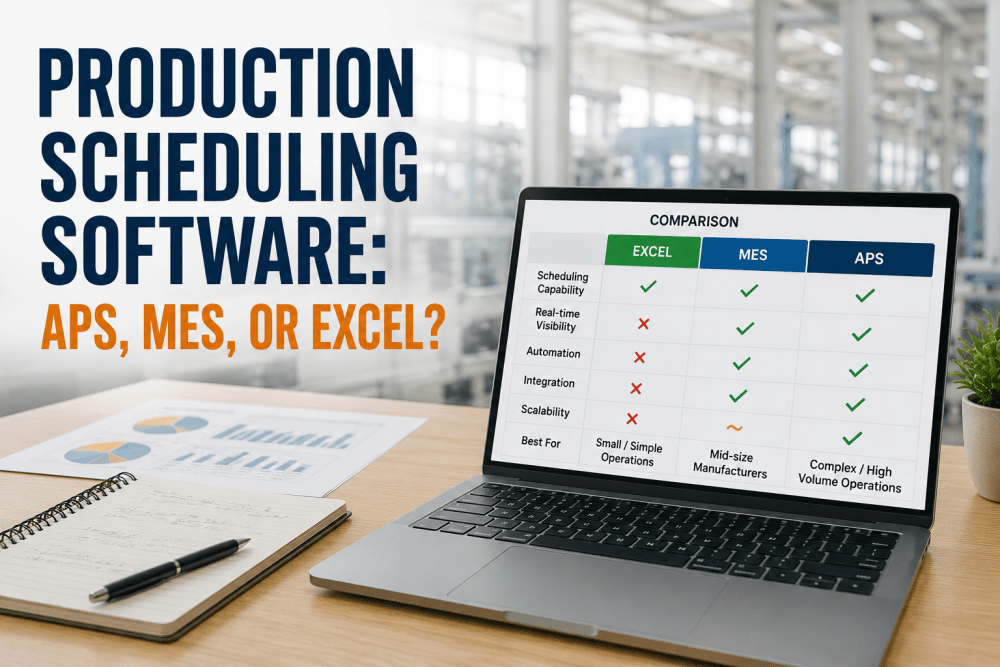
Before evaluating vendors, manufacturers need to understand the fundamental capability architecture of each tool category. The differences are not incremental — they represent three distinct approaches to how scheduling decisions are made, stored, and communicated to the shop floor.
| Capability | Excel / Sheets | MES Scheduling | APS Platform |
|---|---|---|---|
| Schedule Creation Method | Manual entry, formulas | Rule-based sequencing from work orders | Constraint-based optimization engine |
| Real-Time Shop Floor Visibility | None | Full — machine status, WIP, operator | Via ERP/MES integration |
| Capacity Constraint Handling | Manual — planner calculates | Semi-automatic — rule-defined limits | Automatic — finite capacity engine |
| Multi-Resource Scheduling | Manual coordination | Limited — single plant focus | Multi-plant, multi-resource |
| What-If Scenario Planning | Manual copy-and-edit | Not standard | Built-in scenario comparison |
| ERP Integration | Manual export/import | Native bidirectional | API-based, deep sync |
| Schedule Re-optimization on Disruption | Manual rebuild | Rule-triggered resequencing | Automated re-optimization |
| Typical Annual Cost | $0 – $500 | $8,000 – $60,000 | $40,000 – $250,000+ |
| Implementation Timeline | Days | 4 – 16 weeks | 3 – 12 months |
| Best Fit | Under 3 machines, stable product mix | Single-plant discrete manufacturing | Multi-plant, high SKU complexity |
The table above is a functional benchmark, not a value judgment. A job shop running 8 machines with 20 SKUs and a skilled planner can outperform a mid-tier APS deployment on scheduling accuracy. The question is always: what is the cost of the manual coordination effort, and at what point does the error rate from that effort exceed the cost of automation?
Where Each Tool Breaks Down: The Failure Modes That Matter
Every scheduling tool works as advertised under ideal conditions. The differentiation happens at the edges — machine breakdowns, demand spikes, material shortages, and shift changes that require the schedule to be rebuilt in under 30 minutes. Understanding each tool's failure mode under pressure is more useful than any benchmark under normal conditions.
The Five Scheduling Scenarios and Which Tool Wins Each One
Rather than mapping features to use cases abstractly, the five scenarios below represent the actual scheduling situations U.S. manufacturers face and the tool category that delivers the highest accuracy-to-cost ratio in each one. These scenarios are drawn from production scheduling patterns across discrete manufacturing, process manufacturing, and mixed-mode operations.
The MES Scheduling Workflow: How iFactory Connects Planning to Execution
For manufacturers in the MES scheduling tier — single-plant operations with 10 to 50 work centers and ERP-driven production orders — the workflow that connects a customer order to a dispatched job on the shop floor determines both schedule accuracy and planner workload. iFactory's MES scheduling module executes this workflow in six stages, each with a specific data handoff that eliminates the manual coordination steps where most scheduling errors are introduced.
Total Cost of Ownership: The Numbers Most Vendors Do Not Show You
Licensing cost is the most visible number in any scheduling software evaluation. It is rarely the largest cost over a 3-year deployment horizon. The four cost categories below — license, implementation, integration, and ongoing administration — represent the full TCO picture that justifies or disqualifies each scheduling tier for a specific operation.
The TCO table above makes the MES scheduling tier's economic case visible: it is not the cheapest option by license cost, but when planner labor and scheduling error cost are included, it consistently delivers the lowest 3-year total cost for the single-plant mid-size manufacturer segment. The Excel option's hidden costs — concentrated in manual coordination labor and error recovery — are rarely quantified before the migration decision is made.
Expert Review: Why Most Production Scheduling Implementations Underperform
Conclusion
The production scheduling software decision is not a technology question — it is a complexity calibration question. Excel is not the wrong answer for a small job shop; it is the wrong answer for a 30-work-center plant running three shifts with daily disruptions. APS is not the right answer because it is the most sophisticated option; it is the right answer when the complexity of the constraint space exceeds what rule-based sequencing can solve, and when the annual cost of scheduling errors exceeds the implementation investment within 24 months.
For the majority of U.S. single-plant manufacturers in the 10 to 50 work center range — the segment where most scheduling improvement investment is concentrated — the MES scheduling tier delivers the best combination of execution connection, ERP integration depth, implementation timeline, and 3-year total cost of ownership. The transition from Excel to MES scheduling typically recovers 12 to 22% of schedule adherence, eliminates the manual data transfer steps that generate most scheduling errors, and pays back its implementation cost within 8 to 14 months through planner labor reallocation and missed shipment reduction alone. The question is not whether the investment is justified. The question is whether the implementation plan includes the planner adoption work that determines whether the system is actually used — because a scheduling tool that the floor plans around, rather than plans with, delivers none of its projected value.
Frequently Asked Questions
The practical tipping point is when the manual coordination effort — maintaining schedule accuracy across multiple planners, shifts, and work centers — consumes more than 15 to 20 hours of planner time per week, or when scheduling errors are generating more than $80,000 per year in expediting costs, overtime, and missed delivery penalties. For most plants, this threshold is crossed somewhere between 5 and 10 active work centers running two or more shifts. Below that level, a well-maintained Excel model with a disciplined planner is a legitimate and cost-effective solution. Above it, the hidden cost of manual coordination typically exceeds the all-in cost of an MES scheduling module within 18 months. The specific trigger varies by product mix complexity: a plant running 8 machines with 3 SKUs and stable demand can operate Excel longer than a plant running 6 machines with 40 SKUs and weekly demand changes.
For true multi-plant operations where capacity allocation decisions need to be made across facilities simultaneously — moving demand from Plant A to Plant B when Plant A is at capacity — standard MES scheduling modules cannot solve this problem natively. MES scheduling optimizes within the boundary of a single plant's work centers and resources. Some MES platforms offer multi-site modules that extend this scope, but these are functionally closer to lightweight APS than to single-plant MES scheduling. The practical answer for most multi-plant manufacturers is an MES module per plant for shop floor execution scheduling, combined with an APS or S&OP planning layer for cross-plant demand allocation. This architecture avoids the complexity and cost of a full APS implementation while preserving execution-connected scheduling at the plant level where most schedule adherence is determined.
A standard MES scheduling implementation for a single plant with 10 to 30 work centers and an existing ERP integration runs 8 to 16 weeks from project kickoff to production go-live. The three main timeline risks are ERP data quality (routing data, work center calendars, and capacity parameters that are frequently incomplete or inaccurate in ERP systems that have not been maintained), PLC and machine connectivity for real-time status feeds (which depends on the age and accessibility of shop floor equipment), and planner training and adoption (which is consistently underestimated in project plans and accounts for the majority of post-go-live schedule adherence shortfalls). Plants that have completed an ERP data audit and PLC connectivity assessment before the MES implementation kickoff consistently complete on the shorter end of the timeline range. Plants that discover data quality issues during implementation are the ones that run 20 to 30 weeks.
Infinite capacity scheduling assumes that resources are always available and builds a schedule based purely on demand priority and routing sequence — it does not check whether a machine is already occupied when it assigns a job. This is the model used by most MRP and standard ERP scheduling functions, and it produces schedules that are frequently unexecutable because they overload resources. Finite capacity scheduling builds the schedule with full awareness of actual resource availability at each time slot — it cannot assign two jobs to the same machine at the same time. MES scheduling modules and APS platforms both use finite capacity engines. The practical consequence is that a finite capacity schedule is executable by the shop floor — it tells operators what to do in a sequence that is physically possible — while an infinite capacity schedule requires manual intervention by the planner to resolve resource conflicts before it can be dispatched. For manufacturers where schedule adherence is a measured KPI, finite capacity scheduling is not optional; it is the baseline requirement for any scheduling tool deployed below the planner-as-manual-override level.
iFactory's MES scheduling module is licensed as part of the broader iFactory platform, with scheduling-specific pricing ranging from $12,000 to $48,000 per year depending on work center count, site count, and integration depth. Implementation services for a standard single-plant deployment run $18,000 to $55,000 depending on ERP integration complexity and shop floor connectivity scope. The payback calculation for a typical deployment — a plant running 15 to 30 work centers, two shifts, transitioning from Excel scheduling — typically includes planner labor reallocation ($40,000 to $65,000 per year for the hours previously spent on manual schedule maintenance and error correction), missed shipment reduction ($60,000 to $180,000 per year depending on current schedule adherence rate and customer penalty exposure), and overtime reduction from improved capacity utilization ($25,000 to $80,000 per year). Combined, these generate a payback period of 6 to 14 months for most deployments in this size range. iFactory delivers a site-specific ROI projection — not a generic one — as part of the pre-sale evaluation process.