A passenger's journey through an airport is a chain of micro-decisions and physical movements — kerb to check-in, check-in to security, security to gate, gate to aircraft. Every link in that chain depends on a piece of equipment working correctly. When one link breaks — an escalator stops, a security lane goes offline, a baggage carousel stalls — the entire chain backs up. What looks like a congestion problem on the terminal floor is almost always a facility analytics problem in the maintenance office. The airports that move the most passengers without friction are not the largest. They are the ones that can see, measure, and predict every failure point before it becomes a queue.
Passenger Flow · Terminal Analytics · Equipment Uptime · Throughput Optimisation
Every Queue Starts With a Failure. iFactory Analytics Shows You the Failure Before the Queue Forms.
Equipment uptime dashboards, predictive maintenance analytics, and throughput reporting — built for airport operations teams where facility performance is passenger performance.
73%
Of passenger complaints at high-volume airports trace directly to equipment-driven delays — moving walkways, baggage stoppages, inoperative elevators, and boarding bridge failures
12 min
Average queue extension caused by a single failed escalator at a checkpoint bottleneck — cascading through the terminal and reducing retail dwell time by 18%
$4,200/hr
Estimated concession revenue lost per hour when escalator failure reduces retail dwell time at a major terminal checkpoint — before airline delay costs are counted
150–300
Passengers per hour lost from checkpoint throughput capacity when a single CT scanner or X-ray lane goes offline during peak security processing periods
The Passenger Journey Is Only as Strong as Its Weakest Equipment
From kerb to gate, every passenger touchpoint relies on a specific category of facility equipment. When analytics are in place, each category can be monitored, trended, and maintained to throughput targets. When analytics are absent, each category is a silent capacity risk waiting to surface at the worst possible moment.
Kerb to Check-In
Automatic doors, kerb-side luggage trolley dispensers, and lift access to departures levels set the first impression of terminal efficiency. A jammed automatic door or offline lift immediately creates a pinch point that slows the departure flow before passengers have even checked in. In airports handling peak-hour surges, even 30 seconds of obstruction per passenger multiplies across thousands of arrivals.
Key equipment
Automatic doors, lifts, kerb-level escalators, FIDS displays
Flow risk
Lift failure creates immediate ADA violation and forces mobility-impaired passengers into manual rerouting
Check-In to Security
Check-in desk equipment, self-service kiosks, bag-drop conveyor feeds, and escalators or travelators routing passengers to the security zone all contribute to throughput at this stage. Kiosk downtime forces passengers to staffed desks, concentrating flow into fewer lanes and extending processing time across the entire check-in hall. Bag-drop conveyor faults create visible backlogs that generate passenger anxiety and staff resource pressure simultaneously.
Key equipment
Self-service kiosks, bag-drop conveyors, travelators, escalators to security
Flow risk
Each failed kiosk adds an estimated 4–6 minutes to average check-in processing time per passenger during peak hours
Security Checkpoint
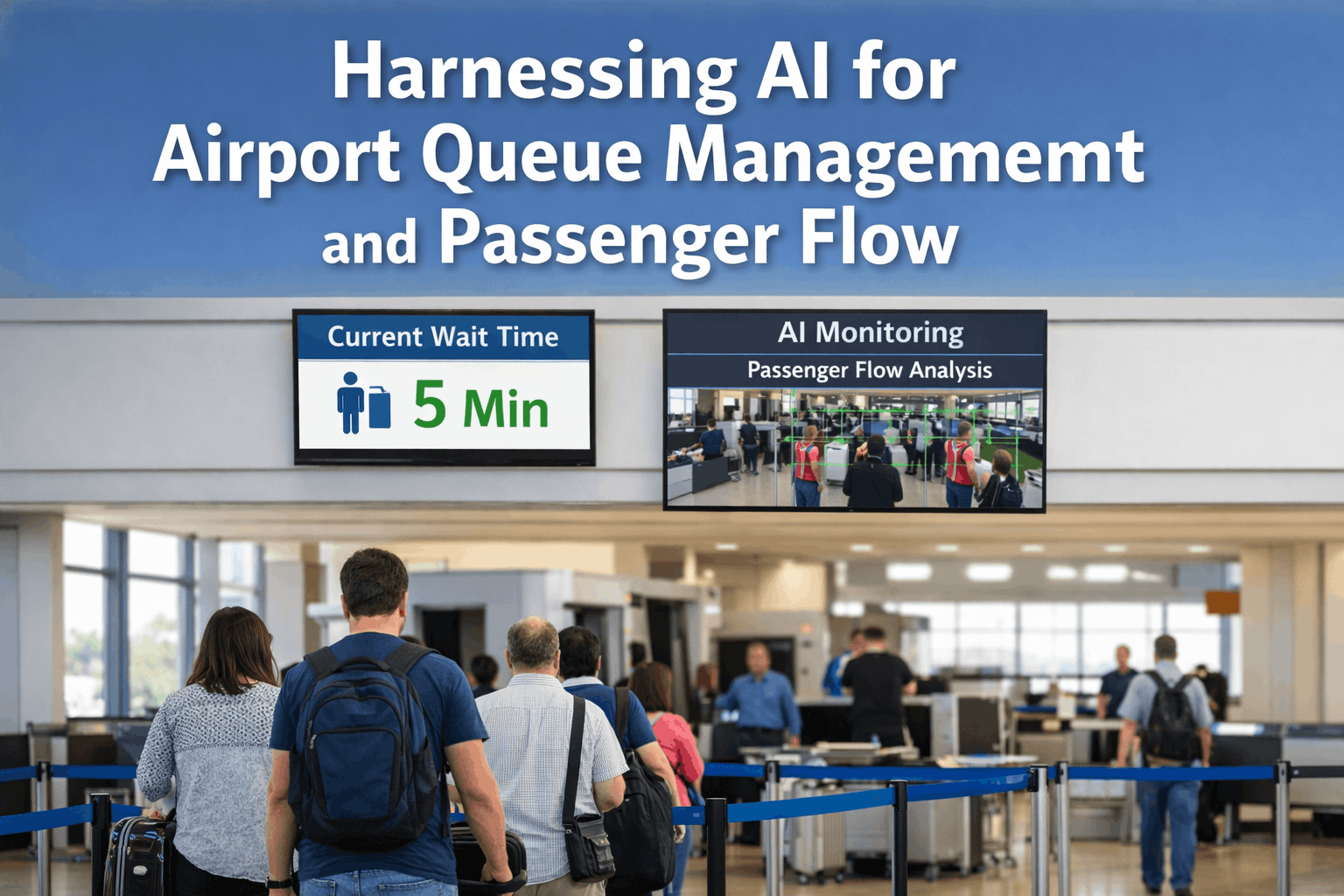
The security checkpoint is the most analytically sensitive zone in the passenger journey. CT scanners, X-ray machines, and body scanners require precise calibration and preventive maintenance on TSA-specified schedules. One offline lane removes 150–300 passengers per hour of processing capacity. With most hub airports operating at 85–95% throughput capacity during peak periods, a single equipment failure at this point creates a backlog that takes 40–60 minutes to clear after the fault is resolved — not when it is resolved.
Key equipment
CT scanners, X-ray machines, body scanners, lane conveyors, divestiture tables
Highest flow impact
150–300 passengers per hour throughput loss per offline lane; backlog outlasts the fault by 40–60 minutes
Airside and Gate
Escalators and travelators within the airside zone, passenger boarding bridges, gate display systems, and lounge HVAC equipment all influence dwell time, comfort, and the final boarding experience. A failed passenger boarding bridge forces bus-gate operations — adding 15–30 minutes to every turnaround for that stand. FIDS display failures cause gate misdirection, leading to missed connections and gate agent congestion as passengers self-reroute using mobile devices while occupying physical space that others need to move through.
Key equipment
Passenger boarding bridges, FIDS, airside escalators, lounge HVAC, gate door mechanisms
Flow risk
PBB failure adds 15–30 min per turnaround; FIDS failure causes misdirection across the gate zone
Arrivals and Baggage Reclaim
Baggage handling systems process 12,000–30,000 bags per hour across kilometres of conveyors, diverters, and screening equipment in a large hub. Belt alignment, motor health, and scanner calibration require continuous monitoring. BHS downtime directly delays departures — not just arrivals — because baggage offload from arriving aircraft blocks the same infrastructure that outbound baggage needs. A carousel fault that holds 400 passengers at reclaim for 25 minutes costs the airport in concession footfall, taxi queue management, and ground transport coordination simultaneously.
Key equipment
BHS conveyors, diverters, carousels, screening units, sortation systems
Highest system risk
BHS downtime delays both arrivals and departures — impact cascades across the entire airside operation
Equipment Analytics · Uptime Dashboards · Predictive Maintenance · Throughput Reporting
Five Zones. Thousands of Equipment Events. iFactory Analytics Tracks Every One and Flags the Failures Before Passengers Feel Them.
Real-time equipment uptime visibility, condition trend analytics, and throughput impact reporting — the facility analytics platform that turns maintenance data into operational intelligence.
What Facility Analytics Actually Means for Passenger Throughput
Facility analytics is not a monitoring dashboard that shows you what broke after it broke. It is the shift from reactive maintenance to operational intelligence — where equipment condition data is continuously aggregated, trended, and surfaced to the right person before the threshold that creates a passenger impact is crossed.
Without Analytics
Reactive fault response
Equipment is repaired after it fails and passengers are already disrupted. The fault log records what broke — not what was about to break. Maintenance teams are perpetually responding, not anticipating.
Uptime visibility limited to walk-rounds
Equipment status is known only when a technician physically visits it. Between visits — which may be days or weeks apart — a degrading component continues to worsen with no signal reaching the team responsible for managing it.
No connection between maintenance and throughput
The operations team managing passenger flow and the facilities team managing equipment maintenance work from separate systems with no shared data. A checkpoint queue spike is investigated by operations without knowing that a scanner was flagged for calibration three days earlier.
With iFactory Analytics
Predictive fault prevention
Condition trends from sensors and maintenance history surface degradation 2–4 weeks before failure. Work orders are generated and scheduled during low-traffic windows — not raised as emergencies during peak operations when every resource is occupied elsewhere.
Continuous equipment uptime dashboards
Every asset across all five passenger journey zones has a live uptime status visible to both facilities and operations management. A travelator showing elevated motor current at 06:00 is flagged before the 08:00 peak — not discovered broken at 08:15 by a passenger trying to use it.
Throughput impact linked to equipment events
iFactory's analytics reporting correlates equipment fault events with throughput data — enabling post-event analysis of which facility failures created the largest passenger impact and prioritising preventive maintenance investment accordingly.
The Analytics That Drive Throughput Improvement
iFactory's analytics and reporting module is built around four data outputs that translate facility performance directly into operational decisions — not charts that require interpretation before they become actionable.
Equipment Uptime Rate by Zone
Live and historical uptime percentage for every equipment category across each passenger journey zone. Identifies which zones and asset types are creating the most throughput risk — sortable by frequency of failure, duration of downtime, and time of day when failures occur.
Mean Time Between Failures
MTBF trends per asset type and per individual unit — enabling identification of equipment nearing end of reliable service life before it begins generating unplanned outages at operationally critical moments. Benchmark comparison across equivalent asset categories surfaces underperforming units.
Peak-Hour Availability Scoring
Equipment availability specifically scored against peak passenger processing windows — not just overall uptime. An escalator that fails at 14:00 on a Tuesday creates a fraction of the impact of the same failure at 07:30 on a Monday morning. Peak-hour scoring weights throughput risk correctly.
Maintenance-to-Throughput Impact Report
Correlates maintenance event data with operational throughput metrics — producing a ranked report of which equipment categories generated the highest passenger flow impact over the reporting period. Directly informs preventive maintenance prioritisation and capital replacement planning.
"
Our operations team could see the queue building at security but had no visibility into why. When we connected our maintenance data to our throughput reporting, we could see within two weeks that three specific scanner units were generating 80% of our checkpoint delays — and all three had the same maintenance history pattern. We scheduled them for rebuild during the overnight window and the peak-hour queue times dropped by 22% the following month without a single operational change to staffing or lane management.
— Head of Terminal Operations, International Gateway Airport — 18 Years Airport Management
What the Numbers Show When Analytics Are Applied
Uptime Improvement
97% vs 82%
Equipment uptime achieved under predictive maintenance analytics versus reactive maintenance alone. Each percentage point represents measurable throughput capacity — at 150 passengers per hour per lane, 15 additional percentage points of availability is thousands of passengers processed without disruption.
Delay Reduction
34% fewer
Equipment-caused passenger delays reported by airports implementing predictive maintenance through analytics-connected CMMS. The reduction comes from scheduled interventions before failure — not faster response after failure, which still leaves passengers stranded during the repair window.
Satisfaction Improvement
+22%
Improvement in passenger satisfaction scores at airports that implement equipment analytics and predictive maintenance programmes — measured at quality surveys across terminal touchpoints. Facility performance is passenger experience; the data confirms they are the same metric.
Frequently Asked Questions
Conclusion
Passenger throughput is an operations metric. But the equipment that determines whether throughput targets are met or missed is a facilities responsibility. The airports that consistently deliver the highest throughput performance are those that have closed the gap between these two functions — using shared analytics to connect every maintenance event to its passenger flow consequence, and every throughput performance report to the equipment decisions that will drive the next period's numbers.
iFactory's analytics and reporting platform gives airport operations and facilities management a single, shared view of equipment performance across all five passenger journey zones — with the uptime dashboards, MTBF trends, peak-hour scoring, and throughput impact reports that turn maintenance data into operational decisions. Book a Demo to see how iFactory connects your facility performance data to your passenger throughput outcomes, or Talk to an Expert to begin building the asset-level maintenance history that makes analytics possible.
Your Throughput Numbers Are Your Maintenance Numbers. iFactory Shows You Both in the Same Dashboard.
Equipment uptime by zone, MTBF trends, peak-hour availability scoring, and maintenance-to-throughput impact reports — the facility analytics platform for airports where every equipment event is a passenger experience event.