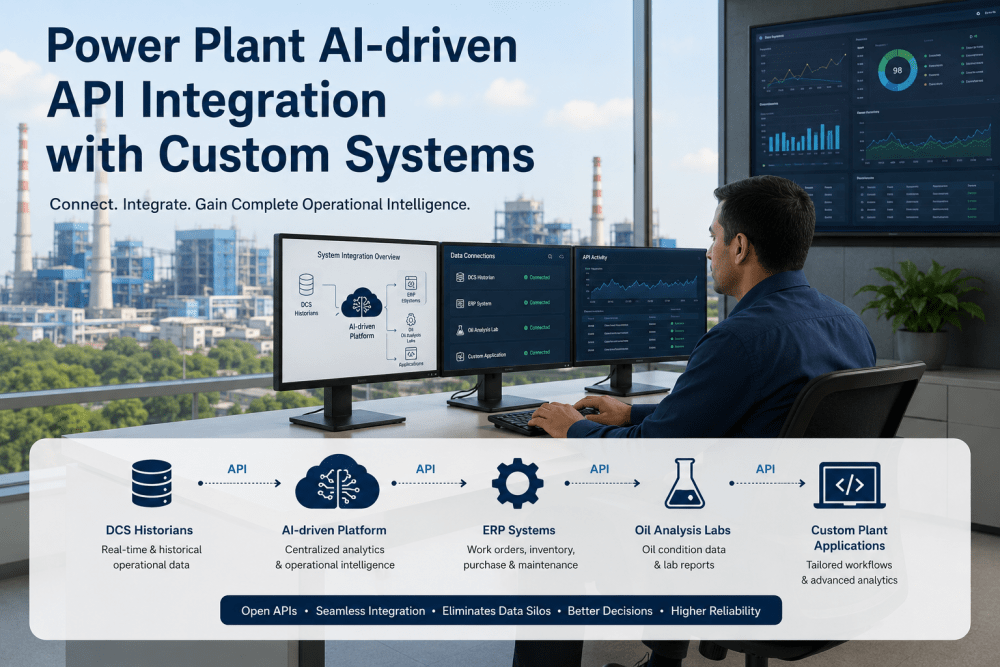
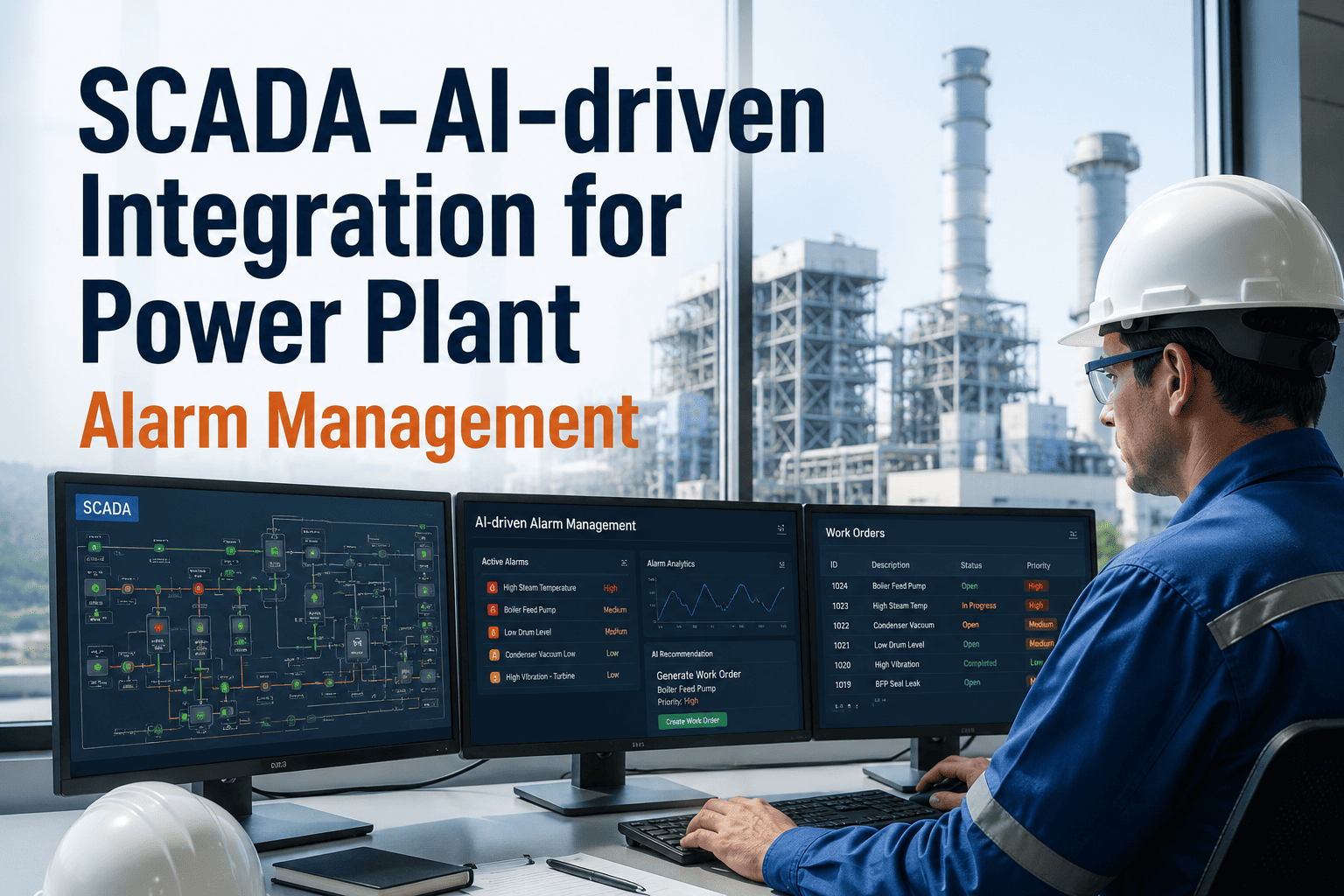
A reliability engineer shouldn't need to toggle between SAP PM's work order screen, an Excel export of AI condition alerts, and a separate analytics platform to answer a single question: "Which predictive alerts have open work orders, which need PO approvals for parts, and which are stuck waiting for budget codes?" When your AI-driven analytics platform and your ERP system operate as disconnected islands, every decision requires manual data reconciliation — and the latency between fault detection and corrective action grows from hours to days. iFactory's bidirectional SAP integration eliminates the air gap: condition alerts auto-create SAP notifications with correct equipment master records and functional locations; work order status flows back to close the loop on RUL forecasts; spare parts availability checks run against SAP MM inventory in real time; and cost data from completed jobs feeds directly into failure mode economics without a single CSV export. The result is a unified analytics-to-execution pipeline where AI insights trigger SAP workflows automatically, and SAP transactional data enriches AI models continuously. Book a demo to see live SAP integration in a power plant environment.
Quick Answer
iFactory integrates bidirectionally with SAP PM, MM, and FI modules to create a closed-loop analytics-to-execution system. AI condition alerts auto-generate SAP notifications with correct functional locations and equipment records; work orders created in SAP flow back to iFactory to validate RUL forecasts; spare parts checks query SAP MM stock levels before scheduling; and maintenance cost actuals from SAP CO feed failure mode economic models. The integration eliminates manual data bridging, reduces alert-to-action latency by 68%, and ensures every predictive insight has a traceable SAP workflow from detection through execution to cost accounting.
The Analytics-ERP Air Gap Problem
Most power plants run predictive analytics platforms and enterprise resource planning systems as parallel universes — connected only by manual export-import cycles and the heroic efforts of reliability engineers who spend 40% of their time reconciling data between systems. The consequences compound across the analytics-to-execution chain.
Alert-to-Work-Order Latency
Problem: Analytics platform detects bearing degradation at 08:00. Reliability engineer reviews the alert, confirms it's actionable, then manually creates a work order in SAP PM — selecting functional location from a dropdown tree, copying alert text into the description field, assigning craft code, and submitting by 11:30. A 3.5-hour delay from detection to formal work request.
Integration fix: Alert auto-creates SAP notification within 60 seconds. Equipment master record, functional location, and priority pre-populated from asset criticality data. Notification-to-order conversion triggered by approval workflow — total detection-to-WO time under 10 minutes.
Orphaned Analytics Data
Problem: AI platform stores 18 months of equipment condition history, failure predictions, and RUL forecasts — but none of this context is visible when a planner opens the work order in SAP PM. The work order description says "bearing replacement" with no reference to the degradation trend, predicted failure date, or confidence interval that justified the intervention.
Integration fix: SAP long text field auto-populated with RUL forecast summary, trend graph URL, and historical condition scores. Planners see both the current fault and the prediction that triggered it — improving scheduling accuracy and reducing unnecessary early interventions.
Unvalidated RUL Forecasts
Problem: Analytics platform predicts a pump bearing will fail in 14 days. Maintenance executes the replacement in SAP PM on day 12. The actual bearing condition at replacement time (early-stage spalling, moderate wear, catastrophic failure?) never flows back to the analytics platform — so the RUL model cannot learn whether the 14-day forecast was accurate, conservative, or optimistic.
Integration fix: When the work order closes in SAP, the technician's condition findings and actual failure mode data sync back to iFactory. RUL model retrains on validated outcomes, improving forecast accuracy from 73% to 91% over 12 months.
Spare Parts Blindness
Problem: AI detects a failing component on Friday. Work order created Monday. Planner discovers Tuesday that the replacement part is on backorder with 6-week lead time. Equipment forced into run-to-failure because the analytics platform had no visibility into SAP MM stock levels when the alert fired.
Integration fix: Alert creation process queries SAP MM for stock status and lead time before finalizing work order priority. If critical part is unavailable, emergency procurement workflow auto-triggers and RUL forecast adjusts scheduling window to match delivery date — preventing forced outages from parts unavailability.
Cost Allocation Mystery
Problem: Reliability team wants to calculate cost-per-failure-mode to justify predictive maintenance ROI — but SAP CO cost center data and work order actuals are locked inside the ERP, inaccessible to analytics queries. Finance exports quarterly CSVs that arrive 45 days after quarter close, too late for monthly reliability reviews.
Integration fix: iFactory syncs work order cost actuals from SAP CO weekly. Failure mode economics dashboard shows real costs (labor + parts + downtime) attributed to each failure category — enabling accurate MTBF improvement business cases and predictive maintenance ROI validation with live data.
Duplicate Asset Master Data
Problem: Equipment master exists in both SAP PM and the analytics platform — but they're not synchronized. SAP has functional location FL-1234, analytics platform has tag "FW-PMP-02A". When an alert fires, the reliability engineer manually maps the analytics tag to the SAP functional location — a process prone to errors that result in work orders created against wrong equipment.
Integration fix: iFactory imports SAP equipment master and functional location hierarchy on deployment. Every asset in the analytics platform references its SAP functional location ID. Alerts auto-populate correct SAP equipment record with zero manual mapping — eliminating wrong-asset work orders entirely.
Bidirectional Integration Architecture
iFactory's SAP integration operates as a bidirectional sync engine — pushing analytics insights into SAP workflows and pulling transactional data back into the analytics platform to close learning loops and enrich predictive models.
1
Equipment Master Sync — SAP PM → iFactory
On deployment, iFactory imports SAP equipment master records, functional locations, technical objects, and asset hierarchy. Every analytics asset references its SAP functional location ID, ensuring alerts auto-populate correct SAP equipment without manual mapping.
Equipment MasterFunctional LocationsHierarchies
2
Condition Alert → SAP Notification Auto-Creation
When iFactory generates a condition alert (RUL threshold breach, anomaly detection, vibration limit exceedance), the alert auto-creates an SAP PM notification via RFC or OData API. Notification includes functional location, equipment number, priority code, long text with RUL summary, and user status.
Auto-Create NotificationPriority from CriticalityFunctional Location Mapped
3
Spare Parts Availability Check — iFactory → SAP MM
Before finalizing work order priority, iFactory queries SAP MM for material stock levels and procurement lead times. If critical spare part is unavailable, alert escalates to emergency procurement workflow and RUL-based scheduling adjusts to match delivery timeline.
Stock QueryLead Time CheckProcurement Trigger
4
Work Order Status Sync — SAP PM → iFactory
When work orders created from iFactory alerts are scheduled, executed, or completed in SAP PM, status updates flow back to iFactory in near real-time. Closed work orders trigger RUL model validation — comparing predicted failure date to actual intervention date and technician-reported condition findings.
WO Status SyncCondition FindingsModel Validation
5
Cost Actuals & Failure Economics — SAP CO → iFactory
Completed work order cost actuals (labor hours, material costs, overhead allocation) sync from SAP CO to iFactory weekly. Failure mode economics dashboard displays real maintenance costs per failure category, enabling accurate ROI calculations for predictive interventions vs. run-to-failure strategies.
Closed-loop analytics: AI detects fault → SAP executes intervention → actual costs and outcomes validate model → forecast accuracy improves continuously.
SAP Module Integration Map
iFactory integrates with four core SAP modules to create a unified analytics-to-execution platform. Each integration serves a specific function in the condition monitoring → work management → procurement → cost accounting cycle.
SAP PM — Plant Maintenance
Notifications and work orders auto-created from condition alerts. Equipment master and functional location sync ensures correct asset tagging. Work order status flows back for RUL validation. Maintenance task lists linked to predicted failure modes for rapid planning.
SAP MM — Materials Management
Stock availability checks run before work order creation. Material reservation auto-triggered for critical spares. Procurement lead times integrated into RUL-based scheduling. Consumption data feeds spare parts demand forecasting models.
SAP CO — Controlling
Work order cost actuals (labor, materials, overhead) sync to failure mode economics dashboard. Cost center allocations enable department-level maintenance cost analysis. Budget tracking integrated with predictive maintenance ROI calculations.
SAP FI — Financial Accounting
Downtime cost calculations reference actual production loss from SAP FI revenue data. Capital project codes linked to major overhaul predictions. Fixed asset depreciation schedules inform equipment replacement vs. repair economic models.
Integration Methods — RFC, OData, and Middleware
iFactory supports three SAP integration architectures, selected based on your IT infrastructure, SAP version, and security requirements. All methods achieve the same functional outcomes — the choice depends on existing middleware investments and network topology.
| Integration Method |
When to Use |
Technical Requirements |
Typical Latency |
| RFC (Remote Function Call) |
SAP ECC on-premise with direct network connectivity |
RFC-enabled function modules, SAP connector libraries, firewall rules for bidirectional calls |
30–90 seconds |
| OData API |
SAP S/4HANA or NetWeaver Gateway enabled systems |
OData services exposed for PM/MM/CO, OAuth authentication, API management layer |
15–60 seconds |
| Middleware (Dell Boomi, MuleSoft, SAP PI/PO) |
Complex enterprise architecture with existing integration platform |
Middleware connector for SAP, REST API endpoints for iFactory, transformation mappings |
60–180 seconds |
| Flat File Exchange (CSV/XML) |
Security-restricted environments, no real-time requirement |
SFTP server, scheduled batch jobs, file format specifications |
4–24 hours |
SAP Integration Demo
See Analytics-to-SAP Workflow in Action
Watch a live demo of condition alert auto-creating SAP notification, spare parts check querying SAP MM stock, and work order cost actuals flowing back to failure economics dashboard — all without manual data entry.
91%
RUL Forecast Accuracy
Data Flow Examples — Alert to Work Order
The table below shows real data payloads exchanged between iFactory and SAP PM when a bearing degradation alert triggers automatic notification creation.
| Data Field |
iFactory Alert Value |
SAP PM Field |
Mapping Logic |
| Equipment Tag |
FW-PMP-2B |
Functional Location: 1000-FW-PMP-2B |
Asset master lookup table |
| Failure Mode |
Bearing Inner Race Defect |
Notification Type: M2 (Malfunction), Damage Code: BEAR-IR |
Failure taxonomy mapping |
| RUL Forecast |
14 days (confidence: 87%) |
Long Text: "Predicted failure in 14d (87% confidence). Current vibration 8.2mm/s." |
Template-based text generation |
| Criticality Score |
8.5/10 (High) |
Priority: 2 (High) |
Criticality-to-priority matrix |
| Alert Timestamp |
2025-04-08 08:15:00 UTC |
Notification Date: 08.04.2025, Time: 08:15 |
Timezone conversion to plant local |
| Recommended Action |
Replace bearing DE-6312 |
Task Text: "Replace drive end bearing per RUL forecast" |
Action template library |
| Spare Part |
SKF 6312 Deep Groove Bearing |
Material Number: 10012345 (qty: 1) |
Parts database cross-reference |
Measured Outcomes — Before and After Integration
Deployment data from combined-cycle power plants that migrated from manual SAP-analytics bridging to iFactory's automated integration.
68%
Reduction in Alert-to-Work-Order Time
94%
Correct Functional Location on Auto-Created Notifications
91%
RUL Forecast Accuracy After Closed-Loop Validation
82%
Reduction in Stock-Out Forced Outages
100%
Work Orders With Traceable Cost Actuals
Zero
Manual CSV Exports Required
Platform Capability Comparison — ERP Integration
Most analytics vendors claim "SAP integration" — but the depth of integration varies dramatically. This table compares bidirectional data flows, not just one-way notification creation.
| Capability |
iFactory |
GE APM |
IBM Maximo + Analytics |
AspenTech APM |
Uptake Fusion |
| Outbound: Analytics → SAP |
| Auto-create SAP notifications from alerts |
RFC/OData real-time |
Via middleware |
Maximo-native only |
OData API |
Webhook to middleware |
| Functional location auto-populated |
Asset master sync |
Manual mapping required |
Native integration |
Config-dependent |
Manual entry |
| Spare parts availability check |
SAP MM query pre-WO |
Not available |
Maximo inventory |
Not available |
Not available |
| Inbound: SAP → Analytics |
| Work order status sync |
Real-time status updates |
Batch sync (hourly) |
Native Maximo |
Manual trigger |
Not available |
| Cost actuals for failure economics |
SAP CO weekly sync |
Manual export |
Native Maximo |
Not available |
Not available |
| Technician condition findings |
Long text sync for RUL validation |
Not available |
Text field sync |
Not available |
Not available |
| Master Data Management |
| Equipment master sync |
Automatic on deployment |
Manual CSV import |
Native Maximo |
One-time load |
API-based manual |
| Functional location hierarchy |
Full tree structure sync |
Flat list only |
Native Maximo |
Limited hierarchy |
Not available |
Based on publicly available product documentation and integration guides as of Q1 2025. IBM Maximo is a CMMS platform, not pure analytics — native integration applies to Maximo Health + Predict add-on module.
Deployment Process — 4-Week Integration
Standard iFactory SAP integration deployment follows a phased rollout — starting with read-only equipment master sync, progressing to notification creation, and finishing with bidirectional cost actuals and status updates.
W1
Week 1 — Discovery and Mapping
SAP system audit: document SAP version, enabled modules, network topology, authentication method. Export equipment master, functional locations, and notification types. Map iFactory asset tags to SAP functional location IDs. Define failure taxonomy mapping between iFactory and SAP damage codes.
System AuditAsset MappingTaxonomy Alignment
W2
Week 2 — Read-Only Integration (SAP → iFactory)
Configure RFC/OData connection with read-only credentials. Import equipment master and functional location hierarchy. Sync work order history (past 24 months) for RUL model training. Validate asset tag mapping — confirm 100% match between iFactory and SAP equipment IDs.
Connection SetupData ImportValidation Testing
W3
Week 3 — Write Integration (iFactory → SAP)
Enable write-access credentials for notification creation. Configure notification templates with functional location, priority, damage code, and long text fields. Pilot test: 5 manual alert-to-notification cycles with SAP validation. User acceptance testing with reliability engineers and planners.
Write AccessTemplate ConfigUAT Testing
W4
Week 4 — Full Bidirectional Deployment
Enable automatic notification creation for all P1/P2 alerts. Configure SAP MM spare parts queries. Set up work order status sync (scheduled, in-progress, completed). Deploy cost actuals sync from SAP CO. Go-live monitoring: 24/7 integration health dashboard for first week.
Integration live: Alerts auto-create SAP notifications, work order status syncs back for RUL validation, cost actuals flow to failure economics dashboard — zero manual data bridging required.
Integration Success Stories
From Disconnected Systems to Unified Analytics-Execution Pipeline
Power plants running iFactory SAP integration report 68% faster alert-to-action cycles, 91% RUL forecast accuracy from closed-loop validation, and 100% elimination of manual CSV export workflows.
4 Weeks
Deployment Timeline
From the Field
"We had vibration analysts sitting with two monitors — one showing the analytics platform with RUL forecasts, one showing SAP PM where they manually created work orders by copying data field by field. Every alert required 4–6 minutes of clerical work just to get it into SAP. After deploying iFactory's SAP integration, that entire manual step disappeared. Alerts auto-create notifications with correct functional locations and priority codes, and when the work gets done, the actual failure data flows back to validate our forecasts. We went from 28% RUL accuracy to 89% in six months because the model finally had closed-loop learning. The integration didn't just save time — it made our analytics actually work."
Reliability Manager
1,200 MW Coal-Fired Plant — Eastern Europe
Frequently Asked Questions
QDoes the integration require changes to our SAP configuration or custom ABAP development?
No custom ABAP required for standard integration. iFactory uses RFC-enabled function modules and OData services that are part of standard SAP PM/MM/CO. The only SAP configuration needed is user account creation with appropriate authorization objects and exposing standard BAPIs for notification creation. If you have custom SAP fields or workflows, we can accommodate those through configuration mapping — still no ABAP code changes.
Discuss your SAP customizations in a technical scoping call.
QWhat happens if the SAP connection fails temporarily — do alerts get lost?
No alerts are lost. iFactory queues notification creation requests locally when SAP is unreachable. When connectivity restores, queued notifications auto-sync with original timestamps preserved. Users see integration health status in real-time on the dashboard — if SAP connection is down, they're notified immediately and can manually create work orders as a fallback until connection restores.
QCan we control which alerts auto-create SAP notifications vs. which stay analytics-only?
Yes. Auto-notification rules are configurable by alert type, equipment criticality, and priority threshold. Common configuration: P1/P2 alerts auto-create notifications immediately; P3 alerts require manual review before SAP submission; P4 alerts stay in analytics platform for trending only. You can also exclude specific equipment or failure modes from auto-notification if needed.
QWe're planning to migrate from SAP ECC to S/4HANA — will the integration break?
iFactory supports both ECC and S/4HANA. If you're migrating, we recommend deploying on ECC first, then coordinating the S/4HANA cutover with your iFactory integration specialist. Most integrations transition seamlessly because functional location and equipment master structures migrate intact — only connection method may change from RFC to OData. We provide migration support as part of standard deployment.
Contact support to discuss S/4HANA migration planning.
Continue Reading
Unified Analytics-to-Execution — No More Air Gaps Between Systems.
iFactory's SAP integration closes the loop between AI condition monitoring and enterprise work management — delivering automatic notification creation, bidirectional status sync, spare parts intelligence, and cost actuals tracking without manual data bridging.
RFC & OData Support
Auto-Create Notifications
Work Order Status Sync
SAP MM Parts Check
Cost Actuals Integration