Assembly errors are the most expensive quality failures in cross-industry manufacturing — not because individual mistakes are catastrophic in isolation, but because they escape detection at the point of assembly and propagate downstream through testing, sub-assembly, final build, and shipping before a customer or warranty return reveals the root cause. A missing fastener, an incorrectly oriented connector, a wrong-grade component placed in the right location, or a step completed out of sequence — each of these defects carries a detection cost that multiplies by ten to a hundred times for every production stage it passes through undetected. Traditional poka-yoke approaches — physical fixtures, limit switches, and torque monitoring — error-proof specific failure modes at specific stations but cannot adapt to product variants, cannot detect visual assembly conditions, and cannot verify that the correct part was installed rather than simply that something was installed. iFactory's Vision Object Detection system applies deep learning to error-proof assembly at every station — confirming correct part presence, count, orientation, and sequence before the line advances, with the configurability to handle mixed-model production and the adaptability to expand across product variants without fixture redesign.
Error-Proof Every Assembly Station with AI Vision — Book a Turnkey Quote
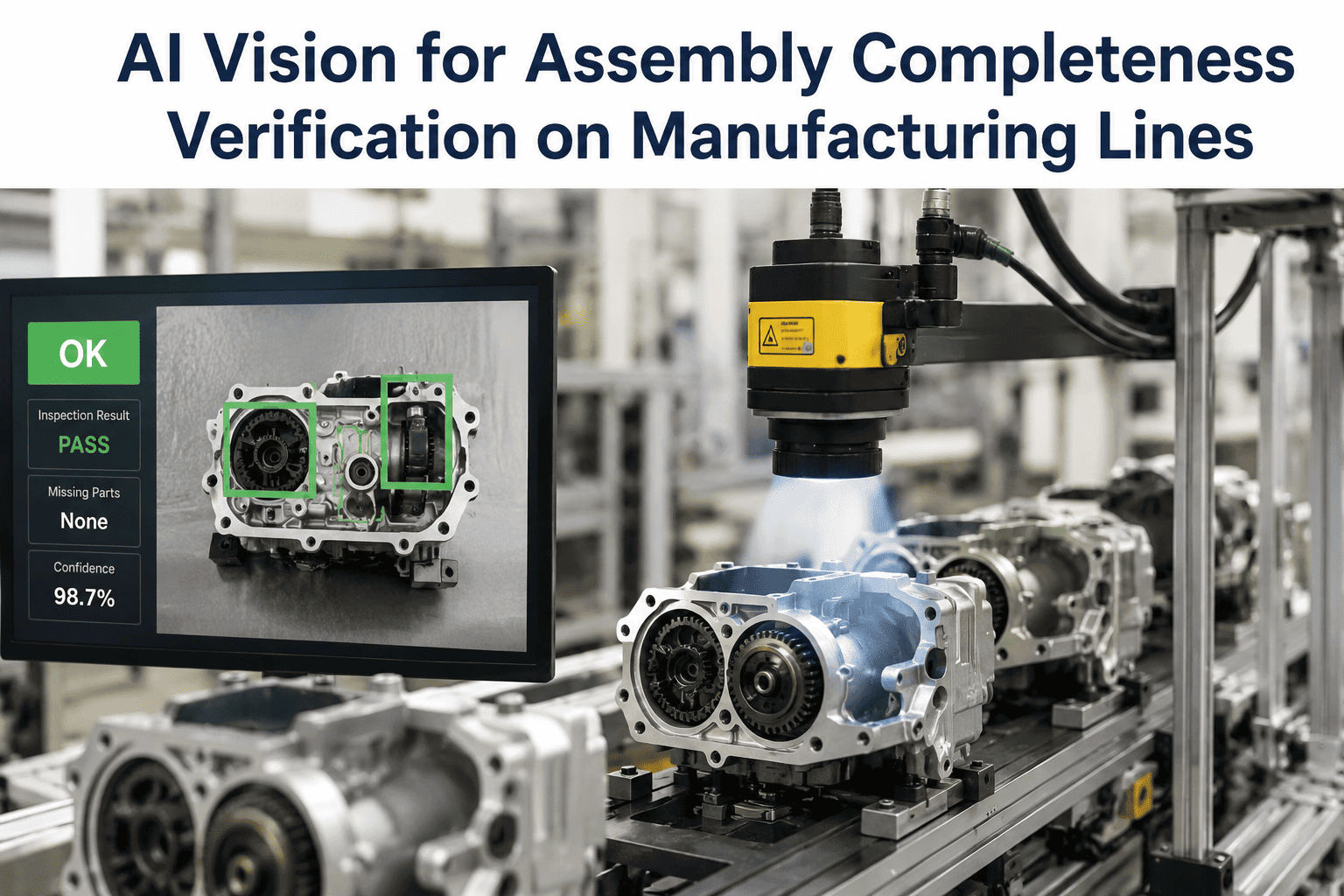
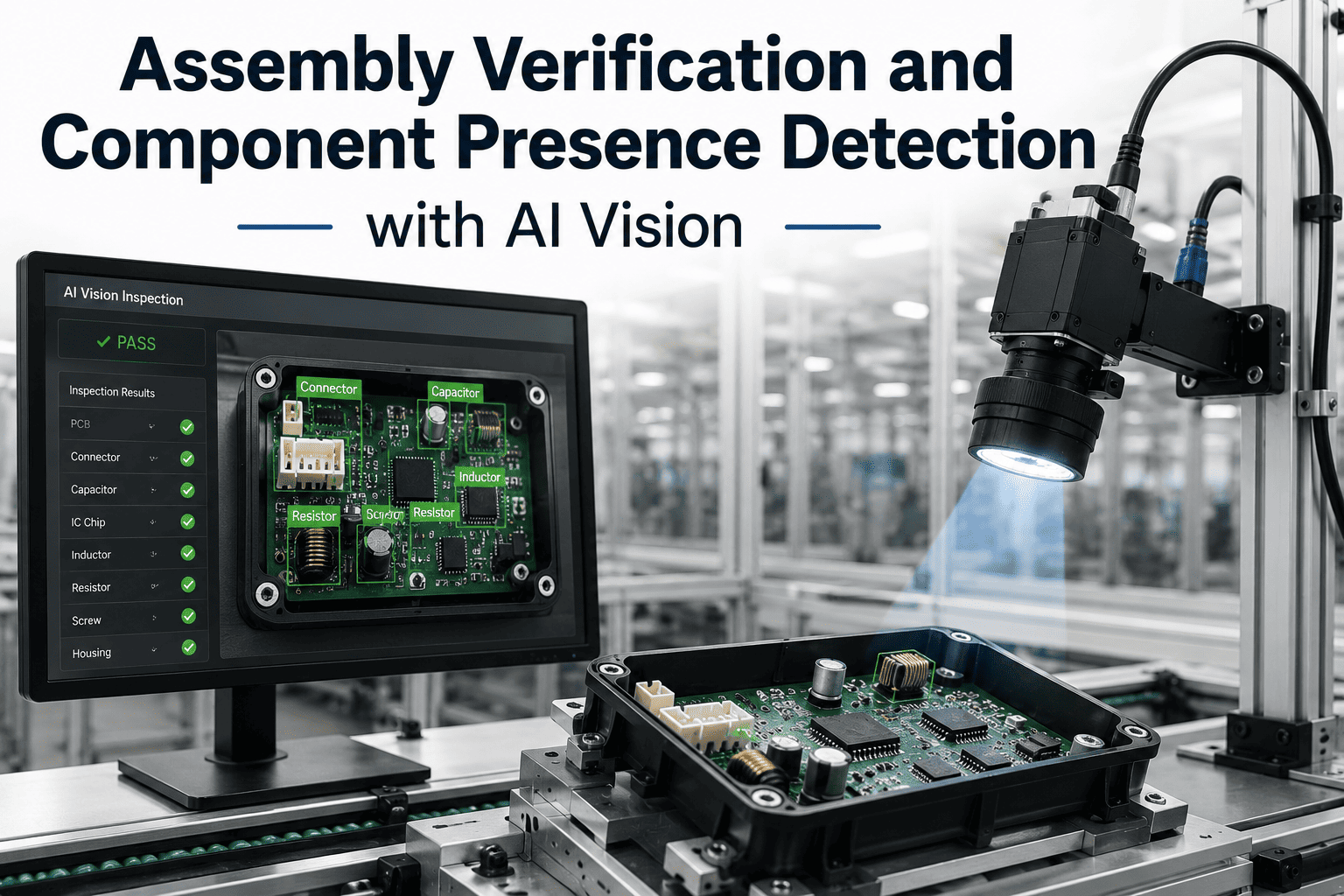
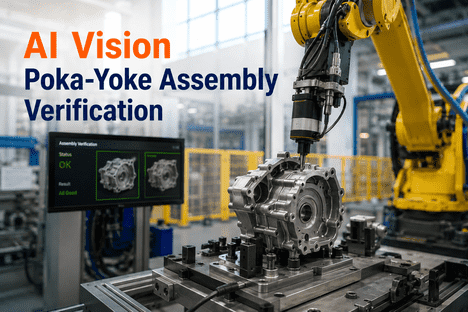
iFactory's Vision Object Detection system verifies correct part presence, count, orientation, and assembly sequence at every station before the line advances — preventing defect escapes without physical fixture constraints or variant-specific tooling redesign.
Why Physical Poka-Yoke Cannot Error-Proof Modern Assembly — and How AI Vision Closes the Gap
Physical fixtures, torque monitoring, and sensor-based detection verify that something happened — not that the right thing happened correctly. iFactory's AI Vision Camera verifies part identity, count, orientation, and sequence visually at every station, adapting to product variants without fixture changes. Book a Demo to see iFactory's assembly verification running on an assembly profile matching your station complexity.
Six Assembly Defect Categories That Physical Poka-Yoke Cannot Prevent — and AI Vision Can
Physical error-proofing addresses the failure modes it was designed for at the time of tooling build — but mixed-model assembly, product variants, and the growing complexity of component counts and sub-assembly sequences create defect exposure that no fixture-based approach can cover comprehensively. iFactory's Vision Object Detection system covers the full spectrum of visual assembly verification requirements that physical poka-yoke leaves unaddressed. Manufacturers who want to see how iFactory's system handles their specific station complexity can Book a Demo with iFactory's assembly application team.
Missing Component Detection
Absent fasteners, clips, seals, gaskets, and sub-components that were never installed pass through stations where physical fixtures only verify that the operator completed a motion — not that a component is present at the correct location in the assembly. AI vision confirms actual part presence at every defined position before sign-off, independently of operator motion or tool activation.
Wrong Part Installed
Visual similarity between part variants — different thread pitches, grades, or specifications with identical form factors — defeats physical fixture verification because the fixture does not distinguish between dimensionally similar parts from different part numbers. AI vision identifies part identity from visual characteristics including marking, color coding, geometry, and label content that differentiate specifications that physical tooling cannot separate.
Incorrect Orientation
Polarity-sensitive components, directional seals, asymmetric connectors, and keyed fasteners can be installed in the wrong orientation in ways that pass a presence check but fail functionally. AI vision detects orientation errors by verifying the angular position, feature alignment, and directional marker placement of each component against the correct orientation specification defined for that assembly variant.
Incorrect Count
Assemblies requiring specific quantities of identical components — multiple fasteners at a joint, a defined number of cable ties, a set quantity of component clips — are verified by physical fixtures only at locations with dedicated tooling positions. AI vision counts all instances of each component type across the full assembly field, detecting both missing components and inadvertent duplicates that physical verification cannot identify.
Out-of-Sequence Assembly
Multi-step assembly processes where the correct outcome of a later step depends on the correct completion of an earlier step cannot be verified by single-station physical fixtures. AI vision can verify cumulative assembly state across sequential stations — confirming that each stage was completed correctly before the assembly advances to the next station — detecting process sequence errors that produce functional failures not detectable at final inspection.
Mixed-Model Variant Confusion
Assembly lines producing multiple product variants with different component specifications, configurations, and assembly sequences require physical tooling changes between variants — introducing changeover time, incorrect fixture risk, and verification gaps during transition. AI vision applies the correct verification rule set for each product variant automatically based on the production order active at the station, eliminating changeover verification risk without fixture intervention.
Physical Poka-Yoke vs. iFactory AI Vision Assembly Verification: Key Benchmarks
Replacing or augmenting physical error-proofing with AI vision object detection changes the economics of assembly quality across every metric that matters — defect escape rate, changeover time, variant coverage, and total cost of quality per unit assembled.
| Verification Dimension | Physical Poka-Yoke / Sensors | iFactory AI Vision Detection | Impact |
|---|---|---|---|
| Part Presence Verification | Fixture contact or proximity sensor — detects presence, not identity | Visual identity confirmed — correct part at correct location | Wrong-part escape eliminated |
| Orientation Verification | Keyed fixtures prevent wrong orientation for designed variants only | Angular position and directional markers verified visually for all variants | 100% orientation coverage |
| Count Verification | Discrete sensors per component position — fixed locations only | All instances counted across full assembly field of view | Count errors across full assembly |
| Mixed-Model Changeover | Physical fixture swap required per variant — downtime and risk | Rule set changes automatically from production order — zero changeover | Zero changeover time |
| New Variant Introduction | New tooling design, build, and validation required | New model trained on samples — weeks not months | 90% faster variant introduction |
| Audit Trail | Pass/fail signal only — no image evidence | Timestamped image record per unit, CMMS-ready work order output | Complete traceability per unit |
iFactory Vision Object Detection: Four Verification Layers for Complete Assembly Error-Proofing
iFactory's assembly verification system applies four sequential detection layers at each station, giving assembly line teams the complete error-proofing coverage that no single-mechanism physical system can provide. Each layer outputs a structured verification result that combines into a station pass or fail decision before the assembly advances — with full image evidence for every unit inspected.
Part Presence and Identity Verification
The first verification layer confirms that each required component is present at its defined location and that the installed component matches the specified part for the active assembly variant. iFactory's deep learning model distinguishes between visually similar part variants — different grades, specifications, and configurations — using visual features including surface markings, color coding, geometric details, and label content. A component that is present but is the wrong variant generates a rejection alert that physical presence sensors cannot produce.
Orientation and Alignment Verification
The second layer verifies that each installed component is oriented correctly — confirming angular position within defined tolerance, directional marker alignment, and feature-to-feature positioning for components where orientation determines correct function. Polarity-sensitive electronics, directional seals, asymmetric connectors, and indexed fasteners are verified against the orientation specification for the assembly variant, with any deviation from the permitted orientation range generating an immediate station hold.
Count Verification Across Full Assembly Field
The third layer counts all instances of each required component type across the complete assembly field of view — not only at positions with dedicated sensor infrastructure. Assemblies requiring specific quantities of fasteners, clips, seals, or wire connections are verified for both the correct minimum count and the absence of duplicates or inadvertent additional components. The count model operates on the full visible assembly surface rather than discrete sensor positions, providing coverage that scales with assembly complexity without additional hardware per component location.
Sequence and Cumulative State Verification
The fourth layer verifies assembly sequence integrity by confirming that each station's work was completed before the assembly advances to the next process step, and that the cumulative assembly state entering each station matches the expected condition. Out-of-sequence operations — where a component is installed before a required preceding step, or where a stage was bypassed entirely — are detected by comparing the observed assembly state against the expected state model for the production order's sequence history. This layer closes the escape route for sequence errors that appear correct at individual station checks but produce functional failures at system test.
Get a Turnkey Assembly Verification Quote for Your Production Line
iFactory's Vision Object Detection system is specified, deployed, and validated as a turnkey assembly verification solution — covering station layout design, model training on your actual assembly variants, edge hardware installation, and production system integration. Book a demo and receive a site-specific configuration quote within five business days.
From Station Assessment to Full Poka-Yoke Coverage: iFactory's Deployment Program
iFactory's assembly verification deployment follows a structured commissioning process that moves from station specification through model training, integration, and validation to full production operation. The timeline is designed to minimize production line disruption while maximizing verification coverage from the first operational day.
Assembly Station Mapping and Verification Specification
iFactory's application engineers map each target assembly station — documenting component types, required counts, orientation specifications, sequence dependencies, and product variant differences. The verification specification defines exactly what iFactory will check at each station: which parts, what count, which orientation range, and which sequence states are acceptable. This specification forms the training brief and the validation acceptance criteria.
Sample Collection and Model Training per Assembly Variant
Assembly samples representing each product variant in scope — including correctly assembled examples and representative defect configurations — are collected and used to train iFactory's Vision Object Detection models. Models are trained separately for each verification layer: presence and identity, orientation, count, and sequence state. Training on production-representative samples ensures that the model handles the specific component appearance, lighting, and assembly background of the actual station environment.
Camera Installation, PLC Integration, and Line Interlock Configuration
Edge hardware and cameras are installed at each station during a planned maintenance window. The system integrates with the production line PLC to hold the conveyor or assembly fixture advance signal until a station pass is confirmed — preventing the line from advancing an assembly with an unresolved defect. Production order data is connected from the MES or ERP to enable automatic variant rule switching at each station when the production order changes.
Validation, Go-Live, and Continuous Improvement Activation
The system is validated against the acceptance criteria defined in Week 1 — confirming detection rate and false rejection rate for each defect category on each assembly variant. Once validated, full production operation begins with real-time station verification, automated pass/fail signaling, and timestamped image records per unit. Continuous improvement is supported through structured model updates as new variants are introduced and as production data reveals edge cases requiring training reinforcement.
"We had been running physical fixture poka-yoke for twelve years on our main assembly line and believed we had error-proofing covered. What we discovered when we deployed iFactory's AI vision system was that our fixtures verified motion, not assembly state. Wrong-grade fasteners, reversed connectors, and missing secondary clips had been escaping to final test for years — generating rework costs we had normalized as unavoidable. Within three months of iFactory going live, our assembly escape rate dropped to near zero, our final test first-pass yield improved by 18 percentage points, and we had traceability records for every unit that we had never had before. The ROI calculation was straightforward and the payback was under six months."
Frequently Asked Questions
Q: How does iFactory's AI vision system distinguish between visually similar part variants at an assembly station?
iFactory's deep learning model is trained on image samples of each part variant in scope — not on generic component categories. The model learns the specific visual features that differentiate variants: surface marking content and position, color coding differences, geometric detail at the component edge or face, and label or embossing characteristics that distinguish grades or specifications. During production, the active production order specifies which variant is expected at each station, and the model compares the installed component against the expected variant's visual profile — rejecting components that match the wrong variant's features even when the form factor is dimensionally identical.
Q: Can the system handle mixed-model assembly lines where different product variants run on the same line?
Yes — mixed-model assembly handling is a core design requirement of iFactory's Vision Object Detection system. The active production order at each station is read from the connected MES or ERP system, and the verification rule set applied at that station changes automatically when the product variant changes. Separate models are maintained for each variant, and the system switches between them without operator intervention or hardware changeover. Mixed sequences where different variants run consecutively on the same conveyor are handled by reading the unit identifier at each station to retrieve the specific verification specification applicable to that unit.
Q: What happens when the system detects an assembly defect — does it stop the line automatically?
iFactory's station interlock configuration is set up during commissioning to match the site's operational response protocol. The standard configuration integrates with the assembly line PLC to hold the advance signal — preventing the conveyor or fixture from advancing the assembly to the next station — until the defect is resolved and the station re-inspection passes. The operator receives a visual alert on a station display identifying the defect type and location within the assembly. After correction, the operator triggers a re-inspection cycle; if the re-inspection passes, the line advances. All events — initial fail, correction action, and re-inspection result — are logged in the unit's traceability record.
Q: How quickly can iFactory add a new product variant to the assembly verification scope?
Adding a new product variant to an existing iFactory assembly verification installation requires collecting assembly image samples for the new variant, training the detection model on those samples, validating detection performance against acceptance criteria, and uploading the new model to the edge system. This process typically completes within two to four weeks depending on the sample collection and validation cycle, compared to the three to six months required for physical fixture design, build, and qualification for a new variant. Variants that share most components with an existing model in scope can often be added through incremental model update rather than full retraining, further reducing the introduction timeline.
Q: What traceability records does iFactory generate for each assembled unit?
iFactory generates a structured traceability record for every unit that passes through each instrumented assembly station. Each record contains the unit identifier, station ID, production order reference, active variant specification, timestamped inspection image, verification result for each checked component, defect classifications for any failed checks, and the final station pass or fail outcome. These records are stored on the edge system and transmitted to connected production systems — MES, ERP, or quality management systems — where they form the unit-level assembly traceability documentation for warranty investigation, customer audit requests, and regulatory compliance evidence. Batch-level summaries covering first-pass yield, defect type distribution, and most frequent escape categories are generated automatically for quality review.
Q: Does iFactory's assembly verification system replace existing physical poka-yoke, or does it work alongside it?
iFactory's Vision Object Detection system is designed to work either as a replacement for physical poka-yoke where the existing fixtures are obsolete or incompatible with variant expansion requirements, or as a complementary layer that adds the visual verification dimensions — part identity, orientation, count, and sequence — that physical fixtures cannot provide. The most common deployment pattern is augmentation: existing torque monitoring, limit switches, and press force monitoring continue to operate for the process parameters they verify, while iFactory adds the visual component verification layer that covers the escape routes physical systems leave open. This approach maximizes the value of existing tooling investment while closing the defect escape gaps that field warranty data or internal audit reveals.
Deploy AI Vision Poka-Yoke Across Your Assembly Line
iFactory's Vision Object Detection system delivers turnkey assembly error-proofing — part presence, identity, orientation, count, and sequence verification at every station, for every variant, with complete unit-level traceability. Book a demo and receive a site-specific deployment assessment and configuration quote.