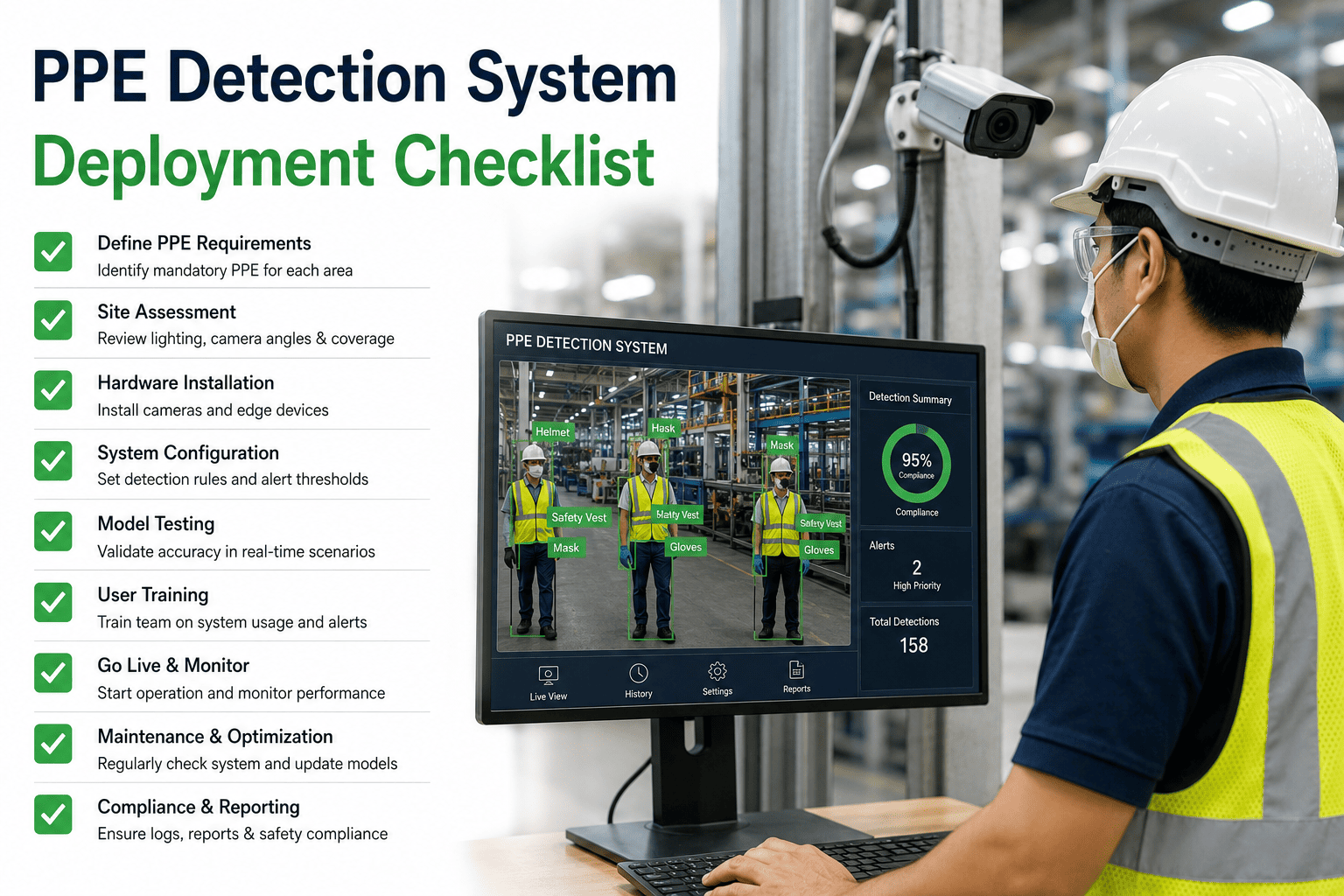
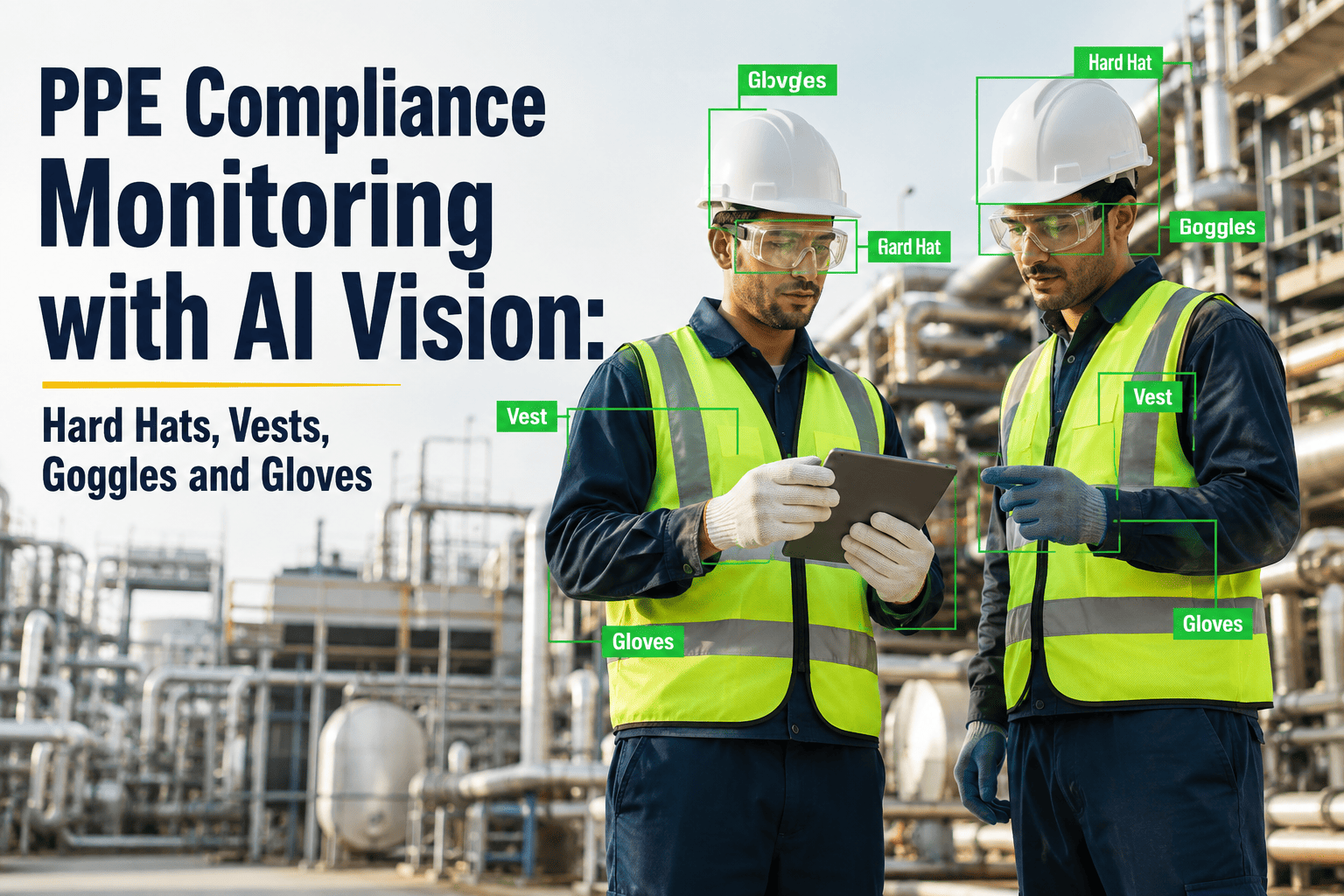
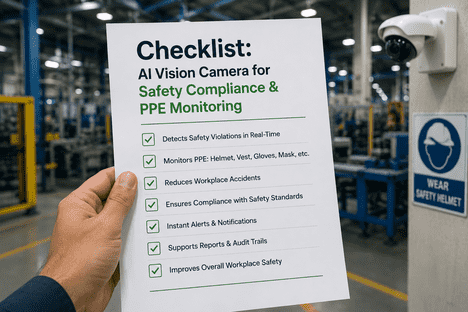
PPE detection systems fail in the field not because the AI cannot see a hard hat — it can, at 95%+ accuracy — but because the deployment was misconfigured at layers no one wrote a checklist for. Cameras positioned for security perimeters instead of worker torsos. Zone rules that flag break rooms. Alert chains that bury supervisors in 300 daily notifications. Privacy gaps that trip works-council review months into rollout. iFactory's PPE Detection System Deployment Checklist consolidates every configuration layer — camera coverage, PPE type rules, alert escalation, privacy controls, reporting dashboards, and OSHA-ready compliance documentation — into a single framework used by safety, IT, and EHS teams to deploy vision-based monitoring that works on day one. For the working template used in current iFactory rollouts, contact support.
PPE Detection Deployment · Zone Configuration · Alert Escalation · Privacy Controls · OSHA Documentation
PPE Detection System Deployment Checklist — Every Configuration Layer From Camera Placement to OSHA Audit Trail
iFactory's 6-layer deployment framework covers camera coverage zones, PPE type configuration, alert escalation, privacy governance, reporting dashboards, and compliance documentation — so your safety monitoring system launches configured, defensible, and audit-ready.
40%
Of occupational injuries prevented by proper PPE compliance per OSHA data
$165K
2025 willful/repeat OSHA citation cost — a single prevented citation pays years of AI monitoring
35–60%
Reduction in workplace incident rates within 12 months of AI PPE deployment
95%+
Real-world detection accuracy on hard hats, vests, gloves, and goggles across industrial environments
Why Most PPE Detection Deployments Under-Deliver — Four Silent Configuration Failures
The technology inside a modern PPE detection system is not the problem — production computer vision models achieve 95%+ accuracy on hard hats, safety vests, gloves, and goggles when deployed in reasonable conditions. What separates a successful deployment from a shelfware one is configuration discipline. The four failure modes below account for roughly 80% of PPE deployments that were technically live but operationally ignored within six months. Every layer of the checklist that follows is designed to eliminate one or more of these failure modes before it becomes embedded.
A
Camera Angle Legacy Problem
Existing CCTV was installed to catch intruders and monitor perimeters — not to frame worker torsos and heads at the right angle for AI detection. Deployments that skip camera repositioning ship with 20–30% false-negative rates on hard hat detection alone.
B
Zone Rules Too Coarse or Too Fine
A single site-wide "helmet required" rule flags workers walking through break rooms; per-workstation rules require constant maintenance. The right granularity is zone-based — with each zone having its own PPE ruleset tied to its actual hazard profile.
C
Alert Fatigue From Day One
Routing every detection to a single supervisor in real time creates a 200-alert-per-shift inbox that gets muted within a week. Escalation rules must be tiered — quiet dashboard logging for minor, mobile push for repeat, siren-and-manager escalation for critical zones.
D
Privacy Configuration Retrofit
Face blurring, worker anonymization, retention limits, and works-council access rules configured after go-live create union friction, delayed rollouts, and GDPR/CCPA exposure. Privacy controls belong at Layer 4 of deployment — not as a post-launch afterthought.
Layer 01 — Camera Coverage and Zone Mapping
Layer 01 is the physical foundation of the deployment. A PPE detection model can only enforce what its cameras can see, and existing CCTV infrastructure was almost never installed with AI framing in mind. This layer maps every hazard zone to camera coverage, identifies blind spots, validates angle and lighting adequacy, and confirms the network and streaming protocol will actually deliver frames to the inference engine at the required cadence.
01
Camera Coverage and Zone Mapping
Owner: Security + EHS + IT · 5–7 days
Document every hazard zone requiring PPE monitoring
Walk with EHS and shift leads; catalog press lines, forklift corridors, scaffolds, chemical zones, welding bays. Zones define the grid for every downstream layer.
Verify camera angle, height, and framing at each zone
Optimal framing captures head-to-torso at 3–8 m with less than 30° tilt. Cameras aimed at doorways or ceilings need repositioning before AI activation.
Confirm resolution, frame rate, and ONVIF/RTSP compatibility
Minimum 1080p, 15 FPS via RTSP or ONVIF. Legacy analog cameras below spec are flagged for replacement before deployment continues.
Identify and document blind spots and occlusion patterns
Walk each camera view during a shift; note obstruction from racks, forklifts, fixtures. Blind spots either get supplemental cameras or are marked out-of-scope.
Test detection under actual shift lighting conditions
Performance drops under mixed daylight-fluorescent and shadow setups. Validate against morning, mid-shift, and night lighting before locking assignments.
Layer 02 — PPE Type Configuration and Zone Rules
Layer 02 encodes the "what" of PPE enforcement — which items must be worn where, by whom, and under what conditions. This is where the deployment either mirrors your existing safety policy (good) or invents a new one on the fly (bad). Every PPE type must be validated against the model's supported vocabulary, and every zone rule must trace back to a documented safety requirement, not an assumption.
02
PPE Type Configuration and Zone Rules
Owner: EHS + Safety Committee · 3–5 days
Publish PPE requirement matrix by zone
Formal document mapping each zone to required PPE — Zone A: helmet+vest; Zone B: helmet+glasses+gloves; Zone C: hair net+apron+food-safe gloves.
Confirm every required PPE item is supported by the model
Standard vocabulary covers hard hats, vests, glasses, gloves, boots, harnesses, hair nets, face shields, respirators. Site-specific items require model fine-tuning.
Set color and style constraints per PPE item where required
Hard-hat color coding (visitors vs contractors vs staff) requires per-color mapping. Unspecified color rules default to detection-only.
Define time-of-day and shift-based rule variations
Some zones require additional PPE only during specific operations. Configure rules to activate by schedule, work-order status, or SCADA signal.
Configure occlusion avoidance and grace-period thresholds
The model must skip obscured frames rather than flag. Add a 3–5 second persistence window before a missing-PPE detection becomes a violation event.
Layer 03 — Alert Escalation Rules and Response Workflow
Layer 03 is where most PPE deployments quietly die within four weeks — killed by alert fatigue. A well-configured escalation ladder routes minor detections to a passive dashboard for trend analysis, sends repeat violations to a supervisor's phone, and reserves interrupt-driven alerts (visual siren, floor manager escalation) for critical zones only. The goal is not to alert on every detection — it is to alert on the right ones, to the right person, at the right time. Book a Demo to walk through your zone-by-zone escalation ladder with the iFactory safety team.
03
Alert Escalation Rules and Response
Owner: EHS + Operations + IT · 3–4 days
Define alert tiers by zone criticality and violation type
Tier 1: dashboard log. Tier 2: supervisor mobile on repeat. Tier 3: visual siren + manager escalation for critical zones. Tier assignments documented per zone.
Set repeat-offender escalation windows
First violation logs quietly; second in a shift notifies supervisor; third in a week routes to safety manager review. Thresholds documented and reviewable.
Configure delivery channels — mobile, control room, PA system
Mobile push for supervisors, control room display for shift leads, PA or siren for critical zones. Every channel tested end-to-end at commissioning.
Establish response acknowledgment and closure workflow
Every alert requires acknowledgment and corrective action within SLA — 5 min for critical, 30 min for standard. Unacknowledged alerts auto-escalate.
Run alert volume simulation before go-live
Replay 48 hours of recorded footage through configured rules. Volumes above 20 alerts per supervisor per shift trigger rule refinement.
See a Zone-by-Zone PPE Deployment Walkthrough on Your Site Layout
iFactory's safety team runs a live demonstration using your facility layout — mapping zones, testing alert escalation logic, and configuring the privacy controls your works council will approve. The demo takes 30 minutes and gives you a working configuration reference to compare against your current PPE monitoring setup.
Layer 04 — Privacy Controls and Data Governance
Layer 04 is where deployments either pass works-council review and legal sign-off — or stall for months. Privacy configuration is not a checkbox; it is a set of architectural decisions covering where video is processed, what is retained, who can see it, and how workers are informed. Getting this layer right in advance is how a PPE detection rollout in Germany, France, or California survives its first quarter without a labor complaint.
04
Privacy Controls and Data Governance
Owner: Legal + HR + IT Security · 5–10 days
Confirm edge processing — video does not leave the facility
Raw video processed locally on edge hardware; only metadata leaves the device. Supports GDPR, CCPA, and works-council requirements by default.
Enable automatic face and identity blurring on retained clips
Retained clips must have faces blurred at capture. The system detects PPE, not identities — no facial recognition is used or stored.
Set retention windows per data class
Metadata: 30–90 days. Incident clips: 30 days unless flagged. No long-term raw video retention. Windows documented in the DPIA.
Publish worker-facing signage and awareness materials
Signage informs workers of AI monitoring; training covers what is detected, retained, and how workers request data access per jurisdictional rules.
Complete works-council or union review before go-live
EU and unionized facilities require formal review and sign-off on scope and privacy configuration before activation. Approvals recorded in the deployment log.
Layer 05 — Reporting Dashboards and Trend Analytics
Layer 05 converts raw detection events into the analytics that actually change safety behavior. The right dashboards make compliance trends visible to shift leads, expose recurring hotspots to safety managers, and give plant leadership defensible metrics to bring to quarterly EHS reviews. Poorly designed dashboards drown users in event streams; well-designed dashboards surface the three or four decisions that need to be made this week.
05
Reporting Dashboards and Analytics
Owner: EHS + BI + Operations · 2–4 days
Configure zone-level compliance rate dashboard
Daily, weekly, monthly compliance percentage per zone with drill-down to PPE type and shift. Role-based views for shift leads and plant leadership.
Enable shift-vs-shift and week-vs-week comparison views
Comparison views surface behavioral trends — Shift B below Shift A on gloves flags training or supply issues, not enforcement problems.
Set up weekly EHS review report generation
Automated weekly PDF or dashboard export — zone compliance, top violation types, anonymized repeat offenders, week-over-week trend — for the EHS committee.
Integrate with EHS/CMMS incident management workflow
High-severity violations auto-create incident tickets with photo evidence, zone context, and recommended corrective action — no manual entry required.
Layer 06 — Compliance Documentation and Audit Trail
Layer 06 is the layer that determines whether the PPE detection system helps you during an OSHA inspection, an insurance underwriting review, or a customer safety audit — or whether it creates new liability. Every configured rule, every alert, every corrective action, and every override must be logged in a form that a third party can review and verify. Structured audit trails are not optional for defensible AI monitoring; they are the deliverable.
06
Compliance Documentation and Audit Trail
Owner: EHS + Quality + Compliance · 2–3 days
Maintain timestamped event log for every violation and acknowledgment
Immutable log: event ID, zone, timestamp, PPE type, duration, alert path, acknowledgment time, corrective action. Exportable in audit-ready format.
Retain configuration change history
Every rule, PPE type, escalation, and privacy setting change logged with user, timestamp, and prior value. Auditors can reconstruct any historical state.
Map system outputs to OSHA, ISO 45001, and EU-OSHA reporting fields
Compliance report templates aligned to OSHA 300 in the U.S., ISO 45001 for internationally certified sites, EU-OSHA for European operations.
Document DPIA and privacy assessment for the deployment
DPIA on file covering data flows, retention, access controls, and worker notification. Reviewed annually or on material configuration change.
Schedule quarterly audit trail review
EHS committee reviews a random alert sample each quarter to verify audit trail integrity, closure follow-through, and system health.
Zone × PPE Requirement Matrix — Configuration Reference
The reference matrix below captures a representative zone-and-PPE configuration used across iFactory PPE deployments. Real facility configurations vary by industry, regulatory framework, and site-specific hazard assessments — this matrix is the starting template that safety teams typically adapt during Layer 02 configuration rather than a universal specification.
Swipe horizontally to view full matrix on mobile
| Zone Type |
Required PPE |
Alert Tier |
Grace Period |
Retention |
| General Production Floor |
Hard hat + safety glasses + high-vis vest |
Tier 2 — mobile push on repeat |
5 seconds |
30 days metadata |
| Press / Stamping Line |
Hard hat + gloves + safety glasses + hearing protection |
Tier 3 — siren + manager |
3 seconds |
90 days metadata + clip |
| Chemical Handling Zone |
Hard hat + goggles + gloves + apron + respirator |
Tier 3 — siren + manager |
2 seconds |
90 days metadata + clip |
| Welding / Hot Work Bay |
Face shield + FR clothing + gloves + boots |
Tier 3 — siren + manager |
2 seconds |
90 days metadata + clip |
| Forklift Corridor |
High-vis vest + hard hat |
Tier 2 — mobile push |
5 seconds |
30 days metadata |
| Food Handling Line |
Hair net + apron + food-safe gloves + face covering |
Tier 2 — mobile push |
5 seconds |
30 days metadata |
| Scaffold / Elevated Work |
Hard hat + harness + boots |
Tier 3 — siren + manager |
3 seconds |
90 days metadata + clip |
| Visitor Entry Point |
Hard hat + high-vis vest (visitor color) |
Tier 1 — dashboard log |
10 seconds |
30 days metadata |
| Break Room / Office Area |
None — enforcement disabled |
N/A |
N/A |
N/A |
Expert Perspective: What Safety Leaders and EHS Managers Say About PPE Deployment Discipline
Every PPE detection deployment I have reviewed that failed operationally in the first year failed for the same reason — the technology went live before the configuration layers were finished. Cameras pointed the wrong way, or alert rules that generated 300 events per shift and got muted in week two, or works councils that discovered facial data retention and paused the program for eight months of legal review. None of those were model accuracy problems. They were configuration discipline problems. The plants that get this right treat PPE detection like a controls project, not a software install — they walk the zones, document the escalation logic, simulate alert volume against real footage before go-live, and finish privacy configuration before the first camera goes into enforcement mode. That is the difference between a safety program that reduces incidents 40% in year one and a $200,000 shelfware line on the capital budget.
— Corporate EHS Director, U.S. Multi-Site Manufacturing Group · 20 Years in Industrial Safety Systems · iFactory Reference 2026
80%
Of failed PPE deployments trace to configuration issues, not model accuracy
6 mo
Typical delay when privacy configuration is retrofitted after go-live
20/shift
Maximum alert volume per supervisor before mute-and-ignore behavior sets in
Frequently Asked Questions
Does an AI PPE detection system replace existing camera infrastructure, or does it work with what we have?
Modern PPE detection works with existing IP cameras using ONVIF or RTSP in most deployments. Cameras below 1080p resolution or 15 FPS may need upgrading, and cameras aimed at doorways or ceilings need repositioning to frame worker torsos. A typical facility replaces or repositions 15–25% of cameras during Layer 01; the rest is reused. AI processing runs on edge hardware connected to the existing camera network — no rip-and-replace required.
Book a Demo to see how the iFactory camera assessment identifies which of your existing cameras are AI-ready.
How does the system handle privacy — does it use facial recognition to identify workers?
No. PPE detection operates at the object-recognition layer — it detects hard hats, vests, gloves, and other equipment without identifying who is wearing them. Video is processed locally on edge hardware, so raw footage never leaves the facility. Faces on retained incident clips are blurred at capture, and only PPE event metadata is stored long-term. This architecture is designed to satisfy GDPR, CCPA, and works-council requirements by default, making the system deployable in unionized and EU facilities without extensive legal review.
What is a realistic alert volume once the system is live?
A well-configured system generates 15–40 actionable alerts per shift across a mid-size facility — not thousands. The gap between raw detection and actionable alert comes from Layer 02 grace periods, Layer 03 tier assignments, and repeat-offender logic. A raw stream might catch 500+ transient gaps per shift; the tiered logic filters this to events warranting human intervention. Volumes above 20 per supervisor per shift are treated as a configuration issue, not a compliance signal.
Contact Support for iFactory's alert simulation tool used during commissioning.
How long does a full PPE detection deployment take?
Pilot deployment of 5–10 cameras and 2–3 zones runs 2–4 weeks. Full-facility rollouts of 30–100 cameras and 15–25 zones typically take 8–14 weeks, with most time spent on Layer 01 camera validation and Layer 04 privacy configuration. Layers 05 and 06 can proceed in parallel. Sites with mature EHS documentation and modern cameras land at the low end; sites with legacy analog cameras or extensive works-council review land higher.
What documentation is required to make a PPE detection deployment audit-ready for OSHA or ISO 45001?
Audit-ready documentation covers five artifacts: the zone and PPE requirement matrix (Layer 02), the alert escalation policy (Layer 03), the privacy configuration and DPIA (Layer 04), the event and acknowledgment log (Layer 06), and the configuration change history (Layer 06). OSHA inspectors, ISO 45001 auditors, and insurance underwriters all ask the same core question — can the enforcement state at a given date be reconstructed from the record? iFactory maintains all five automatically in export-ready format.
Deploy PPE Detection That Reduces Incidents, Not One That Becomes Shelfware in Six Months
iFactory's AI vision platform delivers all six configuration layers — camera coverage, PPE rules, alert escalation, privacy controls, dashboards, and audit documentation — through your facility's existing camera infrastructure and EHS workflow. See the deployment framework demonstrated on your specific site layout, zones, and regulatory context.