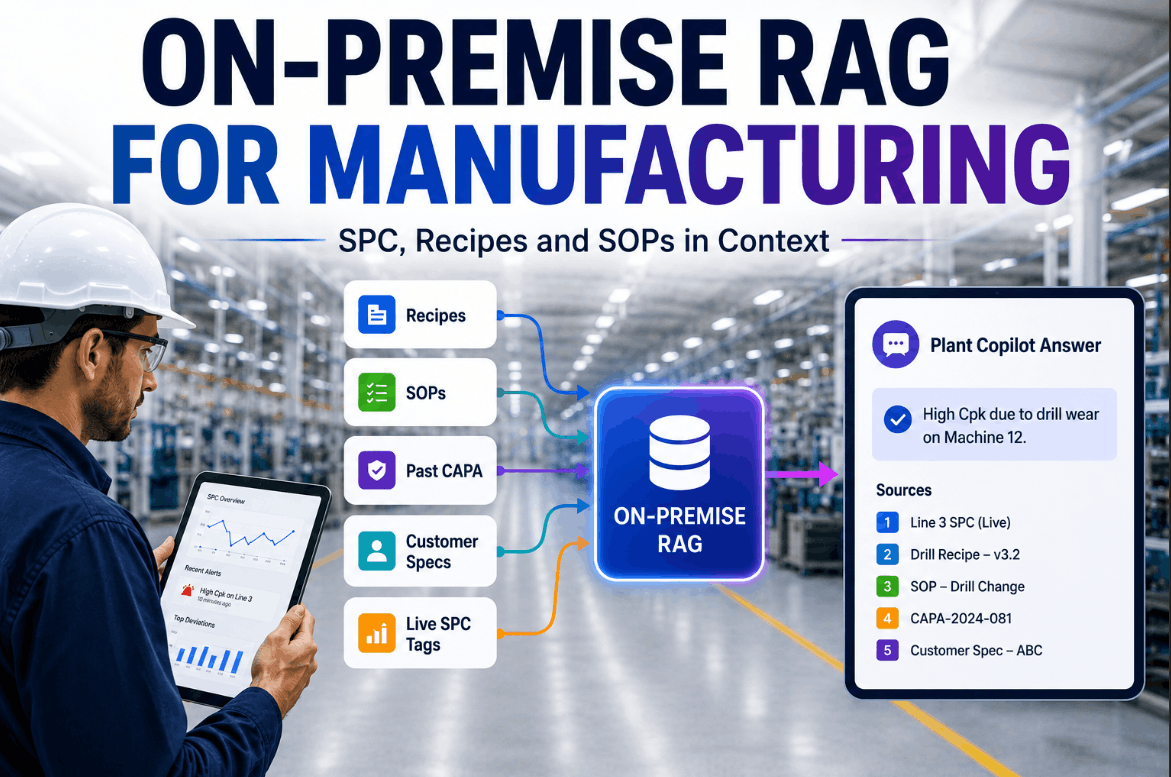
A 70-billion-parameter cloud language model knows a great deal about the world — and nothing at all about Cell B of CRM-1 in your plant. It does not know that the tag PI-204 is the inlet pressure on the compression unit your operators call "the old Siemens," that recipe version 4.2.1 was superseded after the Q2 quality excursion, or that Work Order 8840 is currently open against the same asset that fired an overtemperature alarm this morning. Without that plant-specific context, even the most powerful general-purpose AI cannot give an operator, quality leader, or maintenance engineer a useful answer — because the answer requires knowing your plant, not just knowing language. iFactory AI's Plant Copilot is built on a purpose-built plant knowledge graph that links every asset, sensor tag, recipe version, production order, and operator record in a structured relational model — so a 7-billion-parameter on-premises model with that graph beats a cloud giant that has none of it. Book a Demo to see plant-aware AI answering questions no generic LLM could touch.
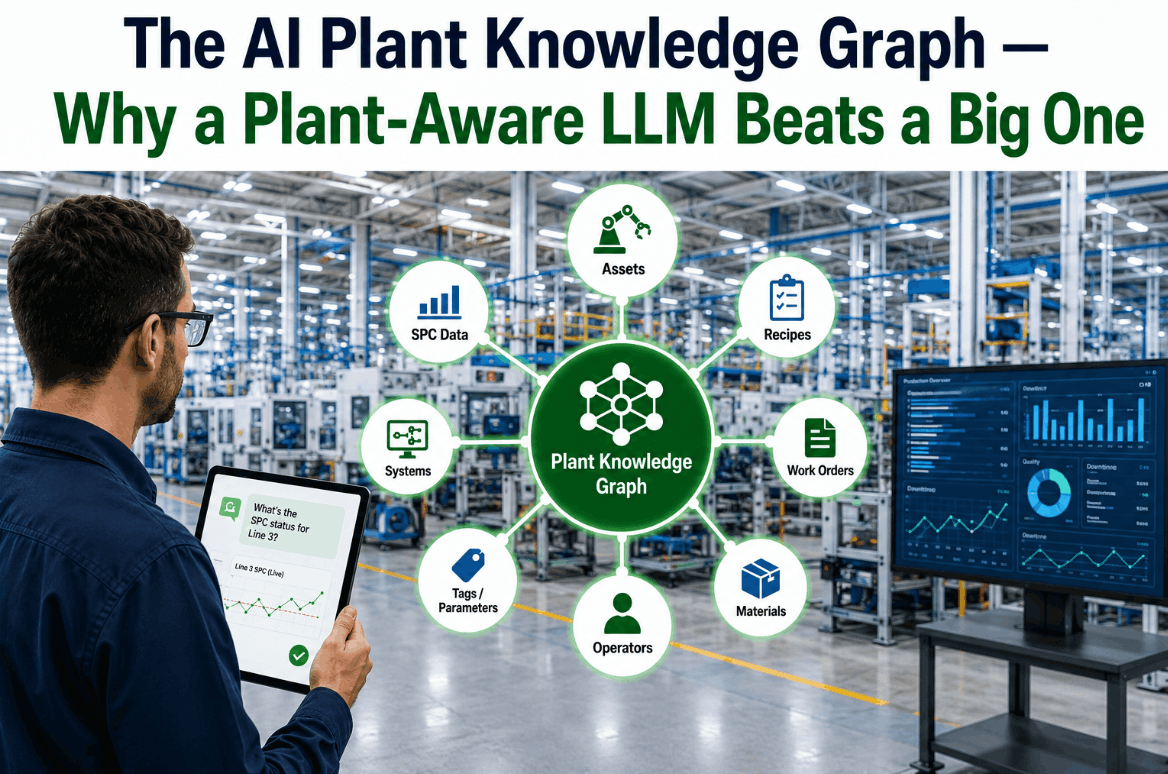
The AI Plant Knowledge Graph —
Why a Plant-Aware LLM Beats a Big One
iFactory AI's Plant Copilot is built on a live knowledge graph linking every asset, tag, recipe, order, and operator in your plant — giving a small on-premises model more manufacturing intelligence than any generic cloud LLM can deliver.
Why General-Purpose LLMs Fail on the Shop Floor
The intelligence gap between a plant-aware AI and a generic large language model is not a gap in reasoning capability — it is a gap in context. A general-purpose model trained on internet text, technical documents, and engineering manuals can reason well about manufacturing concepts in the abstract. What it cannot do is answer the specific question an operator needs answered at 2:47 AM on Line 3: Is this alarm a consequence of the parameter change that Engineering authorized three hours ago, or is it an independent failure developing on the same asset?
That answer requires knowing that Work Order 9102 contains a parameter change to PI-204 authorized at 23:14, that PI-204 is the inlet pressure tag on Asset CRM-1, that CRM-1 is in Cell B, that the current alarm is a high-deviation flag on the same tag, and that the alarm history on this asset shows two prior instances of this alarm following authorized parameter changes — both of which cleared within two hours. A cloud model with no knowledge of your plant structure cannot connect those facts. A plant-aware model built on the iFactory knowledge graph can. Book a Demo to see the difference between generic and plant-grounded AI on real production questions.
No Asset Awareness
Generic LLMs have no concept of your plant's physical topology — which cell contains which asset, which asset owns which tag, or which tags are logically related through a shared process unit. Without that structure, multi-hop questions have no answer path.
No Recipe or Order Context
The active recipe version, the authorized parameter ranges, the work order currently running against an asset — none of this exists in a generic model's context. Answers about recipe compliance or parameter authority require live recipe management data, not training data.
Hallucination on Specific Data
When a general model lacks plant-specific facts, it generates plausible-sounding answers that are fabricated — the most dangerous failure mode in a safety-critical production environment. Plant-grounded retrieval eliminates this by anchoring every answer in verified graph data.
Data Sovereignty Risk
Routing plant operational data — SPC results, equipment telemetry, production orders — through a third-party cloud API creates data governance risk that many manufacturers cannot accept. An on-premises model with a local knowledge graph eliminates that exposure entirely.
Evaluating AI for your plant floor and asking whether it can actually know your plant? Book a Demo to see iFactory's plant knowledge graph in action on a production environment similar to yours.
What the iFactory Plant Knowledge Graph Contains — and How It Is Built
The iFactory plant knowledge graph is not a static document store or a vector database of SOP text. It is a live, structured relational model of your plant — built automatically from your connected data sources as iFactory integrates with your SCADA, MES, ERP, and recipe management systems, and updated continuously as production events occur. The graph has five core entity classes, each connected to the others through typed relationships that let the AI traverse from a sensor tag to its parent asset, to the open work orders against that asset, to the recipe version authorized for the current production run, to the operator who performed the last parameter change.
The foundation of the knowledge graph is the full physical and logical hierarchy of your plant — sites, areas, cells, units, and individual equipment items — linked to every SCADA tag associated with each asset. When an operator asks about "the compressor in Cell B," the graph resolves that natural-language reference to the specific asset record, retrieves its associated pressure, temperature, and vibration tags, and returns answers grounded in live telemetry from those specific signals.
Every recipe version — its parameter values, approved ranges, the engineer who authorized it, and the date it superseded its predecessor — is represented as a node in the knowledge graph, linked to the assets it applies to and the production orders that were run under it. When an operator asks whether a current parameter setting is within specification, the graph traverses from the active recipe node to the authorized range for that parameter on that asset, and returns a compliance answer without requiring the operator to navigate the recipe management system.
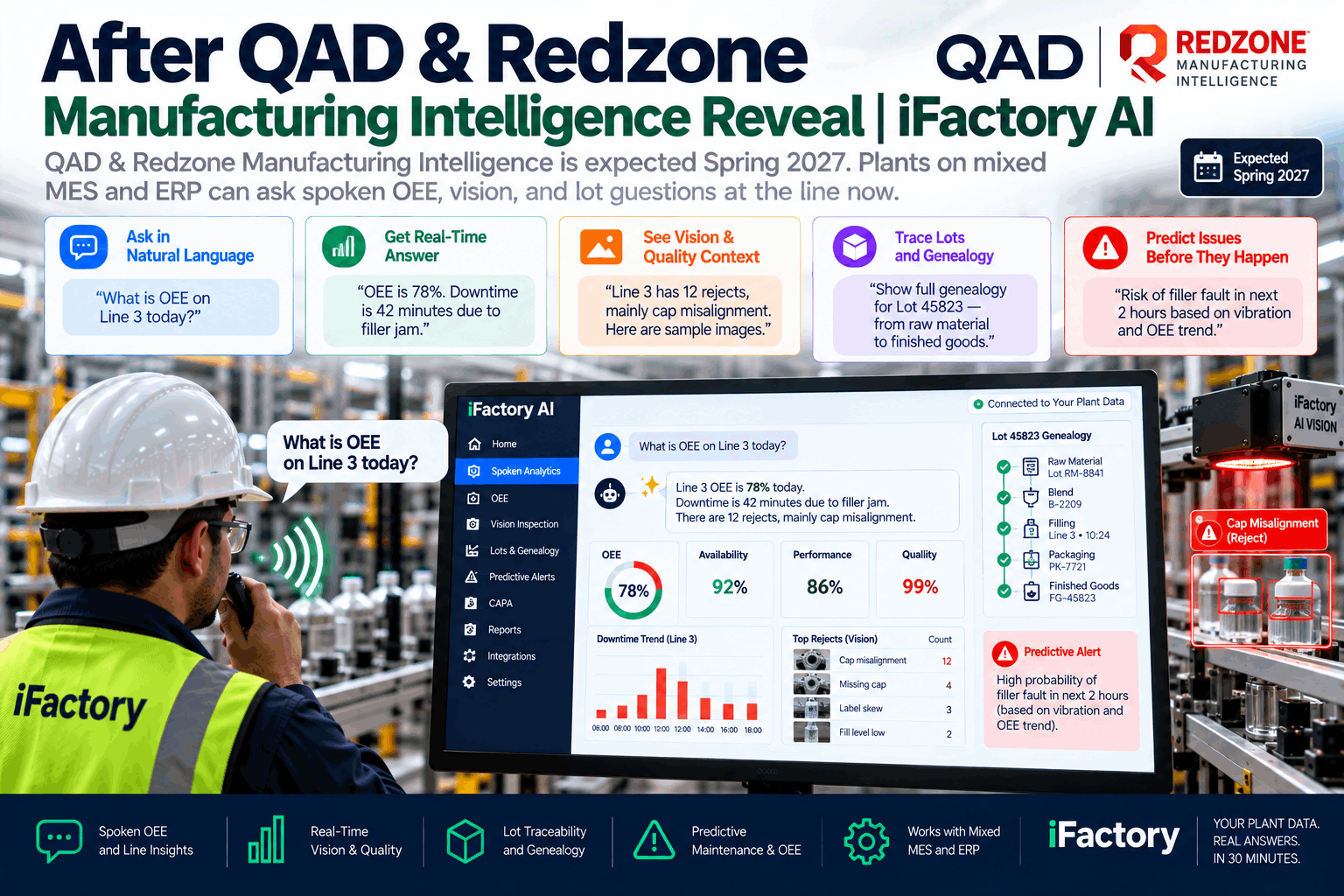
Production orders from the MES and work orders from the CMMS are live nodes in the knowledge graph — linked to the assets they apply to, the recipe versions they run under, and the operators who created or are assigned to them. This means the AI can answer questions that cross system boundaries without the operator navigating multiple platforms: "What work orders are open against this asset, and does any of them cover the current alarm condition?"
Every operator action — parameter adjustment, alarm acknowledgment, work order creation, sign-off — is recorded as a timestamped event node in the knowledge graph, linked to the operator who performed it, the asset it affected, and the production context at the time. This creates a complete, queryable action history that the AI can traverse to answer questions like: "Who was the last person to adjust this setpoint, and was it within authorized limits at the time?" — without accessing a separate audit log system.
Every alarm, quality deviation, SPC violation, and production event is recorded as a node in the knowledge graph and linked to the asset that generated it, the conditions at the time, the operator who responded, and the outcome of the response. This history is what allows the AI to answer pattern questions: "Has this alarm fired before on this asset? Under what conditions? What fixed it?" — not from a document, but from the structured history of your plant's own operational record.
Graph-RAG vs. Vector RAG vs. Generic LLM: What the Architecture Difference Means for Your Plant
Not all AI retrieval architectures deliver equal accuracy in manufacturing environments. The choice of how plant context is stored, retrieved, and grounded into AI answers has a direct impact on answer quality, hallucination rate, and the complexity of questions the system can handle. The comparison below maps the three dominant approaches against the requirements of a plant-floor AI deployment.
| Capability | Generic Cloud LLM | Vector RAG (Document-Based) | Graph-RAG — iFactory Plant Knowledge Graph |
|---|---|---|---|
| Asset-specific answers (e.g., "What is PI-204?") | Fabricates a plausible answer — no actual plant data | Returns document chunks — requires matching tag name in text | Traverses graph to asset node, returns confirmed identity and live readings |
| Multi-hop reasoning (alarm → asset → open work order) | Cannot traverse relationships — no structured context | Fragmented — may retrieve partial context from multiple chunks | Single graph traversal connects alarm to asset to WO in one query |
| Recipe compliance checking | No recipe data — cannot answer | If recipe PDF is indexed — returns text, not live values | Live recipe version linked in graph — real-time compliance with current authorized ranges |
| Hallucination risk on plant-specific facts | High — invents specific values when none exist | Moderate — grounded in documents but not live data | Near-zero — every specific answer anchored to verified graph node |
| Data sovereignty | Plant data sent to external cloud API | Depends on deployment — often cloud-hosted vector store | Fully on-premises — graph and model run within your infrastructure |
| Update latency (recipe change, new WO) | Never updated — training cutoff applies | Re-indexing required — hours to days for updates to propagate | Live sync — graph reflects current plant state within seconds |
How the Plant Knowledge Graph Is Built and Kept Current
The iFactory plant knowledge graph is not an implementation project requiring months of manual ontology modeling. It is built automatically from the data sources iFactory connects to during platform deployment, and updated continuously as production systems generate new events. The construction process follows a structured four-phase approach that produces a complete, queryable graph from existing plant data without requiring new data collection infrastructure at any site.
iFactory connects to the plant historian, SCADA system, MES, recipe management platform, and CMMS via read-only OPC UA, REST API, and historian connectors. The tag database — typically tens of thousands of signals in a mid-size facility — is ingested and mapped to the ISA-95 asset hierarchy using a combination of automated naming convention analysis and a brief review session with the plant's process engineers to resolve ambiguous or non-standard tag names.
The graph ontology is populated with asset nodes, tag nodes, recipe version nodes, and operator role nodes, with typed relationships established between them based on the data source connections and the process engineer review. Operator naming aliases — the informal names that floor staff use for equipment — are mapped to canonical asset identifiers so that natural-language queries resolve correctly regardless of how operators refer to equipment.
Up to twenty-four months of historical alarm records, production orders, work orders, quality events, and operator actions are ingested and added to the graph as historical event nodes — linked to the assets, recipes, and operators they involved. This historical backfill is what allows the AI to answer pattern questions about prior occurrences of current conditions from day one of go-live, rather than waiting months for the live graph to accumulate sufficient history.
Once the initial graph is live, all connected systems push updates in real time — new production orders, recipe changes, alarm events, operator actions, and quality results all become new graph nodes within seconds of occurrence. The graph is always current, and AI answers are always grounded in the actual current state of the plant rather than a snapshot taken at deployment time.
Expert Review: What Smart Factory Architects Should Know Before Choosing an AI Architecture
The most consistent mistake I see in AI deployments for manufacturing is selecting a model based on benchmark performance on generic reasoning tasks, then discovering at integration time that the model has no mechanism for knowing anything specific about the plant. A model that scores well on reasoning benchmarks is a capable reasoner — but reasoning requires premises, and if the premises about your specific plant are absent, the reasoning produces nothing actionable.
Conclusion: The Plant Knowledge Graph Is What Makes Plant-Aware AI Possible
The intelligence of an AI system in a manufacturing environment is bounded not by model size but by plant-specific context. A large model without plant context will generate fluent, confident, and occasionally dangerous answers about assets it cannot identify, recipes it has never seen, and work orders it does not know exist. A smaller model grounded in a live, structured knowledge graph of your specific plant — its assets, tags, recipes, orders, and operator history — will give accurate, traceable, actionable answers on the first query.
iFactory AI's Plant Copilot is built on this principle. The plant knowledge graph is not an optional enhancement — it is the foundation that makes every Copilot answer trustworthy. It is built automatically from your connected data sources, updated in real time as your plant operates, and runs entirely within your own infrastructure with no external cloud dependency. For smart factory architects designing the AI layer of an Industry 4.0 program, the knowledge graph architecture is the decision that determines whether your plant AI delivers value or creates risk.