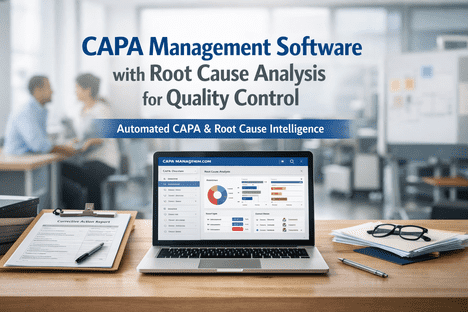
CAPA Management Software with Root Cause Analysis for Quality Control
By Josh Brook on April 21, 2026
CAPA failures are the single most cited FDA inspection finding in the medical device and pharma industries. In the last audit year alone, FDA investigators flagged 21 CFR 820.100 CAPA non-compliance 165 separate times — more than any other Quality System Regulation clause. The pattern is almost always the same: a problem gets logged, someone applies a surface-level fix, no real root cause is identified, and the same defect reappears three months later with a different form number. The cost is not just regulatory. Every unclosed CAPA is a live risk sitting on the balance sheet — warranty exposure, recall liability, customer-audit failure, insurance claims. The plants getting this right in 2026 have stopped running CAPA on email threads and spreadsheets. They run it on a dedicated platform that enforces structured root cause analysis, routes tasks automatically, closes the loop with verified effectiveness checks, and produces an audit trail that satisfies FDA, ISO 13485, AS9100, and IATF 16949 without manual compilation. This page walks through how iFactory's CAPA Management software actually works — the 8-stage lifecycle, the four root cause analysis tools built in, the workflow automation, and the compliance scaffolding that makes audit-prep measured in hours rather than weeks.
CAPA Management · Root Cause Intelligence · Audit Ready
CAPA Management Software with Root Cause Analysis for Quality Control
Closed-loop corrective and preventive action workflows with guided 5 Whys, Fishbone, and Fault Tree analysis, automatic task routing, verified effectiveness checks, and full audit trails for FDA, ISO, IATF, and AS9100.
Sources: FDA 21 CFR 820.100 · ISO 13485:2016 · ICH Q10 · AS9100 Rev D · IATF 16949 · FDA Warning Letter Analysis 2024 · iFactory Deployment Data 2026
Symptom vs Root Cause — The Distinction Most CAPAs Miss
Every failed CAPA has the same fingerprint: the corrective action was aimed at the symptom, not the root cause. Understanding the difference between the two is what separates a CAPA that stays closed from one that reopens six months later under a different incident number. Auditors have become very good at spotting this — and it is the primary reason FDA Warning Letters cite CAPA inadequacy.
Symptom
What the defect looked like
"Tablet weight out of specification on Line 3"
"Paint defect found on Unit 47892"
"Customer complaint about broken seal"
"Bearing failed at 8,400 operating hours"
Typical fixRework the batch, retrain the operator, replace the part
Problem returns in 60–90 days
Root Cause
Why the defect actually happened
"Feeder calibration drift undetected due to PM interval mismatch"
"Humidity control threshold incorrect in SOP, produced every humid summer"
"Seal inspection frequency reduced after line speed change, never reassessed"
"Lubrication type changed by procurement, never validated against bearing spec"
Real fixChange the system that allowed the failure to occur
Problem structurally eliminated
The 8-Stage CAPA Lifecycle — Fully Automated
FDA, ISO, AS9100, and IATF 16949 all converge on essentially the same eight-stage CAPA workflow. Most plants run only four or five of these stages well and skip the rest — which is exactly where audit findings come from. iFactory's CAPA module enforces all eight stages as mandatory fields with electronic signatures at each handoff, making it structurally impossible to skip the stages auditors care most about.
01
Detect & Log
Event captured from SPC alert, inspection, audit finding, customer complaint, or supplier NCR. Unique CAPA ID auto-assigned.
Seconds
02
Document Problem
Structured problem statement with What, When, Where, How Much. Evidence attachments, affected lot numbers, lot disposition decision.
Minutes
03
Scope & Risk
Severity classification, risk assessment, containment action if required. Quarantine automatically triggered at severity threshold.
Hours
04
Investigate
Cross-functional team assembled. Evidence packaged. Machine, material, method, operator variables auto-correlated for analysis.
Hours
05
Root Cause Analysis
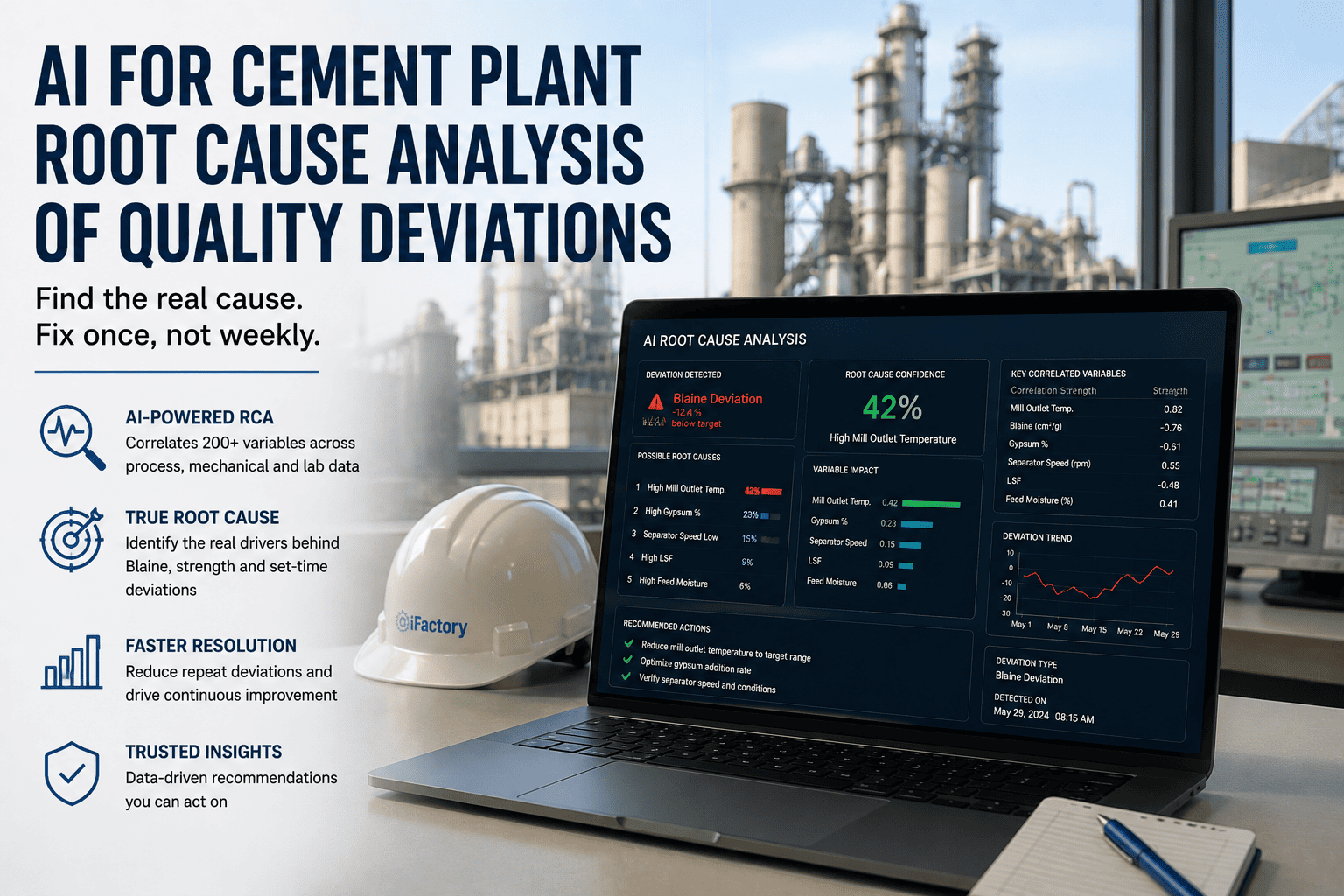
Guided 5 Whys, Fishbone, Fault Tree, or Pareto analysis — cannot advance without documented root cause. AI suggests likely causes.
Days
06
Actions Defined
Corrective actions (fix the symptom) and preventive actions (fix the system) with assigned owners, deadlines, and verification criteria.
Days
07
Execute & Verify
Actions completed in CMMS work orders, document updates, training assignments, supplier notifications. Evidence attached per action.
Weeks
08
Effectiveness Check
Post-action monitoring confirms defect did not recur. Statistical threshold cleared. CAPA formally closed with Quality Review Board sign-off.
Different problems need different investigation tools. A line stoppage needs the rapid-fire 5 Whys. A systemic quality drift with multiple contributing factors needs a structured Fishbone. A safety-critical failure needs rigorous Fault Tree logic. iFactory ships all four tools natively with guided workflows — pick the right tool for the problem complexity.
5 Whys
Toyota Production System
Best For
Simple, linear cause-effect problems
Ask "why" five times to drill past the symptom layer. Fast, no statistical software required. Built-in prompt structure forces each "why" to be a documented fact, not an assumption.
Line stoppages, equipment failures, single-point defects
Fishbone (Ishikawa)
Kaoru Ishikawa, 1960s
Best For
Multi-factor problems with many possible causes
Organizes potential causes into 6 categories: Materials, Methods, Machines, Measurement, Manpower, Environment. Exceptional for brainstorming without missing contributing factors.
Top-down deductive logic tree. Uses AND/OR gates to map every pathway that could lead to the undesirable event. Rigorous for aerospace and medical device investigations.
Safety incidents, Class III device failures, regulatory events
Pareto Analysis
Vilfredo Pareto, 1906
Best For
Prioritizing multiple defect streams
80/20 rule applied to defect data — 80% of problems come from 20% of causes. Identifies which root causes deliver maximum impact when addressed first.
Here is an actual rendering of the Ishikawa diagram iFactory generates inside every CAPA record. The problem statement anchors the head of the fish; the six cause categories branch out along the spine. Engineers add contributing factors under each category with evidence, rule them in or out, and document the progression directly in the CAPA file — no separate whiteboard session that never makes it into the audit record.
Fishbone · Example: Tablet Weight Out of Specification
The 5 Whys is the most used and most misused RCA technique in manufacturing. Most teams stop at Why 2 or 3 — which is exactly the level that produces repeat incidents. iFactory's guided workflow enforces a minimum depth, requires each "why" to reference documented evidence, and supports 3x5 Whys for complex cases investigating specific, detection, and systemic layers simultaneously.
Why 1
Why did the tablet weight go out of specification?
Because the feeder was dispensing inconsistent powder volume during Shift 2.
Why 2
Why was the feeder dispensing inconsistent volume?
Because the feeder calibration had drifted 4.2% since the last PM cycle.
Why 3
Why had the calibration drifted 4.2% between PM cycles?
Because the PM interval is monthly but calibration drift exceeds threshold after 3 weeks in high-humidity conditions.
Why 4
Why is the PM interval not adjusted for seasonal humidity?
Because the PM schedule was built from vendor default spec and never updated after humidity analysis flagged summer variance.
Why 5 · Root
Why was the PM schedule never updated after the humidity finding?
PM update process has no trigger that links environmental monitoring data to maintenance scheduling. Structural gap in the change control system.
Root Cause Identified
The CAPA Maturity Ladder
Most plants sit on Level 2. A few reach Level 3. Almost none operate at Level 5. Knowing where your CAPA system actually is on this ladder — not where you think it is — is the first diagnostic. The good news: moving up one level typically cuts repeat incidents by 40–60%.
01
Reactive
Email chains, spreadsheets, paper forms. Investigations ad hoc. Fixes are symptomatic. Root causes rarely documented.
Signal: Same defect reopens under new incident numbers
Guided workflows. Mandatory fields. RCA tools enforced. E-signatures. 30-90 day closure targets met consistently.
Signal: Audit findings drop; repeat incidents fall
04
Intelligent
AI-suggested root causes from pattern history. Cross-event correlation. Predictive risk scoring. Trend analytics at management level.
Signal: CAPAs close in weeks, not months
05
Predictive
CAPAs opened from leading indicators before events. Preventive actions dominate corrective actions. Quality risk proactively managed.
Signal: Repeat incidents approach zero
Compliance Scaffolding — FDA, ISO, IATF, AS9100
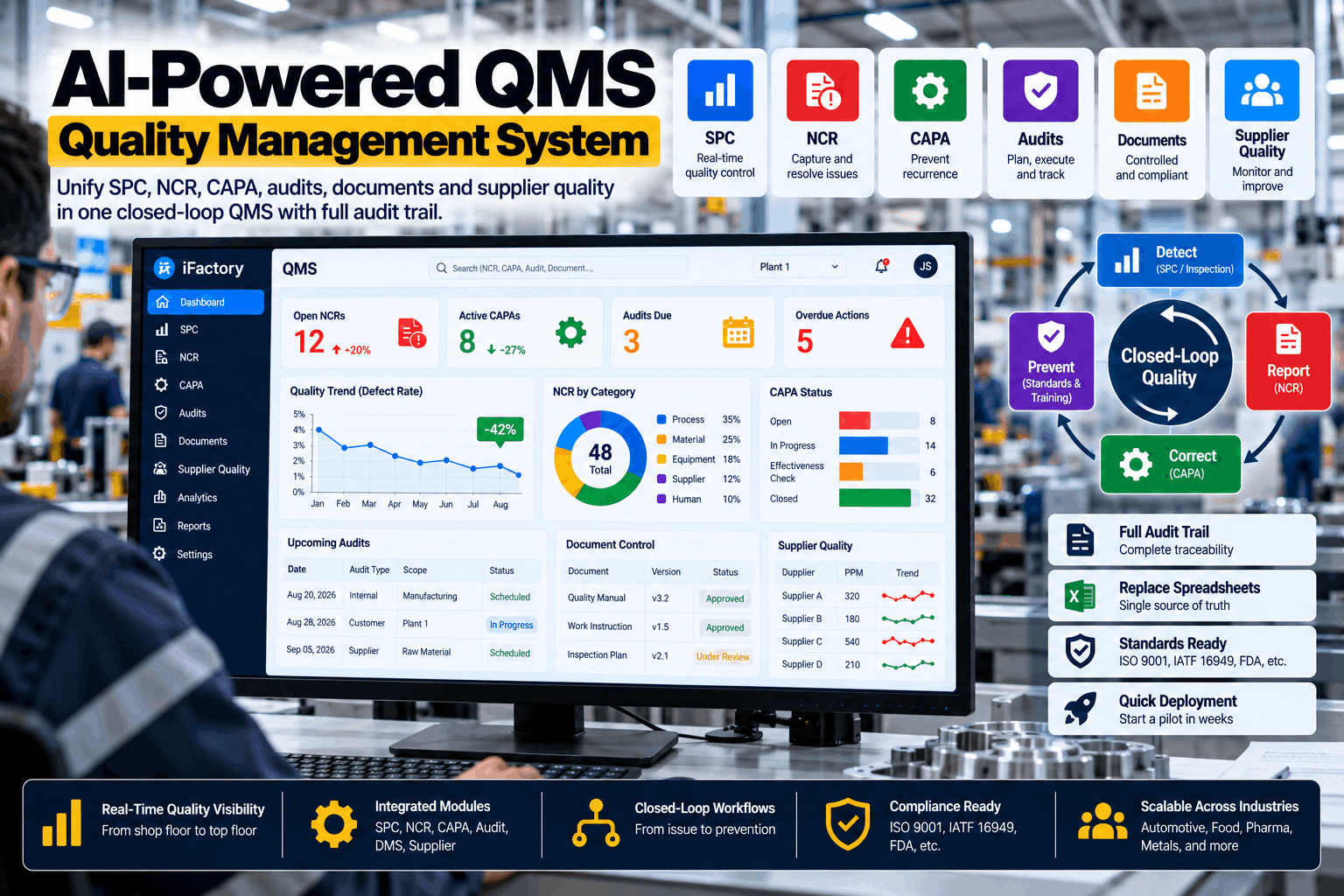
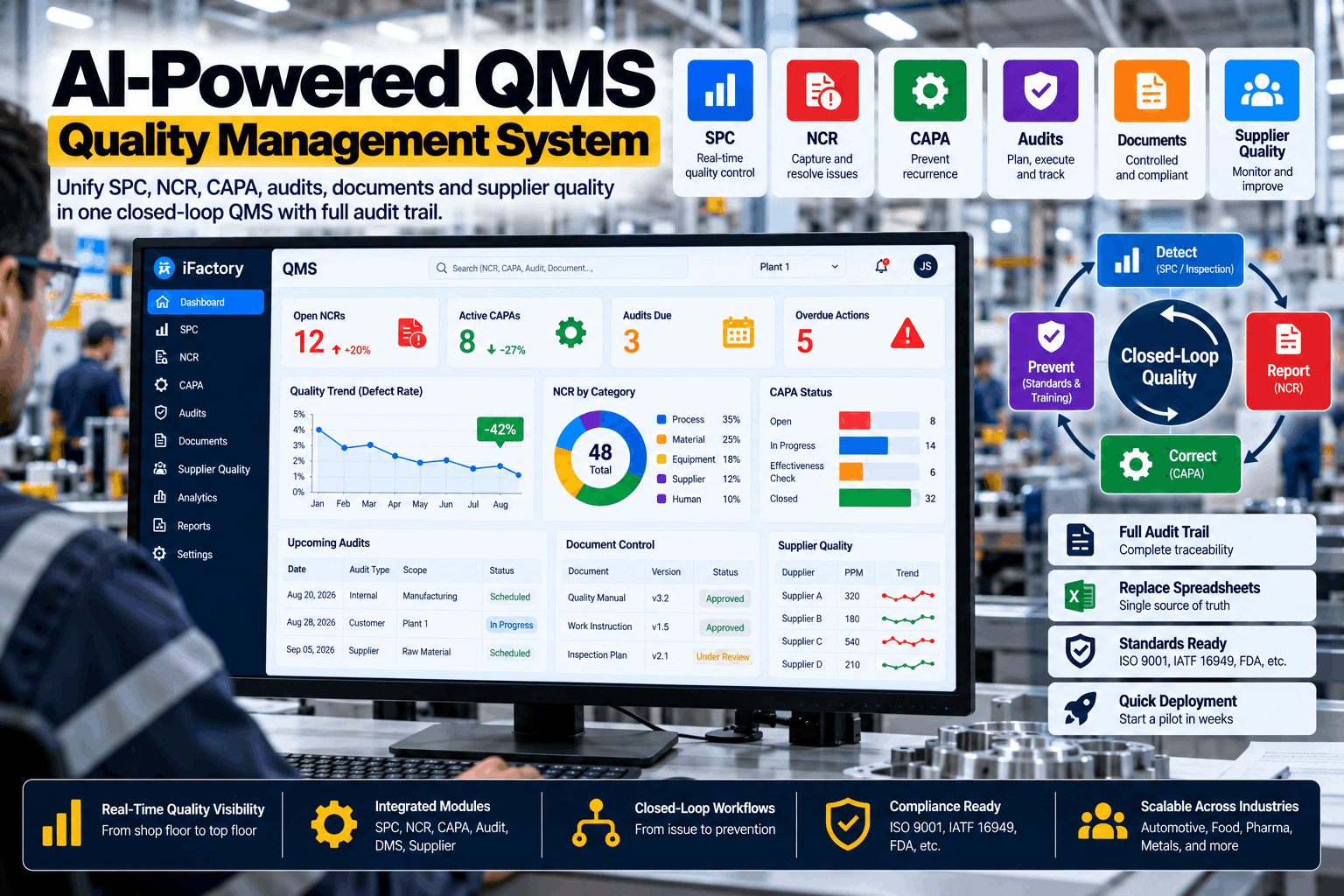
Every CAPA record iFactory creates ships audit-ready by default. Electronic signatures with 21 CFR Part 11 compliance, tamper-evident audit trails, role-based approvals at every stage, and pre-built templates mapped to each regulatory framework. You do not configure compliance — you inherit it.
FDA 21 CFR 820.100
Medical Devices
The most cited FDA regulation. 10 mandated CAPA objectives enforced via workflow — investigation, root cause, actions, verification, effectiveness.
FDA 21 CFR Part 11
Electronic Records
Electronic signatures, time-stamped records, audit trails that cannot be altered after signing. All CAPA records Part 11 ready by default.
ISO 13485
Medical Device QMS
Risk-based CAPA with documented correlation to risk management files. Design control integration for Class II and III device manufacturers.
ISO 9001
General QMS
Continuous improvement loop with CAPA as the primary mechanism. Management review integration for leadership-level trend visibility.
Auditor prep at traditional plants takes weeks of manual record compilation. With iFactory, every touchpoint in every CAPA — who opened it, who investigated it, what evidence was attached, who approved each stage, when each signature was applied — is captured automatically in a tamper-evident audit log. Your next audit takes hours, not weeks.
08:14:22
CAPA-2026-0847 · Opened
Triggered by SPC alert · Line 3 · Shift A
09:31:15
Problem Statement Approved
Signed by J. Martinez · Production Supervisor · Level 2
11:47:08
Containment Actions Executed
3 lots quarantined · Auto-work order WO-48291 created
14:22:47
5 Whys Investigation Complete
Root cause documented · 4 evidence files attached
16:05:33
Corrective & Preventive Actions Defined
6 tasks assigned across 3 departments · Deadlines locked
Day 47
Effectiveness Verified · CAPA Closed
QRB review signed · Zero recurrence in monitoring window
What You Get in Year One
70%
Faster CAPA closure vs paper-based workflows
60%
Reduction in repeat quality incidents
Hours
Audit prep, not weeks of manual compilation
100%
FDA 21 CFR Part 11 audit-ready records
Frequently Asked Questions
What is the difference between corrective action and preventive action?
Corrective action eliminates a detected non-conformity — it stops the immediate problem. Preventive action stops the non-conformity from resurfacing elsewhere by fixing the system that allowed it. Regulators including FDA 21 CFR 820.100, ISO 13485, and ICH Q10 expect closed-loop evidence that both happen, are verified, and are proven effective. Book a demo to see the closed-loop workflow on live data.
Why are CAPA failures the most cited FDA inspection finding?
In the last audit year, FDA investigators cited 21 CFR 820.100 CAPA inadequacy 165 separate times — more than any other Quality System Regulation clause. The common pattern is that plants apply surface-level fixes without identifying true root causes, resulting in repeat incidents under new form numbers. Simple techniques like 5 Whys and Fishbone often produce substandard results when not applied with discipline, which is exactly what iFactory's guided workflow enforces.
Which root cause analysis tool should we use for a specific problem?
Match the tool to the complexity. 5 Whys for simple linear cause-effect problems like line stoppages and single-point defects. Fishbone for multi-factor problems with many possible contributing factors. Fault Tree Analysis for safety-critical and complex system failures in aerospace or medical device contexts. Pareto Analysis for prioritizing which defect streams to tackle first when multiple streams exist. iFactory supports all four with guided workflows and can combine them in the same CAPA file when the problem requires multiple lenses.
How long should it take to close a CAPA?
Typical closure windows run 30 to 90 days depending on severity and complexity. High-risk or regulatory-driven CAPAs may require accelerated timelines. Effectiveness verification — confirming the fix actually worked — often adds 30-60 days of post-action monitoring before formal closure. CAPAs sitting open for 6+ months are a major audit risk signal. iFactory enforces deadline tracking with automatic escalation when actions approach their due date. Ask support about deadline configuration.
How does iFactory handle CAPA integration with ERP, MES, and CMMS systems?
iFactory integrates with SAP, Oracle, Maximo, and any CMMS or MES through REST APIs, OPC-UA, and MQTT. When a CAPA triggers a maintenance action, the work order is auto-created in your CMMS. When it triggers an SOP update, the document management system receives the change request. When it triggers supplier notification, the vendor portal workflow launches. Quality data flows both directions — eliminating duplicate data entry and ensuring every system shares the same source of truth.
Is iFactory CAPA audit-ready for FDA 21 CFR Part 11?
Yes. Every CAPA record includes electronic signatures with user authentication, tamper-evident audit trails that cannot be altered after signing, role-based access controls, and complete chain-of-custody documentation. The system ships validated for FDA 21 CFR Part 11, ISO 13485, AS9100, IATF 16949, ICH Q10, ISO 22000, and HACCP — with pre-built templates mapped to each framework. Audit preparation time typically drops from weeks to hours after go-live.
The Same Defect Keeps Coming Back for a Reason
Stop Closing CAPAs That Don't Actually Fix Anything. Run Real Root Cause Analysis.
Book a 30-minute session with an iFactory CAPA specialist. We will review your current CAPA workflow, identify where repeat incidents are slipping through, walk through the 8-stage lifecycle running on your actual event types, and map the deployment path that makes your next audit take hours not weeks.