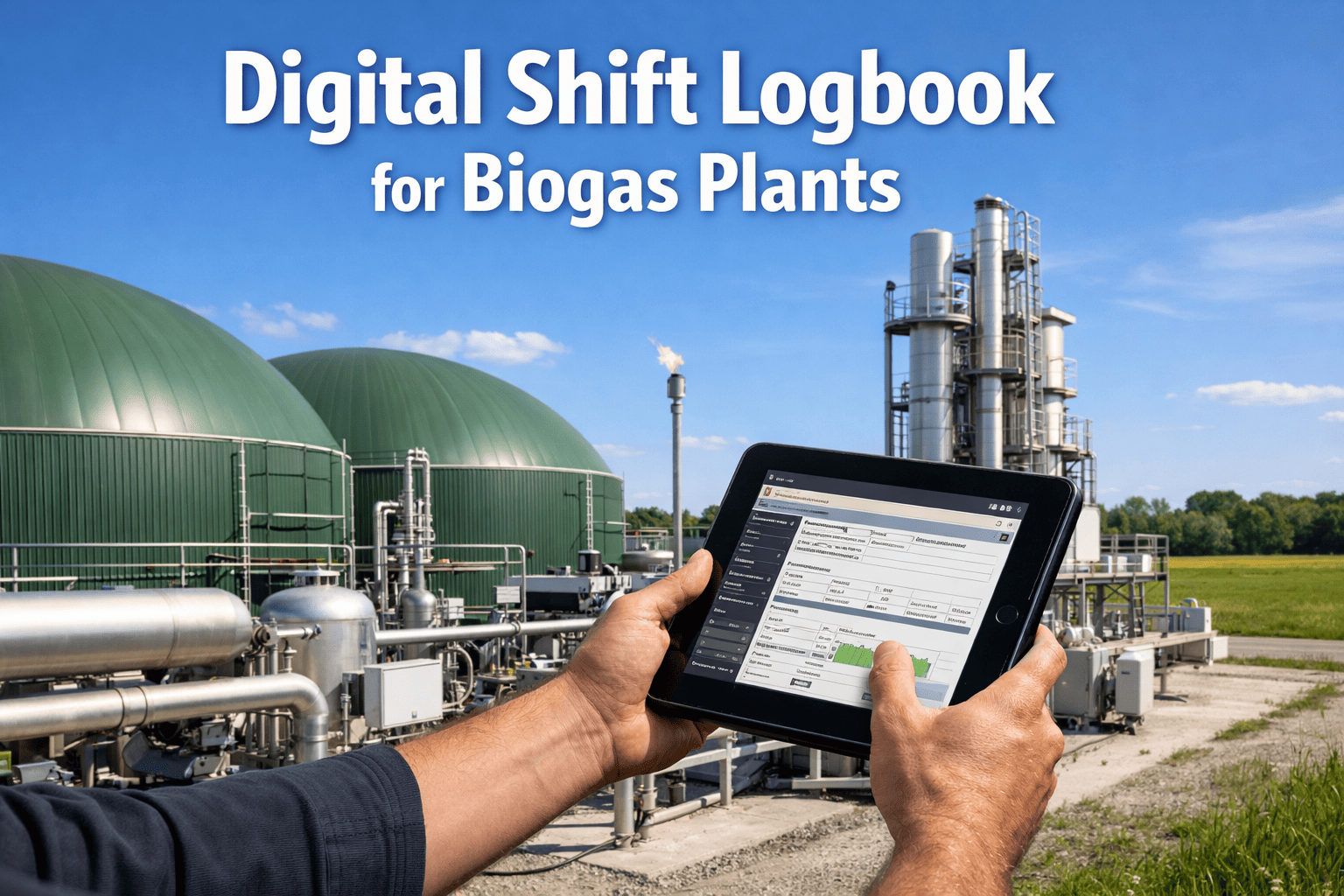
A biogas plant operator finishing night shift scribbles "Digester 2 VFA slightly high, fed 18 tons maize silage batch 447, agitator 3A making noise" in a paper logbook — the day shift operator arrives 30 minutes later, reads the note, assumes "slightly high" means normal operational variation, misses that batch 447 is the high-protein substrate that caused VFA accumulation last month, and doesn't check agitator 3A until it fails 6 hours later requiring emergency shutdown and $45,000 repair. Critical operational context — substrate batch qualityand developing equipment faults, early-warning biological trends, process adjustments made overnight — gets lost in handwritten notes that are illegible, incomplete, unsearchable, and disconnected from actual plant data. iFactory's AI-powered digital shift logbook automatically captures SCADA data, feedstock loading records, alarm history, and process parameters throughout each shift — then generates intelligent summaries highlighting what the incoming operator actually needs to know: VFA rising 180 mg/L over 8 hours (developing upset, not normal variation), batch 447 is high-protein (requires OLR reduction), agitator 3A bearing temperature up 4.2°C (schedule inspection today). Book a demo to see AI shift handoffs for biogas operations.
Quick Answer
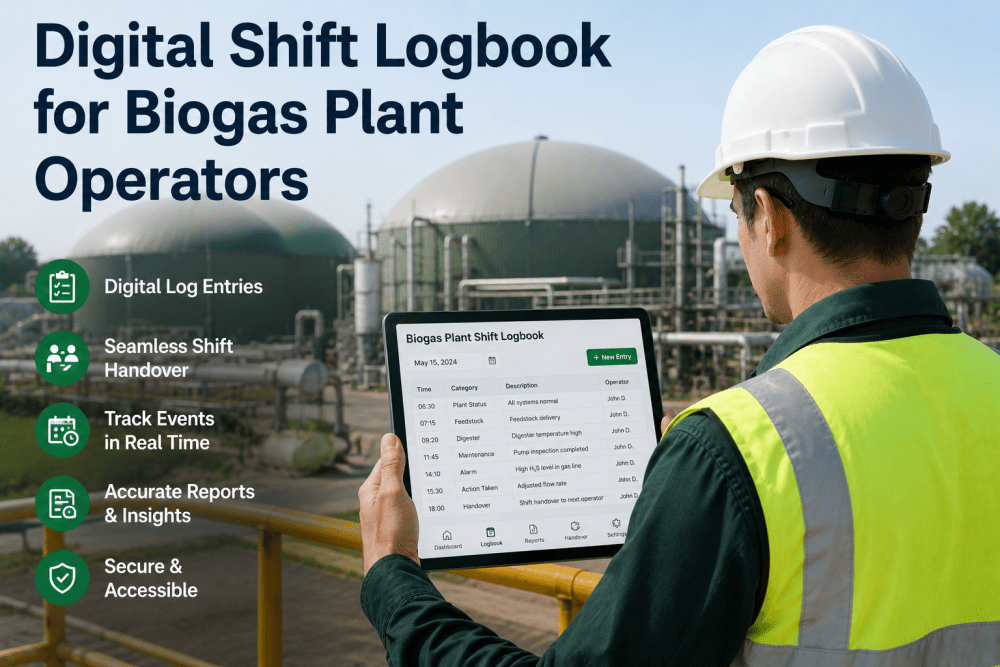
iFactory's digital shift logbook replaces paper handoffs with AI-generated shift summaries that combine operator observations (voice-dictated or typed), automatic SCADA data capture (VFA trends, gas yield, temperature stability, OLR changes), feedstock batch tracking (substrate type, composition, loading times), equipment alerts (developing faults flagged by predictive analytics), and process adjustments (alkalinity dosing, trace element additions, feeding schedule changes). Incoming operators receive a prioritized summary showing: critical items requiring immediate attention, developing trends to monitor, equipment scheduled for maintenance, and substrate batches loaded with quality notes. Average result: 86% reduction in missed handoff information, zero lost substrate batch tracking, 94% faster access to historical operational decisions.
How AI-Powered Shift Logs Transform Biogas Operations
The shift handoff is the highest-risk communication moment in continuous biogas operations — when critical operational knowledge transfers between operators. Paper logbooks fail because they rely on manual data entry during busy shifts, capture only what the outgoing operator remembers to write, and provide no connection to actual measured plant data. The framework below shows how intelligent shift logs work in AD plants.
1
Automatic Data Capture Throughout Shift
SCADA integration continuously logs VFA measurements, pH trends, temperature stability, gas composition, OLR calculations, substrate feed records, equipment alarms, and process adjustments — without requiring operator data entry. System captures what actually happened, not what operator remembered to write down.
Shift 23:00–07:00: VFA 2,340→2,520 mg/L (+180), pH 7.81→7.76, CH4 62.1%, fed 18.2 tons maize silage batch 447 + 12.4 tons cattle slurry, agitator 3A bearing temp 64→68.2°C, alkalinity dosed 45 kg NaHCO3 at 03:20
2
Operator Observations — Voice or Text Entry
Operator adds contextual observations via mobile app — speaking into phone while walking plant or typing brief notes. Voice-to-text captures: equipment sounds/smells/visual observations, substrate quality assessment, process adjustments reasoning, issues noticed but not yet alarmed. Natural language, not structured forms.
Voice Entry: "Agitator 3A sounds rough, bearing end"Text Note: "Batch 447 higher protein than usual"
3
AI Trend Detection & Pattern Recognition
Machine learning analyzes shift data to identify significant trends — distinguishing normal operational variation from developing issues. Flags: VFA accumulation rate accelerating, equipment degradation patterns, substrate batch quality changes, temperature instability, process upset precursors. Not just data dumps — intelligent interpretation.
Trend Detected: VFA rising 22 mg/L per hourAlert: Agitator 3A bearing temp +4.2°C in 8 hours
4
Context Integration — Historical Pattern Matching
System cross-references current shift data with historical records — identifying when similar patterns occurred before and what actions resolved them. Links substrate batch 447 to previous high-protein batch that caused VFA upset, connects agitator bearing temp rise to similar fault pattern 6 months ago, recalls successful intervention strategies.
Historical Match: Batch 447 similar to batch 391 (VFA upset 28 days ago)Recommendation: Reduce OLR 15% for 48 hours
5
Intelligent Shift Summary Generation
AI generates prioritized summary for incoming operator — not raw data list, but actionable intelligence. Structured in urgency order: critical items requiring immediate action, developing trends to monitor closely, routine items for awareness, completed tasks from previous shift. Summary readable in 90 seconds, contains all decision-critical context.
Shift Summary 07:00 — PRIORITY 1: VFA accumulating (180 mg/L overnight, rate increasing). Substrate batch 447 high-protein (similar to upset trigger batch 391). Recommend OLR reduction. PRIORITY 2: Agitator 3A bearing temperature rising (68.2°C, +4.2°C in 8 hrs). Schedule inspection today. ROUTINE: Gas yield stable 62.1% CH4, alkalinity dosed at 03:20 per procedure.
6
Mobile Access & Searchable History
Incoming operator receives shift summary on mobile device 15 minutes before shift start — arrives prepared with action plan. Full shift history searchable by date, substrate batch, equipment, alarm type, or operator notes. Compliance-ready documentation automatically generated for audits, process investigations, or regulatory reporting.
Mobile Push: 06:45 (15 min before shift)Searchable: 18 months history, 2-second query
Digital Shift Handoffs
See How AI Transforms Shift Communication
Watch a demo showing automatic data capture during a real shift, voice-dictated operator observations, AI trend detection, and the intelligent summary generated for the incoming operator.
86%
Less Missed Information
90 sec
Shift Summary Read Time
Paper Logbook Problems AI Digital Logs Solve
Every card below represents an information failure that causes process upsets, equipment damage, or compliance violations — failures that occur because critical operational knowledge gets lost, distorted, or delayed in manual handoff processes. These problems persist across AD plants regardless of operator skill level because paper-based handoffs are structurally unreliable. Discuss your plant's shift communication challenges.
Critical Substrate Batch Information Lost
Problem: Night shift loads 22 tons of new maize silage batch — quality looks different (darker color, stronger smell, higher moisture), but operator only writes "loaded batch 512" in logbook. Day shift continues normal OLR, unaware batch is significantly different composition. Three days later VFA spikes to 4,800 mg/L, biology crashes, 4-week recovery period, $68,000 revenue loss. Substrate batch composition was the early warning signal.
iFactory solution: Automatic substrate batch tracking captures load time, tonnage, batch ID, and substrate type from feeding controller. Operator adds voice note: "Batch 512 looks wetter and darker than usual batches." AI flags substrate change, cross-references batch 512 to supplier quality records (moisture 68% vs typical 52%), recommends OLR reduction for first 48 hours. Day shift receives alert, reduces OLR proactively, biology remains stable, zero upset.
Equipment Fault Symptoms Ignored Across Shifts
Problem: Evening shift operator hears unusual noise from feed pump 2B, writes "pump 2B sounds different" in logbook. Night shift doesn't check pump (operator focused on substrate feeding tasks), writes nothing. Morning shift operator different person, doesn't read previous 2 days of logbook entries, misses developing fault. Pump seal fails catastrophically 30 hours after first observation, $18,000 emergency repair, 22 hours downtime.
iFactory solution: Evening shift operator speaks into mobile app: "Feed pump 2B making grinding noise, sounds like bearing issue." System creates equipment observation linked to pump 2B asset record, flags for follow-up. Predictive analytics cross-check pump vibration data, detect 18% increase in bearing frequency signature over past 36 hours, classify as developing bearing fault. Work order auto-created for pump inspection, scheduled for next maintenance window. Bearing replaced before failure, $1,200 planned repair, zero downtime.
Process Adjustments Made Without Documentation
Problem: Weekend operator notices pH dropping slightly (7.72 → 7.68 over 4 hours), doses 60 kg sodium bicarbonate as alkalinity buffer, doesn't document dosing or reasoning in logbook (busy with substrate feeding). Monday operator sees pH stable at 7.74, assumes weekend was normal. Tuesday VFA begins rising — alkalinity buffer consumed, no residual capacity. If Monday operator had known about weekend alkalinity dosing, would have added trace alkalinity top-up. Process upset requires intervention.
iFactory solution: Alkalinity dosing auto-logged from SCADA when operator triggers dosing pump — timestamp, quantity, and current pH/VFA values captured. Weekend operator adds voice note: "Dosed alkalinity because pH was trending down, seems to have stabilized." Monday operator receives shift summary: "Weekend: alkalinity dosed 60 kg at pH 7.68. Current alkalinity buffer reduced, monitor VFA closely, consider trace dosing if pH drops below 7.75." Proactive alkalinity management prevents upset.
Alarm History Not Communicated Between Shifts
Problem: Night shift experiences three high-temperature alarms on Digester 1 (38.2°C setpoint, spiked to 39.1°C three times between 01:00–04:00). Operator acknowledges alarms, temperature returns to normal, writes "D1 temp alarms overnight, resolved." Day shift reads note, assumes single transient alarm, doesn't investigate. Pattern actually indicates failing heating control valve hunting — temperature oscillating because valve stuck. Valve fails fully open two days later, temperature hits 42°C, methanogen population shocked, 3-week biological recovery.
iFactory solution: All SCADA alarms automatically logged with timestamp, duration, peak value, and resolution time. Night shift summary shows: "Digester 1: three high-temp alarms (39.1°C, 38.9°C, 39.0°C) in 3-hour period — pattern indicates control instability, not single transient event." AI flags repeating alarm pattern as equipment fault precursor. Day shift receives recommendation to inspect heating control valve. Valve actuator fault found and repaired, stable temperature control restored, biology unaffected.
VFA Trends Invisible in Static Logbook Numbers
Problem: Operator writes VFA measurements in logbook each shift: Monday 2,100 mg/L, Tuesday 2,280 mg/L, Wednesday 2,450 mg/L, Thursday 2,640 mg/L — each individual value within "normal" range (threshold alarm at 4,000 mg/L), but the trend shows clear VFA accumulation at 180 mg/L per day. No operator notices trend because each shift sees single static number. Friday VFA hits 2,820 mg/L, accelerates over weekend to 3,900 mg/L, Monday alarm triggers, emergency intervention required.
iFactory solution: AI analyzes VFA time-series data, detects accumulation trend on Tuesday (day 2 of rising pattern). Wednesday shift summary includes: "VFA Trend Alert: Accumulating at 170 mg/L per day over past 72 hours. At current rate, will reach 4,000 mg/L threshold in 9 days. Recommend OLR reduction to 3.0 kg VS/m³/d (currently 3.4) to arrest accumulation." Early intervention prevents upset progression.
No Searchable History When Problems Recur
Problem: Plant experiences foam event in Digester 2 — operations manager asks "when did we last have foam in D2 and what fixed it?" Operator flips through 8 months of paper logbooks trying to find foam references, takes 90 minutes, finds incomplete note "foam in D2, added antifoam," no detail on foam trigger, antifoam quantity, or recovery time. Unable to learn from previous event, repeats same trial-and-error response.
iFactory solution: Manager searches digital logbook: "foam Digester 2" — returns 3 historical events with complete context. Most recent foam event 6 months ago: triggered by substrate batch high in surfactants (food processing waste batch 318), resolved with 12 L antifoam + reduction of food waste proportion from 30% to 18% for 5 days. Current event: substrate batch is also food processing waste (batch 421). Apply proven solution immediately, foam controlled within 4 hours instead of 3-day trial-and-error process.
What Gets Captured Automatically vs Operator Entry
iFactory's digital shift log combines automatic data capture (requiring zero operator effort) with quick operator observations (voice or text) to create complete operational records. The balance eliminates data entry burden while ensuring critical human context gets documented.
Biological Parameters: VFA concentration, pH, alkalinity, temperature (all zones), ammonia, gas composition (CH4%, CO2, H2S), gas flow rate and yield, OLR calculation from feed records
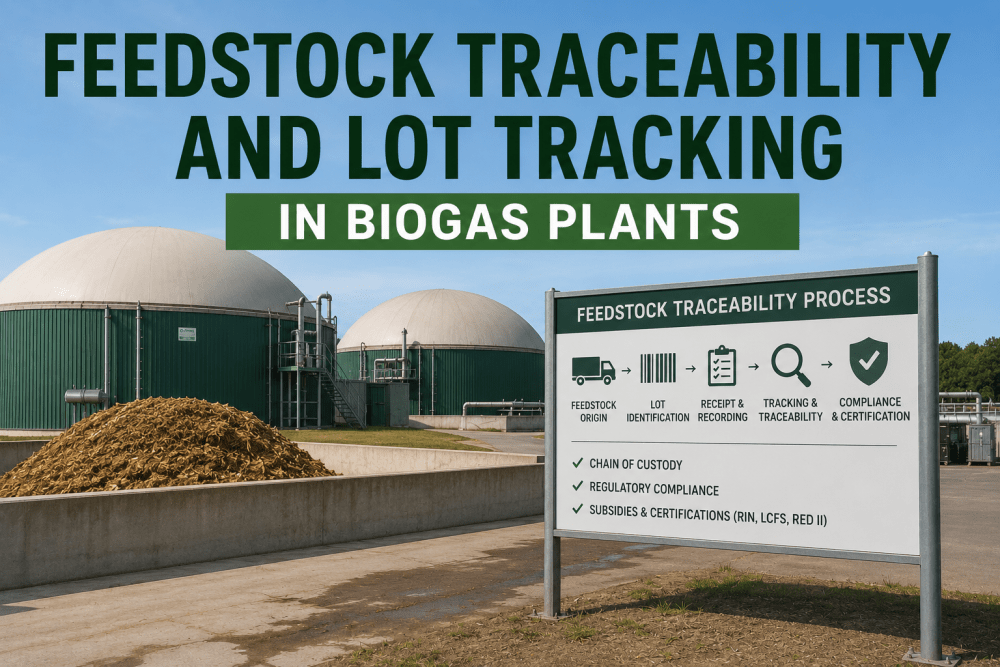
Substrate Feeding: Feed times, tonnage per batch, substrate type, batch ID numbers, total daily loading, feeding schedule deviations, pump run times
Equipment Status: Agitator run hours and on/off cycles, pump operating status, motor temperatures and vibration levels, heating system temperatures (supply/return), equipment alarms and fault codes
Process Interventions: Alkalinity dosing (quantity, time), trace element additions, foam suppressant usage, process water additions, recirculation adjustments
CHP Performance: Electrical output, thermal output, engine run hours, maintenance intervals, biogas consumption rate, efficiency calculations
Substrate Quality: "Batch 512 looks wetter than usual, darker color" / "Silage smells sour, possible early fermentation" / "Food waste batch contains more packaging than normal"
Equipment Observations: "Agitator 3A making grinding noise from bearing end" / "Feed pump 2B running rougher, slight vibration increase" / "Heat exchanger delta-T dropping, possible fouling"
Process Adjustments Reasoning: "Reduced OLR because VFA trending up" / "Dosed alkalinity preventatively, pH was dropping slowly" / "Paused feeding for 2 hours, digestate pump maintenance"
Biological Observations: "Foam forming on D1 surface, added 8L antifoam" / "Gas smell stronger than usual, possible H2S increase" / "Digestate looks thicker, higher solids content"
Safety & Compliance: "H2S monitor calibrated, logged in maintenance book" / "Visitor walkthrough 14:00-15:30, PPE briefing completed" / "Spill cleanup bay 3, 2L digestate leak from flange"
Digital Shift Log Capabilities Comparison
Generic plant management software (SAP MES, Ignition SCADA, Wonderware) can log SCADA data but lack biogas-specific intelligence — they cannot identify VFA trends, match substrate batches to historical upsets, or detect equipment fault patterns specific to AD operations. iFactory differentiates on biology-aware analytics and intelligent shift summaries. Book a comparison demo.
| Capability |
iFactory |
SAP MES |
Ignition SCADA |
Paper Logbook |
| Data Capture |
| Automatic SCADA data logging |
Real-time, all parameters |
Yes, via historian |
Yes, native logging |
Manual entry only |
| Voice-to-text operator observations |
Mobile app voice entry |
Not available |
Not available |
Handwritten only |
| Substrate batch tracking with quality notes |
Auto + operator context |
Batch ID only |
Manual tagging |
Manual notes only |
| Intelligence & Analysis |
| AI trend detection (VFA, pH, temp) |
Detects developing upsets |
Threshold alarms only |
Manual trend setup |
Not possible |
| Historical pattern matching |
Links to similar past events |
Not available |
Not available |
Manual search |
| Intelligent shift summary generation |
Prioritized, actionable |
Raw data export |
Alarm list only |
Handwritten notes |
| Equipment fault cross-referencing |
Links observations to predictive analytics |
Not available |
Not available |
Not possible |
| Access & Usability |
| Mobile app access |
Native iOS/Android app |
Web browser only |
Via VPN/web |
Physical book only |
| Searchable historical logs |
Full-text search, 2-second query |
Database query required |
SQL query required |
Manual page-flipping |
| Pre-shift summary notification |
Push to mobile 15 min before shift |
Not available |
Not available |
Read on arrival |
| Compliance & Documentation |
| Audit-ready report generation |
Auto-formatted for compliance |
Custom report building |
Data export only |
Manual compilation |
| Tamper-proof timestamping |
Blockchain-verified logs |
Database timestamps |
Server timestamps |
Handwritten dates |
Based on publicly available product documentation as of Q1 2025. Verify current capabilities with each vendor before procurement decisions.
Measured Outcomes Across Deployed AD Plants
86%
Reduction in Missed Handoff Information
94%
Faster Access to Historical Decisions
90 sec
Average Shift Summary Read Time
100%
Substrate Batch Tracking Completeness
68%
Reduction in Repeat Process Upsets
2 sec
Search Time for Any Historical Event
Intelligent Shift Communication
Replace Paper Chaos with AI-Powered Shift Handoffs
Stop losing critical operational knowledge between shifts. iFactory captures everything automatically, adds operator context via voice, and delivers intelligent summaries that incoming operators can read in 90 seconds.
From the Field
"Our paper logbook system was a disaster — critical information lost every shift change, substrate batch tracking nonexistent, equipment issues noticed but not followed up on. We had three VFA upsets in 2023 that could have been prevented if the incoming operator had known what the previous shift observed. After deploying iFactory's digital shift log, every single data point gets captured automatically — VFA trends, substrate batches loaded, equipment observations, process adjustments — and the AI generates a summary that actually tells you what matters. Our day shift operator now receives a mobile notification 15 minutes before arriving: 'VFA accumulating at 160 mg/L per day, substrate batch 447 high-protein, agitator 3A bearing temperature rising — inspect today.' That's the information you need to operate safely. We've had zero missed substrate batch tracking, zero missed equipment fault observations, and our process upset frequency dropped 71% in 16 months. The digital logbook is the single most valuable operational improvement we've made."
Operations Manager
3.2 MW Biogas Plant — Food Waste + Agricultural — Germany
How iFactory Enables Compliance-Ready Documentation
Digital shift logs automatically generate audit-ready documentation for regulatory compliance, insurance requirements, and process investigations — eliminating manual report compilation and ensuring complete traceability for every operational decision.
1
Regulatory Audit Reports
Generate complete operational history for regulatory inspections — substrate sourcing and batch tracking, process parameter logs (VFA, pH, temperature, OLR), equipment maintenance records, alarm response documentation, environmental monitoring (H2S, emissions). One-click export formatted for EU regulations, EPA requirements, or local authority standards. Tamper-proof timestamping ensures data integrity.
2
Process Upset Investigation
When upsets occur, digital logs provide complete forensic timeline — substrate batches loaded in days preceding upset, process parameter trends leading to event, operator observations and interventions attempted, equipment status and alarms, external factors (ambient temperature, substrate quality changes). Enables root cause analysis without relying on operator memory or incomplete paper notes.
3
Insurance Claim Documentation
Equipment failures, process upsets, and environmental incidents require documented operational records for insurance claims. iFactory logs prove: equipment was maintained per schedule (inspection records, PM completion), operators followed procedures (process adjustments logged with reasoning), early warnings were detected and addressed (fault observations, intervention attempts). Complete documentation accelerates claim processing and approval.
4
Operator Training Records
New operator training benefits from searchable shift log history — show trainees how experienced operators responded to specific scenarios (VFA upsets, equipment failures, substrate quality issues), demonstrate decision-making processes with real plant data, provide case studies of successful interventions. Trainee performance tracked through shift log entries during supervised operation periods.
Frequently Asked Questions
QHow long does it take operators to learn the digital shift log system?
Most operators are comfortable with basic functions (viewing shift summaries, adding voice observations) within first shift of use — the mobile app interface is designed for simplicity. Advanced features (searching historical logs, viewing trend analysis) typically learned within first week. Average onboarding time: 30-minute initial training session plus on-the-job practice during first 3 shifts. Operators familiar with smartphones adapt immediately; even operators less comfortable with technology report system is "easier than paper" within 2 weeks.
See the operator interface in a demo.
QWhat happens if internet connectivity fails — can operators still log shift information?
iFactory mobile app operates in offline mode — operators can add voice observations, text notes, and manual data entries without internet connection. Local SCADA data continues logging to on-site server regardless of internet status. When connectivity restores, mobile app automatically syncs offline entries to cloud database and shift summaries regenerate with complete data. For plants with unreliable internet, system can operate 100% on-premises with local server hosting all functionality.
QCan we customize which data appears in shift summaries for different operator roles?
Yes. Shift summaries are role-customized — plant operators receive biology and equipment summaries (VFA trends, equipment alerts, substrate batches), maintenance technicians receive equipment-focused summaries (developing faults, PM schedules, work order priorities), plant managers receive high-level operational summaries (yield performance, upset risks, compliance items). Each role sees information relevant to their responsibilities. Customization configured during deployment based on your operational structure.
QHow far back can we search historical shift logs?
Full searchable history retained for lifetime of plant operation — no data deletion or archiving. Search any shift from any date instantly: "show me all foam events in Digester 1 from 2022-2024" returns complete results in under 2 seconds. Database optimized for long-term storage and fast retrieval regardless of data volume. Regulatory compliance typically requires 5-10 year retention; iFactory exceeds this by default with unlimited retention. Export capabilities allow archiving to external systems if desired.
QCan operators override or edit AI-generated shift summaries if they contain errors?
Operators can add clarifications or corrections to shift summaries via comment function — original AI summary remains visible with operator addendum attached. This preserves audit trail (what system detected vs what operator clarified) while allowing human oversight. If AI consistently misinterprets specific situations, these corrections feed back into model training to improve future accuracy. Corrections are rare after initial 60-90 day learning period — typical correction rate drops below 3% of shifts as models adapt to plant-specific patterns.
Discuss AI accuracy and override workflows in a technical call.
Continue Reading
Stop Losing Critical Knowledge Between Shifts — AI Captures Everything Automatically.
iFactory's digital shift logbook combines automatic SCADA data capture with voice-dictated operator observations to create complete operational records — then delivers intelligent summaries that incoming operators can read in 90 seconds and act on immediately.
Automatic Data Capture
Voice-to-Text Observations
AI Trend Detection
Intelligent Summaries
Mobile Access
Searchable History