Designing an enterprise AI cluster is not a server procurement exercise. Every component decision — GPU count, interconnect fabric, storage tier, scheduler, power envelope — cascades into the performance, cost, and reliability of every training job and inference workload that runs on it for the next three to five years. Whether you're moving workloads off AWS or building on-prem from scratch, the engineering tradeoffs from 8 GPUs to 64 GPUs are real, documented, and consequential. This page maps each scale tier with reference architectures, real bandwidth numbers, storage sizing formulas, and the software stack patterns that iFactory has validated across 1000+ enterprise AI deployments.
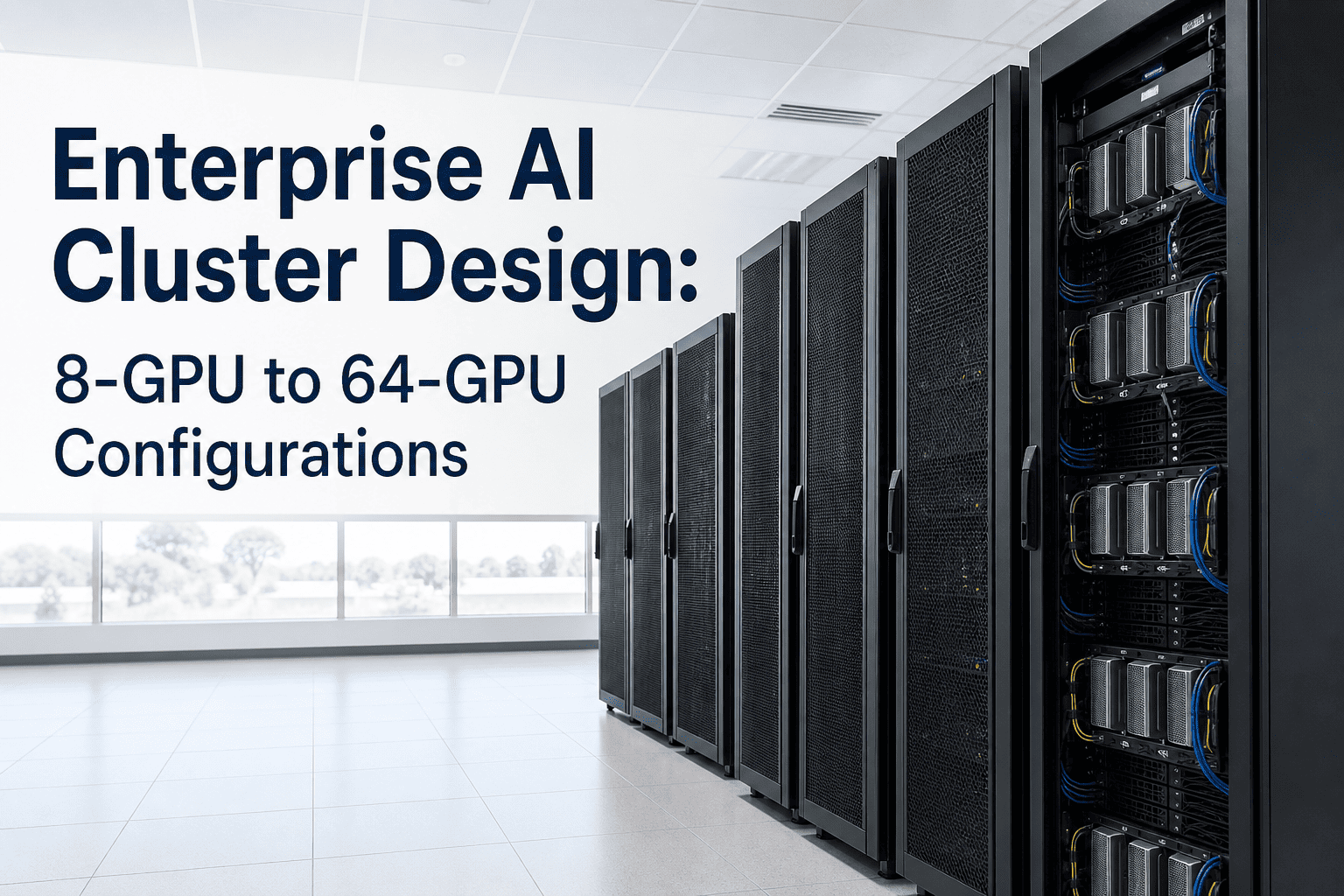
Enterprise AI Cluster Design: 8-GPU to 64-GPU Configurations
Join the iFactory to design your exact cluster architecture live — NVLink topology, InfiniBand vs RoCEv2 fabric, storage sizing, and scheduler selection for your model and workload mix. Walk in with your GPU count target and training cadence; walk out with a defensible 2026 infrastructure plan.
01Live 8-GPU to 64-GPU topology walkthrough
02InfiniBand vs RoCEv2 TCO comparison
03Storage sizing calculator by model and checkpoint frequency
04Kubernetes vs Slurm vs Ray scheduler selection
Cluster Scale Tiers
Four Cluster Tiers — What Each One Can Train and What It Costs
Enterprise AI clusters divide naturally into four scale tiers based on GPU count, interconnect architecture, and the model sizes they can serve. The right tier for your organization is determined by the largest model you need to train or serve, your training cadence, and whether your workloads are bursty or sustained. Each tier below reflects validated production patterns — not theoretical maximums.
Tier 1
8-GPU Node
Single-server cluster
Reference hardwareDGX H100 / 8× RTX PRO 6000 Blackwell
GPU VRAM640 GB (H100) / 768 GB (RTX PRO 6000)
Intra-node fabricNVLink 4.0 — 900 GB/s bidirectional per GPU
External networkNot required (all NVLink intra-node)
Max model size (training)~70B QLoRA / ~13B full fine-tune
Storage minimum4× NVMe Gen4 in RAID 0 (~28 GB/s)
Approx. capex$200K–$300K (on-prem)
Fits: quarterly fine-tuning, department-scale inference, QLoRA on 70B, RAG serving. Does not fit: pre-training from scratch, 70B+ full fine-tune, distributed pipeline parallelism.
Tier 2
16-GPU Cluster
2-node multi-GPU
Reference hardware2× DGX H100 or 2× 8-GPU Blackwell nodes
GPU VRAM1,280–1,536 GB total
Intra-node fabricNVLink 4.0 within each node
External networkInfiniBand NDR 400G or RoCEv2 400G
Max model size (training)~70B full fine-tune / ~100B QLoRA
Storage minimumShared NFS or NVMe-oF — 40 GB/s read minimum
Approx. capex$450K–$650K
Fits: 70B full fine-tune, multi-tenant inference serving, data-parallel training across two nodes. Critical addition: inter-node fabric introduces latency — NCCL topology files required for efficiency.
Tier 3
32-GPU Cluster
4-node pod
Reference hardware4× DGX H100 or Blackwell nodes
GPU VRAM2,560–3,072 GB total
Intra-node fabricNVLink 4.0 / NVSwitch per node
External networkRail-optimized InfiniBand — leaf switch required
Max model size (training)~180B full fine-tune / 405B QLoRA
Storage minimumParallel file system (Lustre / BeeGFS) — 80–160 GB/s
Approx. capex$900K–$1.4M
Fits: large-scale fine-tuning, Llama 405B inference serving, multi-tenant training pipelines, pipeline + tensor parallelism. Storage architecture becomes critical — GPU idle from I/O wait is measurable.
Tier 4
64-GPU Cluster
8-node SuperPOD-class
Reference hardware8× DGX H100/B200 (NVIDIA SuperPOD pattern)
GPU VRAM5,120–6,144 GB total
Intra-node fabricNVLink 4.0 / NVSwitch — 900 GB/s per GPU
External networkFat-tree InfiniBand NDR 400G — 3-tier topology
Max model size (training)671B MoE (DeepSeek-V3) full fine-tune
Storage minimumAll-flash parallel FS — 160–500 GB/s read / write
Approx. capex$2M–$4M
Fits: foundation model pre-training, 671B MoE training, multi-user HPC+AI combined workloads. Network errors caused 10.7% of job failures at Meta at this scale — topology validation and RDMA tuning are non-negotiable.
Interconnect Architecture
Two-Level Interconnect Hierarchy — What Runs Where and Why
Modern AI clusters use a two-level interconnect architecture that separates intra-node GPU communication from inter-node cluster communication. These two levels have different performance requirements, different technologies, and different failure modes. Getting them wrong at design time causes persistent performance loss that cannot be tuned away in software.
Level 1 — Intra-Node
NVLink / NVSwitch
Bandwidth900 GB/s bidirectional per GPU (NVLink 4.0)
LatencySub-microsecond
ScopeAll GPUs within one node (up to 8)
Use forTensor parallelism, model parallelism, all-reduce within node
HardwareNVSwitch chip aggregates all NVLink connections; no PCIe bottleneck
Tensor parallelism should always run within the NVLink domain. Crossing node boundaries for tensor parallel ops multiplies latency by 100–1000×.
Level 2 — Inter-Node
InfiniBand or RoCEv2
Bandwidth400G–800G per port per NIC (NDR/XDR InfiniBand)
LatencyMicrosecond (RDMA)
ScopeBetween nodes across the cluster fabric
Use forData parallelism, pipeline parallelism, gradient sync across nodes
Critical requirement1:1 GPU-to-NIC ratio for GPUDirect RDMA performance
Non-lossless Ethernet without PFC + ECN + DCQCN delivers 30–60% lower training throughput than a properly configured RDMA fabric. Configuration expertise matters as much as hardware.
Fabric Decision
InfiniBand vs RoCEv2 — The Real TCO for a 64-GPU Cluster
For a 64-GPU cluster (8 nodes, 8 H100s each), the fabric choice affects every component: NICs, ToR switches, spine switches, optics, and the engineering staff required to operate it. The numbers below are modeled from a real 512-GPU deployment analysis adjusted for the 64-GPU scale. Three-year TCO tells a different story than hardware sticker price alone.
| Cost Component |
InfiniBand NDR 400G |
RoCEv2 400G Ethernet |
Delta |
| NICs (64× ConnectX-7 IB vs ConnectX-7 ETH) |
~$128,000 |
~$64,000 |
+$64K IB |
| ToR + Spine switches |
~$220,000 |
~$110,000 |
+$110K IB |
| Optics and cabling |
~$48,000 |
~$38,000 |
+$10K IB |
| Annual support (18% of hardware, 3yr) |
~$214,000/yr |
~$113,000/yr |
+$303K IB over 3yr |
| Specialist staff premium (3yr) |
~$360,000 |
~$120,000 |
+$240K IB |
| Network power delta (3yr at $0.10/kWh) |
~$47,000 |
~$39,000 |
+$8K IB |
| 3-Year Total Fabric TCO |
~$1,220,000 |
~$577,000 |
+$643K IB |
Properly tuned RoCEv2 with PFC + ECN + DCQCN delivers 85–95% of InfiniBand performance for typical training workloads. InfiniBand is justified when training time directly impacts revenue (competitive model release timelines) or when your workload is verified latency-bottlenecked beyond what RoCEv2 can close. For most enterprise fine-tuning and inference clusters, RoCEv2 is the cost-optimal choice. The $643K difference buys approximately 8 additional H100 GPUs plus two years of operating budget.
01
Fat-Tree Topology
NVIDIA's DGX SuperPOD reference architecture. Three-tier design (leaf, spine, super-spine) with Quantum-2 switches at 400 Gb/s per port. Full bisection bandwidth — aggregate bandwidth between any two halves of the cluster equals the total bandwidth into either half. 64-port switches in three tiers scale to 32,768 endpoints. Best choice for workloads with unpredictable all-to-all communication patterns.
Best for: 32–64 GPU clusters, diverse workloads, predictable latency
02
Rail-Optimized Topology
Aligns InfiniBand paths with NVLink domains, reducing switch requirements compared to full fat-tree at equivalent GPU count. GPU-to-GPU communication within an NVLink domain stays on NVLink; only cross-domain gradients traverse the InfiniBand fabric. Requires strict cabling discipline — a single miswired connection breaks rail locality and forces traffic through extra switch hops. Saves 20–30% in switch costs for workloads with strong rail locality.
Best for: 16–32 GPU clusters, workloads with clear domain boundaries
03
Dragonfly / Dragonfly+
Reduces hop count and switch costs at large scale by using a two-level direct network where groups of switches form a fully connected "dragonfly" pattern. Lowers average path length to approximately 2 hops versus 4+ in fat-tree. Requires adaptive routing for distributed training — static routing defeats the topology's purpose. Best economics emerge at 256+ GPU scales; below that, fat-tree typically wins on simplicity and predictability.
Best for: 128+ GPU clusters where switch cost is the constraint
Cluster Architecture Review
Already have a GPU count in mind? We'll validate your topology in 30 minutes.
iFactory has deployed fat-tree, rail-optimized, and hybrid cluster topologies for enterprise teams from 8 GPUs to 1,024 GPUs. Bring your node count, your model target, and your budget — we'll map the right fabric, storage tier, and software stack with real benchmarks from production deployments.
Storage Sizing
Storage Architecture by Cluster Size — Sizing Formula and Tier Selection
Storage is the dimension that most enterprise teams undersize and then regret. The "GPU idle problem" — where expensive GPUs stall waiting for I/O — is measurable and expensive. At $4.00 per GPU-hour fully burdened, a 64-GPU cluster with 20% I/O wait wastes $3,942 per day. The checkpoint sizing formula and tier selection below is what iFactory uses in every cluster design engagement.
| Cluster Size |
Storage Tier |
Min Read Throughput |
Min Write Throughput |
Recommended Technology |
| 8-GPU (1 node) |
Local NVMe RAID 0 |
14–28 GB/s |
7–14 GB/s |
4× NVMe Gen4 RAID 0 |
| 16-GPU (2 nodes) |
NVMe-oF or NFS over 100G |
40 GB/s |
20 GB/s |
NVMe-oF fabric-attached storage |
| 32-GPU (4 nodes) |
Parallel file system |
80–160 GB/s |
40–80 GB/s |
Lustre, BeeGFS, or VAST Data |
| 64-GPU (8 nodes) |
All-flash parallel FS + tiered object store |
160–500 GB/s |
80–250 GB/s |
DDN EXAScaler, VAST Data, or WekaIO |
Industry best practice: checkpoint overlap under 10% of total training time. A 64-GPU cluster with a 70B model generates approximately 700 GB per checkpoint × 24 saves/day = 16.8 TB of writes per training day. Asynchronous checkpointing (write to local NVMe first, then drain to parallel FS) reduces effective overlap from 20–30% to under 5% with proper orchestration — this is the single highest-ROI storage optimization available at 32+ GPU scale.
Software Stack
Orchestration, Scheduler, and Monitoring — The Full Software Stack by Cluster Size
Hardware decisions get the headlines, but the software stack determines whether your cluster achieves 85% GPU utilization or 55%. Scheduler selection, NCCL topology file configuration, and observability tooling each contribute 5–15% to realized throughput. The table below reflects what iFactory deploys in production across each cluster tier.
| Stack Layer |
8-GPU (Single Node) |
16–32 GPU (2–4 Nodes) |
64-GPU (8 Nodes) |
| Container runtime |
Docker + NVIDIA Container Toolkit |
Docker / containerd + NVIDIA CTK |
containerd + NVIDIA CTK |
| Scheduler |
Local scripts / simple queue |
Slurm (HPC jobs) or KubeRay (ML) |
Kubernetes + Kueue + KubeRay or Slurm + MPI |
| Distributed training |
PyTorch DDP or FSDP (single node) |
PyTorch FSDP + NCCL multi-node |
Megatron-LM, DeepSpeed ZeRO-3, or PyTorch FSDP |
| Inference serving |
vLLM, TGI, or TensorRT-LLM |
vLLM multi-GPU or Ray Serve |
Ray Serve + vLLM tensor parallel across nodes |
| GPU observability |
nvidia-smi + DCGM |
DCGM + Prometheus + Grafana |
DCGM Exporter + Prometheus + Grafana + custom NVLink dashboards |
| Network fabric |
Not applicable |
NCCL topology file + UCX config |
NCCL topology file + adaptive routing + EFA/IB tuning |
| Checkpoint management |
PyTorch save_pretrained to local NVMe |
Async checkpoint to NVMe-oF |
FSDP distributed checkpoint + async drain to parallel FS |
Expert Review
What Production Cluster Engineers See in 2026 Deployments
Below is the practitioner synthesis from iFactory's cluster engineering team combined with published findings from NVIDIA SuperPOD documentation, Meta GPU cluster failure analysis, and the Vitex and Introl topology studies. These are patterns from real production deployments — not spec-sheet extrapolations.
01
Network errors killed 10.7% of jobs at Meta's scale
Meta's published GPU cluster analysis found that network configuration errors caused 10.7% of significant job failures — not hardware failures, not software bugs, but fabric misconfiguration and topology-dependent congestion. At 64 GPUs, a single incorrectly configured PFC domain or miswired rail can silently degrade throughput by 30–60% for the entire cluster. Fabric validation and lossless transport configuration are not optional post-launch tasks.
Meta GPU Cluster Infrastructure Study + Introl Network Topology Report (Dec 2025)
02
GPU idle from storage starves $3,900/day at 64 GPUs
A 64-GPU cluster fully burdened at $4.00/GPU-hour costs $6,144 per day to operate. Storage I/O wait of 20% — a common result of legacy NAS or untouned parallel file systems — wastes $1,229 per day. Over a 12-month training program, that is $448,585 in wasted compute budget. All-flash parallel file systems that cost $200K–$400K typically pay back within six months of deployment through GPU utilization gains alone.
iFactory Production Data + Castle Rock Digital Storage Analysis (Feb 2026)
03
Tensor parallelism should never cross node boundaries
The two-level interconnect hierarchy exists for a reason. Tensor parallelism — which requires all-reduce operations at every transformer layer — should always run within the NVLink domain of a single node. When engineering teams design cluster topologies with tensor-parallel splits across nodes, they multiply communication latency by 100–1000× compared to intra-node NVLink. The correct parallelism strategy for 64-GPU clusters is: tensor parallel within 8-GPU nodes, pipeline and data parallel across nodes.
iFactory ML Engineering + Network DNA AI Cluster Guide (March 2026)
04
RoCEv2 delivers 85–95% of InfiniBand when properly tuned
Meta's documented conclusion — after running both at scale — was that properly tuned RoCEv2 and InfiniBand deliver equivalent performance for AI training. The operative phrase is "properly tuned": PFC, ECN, DSCP marking, MTU 9000, and DCQCN all configured correctly. Most enterprise networking teams already know Ethernet; the InfiniBand specialist premium of $120K/year over Ethernet-experienced staff is a real cost that compounds. For clusters under 128 GPUs, RoCEv2 with expert configuration is almost always the cost-optimal choice.
Vitex LLC InfiniBand vs Ethernet Analysis + iFactory Deployment History
FAQ
Enterprise AI Cluster Design — Most Asked Questions
What GPU count do I actually need to train a 70B model from scratch?
Pre-training a 70B model from scratch requires multi-node clusters at minimum — typically 32–64 H100 GPUs running for weeks or months. Fine-tuning a 70B model using QLoRA fits on a single 8-GPU node with 640GB of VRAM (H100 SXM) or 768GB (RTX PRO 6000 Blackwell). Full parameter fine-tuning of a 70B model at FP16 requires approximately 1,400 GB of VRAM (weights + optimizer states + gradients), which means at minimum two 8-GPU H100 nodes. Most enterprise teams do not actually need full fine-tuning — QLoRA delivers 90–95% of the accuracy gains at 5–10% of the compute cost.
Talk to our engineers to map your specific model and dataset to the right GPU count before committing to hardware.
Should I deploy InfiniBand or RoCEv2 for a new 32-GPU cluster?
For most enterprise teams deploying a 32-GPU (4-node) cluster in 2026, RoCEv2 with properly configured lossless transport is the right choice. A 32-GPU cluster scaled from the published 512-GPU TCO analysis shows InfiniBand costing approximately $600K more over three years than a properly configured RoCEv2 fabric — a gap large enough to fund four additional H100 GPUs plus three years of operating budget. InfiniBand earns its premium when training time directly impacts revenue timelines or when workloads are confirmed latency-bottlenecked in a way that RoCEv2 cannot close. The most important factor is configuration quality: an improperly tuned RoCEv2 fabric can deliver 30–60% lower throughput than InfiniBand, which is why experienced cluster engineers matter more than the NIC brand.
Book a 30-minute fabric review — we have deployed both in production and will model the cost and performance tradeoff for your specific workload.
How much storage throughput does a 64-GPU cluster actually need?
The NVIDIA DGX SuperPOD reference architecture specifies 40–80 GB/s read bandwidth for a 64-GPU cluster at standard tier, and 160–500 GB/s for clusters running sustained pre-training or large checkpointing cycles. The practical sizing rule is: take your checkpoint size (model parameters × 10 bytes for mixed precision), multiply by your saves-per-day frequency, and target a storage system that writes each checkpoint within 10% of your training step time. For a 70B model saving every hour, that means writing 700 GB in under 6 minutes — requiring approximately 2 GB/s of sustained write throughput to a parallel file system. Teams that buy storage after the GPUs almost always under-provision and spend months chasing GPU idle time.
Send us your model and training schedule and our team will return a storage spec within 24–48 hours.
Kubernetes or Slurm — which scheduler should I use for AI training?
Slurm is the mature choice for tightly coupled HPC workloads, batch job queues, and teams with existing HPC operational experience. It handles MPI and RDMA-based communication natively and requires minimal configuration overhead for homogeneous GPU clusters. Kubernetes with Kueue and KubeRay is the right choice when your team already operates Kubernetes infrastructure, when you need multi-tenant isolation between training and inference workloads, or when your training pipeline includes heterogeneous workloads (fine-tuning jobs, preprocessing, serving) that benefit from Kubernetes' scheduling flexibility. For clusters above 32 GPUs with mixed training and inference workloads, the combination of Kubernetes for orchestration and Ray for distributed training scheduling is increasingly the production standard as of 2026. Most teams can deploy either — the decision should follow operational expertise, not theoretical preference. iFactory has built both; we match the scheduler to your team, not the other way around.
What are the biggest mistakes teams make when designing their first AI cluster?
The three most expensive and most common mistakes iFactory sees in first-generation cluster designs are: first, buying the storage after the GPUs and underprovisioning by 2–5× the required throughput, which causes measurable GPU idle time from day one of production use; second, designing tensor-parallel splits across node boundaries instead of within NVLink domains, which can multiply gradient communication latency by 100–1000× and permanently cap throughput regardless of GPU count; and third, choosing InfiniBand because it is "the standard" without running the three-year TCO model — at 32–64 GPU scale, the $300K–$600K premium over properly tuned RoCEv2 rarely yields a training time improvement that justifies the cost. The fourth mistake is building for your largest planned model on day one instead of starting with the workload you actually have, then scaling hardware to meet measured demand.
We review first-gen cluster designs at no cost — the 30-minute call has saved multiple teams from seven-figure procurement mistakes.
Make the Right Cluster Architecture Call
Get a Costed AI Cluster Design in 30 Minutes
8-GPU node, 32-GPU pod, 64-GPU SuperPOD-class cluster, or hybrid with cloud burst? InfiniBand or RoCEv2? Lustre, VAST, or local NVMe? The right architecture depends on your model size, training cadence, data sensitivity, and three-year growth plan — not on whichever vendor pitches you first. Bring your workload; we deliver a costed, topology-validated plan backed by 1000+ enterprise AI deployments.
1000+
Enterprise AI deployments shipped
10.7%
Job failures from fabric misconfiguration (Meta study)
$643K
InfiniBand vs RoCEv2 TCO gap — 64-GPU, 3yr
24–48 hr
Cluster design delivered