Safety, Quality, Delivery, Cost — Red or Green, Every Day
Type in each area's numbers before the meeting, watch them turn red or green against target, and run the daily meeting straight off a TV on the floor.
- ✓ Each measure turns red or green the moment it's typed in
- ✓ Red days get an action with an owner and a due date
- ✓ TV view refreshes every minute — no sign-in needed
- ✓ Target-based red/green on every measure
- ✓ Actions with owner & due date
- ✓ TV view + weekly green-day trends
The same board your team already stands around — just not on a whiteboard
Measures & targets
Set a few measures under each letter, with a target and which direction is better.
Red or green daily
Numbers go in on a phone, and each one turns red or green against its target.
Actions with owners
A red number gets an action: what, who and when it's due.
TV view
Full screen on the floor, read-only, no sign-in, refreshes every minute.
Weekly trends
Green days per area and letter, and the measures that miss most.
History that sticks
Nothing gets wiped at month end — every day's numbers stay on record.
Every area's four letters, today

The board, with sample records: Safety, Quality, Delivery and Cost for every area, today.
Set it once, run it every day
Set the measures and targets
For each area, the measures under Safety, Quality, Delivery and Cost, each with its target and whether higher or lower is better.
Red or green every day
The team leader types in the day's numbers on a phone; each turns green or red against its target, and a red day gets an action with an owner.
Run the meeting from the board
Put the board on a TV on the floor, follow up the open actions, and see the weekly trends.
Where the daily meeting actually happens
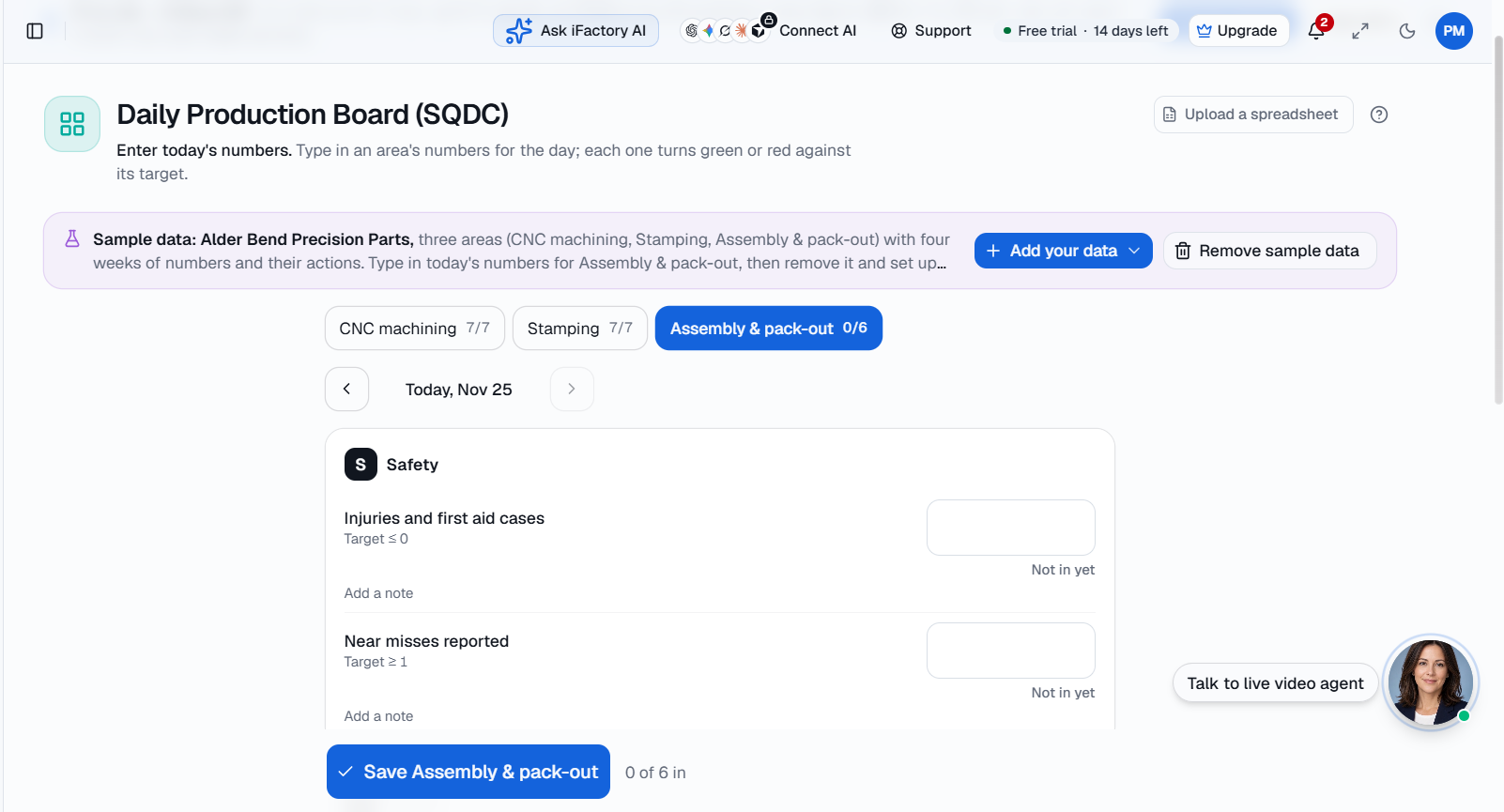
Enter today's numbers
The team leader opens it on a phone, picks the area, and types each number in before the meeting starts.
- ✓ Turns red or green the instant it's typed
- ✓ A red number can carry a short note on what happened
- ✓ A day keeps the target it was typed against
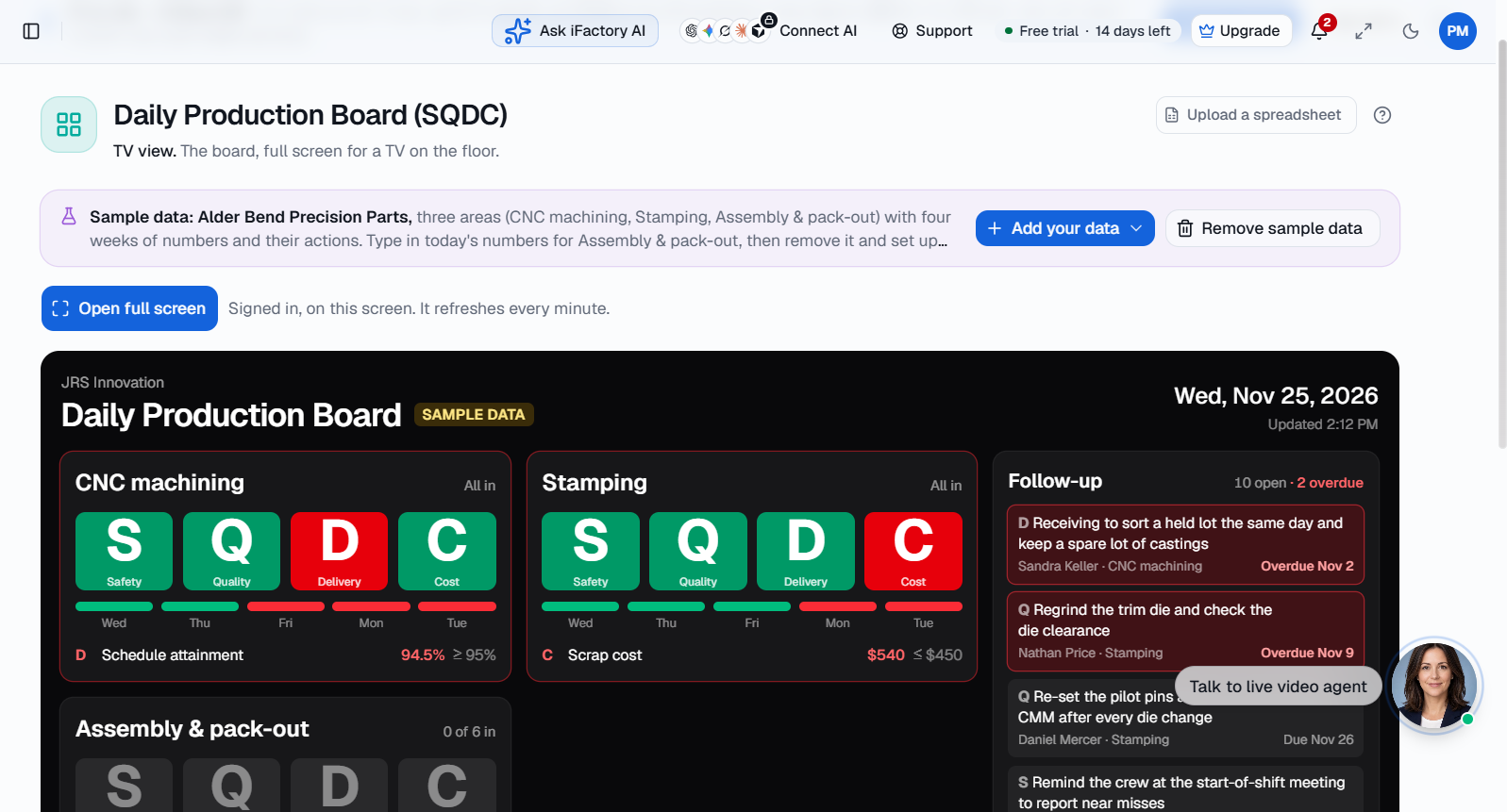
TV view
The board full screen, big enough to read from across the floor, refreshing every minute.
- ✓ No sign-in — opens straight on the TV's browser
- ✓ Read-only, and can be turned off at any time
- ✓ Shows that board only, nothing else in your records
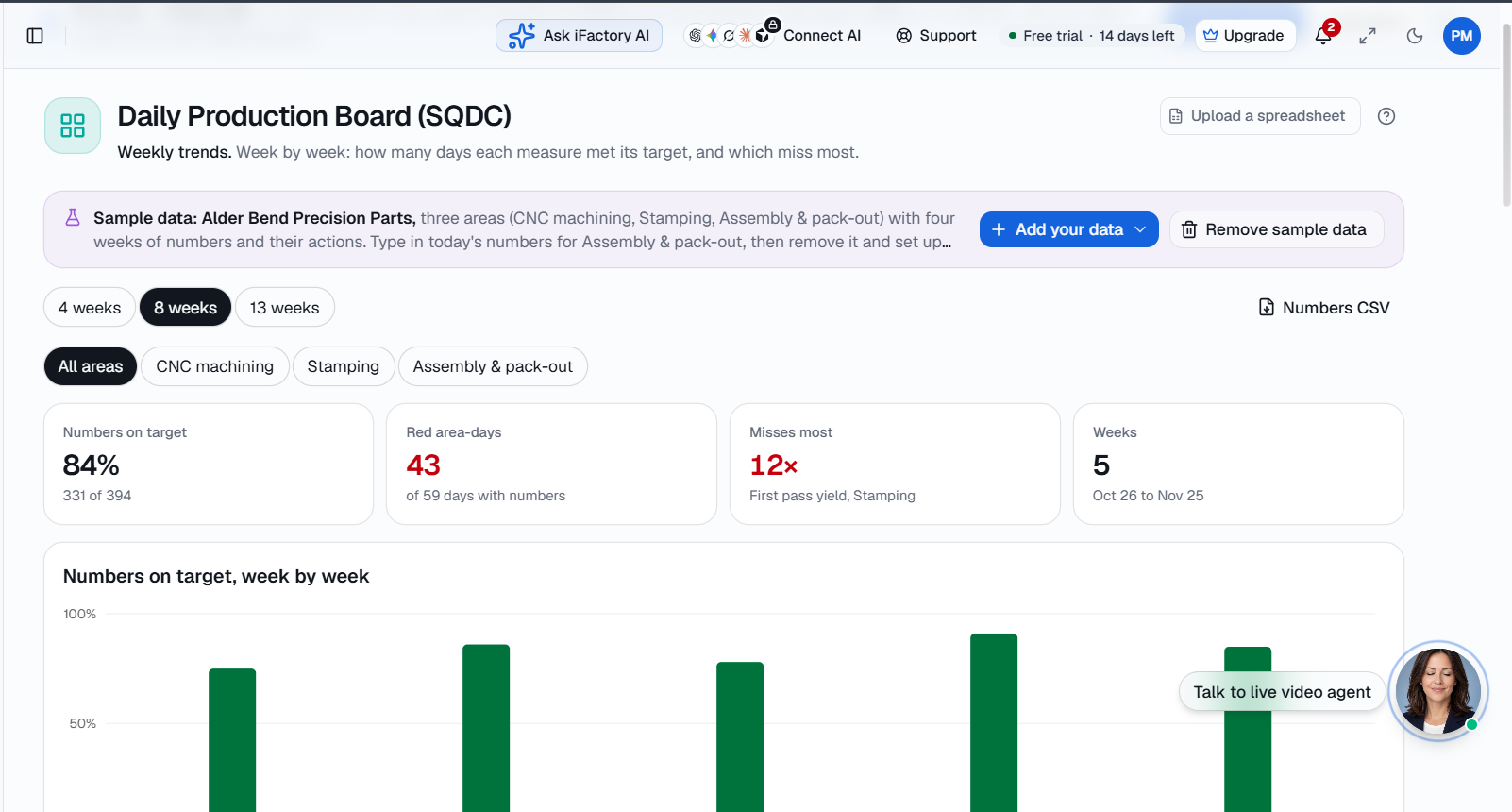
Weekly trends
How many days each area and letter were green, week by week, and which measures miss most.
- ✓ Share of numbers on target, tracked over time
- ✓ The next improvement starts with the biggest problem
- ✓ The board and its week print as a PDF
No separate add-ons to buy
Your whole team
Invite colleagues; owners and admins manage access.
iFactory AI
Ask questions and get answers from your own records.
Your data stays yours
Export everything to Excel or PDF, any time.
Hosted in the United States
Each company's records are kept separate.
Built for the plants that already run a daily meeting
Automotive & OEM plants
Line and cell-level SQDC, tied to the same shift meeting rhythm.
Food & beverage plants
Hygiene and safety measures sitting alongside yield and cost.
Steel & heavy manufacturing
Multiple areas, each with its own board and its own meeting.
CI & lean teams
Weekly trends that show which measure to attack next.
What's different once it's running
A missed target is seen the moment it's typed in, not discovered standing at the board.
Numbers aren't copied by hand, and the history isn't wiped every month.
Overdue actions sit at the top of the list, so the meeting goes through them in order.
Weekly trends show which measure misses most, so improvement work starts in the right place.
Before you start the trial
If something's missing here, a quick call usually answers it faster than a help page.
Can we choose our own measures and targets?
Does the TV need someone signed in?
Can we try it before setting up our own areas?
Does it need iFactory AI?
Can I bring my existing spreadsheet?
What happens after the trial?
Try Daily Production Board (SQDC) free for 14 days
No card needed. Bring your spreadsheet and be running in minutes.
Start free trial →- Delivery missed target — action assigned
- Safety, Quality & Cost on target