Facilities Maintenance
Turn every room into a work request
Anyone scans a QR code to report a problem, PM for HVAC, elevators and fire safety comes due on its own, and rounds and contractor visits stay on one list.
For facilities directors, building managers and maintenance supervisors- A QR code in every room: requests with no account
- PM for HVAC, elevators, fire and life safety, generators and roofs
- Rounds on a phone, and every contractor visit logged
14-day free trial · no credit card needed
Scan the room label, then say what is wrong
Lands on the board already filled in
- Urgent ones reach the managers by email
- Contractor visits logged by building and vendor
- Reports as a PDF or a spreadsheet
Sample campus: seven buildings, 90 days of requests, PM history, rounds and contractor visits.
Everything a facilities team runs on, in one building tree
Requests, PM, rounds and contractor visits all know which building and room they belong to.
A QR code in every room
Anyone scans it and says what is wrong, with no account needed.
Urgent requests
Fire, gas, flooding or injury tell people to call emergency services first.
Ready-made PM programs
HVAC, elevators, fire and life safety, generators and roofs.
Rounds on a phone
A failed item raises a work order with what was found.
A contractor log
Who came, to which building, for which work order, and what it cost.
Reports by building
Open requests, PM done on time and response times.
See every building's open work at a glance
Requests, work orders and PM on one board, grouped under their building.

The tool in use, with sample records.
How it works
From a scan in the hallway to a report by building, in three steps.
A QR code in every room
Anyone in the building scans it and says what is wrong. The request lands under its building and room.
PM for every building system
Start from ready-made programs. Work orders come due on their own, and rounds are done on a phone.
Reports by building
Open requests, PM done on time and response times, plus every contractor visit.
A closer look at the daily workflow
The four views requesters, technicians and managers use most.
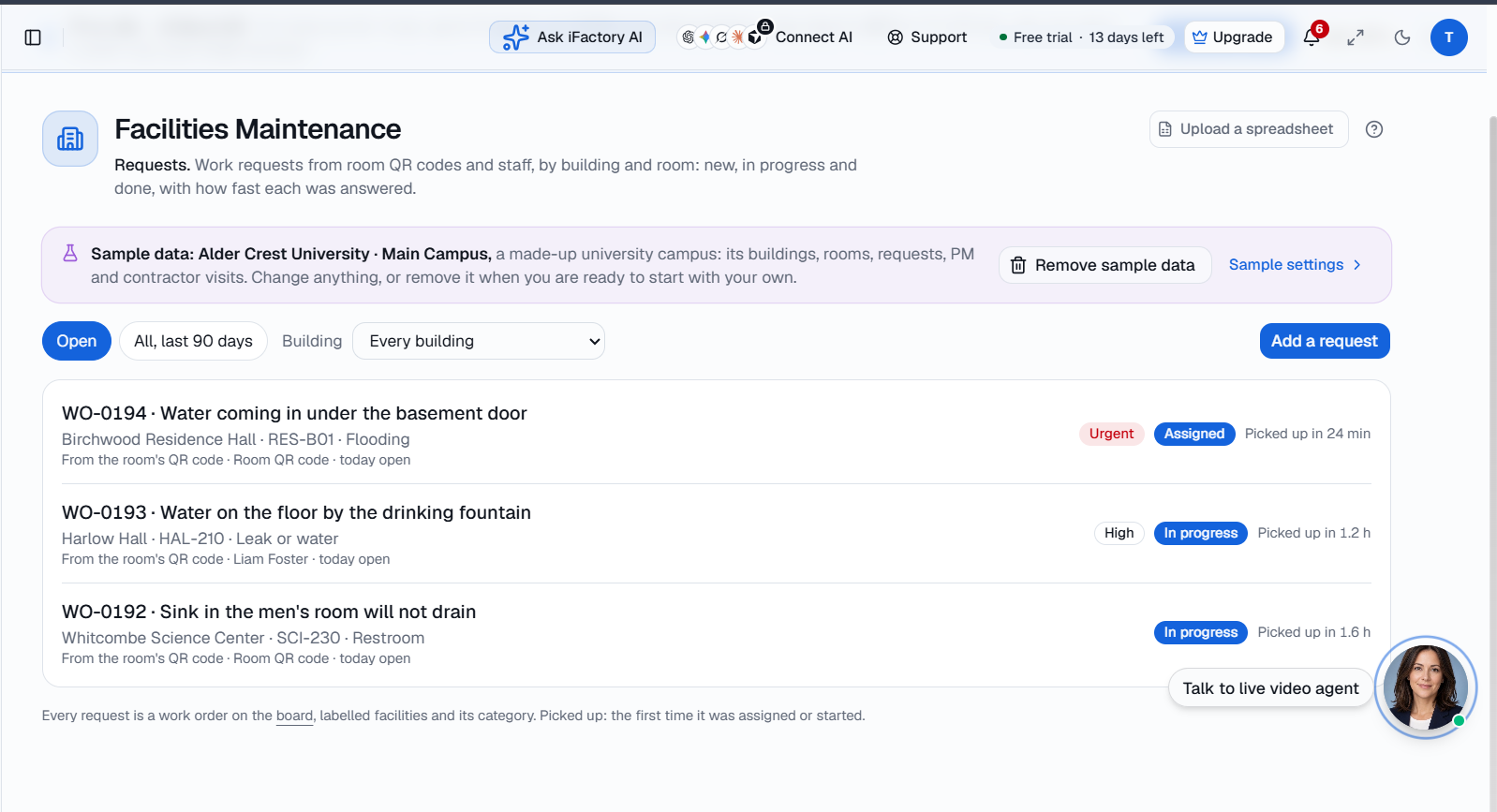
A request from any phone, filled in for you
No app and no sign-in. The request lands on the board with its building, room and category already set.
- Too hot or cold, a leak, lights, restroom, door, elevator or cleaning
- A photo can be added if the person likes
- Urgent ones reach the managers by email
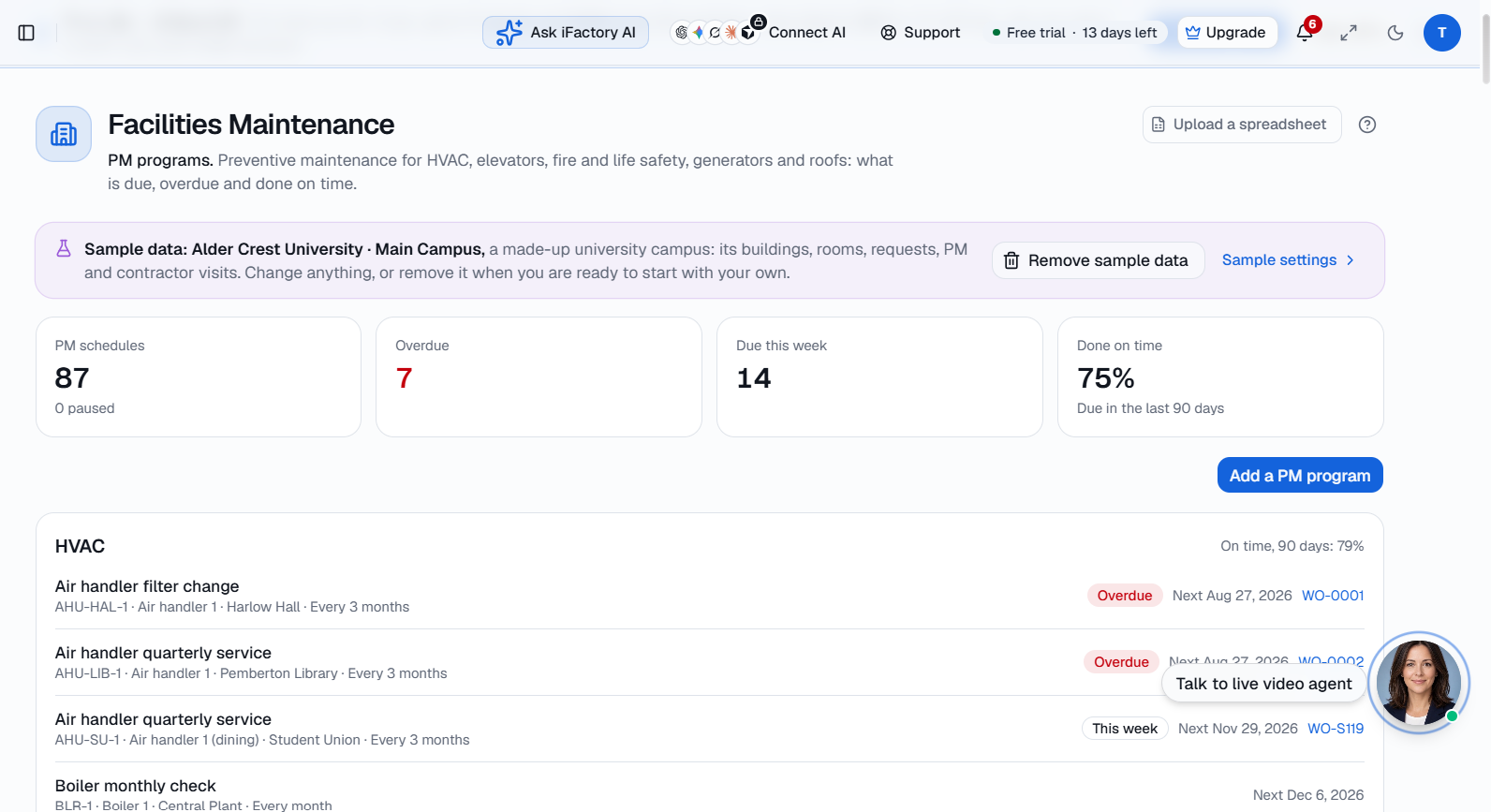
PM that comes due on its own
Programs cover what buildings need on a schedule, and each comes with its steps.
- HVAC, elevators, fire and life safety, generators and roofs
- Work orders come up before they are due
- Where a program follows a published standard, it says so
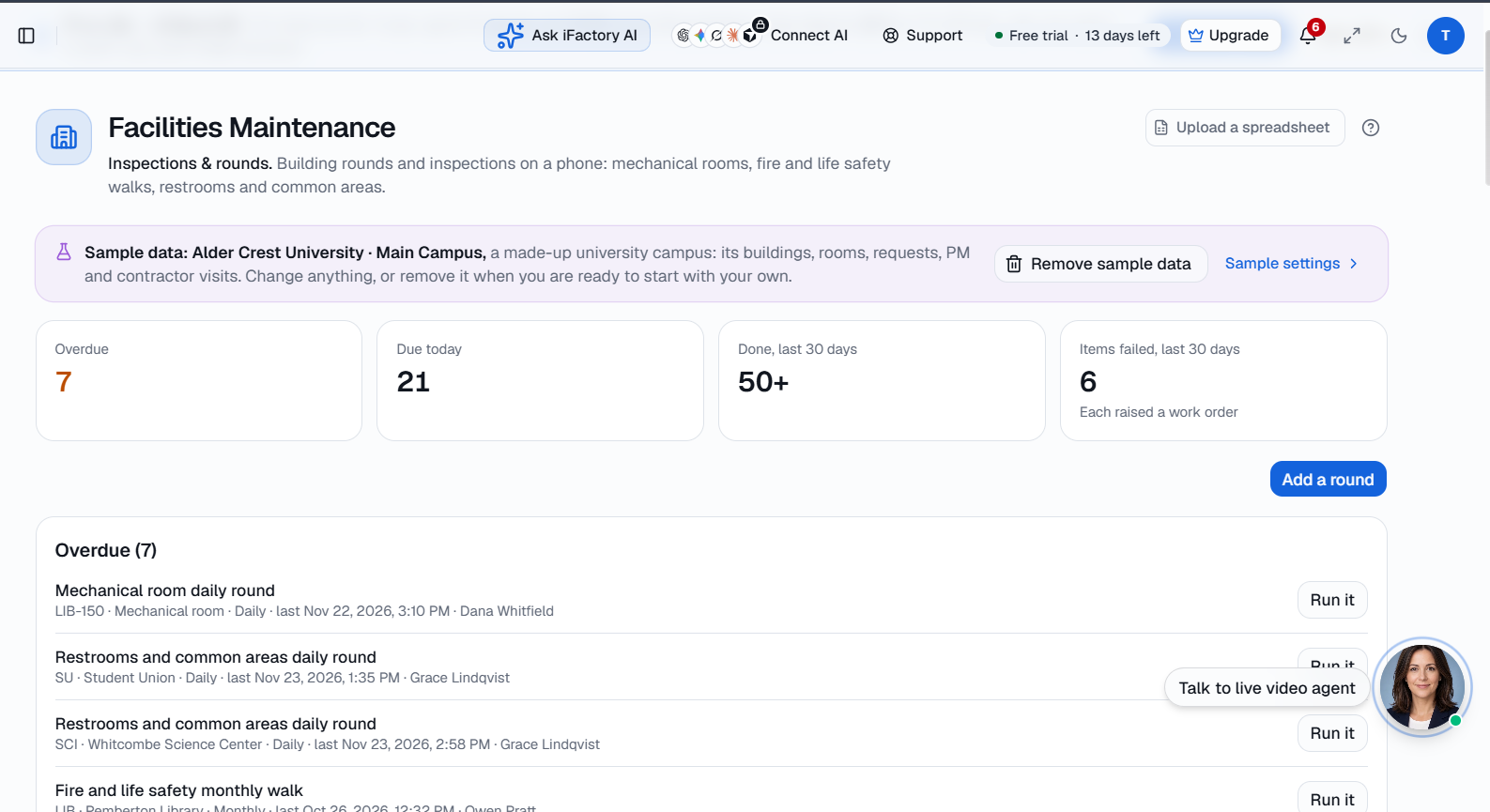
Rounds done item by item on a phone
Daily mechanical room checks, monthly fire and life safety walks, restrooms and the building exterior.
- A failed item raises a work order with what was found
- Overdue, due today and coming up across the campus
- Each round is a checklist done item by item
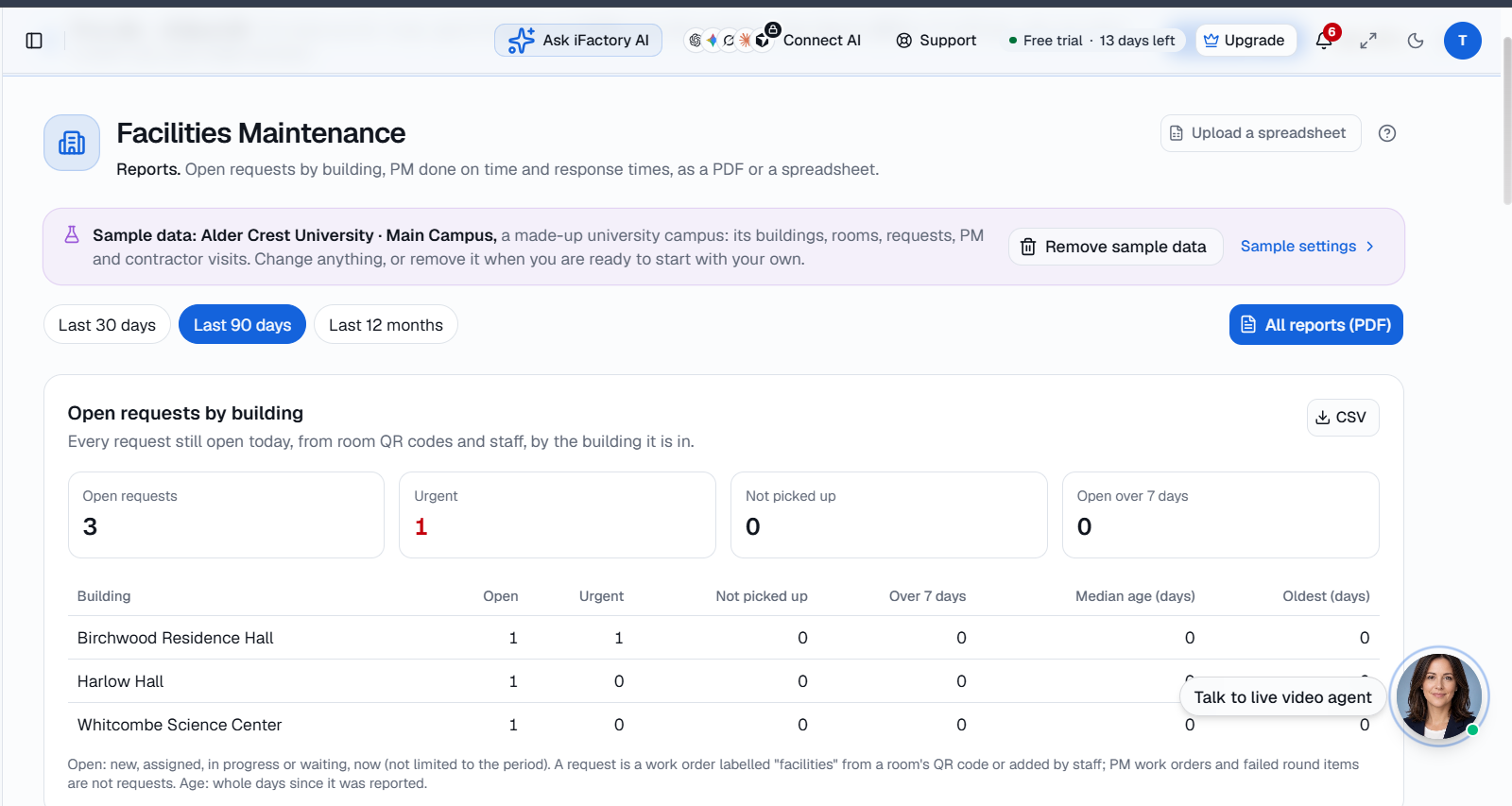
Reports that say how they are counted
The numbers are your records, and each report explains how it is worked out.
- Open requests by building and PM done on time
- Response times by priority and building
- Contractor visits and spend by vendor, as a PDF or a spreadsheet
Included with every tool
The basics your team needs from day one.
Your whole team
Invite colleagues; owners and admins manage access.
iFactory AI
Ask questions and get answers from your own records.
Your data stays yours
Export everything to Excel or PDF, any time.
Hosted in the United States
Each company's records are kept separate.
Built for the teams who look after places
Facilities teams care for buildings and rooms, not production lines.
Campuses
Classrooms, labs, a library and many buildings on one site.
Schools
Teachers and students report a problem from the room itself.
Office buildings
A handful of buildings on one list, with their contractors.
Residence halls and central plants
Boilers, chillers and generators sit under the building they serve.
What changes across the campus
Problems reach the right team, and planned work leaves the binders.
Problems arrive complete
Each request carries its building, room and category.
PM stops living in binders
Calendars and contractors' heads give way to one schedule.
Contractor visits on record
Who was where, and what each vendor has cost.
Response times you can read
Median and average time to first response and to completion.
Questions facilities teams ask
Short answers before you start.
Do people who report a problem need an account?
Can we keep more than one campus or site?
Do the PM programs make our buildings meet the fire code?
Can we try it before adding our own buildings?
Can I bring my existing spreadsheet?
Who can see our records?
Do I need a card for the trial?
Put a QR label by every door
Print a sheet of room labels for each building. The next problem anyone reports lands on your board with its building and room already filled in.
Start free trial- 14-day free trial
- Requesters need no account
- Sample campus included