Fleet Maintenance
Catch defects before the bus leaves the depot
Drivers do the daily pre-start on their phone, failed items become work orders in one tap, and services come due by date, km or engine hours.
- Drivers scan a QR label in the cab and pre-start on their own phone, with no account or paid seat
- "Do not drive" takes the vehicle off road and alerts the workshop straight away
- Services fall due by date, km or engine hours, whichever comes first
14-day free trial · no credit card needed
Kept current by the odometer from each daily pre-start
first
- Repeat defects flagged within 30 days
- Parts and labour logged on each work order
- Odometer and engine hours logged from every pre-start
Everything a fleet workshop runs on, in one record per vehicle
Pre-starts, defects, services and work orders meet on the same vehicle, so nothing gets copied between paper lists.
Pre-starts on the phone
Drivers scan a cab QR label and answer pass, fail or N/A, with a photo.
Do not drive
Takes the vehicle off road at once and tells the workshop in the app.
Defects to work orders
One tap, linked both ways, with parts, labour and cost.
Services by date, km or hours
Due at whichever limit comes first, kept current by each pre-start.
Repeat defect flags
The same item failing again within 30 days is flagged for a closer look.
Parts, stock and ordering
Parts booked to a work order come out of stock, and low stock can be reordered.
See the whole fleet at a glance
Status, open defects and upcoming services for every bus, coach, light vehicle and trailer.

The tool in use, with sample records.
How it works
From the driver's first scan to the next service, in three steps.
A QR label in each cab
Drivers scan it, pick their name and do the daily pre-start: odometer, then pass, fail or N/A for each item.
Defects to the workshop
Each failed item is a defect. "Do not drive" takes the vehicle off road, and any defect becomes a work order in one tap.
Services by date, km or hours
An A-service every 15,000 km or 3 months, whichever comes first, with its work order raised ahead of time.
A closer look at the daily workflow
The four views your drivers, workshop and managers use most.

The daily pre-start, on the driver's own phone
No account and no seat for drivers. Scan, answer each item and send; a weak connection just delays the upload.
- Pass, fail or N/A per item, with a photo and note on fails
- Odometer and engine hours captured every morning
- Saved on the phone and sent when signal returns
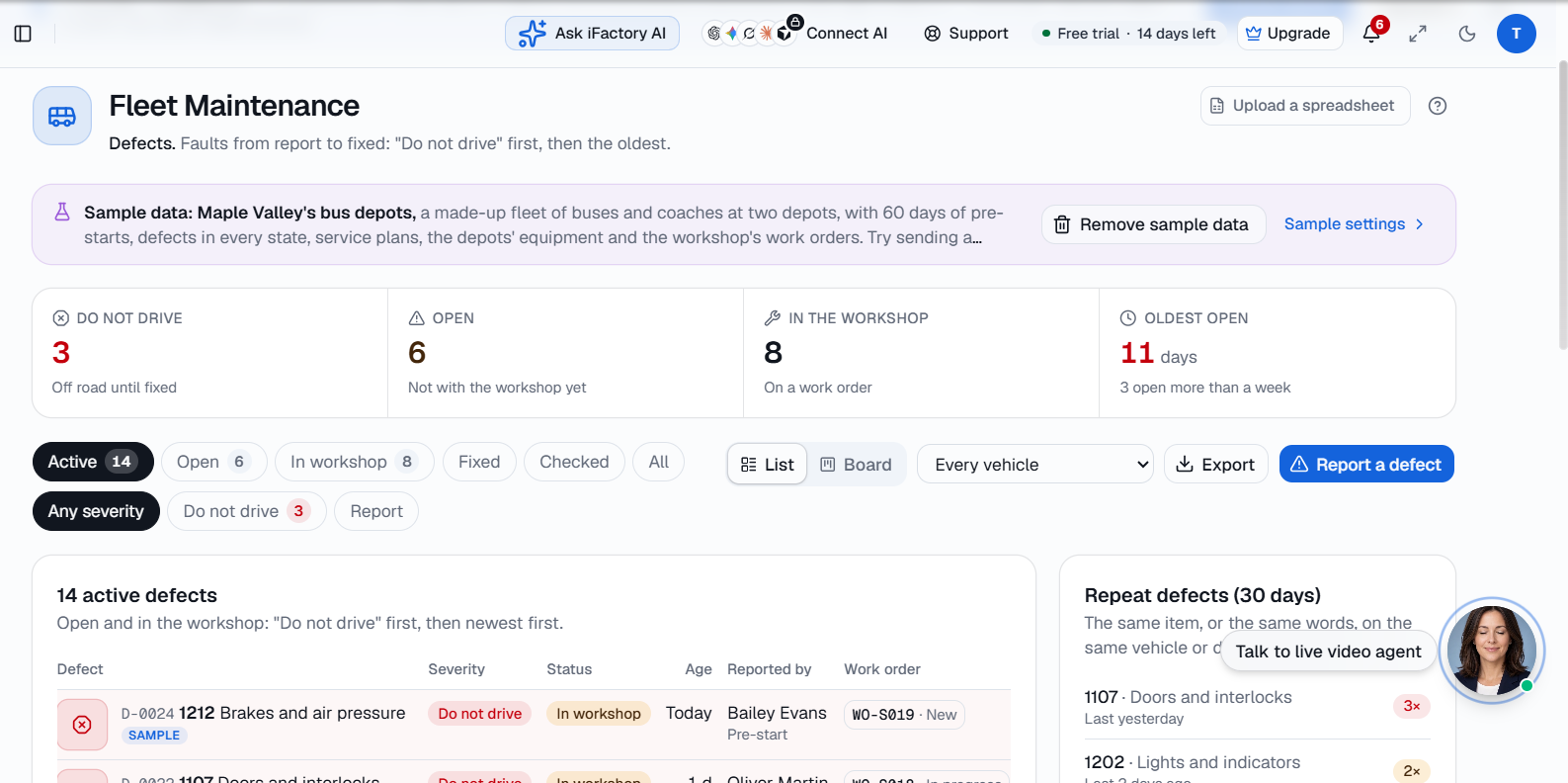
Safe to drive, or do not drive
Every failed item is numbered and followed from Open to Checked, so nobody takes a bus out on a brake fault someone else reported.
- "Do not drive" takes the vehicle off road and raises an urgent work order
- Defect age shown, with repeat defects flagged within 30 days
- Finishing the work order marks the defect fixed for a supervisor to check
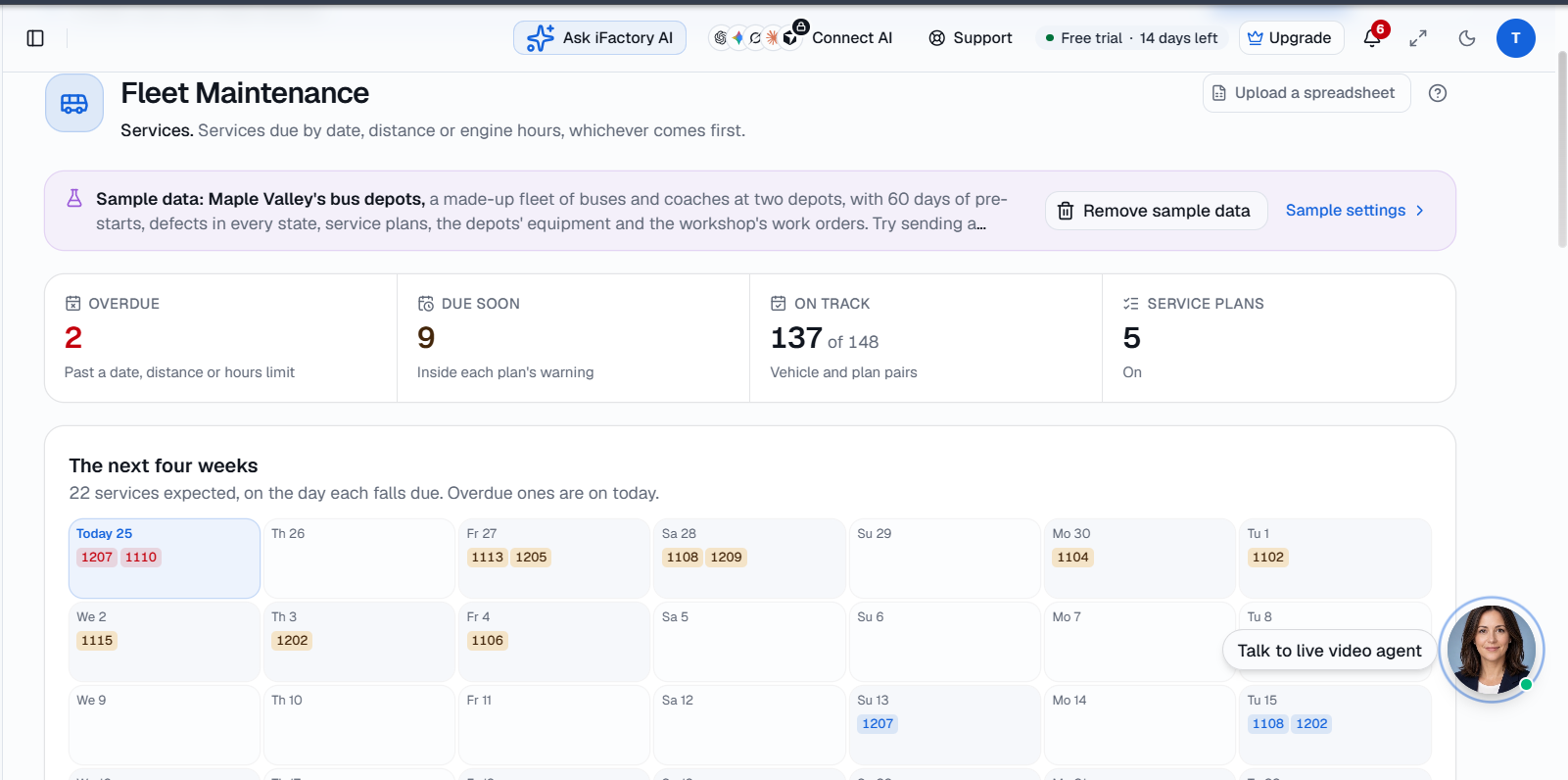
Services that follow the odometer
Set plans per vehicle type or per vehicle, with any mix of months, days, km and engine hours.
- Due at whichever limit comes first, with due soon and overdue states
- Expected date based on each vehicle's own daily kilometres
- The next cycle starts from the odometer on the day it was done
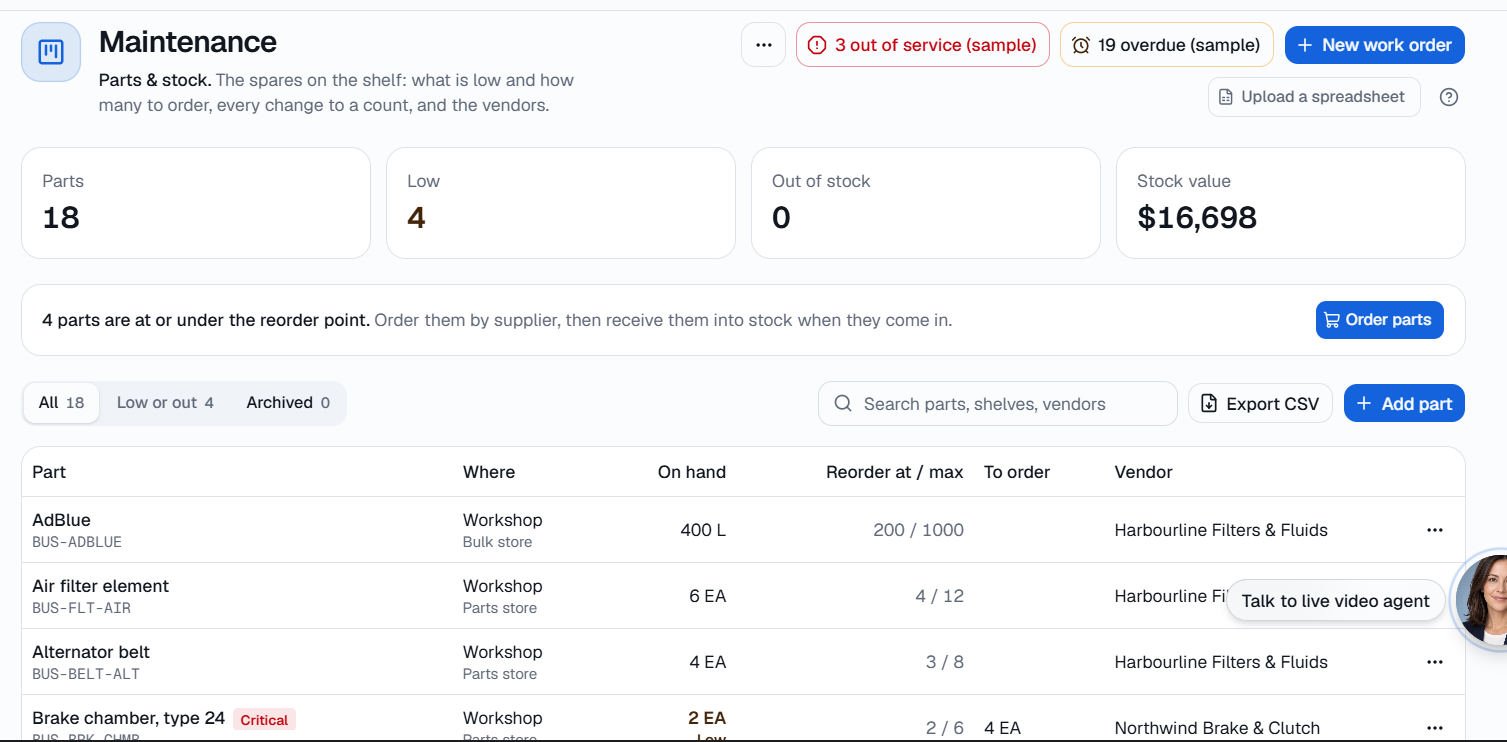
One workshop queue for work orders, parts and stock
Defects and services land in the same work order list, and parts come from the same stock the rest of Maintenance uses.
- Parts booked to a work order come out of stock with their cost
- Parts at or below reorder level are flagged
- Reorder low parts from the Ordering page
Included with every tool
The basics your team needs from day one.
Your whole team
Invite colleagues; owners and admins manage access.
iFactory AI
Ask questions and get answers from your own records.
Your data stays yours
Export everything to Excel or PDF, any time.
Hosted in the United States
Each company's records are kept separate.
Built for the people who keep vehicles moving
Each vehicle type gets its own checklist items, and you can switch items off.
Bus and coach operators
Doors, emergency exits, wheelchair ramps, CCTV and ticket readers on every pre-start.
Light vehicle fleets
Quick daily checks and services tracked by kilometres.
Trailers and mixed fleets
Trailers keep their own checklist alongside the vehicles that tow them.
Depots and workshops
One workshop queue for defects, services, parts and labour.
What changes at the depot
Less copying between lists, and faults that reach the workshop sooner.
Faults arrive earlier
A failed item reaches the workshop before the bus leaves the depot.
Unsafe vehicles stay parked
A vehicle returns to service only when its "Do not drive" defects are fixed.
Services stop slipping
Kilometres move the plan on, not just dates on a wall planner.
Parts don't run out unnoticed
Stock at or below reorder level is flagged before the workshop needs it.
Questions fleet managers ask
Short answers before you start.
Do drivers need an account or a paid seat?
What happens when a driver marks an item "Do not drive"?
Can services be due by kilometres and by date at once?
Does it work for vehicles other than buses?
Can another app send pre-starts and defects?
Can we try it before adding our own fleet?
Do I need a card for the trial?
Catch the next defect before the bus leaves the depot
Load the sample fleet, run a pre-start from your phone and watch a "Do not drive" reach the workshop, all inside your free trial.
Start free trial- No credit card needed
- Drivers need no account
- Sample fleet included
Sample records