1
Receive the lot
Select supplier and part, enter PO, lot and quantity. The AQL plan sets the sample count, adjusted by supplier history.
Receive a lot, let the AQL plan set the sample, record actual values with photos, and accept, hold or reject with a QR tag — rejected lots open an NCR and build each supplier's scorecard.
Receiving inspection isn't a gut call — it's documents, an AQL sample, actual values and a formal disposition on every lot. This runs it the way ANSI/ASQ Z1.4 and ISO 2859-1 expect, and lets the supplier's record set how hard you look.
ANSI/ASQ Z1.4 and ISO 2859-1 set the sample and the numbers.
Accept, hold or reject — a formal call on every lot.
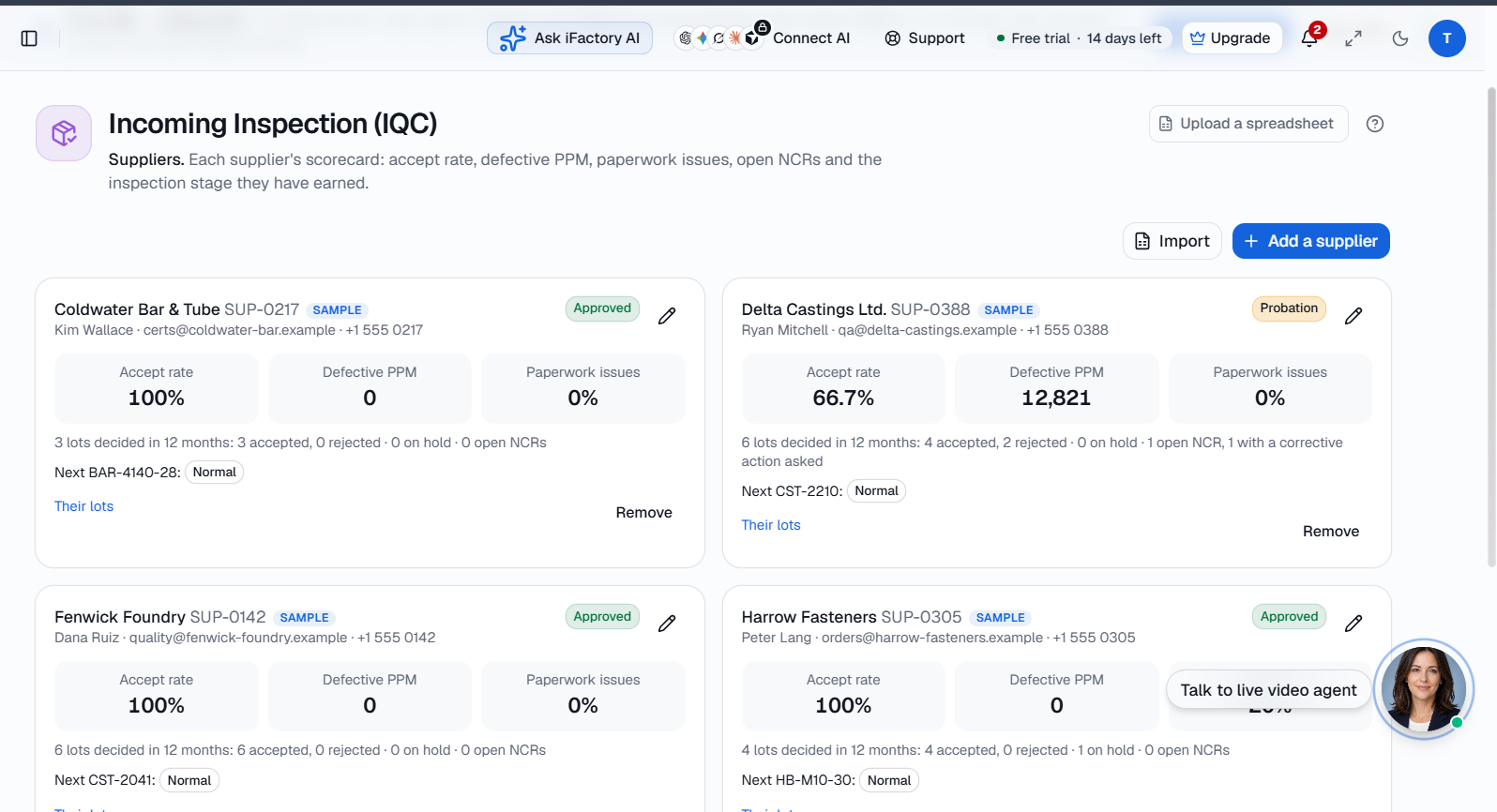
Two rejects in five lots moves a supplier to tightened.
SCARs are drafted for you to copy or open in your own email.
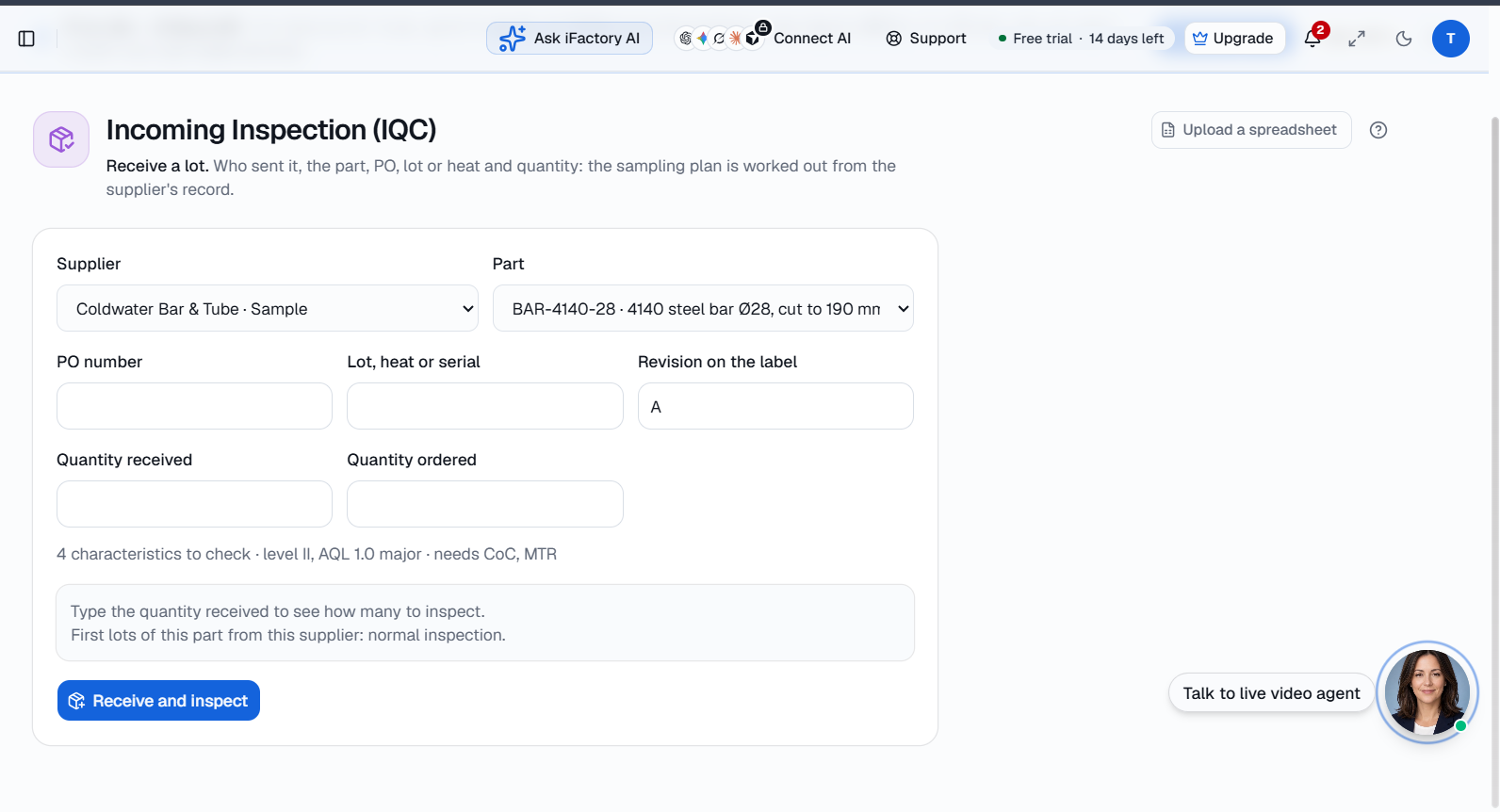
Select the supplier and part against a PO, lot and quantity. The tool checks the packing slip matches the open PO, the CoC matches the part number, revision and lot, and the drawing revision matches document control — then the AQL plan sets the sample count, adjusted by supplier history.
Verify documents, packaging and labels, then record each sample's values on a tablet or phone, with photos. Out-of-tolerance values display in red, and you can paste readings straight from a CMM report or Excel — they fill the samples in order.
Select supplier and part, enter PO, lot and quantity. The AQL plan sets the sample count, adjusted by supplier history.
Verify documents, packaging and labels, then record each sample's values on a tablet or phone, with photos. Out-of-tolerance values show in red.
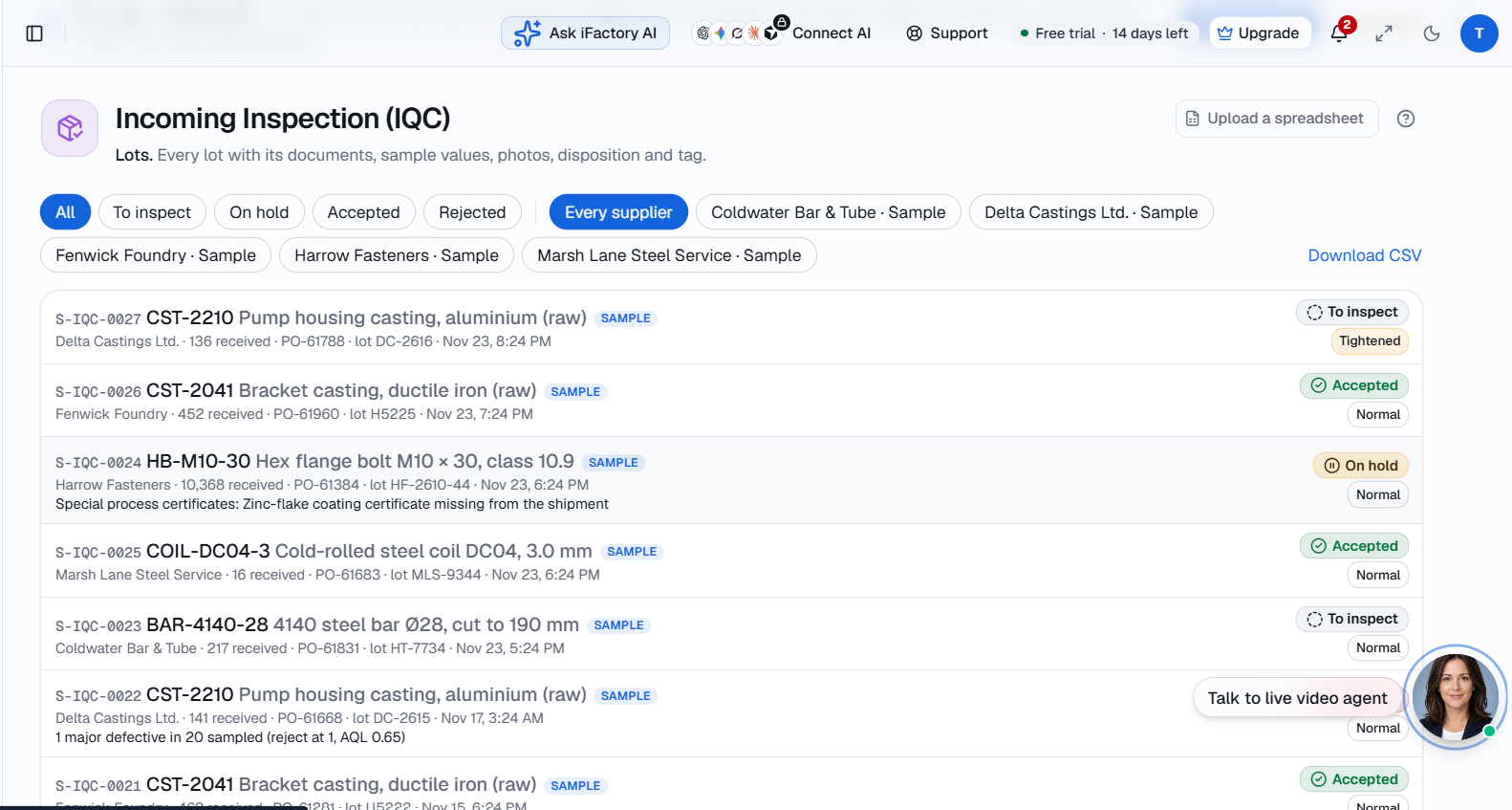
Accept, hold or reject with a printable QR tag. A rejected lot opens an NCR and a corrective action request, and each supplier gets a scorecard.
Each defect class's AQL sets its accept and reject numbers, and the supplier's own record moves the lot between normal, tightened and reduced inspection — so a trusted supplier is sampled lighter and a slipping one is checked harder.
The default inspection level for a steady supplier.
A harder look after repeated rejects.
A lighter sample for a long good run.

Accept moves the lot to stock with a green tag; hold segregates it with a yellow tag and a decision date; reject prints a red tag and opens an NCR with evidence, usually returned to the supplier. Recurring problems produce a SCAR, and each supplier gets a scorecard from its lot history.
Every lot leaves the dock with a QR tag and a recorded decision date. The tag says where the material stands at a glance, and the decision is kept with the lot's evidence — so stock, the supplier and the auditor all see the same call.
Moves to stock.
Physically segregated, with a decision date.
NCR with evidence, usually returned to the supplier.
Invite colleagues, with owners and admins managing who has access.
Ask questions and get answers from your own inspection records.
Export to Excel or PDF any time; nothing is deleted if a trial ends.
US hosting, with each company's records kept separate.
Check documents, sample by AQL and record actual values right at the dock.
Set AQL plans, review dispositions and raise NCRs and SCARs.
Track scorecards from lot history and push corrective action where it recurs.
A defensible record — Z1.4 sampling, decision dates and evidence per lot.
AQL sampling at the dock, actual values with photos, accept / hold / reject with a QR tag, NCRs and supplier scorecards. Start with sample records and add your own suppliers when you're ready.
14-day free trial · Pro features · no card required · from $19/user/mo