Scrap and defect logging with an instant Pareto and cost of quality
Log every scrapped or reworked part on a phone by part, defect, line and shift, then see which defects cost you the most and whether it is getting better.
- ✓ Scrap and rework logged on a phone in a few taps
- ✓ Pareto by defect, by quantity and by cost
- ✓ Cost of quality and the trend by line, shift and part
14-day free trial · no credit card needed
3 defects = 78% of cost
Out of 11 active defect types logged
Everything scrap and defect logging needs, nothing it doesn't
Log scrap on a phone
Part, defect, quantity, line and shift, in a few taps. Pick Scrap or Rework and go.
Shift and cost, automatic
The shift running now is picked for you. Cost comes from the part's unit cost, or you type it for rework.
Pareto by cost and quantity
See which defects cost the most, biggest first, with the running share up to 80%.
Cost of quality by month
Scrap and rework split apart, this month next to last month, the number the quality meeting asks for.
Trend by line, shift and part
Week by week or month by month, see where scrap is growing and which line or shift to visit first.
Raise a CAPA from a defect
One click from an entry or a Pareto bar. The CAPA is filled in from the scrap and linked both ways.
The Pareto and the cost of quality, on one screen
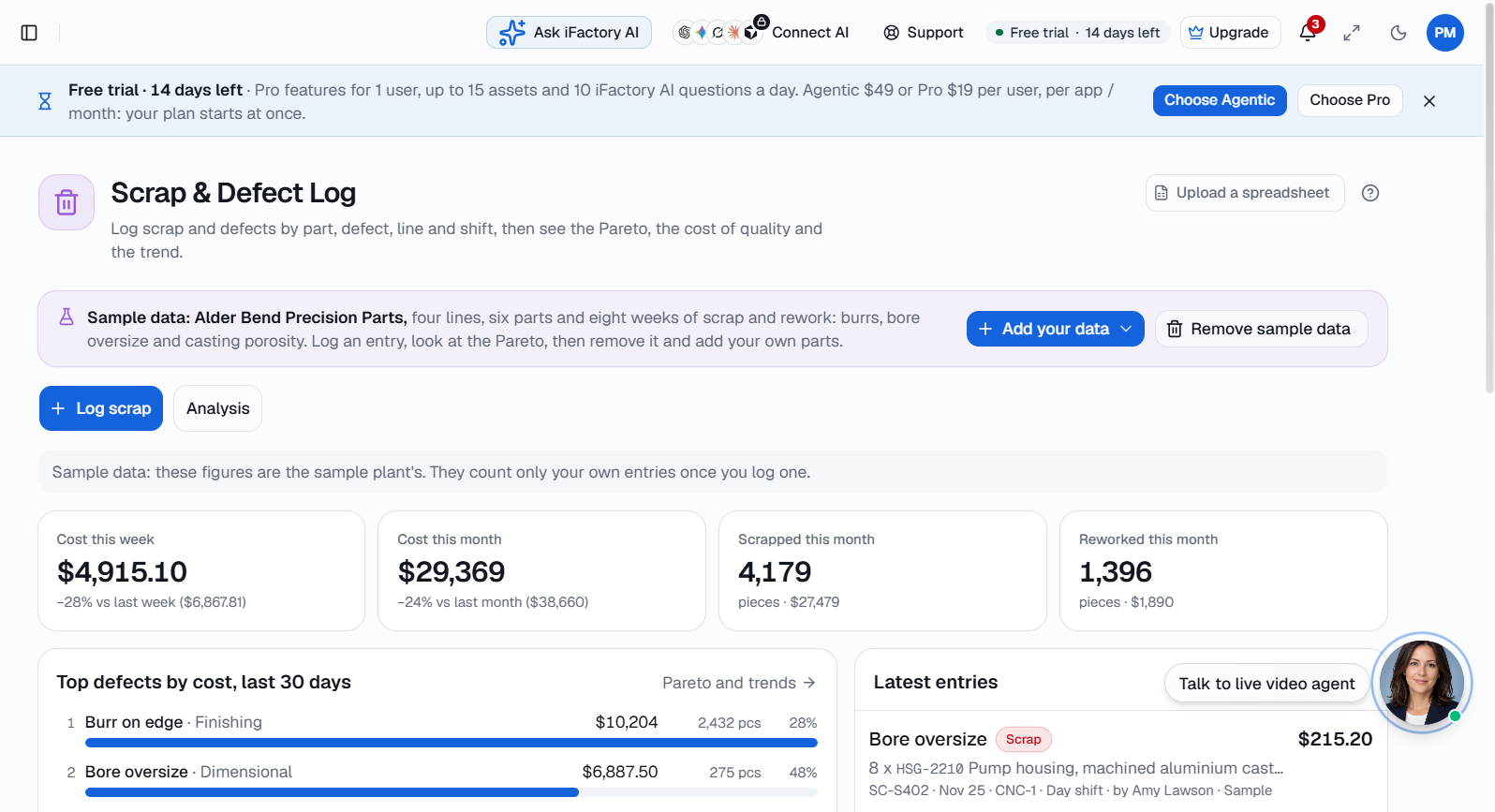
The tool in use, with sample records.
From a scrapped part to a fixed defect, in three steps
Log scrap on a phone
The part, the defect, how many, the line and the shift, in a few taps. Cost comes from the part's cost, or you type it for rework.
See which defects cost most
A Pareto by defect, by quantity and by cost, the cost of quality month by month, and the trend by line, shift and part.
Act on it
Download the PDF and the CSV for the quality meeting, and raise a CAPA from a defect when your company also has CAPA.
Every screen, built around the floor
Log scrap on a phone in a few taps
Supervisors log scrap on the floor, so the form is short and the buttons are big.
- ✓ Pick the part, or type a new part number to add it
- ✓ The shift running now is picked for you from the shift hours
- ✓ Each entry gets its own number, such as SC-0042
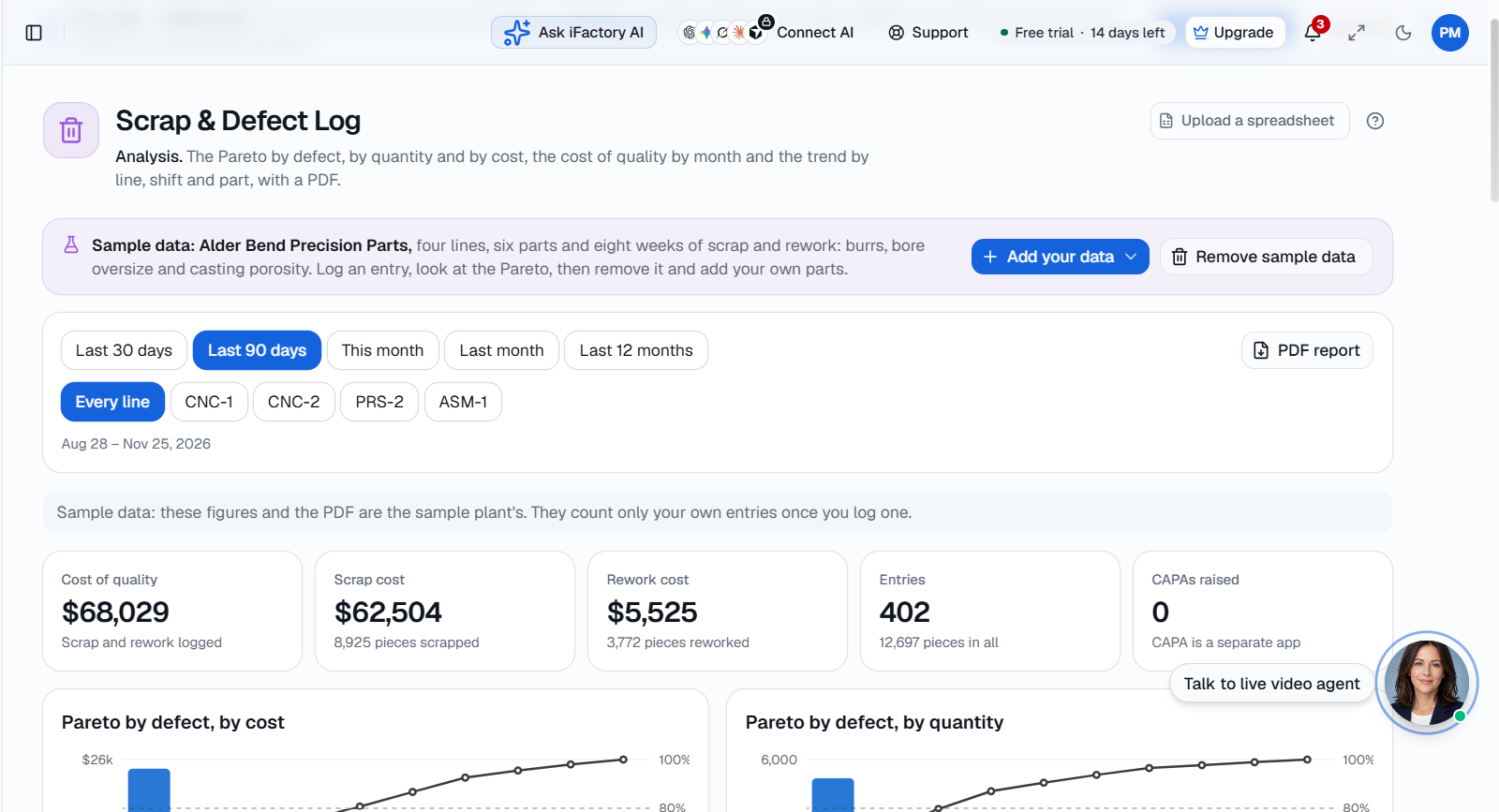
The Pareto: a few defects cost most of the money
Sort scrap by defect and the pattern is nearly always the same: two or three defects take most of the cost.
- ✓ Biggest first, by cost and by quantity, with the running share
- ✓ The defects up to about 80% are the few to fix first
- ✓ Cost and quantity often disagree – look at both
Cost of quality, month by month
What scrap and rework cost, split for each month, with this month next to last month.
- ✓ Scrap and rework kept apart, never blended
- ✓ The number a plant manager asks for in the meeting
- ✓ Trend by line, shift and part shows where it's growing
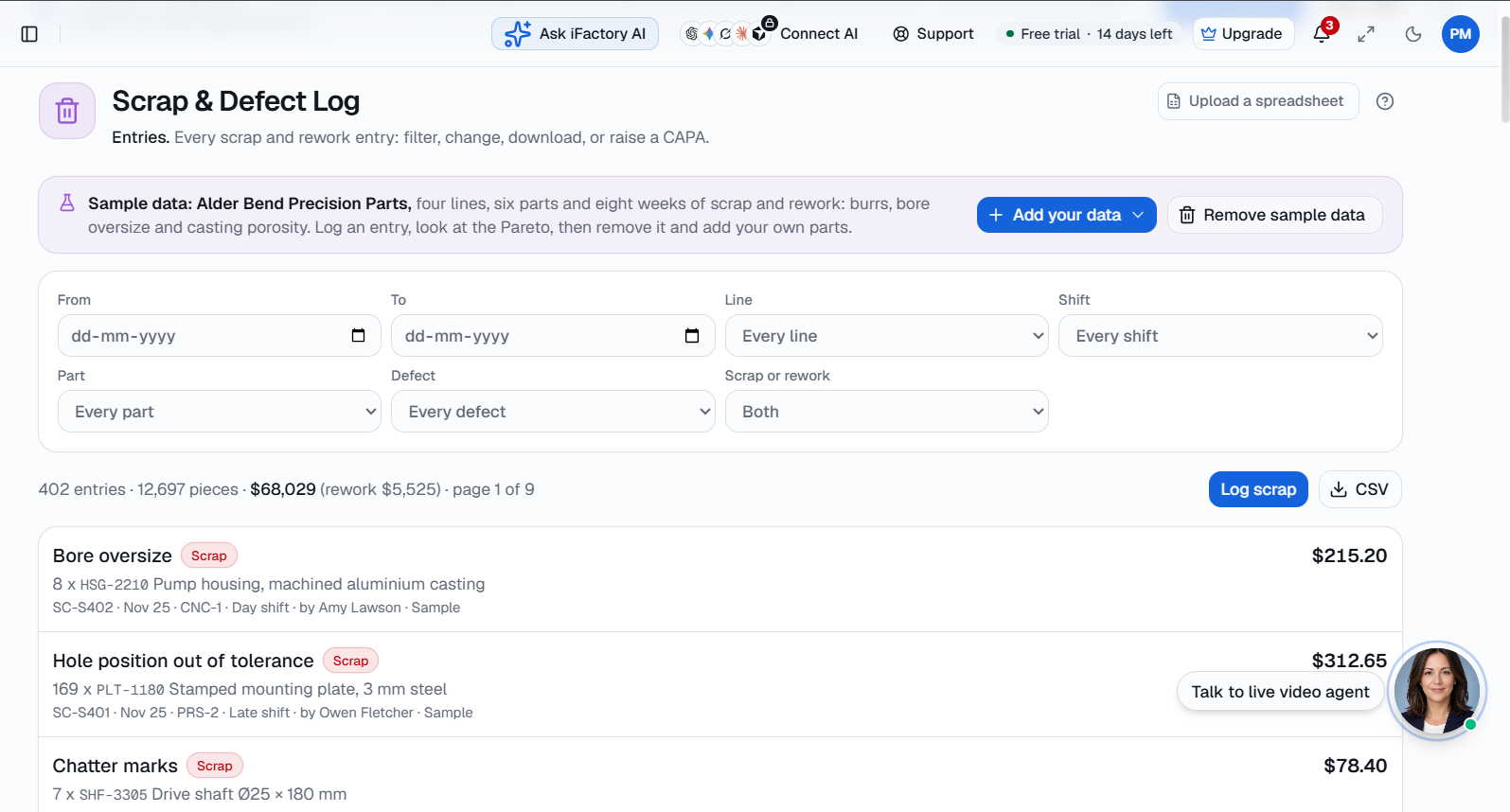
From a defect to a corrective action
When a defect keeps coming back, it needs a corrective action, not another entry.
- ✓ Raise a CAPA from an entry, or from a Pareto bar
- ✓ The CAPA is filled in from the scrap automatically
- ✓ Entries and the CAPA link back to each other
The parts you'd expect, built in
Your whole team
Invite colleagues; owners and admins manage access.
iFactory AI
Ask questions and get answers from your own records.
Your data stays yours
Export everything to Excel or PDF, any time.
Hosted in the United States
Each company's records are kept separate.
Built for the plants that scrap parts every shift
Food & beverage plants
Track scrap and rework by line and shift across packaging and fill lines.
Automotive & machined parts
Catch the two or three defects driving most of your scrap cost per part.
Industrial & discrete manufacturing
Replace the paper tally and the end-of-shift guess with a real record.
Textile & apparel mills
Log scrap and rework by part and shift, and feed repeat defects into a CAPA.
What changes on the floor
Scrap goes from a guess to a number
Every scrapped or reworked part becomes a record, not a bin or a paper tally.
Quality meetings start with the Pareto
Not opinions. The biggest-cost defects are on screen before anyone speaks.
Repeat defects become CAPAs
Instead of repeat losses, a defect that keeps returning gets raised and tracked.
The trend shows if a fix held
The cost of quality, month by month, says plainly whether it's working.
Questions, answered
Do we need a quality system or an ERP to use it?
No. Parts, defects, lines and shifts are set up in the app, and every entry is typed in on a phone or a computer. A parts list with unit costs can be imported from a CSV. If you'd rather talk it through first, book a 30-minute demo, or just start the free trial and load the sample data.
What is the difference between scrap and rework?
Scrap is thrown away: its cost is the quantity times the part's unit cost. Rework is fixed and used: its cost is what fixing it took, mostly labour, so you type it. Both count in the cost of quality, shown apart. See it on your own data with a 14-day free trial, or book a demo first.
Can we raise a CAPA from a defect?
Yes, when your company also has the CAPA app. Raise it from an entry or from a defect's bar on the Pareto; the CAPA is filled in from the scrap and linked both ways. Without CAPA, the page shows a link to add it – ask us about it on a call or start the trial to see it in context.
Do I need a card for the trial?
No. 14-day free trial, no card: Pro features, 1 user, up to 15 assets and 10 iFactory AI questions a day. Start the trial now, or book a demo if you'd like a walkthrough first.
What happens after the trial?
Scrap & Defect Log is on our plans: Pro $19 or Agentic $49 per user / month. Choose either any day of the trial and your plan starts at once. Without a plan, your workspace becomes read-only when the trial ends: every record is kept, and you can still view and download it. Start free trial or book a demo to ask about plans.
Try Scrap & Defect Log free for 14 days
No card needed. Then Pro $19 or Agentic $49 per user / month. Bring your spreadsheet and be running in minutes.
Start free trial →