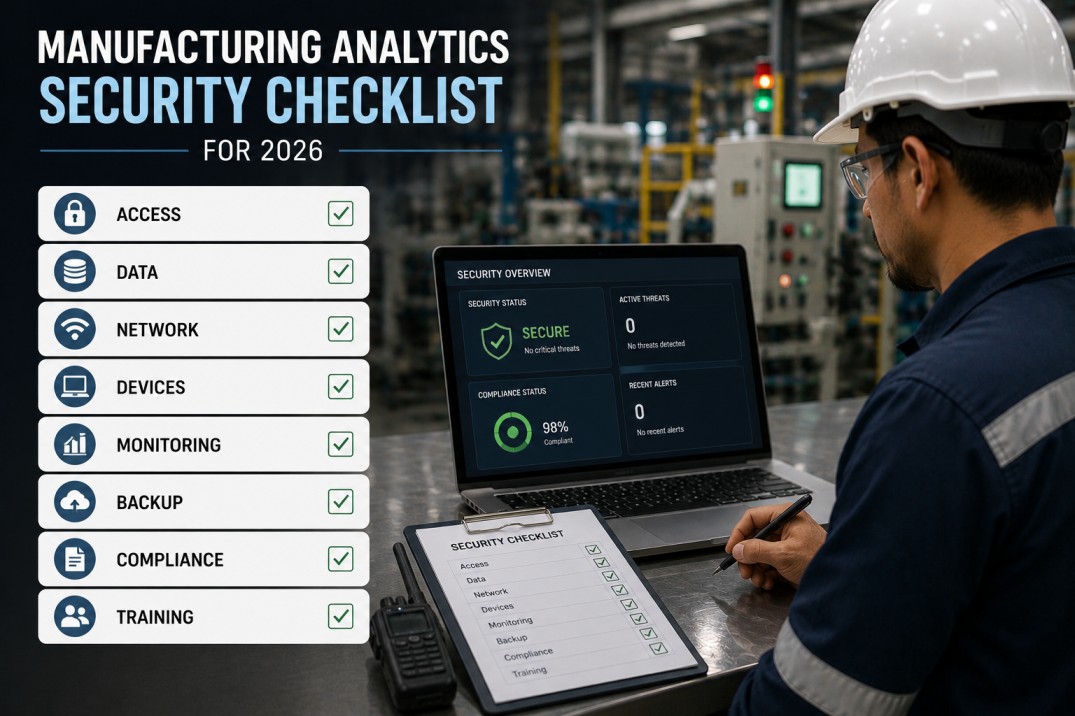
Manufacturing analytics security is no longer optional — as plants connect OT systems to cloud analytics platforms, the attack surface expands across IT/OT boundaries, exposing production data, machine controls, and intellectual property to new risk vectors. Without a structured manufacturing analytics security checklist, plants risk data breaches, compliance violations, and operational disruptions that can halt production for days. This checklist covers seven essential dimensions of analytics security — from posture scoreboards and OT/IT zone segmentation to RBAC matrices, policy references, audit requirements, and actionable implementation tasks — enabling manufacturers to deploy analytics platforms with enterprise-grade security controls aligned to SOC 2, ISO 27001, and NIST CSF frameworks.
Manufacturing Analytics Security Posture Scoreboard
Understanding your current security posture across key dimensions is the first step toward closing gaps. The scoreboard below shows benchmark metrics for a typical manufacturing analytics deployment with progress bars and month-over-month trends.
OT/IT Security Zone Segmentation Reference Table
Network segmentation between OT and IT domains is the foundational control for manufacturing analytics security. Each zone must enforce specific access policies, monitoring rules, and data flow controls. The table below defines five security zones with their segmentation level, access control method, and current compliance status.
| Security Zone | Description | Segmentation Level | Access Control | Monitoring | Status |
|---|---|---|---|---|---|
| Level 0 — Field Devices | Sensors, actuators, drives, and I/O devices on the plant floor | Isolated | Physical only — no network access | Passive sniffing | Compliant |
| Level 1 — Controllers | PLCs, RTUs, CNCs, and robot controllers running real-time logic | Segmented | OT firewall + MAC whitelist | Flow logs + anomaly alerts | Compliant |
| Level 2 — SCADA / HMI | Supervisory control, operator workstations, and historian servers | Segmented | OT firewall + RBAC + MFA | SIEM integration | Compliant |
| Level 3 — OT DMZ | Data diode / one-way gateway for OT-to-IT data transfer | Isolated DMZ | Data diode + application-level gateway | Deep packet inspection | Partial |
| Level 4 — Analytics / IT | Cloud analytics platform, dashboards, data lake, and BI tools | Cloud | SSO + RBAC + MFA + encryption | SOC 2 audit trail | Compliant |
Segment Securely
OT/IT Segmentation for Analytics with iFactory
iFactory's analytics platform connects to OT environments through a secure DMZ architecture — using read-only data connectors, one-way data transfer protocols, and hardware-agnostic edge gateways that eliminate any attack path from the cloud to plant-floor controllers.
RBAC Role-Access Matrix: Permissions by Analytics Function
Role-based access control ensures that every analytics user has precisely the permissions they need — and nothing more. The matrix below maps manufacturing analytics roles to access levels across key platform functions, with colour-coded indicators for read, write, administer, and no access.
| Role | Dashboards | Reports | Data Sources | User Admin | System Config | Audit Logs | Data Export |
|---|---|---|---|---|---|---|---|
| Plant Operator | Read | Read | None | None | None | None | None |
| Shift Supervisor | Write | Write | Read | None | None | None | Read |
| Process Engineer | Write | Write | Write | None | Read | None | Write |
| Plant Manager | Write | Write | Read | Write | Read | Read | Write |
| IT Security Admin | None | Read | Admin | Admin | Admin | Admin | Admin |
| Executive Viewer | Read | Read | None | None | None | None | Read |
Security Policy Reference Cards: Essential Controls for Analytics Platforms
Security policies translate high-level compliance requirements into enforceable technical controls. Each card below describes a critical security policy domain for manufacturing analytics deployments — with the control objective, enforcement mechanism, and SOC 2 / ISO 27001 mapping.
Control Access
Enterprise-Grade Access Control with iFactory
iFactory ships with built-in RBAC, SSO integration (SAML 2.0 / OIDC), and MFA support — enabling manufacturing organisations to enforce least-privilege access across every analytics function out of the box, with no custom development required.
Audit Trail Requirements Table: Event Types and Retention Policies
Comprehensive audit trails are required for SOC 2, ISO 27001, and most regulatory frameworks in manufacturing. Every access, data modification, and configuration change in the analytics platform must be logged with immutable records. The table below defines the required audit event categories and their retention policies.
| Audit Category | Events Captured | Retention Period | Storage Format | Compliance Mapping | Immutable |
|---|---|---|---|---|---|
| User Authentication | Login attempts (success/failure), logout, session expiry, MFA challenges | 12 months | JSON structured logs | SOC 2 CC6.1, ISO 27001 A.9.2.1 | |
| Data Access | Dashboard views, report generation, data export, API queries, data source connections | 12 months | JSON + raw access logs | SOC 2 CC6.1, ISO 27001 A.9.2.5 | |
| Configuration Changes | Role creation/modification, permission changes, system settings, data source updates | 24 months | JSON with diff snapshot | SOC 2 CC6.3, ISO 27001 A.12.1.2 | |
| Data Modification | Data upload, data deletion, data transformation, calculated field changes | 24 months | JSON with before/after values | SOC 2 CC6.1, ISO 27001 A.12.4.3 | |
| Security Events | Failed MFA attempts, privilege escalation, API key creation, suspicious IP detection | 36 months | JSON + SIEM format | SOC 2 CC7.2, NIST CSF DE.CM-3 | |
| System Operations | Service restarts, backup/restore, version upgrades, certificate expiry, resource alerts | 12 months | JSON structured logs | SOC 2 CC7.1, ISO 27001 A.12.6.1 |
Security Compliance Standards Coverage Cards
Manufacturing analytics platforms must align with multiple security frameworks. Each card below shows a key compliance standard mapped to iFactory's built-in controls, with coverage status and the number of applicable controls satisfied out of the box.
Service Organisation Control 2 — Trust Services Criteria for Security, Availability, and Confidentiality. iFactory's controls map to CC6 (Logical and Physical Access), CC7 (System Operations), and CC8 (Change Management).
International standard for information security management systems. iFactory's controls address Annex A controls across organisational, people, physical, and technological domains relevant to analytics platforms.
National Institute of Standards and Technology Cybersecurity Framework. iFactory's controls map to the Govern, Identify, Protect, Detect, Respond, and Recover functions with emphasis on OT/IT analytics use cases.
International standard for industrial communication network security. iFactory's OT connectors and DMZ architecture align with IEC 62443-3-3 (System Security Requirements) and SR 2.1–2.6 for zone segmentation.
EU General Data Protection Regulation for plants operating in or serving European markets. iFactory provides data anonymisation, right-to-deletion workflows, and data residency controls for EU-based deployments.
Cybersecurity Maturity Model Certification for US defence supply chain manufacturers. iFactory's controls support CMMC Level 2 (Advanced) requirements for protecting controlled unclassified information in analytics workflows.
Stay Compliant
SOC 2-Aligned Security Controls with iFactory Analytics
iFactory ships with SOC 2-aligned security controls out of the box — including immutable audit trails, RBAC with SSO/MFA, data encryption at rest and in transit, and vulnerability management — so your manufacturing analytics deployment meets enterprise security requirements without custom development or additional third-party tooling.
Manufacturing Analytics Security Implementation Checklist
Use this checklist to deploy a secure manufacturing analytics environment — from network segmentation and access control to audit trail configuration and incident response planning. Each task includes the implementation category, responsible owner, estimated duration, and priority level.
| # | Task | Category | Owner | Duration | Priority | |
|---|---|---|---|---|---|---|
| 1 | Define OT/IT security zone architecture with DMZ and data diode requirements | Architecture | OT Security Lead | 1 week | Critical | |
| 2 | Configure RBAC roles with least-privilege permissions for all analytics functions | System | IT / Analytics | 3 days | Critical | |
| 3 | Enable SSO via SAML 2.0 or OIDC and enforce MFA for all privileged accounts | System | IT Security | 2 days | Critical | |
| 4 | Configure immutable audit trail with 12–36 month retention per event category | System | Analytics Admin | 1 day | Critical | |
| 5 | Encrypt all data in transit (TLS 1.2+) and at rest (AES-256) with customer-managed keys | Infrastructure | Cloud / IT | 2 days | Critical | |
| 6 | Set up weekly vulnerability scanning for all OT gateways, cloud services, and dashboards | Operations | IT Security | 1 day | High | |
| 7 | Develop and test OT/IT incident response plan with annual tabletop exercise | Process | Security Team | 1 week | High | |
| 8 | Classify production data sensitivity levels and apply automated retention/deletion policies | Governance | Data Steward | 3 days | High | |
| 9 | Conduct quarterly access review and recertify all analytics platform users | Process | Plant Manager | Half-day quarterly | Medium | |
| 10 | Generate SOC 2 / ISO 27001 compliance evidence report from analytics platform audit trails | Reporting | Compliance | 1 day quarterly | Medium |
Implement Security
Deploy Secure Manufacturing Analytics with iFactory
iFactory's manufacturing analytics platform is built with SOC 2-aligned security controls from the ground up — including OT/IT segmentation architecture, RBAC with SSO/MFA, immutable audit trails, data encryption, and vulnerability management. From single-plant deployments to enterprise-wide rollouts, iFactory provides the security controls that manufacturing organisations need to protect production data while enabling analytics-driven improvement.
Frequently Asked Questions
What is the most important security control for manufacturing analytics?
OT/IT network segmentation is the single most important control. A properly designed DMZ architecture with data diodes or application-level gateways ensures that even if the cloud analytics platform is compromised, there is no network path from the cloud to plant-floor controllers. Without segmentation, every other control — encryption, RBAC, audit trails — operates on a fundamentally insecure foundation. Start with segmentation, then layer on access control, encryption, and monitoring.
Does iFactory support on-premise deployment for air-gapped environments?
Yes. iFactory supports on-premise deployment for plants with air-gapped or highly restricted network environments. The platform can be deployed on customer-managed infrastructure behind the corporate firewall with the same security controls — RBAC, SSO, encryption, and audit trails — as the cloud deployment. Hybrid architectures are also supported, where OT data is processed on-premise while aggregated dashboards are served from the cloud through the DMZ.
How does iFactory handle data residency requirements?
iFactory supports data residency controls that allow customers to specify the geographic region where their production data is stored and processed. For multi-national deployments, data can be routed to different regional instances based on plant location, ensuring compliance with local data protection regulations such as GDPR (EU), PDPA (Singapore), and LGPD (Brazil). Data residency is enforced at the data source level, so plants in different regions can be mapped to different storage regions within the same iFactory instance.
What encryption standards does iFactory use?
iFactory enforces TLS 1.2+ for all data in transit — including OT gateway-to-cloud, API, and browser connections. Data at rest is encrypted using AES-256 encryption with customer-managed encryption keys (CMEK) that can be stored in AWS KMS, Azure Key Vault, or an on-premise HSM. Encryption keys are rotated automatically every 90 days, and key access is logged in the immutable audit trail for SOC 2 compliance evidence.
How often should analytics platform access be reviewed?
Industry best practice and most compliance frameworks (SOC 2, ISO 27001) require quarterly access reviews. Each review should recertify every user's role assignment, verify that former employees and contractors have been deactivated, and confirm that no orphaned accounts exist with active permissions. iFactory includes an access review dashboard that shows last login date, assigned roles, permission scope, and account status — enabling reviewers to complete recertification in minutes rather than hours.
Does iFactory integrate with existing SIEM tools?
Yes. iFactory exports audit logs in standard JSON and CEF (Common Event Format) that can be ingested by major SIEM platforms including Splunk, Microsoft Sentinel, Elastic Security, and Sumo Logic. Security events — such as failed login attempts, privilege escalation, and suspicious IP access — are forwarded in real time to your SIEM via webhook or syslog, enabling centralised security monitoring alongside your other IT and OT security tools.
Ready to Secure
Secure Your Manufacturing Analytics Environment with iFactory
iFactory provides enterprise-grade security controls for manufacturing analytics — including OT/IT segmentation, RBAC with SSO/MFA, immutable audit trails, data encryption, and SOC 2 alignment — enabling manufacturers to deploy analytics confidently across their plant network. From security policy configuration to compliance evidence reporting, iFactory handles the complexity so your team can focus on improving production performance.