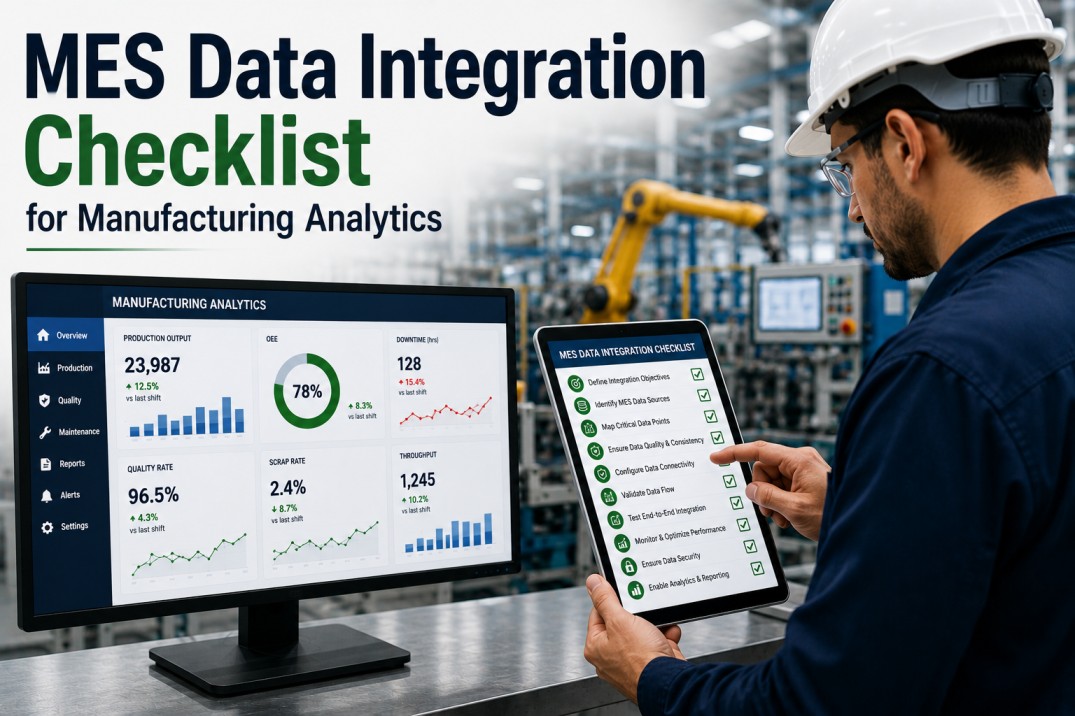
A MES data integration checklist helps manufacturing analytics teams systematically connect manufacturing execution systems — Siemens OPC UA, Rockwell FactoryTalk, Wonderware InTouch, GE Proficy, AVEVA MES, Critical Manufacturing, and others — to their analytics platform. Without a structured integration approach, plants struggle with protocol mismatches, unreliable tag mappings, data quality gaps, and latency issues that undermine real-time dashboards and OEE calculations. This checklist covers seven essential dimensions of MES integration — from health scorecards and protocol matrices to data entity mappings, implementation stages, error handling, and actionable tasks — enabling reliable, real-time data flow from plant-floor systems to manufacturing analytics.
MES Integration Health Scoreboard: Overall Connectivity Status
Monitor the overall health of your MES-to-analytics integration across four key metrics. Each card shows the current value with an inline progress bar and trend indicator compared to target.
Connect Your MES
Ingest MES Data from Every Protocol with iFactory
iFactory's manufacturing analytics platform connects to every major MES system out of the box — Siemens OPC UA, Rockwell FactoryTalk, Wonderware InTouch, GE Proficy, AVEVA MES, and 20+ others. Pre-built connectors for OPC UA, MQTT, REST, Kafka, and file drop mean no custom integration code required.
MES Source Protocol Matrix: Integration Status by System
The protocol matrix provides a consolidated view of all MES system integrations, including protocol type, version, sync frequency, current connection status, and business criticality.
| MES System | Protocol | Version | Sync Frequency | Status | Criticality |
|---|---|---|---|---|---|
| Siemens OPC UA | OPC UA | v1.04 | Real-time | Connected | Critical |
| Rockwell FactoryTalk | MQTT / REST | v8.1 / v2.0 | Real-time | Connected | Critical |
| Wonderware InTouch | Suitelink / REST | v2017 / v1.0 | Real-time | Connected | High |
| GE Proficy | REST API / File Drop | v2022 / CSV | Batch (5 min) | Connected | High |
| AVEVA MES | REST / OData | v3.1 / v4.0 | Real-time | Degraded | Medium |
| SAP MII | REST / JDBC | v15.2 | Batch (15 min) | Connected | Medium |
| Critical Manufacturing MES | REST / Kafka | v9.0 | Real-time | Connected | High |
| iBASEt Solumina | REST / File Drop | v20.2 / XML | Batch (30 min) | Degraded | Medium |
MES Data Entity Mapping: Source-to-Analytics Entity Reference
Every analytics entity requires a clear mapping from MES data sources. The table below documents eight core manufacturing data entities with their source protocol, sync frequency, field count, and current data accuracy.
| Entity | Source Protocol | Sync Frequency | Fields | Accuracy |
|---|---|---|---|---|
| Production Order Status | OPC UA / REST | Real-time | 32 fields | 99.4% |
| Equipment State & Mode | OPC UA / MQTT | Real-time | 18 fields | 100% |
| Quality Measurement Data | REST / File Drop | Real-time | 45 fields | 97.2% |
| Material Consumption | REST / MQTT | Per event | 24 fields | 98.8% |
| Operator & Shift Tracking | REST / API | Per event | 15 fields | 96.5% |
| Defect & Rework Records | REST / File Drop | Per event | 28 fields | 94.1% |
| Cycle Time & Takt Data | OPC UA / MQTT | Real-time | 12 fields | 99.7% |
| WIP & Inventory in Process | REST / Kafka | Per event | 20 fields | 95.3% |
Map Your Data
Automated MES Tag Discovery and Field Mapping with iFactory
iFactory's intelligent MES connector automatically browses OPC UA server namespaces, discovers available tags and data types, and recommends field mappings based on semantic matching. Built-in transformation rules handle unit conversions, timestamp normalisation, and data type casting without custom scripting.
MES Integration Stages: End-to-End Implementation Roadmap
A successful MES-to-analytics integration follows a structured five-stage process from source discovery through production rollout. Each stage has clear deliverables, estimated duration, and defined success criteria to ensure reliable data flow from plant floor to dashboard.
Follow the Process
Guided MES Integration Workflow with iFactory
iFactory's MES integration wizard guides you through the five-stage implementation process — from source discovery and protocol assessment through connection configuration, data mapping, validation, and production rollout. Pre-built connection profiles for Siemens, Rockwell, Wonderware, GE, and AVEVA accelerate each stage.
MES Integration Error Reference: Common Issues and Resolutions
MES integration errors can disrupt data flow and affect dashboard accuracy. The reference below catalogues eight common error patterns with root causes and recommended resolution steps for plant-floor data integration.
| Code | Error | Root Cause | Resolution | Severity |
|---|---|---|---|---|
| MES-001 | OPC UA Connection Lost | OPC UA server unavailable or security certificate expired | Verify server status, renew certificate, check firewall rules for UA port 4840 | Critical |
| MES-002 | MQTT Broker Disconnect | Broker unavailable or client ID collision | Verify broker status, check client ID uniqueness, validate TLS certificate | Critical |
| MES-003 | Tag Not Found | Configured OPC UA tag path does not exist on server | Verify tag path in namespace, update tag configuration from server browse results | High |
| MES-004 | Data Type Mismatch | Source tag data type differs from expected analytics schema | Review MES tag data type definition, apply type conversion in mapping layer | High |
| MES-005 | Timestamp Out of Order | Received event timestamp precedes previous event timestamp | Verify MES system clock sync, apply NTP configuration, implement reordering buffer | Medium |
| MES-006 | Payload Size Exceeds Limit | REST or MQTT message exceeds configured maximum payload size | Increase max payload size, implement message chunking, compress payload | Medium |
| MES-007 | Duplicate Event Detected | Same event received multiple times within dedup window | Verify exactly-once delivery settings, adjust dedup window, check source retry policy | Low |
| MES-008 | File Drop Parse Failure | Dropped file format does not match expected schema | Validate file format against schema, check delimiter configuration, verify encoding | High |
Resolve Errors Fast
Automated MES Integration Error Detection with iFactory
iFactory continuously monitors MES integration pipelines for connection drops, tag mismatches, data type conflicts, and payload issues — automatically flagging anomalies, suggesting resolutions, and routing critical errors to the right team. Real-time integration health dashboards provide full visibility into every data stream.
MES Data Integration Implementation Checklist
Use this checklist to systematically plan, execute, and validate your MES-to-analytics integration. Each task includes the implementation phase, responsible owner, estimated duration, and priority level to help sequence the work effectively.
| # | Task | Phase | Owner | Duration | Priority |
|---|---|---|---|---|---|
| 1 | Inventory all MES systems and available data sources | Assessment | Solutions Architect | 1 week | Critical |
| 2 | Document protocol requirements per MES system | Assessment | Integration Engineer | 3 days | Critical |
| 3 | Configure OPC UA server endpoints and security | Connection | Integration Engineer | 1 week | Critical |
| 4 | Set up MQTT broker connections with TLS | Connection | Integration Engineer | 3 days | Critical |
| 5 | Map MES tags and data structures to analytics schema | Mapping | Data Engineer | 2 weeks | Critical |
| 6 | Define transformation rules and unit conversions | Mapping | Data Engineer | 1 week | High |
| 7 | Validate data completeness and field-level accuracy | Validation | QA Engineer | 1 week | High |
| 8 | Measure and optimise end-to-end data latency | Validation | Integration Engineer | 3 days | High |
| 9 | Configure real-time monitoring dashboards | Go-Live | BI Developer | 3 days | Medium |
| 10 | Document runbook and train operations team | Go-Live | Project Lead | 2 days | Medium |
Frequently Asked Questions
What is the best protocol for MES data integration?
OPC UA is the most common protocol for real-time equipment data from MES systems, offering secure, platform-independent data exchange with built-in data modelling. MQTT is preferred for high-frequency sensor data and event streams due to its lightweight publish-subscribe model. REST APIs are widely supported for transactional data like production orders, quality records, and material tracking. Most manufacturing analytics platforms support all three out of the box.
How often should MES data be synced to analytics?
Equipment state, production counts, and quality measurements should stream in real time via OPC UA or MQTT for live dashboards and alerts. Batch-level data like production orders and defect records can be synced every 1–5 minutes via REST API. Historical data for trend analysis and reporting is typically synced hourly or daily. The ISA-95 standard recommends real-time collection for Level 2 and 3 data with batch reconciliation at Level 4.
What data quality issues are common in MES integration?
Common MES data quality issues include timestamp drift from unsynchronised PLC clocks, missing tag values during equipment downtime, duplicate events from retry mechanisms, data type mismatches between MES tag definitions and analytics schemas, and inconsistent unit conventions across different production lines or plants. Automated validation rules should check for each of these at the ingestion layer.
How do I validate MES data accuracy in analytics?
Compare production counts from MES against ERP work order completions, cross-check quality measurements against laboratory information system records, validate equipment state transitions against manual operator logs, and run reconciliation queries comparing aggregated MES data against shift summary reports. Automated validation rules should flag discrepancies exceeding configurable thresholds.
What is the difference between OPC UA and MQTT for MES integration?
OPC UA is a client-server protocol designed for industrial automation with built-in data modelling, security, and discovery features — ideal for accessing structured equipment data and metadata from MES systems. MQTT is a lightweight publish-subscribe protocol optimised for high-frequency, low-latency data transmission — ideal for streaming sensor data, machine states, and event notifications. Many manufacturing analytics platforms support both to cover the full range of MES data sources.
How do I handle MES data from legacy systems?
Legacy MES systems without modern API support can be integrated via file drop (CSV, XML, JSON), ODBC/JDBC database connections, or custom middleware adapters. File-based integration is the most common approach for older systems, with files generated on a scheduled basis and automatically picked up by the analytics platform. For systems with proprietary protocols, a protocol gateway or edge connector can translate to standard OPC UA or MQTT.
Start Your Integration
Deploy MES Data Integration for Manufacturing Analytics in Days
iFactory's MES integration platform connects to Siemens, Rockwell, Wonderware, GE, AVEVA, Critical Manufacturing, iBASEt, and 20+ other MES systems out of the box. With pre-built connectors for OPC UA, MQTT, REST, Kafka, and file drop — plus automated tag discovery, field mapping, and error monitoring — iFactory eliminates months of custom integration work so you can focus on analytics, not data plumbing.