In the competitive landscape of Industry 4.0, manufacturing enterprises must achieve unprecedented levels of quality assurance while simultaneously reducing operational costs. SAP QM (Quality Management) serves as the backbone for systematic quality control across the supply chain, but its true potential is realized only through a strategic inspection lot framework. This comprehensive guide explores the architecture, configuration, and optimization of SAP QM inspection lots, sampling procedures, and usage decisions for incoming, in-process, and final inspection. We will delve into the technical nuances of integrating SAP QM with AI-powered analytics to transform reactive quality checks into predictive quality intelligence. For a personalized consultation on implementing these advanced strategies within your ERP ecosystem, Book a Demo with our experts. This deep-dive provides the technical roadmap for plant managers, quality directors, and SAP consultants aiming to elevate their quality management maturity.
Strategic Inspection Lot Architecture for SAP QM
Transform your quality control into a proactive, data-driven function that reduces defects by up to 40% and ensures compliance with global standards.
Inspection Lot Fundamentals
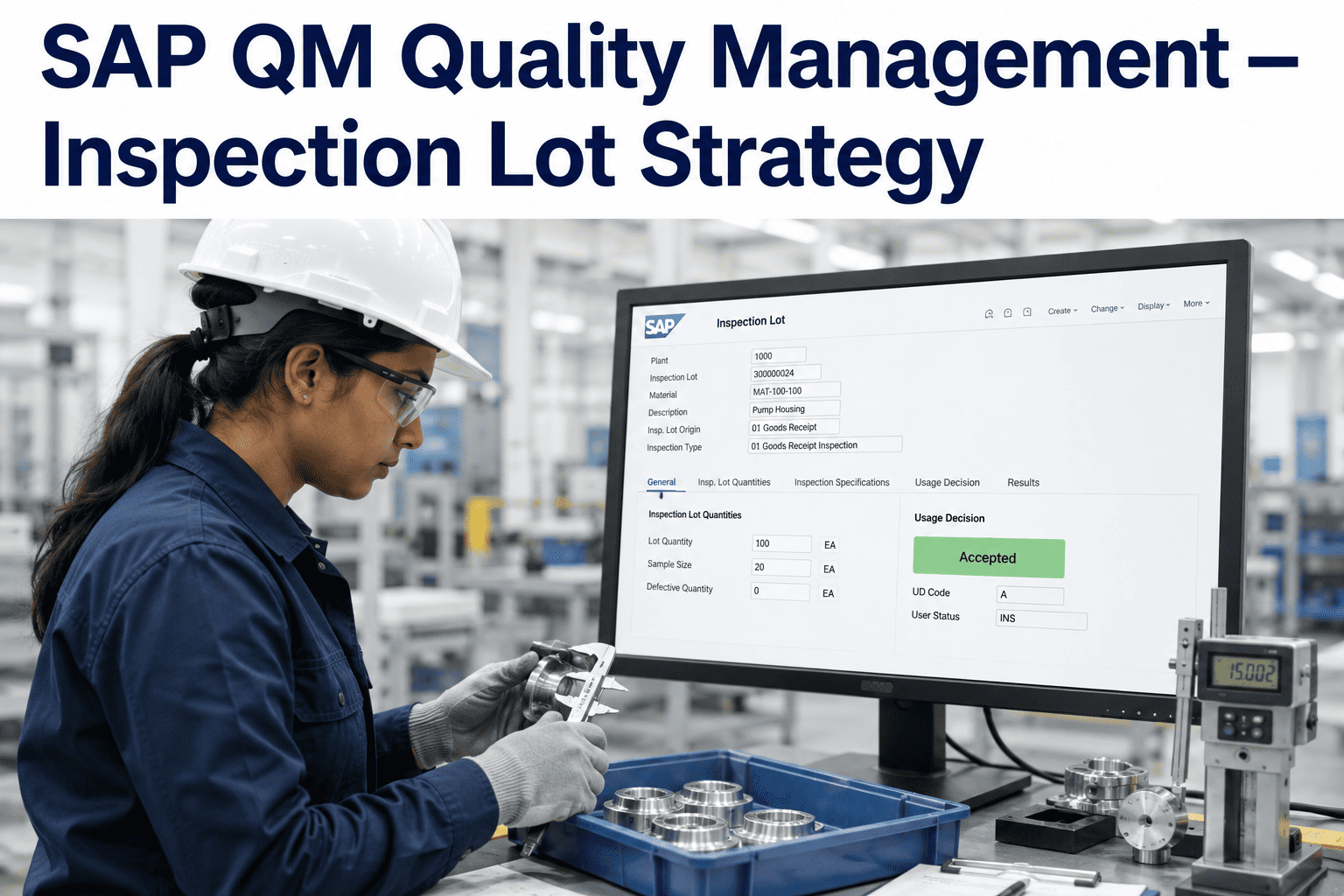
An inspection lot in SAP QM is the central document that records all quality-related data for a specific inspection event. It is created automatically or manually based on inspection plans, triggering sampling procedures, characteristic recording, and usage decisions. The lot contains key information such as material, plant, inspection type (e.g., 01 for goods receipt), and lot origin (e.g., production order). Understanding the lifecycle of an inspection lot—from creation to completion—is critical for configuring an efficient quality process. Each lot can hold multiple inspection characteristics, each with its own sampling plan and specification limits. The system uses the inspection lot to manage the entire inspection workflow, including sample drawing, results recording, and final decision. By optimizing lot creation rules, enterprises can reduce manual intervention and ensure that every batch of material or production run is subject to appropriate quality checks. Advanced configurations allow for dynamic lot creation based on material risk profiles, historical defect rates, or supplier performance, enabling a risk-based quality approach.
Sampling Procedure Optimization
Sampling procedures in SAP QM define the rules for determining sample size and frequency based on lot size and inspection severity. The system supports multiple sampling schemes, including fixed sample, percentage-based, and statistical sampling (e.g., ANSI/ASQ Z1.4). For high-volume production, statistical sampling reduces inspection effort while maintaining confidence in quality levels. Configuring sampling procedures involves defining the sampling type, sample unit, and sample quantity calculation rule. A well-designed sampling strategy balances inspection cost with risk, ensuring that critical characteristics are sampled more intensively. Integration with AI analytics can dynamically adjust sampling plans based on real-time process capability indices (Cpk) and defect prediction models. For example, if a process shows stable Cpk above 1.67, the sampling frequency can be reduced, freeing up resources for other quality tasks. Conversely, if predictive models indicate an impending drift, sampling intensity can be increased preemptively. This adaptive sampling approach, enabled by the iFactory platform, transforms static SAP QM configurations into intelligent, responsive quality systems.
Usage Decision Workflows
The usage decision (UD) in SAP QM is the final step in the inspection lot process, where the quality engineer decides the disposition of the inspected material—whether to accept, reject, or rework. The UD can trigger follow-on actions such as stock posting, quality notification creation, or batch classification. Configuring UD codes and their associated actions is essential for automating material flow and ensuring compliance. For instance, an accepted lot can automatically move stock to unrestricted use, while a rejected lot can trigger a quality notification to the supplier. Advanced UD workflows can include conditional logic, such as using inspection results to compute a composite quality score that determines the UD. Integration with iFactory's AI engine enables predictive UD recommendations, where the system suggests the most likely outcome based on historical patterns and real-time data. This reduces decision fatigue and speeds up the quality review process. Furthermore, UD data feeds into supplier scorecards and production dashboards, providing a closed-loop quality feedback system that drives continuous improvement.
1. Inspection Plan Setup
Define inspection plans for materials, including characteristics, sampling procedures, and specification limits. Use task lists to group inspection operations for manufacturing orders.
2. Lot Creation Automation
Configure automatic lot creation for goods receipt, production orders, and deliveries. Use condition tables to trigger lots based on material type, plant, or supplier.
3. Results Recording
Capture inspection results via manual entry, mobile devices, or automated measurement equipment. Use characteristic results to compute quality scores.
4. Usage Decision Execution
Execute usage decisions with predefined codes. Automate stock postings and quality notifications based on decision outcomes.
5. AI-Driven Analytics
Integrate with iFactory to analyze inspection lot data, predict defects, and recommend optimal sampling plans. Continuously improve quality processes.
| Inspection Type | Lot Origin | Sampling Procedure | Usage Decision |
|---|---|---|---|
| 01 (Goods Receipt) | Purchase Order | ANSI Z1.4 Level II | Accept/Reject |
| 03 (In-Process) | Production Order | Fixed Sample (5 pcs) | Accept/Rework |
| 04 (Final Inspection) | Delivery | Percentage (10%) | Accept/Block |
| 05 (Stock Transfer) | Stock Transport Order | Skip Lot (AQL 1.0) | Accept/Reject |
Incoming Inspection Excellence
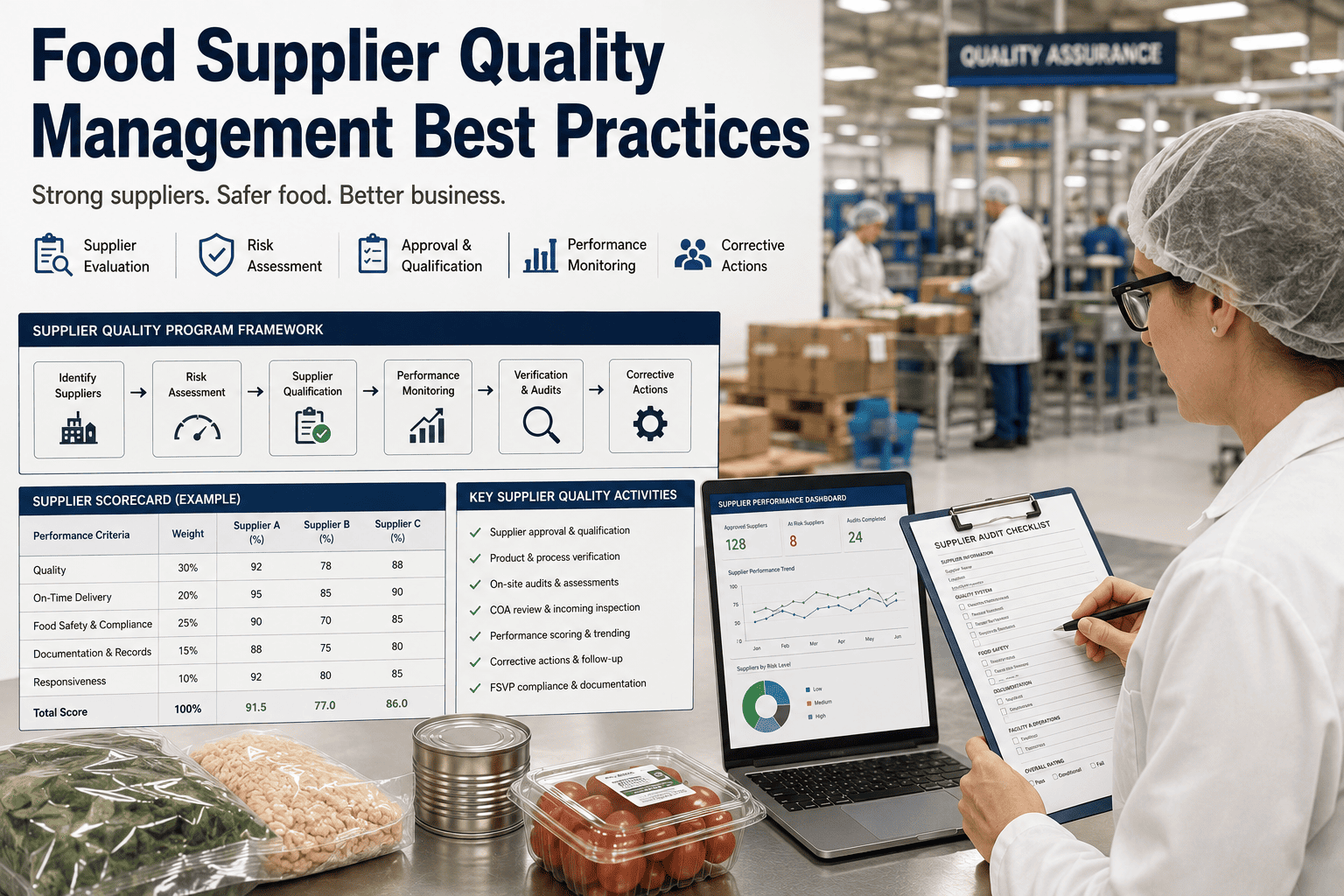
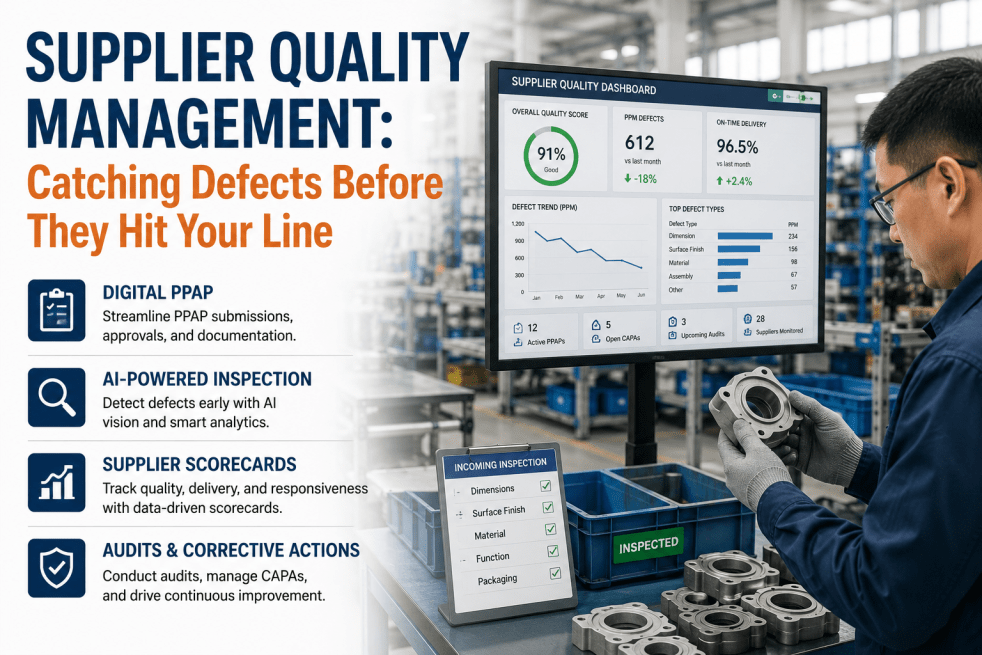
Incoming inspection is the first line of defense against poor-quality raw materials. SAP QM can be configured to automatically create inspection lots for every goods receipt from critical suppliers. By integrating with iFactory's AI supplier risk assessment, enterprises can prioritize inspections for high-risk materials while reducing checks for trusted suppliers. This dynamic approach reduces inspection costs by up to 30% while maintaining quality standards. The inspection lot captures supplier data, batch information, and results, enabling comprehensive traceability. Usage decisions can automatically update supplier quality scores, feeding into procurement decisions. Advanced analytics can detect patterns in supplier defects, allowing proactive supplier development initiatives. The result is a resilient supply chain where quality is assured from the point of receipt.
In-Process Inspection Control
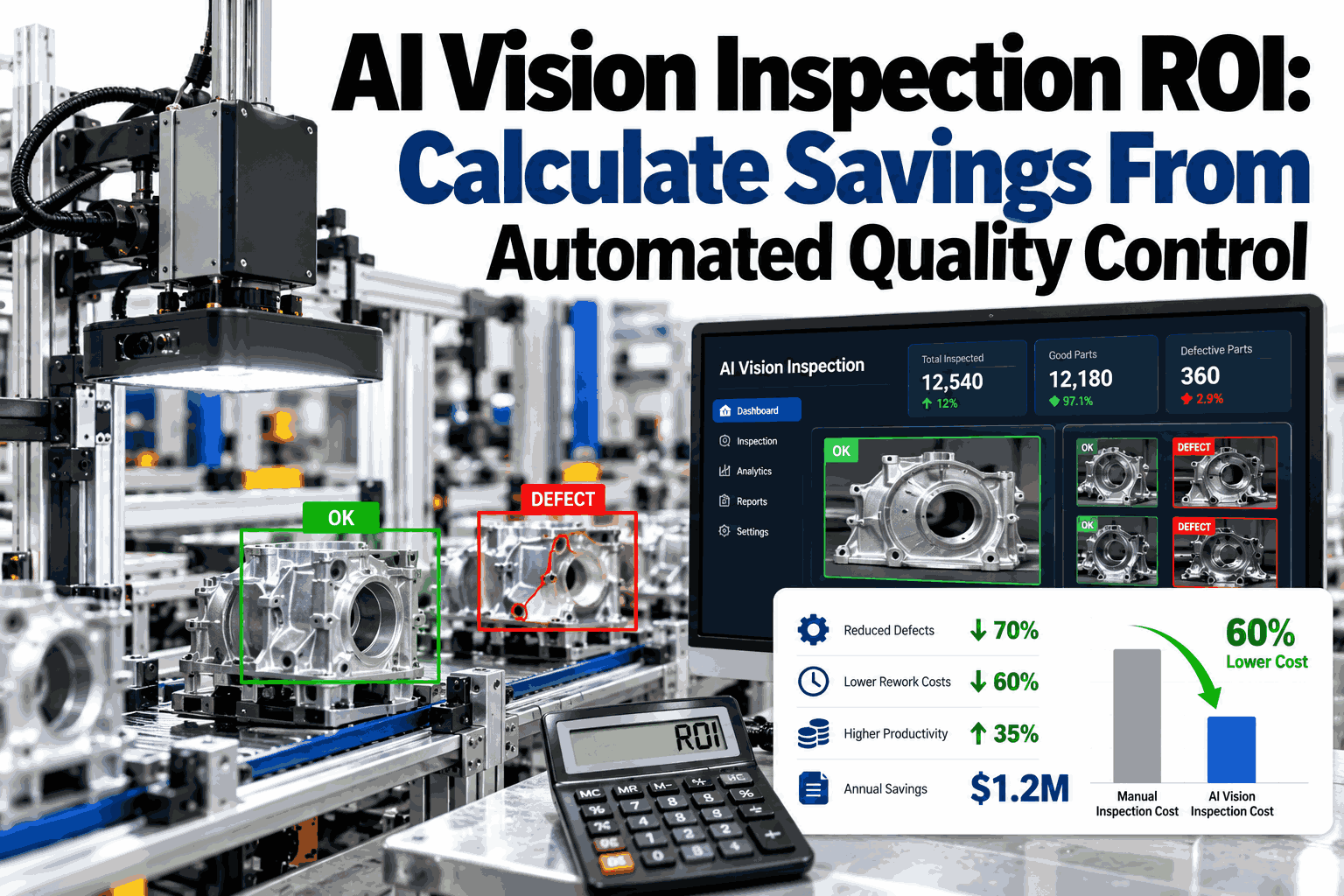
In-process inspection ensures that manufacturing processes remain within control limits. SAP QM supports inspection lots triggered by production order operations, allowing real-time quality checks during production. Sampling procedures can be adjusted based on process capability, reducing checks for stable processes. Integration with IoT sensors and iFactory's AI enables automatic data capture and defect prediction, allowing operators to intervene before defects occur. The usage decision can block further production if critical defects are found, preventing mass rework. In-process inspection data feeds into control charts and capability analyses, providing a foundation for statistical process control (SPC). By automating in-process inspection workflows, manufacturers can achieve real-time quality assurance without slowing down production. This proactive approach reduces scrap, rework, and warranty costs, directly impacting the bottom line.
Final Inspection Certification
Final inspection is the last quality gate before products reach customers. SAP QM inspection lots for final inspection include all customer-specific requirements, regulatory compliance checks, and packaging validation. Usage decisions can automatically generate quality certificates (e.g., ISO 9001, IATF 16949) that accompany the shipment. Integration with iFactory's analytics provides a holistic quality score for each batch, enabling data-driven release decisions. For regulated industries like pharmaceuticals and automotive, final inspection lots must include documentation of all previous inspections and traceability data. SAP QM's quality certificate management ensures that every shipment has the required documentation, reducing the risk of delays or non-compliance fines. By automating certificate generation and linking inspection results, enterprises can accelerate the release process while ensuring full compliance.
Advanced Configuration: Dynamic Inspection Lot Triggers
Beyond standard automatic lot creation, SAP QM offers powerful condition-based triggers that can be tailored to specific business rules. Using condition tables, you can define triggers based on material group, supplier, plant, or even seasonality. For example, you might set up a rule that creates an inspection lot for all incoming materials from a new supplier for the first three deliveries, then reduces to skip-lot sampling after consistent quality. This dynamic approach requires careful configuration of the condition records and priority logic. The iFactory platform enhances this by analyzing historical data to suggest optimal trigger conditions, reducing the manual effort of maintaining condition tables. Additionally, the system can automatically adjust triggers based on real-time market conditions, such as increasing inspection for materials from regions experiencing quality issues. This level of automation ensures that quality resources are deployed where they are most needed, maximizing efficiency.
Another advanced technique is using dynamic sampling procedures that change based on the inspection lot's risk score. The risk score can be computed from supplier performance, material criticality, and historical defect rates. SAP QM's standard functionality allows for multiple sampling procedures within a single inspection plan, each assigned to a different inspection severity. By integrating with iFactory's AI, the system can assign a risk score to each lot and select the appropriate sampling procedure automatically. This is particularly valuable for high-mix, low-volume manufacturing where static sampling plans are inefficient. The result is a quality system that adapts to the actual risk profile of each batch, reducing inspection effort for low-risk items while maintaining rigorous checks for high-risk ones. This adaptive approach has been shown to reduce overall inspection costs by 25-35% while maintaining or improving quality levels.
Integration with Quality Notifications
Quality notifications in SAP QM are triggered by usage decisions (e.g., reject) or manually. They initiate corrective actions, supplier claims, and internal problem-solving. Integration with inspection lots ensures that all relevant data flows seamlessly, enabling root cause analysis. iFactory's AI can analyze notification data to identify recurring defect patterns and suggest preventive actions.
AI-Powered Quality Analytics
By connecting SAP QM to iFactory's analytics engine, enterprises gain real-time dashboards showing defect trends, process capability, and supplier quality. Predictive models forecast future quality issues, allowing proactive interventions. Machine learning algorithms identify correlations between process parameters and defects, enabling process optimization.
Mobile Inspection and IoT Integration
Mobile apps allow inspectors to record results on the shop floor, reducing data entry errors. IoT sensors automatically capture measurement data (e.g., torque, dimensions) and feed directly into inspection lots. This eliminates manual transcription and enables real-time quality monitoring.
Frequently Asked Questions
What is an inspection lot in SAP QM and how is it created?
An inspection lot in SAP QM is a document that records all quality-related activities for a specific inspection event. It is created either automatically or manually based on inspection plans, which define the characteristics to inspect and the sampling procedure. Automatic creation can be triggered by goods receipt, production order confirmation, or delivery. The lot contains information such as material, batch, quantity, and inspection type. Once created, the lot drives the entire inspection workflow: sample drawing, results recording, and usage decision. The system uses the lot to manage quality data and ensure traceability. For complex configurations, you can define condition records that control when lots are created, allowing for dynamic, risk-based inspection. This flexibility makes SAP QM suitable for diverse industries, from automotive to pharmaceuticals. For a step-by-step guide on setting up automatic lot creation, Book a Demo with our SAP QM specialists.
How do sampling procedures work in SAP QM?
Sampling procedures in SAP QM define the rules for determining the sample size and frequency for an inspection lot. They are based on the lot size, inspection severity, and sampling type (e.g., fixed, percentage, or statistical). For statistical sampling, SAP QM supports standards like ANSI/ASQ Z1.4, where the sample size is determined by the lot size and the AQL (Acceptable Quality Level). The system also allows for reduced, normal, or tightened inspection levels based on historical quality performance. Configuring sampling procedures involves defining the sampling scheme, sample unit, and calculation rule. Advanced configurations can use dynamic sampling where the procedure changes based on risk scores computed by iFactory's AI. This ensures that inspection effort is proportional to risk, reducing costs while maintaining quality. For example, a stable process with high Cpk may use reduced sampling, while a new supplier may use tightened sampling. To learn how to optimize your sampling procedures, Book a Demo.
What is a usage decision in SAP QM and what are its implications?
A usage decision (UD) is the final step in the inspection lot process where the quality engineer decides the disposition of the inspected material. Common UD codes include 'Accept' (stock to unrestricted use), 'Reject' (blocked stock or scrap), and 'Rework' (send for rework). The UD can trigger follow-on actions such as updating stock status, creating quality notifications, or generating quality certificates. The implications of a UD are far-reaching: an incorrect decision can lead to defective products reaching customers or unnecessary scrapping of good material. Therefore, it is critical to configure UD workflows with validation rules and approval steps. Integration with iFactory's AI can provide predictive UD recommendations based on inspection results and historical data, reducing human error. The UD also feeds into supplier scorecards and production dashboards, enabling data-driven quality management. For a comprehensive understanding of UD configuration best practices, Book a Demo.
How can AI improve SAP QM inspection lot processes?
AI can significantly enhance SAP QM inspection lot processes by introducing predictive and prescriptive analytics. For example, AI models can analyze historical inspection data to predict which lots are likely to fail, allowing preemptive sampling adjustments. Machine learning algorithms can identify patterns between process parameters and defects, enabling root cause analysis. AI can also optimize sampling procedures by dynamically adjusting sample size based on real-time process capability and risk scores. Furthermore, AI-powered dashboards provide real-time visibility into quality metrics, such as defect rates, Cpk, and supplier quality. The iFactory platform integrates seamlessly with SAP QM to deliver these capabilities, transforming reactive quality control into a proactive, intelligence-driven function. This leads to reduced inspection costs, fewer defects, and faster decision-making. To see how AI can transform your SAP QM operations, Book a Demo.
What are the best practices for configuring inspection plans in SAP QM?
Best practices for configuring inspection plans in SAP QM include: (1) Define clear inspection characteristics with precise specification limits and measurement methods. (2) Use task lists to group inspection operations for manufacturing orders, ensuring consistency. (3) Implement dynamic sampling procedures that adjust based on risk, using condition records or AI integration. (4) Automate lot creation for high-volume materials to reduce manual effort. (5) Integrate with mobile and IoT devices for real-time data capture. (6) Use usage decision workflows that trigger follow-on actions automatically. (7) Regularly review inspection data to refine sampling plans and specifications. (8) Leverage AI analytics to identify improvement opportunities and predict defects. Following these best practices ensures that your SAP QM system is efficient, compliant, and aligned with Industry 4.0 principles. For a detailed workshop on configuring inspection plans, Book a Demo.