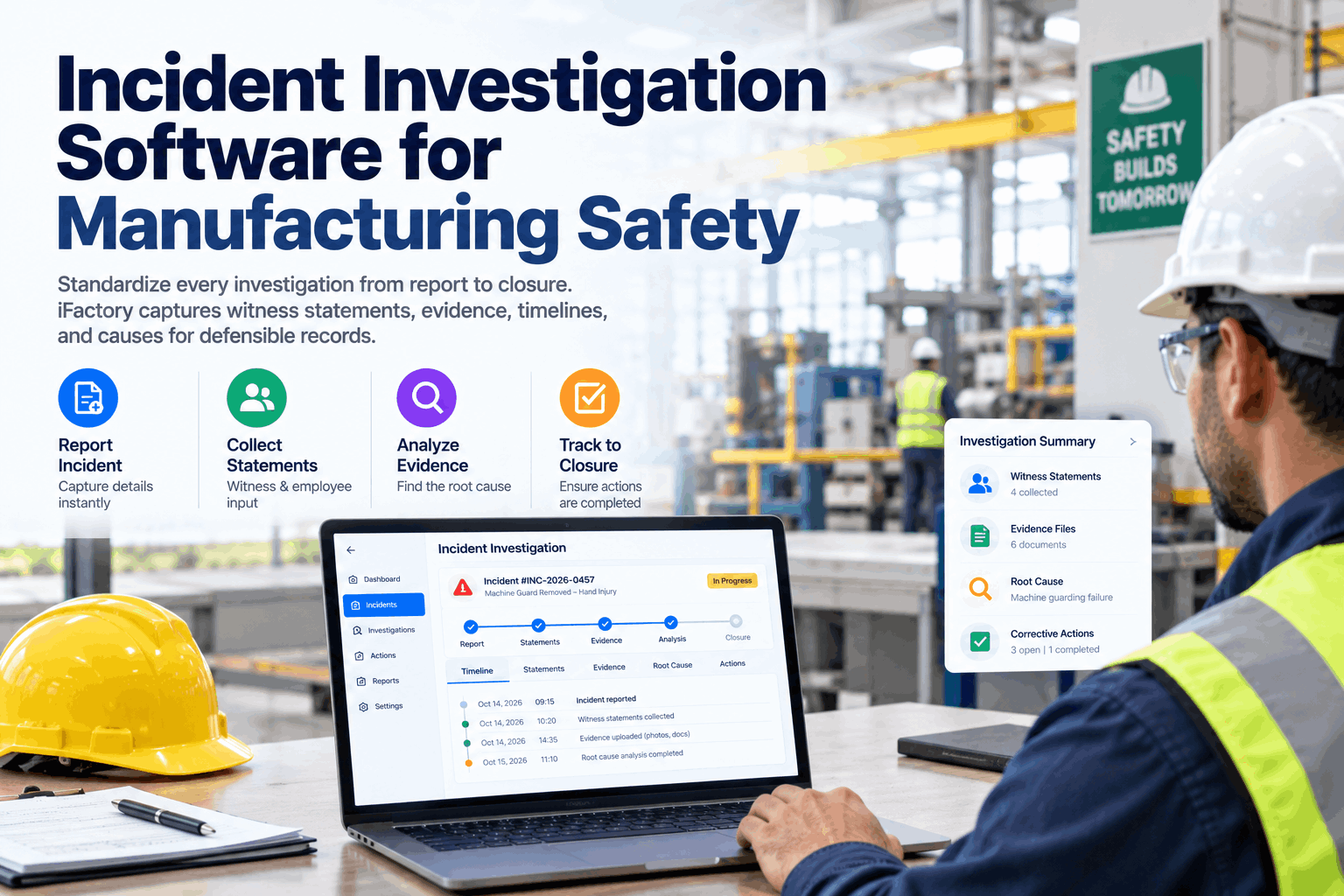
After a serious incident in a manufacturing plant, the first hours decide how good the investigation will be. Witnesses go home, the scene is cleaned up, and memories start to change. Weeks later, the report is a mix of emails, photos on someone's phone and a root cause that reads "operator error". Nothing in the system has really changed. Incident investigation software gives every investigation the same structure, from first report to verified closure, with witness statements, evidence, timeline and causes in one place. Plan yours in an investigation review.
Incident Investigation Software for Manufacturing Safety
A standard workflow for every incident and near miss: secure the scene, capture evidence and statements, build the timeline, find root causes and track corrective actions to verified closure.
- OSHA's four investigation steps, built into a workflow
- Timelines, statements and evidence in one record
- Root causes and corrective actions that stick
Why Incident Investigations Fall Short
Blame stops the search before it reaches the cause.
OSHA's guide for employers on incident investigation is direct about the main problem: if an investigation is focused on finding fault, it will always stop short of discovering the root causes. Blame also makes people less open, so the facts that matter most never come out. Add scattered evidence, slow interviews and corrective actions that nobody follows up, and the same incident comes back in a different form. Our safety specialists can review your current process.
Evidence lost
Scene changed and photos scattered across phones.
Slow interviews
Witnesses spoken to days later, after details fade.
Shallow causes
"Operator error" written as the root cause.
Actions not closed
Fixes agreed but never done or checked.
OSHA's Four Steps, Built into the Workflow
The same structure for every investigation.
OSHA's guide sets out four steps: preserve and document the scene, collect information, determine root causes and implement corrective actions. It also strongly encourages employers to investigate close calls, incidents that could have caused serious harm but did not. The software turns each step into a stage with its own tasks, so investigators always know what comes next. See the workflow in a product demo.
Preserve
Make safe, secure and document the scene.
Collect
Statements, documents, data and photos.
Analyse
Timeline and root causes.
Correct
Actions assigned, done and verified.
Near misses carry the same lessons as injuries, without the harm. OSHA's guide notes that many close calls avoid injury by luck. Using the same workflow for both makes it easy to treat them seriously and to spot patterns before someone is hurt.
Reporting Deadlines You Cannot Miss
Some clocks start the moment the incident happens.
Under 29 CFR 1904.39, employers must report a work-related fatality to OSHA within eight hours, and an in-patient hospitalization, amputation or loss of an eye within 24 hours. Recordable cases also need to be entered on the injury and illness log. State Plans may have their own requirements. The software starts the right clock when an incident is classified and alerts the responsible person. If a case changes later, for example when an injured worker is admitted to hospital the next day, the classification is changed and the clock is checked again, so late changes do not slip through. Confirm your reporting rules with our compliance team.
Timeline, Statements and Evidence in One Record
A clear sequence of events is the backbone of any investigation.
The software builds a timeline from every source: statements, photos, machine data, alarm logs, permits and shift records. Each entry shows its source, so investigators can see where facts agree and where they conflict. Machine data is often the most useful addition, because it shows exactly when a guard opened, an interlock changed state or a cycle started, which helps settle questions that memories alone cannot. Witness statements are captured on a handheld at the scene, by typing or voice, and kept with the date, time and interviewer. Set up evidence capture with our implementation team.
Statements
Injured person, witnesses and supervisors, each dated and kept as given.
Photos and sketches
Taken in the app, time-stamped and placed on a plan.
Machine data
PLC events, alarms and interlock states around the incident time.
Documents
Procedures, training records, permits and maintenance history.
Interview each witness on their own and as soon as it is safe to do so, in a quiet place away from the scene and from supervisors where possible. Ask open questions and record their words, not a summary. Statements taken together or days later tend to converge on one story, and the details that point to root causes get lost.
Standardize Every Investigation
From first report to verified closure, every incident follows the same workflow with evidence, timeline and causes in one defensible record.
Finding Root Causes, Not Just Immediate Causes
Keep asking why until you reach the system.
OSHA's guide describes root causes as underlying failures in programs such as design, planning, training, maintenance or supervision, rather than individual carelessness. The software supports common methods, so teams can pick the one that fits the incident and record their reasoning. Learn the methods in a coaching session.
Five whys
Ask why repeatedly until the answer points to a system you can change.
Fishbone diagram
Group causes by people, methods, machines, materials, environment and management.
Causal factor charting
Map events and conditions in sequence to find every point where it could have been stopped.
Corrective Actions That Actually Reduce Risk
An investigation is not finished until the fix is in place and works.
OSHA's guide is clear that an investigation is not complete until corrective actions are implemented. Strong actions remove or engineer out the hazard. Weak actions rely on reminders and retraining. Training still has a place, but on its own it rarely changes the conditions that led to the incident. The software prompts teams to rate each action against the hierarchy of controls, assigns an owner and date, and requires a check that it worked before closing. Plan your action tracking with our safety team.
Stronger actions
- Remove the hazard or redesign the task
- Engineering controls such as guards and interlocks
- Fix the cause of repeat jams or faults
- Change the system that made the shortcut tempting
Weaker actions on their own
- Retrain the person involved
- Add a warning sign
- Send a reminder memo
- Discipline without a system change
What a Defensible Investigation Record Contains
Use this list to check a report before it is closed.
OSHA's guide lists what an investigation should capture, from basic details to supporting evidence. The checklist below follows that list. Tick each item to check a report is complete before sign-off. The software holds the same items as required fields, so reports cannot close with gaps. Adapt the list with our implementation team.
Learning Across Incidents and Sites
One investigation fixes one problem. Many show the pattern.
When every investigation uses the same structure, the records can be compared. The software groups incidents by root cause category, area, equipment, task and shift, so safety leaders can see where the same weakness keeps showing up. Lessons from one site can be shared with others doing similar work, and repeat causes can be raised for wider fixes rather than one-off actions. Review your trends with our analytics team.
Repeat root causes
The same program weakness behind different incidents.
Hot spots
Areas, lines or machines with clusters of events.
Action strength
Share of actions that engineer out the hazard.
Time to closure
How long actions take from agreement to verification.
Investigation Mistakes to Avoid
Good intentions are not enough without a structure.
These are the patterns most often found when investigations are reviewed. A short process review can spot them in your records.
What works
- Scene preserved and photographed first
- Witnesses interviewed separately and early
- Root causes in programs and systems
- Actions verified before closing
What fails
- Starting with who is to blame
- Stopping at the immediate cause
- Near misses closed without review
- Actions with no owner or date
How iFactory Runs Incident Investigation
Incident Investigation Workflow, on your own network.
iFactory captures reports, witness statements, evidence, timelines and causes in a single workflow, links machine and permit data, tracks corrective actions and alerts on reporting deadlines. It runs on an on-prem AI server inside your plant, so sensitive records stay under your control. Fit questions go to our solutions team.
Fast reporting
Incidents and near misses logged by mobile or voice.
Deadline alerts
Reporting clocks started on classification.
Witness statements
Captured on site, dated and kept as given.
Timeline builder
Statements, photos and machine data in sequence.
Root cause tools
Five whys, fishbone and causal factors.
Action tracking
Owners, dates and verified closure.
iFactory supports your investigation procedure and record keeping. Reporting decisions and legal obligations remain with your EHS team and counsel.
Turnkey AI: Delivered, Connected and Live in 6–12 Weeks
You do not build this. It arrives ready.
iFactory ships as a pre-configured NVIDIA AI server with the software pre-loaded, racked and ready. Rack it, plug in power and Ethernet, and the AI is live on your network. Our team handles cabling, network setup, PLC, SCADA, DCS and CMMS integration, machine and permit data links, operator training and 24×7 remote monitoring. Data stays on your network. For a scope matched to your plant, request a turnkey quote.
Ship, network and data
Server installed. Incident forms, sites, people and permit records connected.
Model training and pilot
Workflow and reporting rules tuned. Investigations run on the system for one site.
Go-live and training
Workflow live across sites. Investigators trained. 24×7 monitoring begins.
Frequently Asked Questions
What is incident investigation software?
It is software that guides every investigation through the same steps, from report to verified closure, and keeps statements, evidence, timeline, causes and actions in one record.
What are OSHA's four investigation steps?
Preserve and document the scene, collect information, determine root causes and implement corrective actions, as set out in OSHA's incident investigation guide for employers.
What are the OSHA reporting deadlines?
Under 29 CFR 1904.39, a work-related fatality must be reported within eight hours, and an in-patient hospitalization, amputation or loss of an eye within 24 hours.
Should near misses be investigated?
Yes. OSHA strongly encourages investigating close calls, which often avoid harm by luck and carry the same lessons as injuries.
How does it help find root causes?
It supports five whys, fishbone diagrams and causal factor charting, and links machine data, permits and past incidents so investigators see the wider picture.
Who should lead an investigation?
A trained investigator, usually with the area supervisor, a worker who knows the task and an EHS professional. Including people who do the work helps uncover the real conditions behind the incident.
Can statements be taken by voice?
Yes. Statements can be spoken or typed on a handheld at the scene and are kept with the date, time and interviewer.
Can findings be shared across sites?
Yes. Investigations use the same structure everywhere, so root causes and lessons can be grouped and shared with sites doing similar work, while personal details stay restricted.
How do we start?
Start with one site. A 6-week pilot sets up your forms, workflow and reporting alerts, and runs live investigations. To plan it, contact our team.
From Report to Verified Closure
In thirty minutes we review a recent investigation with your team and show how the same case would run in a standard workflow. You keep the notes either way.
- 1Your incident investigation procedure
- 2A recent investigation report
- 3Your incident and near miss forms
- 4Open corrective actions list
- 5One incident that happened twice