Ask five different people in a cement plant to define "high priority" on a work order and you will usually get five different answers — the operator means it needs attention this shift, the planner means it needs to fit into next week's schedule, and the maintenance manager means it needs to happen before anything cascades into a production stoppage. Without a shared definition tied to both urgency and impact, priority labels stop meaning anything and every work order effectively competes on volume rather than actual risk. iFactory AI gives cement operations a consistent priority classification model built on urgency and impact together, so a P1 means the same thing to everyone reading it — Book a Demo to see the classification model applied to your own work order history.
Why Urgency Alone Is the Wrong Way to Prioritize
Most maintenance teams default to a single urgency scale — critical, high, medium, low — assigned by whoever creates the work order. The problem is that urgency and impact are not the same thing, and treating them as one dimension routinely produces bad prioritization decisions. A work order can be urgent in the sense that someone wants it done today, without carrying much actual production or safety risk if it slips a few days. Conversely, a work order can look routine on the surface while sitting on an asset whose failure would stop an entire production line. Classifying by urgency alone means the loudest requests win, regardless of what's actually at stake.
A two-dimensional model separates how fast something needs a response from how much it matters if the response is delayed. This distinction is what allows a planner to correctly triage a long list of open requests without needing to personally know the history and context behind every single one — the classification itself carries that information forward.
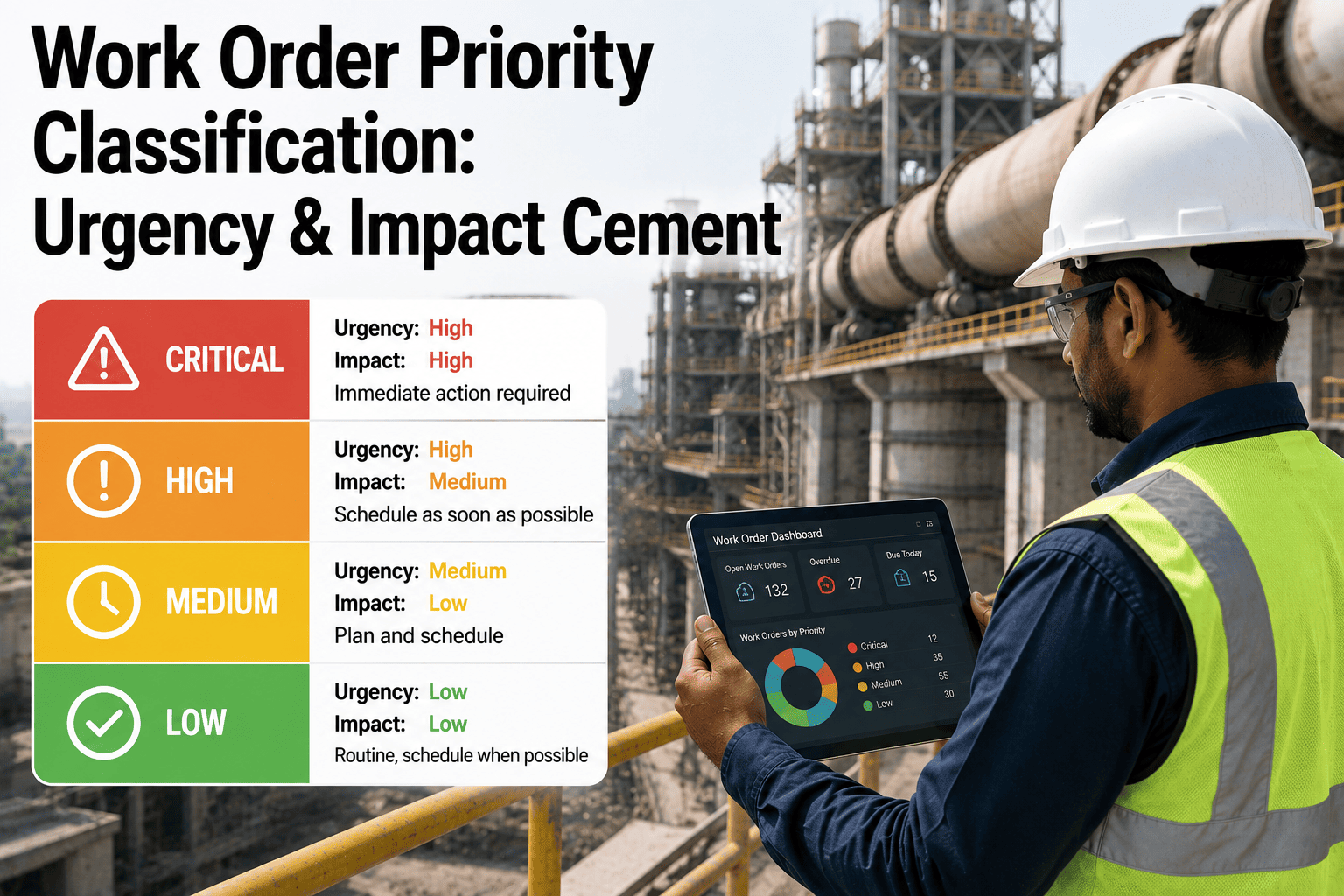
The Urgency-Impact Priority Matrix
Immediate risk to safety, environment, or production continuity. Response begins within the hour, regardless of what else is scheduled.
Needs action within the current shift or next 24 hours to prevent escalation, even though the immediate consequence is contained.
Significant consequence if left unaddressed, but with enough lead time to schedule properly into the next planning cycle rather than reacting immediately.
Standard housekeeping, cosmetic, or low-consequence work that fits into normal scheduling without any special handling.
Response Time Targets by Priority Level
| Priority | Response Target | Typical Trigger | Escalation Owner |
|---|---|---|---|
| P1 — Emergency | Within 1 hour | Safety risk, active production stoppage | Shift Maintenance Lead |
| P2 — Urgent | Within 24 hours | Condition alert on critical equipment | Maintenance Supervisor |
| P3 — Planned Priority | Next planning cycle | Confirmed degradation, no immediate risk | Maintenance Planner |
| P4 — Routine | Standard queue | Housekeeping, cosmetic, low-risk requests | Area Technician |
Escalation Procedure When a Priority Level Is Missed
A classification model only holds up if there is a defined consequence for missing the response target attached to it. Without an escalation procedure, a P1 that quietly slips past its one-hour target becomes indistinguishable from a P3 that's on schedule, and the whole system loses credibility. iFactory AI tracks response time against target for every classified work order and automatically escalates any item that breaches its window.
Common Mistakes That Undermine a Priority System
Even a well-designed priority matrix breaks down if it's applied inconsistently, and the same handful of mistakes tend to show up across plants that struggle with prioritization. The most common is priority inflation — when everything gets marked P1 or P2 because individual requesters know that's the fastest way to get attention, which eventually makes the labels meaningless and forces planners to re-triage manually anyway. Close behind is inconsistent application across shifts, where a night shift supervisor and a day shift supervisor use noticeably different thresholds for what counts as urgent, so the same type of issue gets classified differently depending on who happened to be on duty when it was reported.
A third common failure is treating the classification as a one-time label rather than something that should update as conditions change — a work order correctly classified as P3 when it was opened can become a P1 if a condition monitoring alert on the same asset escalates a week later, and a static classification misses that shift entirely. Building automated scoring and reclassification into the process, rather than relying on someone remembering to manually revisit old work orders, is what keeps the system accurate over time instead of degrading back into the same inconsistency it was meant to fix.
Keeping Classification Consistent Across Shifts and Teams
Consistency across shifts is one of the hardest things to achieve with a manual classification process, since it depends on every requester across every shift interpreting urgency and impact the same way without a shared reference point. Automating the impact side of the score removes most of this variability, because impact is driven by asset criticality and condition data that doesn't change based on who is filling out the work order — the same gearbox carries the same impact score whether it's flagged at 2 p.m. by a day supervisor or 2 a.m. by a night operator.
Shared Criticality Data
Every requester works from the same asset criticality rankings, removing guesswork from the impact side of the score.
Consistent Escalation Path
The same escalation owners and grace periods apply regardless of shift, so response expectations don't shift with the clock.
Cross-Shift Reporting
Priority distribution and response-time reporting is visible across all shifts, making inconsistent classification patterns easy to spot.
What a Maintenance Planner Reported
Before we had a real matrix, "high priority" was basically whoever emailed the maintenance manager directly. Splitting urgency from impact changed the conversation completely — we could show operations why a P3 on the raw mill actually mattered more than a P1 request to fix a leaking valve on a non-critical line, because the impact side of the classification made the difference visible instead of just arguable.