Root Cause Analysis for School Facility Failures: RCA, Fault Tree Analysis, and FMEA Made Simple
By Julian Alvarez on June 2, 2026
A high school HVAC chiller fails for the third time in 18 months. Each time, the repair team replaces the compressor and restarts the system. No one asks why the compressors keep failing. A university loses $1.2M in research when the backup generator fails during a grid outage — but the maintenance log only says "battery replaced." This is not a maintenance problem. It is a root cause problem. 67% of facility failures in education institutions repeat within 12 months because the real cause was never found. This guide defines RCA, fault tree analysis (FTA), and FMEA (PFMEA/DFMEA) in plain language, and gives you a step-by-step troubleshooting workflow that stops repeat failures in HVAC, pumps, fire alarms, and critical campus systems. Book a demo to see how iFactory automates RCA with predictive analytics.
Root Cause Analysis Playbook
RCA, Fault Tree Analysis, and FMEA Made Simple for School & University Facility Teams
Stop repeating the same failures. Learn the proven methodology that reduces repeat failures by 73% and cuts unplanned downtime by 45%.
Reduction in repeat failures after implementing formal RCA
67%
Facility failures repeat within 12 months without proper RCA
$1.2M
Average loss from a single critical system failure at a research university
45%
Lower unplanned downtime with FMEA + predictive maintenance
What is RCA? Root Cause Analysis Definition in Plain Language
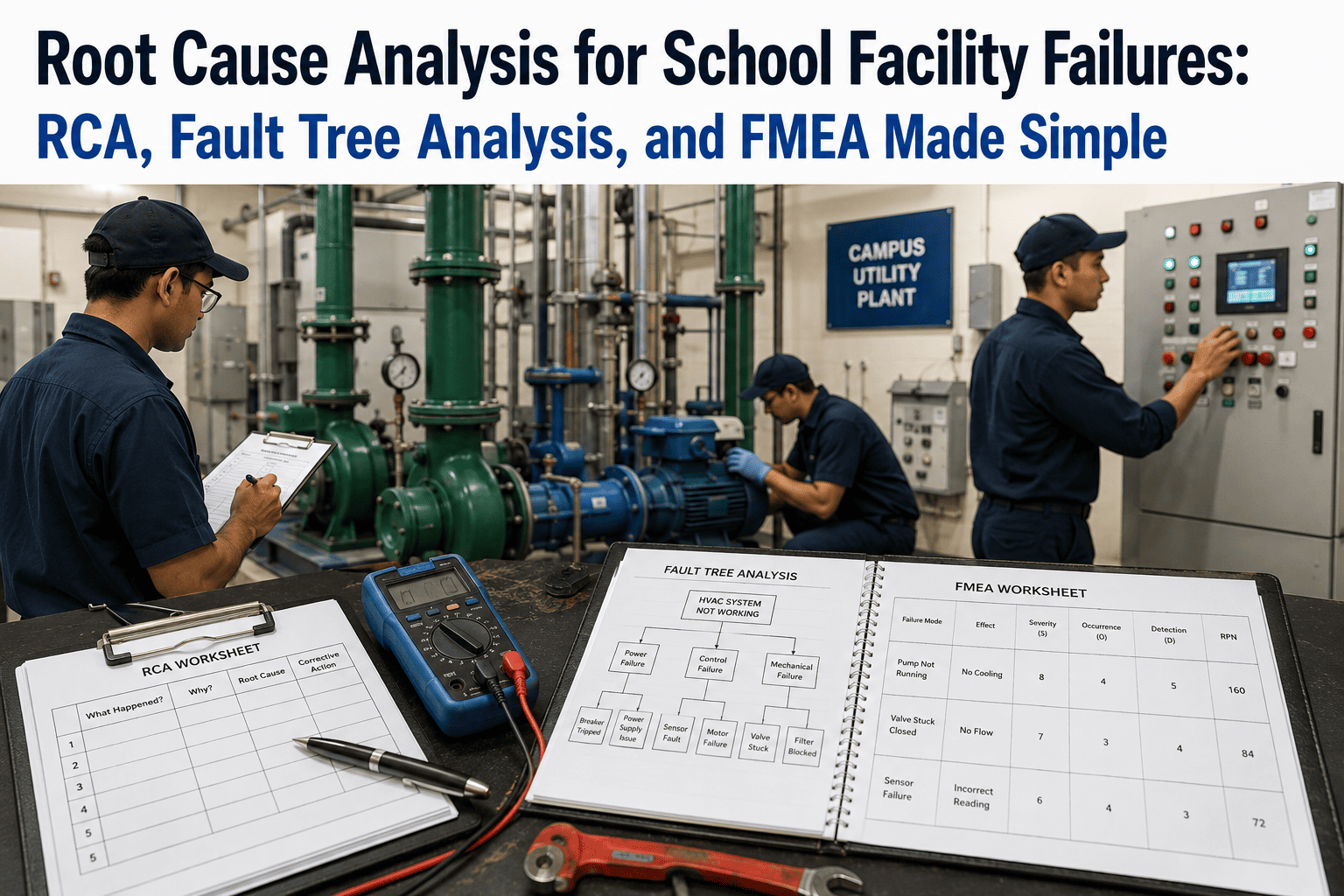
Root Cause Analysis (RCA) is not a fancy report. It is a disciplined process for finding the deepest correctable cause of a failure — not just the immediate symptom. If a pump seal leaks, the immediate fix is replacing the seal. But the root cause might be bearing misalignment causing vibration, which is caused by a worn coupling, which is caused by improper lubrication, which is caused by a missing PM task. RCA stops at the deepest point where you can take action. For campus facilities, the difference between "fixing" and "solving" a failure is the difference between a recurring maintenance headache and a permanently reliable asset.
RCA answers three questions:
What happened? (the failure event)
Why did it happen? (the chain of causes)
What will we do to prevent it from happening again?
Most Common Campus Failures
HVAC compressors, chilled water pumps, fire alarm panels, backup generators, air handlers, cooling towers
Typical Immediate Fix
Replace part, reset system, call vendor — no investigation
Repeat Failure Rate Without RCA
67% within 12 months
Repeat Failure Rate With Formal RCA
Under 20%
Average RCA Investigation Time
4–8 hours for a trained team (vs. weeks of recurring failures)
Annual Savings from RCA Programme
$150K–$500K for a mid‑sized campus
Three Essential RCA Tools: FTA, PFMEA, and DFMEA Explained
Fault Tree Analysis (FTA)
FTA is a top‑down deductive method. Start with the failure event (e.g., "Chiller fails to start") and work backward through logical gates (AND, OR) to identify all possible contributing causes. FTA is visual — a tree diagram that shows how component failures combine to cause the top event. Best for complex, multi‑cause failures like generator failure during an outage or simultaneous pump and control failures.
Example: Generator fails to start → (No fuel) OR (Battery dead) OR (Starter motor failed) → each branch broken down further.
PFMEA (Process Failure Mode Effects Analysis)
PFMEA is a bottom‑up preventive method used before failures happen. For each step in a process (e.g., chilled water plant startup, filter change procedure), you list potential failure modes, their effects, causes, and current controls. Then assign Risk Priority Number (RPN = Severity × Occurrence × Detection). Highest RPNs get corrective action. PFMEA turns reactive maintenance into proactive prevention.
Example: PM step "Lubricate bearing" → failure mode: wrong grease → effect: bearing seizure → cause: no lubricant specification → action: add grease type to PM procedure.
DFMEA (Design Failure Mode Effects Analysis)
DFMEA is applied during equipment specification or replacement. Before buying a new chiller, boiler, or pump, you analyze how the design could fail in your specific campus conditions (e.g., variable flow, poor water quality, high cycling). DFMEA prevents buying equipment that is inherently unreliable for your application. Many campus repeat failures trace back to a design mismatch that DFMEA would have caught.
Example: Specifying a constant‑speed pump for a variable‑flow system → premature seal failure → DFMEA would flag "high cycling" as a failure mode and recommend VFD.
Step-by-Step Troubleshooting Methodology for Campus Facilities
1
Define the problem clearly
Not "pump not working" but "secondary chilled water pump P‑203 failed to start at 2:15 AM on March 12. No alarm was generated. Flow to Building 7 dropped to zero for 47 minutes before operator discovery." Get specific: asset ID, timestamp, operating condition, ambient factors, and what was different this time.
2
Collect all evidence before touching anything
Logs, trends, alarms, operator interviews, photographs, control system data. In 42% of campus failures, the evidence is destroyed during the repair (e.g., resetting a controller clears the fault log). Always download controller data, take photos, and interview witnesses before performing any corrective action.
3
Build a timeline and identify sequence
List every event from normal operation to failure, with timestamps. Include operator actions, setpoint changes, weather conditions, and other equipment status. The timeline often reveals the real cause — a setpoint changed two hours earlier, a valve that cycled differently, a maintenance activity that preceded the failure.
4
Use FTA to trace causes back
Build a fault tree from the top event down. Ask "what could cause this?" at each level. Use AND gates (all conditions must be true) and OR gates (any condition true). Stop when you reach causes that are correctable — not "bad luck" or "old age" but specific actions or conditions you can change.
5
Identify the root cause (the deepest correctable cause)
Apply the "Five Whys" or cause‑and‑effect matrix. The root cause is not the component that failed (e.g., "bearing failed") but the reason the component failed (e.g., "lubrication PM was scheduled every 6 months but manufacturer requires monthly for this duty cycle"). If you cannot prevent recurrence, you have not found the root cause.
6
Develop and implement corrective actions
Each root cause gets at least one corrective action. Actions must be specific, assigned, and tracked. Examples: update PM frequency, add an inspection step, install a sensor, change operating procedure, retrain staff. Distinguish between interim fixes (get the system running) and permanent corrective actions (prevent recurrence).
7
Validate and standardise
After corrective actions are implemented, monitor for at least three operating cycles (or six months) to confirm the failure does not return. Then update your FMEA, PM procedures, and operator training to embed the learning. A root cause analysis that doesn't change your maintenance programme is just a report.
Measured Impact: Before and After Implementing Formal RCA
Before RCA (Reactive Mode)
67% of failures repeat within 12 months
Average 3.2 repair attempts per chronic failure
Root cause unknown in 78% of cases
Same failure occurs across multiple similar assets
Maintenance team spends 40% of time on repeats
Vendor recommendations accepted without question
No learning transferred between shifts or campuses
After Formal RCA + iFactory Analytics
Repeat failures reduced by 73%
90% of failures have documented root cause
Cross‑asset learning prevents repeats on identical equipment
Maintenance time on repeats drops to under 15%
Predictive analytics catch 40% of failures before they occur
RCA database shared across all campuses
73%
reduction in repeat failures after implementing formal RCA programme
45%
lower unplanned downtime across HVAC, pumps, and electrical systems
40%
of failures caught before failure with FMEA + predictive analytics
60%
faster troubleshooting with digital RCA templates and fault trees
100%
audit trail for every RCA — essential for compliance and training
3–6 mo
typical payback from reduced repeat failures and overtime
Common Campus Failure Scenarios and Their Root Causes
Root cause found via FTA: Liquid refrigerant slugging due to improper superheat control. Caused by TXV valve sticking. TXV sticking caused by contamination from brazing debris left in lines after previous repair. Corrective action: install suction line filter, update repair procedure to include nitrogen purge during brazing.
Emergency Generator Fails to Start
Symptom: Generator fails during monthly test and during actual outage. Repair: replace battery.
Root cause: Battery charger output voltage too high, boiling electrolyte. Cause of high voltage: charger setpoint drifted due to failed voltage reference component. Corrective action: install battery monitor with voltage alarm, add charger output check to weekly PM, replace all chargers older than 10 years.
Root cause: Dust ingress through unsealed conduit penetrations. Caused by original installation not following code for dust‑prone areas. Corrective action: seal all conduit entries, install filtered detector covers, update inspection to include visual check of seals.
How iFactory Automates and Accelerates RCA for Campus Facilities
Automated Data Collection
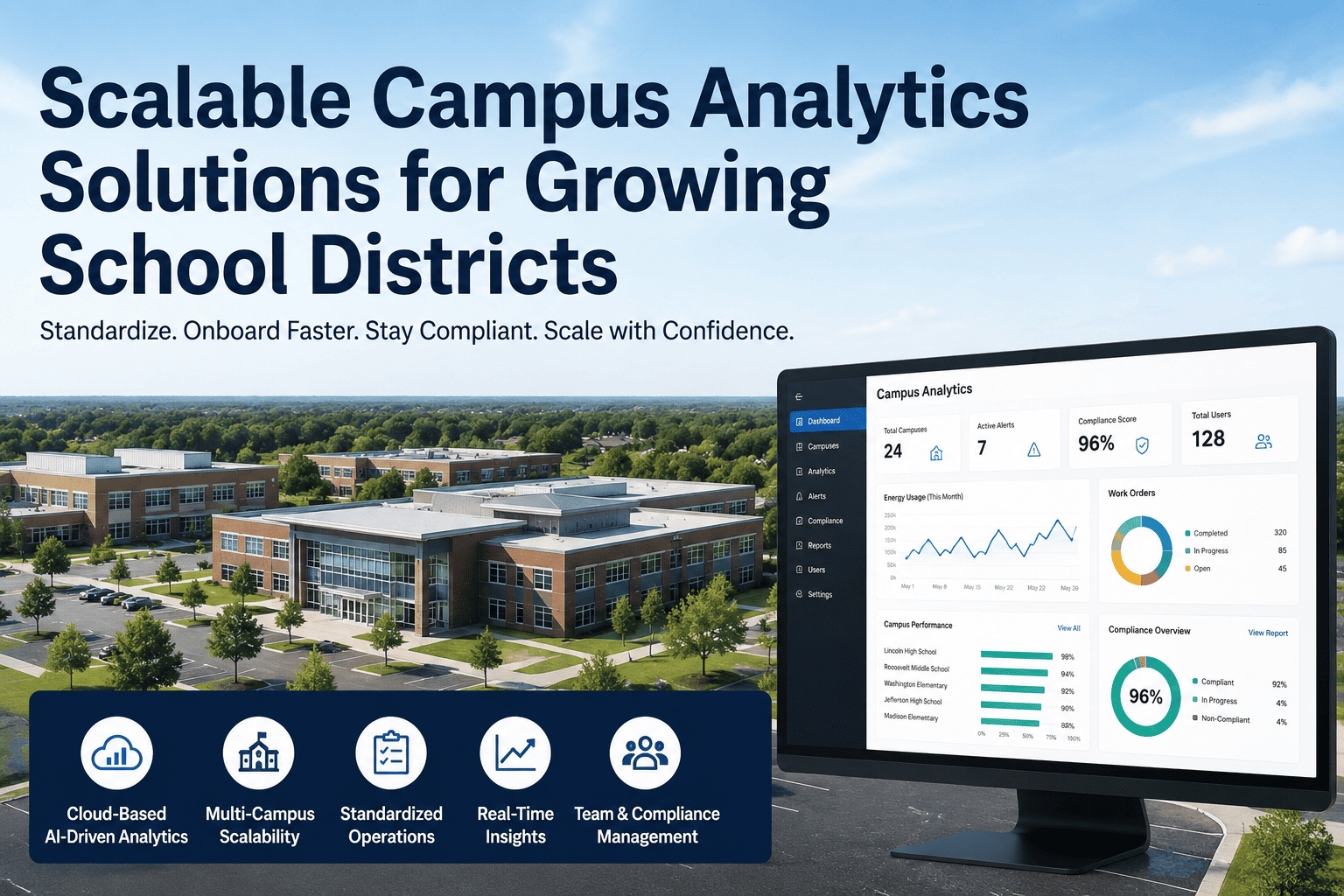
iFactory edge nodes connect to your DCS, PLCs, and BMS to automatically capture trends, alarms, and operating conditions before and after every failure. No more manual log retrieval — all data needed for RCA is timestamped and stored automatically.
Digital RCA Templates
Pre‑built fault tree templates for common campus assets (chillers, pumps, boilers, generators, air handlers). Answer questions, upload photos, and the system builds a visual fault tree automatically. Reduces RCA documentation time by 60%.
Predictive Analytics Integration
iFactory’s AI models detect failure patterns before the next failure occurs. When a chiller shows the same vibration signature as the last compressor failure, an alert is generated — with the previous RCA attached. This turns historical RCAs into predictive rules.
Cross‑Campus Learning
When one campus finds a root cause, every campus gets the solution. iFactory’s cloud platform shares anonymised RCAs, corrective actions, and updated PM procedures across your entire district or university system. One failure, one RCA, zero repeats anywhere.
Stop repeating the same failures. Get the RCA playbook that reduces repeat failures by 73% and cuts unplanned downtime by 45%.
FAQ: Root Cause Analysis for School and University Facilities
RCA is the overall process of finding root causes after a failure. Fault Tree Analysis (FTA) is a specific visual tool used during RCA to map causes backwards from the failure event. FMEA (Failure Mode Effects Analysis) is a preventive tool used before failures happen to identify potential failure modes and their effects. Use FMEA to prevent, RCA to solve, and FTA as your map during RCA. Book a demo to see iFactory’s digital RCA templates.
For a trained team using digital templates, a moderate‑complexity RCA (e.g., chiller failure, pump seal repeat failure) takes 4–8 hours of investigation plus 2 hours for documentation and corrective action planning. Without a structured method, the same RCA might take days or never get done. iFactory reduces RCA time by 60% with automated data collection and pre‑built fault trees.
No. You can do basic RCA with whiteboards and sticky notes. But for a campus with 50+ buildings and hundreds of assets, manual RCA becomes slow and learning is lost. iFactory provides digital RCA templates, automated data collection from your DCS/BMS, and a searchable RCA database so you never solve the same root cause twice. Talk to support about starting with a low‑cost pilot.
Start with one champion per campus. Use iFactory’s built‑in RCA templates as guided workflows — the system asks the right questions and builds fault trees automatically. After 3–5 RCAs, the team internalises the method. Many campuses also use our 2‑day virtual workshop for team training. Book a demo to see the guided RCA workflow.
Yes. iFactory connects to all major CMMS platforms. When a work order is closed, the system can prompt for an RCA if the failure was a repeat. Completed RCAs attach to the asset record, and corrective actions generate new PMs or inspection tasks automatically. Talk to support for your specific CMMS.
Campuses typically see full payback within 3–6 months from reduced repeat failures, lower overtime, and fewer emergency repairs. One 15‑building school district saved $210,000 in the first year by eliminating three chronic chiller failures and two generator failures through RCA. Book a demo for a custom ROI estimate.
Turn Every Failure into a Lesson That Sticks
Stop solving the same problem twice. iFactory gives you digital RCA templates, automated data collection, fault tree builder, and cross‑campus learning. Reduce repeat failures by 73% and cut unplanned downtime by 45%.