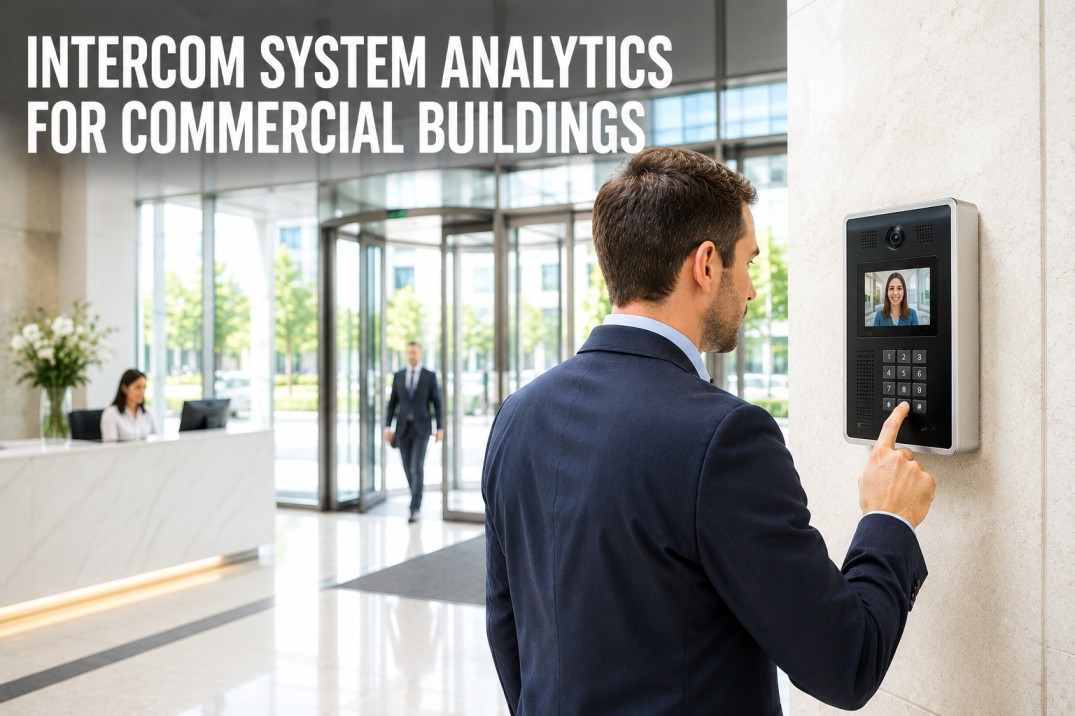
Intercom and video entry systems are the primary communication gateway between building occupants, visitors, and management in commercial properties, yet they are among the most commonly neglected components of building infrastructure — with an estimated 25–35% of installed systems suffering from degraded audio quality, unresponsive call buttons, outdated tenant directories, or failed integration with access control systems within two years of installation. Unlike security cameras that fail visibly (a black screen is noticed immediately), intercom failures often go undetected until a visitor cannot reach a tenant, a package delivery is missed, or an emergency communication fails. Effective intercom system maintenance covers six essential domains: audio quality testing to confirm clear two-way communication, video camera inspection for entry stations, tenant directory management to ensure accurate and up-to-date listings, access control integration verification to confirm door release and credential interoperability, network connectivity checks for IP-based systems, and power supply testing to prevent system downtime during outages. This page profiles five common intercom system types and their maintenance characteristics, presents a comprehensive service checklist organized by inspection category, maps the typical intercom system architecture with key integration points to access control and building management systems, provides a troubleshooting reference for the most frequent intercom faults, and outlines a periodic maintenance schedule from monthly audio checks through annual system-wide testing.
Intercom System Analytics for Commercial Buildings
A reliable intercom system is essential for building security, tenant satisfaction, and operational efficiency in commercial properties. Yet most facilities teams lack a structured maintenance program for their intercom infrastructure, relying on tenant complaints rather than preventive servicing to identify problems. The framework below provides a complete maintenance and inspection reference for commercial intercom systems of any scale or technology type.
Never Miss a Critical Intercom Maintenance Check
iFactory's platform includes intercom health monitoring, audio quality verification, tenant directory audit tracking, and automated inspection scheduling for commercial building entry systems. Book a demo to see how proactive intercom maintenance improves tenant satisfaction and building security.
Intercom System Types and Maintenance Characteristics
Each intercom system type has different technology, wiring, and component requirements that determine maintenance frequency, common failure modes, and the specific inspection points technicians must verify during routine servicing.
Intercom Service Checklist — Six Inspection Categories
A comprehensive intercom maintenance program covers six service categories, each with specific inspection items that should be verified at defined intervals. The checklist below provides a complete reference for technicians performing routine intercom system servicing across commercial building installations.
- Verify two-way audio clarity on all stations
- Check volume levels are adequate and adjustable
- Test for echo, feedback, or background noise
- Confirm hands-free microphone sensitivity
- Test audio in both talk and listen modes
- Clean camera lens and housing at entry stations
- Verify video appears on all tenant station screens
- Check night vision or low-light performance
- Confirm field of view covers visitor area
- Test video recording if system supports it
- Verify all tenant names and room numbers are correct
- Check directory display for readability and damage
- Test directory search or alphabetical listing
- Update any tenant changes (move-ins, move-outs)
- Confirm directory matches current building occupancy
- Test door release from each tenant station
- Verify integration with access control system
- Check scheduled unlock or after-hours mode
- Test emergency override and fire alarm integration
- Confirm audit trail logs are being recorded
- Check switch port status and PoE power delivery
- Verify network bandwidth and latency are within spec
- Test SIP server or PBX registration (IP systems)
- Check VLAN configuration and firewall rules
- Review system event logs for network errors
- Verify main power supply voltage and connections
- Test UPS or battery backup for entry panel
- Check power supply for tenant station units
- Inspect wiring for corrosion or loose connections
- Test system reboot and recovery time after power loss
Automate Intercom System Health Monitoring
iFactory's platform continuously monitors intercom audio quality, call completion rates, network connectivity, and integration status across your entire building entry system. Schedule a demo to see how automated intercom monitoring improves tenant experience and reduces maintenance response time.
Intercom System Architecture and Integration Points
Modern intercom systems are increasingly integrated with access control, building management, and tenant communication platforms. Understanding the end-to-end architecture helps maintenance teams identify the critical integration touchpoints where failures are most likely to occur.
Outdoor or lobby panel with camera, microphone, speaker, directory, and call button. Primary visitor interface point.
Central processing unit managing call routing, door release logic, and integration with access control and building systems.
Indoor unit at each tenant location for answering calls, viewing visitors, and releasing doors. Available as desk phones, wall units, or mobile app.
Door strike, magnetic lock, or turnstile controlled by intercom. Integration testing is critical for security and tenant access.
Common Intercom Issues — Causes and Solutions
Most intercom system faults fall into a small number of recurring categories. The reference below provides a quick troubleshooting guide for the nine most frequent problems encountered during commercial intercom maintenance, organized by symptom with likely cause and recommended solution.
Intercom Maintenance Schedule — Monthly Through Annual
A structured maintenance schedule ensures that all critical intercom components are inspected at the appropriate frequency. The cadence below organizes service activities from quick monthly audio and directory checks through comprehensive annual system testing that includes full integration verification and documentation review.
Audio test on all stations, camera lens cleaning, tenant directory accuracy check, call test from entry to random tenant stations, visual inspection of all hardware.
Door release test on all entry points, access control integration verification, network connectivity and PoE check, firmware review, battery backup test.
Full system deep test: every station call tested, directory completely audited, all firmware updated, wiring inspected, integration with access control fully validated, system documentation updated.
Frequently Asked Questions About Intercom System Maintenance
How often should intercom audio quality be tested?
Audio quality should be tested monthly on every station in the system, with a test call from each entry point to a sample of tenant stations. The test should verify two-way audio clarity, adequate volume levels, and absence of echo or background noise. For multi-tenant buildings, rotate through different tenant stations each month so every station is tested at least once per quarter. Document any audio issues found and track recurring problems by station or entry point to identify underlying wiring or hardware faults that require corrective action beyond simple adjustment.
How do I maintain the tenant directory in a multi-tenant building?
The tenant directory should be audited monthly for accuracy, with changes reflected within 48 hours of any tenant move-in, move-out, or name change. For systems with networked directory management, assign a responsible person in the building management team to submit directory updates through the admin interface. For standalone or legacy systems that require on-site programming, schedule directory updates quarterly or as needed when tenant changes occur. Common directory issues include misspelled names, incorrect room numbers, duplicate entries for the same tenant, and missing entries for new tenants — all of which create confusion for visitors and delivery personnel.
What causes intercom door release failures and how can they be prevented?
Door release failures are the most common and most consequential intercom fault, typically caused by a faulty relay on the intercom controller board (30% of failures), wiring break or loose connection between the controller and door strike (25%), failed door strike solenoid (20%), incorrect voltage or power supply issue (15%), or integration logic error where the access control system is blocking the release command (10%). Prevention requires quarterly testing of every door release point with both the intercom call-and-release sequence and the direct access control credential method, ensuring both paths operate correctly. Track door strike replacement dates — most magnetic strikes have a rated life of 200,000–500,000 cycles, which translates to 3–5 years in a busy commercial entrance.
How do IP-based intercom systems differ in maintenance from analog systems?
IP-based intercom systems add network infrastructure as a maintenance domain that does not exist in analog systems. Where analog systems require only audio and wiring checks, IP systems require network connectivity verification, PoE power delivery testing, SIP or PBX registration monitoring, VLAN and firewall rule validation, firmware update management, and cybersecurity patching. The advantage of IP systems is remote diagnostics — most issues can be identified and many can be resolved without a site visit through remote management interfaces. The disadvantage is that network-related failures (IP conflicts, bandwidth saturation, switch port errors, DNS failures) now affect intercom functionality in addition to the traditional audio and hardware failure modes.
What should be included in an annual intercom system deep service?
An annual deep service should include testing every station in the system (not a sample), cleaning all cameras and stations, inspecting and tightening all wiring connections, updating all firmware to the latest manufacturer-recommended version, validating full integration with access control and building management systems, testing battery backups under load, reviewing and updating system documentation including wiring diagrams and tenant directory, checking surge suppression and grounding, and reviewing the system event log for patterns that indicate developing problems. The annual deep service should also include a review of maintenance records from the past year to identify stations or components with recurring issues that may need replacement before they fail.
Keep Your Building's Entry System Reliable With Automated Monitoring
iFactory's platform monitors intercom call completion rates, audio quality metrics, network connectivity, and integration status across your entire building entry system, alerting your team the moment an issue arises. Book a demo to see how proactive intercom maintenance improves tenant satisfaction and building access security.