When a maintenance technician discovers a parts shortage while staging a work order, the procurement failure already happened — it happened three weeks ago when the last unit was consumed, and nobody was watching the bin. The emergency freight charge that follows is not a procurement cost. It is the invoice for a monitoring gap. Power plants running manual spare parts procurement pay this invoice repeatedly: the same critical bearings, the same seal kits, the same instrument air components going out for emergency delivery at 3–5 times the standard order cost because reorder thresholds exist in the CMMS but nobody checked them, the vendor lead time changed two quarters ago, and the upcoming PM schedule was never factored into the safety stock calculation. iFactory's AI-driven analytics platform closes this gap permanently — connecting real-time inventory monitoring to automated purchase order generation, schedule-aware reorder evaluation, and approval routing that submits the PO before the shortage exists, not after the work order is on hold.
Spare Parts Procurement Automation · Power Plant AI-driven · Zero Emergency POs
Your Next Emergency Parts Order Already Failed. Here's How to Make It the Last One.
iFactory's AI-driven procurement automation monitors every part in your inventory master in real time, evaluates reorder needs against your maintenance schedule and supplier lead times, and auto-generates POs through your approval hierarchy — before the shortage reaches your maintenance team.
68%
of emergency maintenance delays caused by parts not in stock
3–5×
higher cost for emergency-procured vs. planned reorder parts
$289K
emergency freight reduction in year one at a 480 MW plant
4 mo
typical payback period on procurement automation investment
The Real Anatomy of a Parts Emergency — and Where Automation Intercepts It
Every emergency parts order traces back through the same decision tree. Understanding exactly where the failure occurs is the prerequisite for designing an automation that intercepts it at the right point — not just faster, but earlier.
How Parts Emergencies Happen
The failure chain in manual procurement
Reorder threshold was set at commissioning and never updated against actual consumption or lead time changes
Inventory drops below threshold but no alert fires — monitoring requires someone to check the system
Shortage discovered when technician stages a work order — typically 5–14 days after the threshold breach
Manual PO process adds 2–5 days of procurement queue delay before the order reaches the supplier
Standard supplier lead time starts after PO submission — 3–10 days for most stocked items
Emergency freight paid to compress lead time — at 3–5× the cost of a planned order
Total elapsed time from threshold breach to parts arrival: 10–29 days of preventable delay
Where Automation Intercepts It
The AI-driven procurement loop
Thresholds set and continuously updated by AI using consumption history, lead time data, and PM schedule demand
Threshold breach detected in real time — reorder evaluation begins within minutes, not days
PO generated automatically before any work order is affected — maintenance team notified, not asked to act
Approval routing handled digitally through configured hierarchy — no procurement queue, no email chain
Confirmed PO reaches supplier at standard lead time — delivery before the next scheduled work order
Emergency freight eliminated for routine parts — reserved only for genuine unforeseeable failures
Total elapsed time from threshold breach to PO submission: under 2 hours for auto-approved reorders
Want to see the full procurement automation workflow configured for your parts categories? Book a 30-minute demo with iFactory's procurement team.
The 5-Stage Automated Procurement Cycle
iFactory's procurement automation runs as a continuous background process — five stages executing automatically from inventory event through receipt confirmation without human initiation at any stage. Each stage is independently configurable to match the plant's procurement procedure, approval thresholds, and supplier relationships.
Stage 01
Real-Time Inventory Monitoring with Dynamic Thresholds
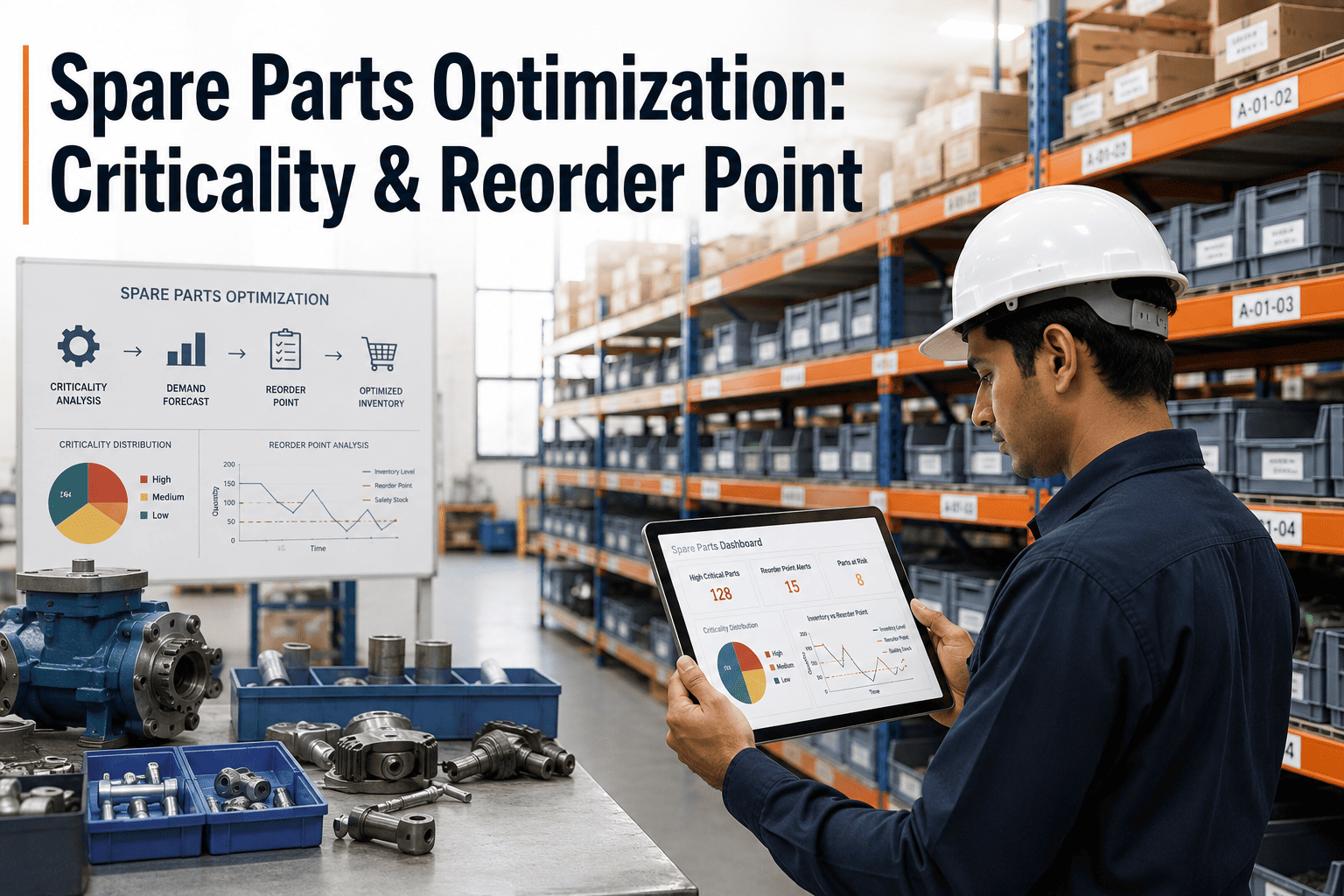
The platform monitors every part in the inventory master continuously against its AI-configured reorder threshold — not on a daily batch cycle. Thresholds are set per part using four inputs: 12–24 months of actual CMMS consumption history, confirmed supplier lead time from the vendor performance record, upcoming PM schedule demand over a configurable look-ahead window, and asset criticality weighting that increases safety stock margins for parts whose absence would cause a forced outage. When consumption reduces stock below the threshold, the breach is detected immediately and Stage 2 begins.
Trigger: Inventory falls below AI-calculated reorder threshold in real time
Stage 02
Schedule-Aware Reorder Evaluation
Before generating a PO, the platform evaluates the threshold breach against three contextual checks. First: are there open POs already in transit for this part number that would arrive within the lead time window — if yes, no duplicate is generated. Second: does the upcoming PM schedule create additional demand for this part within the look-ahead window — if yes, the reorder quantity is adjusted to cover both safety stock and scheduled demand. Third: has the supplier's confirmed lead time changed since the threshold was last set — if yes, the threshold is recalibrated before the quantity calculation. Only after passing all three checks does the platform proceed to Stage 3.
Output: Reorder confirmed with correct quantity, supplier, and required delivery date
Stage 03
Automated PO Generation and Supplier Selection
The platform generates a complete draft purchase order — part number, description, quantity, unit price from the approved supplier contract, required delivery date, and delivery address — without manual data entry. For parts with multiple approved suppliers, selection follows the configured rule: preferred supplier default, lowest current contract price, or fastest confirmed lead time. The draft PO is available for procurement coordinator review in review mode, or auto-submitted in auto-approval mode for routine reorders below the configured value threshold. All generated POs are linked to the triggering inventory event for full traceability.
Output: Complete PO draft generated and routed — average time under 8 minutes from breach detection
Stage 04
Approval Routing and Supplier Transmission
POs are routed through the plant's configured approval hierarchy based on value and part category. Reorders below the procurement coordinator's authority threshold route directly — the coordinator receives a notification with a one-click confirmation option. POs above the threshold route to the maintenance supervisor or plant manager for digital approval via mobile notification. After approval, the confirmed PO is transmitted to the supplier through the configured channel — EDI, email, or supplier portal — with automatic follow-up notifications if delivery confirmation isn't received within the expected window. All approval actions are timestamped and logged for compliance audit purposes.
Output: Confirmed PO transmitted to supplier before any work order is affected by the shortage
Stage 05
Receipt Confirmation and Inventory Update
When parts arrive, the receiving technician confirms receipt in the mobile CMMS app. The platform matches received quantity and part number against the original PO automatically — flagging any discrepancy for procurement coordinator review rather than accepting incorrect receipts into inventory. On a matched receipt, the inventory master updates immediately and the parts become available for work order assignment before paperwork is complete. Receipt confirmation also updates the supplier's on-time delivery record, which feeds the supplier scoring that informs future automated selection decisions and flags suppliers whose actual lead time is drifting away from their confirmed lead time.
Output: Inventory updated, work orders unblocked, supplier performance record current
Every Emergency PO Your Team Writes Is a Monitoring Gap the System Should Have Closed.
iFactory connects real-time inventory monitoring, AI threshold optimization, schedule-aware evaluation, and automated PO generation into a single procurement loop — so parts are ordered before the shortage reaches the maintenance team.
How iFactory Sets Reorder Thresholds: The 4-Input AI Optimization Model
The reorder threshold is the most consequential configuration decision in any spare parts automation program — and the most common failure point. Thresholds set too conservatively generate unnecessary inventory and tie up working capital. Thresholds set too aggressively create stockouts on parts with variable consumption. iFactory's threshold optimization engine uses four inputs per part to set the level that minimizes both risks simultaneously. Book a Demo to see threshold optimization run against your current inventory master.
Consumption History
12–24 months of CMMS part issue records, adjusted for outage cycle seasonality
Reorder point set at actual average demand × lead time, not commissioning-era assumption
Flat minimum quantity set at installation — wrong within 12 months for most parts
Supplier Lead Time
Confirmed delivery performance from vendor record, updated per order receipt
Safety stock covers the actual lead time, not the catalog estimate from two years ago
Lead time assumed from original setup — outdated after first supplier performance change
PM Schedule Demand
Upcoming work order material requirements over the configured look-ahead window
Reorder quantity covers safety stock plus scheduled demand — no dual ordering
PM requirements not linked to inventory — planner discovers shortage while building work order
Asset Criticality
Criticality rating and generation availability consequence of a stockout on this part
Higher safety stock margins set automatically for parts whose absence causes forced outage
Same minimum quantity rule applied to critical and non-critical parts indiscriminately
What Changes When Procurement Automation Is Fully Active: Measured Outcomes
The financial and operational impact of AI-driven procurement automation is measurable across four dimensions that maintenance managers, procurement teams, and plant finance all track. The outcomes below reflect iFactory's power plant deployment data and industry benchmarks for automated MRO procurement at generating facilities.
75–85%
Reduction in Emergency Procurement Events
Achieved within the first operating year. The remaining emergency procurements are parts not in the inventory master — genuine unforeseeable failures — rather than routine reorder failures on tracked parts. Emergency freight premiums, typically 15–25% of total parts spend without automation, fall below 4% with full coverage.
25–40%
Reduction in Total Spare Parts Inventory Value
Achieved within 18–24 months through AI-optimized threshold recalibration. The reduction comes from eliminating dead stock and over-buffered slow movers — not from reducing safety stock on critical parts. Critical parts thresholds typically increase when set against actual criticality and lead time data rather than conservative flat minimums.
40–60%
Procurement Coordinator Capacity Recovered
Manual routine reorder processing consumes 40–60% of procurement coordinator time at most power plants. With automation handling routine reorders, that capacity redirects to supplier relationship management, contract negotiation, and vendor qualification — activities that generate long-term cost reductions rather than administrative throughput.
3–6%
Parts-Related Work Order Delays (Down from 18–28%)
Parts availability is the most common reason planned maintenance work orders are rescheduled at power plants — affecting 18–28% of all planned work orders without automated procurement. With automation ensuring parts are on-hand before the work order due date, parts-related delays fall to 3–6%, with remaining delays from labor availability and scope additions, not procurement failures.
Expert Perspective
"We were spending roughly $340,000 a year on emergency freight at a 480 MW plant — and when I dug into the data, 78% of those emergency orders were for parts that were in our inventory master with a reorder point configured. The reorder points just hadn't been updated since commissioning seven years earlier. Nobody was monitoring stock levels systematically enough to catch a breach before it became a shortage. When we implemented automated threshold monitoring connected to the procurement system, the AI threshold recalibration found over 200 parts with wrong reorder levels — some carrying dead stock, some critically under-buffered. In the first full year after turning on automated PO generation, emergency freight dropped from $340,000 to $51,000. That's $289,000 recovered in year one. The system paid back in four months. The part I didn't expect: my procurement coordinator used to spend most of her day on reorder paperwork. Now she spends it on supplier negotiations that are actually driving unit costs down year over year."
Maintenance and Procurement Manager
480 MW Combined Cycle Plant — U.S. Southeast — CMRP Certified — 11 Years Power Plant Procurement
$289KYear-1 freight savings
4 moROI payback
78%Emergency orders were trackable parts
Conclusion: Procurement Automation Is the Last Manual Step in an Otherwise Automated Maintenance Program
Power plants have automated work order generation from predictive maintenance alerts, automated PM scheduling from run-hour counters, and automated condition monitoring from historian-connected sensor networks. But when a reorder threshold is breached, the typical response is still a human manually noticing, manually requesting, and manually tracking a purchase order. iFactory's procurement automation closes this gap — extending the AI-driven analytics program through the full procurement cycle, from the inventory event that triggers the reorder through the PO, the delivery, and the receipt confirmation that updates the inventory master and unblocks the next work order.
The emergency procurement problem at power plants is not a supplier problem or a budget problem. It is a monitoring and timing problem — and both are exactly what automation solves. Book a Demo to see iFactory's procurement automation configured for your plant's parts inventory, supplier relationships, and approval hierarchy.
Frequently Asked Questions
Which ERP and procurement systems does iFactory integrate with for automated PO generation?
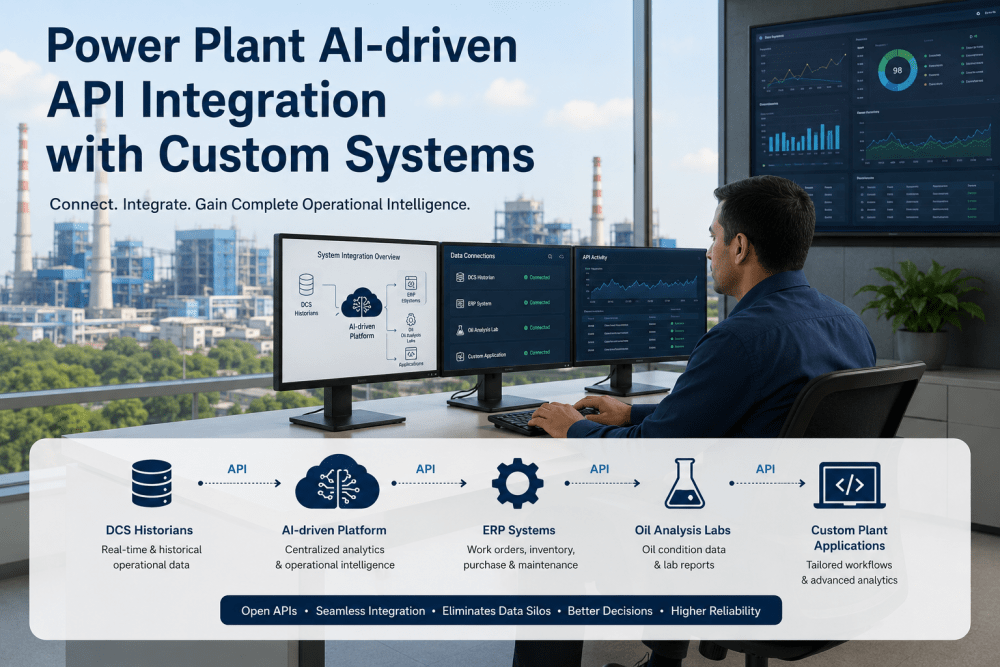
iFactory integrates with SAP (PM and MM modules), Oracle, Microsoft Dynamics, Maximo, and Infor EAM through standard API and EDI connections. For SAP environments, iFactory generates purchase requisitions directly in SAP's PR workflow — maintaining the SAP-based approval chain while adding AI-driven threshold monitoring and schedule-awareness that SAP MM doesn't natively provide. For plants using standalone procurement systems or supplier portals, iFactory generates POs in its own procurement module and transmits to suppliers through email, EDI, or portal integration. The integration method is confirmed during implementation scoping against your specific ERP version and configuration.
Book a Demo to walk through the integration options for your environment.
Can the system be set to require human review before every PO is submitted, or is auto-submission required?
Human review is fully configurable at three levels and most plants start in review mode. Auto-review mode submits routine reorders below the configured value threshold automatically after a confirmation window — typically 4–24 hours — during which the procurement coordinator can intercept the PO before it transmits. Review-required mode routes every PO to the coordinator for manual confirmation before transmission, regardless of value — eliminating manual PO creation while maintaining full human oversight. Hybrid mode applies auto-submission below the threshold and review-required above it. Most plants run review-required for the first 90 days of deployment while the threshold configuration is validated, then transition to hybrid once confidence is established.
How long does threshold optimization take and when does the automation become fully operational?
For a plant with 12+ months of CMMS consumption history, the AI threshold optimization produces a proposed reorder level for every part in the inventory master within 5–10 business days of data access. The proposed thresholds are reviewed with the maintenance and procurement teams in 2–3 working sessions — accepting, adjusting, or flagging each proposed level. After threshold approval, the procurement workflow configuration — supplier mapping, approval routing, PO template setup, and ERP integration testing — takes 3–6 additional weeks. Most plants are fully operational with automated procurement running within 8–12 weeks of project start, with the first automatic PO generated during configuration testing before full go-live.
Book a Demo to receive a configuration timeline scoped to your inventory size and ERP environment.
How does the automation handle parts that require competitive bidding or have multiple approved suppliers?
Multi-supplier parts follow a configurable selection rule set applied per part category or individual part number. For single-supplier contracted parts, the automation selects that supplier and generates the PO against contracted pricing automatically. For multi-supplier parts, the configured rule applies — preferred supplier default, lowest current contract price, or fastest confirmed lead time. For parts above the competitive bidding threshold set in the plant's procurement procedure, the automation generates an RFQ routed to the approved supplier list and holds the reorder in pending status until the quote review is complete. All rules are independently configurable per part category to match the plant's existing procurement policy exactly rather than imposing a generic workflow.
What happens if a supplier delivers the wrong part or wrong quantity — how does the receipt discrepancy process work?
Receipt discrepancy management is built into Stage 5 of the automation. When the receiving technician scans receipt and the part number or quantity doesn't match the open PO, the platform flags the discrepancy immediately and routes it to the procurement coordinator — generating a notification with the original PO details, received quantity, and variance. The inventory master is held at the pre-receipt quantity until the discrepancy is resolved, preventing inflated inventory records from incorrect receipt scanning. The discrepancy is logged against the supplier's performance record, which contributes to the supplier scoring that drives future automated selection. Suppliers whose actual delivery performance diverges from their confirmed lead time are automatically flagged for lead time recalibration, which triggers threshold recalculation for all affected parts.
Book a Demo to see the full receipt and discrepancy workflow demonstrated.
Stop Writing Emergency POs. Start Running Procurement on Autopilot.
iFactory's procurement automation monitors every part in real time, evaluates reorders against your maintenance schedule and supplier lead times, and submits POs through your approval hierarchy — automatically, before any work order is blocked by a parts shortage.