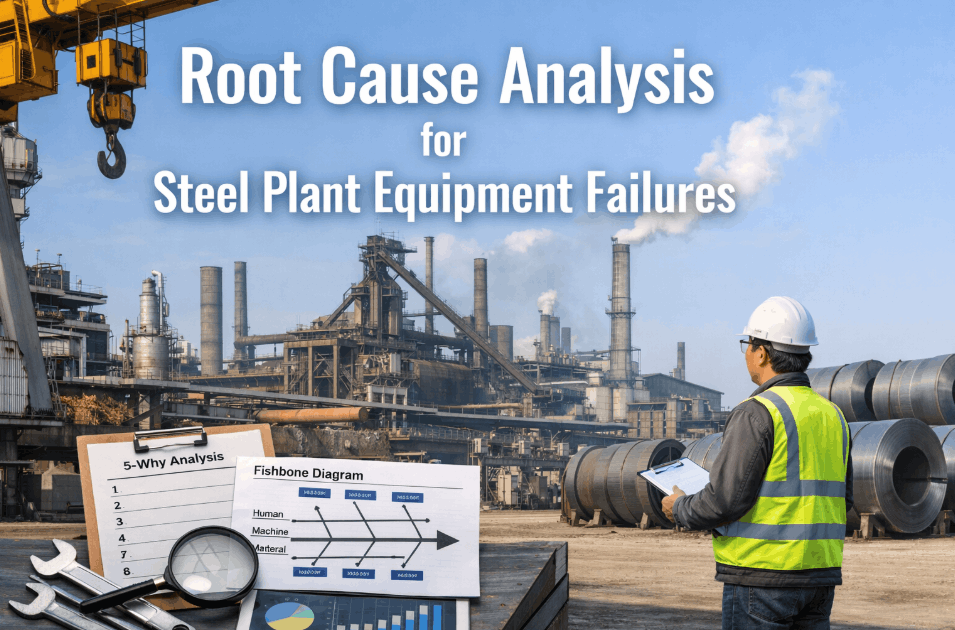
Every steel plant maintenance team responds to breakdowns — but only the best teams eliminate them. The difference between a plant that has the same failures every year and one that continuously improves its reliability lies in the quality of root cause analysis applied after each significant failure event. Root cause analysis in steel plant maintenance is not a paperwork exercise — it is the systematic process of identifying why a failure occurred at a deeper level than "the bearing failed" or "the hydraulic seal leaked," and implementing actions that prevent recurrence rather than simply replacing the failed component. Without structured RCA, the same failures repeat: the same ladle crane rope replaced on the same schedule, the same rolling mill gearbox bearing failing on the same pattern, the same BOF hydraulic oil fire in the same system — year after year. iFactory's RCA Tools and Failure Analytics platform brings structured 5-Why analysis, fishbone diagramming, and failure pattern recognition together in one system connected to SAP PM work order history — enabling maintenance teams to identify recurring failure patterns across thousands of work orders and implement targeted elimination actions that permanently remove the most expensive failures from their plant's performance profile.
Root Cause Analysis for Steel Plant Equipment Failures — 5-Why, Fishbone & AI Pattern Recognition
Eliminate recurring steel plant breakdowns using structured RCA methodology — 5-Why analysis, fishbone diagrams, failure data analytics, and SAP PM-connected corrective action tracking.
The 5-Why Method — A Real Steel Plant Bearing Failure Example
The 5-Why technique traces a failure from its symptom to its true root cause by asking "why" five times. Each answer reveals a deeper cause. The final cause — the one where your corrective action can break the chain — is the root cause. iFactory structures every major failure investigation as a 5-Why cascade, linked to the SAP PM work order. See iFactory RCA tools on your plant's own failure history.
Failure Pareto Analysis — Where to Focus Your RCA Effort
Pareto analysis of SAP PM work order data reveals that 10–15 failure types typically account for 65–70% of total maintenance cost. iFactory runs this analysis automatically on your SAP PM data — identifying the failures that deserve structured RCA attention versus the routine failures that are already well-managed.
Fishbone Analysis — The 6 Cause Categories for Steel Plant Failures
The Ishikawa (fishbone) diagram organises potential failure causes into six categories — helping investigation teams avoid missing systemic causes and focusing only on the most obvious component failure. iFactory's RCA template pre-populates each category with steel plant-specific prompts based on the failure type and asset class.
AI-Powered Failure Pattern Recognition — Finding Recurring Failures Across 10,000+ Work Orders
A single bearing failure is an event. Twelve bearing failures on similar equipment over 18 months is a pattern — and the pattern is where the ₹ opportunity lies. iFactory's failure analytics engine scans all SAP PM work orders, clusters failures by equipment type, failure mode, and time pattern, and surfaces recurring failure chains that human review would never catch at scale.
Failure Clustering
iFactory groups failures by asset class, fault code, and time interval — identifying that 8 pump failures in 6 months all shared the same fault code, same shift pattern, and same upstream process condition. Human analysts miss this; the AI finds it in seconds.
Cascade Failure Detection
iFactory's digital twin identifies when one asset failure creates conditions for a second — a worn coupling that causes vibration in the downstream gearbox, or a fouled heat exchanger that causes motor overtemperature. Corrective action on the root asset prevents the cascade.
PLC Process Correlation
iFactory correlates failure events with PLC process parameters at the time of failure — identifying that the pump failures occurred when upstream pressure exceeded 180 bar, pointing to a process control issue as the true root cause rather than the pump itself.
SAP PM Corrective Action Tracking
Every RCA corrective action is tracked in iFactory as a SAP PM maintenance notification — with due date, responsible person, and verification step. iFactory confirms the action was implemented and monitors whether the failure recurred after the fix.
What a Reliability Engineer Said
We had been replacing the same conveyor drive gearbox bearing every 4–6 months for three years. Each time, we replaced the bearing and closed the WO. iFactory's failure pattern analysis flagged it — 9 failures over 3 years, same gearbox, same failure mode. The RCA revealed the issue was not the bearing at all — it was misalignment of the drive shaft causing preload on the bearing outer race. We realigned the drive once. No bearing failures in 14 months since.
Frequently Asked Questions
Which failures require a formal 5-Why RCA in a steel plant?
All P1 safety incidents, any failure costing >₹10 lakh in repair or production loss, and any failure that is the third occurrence of the same fault code on the same asset class within 12 months. iFactory automatically flags these three triggers and opens an RCA case in the system.
How does iFactory's failure pattern analysis work with SAP PM data?
iFactory reads SAP PM notification and order history — failure codes, asset IDs, completion dates, and cost — then clusters failures by equipment type, fault pattern, and time interval. The pattern report is generated monthly and shows which failure types are recurring and which RCA actions reduced recurrence after implementation.
Can iFactory track whether corrective actions from RCA actually worked?
Yes — iFactory monitors the failure rate of each asset class after each corrective action is implemented. If the same failure recurs within 12 months of the RCA action closure, iFactory reopens the case automatically and flags it as an ineffective corrective action requiring further investigation.
How long does a structured RCA investigation typically take with iFactory?
For a P1 failure, iFactory's structured template guides the team through data collection, 5-Why analysis, fishbone completion, and corrective action definition in one 4-hour investigation session. The completed RCA report — with all SAP PM data linked — is ready for management review within 24 hours of the failure event.
Find Your Recurring Failures with iFactory RCA Tools
Free failure pattern report from your SAP PM data — top 10 recurring failures identified in 5 days.