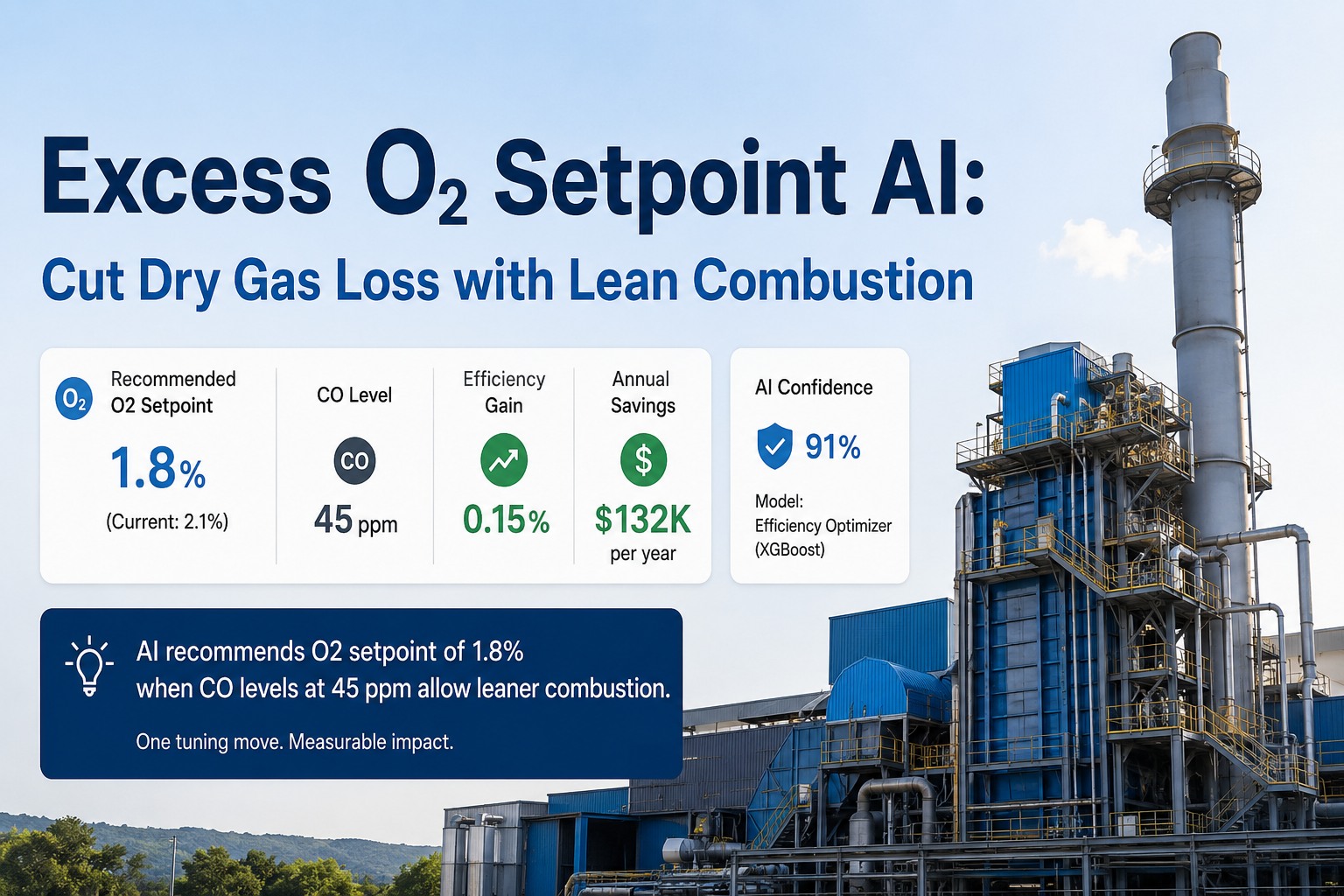
A boiler running natural gas or coal is rarely tuned to the efficiency it could deliver. Burner technicians on a calibration visit set excess O2 conservatively — typically 3% or thereabouts in the flue, which translates to roughly 15% excess air, because ambient temperature, barometric pressure, humidity, and fuel composition all wander between visits. The Department of Energy's tip sheet on combustion efficiency and the published references behind it are direct on the cost: every percent of excess O2 sitting in the stack is roughly a percent of efficiency lost. iFactory's Efficiency Optimizer is an XGBoost combustion model that watches your boiler's own steady-state data — flue O2, CO ppm, stack temperature, fuel flow, load — and recommends an O2 setpoint trim move whenever the CO curve says the burner can run leaner safely. Real example below: O2 from 2.1% trimmed to 1.8% with CO sitting at 45 ppm, 0.15% efficiency gained, ~$132K/year recovered from one move on one boiler at one load point. The model recommends. The combustion engineer reviews. The DCS operator clicks. The model never writes to the burner. Ships pre-loaded on a turnkey on-prem AI server — RTX PRO 6000 Blackwell digital twin server paired with two NVIDIA AGX Orin edge gateways for PLC and CCTV ingest — racked, plugged in, and live in 6–12 weeks from PO.
Excess O2 Setpoint AI
For Combustion Tuning & Dry Gas Loss Recovery
XGBoost model trained on your boiler's steady-state operating envelope. Recommends a leaner O2 setpoint when the CO curve allows — typically a 0.2–0.4% O2 trim, 0.1–0.2% efficiency gained, six-figure annual fuel savings per boiler from a single move. Real recommendation: O2 2.1% to 1.8%, CO 45 ppm, 0.15% efficiency, ~$132K/yr at 91% model confidence. The AI recommends; engineer reviews; operator clicks. Owned outright, runs on-site on the AI server stack you also own outright.
Every Percent Of Excess O2 In The Stack Is About A Percent Of Efficiency Walking Out
CleanBoiler.org puts the relationship in plain terms: excess O2 means more air in the combustion stream than the burn needs, that air is heated and lost up the stack, and the proportion of efficiency lost roughly tracks the proportion of excess O2. Typical manual tuning sits at ~3% O2 with a deliberate safety margin for ambient drift. The Efficiency Optimizer's job is not to reset that margin — it's to detect when a specific operating point at a specific load with a specific fuel mix is currently running with more margin than it needs, and recommend a trim. Talk to our combustion lead about your current excess-O2 set points.
Quarterly tuning visit sets O2 conservatively to cover worst-case ambient. Between visits, the boiler runs leaner-capable conditions at conservative setpoint. Dry-gas loss accrues quietly — months of $11K/month at a load point that could be running 0.15% more efficient.
Model watches O2, CO, stack temp, fuel flow, load. When the steady-state pattern says the burner can run 0.2–0.4% leaner with CO staying inside the safe band, recommendation issued with confidence score and SHAP explanation. Engineer reviews. Operator commits the trim.
An AI that writes a setpoint into a combustion controller without human review is not a recommendation engine — it's an unvalidated controller. The Optimizer has no write path to the DCS or BMS. It produces a recommendation. The engineer reviews. The operator commits.
Anatomy Of A Single Trim Move That Pays For Itself
Below is the structure of a representative recommendation the Optimizer issues for a 50,000 lb/hr natural-gas-fired boiler running near full load. Numbers are illustrative — your actual savings depend on fuel cost, load profile, hours of operation, and where your current setpoint sits relative to the CO knee. The shape of the recommendation, however, is exactly what your engineer sees on the screen.
Combustion engineer opens the recommendation. Inspects SHAP factors, CO trend, NOx margin to permit. Edits, queries, or accepts.
DCS operator enters the new O2 setpoint manually in the BMS / O2 trim controller. Standard MOC procedure. Operator authority retained.
The Optimizer has no PLC write path to the burner controller. Recommendation only. This is architectural, not a policy that could be flipped.
Three Boxes That Make This Real — Owned, Racked, On Your Floor
A combustion AI doesn't run on a slide. It runs on the metal you bought. Every iFactory deployment ships as a turnkey stack — one inference server for the model and twin, two edge gateways that handle PLC tag ingest and CCTV stream ingest separately so neither can starve the other. We rack it, plug power and Ethernet, and it's live. The three nodes below are what arrive on your dock — together, they're the "end-to-end" piece.
Why three boxes, not one: the twin server runs the heavy model and visualisation. The PLC edge runs the tag-sync workload that has to be deterministic, low-latency, and never starve. The CCTV edge runs the vision workload that has to decode many RTSP streams without monopolising GPU memory the model needs. Splitting them is how you get reliable real-time on regulated infrastructure. Resister for Event.
From Flue Sensor To Engineer's Screen, Step By Step
A trim recommendation isn't an inference call. It's a pipeline — sensor read, steady-state filter, model inference, SHAP explanation, savings calc, queue to engineer. Every stage runs on a specific node in the stack above. The diagram below shows how data moves through the three boxes and where the human gate sits.
Flue O2, CO ppm, NOx ppm, stack temp, fuel flow, steam flow, load, drum pressure pulled from your DCS over OPC-UA at 1 Hz. Written to historian and forwarded to the twin server.
15-minute rolling check. Load drift inside ±2%. Stack temp stable. No alarm in window. If any check fails, no recommendation — model waits for stable conditions.
Model trained on your boiler's history, per fuel type and per load band. Predicts efficiency at candidate O2 setpoints. Identifies the leanest setpoint where projected CO stays under the safe-band threshold.
SHAP attributions for the recommendation. Confidence score from model variance + steady-state quality. Below 80% confidence, recommendation isn't surfaced — boiler waits for cleaner data.
Combustion engineer reviews the recommendation, SHAP factors, NOx margin to permit. DCS operator manually commits the trim in the BMS. AI never writes to the burner. Audit trail captures both decisions.
What The Optimizer Helps With — And What It Doesn't
Combustion AI vendors tend to promise large round numbers. The honest version is more textured. The Optimizer doesn't replace your tune-up cycle, doesn't eliminate the need for periodic O2 sensor calibration, and doesn't push your boiler past the manufacturer's combustion envelope. What it does is catch the small, recurring opportunities that conservative manual setpoints leave on the table — and adds them up across boilers, loads, and seasons.
From PO To Live Optimizer In Three Phases
A power plant or process plant is not a greenfield. There is a DCS, a historian, a CEMS, an operating procedure, and a combustion engineer who has seen vendor promises before. Deployment is staged so each phase produces a working artefact — not just a milestone update. Live in 6 to 12 weeks from PO, with global dispatch on the AI server stack and field engineers on the floor for cabling, integration, and operator training.
RTX PRO 6000 + 2× AGX Orin appliances ship pre-configured. Field tech racks them, plugs power and Ethernet, configures the OPC-UA bridge to your DCS. Combustion tags wired, historian write confirmed. 90 days of historical operating data pulled for model training.
XGBoost model trained per boiler, per fuel, per load band. Recommendations issued in shadow mode — visible to combustion engineer, not surfaced to operator. CO knee characterised against your historical operating envelope. NOx permit limits encoded.
Recommendations promoted from shadow to engineer queue. Combustion engineer and DCS operator training (3 days, on-site). 24×7 remote monitoring active. Rollout to additional boilers on a schedule operations controls.
Model retrained monthly on fresh operating data. Quarterly review with our combustion lead — accepted recommendation rate, realised savings, NOx headroom, sensor health. Optional after year one. Stack keeps running either way.
Hardware, Optimizer Software, Integration, Training — One PO
The Excess O2 Setpoint AI is delivered as a turnkey on-prem stack: the three-node AI server set above, the Optimizer software pre-loaded with model scaffolding, our combustion + AI engineers on the floor for tag mapping, model training, and operator training. 6–12 weeks from PO. Owned by you outright, no recurring license.
Pre-racked, burn-in tested, IEC 62443 zoned. Twin server runs the model; PLC edge handles tag ingest; CCTV edge handles vision. Air-gapped from public internet. One-time CapEx. Global shipping included.
XGBoost model scaffolding, steady-state filter, SHAP explainer, savings calculator, recommendation queue, audit-log writer. Pre-loaded; calibrated to your boilers and fuel mix during weeks 1–8.
Read-only OPC-UA / EtherNet-IP connectors to Honeywell, Yokogawa, Emerson, Siemens DCS. Historian write to OSIsoft PI, Aveva, Ignition. CEMS data tie-in for NOx permit checks. Cabling and config handled on-site.
3-day on-site rollout. Combustion engineers learn the recommendation queue, SHAP review, MOC routing. DCS operators learn the manual commit procedure and the recommendation rejection path.
24×7 remote monitoring of all three nodes. Monthly model retrain on fresh data. Quarterly review with our combustion lead — savings tracking, NOx headroom, model drift. Optional after year one.
Want to see the rack and the recommendation flow live before you commit? The full stack is on the iFactory booth at SAP. Bring your operating profile; we'll show you what the Optimizer would surface.
What Combustion Engineers & Operations Ask First
No, by architecture. The Optimizer has read-only access to your DCS via OPC-UA. There is no write path to the burner, BMS, or O2 trim controller in the tool surface. Recommendations are surfaced to a combustion engineer, who reviews and routes them. The DCS operator commits the new setpoint manually following your existing MOC procedure. The AI is a recommendation engine, not a controller.
The XGBoost model is trained on your boiler's historical CO-vs-O2 relationship per load band and per fuel. The CO knee — the inflection point where CO climbs sharply as O2 falls — is characterised during Phase 2. Recommendations are bounded to setpoints projected to keep CO inside a safe band well below the knee. Below 80% confidence on the projection, no recommendation is surfaced.
Leaner combustion can raise NOx slightly. The Optimizer projects post-trim NOx alongside post-trim efficiency, and checks the projection against your permit band. If a recommendation would push NOx near the limit, it isn't surfaced. The CEMS data tie-in means the model sees the same NOx your reporting sees.
No. Periodic burner tune-ups, O2 sensor calibrations, and burner mechanical inspections are still required. The Optimizer works on top of your existing tuning and trim infrastructure — it identifies the recurring micro-opportunities between tune-ups, and surfaces them as recommendations. Your burner contractor's role doesn't change.
Stays inside your perimeter. The full three-node stack runs on-site, air-gapped from the public internet by default. The model trains and infers on the appliance you own. No data leaves your zone. The model is retrained on your data only — we don't share weights between customers.
The stack keeps running. You own the three appliances, the trained model, the audit logs, and the dashboards. Renew support and monthly retraining annually, run it in-house with our handover docs, or do a mix. No kill switch, no recurring license.
Want To See The Server Stack & The Recommendation Live? Walk The iFactory Booth.
The RTX PRO 6000 Blackwell twin server, the two AGX Orin edge gateways, the Optimizer dashboard with a real recommendation rendered on it — racked, plugged in, running. Bring your boiler profile and fuel cost; our combustion lead will walk through what the Optimizer would surface for your operation.