Small manufacturers face a challenge that larger enterprises solved years ago: how to track production status, equipment issues, and shift handovers without drowning in paper logs, spreadsheet chaos, or over-engineered software that requires a dedicated IT team to maintain. For facilities with 10 to 200 employees, the gap between "nothing" and "enterprise CMMS" is where most shift information gets lost — verbal handovers between shifts, sticky notes on control panels, and clipboard checklists that end up in a drawer. A digital shift logbook bridges this gap by providing a structured, mobile-friendly way to capture every shift event, flag equipment issues in real time, and build a searchable history of production operations — without the cost or complexity of enterprise systems. iFactory AI's Shift Logbook is built specifically for this reality: deploy in days, not months; configure without developers; and integrate with the tools you already use. Book a Demo to see how small manufacturers are digitizing shift handovers and reducing information loss between shifts.
BEGINNER'S GUIDE · DIGITAL SHIFT LOGBOOK · SMALL MANUFACTURING · 2026
Beginner's Guide: Digital Shift Logbook for Small Manufacturers
Learn what a digital shift logbook is, why small manufacturers need one, how to choose the right platform, and how to deploy in days — not months. No IT team required. No complex integration projects. Just a better way to run your shifts.
60%Information Lost Between Shifts
3–5 daysTypical Shift Logbook Deployment
10xFaster Shift Handovers Digitized
ZeroIT Team Required
What Is a Digital Shift Logbook?
A digital shift logbook replaces paper-based shift reports, whiteboard notes, and verbal handovers with a structured electronic record that captures everything that happened during a shift — production output, equipment issues, quality incidents, safety observations, and pending tasks for the next shift. Unlike a paper log that gets filed and forgotten, a digital shift logbook creates a searchable, timestamped, and auditable history of every shift your facility has run. For small manufacturers, the shift logbook is the simplest step toward digital operations. It requires no sensors, no PLC connections, and no IT infrastructure changes. You configure it once on a tablet or phone, train your team in one session, and start capturing structured shift data from day one. As your needs grow, the same platform can connect to equipment, generate maintenance alerts, and feed data into production analytics — but you do not need any of that to start.
Why Small Manufacturers Need a Digital Shift Logbook
The problems that a digital shift logbook solves are not unique to large factories. Small manufacturers feel them more acutely because they have fewer people to absorb the impact of lost information, miscommunicated priorities, and undocumented equipment issues. Here are the five most common pain points that drive small manufacturers to adopt digital shift logbooks.
Information Vanishes Between Shifts
When the day shift operator finishes at 3 PM and the night shift operator starts at 3:30 PM, there is a 30-minute gap where critical information is exchanged verbally or scribbled on a piece of paper. Studies show that up to 60% of shift-relevant information is lost in verbal handovers alone. The night shift starts blind — unaware that a machine was running hot at the end of day shift, or that a material shortage was identified but not yet documented.
Equipment Issues Go Undocumented
In small manufacturing facilities, equipment issues are often communicated by word of mouth. An operator tells a supervisor, who mentions it to maintenance, who writes it on a whiteboard. When the issue is resolved, the whiteboard gets erased. There is no history of what happened, how it was fixed, or whether the same issue is recurring. This reactive cycle repeats indefinitely because there is no systematic way to track equipment health over time.
Paper Logs Create Compliance Risks
For manufacturers in regulated industries — food, pharma, medical devices, automotive — paper shift logs are a compliance liability. Illegible handwriting, missing entries, retrospective completion, and lost logbooks are common. A digital shift logbook provides immutable timestamped records, electronic signatures, and searchable audit trails that meet FDA, ISO, and GMP requirements without the administrative burden of paper-based documentation systems.
No Visibility Into Production Trends
Without structured shift data, small manufacturers operate on gut feel rather than data. Which shift consistently produces more? Which machine has the most downtime events? Is a recurring quality issue correlated with a specific operator or shift? A digital shift logbook captures this data automatically and surfaces trends that help owners and managers make informed decisions about staffing, maintenance schedules, and process improvements.
Time Wasted on Manual Reporting
Operators and supervisors at small manufacturers spend 30–60 minutes per shift filling out paper forms, transcribing data into spreadsheets, and preparing handover notes. A digital shift logbook with structured forms, predefined templates, and auto-populated fields reduces this to 5–10 minutes per shift. Over a month, that is 10–20 hours of labor saved — time that can be redirected to production improvement and quality assurance.
What to Look For in a Digital Shift Logbook
Not all digital shift logbooks are created equal. For small manufacturers with limited IT resources and budget, the right platform balances capability with simplicity. Here are the six features that matter most when evaluating shift logbook platforms for a small manufacturing environment.
01
Mobile-First Design
The shift logbook must work on the devices your team already uses — smartphones and tablets. No desktop-only systems that require operators to walk to a computer terminal to log shift events. Mobile-first design means operators complete shift logs at the machine, on the factory floor, or from the break room. Offline capability is essential for facilities with spotty WiFi coverage.
02
Structured Forms, Not Free Text
A digital shift logbook is only as useful as the data it captures. Look for platforms that provide structured forms with predefined fields — production counts, downtime events, quality issues, safety incidents — rather than blank text boxes where operators type whatever they remember. Structured data enables reporting, trend analysis, and integration with other systems.
03
No-Code Configuration
Small manufacturers do not have developers on staff. The shift logbook platform must be configurable by the production supervisor or plant manager without writing code — drag-and-drop form builders, customizable templates, and simple role-based permissions. If it requires an implementation consultant to set up, it is not the right platform for a small manufacturer.
04
Photo & Document Capture
A picture is worth a thousand words in a shift handover. Operators should be able to take photos of equipment issues, quality defects, or safety hazards and attach them directly to shift log entries. Some platforms also support document attachments for work instructions, SDS sheets, or maintenance procedures that operators need to reference during their shift.
05
Searchable Shift History
The value of a shift logbook grows over time. A searchable history of every shift going back months or years enables root cause analysis, trend identification, and compliance auditing. When a quality issue appears, you can search back to find when it started, which shifts were affected, and what actions were taken — all in seconds rather than hours of paper log digging.
06
Affordable & Scalable Pricing
Enterprise CMMS platforms price by user, module, and implementation fee — often $20,000+ per year for small facilities. A shift logbook for small manufacturers should offer transparent per-shift or per-facility pricing that scales with the business. Look for platforms that allow you to start with one production line or department and expand as you see ROI.
Paper vs. Digital: A Shift Handover Comparison
The difference between paper-based and digital shift logbooks is not just convenience — it is the difference between operating on memory and operating on data. Here is how the same shift handover plays out in a facility running paper versus one using iFactory AI Shift Logbook.
Paper Shift Logbook
3:00 PM — Day Shift End
Operator scribbles notes on a paper form: "Machine 4 ran rough at the end. Think it might be the bearing again. Had some quality issues on the 2 PM run — scrapped 12 parts. Night shift, keep an eye on it." Handwritten, one paragraph, no structure.
3:15 PM — Handover
Day shift operator tells night shift operator verbally: "Machine 4 was acting up. We tossed 12 parts. The supervisor knows." Night shift operator nods and starts his shift. He remembers about Machine 4 for the first hour, then forgets during a busy start-up.
10:00 PM — Machine 4 Fails
Machine 4 seizes. Bearing failure. 3 hours of downtime. Night shift supervisor: "Why was there no warning about this?" The paper log from day shift is in the office. Nobody checked it. The verbal warning was forgotten hours ago.
Next Morning — Root Cause
Plant manager asks: "Who knew about Machine 4's issue?" Day shift operator is off. The paper log has a vague note. No temperature readings, no vibration data, no timeline. The investigation produces speculation. "I guess we need better communication" is the conclusion.
Weekly — No Data Available
The paper log is filed. When the plant manager asks how many times Machine 4 has had issues this month, nobody knows. The paper logs sit in a binder. No patterns are detected. The same failure mode repeats next month.
iFactory AI Digital Shift Logbook
3:00 PM — Day Shift End
Operator opens the iFactory Shift Logbook app on the shop floor tablet. Completes a structured form: production output (847 units), downtime events (Machine 4: 14 min intermittent rough operation starting 2:30 PM), quality issues (12 parts scrapped at 2:10 PM — supplier material variation), pending actions (inform maintenance about Machine 4 bearing noise). Takes a photo of the bearing housing. Submits. Timestamped record created.
3:10 PM — Handover
Night shift operator opens the same app on her phone before entering the floor. She sees the structured handover report: Machine 4 flagged with photo evidence, quality issue documented with shift context, and two pending maintenance items from previous shifts. No information lost. She knows exactly what to prioritize.
3:15 PM — Alert Sent
The shift logbook automatically notifies the maintenance lead via the app: "Machine 4 flagged for bearing noise — 2nd occurrence this week. Recommended action: inspect before next shift." The maintenance lead acknowledges and schedules a 15-minute inspection before start-up.
3:45 PM — Maintenance Inspection
Maintenance inspects Machine 4. Confirms early bearing wear. Replaces the bearing in 45 minutes during the shift change window. Machine 4 starts the night shift without issue. Zero production time lost. The shift logbook records the maintenance action and closes the loop.
Weekly — Trend Detected
Plant manager opens the shift logbook dashboard and sees: Machine 4 flagged 3 times in 2 weeks for bearing noise. Identifies a pattern that was invisible with paper logs. Schedules a full bearing replacement on all similar machines during the next maintenance window — preventing identical failures across the production line.
A digital shift logbook does not just replace paper. It changes what is possible — alerting maintenance automatically, detecting patterns across shifts, and building a data history that turns anecdotal observations into actionable intelligence. For small manufacturers, this is the single highest-ROI digital investment they can make.
GET STARTED TODAY
Ready to digitize your shift handovers?
Small manufacturers are deploying iFactory Shift Logbook in 3–5 days and seeing ROI in the first month. Start with one production line, train your team in one session, and eliminate information loss between shifts from day one.
How to Deploy a Digital Shift Logbook in 5 Days
One of the biggest advantages of a digital shift logbook for small manufacturers is deployment speed. Unlike ERP or CMMS implementations that take months, a shift logbook can go from decision to live operation in a single week. Here is the typical deployment timeline.
Day 1: Define Your Shift Log TemplateWork with the iFactory team to configure your shift log forms. Define the fields that matter for your facility: production counts, downtime events, quality incidents, safety observations, maintenance requests, and pending actions. Configure 3–5 form templates for different production areas. No coding required — forms are built through the platform's drag-and-drop form builder.
Day 2: Set Up Users and PermissionsAdd your operators, supervisors, and managers to the system. Assign role-based permissions: operators can submit shift logs and view their own history; supervisors can approve logs and view team reports; managers can access all data and dashboards. Each user gets access via their phone or tablet. No hardware to install. No VPN to configure.
Day 3: Pilot With One ShiftRun a single shift on the digital shift logbook in parallel with your existing paper process. The pilot shift completes their structured forms in the app. Operators learn the workflow in real conditions. The shift supervisor reviews the first digital handover. Any feedback is incorporated immediately — fields added or adjusted, picklist options refined.
Day 4: Full Rollout and TrainingWith the pilot validated, roll out to all shifts. Conduct a 30-minute training session for all operators — show them how to log in, complete a shift report, attach photos, and review pending items from previous shifts. The structured forms make training intuitive. Most operators are fully productive after completing two shift logs.
Day 5: Paper RetiredThe paper shift log system is officially retired. All shift handovers now happen through the digital shift logbook. The first week of digital shift data is available for review. Managers can see shift-by-shift production trends, equipment issue frequencies, and quality incident patterns for the first time. The platform is live, and the facility is already generating data that was invisible a week ago.
Frequently Asked Questions
Do I need existing software or hardware to use a digital shift logbook?
No. iFactory Shift Logbook works on any smartphone or tablet with a web browser. No sensors, no PLCs, no servers, no IT infrastructure changes. If your operators have access to a phone or tablet, you can deploy a digital shift logbook. The platform is cloud-based and requires no on-premise hardware. Simply create an account, configure your forms, and your team starts logging shifts immediately.
How long does it take for operators to learn the system?
Most operators are fully productive after completing two shift logs — approximately 20–30 minutes of total experience. The structured forms guide operators through each required field, so there is no ambiguity about what to enter. Photo capture is intuitive. The mobile interface is designed for factory floor use with large touch targets and minimal typing. Training is typically completed in a single 30-minute session.
What if my facility does not have reliable WiFi?
The iFactory Shift Logbook mobile app works offline. Operators complete shift logs, capture photos, and record notes without an internet connection. When connectivity is restored, the app syncs automatically. No data is lost. This is essential for manufacturing facilities where WiFi coverage may be inconsistent on the production floor or in storage areas.
Can I customize the shift log forms for my specific processes?
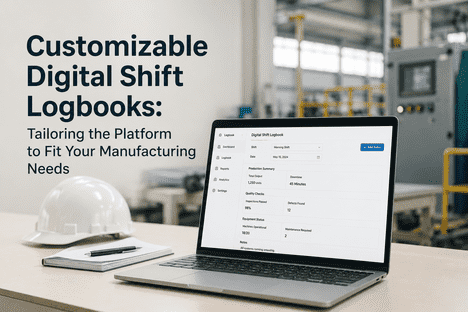
Yes. iFactory Shift Logbook includes a no-code form builder that allows you to create custom shift log templates for different production areas, machines, or shift types. Add dropdown fields for production status, checkboxes for inspection items, numeric fields for counts, free-text for notes, and photo fields for visual documentation. Templates can be updated at any time without disrupting active shift logs.
What does it cost for a small manufacturing facility?
iFactory Shift Logbook is priced for small manufacturers with transparent per-facility pricing that includes unlimited users, unlimited shift logs, and all core features. There are no per-user license fees, no implementation charges, and no long-term contracts. You can start with a single production line and expand as you see ROI.
Book a Demo for specific pricing for your facility size and requirements.
What happens when I want to add more features or integrate with other systems?
iFactory Shift Logbook is designed to grow with your business. Start with basic shift logging and add capabilities as needed: equipment maintenance tracking, quality incident management, production analytics dashboards, and integration with CMMS, ERP, or SCADA systems. Each capability can be enabled independently without reconfiguring your existing shift log workflows. Your shift data is preserved and accessible regardless of which features you add.
DIGITAL SHIFT LOGBOOK · SMALL MANUFACTURING · BEGINNER'S GUIDE
Stop losing information between shifts. Start your digital shift logbook today.
Deploy iFactory Shift Logbook in 5 days. No IT team. No complex integration. Just a better way to capture, share, and act on shift information across your entire facility.