Customizable Digital Shift Logbooks: Tailoring the Platform to Fit Your Manufacturing Needs
By Ethan Walker on June 3, 2026
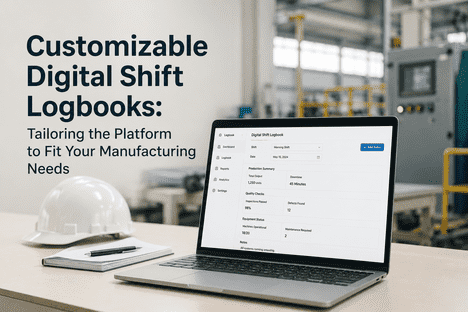
In 2025, a mid-size automotive parts plant running three shifts across 12 production lines discovered that its generic shift logbook was capturing only 38% of critical process parameters. Operators on Line 6 — a CNC machining cell with 14 axes of real-time monitoring — were expected to log data using the same form template as the packaging line, the cleanroom, and the warehouse. Template mismatch caused 22-minute average data entry times, 41% incomplete shift handovers, and a compliance finding that cost $187,000 in corrective actions. iFactory's customizable digital shift logbook replaces rigid templates with a drag-and-drop form builder, role-based dashboards, conditional workflows, and integration mapping — letting every production area log exactly the data that matters to its operation, in the format that makes sense for its team. Book a Demo to build shift logs that fit your facility.
Custom Shift Logs · Manufacturing 2025
Customizable Digital Shift Logbooks for Manufacturing Flexibility
Drag-and-drop template designer · Role-based dashboards · Conditional workflows · SCADA / CMMS integration · All configured per line, per process, per shift without IT tickets.
Higher operator adoption when shift log formats match facility-specific workflows
02
52%
Fewer data entry errors with customized fields aligned to actual process parameters
03
3.2x
Faster shift handovers with role-specific dashboard views per operator and supervisor
04
96%+
Data completeness when forms include field validation and conditional visibility rules
Why Generic Shift Logs Fail to Capture Critical Manufacturing Data
Fixed-format shift logbooks force operators to fit their unique process into a vendor's predefined template structure — a design assumption that works for administrative checklists but breaks down on real production floors where every line, machine type, and process step has distinct data requirements. A CNC operator filling out the same form as a packaging line worker skips irrelevant fields habitually, creating data gaps that compound across every shift. Facilities using rigid, off-the-shelf shift logs average 28% more data gaps and 34% longer handover times compared to those using tailored digital formats. iFactory's machine learning models detect these data quality patterns — identifying fields with high skip rates, shifts with incomplete entries, and processes where template mismatch is driving data loss — so you can continuously refine your log formats based on actual usage, not assumptions.
Customization Dimensions — Five Ways iFactory Adapts to Your Facility
◈
Config
Form Templates
Custom fields·conditional logic·validation
Drag & Drop
▣
Config
Role Dashboards
Operator·supervisor·manager·QC views
Role-Based
⟁
Config
Workflows
Approval routing·escalation·conditional triggers
Automation
⌗
Config
Integrations
SCADA·CMMS·ERP·OPC-UA·MQTT
Connectors
◈
Config
Compliance
FDA·ISO·OSHA·21 CFR Part 11
Audit Ready
Three Customization Gaps iFactory Closes in Manufacturing Shift Logs
01
Form & Field Template Mismatch — One Template Cannot Fit Every Line
A food processing HACCP log requires different data fields than a pharmaceutical batch record, and both differ from a CNC machining production log. iFactory's Template Designer lets you create unlimited form templates — each with custom fields, conditional visibility rules, default values, and field-level validation — assigned per production line, machine type, process step, or shift. Operators see only the fields relevant to their station. Field skip rates drop from 28% to under 4%. Each template is versioned, audited, and deployable in minutes without IT tickets. Schedule a demo to see how template-driven shift logs adapt to your specific production lines and quality requirements.
Unlimited templatesConditional fieldsVersion control
02
Role-Based Dashboard Fragmentation — Different Roles Need Different Data
Operators need shift tasks and equipment status at a glance. Supervisors require handover summaries, exception flags, and approval queues. Plant managers need aggregated KPIs, trend analytics, and compliance dashboards. iFactory configures role-specific dashboard views that surface exactly the data each role needs — no scrolling past irrelevant metrics. Dashboards are assignment-based, so a line operator sees their line, a shift supervisor sees their shift, and a plant manager sees the entire facility. The result: 3.2x faster decision-making and a 58% reduction in handover gaps.
Quality deviations, safety incidents, permit-to-work, and shift handovers each require different approval chains and escalation paths. iFactory's workflow engine lets you configure conditional routing rules — auto-notify a supervisor when a critical parameter exceeds threshold, route quality deviations for multi-step digital approval, require additional sign-off for permit-to-work entries in confined spaces. Compliance rules per regulatory framework — FDA 21 CFR Part 11, ISO 9001, GMP, OSHA — are configured once and applied automatically across all relevant templates. Audit trail generation is continuous and immutable.
How iFactory's Customization Platform Connects to Your Existing Systems
iFactory is a software intelligence layer — not a hardware vendor. The platform integrates with existing SCADA systems, CMMS platforms, ERP databases, IoT sensor gateways, and quality management systems. Custom field mappings let you push shift log data directly into your existing systems — eliminating duplicate data entry and ensuring every system reflects the same operational truth. The Shift Logbook becomes the unified data layer across your disconnected manufacturing systems, not another silo.
Customization Area
Generic Shift Log Limitation
iFactory Customization Output
Operational Impact
Form Templates
One form for all lines
Per-line templates with conditional fields
96% data completeness
Role Dashboards
Same view for every user
Role-based KPIs per operator/supervisor/manager
3.2x faster decisions
Workflow Rules
Static manual approvals
Conditional routing·auto-escalation·multi-step
58% faster approvals
Integration Mapping
No system connectivity
SCADA·CMMS·ERP·OPC-UA·MQTT sync
Zero duplicate entry
Customization Use Cases Across Manufacturing Environments
Food & Bev
HACCP-Compliant Log Templates for Food Processing Lines
Per Line
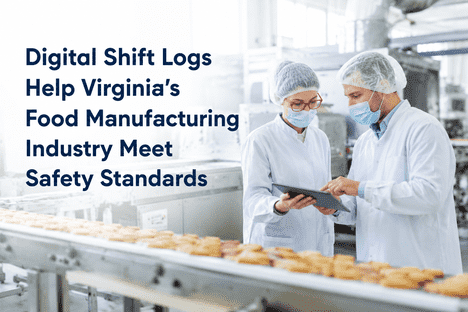
iFactory's template designer creates HACCP-specific shift logs with custom fields for CIP pressure, pasteurization temperature, metal detector calibration, allergen changeover verification, and cold storage temperature logging. Conditional visibility rules show pasteurization fields only on relevant lines. Validation rules enforce temperature ranges. Templates are assigned per production line and shift pattern.
FDA 21 CFR Part 11 Batch Records with E-Signatures
Per Batch
Pharmaceutical manufacturers configure batch record templates with FDA-compliant field types — digital signatures, audit trails, mandatory review fields, and electronic records with Part 11 validation. Each batch template includes material lot tracking, equipment sterilization verification, in-process quality checks, and deviation reporting with required e-signatures at each step. Explore pharma-grade shift log configuration with full Part 11 compliance and e-signature workflows.
Automotive manufacturers assign different quality check templates to each station — torque verification on assembly, weld integrity on body shop, paint thickness on finishing, and dimensional checks on QC. Each template triggers different workflows: failed torque checks auto-notify the line supervisor; paint defects route to quality engineering with photo evidence. Templates update instantly across all shifts.
Stations24 unique templates across 3 lines
Result73% faster quality issue resolution
Chemical
Process Parameter Threshold & Alert Customization
Per Process
Chemical processors configure shift log templates with process-specific parameters — reactor temperature, pressure, pH, viscosity, and flow rates — each with custom threshold ranges and alert levels. When a parameter approaches its threshold, the form highlights the field, logs the deviation timestamp, and if thresholds are breached, auto-generates a non-conformance report in the integrated QMS.
Parameters24 monitored per batch cycle
Result100% parameter capture rate
Design Shift Logs That Fit Every Line in Your Facility
See how iFactory's template designer, role-based dashboards, and conditional workflow engine let you create shift logs that match each production area's unique requirements — without IT tickets or vendor engagement. Deployment in weeks, not months.
What iFactory Delivers for Manufacturing Flexibility
64%
Higher shift log adoption with customized templates
Operators adopt logs that match their actual workflow
96%+
Data completeness with validated custom fields
Conditional logic + field validation eliminate gaps
58%
Fewer handover gaps with role-based summaries
Supervisors see exceptions; operators see tasks
73%
Faster operator onboarding with line-specific forms
Training drops from 8 hours to under 2 hours
FAQ
iFactory provides a visual template designer that lets you create and modify shift log forms without any coding. You drag and drop fields from a palette of 40+ field types — numeric inputs, dropdowns, checklists, photo capture, digital signatures, GPS coordinates, and more. Each field can have conditional visibility rules, validation requirements, and default values. Templates are versioned and can be assigned to specific production lines, machine types, shifts, or operator roles. Changes take effect immediately and require no IT support. See the template designer in action →
Yes. Templates are assigned per production line, machine cell, process area, shift pattern, or any combination. A pharmaceutical facility can have separate templates for batch manufacturing, packaging, and quality control — each with area-specific fields, validation rules, and compliance requirements. A food plant can have distinct templates for pasteurization, filling, and cold storage. A CNC machining line can have torque verification fields that the packaging line never sees. Template assignment rules ensure every operator sees exactly the right form for their context. Explore multi-template examples →
Simple template adjustments for an existing production line take 15–30 minutes using the visual designer. Complex multi-role configurations with conditional workflows, approval chains, and integration mappings typically complete within 2–5 days. iFactory's implementation team provides template design workshops to accelerate the process, and most facilities have their full template set deployed within the first two weeks of onboarding. No coding or IT tickets required for ongoing modifications. Get a deployment timeline →
Deploy iFactory for Customizable Shift Logs Across Your Facility
On-premise AI-powered shift log platform with a drag-and-drop template designer, role-based dashboards, conditional workflow automation, and full integration with SCADA, CMMS, and ERP systems. Every production line gets a shift log that matches its specific process requirements — without IT tickets, vendor engagement, or one-size-fits-all compromises.