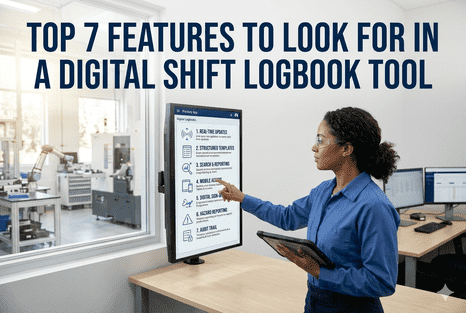
Choosing a digital shift logbook is one of the most consequential technology decisions a plant operations team will make. Get it right and you eliminate the communication gaps, compliance risks, and production blind spots that paper logs have created for decades. Get it wrong and you replace a paper problem with a digital one — operators who don't use it, supervisors who can't trust it, and an audit trail that falls apart under scrutiny. The difference almost always comes down to features. Not the feature list on a brochure — the features that hold up under 12-hour shifts, inconsistent Wi-Fi, rotating crews, multi-site complexity, and real regulatory pressure. This guide breaks down the seven features that separate a digital shift logbook that transforms operations from one that simply digitises the same old problems. Book a Demo
iFactory Shift Intelligence
7 Features That Define a Best-in-Class Digital Shift Logbook
From real-time auto-capture to AI-generated handover summaries — the capabilities that turn shift data into operational intelligence your entire plant can act on.
100%
Event capture vs ~40% with paper logs
3 min
Handover time replacing 15+ minute paper process
47%
Fewer emergency maintenance stoppages
4–6 mo
Typical ROI payback period
Why Most Digital Logbooks Fall Short
The industrial software market is filled with tools that call themselves digital shift logbooks. Most are form builders with a timestamp attached. They replace paper with a screen but preserve every structural failure that made paper dangerous: data entered after the fact, no connection to SCADA or CMMS systems, no enforcement of acknowledgment at handover, and no ability to surface patterns across shifts. Operators fill them in because they're told to. Supervisors check them because they have to. And the critical information that should drive decisions still travels by word of mouth and memory.
A genuinely capable digital shift logbook is architecturally different. It captures events at the point of occurrence — automatically where possible, with guided operator input where not. It integrates with the systems that already know what happened on the floor. It enforces completeness, accountability, and acknowledgment rather than relying on discipline alone. And it turns every shift's data into something searchable, trendable, and actionable for everyone from the floor operator to the plant director. The seven features below are where that architectural difference lives.
Evaluating logbook vendors right now? Book a demo with iFactory and see all seven features working live on your sample plant data — before you commit to anything.
The 7 Features to Look For
01
FEATURE ONE
Real-Time Auto-Capture from SCADA, CMMS, and MES
The most dangerous gap in any logbook system is the events that never get logged because an operator was too busy, too tired, or simply didn't think it was worth noting. A best-in-class digital shift logbook doesn't wait for operators to remember — it pulls data automatically from the systems that already recorded what happened.
What iFactory delivers:
Bi-directional integration with SAP, Oracle, OSIsoft PI, standard SCADA and DCS systems, and all major CMMS platforms
SCADA threshold crossings, alarm events, and equipment state changes auto-logged with timestamp and asset ID — no operator input required
CMMS work orders created automatically from critical log entries, and closed orders reflected back into the logbook timeline
Production data — OEE, changeover times, downtime segments — flowing from MES into the shift record continuously
Without auto-capture, your logbook reflects what operators remembered to write. With it, it reflects what actually happened.
02
FEATURE TWO
Structured, Configurable Templates with Mandatory Fields
Unstructured text fields are where critical information goes to disappear. When operators can write anything — or nothing — in a log entry, the data cannot be searched, aggregated, or compared across shifts. Structured templates with mandatory fields transform shift logging from freeform note-taking into a consistent, analysable operational record.
What iFactory delivers:
Configurable templates per shift type, asset class, and event category — built for your specific operations, not a generic manufacturing template
Mandatory fields with validation rules prevent shift handover from completing until critical entries are present and properly formatted
Dropdown menus, number fields, photo attachments, voice notes, and barcode scanning — all structured to produce consistent, comparable data
Checklist enforcement for safety walkthroughs, permit reviews, and equipment inspections — with completion timestamps and e-signatures
Structured templates are why one plant's logbook produces trend data and another's produces noise.
03
FEATURE THREE
AI-Generated Shift Handover Summaries
The handover briefing is where 40% of plant incidents begin — and where a digital logbook can have its single highest impact. AI-generated summaries transform dozens of shift entries into a structured, priority-ranked briefing that the incoming supervisor reviews and acknowledges before their shift starts. Handover time drops from 15 minutes to under 3. Information transfer completeness reaches 100%.
What iFactory delivers:
AI synthesises every logged event into a structured handover report — critical safety items, open work orders, equipment anomalies, and quality deviations listed by priority
Incoming shift lead receives the AI summary on their device and must electronically acknowledge it before their shift begins — no acknowledgment, no start
Natural language query capability lets supervisors ask "what happened on Line 3 between 02:00 and 04:00?" and receive an immediate, accurate answer
Open issues carry forward automatically to the next shift's handover until resolved and verified — nothing falls through the cracks between crews
AI handover summaries are the feature that turns a digital logbook from a record-keeping tool into a safety-critical communication system.
04
FEATURE FOUR
Offline-First Mobile Architecture
A digital logbook that requires Wi-Fi to function is not a digital logbook for manufacturing — it's a form builder that breaks in the places where logging matters most. Cold storage areas, remote sections of large facilities, outdoor processing units, and basement equipment rooms all have connectivity gaps. Offline-first architecture means logging never stops regardless of network state.
What iFactory delivers:
Full offline functionality — operators log events, complete checklists, capture photos, scan barcodes, and record measurements without any network connection
Automatic sync when connectivity resumes, with built-in conflict resolution for entries made simultaneously by multiple operators
Works on standard Android and iOS tablets and phones — no specialist hardware required, no rugged device premium for basic logging capability
Same interface across control room displays, supervisor tablets, and operator handheld devices — consistent experience, consistent data
If your logbook goes blank when Wi-Fi drops, your event record has a gap exactly where incidents are most likely to originate.
05
FEATURE FIVE
Full-Text Search and Cross-Shift Pattern Analytics
A logbook that cannot be searched is not a record — it's an archive. Paper logs hide recurring problems across weeks of handwritten pages. Even basic digital tools that lack proper search force supervisors to manually scroll through entries to find patterns. A best-in-class logbook makes every event findable in seconds and surfaces recurring patterns automatically before they become failures.
What iFactory delivers:
Full-text search across every logged entry — by keyword, asset, operator, shift, date range, event type, or severity — returning results in under a second
48-hour event replay for any asset or line — replay the full timeline of alarms, operator notes, changeovers, and quality signals for root cause analysis
Cross-shift trend analytics that surface recurring events — the vibration anomaly that appears every Tuesday night, the quality deviation that correlates with a specific SKU changeover
Exportable reports for kaizen events, audit preparation, and management review — data leaves the logbook in the format the next system needs it
Root cause analysis that previously took four days of manual data gathering completes in under an hour when your logbook is fully searchable.
06
FEATURE SIX
Compliance-Ready Audit Trail — 21 CFR Part 11, GMP, OSHA PSM
Regulatory compliance is not a feature you add to a logbook after the fact — it must be built into every entry, every signature, and every record from day one. FDA 21 CFR Part 11, GMP and GxP documentation standards, OSHA Process Safety Management, EPA Risk Management Program, and ALCOA+ data integrity principles all have specific requirements that paper logs fail entirely and many digital tools only partially meet.
What iFactory delivers:
Every entry is timestamped at the moment of creation, attributed to a specific authenticated user, and immutable after submission — no retroactive editing
Electronic signatures (e-signatures) on all critical entries and handover acknowledgments — meeting 21 CFR Part 11 requirements without physical sign-off
Complete audit trail generation for any date range, asset, or event type — audit preparation that took days from paper records completes in minutes
ALCOA+ compliant data integrity: Attributable, Legible, Contemporaneous, Original, Accurate — and the additional ALCOA+ requirements of Complete, Consistent, Enduring, and Available
Compliance documentation that previously required binder hunts and manual assembly now generates on demand — fully formatted, fully attributable, fully defensible.
07
FEATURE SEVEN
Multi-Site Operations Dashboard with Real-Time Visibility
Single-site visibility is the entry point. Multi-site operational intelligence is the destination. Operations directors and regional managers overseeing multiple plants cannot log into each site separately to understand what is happening across their network. A best-in-class logbook delivers a unified real-time view across all sites — with site-specific templates, shift configurations, and reporting hierarchies maintained beneath the surface.
What iFactory delivers:
Unified dashboard showing live event feeds, active work orders, shift compliance rates, and OEE across all connected sites — updated continuously, not at shift end
Site-specific shift patterns, templates, and reporting hierarchies — a two-shift plant and a three-shift plant run on the same platform with their own configurations
Escalation routing that notifies the right supervisor at the right site the moment a critical event is logged or an acknowledgment is missed
Cross-site benchmarking of OEE, incident rates, handover compliance, and open work order aging — giving regional managers the data to drive consistent improvement
A single-plant logbook is a tool. A multi-site connected logbook is an operational intelligence platform — and that's the difference between managing one facility and managing a network.
Want to see all 7 features working together? Book a demo with iFactory — we'll walk through every capability on your own sample plant data in 15 minutes.
Feature Comparison: What to Ask Every Vendor
Use this checklist when evaluating digital shift logbook vendors. The seven features above map directly to the questions that separate capable platforms from feature-list imposters.
Scroll horizontally to view full comparison
See Every Feature Live
Watch iFactory's Digital Shift Logbook in a 15-Minute Walkthrough
All seven features — real-time auto-capture, AI handover summaries, offline mobile, full-text search, compliance audit trail, and multi-site dashboard — working together on your sample plant data. No slides. No commitments.
How iFactory Delivers All 7 Features in a Single Platform
Most digital logbook vendors deliver two or three of these features well and paper over the rest with marketing language. iFactory is built from the ground up to deliver all seven as an integrated platform — not as modules you purchase separately or features you configure individually from scratch.
Frequently Asked Questions
Which of the 7 features has the highest immediate impact on operations?
For most plants, AI-generated handover summaries with mandatory acknowledgment deliver the highest immediate impact. Shift handovers are where 40% of plant incidents begin, and reducing that window from 15 unstructured minutes to a 3-minute structured AI review closes the most dangerous gap in operations quickly. Real-time SCADA auto-capture typically delivers the next highest impact by eliminating the event capture gap that makes paper logs dangerous.
Do we need all 7 features, or can we start with a subset?
iFactory is deployed as an integrated platform rather than individual modules — but rollout is always phased by site, shift, and priority. Most deployments start with structured templates, mobile logging, and handover summaries in the first two weeks, then layer in SCADA auto-capture, cross-site dashboards, and advanced analytics as the platform matures in the operation. The compliance audit trail is active from day one regardless of which other features are being rolled out.
How long does integration with our SCADA and CMMS systems take?
Most integrations complete within 1 to 3 weeks. iFactory supports bi-directional connections with SAP, Oracle, OSIsoft PI, standard SCADA and DCS systems, and all major CMMS platforms. The logbook goes live with manual operator entries immediately — so event capture and handover improvement begin before any system integration is complete.
What makes iFactory's compliance features different from basic digital logbooks?
Most basic digital logbooks allow entries to be edited after submission, do not enforce electronic signatures, and produce audit reports only by manual export. iFactory's compliance architecture makes every entry immutable at the moment of submission, enforces e-signatures on all critical entries and handover acknowledgments, and generates formatted audit trail reports on demand for any date range or asset. This is compliant from day one — not something configured separately to pass an audit.
Can operators in remote areas of the plant still log events without connectivity?
Yes. iFactory's mobile app operates fully offline — logging entries, completing checklists, capturing photos, scanning barcodes, and recording measurements all function without any network connection. Data syncs automatically when the device reconnects, with conflict resolution built in for overlapping entries. No events are lost due to connectivity gaps anywhere in the facility.
All 7 Features. One Platform. Live in Weeks.
Replace Your Paper Log with a Shift Intelligence Platform
iFactory's digital shift logbook delivers every feature on this list — real-time auto-capture, AI handover summaries, offline mobile, full-text search, compliance audit trail, and multi-site dashboards — as a single integrated platform your team can go live with in 2 to 4 weeks.
7
Core features in one integrated platform
2–4 wk
Typical go-live timeline
30%
Downtime reduction documented
100%
Audit-ready from day one