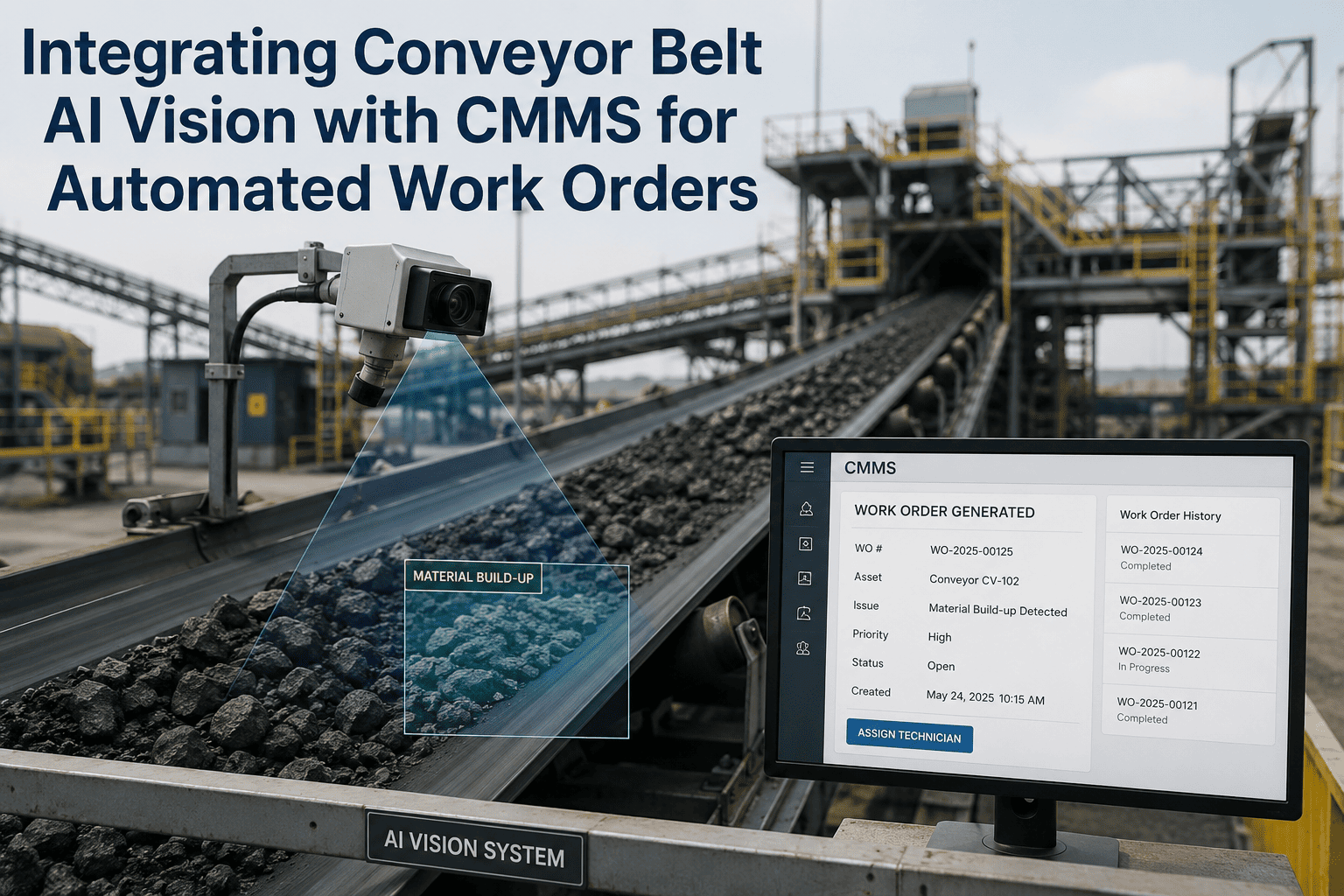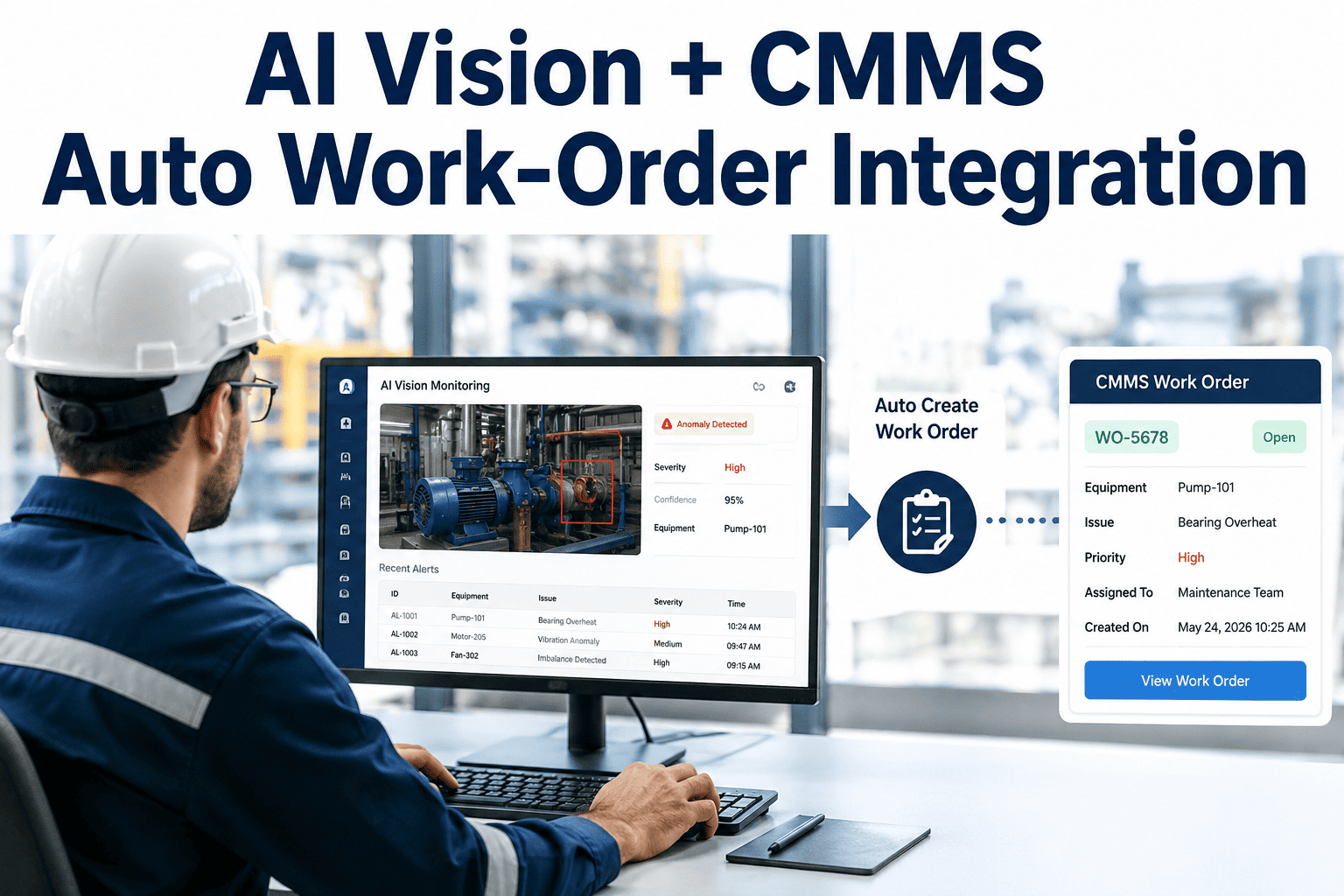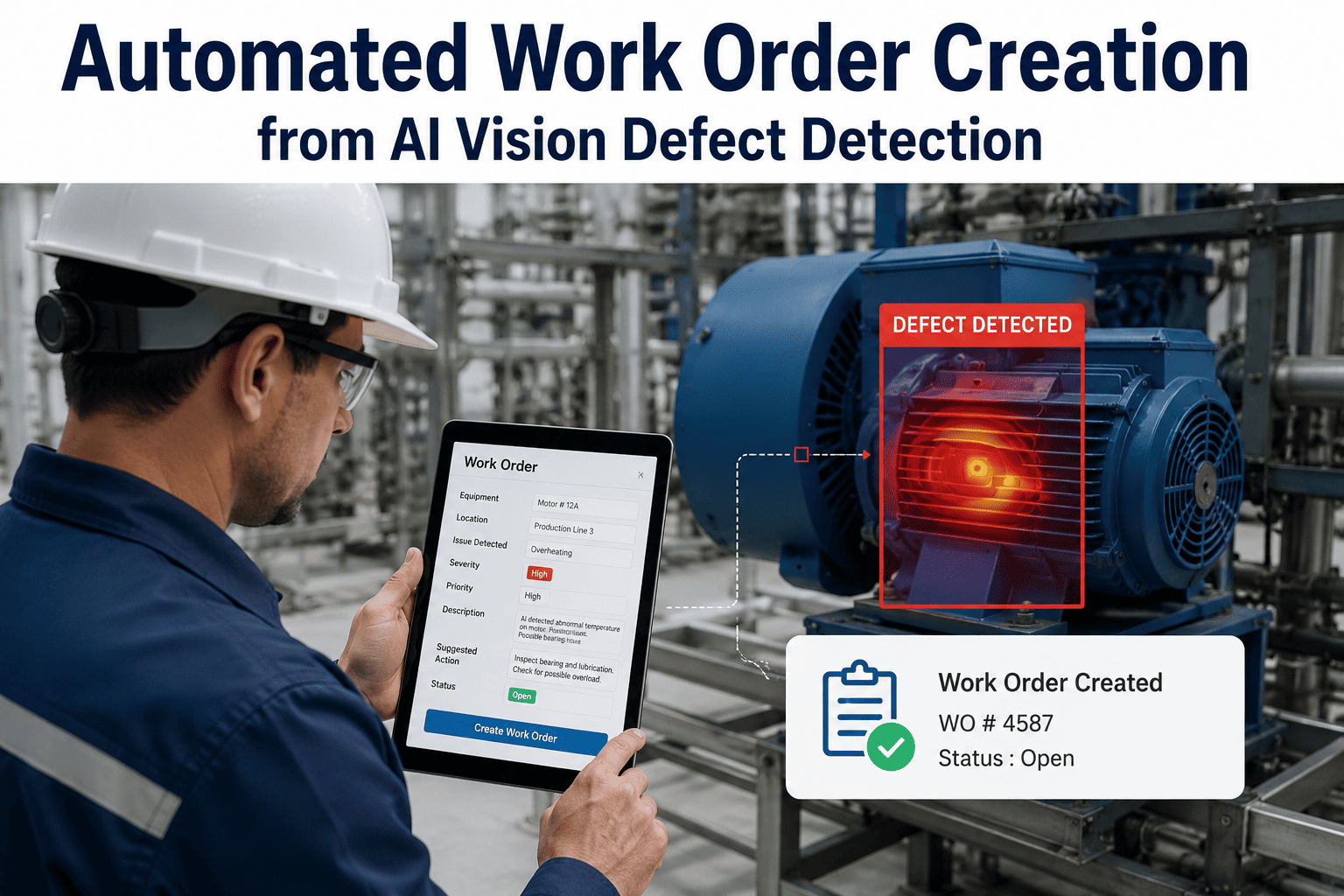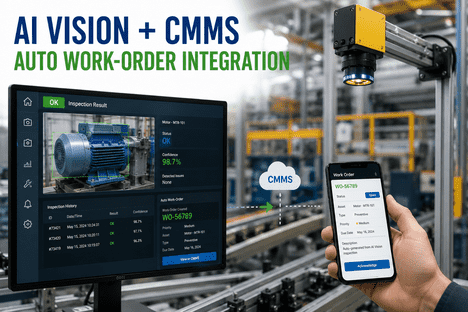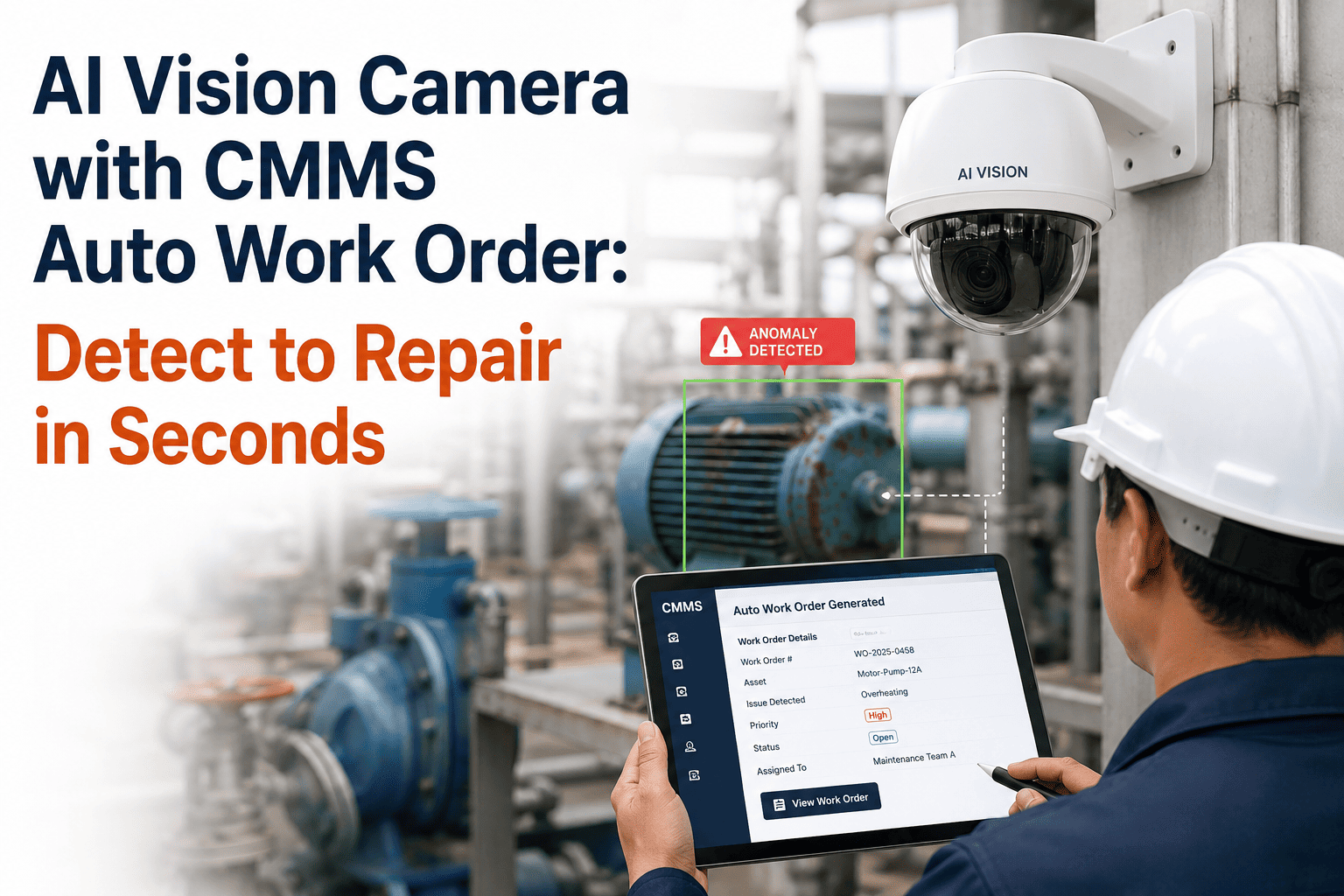
The gap between spotting a defect and dispatching a repair used to be measured in hours — a technician spots a hairline crack, radios a supervisor, opens a laptop, types a work order, attaches a phone photo, guesses the asset ID. In an AI vision plus CMMS setup, that entire sequence collapses into one automated event: the camera sees, the model classifies, the work order writes itself, and the technician's phone buzzes — all in under sixty seconds. To see the pipeline running on your defect classes, Book a Demo with iFactory AI.
From Camera Frame to Dispatched Technician — Under 60 Seconds, Zero Typing.
iFactory AI ships the turnkey stack: NVIDIA edge servers, plant-tuned CNN models, CMMS integration, and mobile dispatch — engineered for the moment a defect appears, not the meeting that follows it.
Why Manual Defect-to-Work-Order Workflows Bleed Time You Cannot Measure
On most production floors, the delay between defect and repair is invisible because it is spread across five people and three systems. An inspector spots something on a sample. A supervisor confirms it. Someone opens the CMMS and types a description that half-matches the actual defect. A technician gets pulled off another job. By the time the fix begins, dozens of defective units have shipped and the operator who first saw it is off-shift. Cost of poor quality routinely lands between 15 and 20 percent of plant revenue — hidden in scrap, rework, and warranty leakage that never gets traced back to root cause.
Detection Delay
Defects surface hours after they occur because inspection is sampled, not continuous — and the operator who saw it first has moved to the next batch.
Root Cause: SamplingData Transcription Loss
Phone photos and verbal descriptions get typed into free-text CMMS fields with 40 percent detail loss — asset IDs get guessed, severity gets estimated.
Root Cause: Manual EntryDispatch Ambiguity
Work orders sit in a queue without skill routing or priority context — the wrong technician picks it up, or the right one never sees it at all.
Root Cause: RoutingEvidence Gap
By the time the technician arrives, the defect state has changed, the part has moved, or the operator is off-shift — audit trails suffer.
Root Cause: No Evidence TrailThe Six-Step Loop That Collapses Detection and Dispatch Into One Event
The vision-to-CMMS pipeline is a chained sequence of six events — each measured in milliseconds — that together produce a fully formed maintenance work order the moment a defect crosses a severity threshold. Every step is deterministic. No human is in the loop until the technician's phone buzzes.
Camera Captures Frame
An industrial 5 to 45 MP camera captures the part under controlled lighting. Frames stream at 30 to 500 fps to a local NVIDIA edge server — never touching the cloud.
CNN Runs Inference
A convolutional neural network processes the frame in under 100 milliseconds. Output includes defect class, bounding box, mask, and confidence score — 95 to 99 percent accuracy.
Severity Scoring
The scoring engine assigns a 1 to 10 severity score based on defect size, asset criticality, and historical failure patterns. Above-threshold detections advance instantly.
Work Order Auto-Creation
iFactory writes a structured work order pre-populated with asset ID, defect class, severity, annotated image, recommended repair procedure, and parts requirements from BOM.
Skill-Matched Assignment
The engine cross-references defect type against certified skills, current roster, and job load. The best-fit technician is assigned automatically — no ticket sits unowned.
Mobile Dispatch
A push lands on the technician's device with the full work packet. In parallel, spare parts are reserved from inventory and reorders trigger if stock drops below threshold.
Six Fields That Auto-Populate the Instant a Defect Crosses the Threshold
A traditional CMMS ticket has fifteen to twenty fields a human has to fill. In an iFactory deployment, every one of those fields is populated automatically from AI-derived data. The technician does not open a blank form — they open a complete job packet. Here is what shows up on their screen the moment a defect is confirmed.
Asset ID & Zone Mapping
Auto-derived from the camera's assigned monitoring zone — exact machine, line position, and location. No hunting through asset trees or guessing equipment codes.
Defect Classification
The specific defect type — crack, corrosion, leak, wear, misalignment, contamination — assigned by the CNN with confidence score attached for the technician.
Annotated Image Evidence
The high-resolution frame with defect region outlined by a bounding box and mask. Timestamped, geotagged, and stored against the asset history for full audit trail.
Recommended Repair Procedure
The matching SOP pulled from the procedure library based on defect class and asset type — step-by-step guidance, safety notes, and torque specs included.
Required Parts & Stock
Parts pulled from the BOM with real-time inventory check. Reserved automatically if in stock, back-ordered if not — visible before the technician leaves the tool crib.
Priority & Skill Routing
Priority set by severity and asset criticality. Assignment routed to a technician certified for the specific defect class and repair procedure — never a general queue.
See a Live Defect-to-Work-Order Pipeline on Your Own Defect Categories.
Book a 30-minute walkthrough where an iFactory solutions engineer runs a live detection-to-dispatch demo on defect samples from your industry — quality, packaging, weld, corrosion, or PPE compliance.
The Four-Layer NVIDIA Stack iFactory Ships as a Single Deployable Unit
Most vision AI vendors ship a model. iFactory ships a plant. The turnkey bundle includes NVIDIA-certified edge servers, industrial cameras and illumination, pre-trained defect models fine-tuned to your parts, and the CMMS integration that turns detections into work orders — all deployed together in six to twelve weeks.
Imaging Hardware
Industrial cameras from 5 MP to 45 MP with specialized lighting selected for your defect physics. ONVIF and RTSP compatible for line-scan or area-scan capture.
Physical LayerNVIDIA Edge Inference
NVIDIA Jetson AGX Orin or L4 GPU servers run inference on-premise. Sub-100 ms per-image latency, no cloud round-trip, air-gap capable for regulated environments.
Compute LayerDefect Model Library
Pre-trained CNN, YOLO, and Vision Transformer models fine-tuned on 500 to 2,000 of your part images. Covers surface, dimensional, assembly, corrosion, leak, and PPE.
Intelligence LayerCMMS Integration
iFactory CMMS receives events via REST API and generates fully-formed work orders with asset mapping, severity, image evidence, and mobile dispatch under 60 seconds.
Action LayerHow Operators Interact With the Vision-CMMS Loop in Plain Language
The dashboard is not where value shows up — it is where operators, technicians, and shift supervisors ask the system in plain language and get answers grounded in real defect telemetry. iFactory's copilot layer sits on top of the vision-CMMS stack so anyone with access can query what the cameras have seen without a SQL prompt.
What defects has camera CAM-04 on the stamping line detected this shift, and which ones auto-generated work orders?
Camera CAM-04 detected 47 events this shift. 38 were sub-threshold logs. 9 crossed severity threshold and auto-generated work orders — 6 burr defects on the die edge, 3 dimensional deviations on the flange. All 9 are in progress or completed. Repair MTTR averaging 22 minutes. Want the annotated images and root-cause pattern for the burr cluster?
Yes, and tell me if this burr pattern has occurred before on this die.
This burr pattern has appeared 14 times over 90 days, clustered around cycle counts of 42,000 to 48,000. Historical resolution: die edge re-grind restored spec in 12 of 14 cases. Recommended action: schedule preventive die inspection at 40,000 cycles going forward. I have drafted a PM schedule update — want me to route it to reliability for approval?
What Plants Actually Report After the Vision-CMMS Loop Goes Live
Every plant benchmarks the pipeline against a baseline of manual inspection plus manual work-order entry. The metrics below reflect what iFactory-deployed operations report inside the first two quarters after go-live — with the largest gains showing up in latency and escape rate rather than headcount reduction.
End-to-end latency from AI defect detection to a fully-formed work order landing on the assigned technician's mobile device.
CNN-based visual inspection accuracy on production defect classes after fine-tuning, versus 70 to 80 percent for human inspection.
Typical reduction in defect escape rate at scaled deployment, driven by 100 percent inspection coverage replacing sampled manual checks.
Every work order field auto-populates from AI detection data. Technicians open a complete job packet, not a blank form.
The Six-to-Twelve-Week Path From Kickoff to a Live Vision-CMMS Loop
iFactory ships the full stack as a turnkey deployment — hardware, models, CMMS integration, and mobile dispatch — engineered to reach production capability inside a single quarter. Below is the phase-by-phase path that mid-size plants follow from scoping to a fully closed detect-to-repair loop.
Scoping & Camera Placement
iFactory engineers walk the target lines with your team, identify highest-ROI defect categories, and specify cameras, lighting, and mounting. Hardware BOM is finalized and sample images collected for training. Zero production disruption.
Foundation PhaseInstall & Model Training
Cameras and NVIDIA edge servers are installed at planned positions. In parallel, the defect model is fine-tuned on your samples, validated against a test set, and CMMS integration connectors are configured with asset trees mapped to zones.
Build PhaseGo-Live & Continuous Tuning
The full detect-to-repair loop goes live on a pilot line. Technician feedback on false positives feeds back into the model weekly. Rollout expands to adjacent lines and defect categories as ROI is validated shift over shift.
Launch PhaseAI Vision Camera With CMMS Auto Work Order — FAQs for Operations Leaders
How does the AI vision camera trigger a CMMS work order automatically?
The camera streams frames to an on-premise NVIDIA edge server where a CNN classifies each frame in under 100 milliseconds. When a detection exceeds the configured severity threshold, the system posts a structured event to iFactory CMMS with asset ID, defect class, severity, and annotated image attached. The CMMS auto-generates a fully-populated work order with repair procedure, parts list, and skill-matched technician assignment. To see this live on your defect classes, book a 30-minute demo.
How much training data does the AI vision model actually need?
Modern deep learning architectures reach production-grade accuracy with 500 to 2,000 labeled images per defect class. With synthetic data augmentation and pre-trained backbones, some plants go live with as few as 80 real images per class. iFactory collects and labels these samples during the scoping phase, so your team is not responsible for building the dataset. Model accuracy typically hits 95 to 99 percent inside the first four to eight weeks of production tuning. For a walkthrough on your parts, contact our team.
What is the end-to-end latency from defect detection to technician dispatch?
On a properly deployed iFactory stack, latency from camera capture to the technician's mobile push runs under 60 seconds. Inference completes in under 100 milliseconds, work order generation and asset mapping in under 500 milliseconds, and mobile dispatch inside the first minute. This replaces manual workflows where the same sequence took hours, sometimes shifts, depending on inspection cycles and supervisor availability. To benchmark against your current workflow, book a demo.
Does iFactory require replacing existing camera infrastructure?
No. iFactory's edge inference layer works with existing ONVIF and RTSP-compatible industrial cameras where resolution and frame rate meet defect-detection requirements — typically 5 MP and above for surface defects, higher for micron-scale features. Where existing infrastructure falls short, iFactory specifies and installs supplemental cameras with matching illumination. Most mid-size deployments retain 60 to 80 percent of existing hardware. To scope camera reuse on your lines, reach out to support.
Can this integrate with SAP PM, IBM Maximo, or Oracle EBS instead of iFactory CMMS?
Yes. iFactory's integration layer is CMMS-agnostic and connects to SAP PM, IBM Maximo, Oracle EBS, and most enterprise asset management platforms via REST API. Defect events, annotated images, severity scores, and recommended repair actions flow into the existing CMMS as fully-formed work orders — no rip-and-replace required. Customers who prefer a unified stack can migrate to iFactory CMMS as a next phase. For an integration-fit review, book a demo.
Vision Without a Closed CMMS Loop Is Just an Expensive Alarm Bell
The plants that will outperform their peers over the next five years are not the ones that install the most cameras — they are the ones that close the loop between what the cameras see and what the technicians do. Vision AI on its own generates dashboards and slides. Vision AI plus a CMMS auto-work-order engine generates completed repairs. That difference — measured in seconds of latency, points of escape rate, and hours of technician productivity reclaimed — is where the entire ROI of industrial computer vision lives. iFactory ships that closed loop as a turnkey deployment engineered to reach production capability inside a single quarter.
Bring the Detect-to-Repair Loop to Your Plant — In a Single Quarter.
Book a 30-minute session with an iFactory solutions engineer to walk through the full vision-CMMS pipeline running on defect samples from your industry, and receive a phased deployment plan built around your current camera and CMMS landscape.