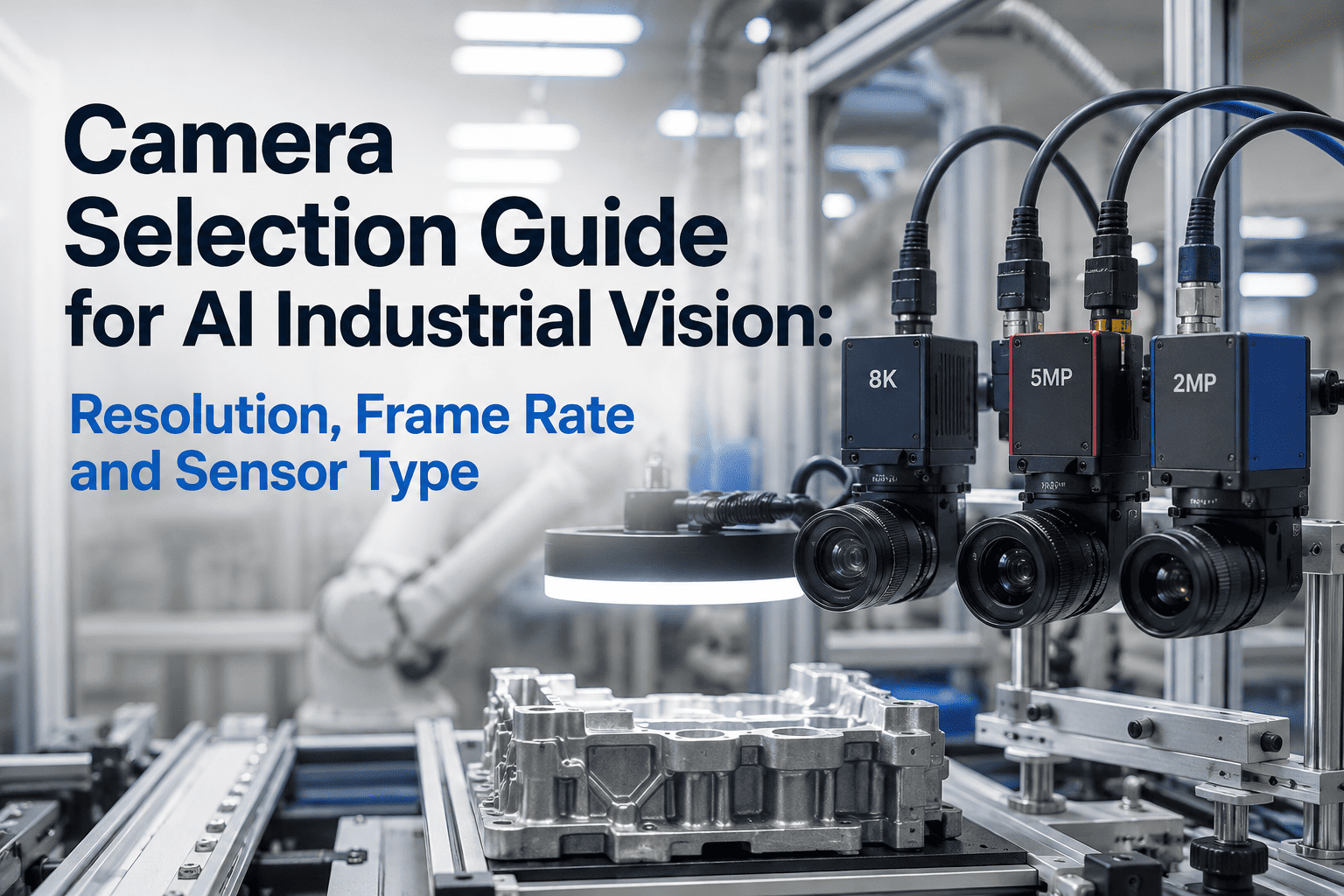
Camera selection is the single most consequential decision in an AI industrial vision project — a wrong choice at hardware specification stage creates blur, missed defects, throughput bottlenecks or bandwidth crashes that no amount of AI model tuning can rescue after deployment. Yet camera selection often happens through tribal knowledge and vendor pressure rather than systematic specification: pick resolution too low and 2mm defects vanish, choose rolling shutter for moving parts and every frame skews unusably, pick color for monochrome-optimal texture and detection accuracy drops 15-20% instantly. This guide breaks down the five specifications that determine whether AI inspection succeeds — area vs line scan, resolution matched to defect size, frame rate calibrated to line speed, global vs rolling shutter for motion, and interface bandwidth for real-time throughput — with application-specific recommendations proven across 200+ iFactory deployments. Book a Demo to receive camera specification recommendations customized to your inspection application, line speed and defect size requirements.
5
Critical specifications that determine AI inspection success or failure
20%
Accuracy loss from mismatched sensor type on typical inspection tasks
200+
Live iFactory deployments informing camera specification recommendations
2wks
Camera-to-AI validation timeline once specifications are correct
Wrong Camera Choice Kills AI Inspection Before It Starts.
iFactory's camera specification engine matches sensor resolution, frame rate, shutter type, format and interface to your inspection application, line speed, defect size and lighting environment — eliminating the hardware-model mismatch that causes 40% of AI vision project failures before software even ships to production.
The Five Camera Specifications That Determine AI Inspection Success
Every AI vision project hinges on five hardware decisions made before a single line of inference code is written. Get all five right and the AI model has clean, informative data to learn from — get any wrong and no amount of active learning, retraining or model tuning can recover the missing signal from mis-specified hardware. Review all five specifications with iFactory engineers for your inspection application.
01
Resolution
2MP - 65MP+
Smallest defect must span 10+ pixels for reliable AI detection. Divide sensor width by field-of-view width to get pixels per mm — verify against your defect size specification.
02
Frame Rate
30 - 2,000 fps
Line speed divided by vertical field of view gives minimum frame rate for full-coverage inspection. Faster lines demand faster shutters and proportionally more bandwidth.
03
Shutter Type
Global or Rolling
Global shutter captures all pixels simultaneously — required for any moving object. Rolling shutter is cheaper but produces skewed unusable images on moving parts.
04
Sensor Format
Mono or Color
Monochrome delivers 3x higher effective resolution and light sensitivity — best for texture, geometry and dimensional inspection. Color required only for chromatic defects.
05
Interface
GigE / USB / CXP
Data rate (resolution × frame rate × pixel depth) determines interface bandwidth needed. Cable length constraints often dictate GigE over higher-bandwidth alternatives.
Area Scan vs Line Scan: The First Fork in Camera Selection
The area-vs-line-scan decision is architectural — get this wrong and no amount of resolution or frame-rate optimization compensates for the mismatch. Area scan captures rectangular frames of static or discrete parts; line scan builds continuous images of moving materials by capturing single-pixel-tall rows at very high frequency. Discuss area-vs-line trade-offs for your specific inspection setup with iFactory engineers.
Best For
Static or discrete parts. Complete-frame inspection. Batch and station-based automation. Vast majority of factory inspection use cases.
Sensor
2D pixel array. Typical: 1.3MP to 65MP. Aspect ratios from 4:3 to widescreen 16:9 available.
Advantages
Simple integration. No motion sync required. Wide sensor variety and price points. Standard C-mount lens ecosystem.
Limitations
Bandwidth ceilings at combined high resolution and frame rate. Motion blur without global shutter. Fixed aspect ratio per sensor.
VS
Best For
Continuous moving materials: web, paper, textile, sheet metal, packaging film. Unlimited length inspection at high speed.
Sensor
1D pixel row. Typical: 2K to 16K pixels wide. Line rate: 10,000 to 200,000 lines per second at production speeds.
Advantages
Ultra-high resolution across web width. Unlimited length capture. No motion blur regardless of speed. Ideal for continuous processes.
Limitations
Requires precise motion encoder sync. Complex lens and lighting setup. Higher cost per system. Cannot inspect discrete parts effectively.
Shutter Type and Sensor Format: Two Decisions That Silently Determine Accuracy
After the area-vs-line choice, two more binary decisions determine whether AI inspection reaches production accuracy. Both are frequently made wrong when procurement optimizes for camera unit cost — and both cost 15-20% accuracy that no software correction can recover once hardware is installed on the line. Validate your shutter and format choices against iFactory application recommendations before purchase.
Global Shutter vs Rolling Shutter
Global Shutter
All pixels captured at exactly the same instant. Required for any object moving relative to the camera — conveyor lines, robot end-effectors, rotating parts, high-speed indexing. Higher cost per pixel but non-negotiable for production inspection with any motion.
Rolling Shutter
Pixels captured line-by-line with 5-40ms delay top to bottom. Suitable for fully static scenes only. Any motion during capture produces skew and geometric distortion that AI cannot compensate. Cheaper — but wrong choice 90% of the time for factory inspection.
Monochrome vs Color Sensor
Monochrome
Every pixel captures full luminance. 3x higher effective resolution than color at same sensor size, 3x better light sensitivity. Best for texture analysis, dimensional gauging, geometry inspection and surface defects. Choose mono by default unless application specifically requires color.
Color
Bayer filter pattern reduces effective resolution by 3x but enables chromatic defect detection. Required for color-critical assembly, paint quality control, packaging brand compliance and color-based sorting. Overkill and actively detrimental for monochrome-suitable tasks.
Application-to-Camera Recommendation Matrix
These camera profiles come from iFactory deployments across six common inspection applications. Each profile reflects the specification combination that delivered 95%+ AI accuracy in production — use them as starting points for your selection, then adjust for specific line speed, defect size and lighting conditions. Request a customized camera specification for your inspection application.
Automotive Body Panel Inspection
TypeArea scan
Resolution5-12MP
ShutterGlobal
FormatMonochrome
InterfaceGigE / 10GigE
Textile Fabric Surface Inspection
TypeLine scan
Resolution4K-16K wide
ShutterN/A
FormatMono or Color
InterfaceCoaXPress
PCB Solder Joint Inspection
TypeArea scan
Resolution5-12MP
ShutterGlobal
FormatColor
InterfaceUSB 3.0 / GigE
Pharmaceutical Vial Inspection
TypeArea scan
Resolution5MP+
ShutterGlobal
FormatMonochrome
InterfaceGigE
Food Packaging Verification
TypeArea scan
Resolution2-5MP
ShutterGlobal
FormatColor
InterfaceGigE
Semiconductor Wafer Inspection
TypeArea scan
Resolution12MP+
ShutterGlobal
FormatMonochrome
InterfaceCoaXPress / 10GigE
Get the Right Camera on the First Try. iFactory Specs Hardware Before Software.
iFactory's camera specification engine analyzes your defect size, line speed, lighting environment and inspection field of view — recommending the exact sensor, resolution, frame rate, shutter, format and interface configuration proven across 200+ live deployments. No trial-and-error and no vendor guesswork required.
Camera Interface Bandwidth Selection Guide
Interface bandwidth determines whether your resolution × frame rate combination can even leave the camera in real time. Calculate required data rate as (horizontal pixels × vertical pixels × frame rate × bytes per pixel) — then pick an interface providing at least 1.5x headroom for burst transfers and processing overhead. Get bandwidth calculations tailored to your camera and inspection setup.
| Interface |
Max Bandwidth |
Cable Length |
Best Applications |
| GigE Vision |
125 MB/s |
100m (Cat6) |
Standard 2-5MP at 30-60 fps. Most factory installations. Best cost-performance ratio for typical inspection setups. |
| 10 GigE Vision |
1.25 GB/s |
100m (Cat6a) |
High-resolution (12MP+) at moderate frame rates. Multi-camera systems sharing switch infrastructure across the plant. |
| USB 3.0 / 3.1 |
500 MB/s |
3-5m |
Portable and short-range setups. Lab and R&D inspection. Not suitable for factory floor distance requirements. |
| USB 3.2 |
1.25 GB/s |
3-5m |
High-throughput short-range applications. Semiconductor and electronics inspection stations near control cabinets. |
| CoaXPress CXP-6 |
750 MB/s per lane |
40m+ |
High-speed line scan. Web inspection and continuous material processing where bandwidth and distance both matter. |
| CoaXPress CXP-12 |
1.5 GB/s per lane |
40m+ |
Highest resolution and frame rate combined. Semiconductor wafer inspection and high-speed automotive metrology. |
| Camera Link |
850 MB/s (Full) |
10m |
Legacy but stable in existing installations. Being displaced by CoaXPress for new deployments across most industries. |
Frequently Asked Questions
How do I calculate the minimum resolution I need for my inspection application?
Start with your smallest defect size and field of view width. AI models need at least 10 pixels across the smallest defect for reliable detection — some texture-based defects need 20+ pixels. If your smallest defect is 0.5mm and your field of view is 200mm wide, you need at least (200mm ÷ 0.5mm) × 10 = 4,000 pixels horizontally. Round up to the nearest standard resolution: 5MP (2448 × 2048) is likely insufficient, so 12MP (4096 × 3000) is the safe minimum.
Book a demo for detailed resolution calculations for your defects.
When should I choose line scan over area scan for my inspection setup?
Line scan wins when three conditions hold: material moves continuously past the camera (web, roll, conveyor), inspection width exceeds practical area sensor dimensions (over 500mm typically), or ultra-high resolution is required across the width. Continuous textile inspection, paper and film manufacturing, sheet metal and coating quality control all favor line scan. Discrete parts on conveyor with clear start/stop indexing usually work better with area scan and global shutter — simpler integration without motion encoder requirements.
Do I need global shutter if my parts stop briefly during inspection?
Only if the stop duration exceeds your shutter time by 3-5x margin, which requires precise timing between motion control and camera trigger. Any residual motion during rolling shutter capture (5-40ms line delay) produces skew and blur that degrades AI accuracy. Global shutter eliminates timing sensitivity entirely and adds only 15-25% to camera cost. For 95% of factory inspection applications where absolute reliability matters more than cost optimization, global shutter is the correct choice regardless of stop-and-go motion patterns.
How much interface bandwidth do I actually need for a typical inspection setup?
Calculate raw data rate: horizontal pixels × vertical pixels × frame rate × bytes per pixel (1 for 8-bit mono, 2 for 12-bit mono or 8-bit color RGB). A 5MP monochrome camera at 60 fps generates 2448 × 2048 × 60 × 1 = 300 MB/s — beyond GigE (125 MB/s) capacity but well within USB 3.0 (500 MB/s) or 10 GigE (1.25 GB/s). Always multiply calculated bandwidth by 1.5x safety factor for burst transfers, network overhead and processing headroom before choosing an interface standard.
What is the single biggest camera selection mistake to avoid in AI vision projects?
Under-specifying resolution to fit budget constraints. Cameras are typically 10-20% of total project cost, but a resolution shortfall of even 20% can drop AI detection accuracy 15-30% on small defects — turning a working system into a failure that requires camera replacement and full system revalidation. Second most common mistake: choosing rolling shutter for cost savings on lines with any motion, producing images AI cannot use reliably. Both mistakes cost 5-10x the camera savings in rework and delayed deployment.
Skip the Camera Guesswork. Get iFactory Specification Recommendations in 2 Weeks.
iFactory's camera specification engine turns application requirements into exact hardware recommendations — sensor model, resolution, frame rate, shutter type, format, interface, lens and lighting — proven across 200+ live deployments to deliver 95%+ AI accuracy on the first hardware iteration.
Resolution matched to your smallest defect specification
Frame rate calibrated to your line speed and field of view
Shutter and format chosen for your motion and defect profile
Interface specified for bandwidth and cable distance requirements