A camera pointed at a production line can be used in two fundamentally different ways, and choosing the wrong one is the fastest way to waste a six-figure inspection budget. One approach treats the camera feed as a continuous movie, analyzing motion and state changes across a stream of frames to monitor broad conditions like safety compliance or spill detection. The other approach treats the camera as a high-speed trigger, snapping a single still image the instant a part crosses a specific point and analyzing that one frame with pixel-perfect precision to find microscopic defects. The hardware might look identical, but the software architecture, compute requirements, and output data are completely different. Talk to iFactory support about configuring the correct vision architecture for your line.
Vision Architecture · Video Analytics · Frame Inspection
Real-Time Video Analytics vs Frame-by-Frame Inspection: When to Use Each on the Production Line
iFactory deploys both continuous video streams for process and safety monitoring and high-speed triggered frame inspection for deterministic quality control, ensuring your compute resources target the exact problem your line needs solved.
15-30 fps
Processing rate for continuous video analytics tracking motion, zones, and safety compliance across the camera field of view
1 Frame
The single high-resolution image captured and analyzed per part during deterministic frame-by-frame quality inspection
<50 ms
Maximum latency window required for frame-by-frame inspection to trigger a pneumatic reject before the part exits the reject zone
Core Architecture
Continuous Stream Processing vs Discrete Event Evaluation
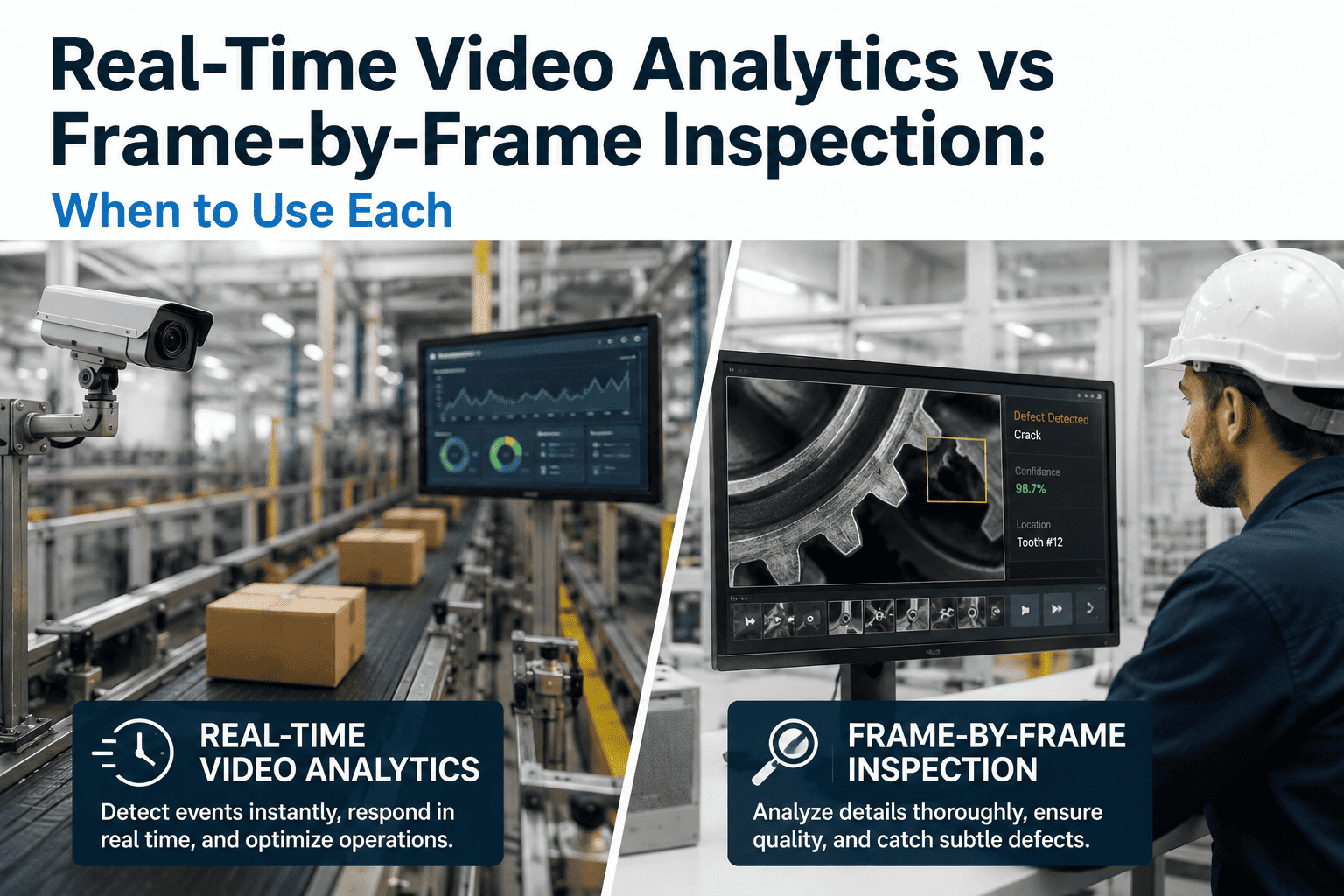
The technical distinction between these two approaches is not about the camera. It is about how the edge processor handles the data. Video analytics processes a temporal sequence, comparing frame N to frame N-1 to detect changes over time. Frame inspection isolates a single image and applies spatial analysis to find features within that frozen moment. The visual below represents how the software sees the exact same conveyor belt under each architecture.
Real-Time Video Analytics
The processor receives a continuous, unbroken sequence of frames. It tracks objects as they move through the field of view, analyzes trajectories, and monitors for state changes like a person entering a restricted zone or liquid pooling on the floor. The analysis is temporal, meaning the context comes from what happened in the previous frames.
Frame-by-Frame Inspection
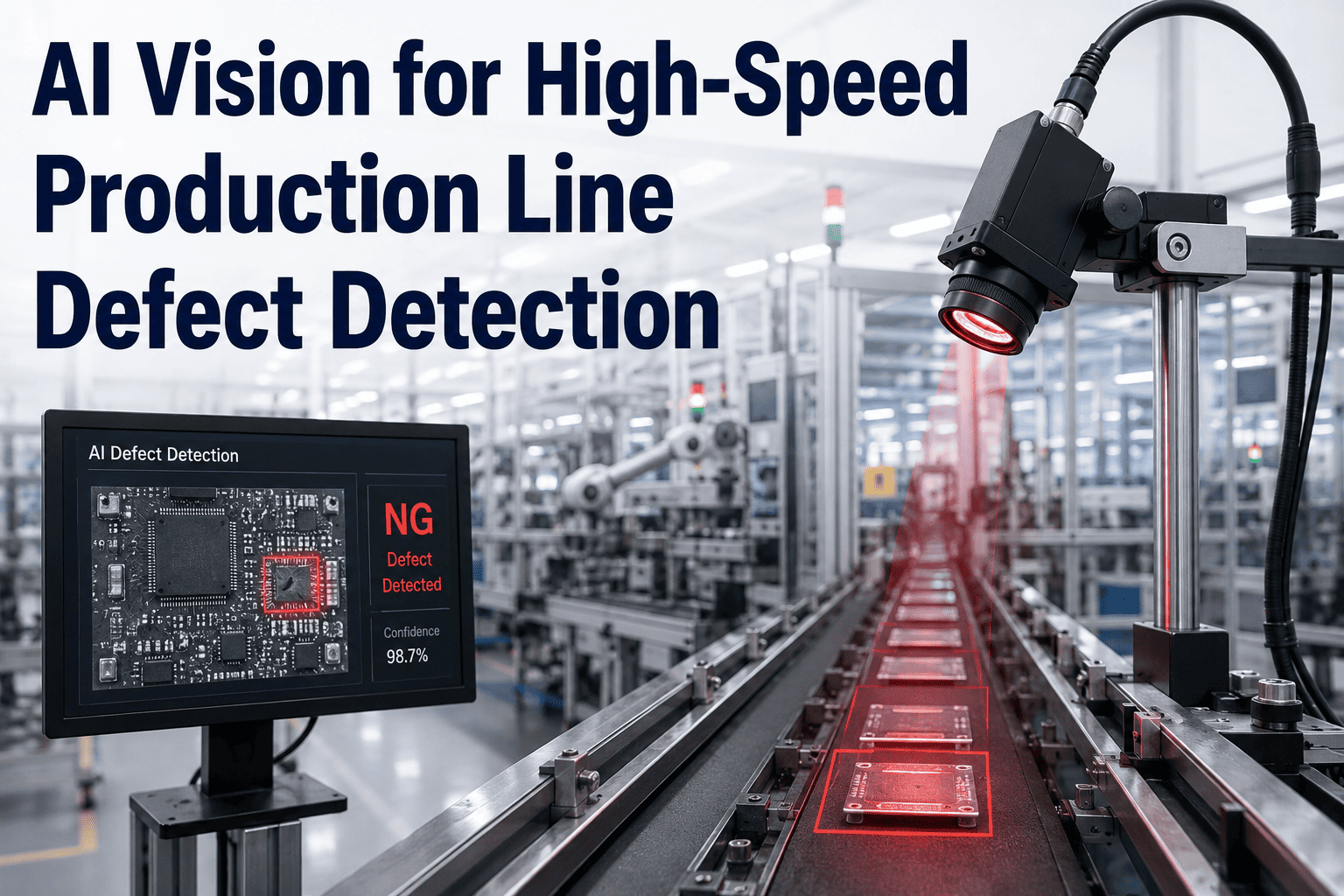
The processor sits idle until a hardware trigger fires. An encoder on the conveyor sends a signal the exact millimeter a part reaches the optimal inspection point. The camera captures one high-resolution still image. The processor analyzes that single frame for spatial features like scratches, dimensions, or missing components, outputs a pass or fail, and waits for the next trigger.
Continuous Video Analytics
Where Continuous Streaming Excels on the Factory Floor
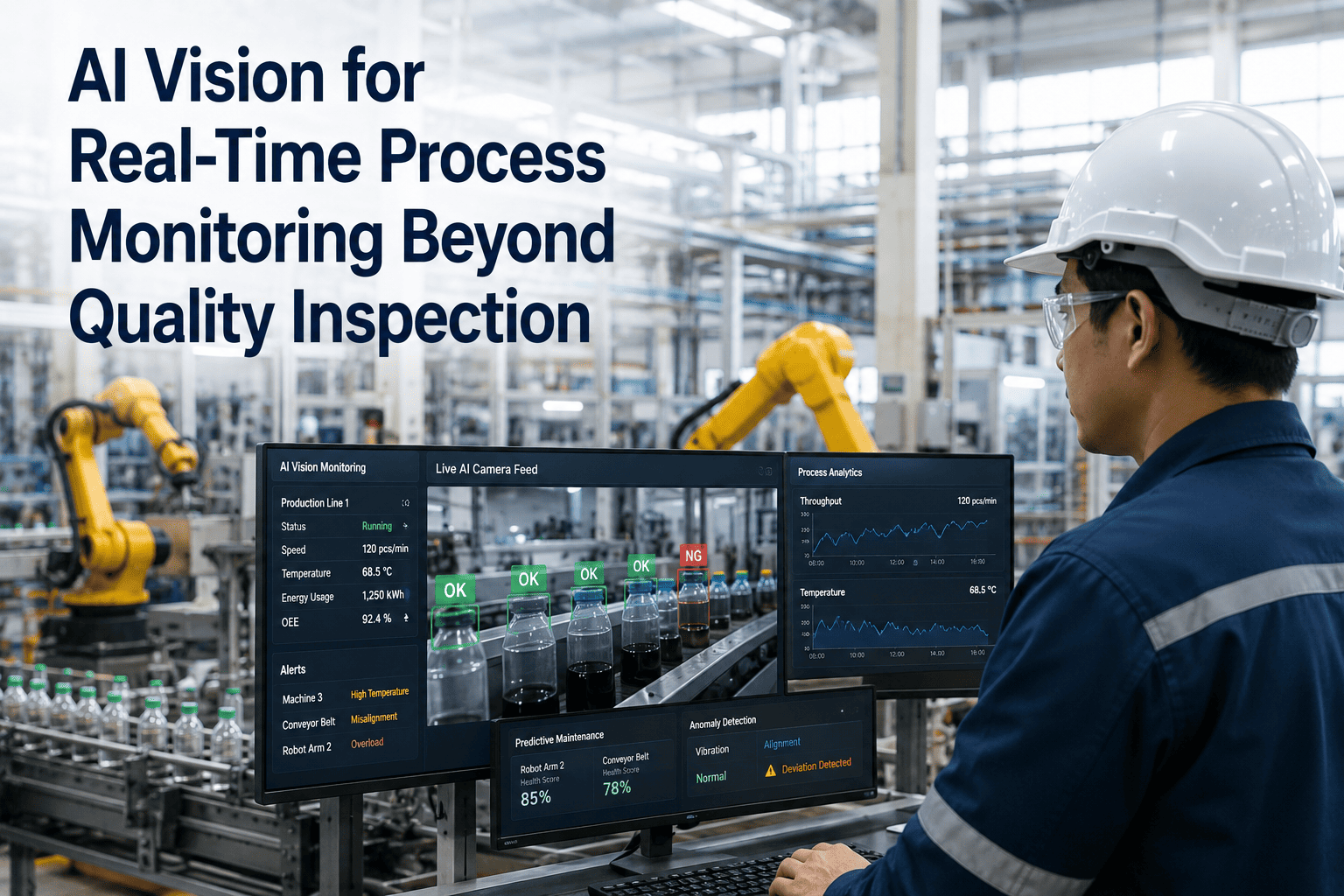
Video analytics is designed to answer questions about what is happening in a zone over time. It does not look for microscopic defects. It looks for macro-level events, behavioral patterns, and environmental conditions that require context from multiple frames to understand. The applications below represent the highest-value use cases for continuous streaming in manufacturing environments.
Safety Compliance Monitoring
Tracking whether personnel in the camera field of view are wearing required PPE such as hard hats, safety glasses, and high-visibility vests. Because the system processes a continuous stream, it can detect when a worker removes a safety glasses strap and issues an alert in real time, which a single triggered frame would likely miss if the worker was looking down at the exact moment the trigger fired.
Zone Intrusion and Collision Avoidance
Monitoring the boundary between pedestrian walkways and automated vehicle paths or robotic work cells. The analytics model tracks the trajectory of both humans and forklifts across multiple frames to predict imminent collisions before they happen, sending an alert to stop the vehicle or halt the robot based on speed and distance calculations that are impossible to derive from a single still image.
Process Leak and Spill Detection
Watching floors, pipes, and machine bases for the gradual accumulation of liquid, powder, or debris that indicates a process failure. A single frame might show a wet spot that could be normal cleaning residue, but a video stream that shows the spot growing over thirty seconds definitively identifies an active leak and triggers a maintenance response before the fluid reaches a drain or causes a slip hazard.
Operational Activity Logging
Counting how many times an operator opens a machine guard, how long a changeover takes, or how frequently material handlers visit a staging area. These metrics are derived from tracking human presence and movement patterns across a continuous timeline, providing operations management with data on workflow efficiency that cannot be extracted from discrete part inspection images.
Frame-by-Frame Inspection
Where Triggered Frame Inspection Excels on the Factory Floor
Frame inspection is designed to answer questions about the physical condition of a specific part at a specific moment. It sacrifices temporal context to maximize spatial resolution and deterministic timing. The trigger mechanism ensures that every single part is evaluated with identical lighting, identical positioning, and identical processing, which is the only way to achieve the consistency required for automated quality decisions.
Surface Defect Detection
Identifying scratches, dents, cracks, and blemishes on manufactured surfaces. A triggered frame captures the part at the exact point where lighting is optimized to reveal surface topology. The model analyzes the high-resolution spatial data in that single frame to detect defects that are often smaller than a single millimeter, a level of precision that is computationally impractical to apply to every frame of a 30-frames-per-second video stream.
Dimensional Verification
Measuring part geometry to confirm it falls within specified tolerances. Because the part is captured at a known trigger point, the pixel-to-millimeter calibration is exact and repeatable. The model measures features like hole diameters, edge lengths, and angles on the frozen image with sub-pixel accuracy, generating a dimensional record for every part that passes the inspection station.
Label and Print Verification
Reading barcodes, verifying text correctness, and checking print quality on packaged goods. The triggered frame ensures the label is flat, well-lit, and perfectly positioned in the camera view when the OCR or pattern matching algorithm runs, eliminating the motion blur and variable angles that degrade read rates in continuous video feeds where packages are moving through the frame at high speed.
Component Presence and Assembly Validation
Confirming that every component in an assembly is present and correctly seated before the product moves to the next station. A single high-resolution triggered frame provides a definitive snapshot of the assembly state at that point in time, allowing the model to check for missing clips, unseated connectors, or reversed components with a deterministic pass or fail output that can directly drive a downstream reject mechanism.
One Camera, Two Completely Different Jobs. The Wrong Software Architecture Wastes the Hardware.
iFactory configures continuous video analytics for process and safety monitoring, and triggered frame inspection for quality control, on the exact same edge hardware stack where the application allows it.
Decision Matrix
Technical Specifications: Video Analytics vs Frame Inspection
System Parameter
Real-Time Video Analytics
Frame-by-Frame Inspection
Input Trigger
None; continuously ingests the camera feed at a set frame rate
Hardware trigger from encoder, photocell, or PLC signal
Processing Focus
Temporal; tracks changes, motion vectors, and object trajectories across frames
Spatial; analyzes pixels, edges, and textures within a single frozen image
Resolution Priority
Lower; 720p or 1080p is typically sufficient to track objects and zones
High; 2K, 4K, or sensor-native resolution needed to resolve micro-defects
Lighting Requirements
Ambient or general overhead lighting; tolerant of slight variation frame to frame
Highly controlled and consistent strobe or LED lighting to ensure identical illumination for every trigger
Typical Output
Event alerts, trajectory logs, dwell time reports, and zone occupancy status
Pass or fail decision per part, defect coordinates, and dimensional measurements
Reject Actuation
Not applicable; does not make part-level quality decisions
Direct integration with PLC to trigger pneumatic reject or diverter within milliseconds
Compute Load Profile
Sustained and continuous; requires constant GPU/NPU utilization to process the stream
Burst and idle; high compute spike during image capture, then idle until the next trigger
Combined Deployment
Running Both Architectures on the Same Production Line
The most advanced manufacturing lines do not choose between video analytics and frame inspection. They run both on the same line, often using the same camera infrastructure, to achieve total visibility. A single high-resolution camera overlooking a packaging station can feed a continuous video analytics model that monitors forklift traffic and operator safety in the background, while a hardware trigger connected to the conveyor fires at the exact moment a sealed box passes the optimal inspection point, capturing a high-resolution frame for a separate label-verification model. The edge processing unit multiplexes between the two workloads, dedicating compute to the triggered frame inspection when a part arrives and returning to continuous video processing during the gaps between parts.
Single Overhead Camera
Path A: Continuous Stream
Processes 15-30 fps for safety, zone tracking, and spill detection in the background
Path B: Triggered Frame
Captures 1 high-res still per part for label verification, defect detection, and quality logging
Unified Dashboard: Safety Events + Quality Records
Frequently Asked Questions
Video Analytics vs Frame Inspection — What Engineers Ask Before Architecture Selection
Can a continuous video analytics model detect small surface scratches on individual parts?
Technically it is possible, but it is highly inefficient and unreliable in practice. To detect a scratch that is half a millimeter wide, the video model would need to process 4K resolution at 30 frames per second, which requires enterprise-grade GPU hardware that is prohibitively expensive for a single inspection point. Furthermore, motion blur as the part moves through the frame degrades the spatial resolution, causing the model to miss the exact defect features it was trained to find. A triggered frame eliminates motion blur entirely and allows the full compute budget of the edge device to focus on analyzing that single high-resolution image, making it the correct and cost-effective architecture for surface defect detection.
Contact support to review your defect size requirements.
Why not just extract still frames from the video feed instead of using a hardware trigger?
Extracting still frames from a video stream introduces timing jitter and positioning variability that degrades inspection consistency. When a frame is extracted from a continuous stream, the part may be at a slightly different position in the camera view in every extracted image, meaning the lighting angle, magnification, and background are constantly shifting. A hardware trigger fires at the exact physical position of the part, ensuring that the captured image is geometrically identical to the training images and to every previous inspection image. This positional consistency is what allows the model to achieve high accuracy and what allows dimensional measurements to be reliably calibrated in real-world units like millimeters.
Book a Demo to see triggered precision in action.
Does running both video analytics and frame inspection on one camera reduce the quality of either?
It does not reduce quality, but it requires careful compute management on the edge device. When a hardware trigger fires, the edge processor must momentarily prioritize the frame inspection task to ensure the quality analysis completes within the reject latency window. During the time between triggers, the processor dedicates its resources to the continuous video analytics stream. iFactory manages this compute multiplexing automatically, ensuring that the video stream does not drop frames and the frame inspection never misses its latency deadline. The only scenario where quality could be impacted is if the line speed is so fast that triggers are firing faster than the processor can complete the inspection analysis, which is a hardware sizing issue that is resolved during the initial system design phase.
Contact support for hardware sizing.
What happens to the video analytics when the line is stopped and there are no parts to inspect?
The continuous video analytics model continues running and monitoring the environment regardless of whether the line is moving. In fact, line stoppages are a critical event for video analytics to capture, because they often involve personnel entering the machine zone to clear jams or perform maintenance. The video system logs these entries, tracks how long personnel remain in the hazardous zone, and verifies whether lockout-tagout procedures were visually followed before interaction with the machinery. The frame inspection system simply remains idle during a stoppage because no triggers are firing, which frees up additional edge compute resources for the video analytics to use at higher fidelity if needed.
Book a Demo to see stoppage monitoring.
How much historical data does video analytics store compared to frame inspection?
Video analytics typically stores metadata and event clips rather than continuous video. Because storing 30 frames per second, 24 hours a day, quickly consumes terabytes of storage and creates an unsearchable data archive. Instead, the system stores event logs containing timestamps, object tracks, and short video clips only when an alert is triggered, such as a person entering a restricted zone. Frame inspection stores one high-resolution still image per part inspected, creating a structured dataset where every image corresponds to a specific part serial number, shift, and pass or fail decision. This structured image database is far more valuable for long-term quality trend analysis than hours of uneventful video footage.
Contact support to discuss data retention strategies.
Your Camera Can Watch the Whole Process or Inspect a Single Part. Knowing the Difference Is What Makes the System Work.
Continuous video analytics for safety and process monitoring, triggered frame inspection for deterministic quality control, configured on the right hardware for your line.