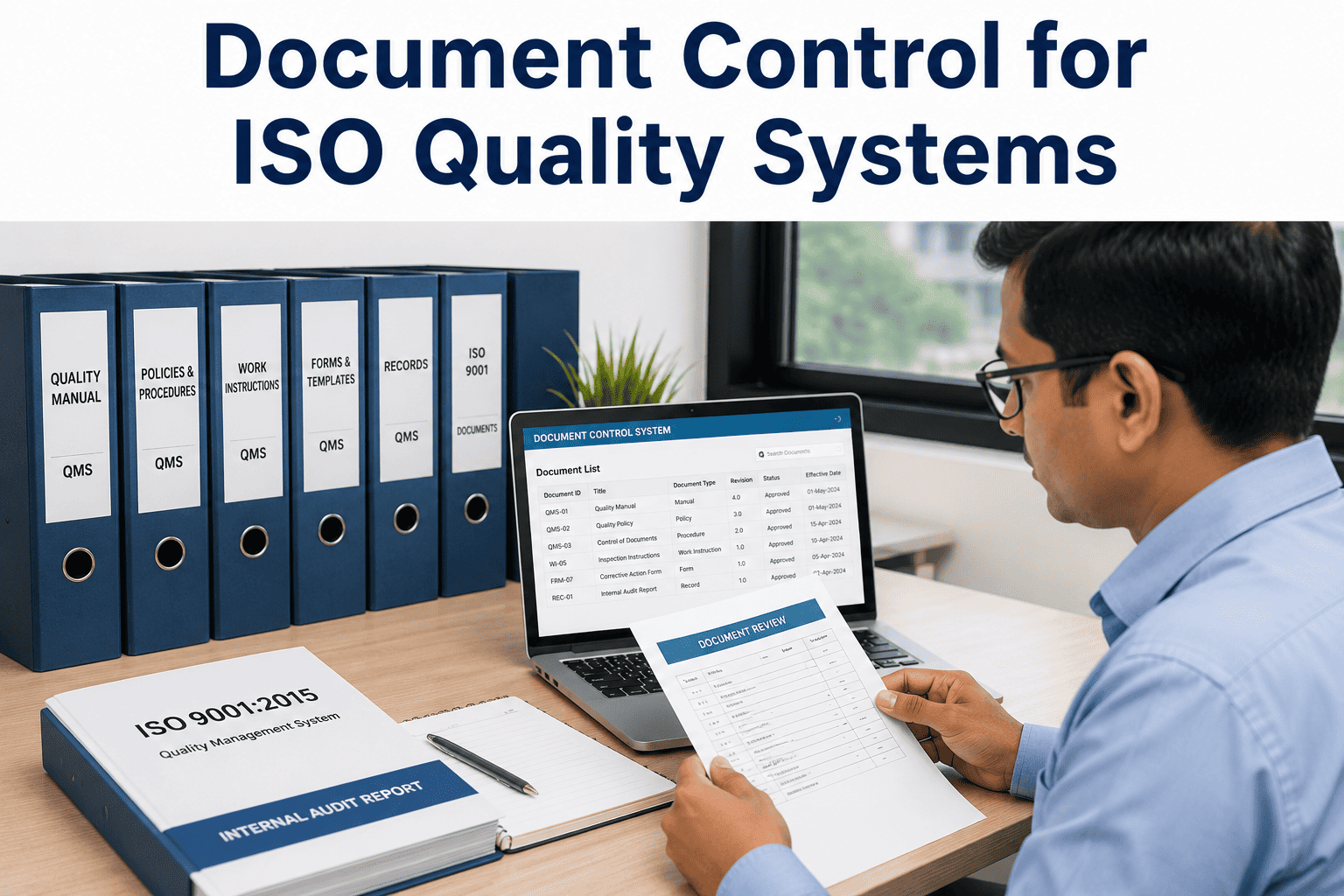
In the manufacturing ecosystem, document control is the backbone of ISO 9001 compliance and operational integrity. Without a rigorous system for version management, approval workflows, and controlled distribution, organizations expose themselves to audit failures, production errors, and regulatory penalties. This comprehensive guide dissects the anatomy of an enterprise-grade document control system, moving beyond shared drive chaos to a structured, auditable, and efficient framework. We explore the critical components of digital version management, automated review cycles, and secure distribution, ensuring that every quality document—from SOPs to work instructions—is accurate, current, and accessible only to authorized personnel. For plant managers, quality directors, and compliance officers, mastering these elements is not optional; it is a strategic imperative. Book a Demo to see how iFactory automates document control for ISO excellence.
Transform Your Document Control Process
Eliminate version chaos and achieve ISO compliance with automated workflows. Schedule a personalized demo today.
The Critical Role of Document Control in ISO Quality Systems
ISO 9001:2015 mandates that organizations maintain documented information to ensure effective planning, operation, and control of processes. Document control is the systematic management of these documents through their entire lifecycle—from creation and review to approval, distribution, and eventual retirement. In a typical manufacturing facility, hundreds of SOPs, work instructions, quality plans, and forms must be controlled. Without a centralized digital system, teams rely on shared drives, email attachments, and paper copies, leading to version conflicts, outdated procedures being used on the shop floor, and non-conformances during audits. A robust document control system (DCS) addresses these challenges by providing a secure repository with version tracking, automated approval routing, and controlled access. It ensures that the right people have the right version at the right time, and that every change is traceable. This foundational layer is essential for achieving and maintaining ISO certification, reducing risk, and driving operational excellence.
Digital Version Management
Every document revision is automatically tracked, creating a complete history of changes. Users can compare versions side-by-side, see who made changes and when, and restore previous versions if needed. This eliminates the risk of using outdated documents and provides a clear audit trail for ISO compliance.
Automated Review & Approval Workflows
Define multi-step approval processes that route documents to the appropriate reviewers and approvers based on document type, department, or content. Notifications, deadlines, and escalations ensure reviews are completed on time, reducing bottlenecks and accelerating document release.
Controlled Distribution & Access
Set granular permissions to control who can view, edit, approve, or distribute each document. Documents can be published to specific roles, teams, or locations, and access can be revoked immediately when a document is superseded. This ensures that only current, approved versions are available on the shop floor.
Audit-Ready Reporting
Generate comprehensive reports on document status, approval history, user activity, and compliance metrics. These reports can be exported for internal audits or regulatory inspections, demonstrating full control over documented information and adherence to ISO standards.
The Document Lifecycle: From Creation to Retirement
Creation & Authoring
Documents are created using standardized templates within the DCS. Authors can write directly in the system or upload existing files. Metadata such as document title, type, department, and keywords are captured for search and categorization.
Review & Collaboration
The document is routed to designated reviewers who can add comments, track changes, and suggest edits. The system maintains a complete record of all feedback, ensuring that every input is considered before final approval.
Approval & Release
After review, the document moves to the approval stage. Authorized approvers (e.g., Quality Manager, Plant Manager) give final sign-off. Once approved, the document is automatically published with a new version number, and the previous version is archived.
Distribution & Access
The approved document is made available to relevant users based on their roles and permissions. Notifications are sent to inform stakeholders of the new version. Obsolete documents are automatically withdrawn from circulation.
Review & Retirement
Documents are subject to periodic review to ensure they remain current. If a document is no longer needed, it can be retired (obsoleted) with a formal record. Retired documents are retained for historical reference and audit purposes but are not accessible for operational use.
Ready to Streamline Your Quality Documentation?
Automate version control, approvals, and distribution with iFactory. Book a demo to see it in action.
Shared Drive vs. Digital Document Control System
| Feature | Shared Drive / Email | Digital DCS (iFactory) |
|---|---|---|
| Version Control | Manual naming, risk of overwrites | Automatic versioning with full history |
| Approval Workflow | Email chains, no tracking | Automated routing with status visibility |
| Access Control | Folder permissions, limited granularity | Role-based, document-level permissions |
| Audit Trail | Minimal or none | Complete log of all actions and changes |
| Search & Retrieval | File name search, slow | Full-text search with metadata filtering |
| Compliance | Difficult to demonstrate control | ISO 9001 compliant by design |
Best Practices for ISO Document Control
Establish a Document Hierarchy
Define a clear hierarchy of document types (e.g., Quality Manual, Procedures, Work Instructions, Forms) and assign each a unique identifier. This structure simplifies navigation, retrieval, and control.
Implement Strict Version Naming Conventions
Use a standardized version numbering scheme (e.g., v1.0, v1.1, v2.0) that reflects the significance of changes. Minor edits increment the minor number; major revisions increment the major number. This provides immediate context about the document's evolution.
Define Clear Approval Roles and Escalation Paths
For each document type, specify who must review and approve. Include backup approvers and escalation rules to prevent bottlenecks. Automated reminders and deadline enforcement keep the process moving.
Conduct Regular Document Reviews
Schedule periodic reviews (e.g., annually) for all controlled documents. Use the DCS to track review dates and prompt owners to confirm accuracy. This prevents documents from becoming stale and non-compliant.
Train Employees on Document Control Procedures
Ensure all users understand how to access, use, and submit documents. Training should cover the importance of using only current versions, how to request changes, and the consequences of non-compliance.
Leverage Analytics for Continuous Improvement
Use system reports to identify bottlenecks in approval workflows, frequently revised documents, and areas where document access is inconsistent. This data drives process improvements and enhances overall QMS efficiency.
Frequently Asked Questions
What is the difference between document control and records management?
Document control refers to the management of active documents that are subject to change and review, such as SOPs and work instructions. Records management deals with completed records that are static and retained for historical or legal purposes, such as inspection reports or audit logs. Both are critical for ISO compliance, but they have different lifecycle requirements. A robust QMS must handle both, and iFactory's platform integrates document control with records management for a seamless experience. For more details, contact our support team or book a demo to see how we unify these processes.
How does digital document control support ISO 9001:2015 compliance?
ISO 9001:2015 requires organizations to control documented information to ensure it is adequately protected, distributed, and maintained. A digital DCS provides version control, approval workflows, access permissions, and audit trails that directly address these requirements. It demonstrates that the organization has a systematic approach to managing its documentation, which is a key evidence point during audits. Additionally, features like automated review reminders and controlled distribution help maintain ongoing compliance. To explore how iFactory aligns with ISO 9001, book a demo or visit our support page for resources.
What are the key features to look for in a document control system?
Essential features include robust version management (with full history and rollback), configurable approval workflows (with notifications and escalations), granular access controls (down to document level), full-text search, audit trail reporting, and integration with other QMS modules (e.g., CAPA, training). The system should be user-friendly, scalable, and compliant with industry regulations. iFactory offers all these capabilities and more, tailored for manufacturing environments. To see these features in action, schedule a demo or reach out to our team for a personalized walkthrough.
How do I migrate from a shared drive to a digital document control system?
Migration should be planned in phases: first, audit your existing documents to identify which are controlled and which are obsolete. Next, clean up and standardize file names and metadata. Then, upload documents into the DCS, assigning appropriate metadata and permissions. Configure approval workflows and train users on the new system. Finally, retire the shared drive and enforce use of the DCS for all document-related activities. iFactory provides migration tools and support to make this transition smooth. For assistance, contact our support team or book a demo to discuss your migration plan.
What is the cost of implementing a document control system?
Costs vary based on the size of the organization, number of users, document volume, and required features. Cloud-based solutions like iFactory typically offer subscription pricing with lower upfront costs. Implementation includes software licensing, configuration, data migration, and training. While there is an investment, the ROI is significant through reduced audit non-conformances, faster document retrieval, and improved operational efficiency. To get a tailored quote, book a demo with our team, or visit our support page for pricing inquiries.
Master Document Control for ISO Excellence
Take the first step toward a fully compliant, efficient, and auditable document management system. Book a demo with iFactory today.