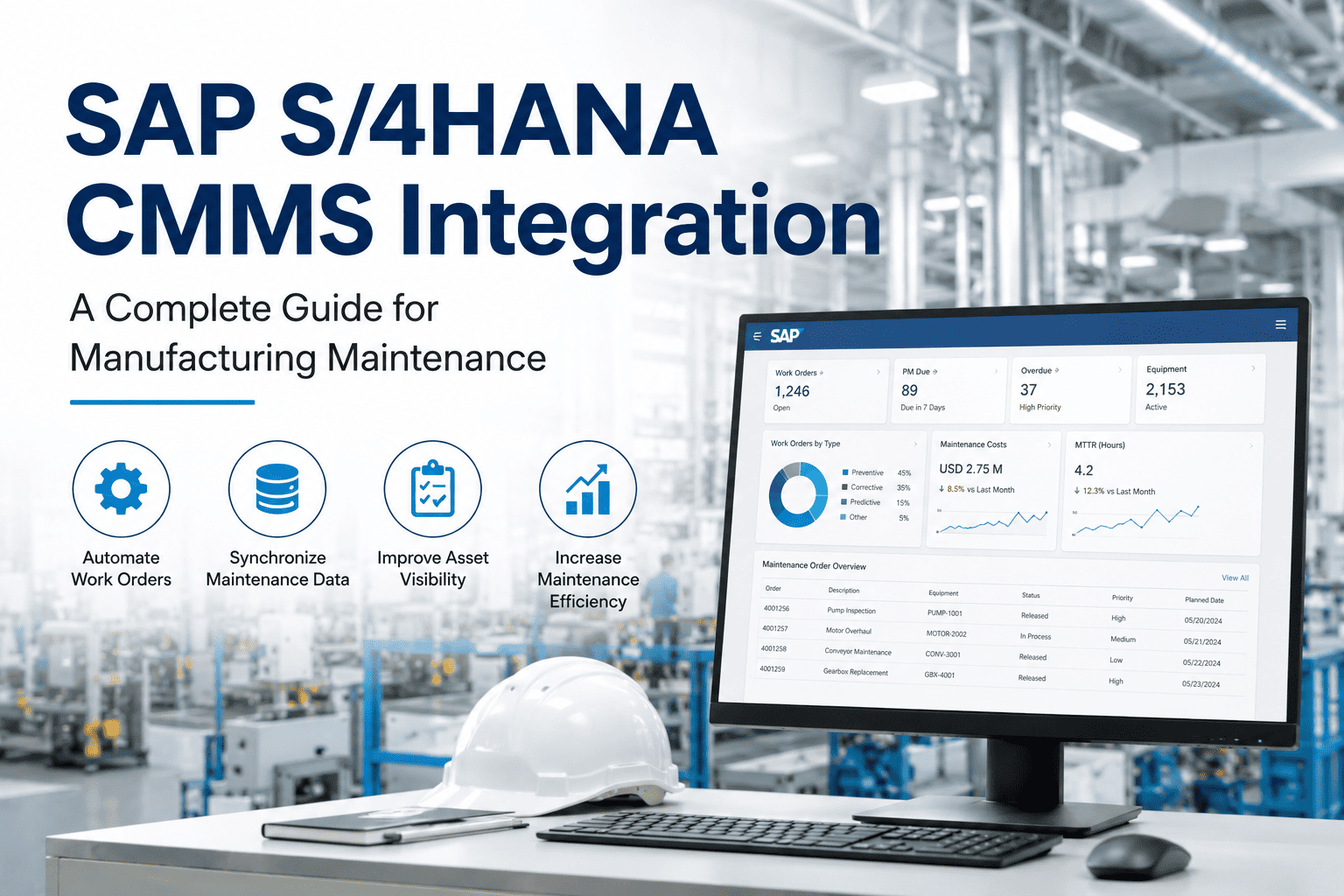
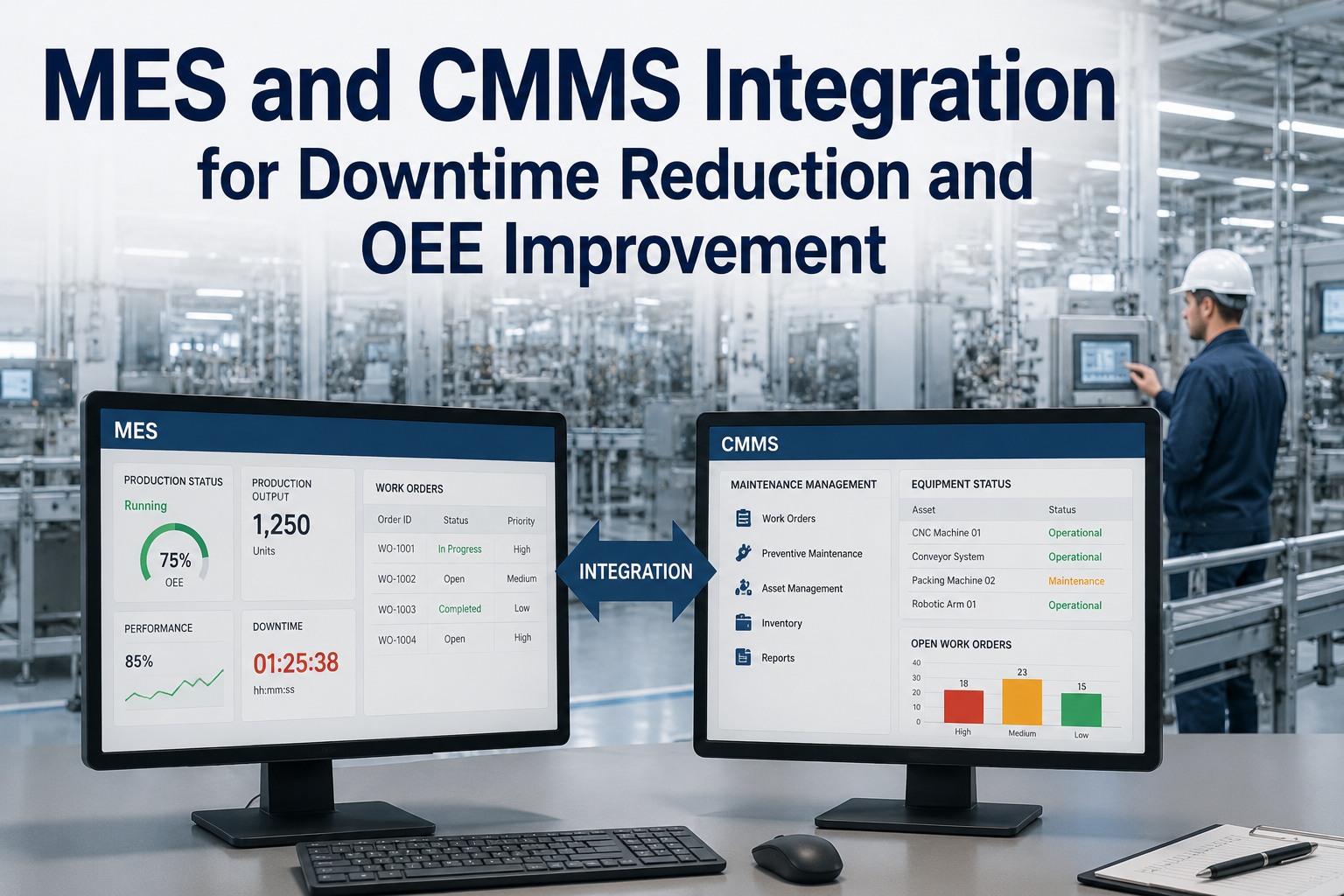
SAP S/4HANA is built for finance and planning — not for the technician walking the plant with a wrench. CMMS is built for maintenance execution but lacks the enterprise financial backbone. Integrating the two unlocks what neither delivers alone: real-time work order automation, accurate cost capture against SAP cost centers, automatic spare parts deductions, and zero double-entry. This guide walks through the integration architecture, data flows, methods, and 5-phase roadmap. Book a SAP-CMMS integration assessment to scope yours.
Enterprise Backbone
SAP S/4HANA
PM · Plant Maintenance
MM · Materials Management
FI/CO · Finance & Controlling
FI-AA · Asset Accounting
PP · Production Planning
OData V4
BAPI / RFC
IDoc
BTP / Middleware
Execution Layer
CMMS Platform
Mobile Work Orders
Asset Hierarchy
Predictive Maintenance
Spare Parts & Inventory
KPI Dashboards
2-12 wk
Implementation time range
↓ 70%
Work order processing time
Zero
ABAP changes required
Why SAP S/4HANA PM Alone Isn't Enough
SAP PM excels at what SAP does best: enterprise structure, financial accuracy, and audit trails. But it was never designed for the technician scanning a barcode in a noisy plant. Asking maintenance teams to use SAP GUI as their daily execution tool is why work order paperwork piles up, costs get mis-posted, and reliability data never makes it into the system. A purpose-built CMMS layered on top of SAP PM solves both problems — without replacing your enterprise system of record.
SAP PM Only
Enterprise but Painful
+ Single source of financial truth
+ Audit-ready cost & asset records
− SAP GUI requires desktop access
− Painful for mobile technicians
− Weak predictive & condition monitoring
CMMS Only
Usable but Disconnected
+ Mobile-first technician experience
+ Strong predictive & AI capabilities
− Manual cost re-entry into SAP
− Parallel master data drift
− Spare parts ledger out of sync
SAP + CMMS Integrated
Enterprise + Execution
+ SAP stays system of record
+ Technicians work mobile-first
+ Bidirectional real-time sync
+ Zero double-entry, zero drift
+ AI-enriched work orders flow into SAP
Integration Architecture · How the Two Systems Connect
Modern SAP-CMMS integrations don't touch SAP ABAP code or require Basis transports. They connect through SAP's standard interface layer using out-of-the-box APIs. Here are the five architectural components that make bidirectional sync work — and why each matters for compliance and reliability.
01
SAP Interface Layer
Standard OData V4 APIs, RFC-enabled function modules, BAPIs, and IDocs. No custom ABAP. No transport changes. SAP Basis team retains full access control.
OData V4BAPIRFCIDoc
02
Integration Middleware
SAP BTP Integration Suite (cloud) or PI/PO (on-prem) orchestrates data transformations, field mappings, retry logic, and error handling. Optional — many CMMS platforms connect directly.
SAP BTPMuleSoftDell BoomiDirect API
03
Sync Engine & Conflict Rules
Field-level mapping, bidirectional sync logic, conflict resolution rules (SAP-wins, CMMS-wins, or human-review per object type). Audit log on every sync event.
Field mappingConflict rulesAudit log
04
CMMS Application Layer
Mobile execution interface, asset hierarchy, predictive maintenance models, work order workflows, parts management. Where technicians actually do work.
Mobile UXAI/MLSensorsWorkflows
05
Security & Identity
Single sign-on via SAML or OIDC, role-based access mirroring SAP authorizations, encrypted transport (TLS 1.3), and SOX/audit compliance baked in at every layer.
SSORBACTLS 1.3SOX-ready
Data Flow Map · What Syncs in Each Direction
The most important architectural question isn't how data syncs — it's which data flows in which direction and what triggers each sync event. Get this wrong and you create either duplicate data or stale data. Here's the canonical bidirectional data flow that powers production SAP-CMMS integrations.
Equipment Master
EQUI · EQKT
Functional Locations
IFLOT · IFLOTX
Maintenance Plans
MPLA · MPOS
Material Master & BOMs
MARA · MAST · STPO
Spare Parts Inventory
MARD · MSEG
Personnel & Work Centers
CRHD · PA0001
Maintenance Notifications
QMEL · BAPI_ALM_NOTIF
Work Order Creation
AFKO · AFPO
Time Confirmations
AFRU · BAPI_ALM_ORDER_CONF
Parts Consumption (261)
MSEG · Goods Movement
Costs Posted to Cost Center
COEP · CO posting
Work Order Completion
TECO status update
Condition & Measurement Data
IMPTT · IMRG
AI Predictive Alerts
Custom notification type
Map Your SAP-CMMS Integration in 2 Weeks
iFactory's SAP integration team reviews your S/4HANA landscape, PM configuration, and maintenance workflows — then designs the data flow architecture that fits your environment. No middleware lock-in. No ABAP modifications. Production-ready in weeks.
4 Integration Methods Compared
SAP exposes four distinct interface patterns for external CMMS connections. Each has trade-offs in latency, complexity, and operational characteristics. Choosing the right method — or the right combination — determines whether your integration runs smoothly for a decade or becomes a permanent firefighting project.
SAP's modern REST interface for S/4HANA. OData V4 endpoints expose business objects directly. JSON payloads, standard HTTP verbs, OAuth 2.0 security. The default choice for new S/4HANA integrations.
LatencyReal-time (<1s)
Best forS/4HANA cloud/on-prem · modern CMMS
ComplexityLow
SAP's classic function-call interface. BAPIs like BAPI_ALM_ORDER_CREATE and BAPI_ALM_NOTIF_CREATE are battle-tested across decades of integrations. Required for older SAP ECC and many existing S/4HANA installs.
LatencyReal-time
Best forSAP ECC + brownfield S/4HANA
ComplexityMedium
SAP's document-based exchange format. Ideal for batch loads of master data, end-of-shift confirmations, or scenarios where eventual consistency is acceptable. Robust error handling and SAP-native monitoring.
LatencyBatch (minutes-hours)
Best forMaster data sync · end-of-shift posts
ComplexityMedium-high
SAP Business Technology Platform or third-party iPaaS (MuleSoft, Dell Boomi) orchestrates flows across multiple SAP modules and external systems. Adds transformation, monitoring, and governance — but also cost and another vendor to manage.
LatencyNear real-time
Best forMulti-system landscapes · enterprise governance
ComplexityHigh
Unsure which integration method fits your SAP landscape? Schedule a technical architecture review with our SAP integration specialists.
The 5-Phase Implementation Roadmap
SAP-CMMS integrations don't fail because the technology is hard — they fail because teams skip the discovery work. Walking through these five sequential phases keeps the integration on track from kickoff to scaled production. Most mid-complexity integrations complete the full roadmap in 6-10 weeks.
Phase 1
Week 1
Discovery & Mapping
Audit current SAP PM configuration
Map equipment hierarchies & cost centers
Define integration scope & data flows
Document field-level mapping rules
→
Phase 2
Week 2-3
Connection Setup
Configure SAP API users & roles
Establish secure channels (TLS, SSO)
Test BAPI / OData endpoints
Validate conflict resolution rules
→
Phase 3
Week 3-4
Master Data Sync
Import equipment masters & locations
Sync maintenance plans & task lists
Map material master & BOMs
Validate data integrity both sides
→
Phase 4
Week 4-6
Parallel Pilot
Run pilot on one plant or production line
Verify bidirectional work order sync
Validate cost postings & parts deductions
Train technicians on new workflow
→
Phase 5
Week 6-10
Production & Scale
Roll out across all plants & users
Monitor sync performance & tune frequency
Activate AI predictive workflows
Build KPI dashboards on combined data
Planning a SAP-CMMS implementation? Connect with our integration architects to scope your specific timeline and resource plan.
Common Pitfalls & Measurable ROI
Every failed SAP-CMMS integration we've reviewed traces back to one of five common pitfalls — and every successful one delivers measurable ROI within the first quarter. Understanding both helps you build the business case for leadership while avoiding the landmines that derail similar projects.
Top 5 Implementation Pitfalls
01
Treating it as IT-only. Maintenance team must own field mapping decisions, not just SAP Basis.
02
Skipping conflict rules upfront. Without explicit SAP-wins vs CMMS-wins logic per object, data drift starts day one.
03
Over-customizing SAP. If you can't connect via standard BAPI/OData, you'll fight upgrades forever.
04
No sync monitoring dashboard. Silent failures cause stale data and lost cost postings.
05
Underestimating master data cleanup. 30-40% of timeline goes here. Plan for it.
Measurable ROI in 90 Days
Building the business case for SAP-CMMS integration? Book a ROI modeling session with our team to quantify the value for your specific operation.
Expert Perspective
The biggest mistake in SAP-CMMS integration is treating it as a pure technology project. SAP stays the system of record. The CMMS becomes the execution layer. The integration just makes sure they agree at every transaction. When you design with that mental model — SAP as the ledger, CMMS as the hands — every architecture decision becomes simpler. The teams that get this right are running zero double-entry and posting 100% of maintenance costs against the right SAP cost centers within their first quarter.
— SAP-CMMS Integration Best Practice
2-4 wk
Simple single-module integration timeline
4-10 wk
Multi-module PM + MM + FI/CO integration
Zero
ABAP modifications required for modern CMMS
261
SAP MM movement type for CMMS parts consumption
Bottom Line · Make SAP the Ledger, CMMS the Hands
SAP S/4HANA wasn't built for the technician walking the plant. CMMS wasn't built for enterprise finance and audit compliance. Integrating them properly gives you both — without picking sides. Use OData and BAPI for real-time work orders, IDoc for bulk master data, and SAP BTP only when you need orchestration across multiple systems. Keep SAP as the system of record. Let the CMMS handle execution. Map conflict rules upfront. Monitor every sync. Get this architecture right and you'll spend the next decade harvesting reliability gains instead of fighting integration fires.
Get Your SAP-CMMS Integration Architected Right
iFactory's SAP integration practice combines SAP PM expertise with deep CMMS implementation experience. Walk away with a target architecture, data flow map, integration method recommendation, and 5-phase rollout plan — in 2 weeks, not 2 months.
Frequently Asked Questions
What is SAP S/4HANA CMMS integration?
SAP S/4HANA CMMS integration connects a purpose-built Computerized Maintenance Management System with SAP's enterprise resource planning platform — specifically the Plant Maintenance (PM), Materials Management (MM), Financial Accounting (FI/CO), and Asset Accounting (FI-AA) modules. The integration enables bidirectional synchronization of equipment masters, work orders, maintenance notifications, parts consumption, labor confirmations, and cost postings. SAP remains the system of record for financials and audit compliance; the CMMS handles mobile-first execution, predictive maintenance, and technician workflows. This pattern eliminates double-entry, ensures accurate cost capture against SAP cost centers, and gives maintenance teams modern tools without forcing them to use SAP GUI.
How do you integrate SAP S/4HANA with a CMMS?
Modern SAP S/4HANA CMMS integrations connect through standard interfaces without modifying SAP ABAP code. The four primary methods are: OData V4 REST APIs (the modern default for S/4HANA, real-time, JSON payloads, OAuth 2.0 security), BAPI/RFC function modules (battle-tested across SAP ECC and S/4HANA, real-time, ideal for work order operations like BAPI_ALM_ORDER_CREATE), IDocs (batch-based document exchange for master data sync and end-of-shift confirmations), and SAP BTP Integration Suite or third-party iPaaS like MuleSoft (orchestrated middleware for multi-system landscapes). Most CMMS platforms connect directly via OData and BAPI — no middleware required. Implementation typically takes 2-10 weeks depending on scope.
Does SAP-CMMS integration require ABAP development?
No. A well-architected SAP-CMMS integration connects through standard SAP interfaces — BAPIs, RFCs, IDocs, or OData APIs — that ship out-of-the-box with SAP S/4HANA. There are no SAP transport changes required, no ABAP custom development, no modification of SAP custom code, and no impact on existing SAP customizations. Your SAP Basis team maintains full control over connection parameters, user authentication, and data access permissions. This is critical because custom ABAP modifications create permanent upgrade headaches every time SAP releases a new version. Reputable modern CMMS platforms are certified against SAP's standard PM, MM, FI/CO, and FI-AA APIs and require zero modification to your SAP system itself.
How long does SAP S/4HANA CMMS integration take?
Implementation timelines depend on scope and SAP landscape complexity. A basic single-module integration covering SAP PM work orders and equipment master typically goes live in 2-4 weeks for cloud-native CMMS platforms with pre-built SAP connectors. Multi-module integration covering PM, MM, FI/CO, and asset accounting takes 4-10 weeks. Complex multi-plant rollouts with custom field mappings, multiple SAP company codes, or significant master data cleanup can extend to 4-6 months. The 5-phase roadmap (discovery, connection setup, master data sync, parallel pilot, production rollout) is the standard approach. Pre-built SAP connectors from leading CMMS vendors can reduce timelines by 40-60% versus custom development.
How does CMMS spare parts consumption update SAP inventory?
When a technician records parts usage in the CMMS, the integration triggers a goods movement (movement type 261 — issue to maintenance order) in SAP MM in real-time. This automatically deducts the consumed quantity from the relevant storage location, updates the material document in SAP, posts the corresponding financial entry to SAP FI against the work order's cost center, and updates SAP MM inventory levels. If stock falls below the configured reorder point, SAP MM automatically triggers a purchase requisition — closing the loop on spare parts procurement without any manual intervention. The same pattern applies to time confirmations (posted via AFRU and BAPI_ALM_ORDER_CONF) and work order completion (TECO status updates). All existing SAP reports, PMIS evaluations, and dashboards continue working unchanged because data posts via standard SAP transactions.
Book a SAP integration architecture session to see this in action.