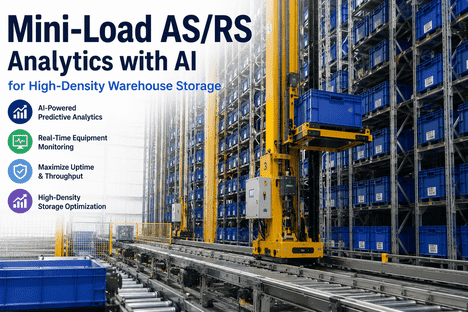
Mini-Load AS/RS analytics with AI for High-Density Warehouse Storage

By Arel Dixon on May 30, 2026

warehouse-mini-load-as-rs-analytics-ai-high-density-storage-url.png_optimized_300

Mini-load AS/RS systems deliver high-throughput, high-density storage — but a single shuttle or crane failure halts entire storage aisles. Unplanned downtime in a mini-load system does not isolate itself: one failed crane stops all picks and puts to that aisle, and a missed inbound conveyor fault cascades into aisle congestion within minutes. This checklist, combined with iFactory AI's predictive analytics, standardizes how your maintenance team monitors, inspects, and responds to every component in the mini-load stack — shuttle drives, crane motors, conveyor transfers, load sensors, and control systems — before a failure reaches your order fulfillment rate.

MINI-LOAD AS/RS · AI PREDICTIVE ANALYTICS · HIGH-DENSITY STORAGE · 2026

Mini-Load AS/RS analytics with AI for High-Density Warehouse Storage

Keep every shuttle, crane, and conveyor running with AI-driven predictive analytics — catching AS/RS failure signals before a single aisle goes dark and your throughput rate drops.

WHY THIS MATTERS

Why Mini-Load AS/RS Systems Need AI-Driven Analytics — Not Just Scheduled PMs

A mini-load AS/RS crane-based system typically achieves throughput of 100 to 600 transactions per aisle per hour. At that cycle intensity, component wear is not linear — it is cumulative and accelerating. Bearings degrade under combined radial and axial loads from high-speed X-Y-Z movements. Drive belts stretch under constant acceleration and deceleration cycles. Rail surfaces develop micro-fatigue that appears long before visible wear. Scheduled preventive maintenance intervals catch none of this in advance because they are calendar-based, not condition-based.

iFactory AI's predictive analytics platform connects to your AS/RS control systems, motor drives, and sensor arrays — reading vibration signatures, motor current draw, cycle time variance, and position error data in real time. When the data pattern shifts ahead of a failure event, iFactory flags the component and schedules the intervention before the aisle stops. The checklist below defines what your maintenance team monitors at each level of the mini-load stack, and how iFactory's AI layer supports and automates that monitoring continuously.

AS/RS Market Growth
8.0%
CAGR of the global automated storage and retrieval systems market through 2030 — driven by AI integration and e-commerce throughput demand
Space Saved
85%
Floor space reduction that mini-load AS/RS systems deliver vs conventional racking — making aisle uptime critical to storage capacity utilization
Failure Detection
3.4x
Earlier detection of shuttle and crane drive anomalies when AI vibration analytics supplements scheduled PM inspections
Unplanned Downtime
67%
Reduction in unplanned aisle shutdowns after iFactory AI predictive monitoring is deployed across mini-load crane and conveyor assets
SECTION 1 — STACKER CRANE / SHUTTLE DRIVE

Crane and Shuttle Drive Analytics Checklist

The stacker crane is the highest-criticality component in a mini-load system. It executes every storage and retrieval cycle — horizontal travel (X-axis), vertical lift (Y-axis), and load handling (Z-axis/extractor). Motor current anomalies, vibration signatures, and position error rates on any of these axes are the earliest leading indicators of bearing, drive belt, or encoder failure. iFactory reads all three axes continuously.

Daily Crane Condition Checks (Before First Cycle)
Review iFactory AI dashboard for overnight vibration anomalies on all crane drive axes
iFactory monitors vibration 24/7. Any shift in frequency spectrum on X, Y, or Z drive motors since last operational cycle should be reviewed before the first transaction is authorized.
Check horizontal and vertical rail surfaces for debris, deformation, or foreign object obstruction
Rail surface integrity directly affects crane positioning accuracy. Micro-deformation develops before it is visible — iFactory's position error trend data will show it as increasing cycle-to-cycle variance before a physical inspection would detect it.
Verify that position encoder readings match the control system's expected home position within tolerance
Encoder drift accumulates slowly. iFactory tracks cycle-end position accuracy against the manufacturer's tolerance band — a drifting trend visible over days will not be apparent in a single daily check without the trend data behind it.
Confirm brake response time on hoist and travel axes is within specification — log any degradation
Brake air gap increases as friction material wears. iFactory monitors brake opening current as an indirect wear indicator. A decreasing current value over time signals increasing air gap ahead of brake slip risk.
Weekly Crane Drive System Analytics Review
Pull iFactory's 7-day motor current trend for each crane axis — flag any upward drift from the rolling baseline
Rising motor current under identical load conditions is the clearest early signal of mechanical resistance — bearing wear, misalignment, or drive belt tension loss. Address it before the current spike triggers a motor thermal trip.
Review cycle time variance report — flag any aisles where average cycle time has increased more than 3% week-over-week
Cycle time creep on a specific aisle indicates mechanical degradation on that crane. iFactory isolates cycle time variance per crane and per axis — identifying whether the delay is in horizontal travel, vertical lift, or extractor movement.
Inspect drive belt tension and surface condition on horizontal and vertical axes — compare to iFactory's wear model forecast
Drive belts on high-cycle mini-load cranes should be inspected against a usage-based wear model, not calendar intervals. iFactory tracks cycle counts per belt and generates replacement forecasts based on your specific load profile.
Check lubrication status on all crane guide rails and confirm automatic lubrication system is dispensing correctly
Automatic lubrication system failures are silent until vibration increases. iFactory's vibration trend will show lubrication degradation before manual inspection detects dry rail sections.
SECTION 2 — CONVEYOR TRANSFER SYSTEM

Inbound and Outbound Conveyor Analytics Checklist

The conveyor transfer system connects the mini-load storage aisles to the pick station and receiving functions. A fault at any conveyor junction — transfer car, lift unit, merge point, or I/O conveyor segment — blocks flow to and from the aisle it serves. Unlike the crane, conveyor faults often compound: a blocked transfer car creates upstream aisle congestion within minutes. iFactory monitors every conveyor segment motor, belt tension, and photocell array continuously.

Daily Conveyor Condition Checks
Confirm all photocell and zone sensors are reading correctly — verify against iFactory's sensor status dashboard
A failed zone sensor creates phantom blockages that halt conveyor flow without any physical obstruction. iFactory flags sensor communication loss in real time — distinguishing sensor fault from actual jam event.
Check transfer car and lift unit positioning accuracy at each aisle junction — log any misalignment events from overnight operation
Positioning errors at aisle junctions cause load misplacements and tote jam events. iFactory records every positioning error with a timestamp and frequency count — revealing which junctions are developing mechanical play in their positioning drives.
Inspect belt surfaces on all accumulation conveyor zones for tracking deviation, wear strips, and splice condition
Belt tracking deviation increases motor side-load and accelerates bearing wear. iFactory's motor current monitoring will show the increased load before the belt has drifted far enough to trigger a physical jam event.
Review iFactory's jam event log for the previous 24 hours — distinguish genuine product jams from sensor-triggered false stops
A genuine jam and a sensor ghost jam look identical on an operator screen. iFactory's event log shows the sensor state sequence that preceded the stop — making the distinction in seconds rather than requiring a technician to walk the conveyor run.
Weekly Conveyor Drive Analytics Review
Pull iFactory's 7-day motor current trend for all conveyor drive motors — flag segments showing upward drift
High-cycle conveyor drive motors on mini-load systems can complete over 50,000 starts per week. Current drift on any segment indicates developing mechanical resistance that will accelerate to failure without intervention.
Review throughput rate per conveyor zone — identify any zones where actual throughput is below the planned rate by more than 5%
Throughput shortfall in a specific zone indicates a physical bottleneck — motor speed reduction, jam-prone section, or sensor-related stop accumulation. iFactory's zone throughput report isolates the affected segment automatically.

iFactory AI connects directly to your AS/RS control systems, motor drives, PLC sensor arrays, and WMS integration layer — delivering real-time predictive alerts for every shuttle, crane, and conveyor component in your mini-load system. Book a Demo to see predictive analytics running on live AS/RS data from your warehouse environment.

SECTION 3 — LOAD HANDLING AND EXTRACTOR

Load Handling, Extractor, and Tote Sensor Analytics Checklist

The extractor mechanism — the Z-axis component that places and retrieves totes, trays, or bins from storage locations — is the highest-cycle mechanical component in the entire mini-load system. On a 400-transaction-per-hour aisle, the extractor completes over 3,200 in-and-out cycles per shift. Wear on extractor fingers, grip surfaces, and drive timing belts accumulates rapidly. iFactory's cycle-count-based wear models and load sensor trend monitoring keep the extractor on the right side of its replacement interval.

Daily Extractor and Load Sensor Checks
Check iFactory's load sensor trend for anomalous weight readings — flag any tote positions showing unexpected load variance
Load sensor drift causes misplacement events where the crane delivers a tote to the wrong location or fails to confirm placement. iFactory tracks load sensor readings per cycle and flags statistical drift before it generates a mis-store event.
Inspect extractor finger surfaces for wear, deformation, or material build-up that would affect grip reliability
Extractor grip failures cause dropped totes in the aisle — requiring a manual recovery that takes the aisle offline. iFactory's cycle counter triggers an inspection work order before the finger surface degrades to the grip failure threshold.
Verify tote barcode / RFID read success rate is above 99.5% — review iFactory's read failure log for any location-specific failures
Location-specific read failures indicate a damaged label, misaligned scanner, or soiled reader lens at that position. iFactory's read success rate map identifies problem storage locations before they generate pick errors at the workstation.
Weekly Extractor Drive Analytics
Pull iFactory's extractor cycle count per aisle — compare against manufacturer replacement interval for drive timing belt and finger assembly
Extractor components degrade by cycle count, not calendar time. A high-utilization aisle may reach its replacement threshold in three months while a low-utilization aisle takes a year. iFactory's cycle-based model schedules replacements correctly for each individual aisle.
Review extractor motor current trend for the week — flag any aisle showing increased current at standard cycle speed
Increased extractor motor current at standard load indicates mechanical friction from worn guide surfaces or drive belt tension loss. Intervention at the current-drift stage costs a fraction of an aisle shutdown and emergency part sourcing.
SECTION 4 — CONTROL SYSTEM AND INTEGRATION

WMS Integration, PLC, and Control System Analytics Checklist

Mini-load AS/RS performance depends as much on its control and integration layer as on its mechanical components. A WMS communication timeout, a PLC fault, or a data sync gap between the AS/RS warehouse control system (WCS) and your inventory management platform creates order fulfillment errors even when every mechanical component is operating correctly. iFactory monitors the integration layer alongside the physical asset layer.

Daily Control System Checks
Review iFactory's WMS-to-WCS communication log for any timeout events, failed transactions, or data sync errors in the past 24 hours
Communication errors between the WMS and AS/RS control system create inventory location discrepancies that compound over time. iFactory logs every integration event and timestamps failures — making the gap visible before it affects order accuracy.
Verify PLC health status for all crane and conveyor control zones — confirm no fault codes are latched in the system
Latched PLC fault codes that were cleared without investigation are the most common source of recurring mini-load stoppages. iFactory's fault event log records every PLC alarm, its duration, and whether it was cleared manually or resolved through a maintenance action.
Check safety system status — confirm all aisle entry interlocks, light curtains, and emergency stop circuits are armed and functional
A partially functioning safety interlock is as dangerous as a failed one. iFactory monitors safety circuit continuity continuously and generates an immediate alert if any safety input falls outside its expected state during operational hours.

Replace Reactive AS/RS Maintenance With AI-Driven Predictive Analytics

iFactory connects to your mini-load AS/RS control systems, motor drives, and PLC sensor arrays — delivering real-time condition monitoring and predictive failure alerts across every shuttle, crane, conveyor, and extractor in your high-density storage operation.

AI ANALYTICS — WHAT IFACTORY MONITORS

Mini-Load AS/RS Component Analytics: What iFactory AI Measures and Why

The table below maps each mini-load AS/RS component to the specific data signals iFactory AI monitors, the failure mode those signals predict, and the consequence of missing the early warning. This is the measurement schema that iFactory configures during system integration — connecting to your existing AS/RS data outputs without requiring hardware replacement.

Component iFactory Monitors Failure Mode Predicted Consequence of Late Detection
Crane X-Axis Drive Motor current, vibration spectrum, travel time per cycle, position error Bearing wear, drive belt slip, encoder drift Full aisle shutdown
Crane Y-Axis (Hoist) Motor current, brake opening current, lift time variance, load cell reading Brake air gap wear, hoist motor overload, rope/belt fatigue Aisle shutdown + safety event risk
Extractor (Z-Axis) Motor current, cycle count, extension/retraction time, grip confirmation signal Finger wear, timing belt stretch, drive motor fatigue Dropped tote, aisle entry required
I/O Conveyor Motor current, belt tracking deviation, zone throughput rate, jam event frequency Belt tracking failure, motor overload, sensor degradation Throughput reduction, aisle congestion
Transfer Car / Lift Positioning accuracy, docking error rate, motor current, cycle time Positioning drive wear, docking alignment drift Multi-aisle flow blockage
Load Sensors Reading variance per location, drift from calibration baseline, zero-point stability Sensor calibration drift, cell failure Mis-store events, inventory inaccuracy
PLC / WCS Fault code frequency, alarm clear rate, WMS communication latency, data sync errors Recurring control faults, integration failures Order errors, inventory discrepancies
Safety Systems Safety circuit continuity, interlock state, e-stop response time Safety circuit degradation, interlock failure Regulatory non-compliance + shutdown
IMPLEMENTATION WORKFLOW

How to Deploy iFactory AI Analytics Across Your Mini-Load AS/RS in Four Steps

Deploying AI predictive analytics on your mini-load system does not require hardware replacement or modifications to your existing AS/RS control architecture. iFactory connects to your current data outputs and layers the analytics and alerting engine on top of what your system is already producing.

1

AS/RS Data Source Mapping

iFactory's implementation team maps every available data output from your AS/RS control system — PLC signals, drive telemetry, WCS event logs, and sensor feeds — and defines which signals correspond to which failure modes for your specific mini-load configuration.

2

Baseline Model Configuration

Historical operating data from your AS/RS is used to establish the normal performance baseline for each component — motor current ranges, cycle time distributions, vibration frequency profiles — against which iFactory's AI engine measures current readings to detect anomalies.

3

Live Monitoring and Alert Activation

iFactory goes live — ingesting real-time data streams from your AS/RS, running continuous anomaly detection, and delivering predictive maintenance alerts and automated work orders to your maintenance team before threshold crossings reach failure events.

4

Closed-Loop Model Refinement

Every maintenance intervention is logged against its triggering alert. iFactory's AI engine updates its failure prediction models with real outcome data — continuously improving alert accuracy and reducing both false positives and missed detections over time.

EXPERT PERSPECTIVE

What Warehouse Engineers Get Wrong About Mini-Load AS/RS Maintenance

Senior Warehouse Automation Engineer
iFactory AI Industrial Intelligence Team · 16 years in automated warehouse systems and intralogistics

The most common mistake I see with mini-load AS/RS maintenance programmes is applying calendar-based PM intervals to components that degrade by cycle count, not by time. A high-utilization aisle running 500 transactions per hour does not have the same bearing wear profile as a low-utilization aisle running 150. When both aisles are on the same 90-day drive inspection schedule, you're over-maintaining one and under-maintaining the other simultaneously.

The second mistake is treating PLC fault codes as operational noise. Engineers become desensitized to recurring faults that the system clears automatically — a hoist motor thermal trip that resets after three minutes, a positioning error that clears on retry. Each of those events is data. When iFactory's fault frequency analysis shows a specific fault occurring 8 times this week versus twice last week, that is a component telling you it is approaching its failure threshold. Ignored as noise, it becomes an emergency shutdown during the next peak period.

The third mistake is underestimating conveyor dependency. Maintenance focus naturally gravitates to the crane — it is the most visible and expensive component. But in most mini-load systems, the conveyor transfer network is what limits recovery time after a crane fault. If the crane is down for 20 minutes and the conveyor is full, you don't recover in 20 minutes — you recover in 45. iFactory's throughput flow model makes this dependency visible before the event, so the team can clear conveyor buffers proactively when a crane is flagged for intervention.

Key insight: Cycle-count-based maintenance scheduling, not calendar-based intervals, is the single highest-value change a mini-load operation can make. iFactory's per-aisle cycle counters make this automatic — no spreadsheet tracking required.
CONCLUSION

Mini-Load AS/RS Uptime Depends on Predictive Analytics, Not Reactive Response

A mini-load AS/RS system running at 400 transactions per aisle per hour has no tolerance for reactive maintenance. The cycle intensity that makes these systems valuable — high throughput, high density, continuous operation — is also what accelerates component wear beyond the visibility of standard PM intervals. The checklists in this guide define what your maintenance team should be monitoring across cranes, conveyors, extractors, and control systems. iFactory AI's predictive analytics platform automates the continuous monitoring layer — so that every bearing vibration trend, every motor current drift, and every cycle time variance is visible before it becomes an aisle shutdown.

Start with one aisle and one data source. Connect iFactory to your highest-utilization crane's motor drive telemetry. Get the baseline established and the anomaly detection running. The value of predictive analytics is measurable within the first planned intervention it enables — because a planned 2-hour maintenance window during a low-demand period is always worth less than an unplanned 6-hour emergency shutdown during peak fulfilment. Book a Demo to see iFactory's AS/RS analytics platform running on live data, or Talk to an Expert about your specific mini-load configuration.

FREQUENTLY ASKED QUESTIONS

Mini-Load AS/RS Analytics — Common Questions

Does iFactory AI require modifications to the existing AS/RS control system to connect?
No. iFactory connects to your existing AS/RS data outputs — PLC telemetry, motor drive communications, WCS event logs, and sensor feeds — using standard industrial protocols including OPC-UA, Modbus, and MQTT. No modifications to the AS/RS control architecture are required. The integration is read-only at the data layer, meaning iFactory observes and analyzes without writing commands to the AS/RS control system. This preserves your OEM warranty and system integrity.
How does iFactory handle multi-aisle mini-load systems with different crane configurations?
iFactory creates individual asset profiles for each crane and conveyor segment in your system — with separate baseline models, cycle count trackers, and anomaly thresholds configured per component. This means a dual-crane aisle is monitored as two independent assets, and a high-utilization aisle receives different replacement forecasts from a low-utilization aisle even if both are the same crane model. The platform's asset hierarchy mirrors the physical architecture of your mini-load system.
What is the typical lead time between an iFactory predictive alert and the actual component failure it predicts?
Lead time varies by failure mode. Bearing wear signals typically become detectable in vibration data 2 to 6 weeks before mechanical failure. Motor current drift from drive belt tension loss is typically visible 1 to 3 weeks ahead of a slip event. PLC fault frequency escalation leading to a control system failure is often detectable 3 to 10 days in advance. The lead time depends on how much historical data is available to establish a stable baseline — systems with 90 or more days of historical data in iFactory typically achieve the longer end of each detection window.
Can iFactory AI integrate with our existing WMS and WCS platforms alongside the AS/RS?
Yes. iFactory connects to your WMS and WCS alongside the AS/RS physical asset data — creating a unified view that links throughput performance (orders per hour, pick accuracy rate, cycle time) with equipment condition (motor health, vibration trend, fault frequency). This means that when iFactory flags a crane anomaly, the platform can simultaneously show the throughput impact of that aisle going offline — giving operations management the business context alongside the maintenance alert.
How should mini-load AS/RS maintenance be prioritized when multiple components show early warning signals simultaneously?
iFactory's alert prioritization engine ranks concurrent alerts by two factors: failure probability (how close the component is to its predicted failure threshold) and operational impact (what happens to throughput if this component fails). A crane X-axis bearing showing a moderate vibration drift on your highest-utilization aisle ranks higher than a low-utilization aisle conveyor motor showing a similar signal — because the throughput consequence of the first failure is significantly larger. This prioritization is calculated automatically and presented as a ranked work order queue in iFactory's maintenance dashboard.

Every Shuttle Cycle Is Data. iFactory AI Reads All of It — Before Your Aisle Stops.

iFactory connects to your mini-load AS/RS data infrastructure and delivers continuous predictive analytics across every crane, conveyor, extractor, and control system in your high-density storage operation — so your maintenance team acts on signals, not on failures.
Share This Story, Choose Your Platform!