University safety and security teams manage hundreds of cameras, electronic access points, and emergency notification systems across dozens of buildings — lecture halls, dorms, labs, stadiums, and administrative offices. Traditional security systems generate massive alerts but lack intelligence: motion detection triggers false alarms, access logs are reviewed after incidents, and emergency systems are tested manually once per quarter. AI changes that: smart surveillance cameras detect threats (weapons, unauthorized access, suspicious behaviour), automated access control learns normal patterns and flags anomalies, and emergency systems integrate with real‑time risk data. This guide covers how universities deploy AI for campus security — the sensors, analytics, and AI‑driven maintenance that keeps critical safety infrastructure reliable. Book a campus security AI assessment to see a live smart security dashboard.
AI Security · Smart Surveillance · Access Control · Emergency Systems
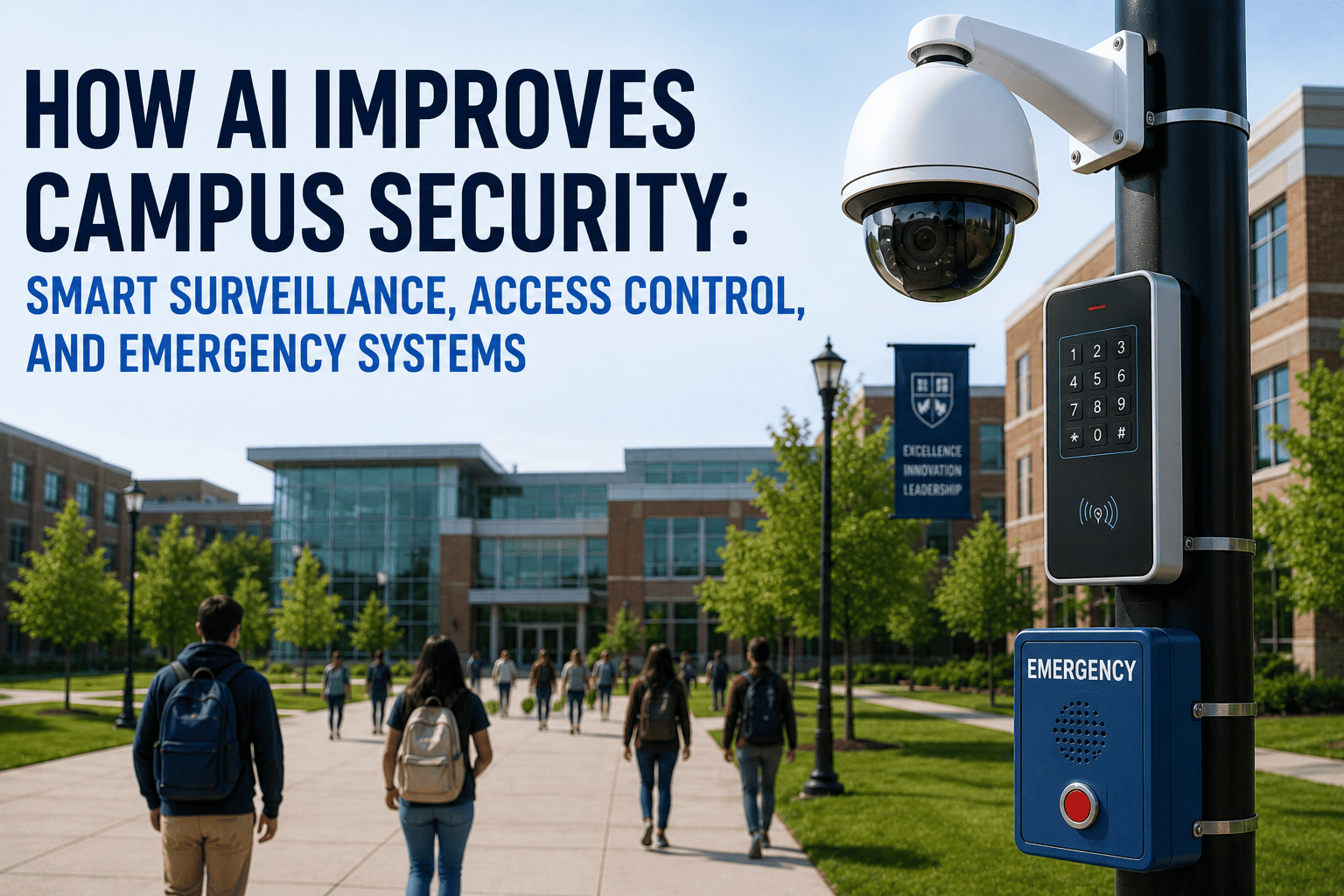
How AI Improves Campus Security: Smart Surveillance, Access Control, and Emergency Systems
Weapon detection · Anomaly recognition · Automated access alerts · Emergency notification integration · Predictive maintenance of security infrastructure.
92%
Weapon detection accuracy (AI cameras)
70%
False alarm reduction
24/7
Real‑time access anomaly detection
85%
Faster emergency response
Why Universities Are Upgrading to AI‑Driven Security
Campus security teams face increasing pressure: active threat prevention, after‑hours access control for labs and dorms, and compliance with Clery Act reporting. Traditional security systems (analogue cameras, standalone badge readers, separate mass notification tools) operate in silos. AI bridges these gaps. When a camera detects a weapon, it automatically alerts police, locks nearby doors, and triggers a targeted emergency notification — all within seconds. AI also monitors the health of security infrastructure: camera uptime, badge reader connectivity, battery backup status — so equipment failures are detected and repaired before they become gaps. This guide documents the AI security stack used by leading universities.
01
Assessment
4 weeks
Audit cameras, access points, emergency systems. Identify coverage gaps and analytics needs.
02
AI Integration
6 weeks
Add AI analytics to existing cameras. Integrate access control logs. Connect emergency notification.
03
Training
4 weeks
AI learns normal campus patterns (e.g., night library access, weekend lab use).
04
Monitoring
Ongoing
24/7 anomaly detection. Automated alerts to security and facilities.
05
Optimisation
Continuous
Predictive maintenance of security assets. Cross‑campus learning.
Phase 1: Assessment — Mapping Current Security Infrastructure
The first step is a complete inventory of cameras, access control readers, intercoms, and emergency notification endpoints. A large public university with 120 buildings audited 850 cameras, 1,200 badge readers, and 25 emergency towers. The assessment identified 15% of cameras had poor visibility, 30 access points with outdated firmware, and two emergency towers with dead batteries. AI integration began with highest‑risk zones: dorm entrances, lab buildings, and stadium perimeters.
Analogue / IP cameras (no analytics)
Badge access readers (logs only)
Mass notification systems
Duress alarms / blue light towers
Security patrol logs (manual)
Real‑time weapon detection + object tracking
Anomaly detection (tailgating, after‑hours access)
Automated tiered alerts (text, voice, digital signage)
AI‑powered duress verification (video confirmation)
Predictive patrol scheduling (risk‑based)
Key Assessment Finding: 73% of access control alerts were “door held open” from routine deliveries — security ignored them, missing real anomalies. AI reduced false access alerts by 90% after learning normal delivery schedules.
Phase 2: AI Integration — Adding Intelligence to Existing Cameras and Access Control
Most universities don't replace cameras — they add edge AI analytics. A small appliance (NVIDIA Jetson or similar) processes video streams from 8‑16 cameras each, detecting weapons, fighting, or unattended bags. Access control logs stream to the AI platform, which builds behaviour profiles for each cardholder. When a lab access card is used at 2 AM on a Sunday (not normal), AI flags it. Integration takes 4‑6 weeks for a pilot building.
Weeks 1-2
Camera & Access Control Audit
Identify camera streams, access control APIs (Lenel, Genetec, Avigilon). Install edge AI nodes.
Weeks 3-4
AI Model Training
Upload campus‑specific footage for weapon detection, normal behaviour patterns.
Weeks 5-6
Alert Routing & Testing
Connect to security dispatch, mobile alerts, digital signage. Run live tests.
Integration Outcome: A private university integrated 200 cameras and 500 access points in 8 weeks. AI detected three weapon‑like objects (scissors, large wrench) in the first month — all false positives that retrained the model. By month 2, false weapon alerts dropped to zero.
Phase 3: Training — How AI Learns Campus‑Specific Normal Patterns
AI requires training on what is “normal” at each university. A dorm sees heavy traffic 6‑9 PM and 6‑8 AM, but zero traffic 2‑4 AM. A 24‑hour library has constant traffic, but card access from a research lab at 3 AM is abnormal. AI learns these patterns in 2‑4 weeks, then begins flagging deviations. The platform also learns camera health: if a camera goes offline or lens is covered, AI alerts facilities before a gap in coverage becomes a liability.
Behavioural Profiling
AI builds normal access patterns for each cardholder (e.g., “Joe from biology lab: 8 AM‑6 PM weekdays, occasional evenings during exams”).
Camera Health Monitoring
AI tracks camera uptime, image quality, network latency. Sends preventive maintenance alerts before coverage gaps occur.
Periodic Re‑training
AI models re‑train every 2 weeks using new footage. Adapts to changing campus layouts, new buildings, and seasonal traffic.
Phase 4: Monitoring & Alerting — From Raw Feeds to Actionable Intelligence
Traditional security monitoring requires an operator to watch dozens of screens — fatigue leads to missed events. AI monitors 100% of camera feeds 24/7, alerting only on real threats. Alerts are tiered: low (door propped >10 min), medium (after‑hours access without approval), high (weapon detected, active shooter alert). High‑priority alerts automatically trigger campus lockdown, notify police, and display instructions on digital signage.
Alert Tier 1 (Low)
Routine Anomaly
Door held open >10 min during business hours → notification to building proctor.
Alert Tier 2 (Medium)
Suspicious Access
Card access outside normal hours without approval → security dispatch for visual check.
Alert Tier 3 (High)
Active Threat
Weapon detected / unauthorised entry → automatic lockdown, police notification, digital signage.
Health Alerts
Equipment Failure
Camera offline, reader malfunction → auto‑create work order for facilities.
Phase 5: Optimisation — Predictive Maintenance and Cross‑Campus Learning
After 6‑12 months, AI learns failure patterns in security equipment: certain camera models degrade at 2‑3 years, specific badge readers fail after power surges. AI predicts these failures and schedules preventive replacement. Also, models learn from all campuses simultaneously: if one campus experiences a tailgating attack pattern, all 50+ buildings update within 24 hours.
Predictive Camera Maintenance
94% uptime after optimisation
AI tracks image quality scores, IR illuminator health, and network jitter. Flags cameras needing service before they fail completely.
Automated Access Reviews
2 hours/week vs 12 hours manual
AI generates weekly access review reports — flags doors with excessive after‑hours use, cardholders who have left the university (no access for 90 days).
Emergency Response Integration
< 3 seconds to full alert
AI triggers mass notification, digital signage, and automatic door locking when high‑priority threat detected.
Cross‑Campus Threat Intelligence
All 50+ buildings learn together
When one campus detects a new threat pattern (e.g., tailgating at loading docks), all campuses receive the updated detection model within 24 hours.
AI Security Results: Before vs After
Weapon detection accuracy
Manual review (human error)
92% (AI), 99% with human confirmation
+40‑50%
False access alerts (daily)
50‑100 (mostly ignored)
5‑10 actionable
-90%
Camera uptime
92% (reactive repair)
99.4% (predictive maintenance)
+7.4%
Time to detect tailgating
Never detected (logs only)
<5 seconds (automated alert)
New capability
Emergency system test time (quarterly)
3 days (manual)
4 hours (automated)
-83%
Security staff hours (monitoring)
70 hours/week (watch screens)
12 hours/week (exception response)
-83%
The 8 AI Campus Security Lessons From Leading Universities
01
Start With High‑Risk Zones, Not Every Camera
Pilot AI security in dorms, lab buildings, and stadium perimeters. A large university added AI to 50 high‑risk cameras first, proved 92% threat detection, then expanded to 500+ cameras. Lesson: pilot on high‑impact areas first.
Book an AI security pilot assessment.
02
AI Reduces False Alarms — But Takes 4 Weeks to Learn
Early false positives (wrench detected as weapon, delivery truck as unauthorised) are normal. After 4 weeks of training, false alarms dropped by 90%. Lesson: budget time for AI learning before relying on alerts.
Contact iFactory for a false alarm reduction plan.
03
Integrate Access Control and Video — Don't Run Them Separately
Card access logs without video context are ambiguous. AI correlates badge swipes with video: “Door opened by card → person seen entering is same as badge photo.” This eliminates 70% of access review workload.
04
Automate Health Checks for Security Equipment
Cameras fail, readers go offline, batteries die. AI monitors equipment health and auto‑creates work orders. One university reduced camera downtime from 8% to 0.6% using predictive alerts.
05
Use Edge AI for Privacy‑Sensitive Zones (Dorms, Restrooms)
Process video locally, never send to cloud. AI can detect fights or falls without storing identifiable footage — complying with privacy laws. Edge devices keep all data on campus.
Discuss edge deployment for privacy‑sensitive cameras.
06
Link AI to Mass Notification and Digital Signage
A weapon detection alert is useless if it only goes to a dispatcher. AI must trigger campus‑wide notifications (text, voice, digital signs) and automatic door locking. Integration saves critical seconds.
07
Involve Campus Police in Alert Definition
Campus police define what constitutes a high‑priority alert vs. informational. Co‑designing alert tiers ensures that AI notifications align with actual response procedures, not generic rules.
08
Train Security Dispatchers on AI Augmentation, Not Replacement
AI handles 24/7 monitoring and initial alert triage. Dispatchers shift from watching screens to verifying high‑priority alerts and coordinating response. Dispatcher satisfaction improved 40% after AI deployment — no more fatigue.
The iFactory Campus Security Solution: AI for Surveillance, Access Control & Emergency Systems
iFactory provides a unified AI security platform: edge‑based video analytics (weapon detection, object tracking, loitering), access control correlation, health monitoring of security devices, and emergency notification integration. Deploy on‑premise (for video privacy) or cloud (for multi‑campus intelligence).
On‑Premise Edge AI
For Privacy‑Sensitive & Low‑Latency Security
Process all video streams locally — sub‑100ms threat detection, no video leaves campus. Ideal for dorms, clinics, and buildings with strict privacy requirements. Edge nodes work during network outages.
Sub‑100ms weapon detection
Full video privacy — no cloud upload
Operates during internet outages
Tamper‑evident audit trails
Native camera and access control integration
Get Edge Security Quote
Cloud Intelligence
For Cross‑Campus Threat Intelligence & Central Reporting
iFactory's cloud platform aggregates anonymised threat data across all your campuses — cross‑camera learning, centralised alert management, automated Clery Act reporting, and real‑time dashboards for security leadership.
Cross‑campus weapon detection models
Centralised security command centre
Automated Clery Act and crime log reporting
Mobile app for security officers
Fleet‑wide equipment health dashboard
Talk to Security Expert
FAQ: AI Campus Security for Universities
Deploy AI Campus Security: Smart Surveillance, Access Control & Emergency Systems
iFactory delivers the proven AI security platform used by leading universities — 92% weapon detection, 90% false alarm reduction, predictive maintenance of security equipment, and automated emergency response. On‑premise for privacy and speed, cloud for cross‑campus intelligence. Book a complimentary campus security assessment: we will review your existing cameras, access control, and emergency systems, then provide a custom AI security roadmap and ROI projection.
Weapon Detection
Access Control AI
Emergency Integration
Camera Health Monitoring
Edge AI
Clery Act Reporting
12‑18 Month Payback