AWS vs On-Prem LLM Fine-Tuning: Cost & Speed Compared
By William Jerry on April 30, 2026
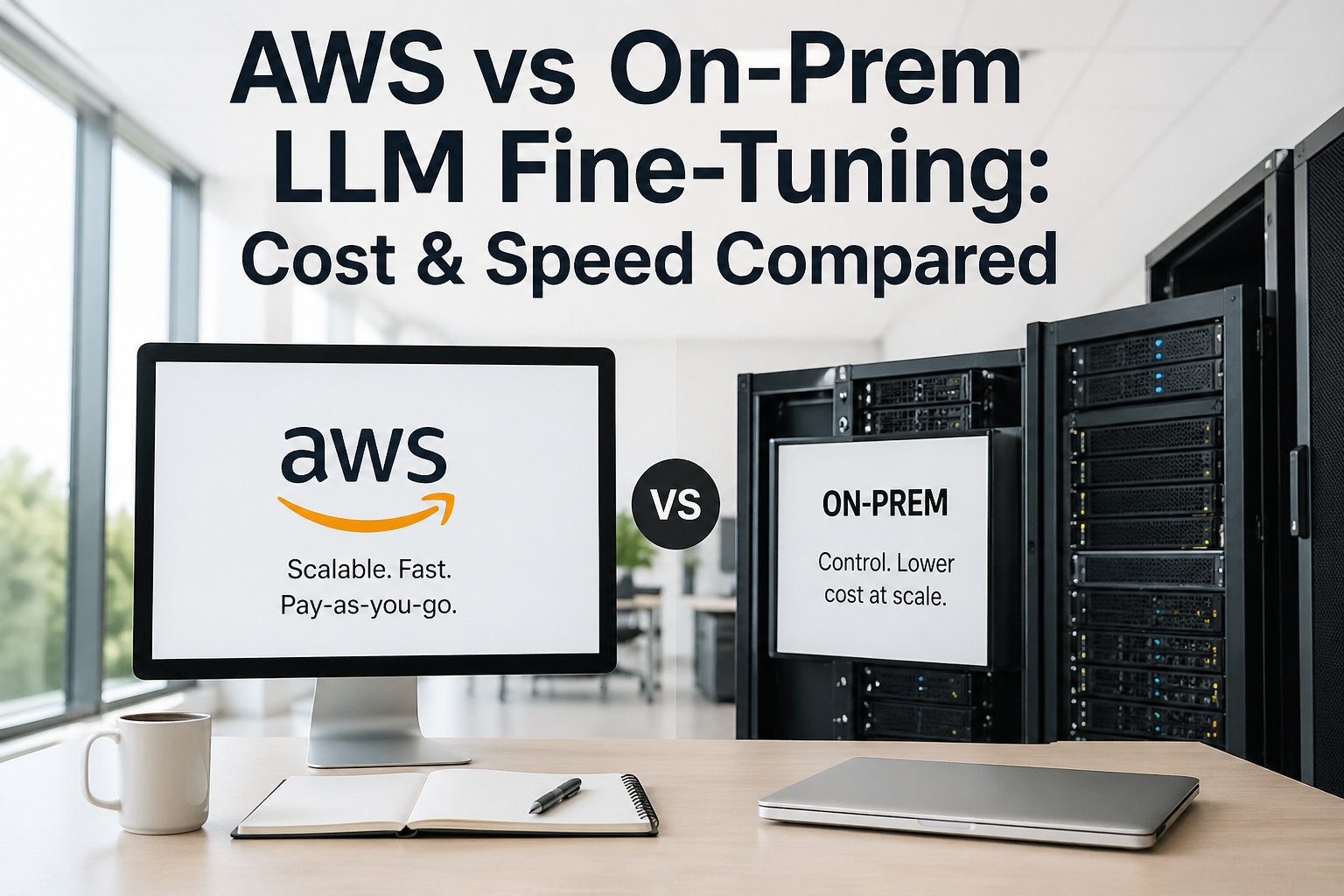
Fine-tuning an open-weight LLM — Llama 3.3 70B, Mixtral 8x22B, DeepSeek-V3, Qwen 3 — is no longer a research-lab problem. It's a procurement decision. AWS will sell you a p5.48xlarge with 8×H100 SXM and NVLink for $98.32/hour on demand, and reserved-instance pricing knocks 58% off if you can commit to three years. A bare-metal RTX PRO 6000 Blackwell workstation costs about $9,000 once and runs a 70B QLoRA fine-tune on your data overnight. Both architectures work. Both have customers running them right now. The honest question is which one wins for *your* job mix, your security posture, and your two-year roadmap. This page maps the comparison hour by hour, GPU by GPU, and dollar by dollar — with no cloud pitch and no on-prem evangelism. Just the math.
Map Your AWS vs On-Prem Fine-Tuning Path Live
Join the iFactory team at SAP to model your exact LLM fine-tuning architecture — AWS p5 spot, p4d reserved, Trainium, on-prem RTX PRO 6000, or hybrid routed by job type. Walk in with your training-job mix and S/4HANA edition; walk out with a costed, defensible 2026–2028 plan.
AWS GPU Pricing — What Each Instance Type Actually Costs
Below is the working price sheet we use in customer conversations. Numbers are AWS us-east-1 on-demand at the time of writing — verify at aws.amazon.com/ec2/pricing before signing anything. Reserved instances cut 58–72% for 1–3 year commitments; spot pricing cuts 50–70% for fault-tolerant training jobs. Book a 30-minute call to model your specific job mix against these rates.
Instance
GPU Configuration
VRAM
On-Demand
Best For
g5.2xlarge
1× A10G
24 GB
$1.21/hr
<13B model QLoRA fine-tunes, dev workstations
g6.12xlarge
4× L4
96 GB total
$4.60/hr
Inference-optimized fine-tuning, mid-size models
p4d.24xlarge
8× A100 40GB
320 GB
$32.77/hr
13B–70B models, mature AWS workhorse
trn1.32xlarge
16× Trainium
512 GB total
$21.50/hr
70B+ training when AWS Neuron SDK supports your model
p5.48xlarge
8× H100 80GB SXM
640 GB
$98.32/hr
70B+ fine-tunes, foundation model pre-training
p5e / p5en.48xlarge
8× H200 141GB
1,128 GB
~$120+/hr
235B+ MoE training (DeepSeek-V3, Qwen 3)
The math board members miss: a single month of continuous p5.48xlarge usage at on-demand rates is $71,770. A 3-year reserved-instance commitment cuts that to roughly $30,140/month. An 8×H100 on-prem server is roughly $200K capex amortized over 36 months — about $5,500/month plus power and ops. The breakeven flips fast when training jobs become predictable.
Job-by-Job Breakdown
Six Real Fine-Tuning Jobs — What Each One Costs Where
Generic comparisons hide the answer. Below are six specific fine-tuning jobs we've actually shipped, with real numbers for AWS on-demand, AWS spot, and an on-prem RTX PRO 6000 / DGX Spark equivalent. The one that wins depends entirely on which job you're running and how often. Send us your job mix and we'll build the comparison in 24–48 hours.
Job 01
Llama 3.1 8B · QLoRA · 50K examples
~3 hours wall-clock · single-GPU job
AWS g5.2xlarge on-demand
~$3.65 GPU cost
AWS g5.2xlarge spot
~$1.10 GPU cost
On-prem DGX Spark amortized
~$0.40 GPU cost (if owned)
Verdict: cloud spot wins for one-off jobs; on-prem wins if you run 100+ jobs/year
Job 02
Llama 3.3 70B · QLoRA · 100K examples
~15 hours wall-clock · 4× H100
AWS p5.48xlarge on-demand
~$1,475 GPU cost
AWS p5.48xlarge spot
~$590 GPU cost
On-prem 4× RTX PRO 6000
~$180 GPU cost (if owned)
Verdict: on-prem wins decisively for sustained iteration cycles
Job 03
Mixtral 8x22B · LoRA · 200K examples
~28 hours wall-clock · 8× H100 SXM with NVLink
AWS p5.48xlarge on-demand
~$2,755 GPU cost
AWS p5.48xlarge spot
~$1,100 GPU cost
On-prem 8× H100 server
~$340 GPU cost (if owned)
Verdict: MoE training needs NVLink — both AWS p5 and on-prem H100 win, GCP/budget GPUs lose
Job 04
DeepSeek-V3 671B · LoRA on 37B active params
~70 hours wall-clock · 16× H200 minimum
AWS p5en.48xlarge on-demand
~$16,800 GPU cost
AWS p5en.48xlarge reserved (3yr)
~$7,000 GPU cost
On-prem 16× H200 cluster
$1.5M+ capex required
Verdict: bursty 671B training is one of the few jobs where cloud genuinely wins outright
Job 05
Qwen 3 14B · full fine-tune · 500K examples
~22 hours wall-clock · 8× A100 80GB
AWS p4d.24xlarge on-demand
~$721 GPU cost
AWS p4d.24xlarge spot
~$290 GPU cost
On-prem 8× A100 server
~$210 GPU cost (if owned)
Verdict: tight margin — depends on data residency and how often you re-run
When On-Prem Pays Back — The Training-Hours Threshold
Below is the breakeven analysis for an 8×H100-class workload. The curve shape is what matters; your specific numbers will shift, but the inflection logic stays the same. AWS on-demand gets expensive fast; spot pricing closes much of the gap; reserved instances flatten the cloud line; on-prem amortization is a flat horizontal line.
Monthly Cost — 8×H100 Workload Across Pricing Models
100 GPU-hrs/month
~$9,830 on-demand
~$3,930 spot
~$5,500 on-prem amortized
Spot wins by 1.4×
300 GPU-hrs/month
~$29,500 on-demand
~$11,800 spot
~$5,500 on-prem amortized
On-prem wins by 2.1×
600 GPU-hrs/month
~$59,000 on-demand
~$23,600 spot
~$5,500 on-prem amortized
On-prem wins by 4.3×
730 GPU-hrs/month (24/7)
~$71,770 on-demand
~$28,700 spot
~$5,500 on-prem amortized
On-prem wins by 5.2×
Reading the chart: Below ~150 GPU-hours/month sustained, AWS spot is the cheapest option. Above that, on-prem amortization wins decisively. The breakeven shifts later if you can't tolerate spot interruptions, and earlier if your workload is steady and predictable. AWS reserved instances flatten the cloud curve but lock you in for 1–3 years.
The Real Tradeoffs
Setup Time, Operational Overhead, and the Things Pricing Decks Skip
Hourly cost is the easy comparison. The hard one is everything else — setup time, data transfer, IAM, networking, MLOps overhead, lock-in risk. Here's the honest scorecard. Book a 30-minute call to walk through these tradeoffs against your specific environment.
Dimension
AWS
On-Prem
Setup time
15 minutes (Deep Learning AMI ready)
2–4 weeks (procurement, install, ops)
Capacity availability
P5/H100 capacity-constrained in many regions
Available immediately once shipped
Data transfer
$0.09/GB egress; ingress free
Free internal; egress to cloud is your cost
MLOps overhead
SageMaker Managed Spot Training handles checkpointing
You build it — Kubernetes, schedulers, monitoring
Spot interruption risk
5–15% of jobs get interrupted; checkpoint religiously
Zero — your hardware, your schedule
Data sovereignty
Region-bound; review compliance per workload
Air-gappable; full sovereignty by default
Lock-in risk
Reserved instances bind 1–3 years; egress costs lock data
CapEx commitment; hardware refresh every 36–60 months
Iteration friction
Spinning up another instance is one click
Limited to your installed capacity at peak
The Hybrid Pattern
For Most Mature Teams, the Right Architecture Is Both
The cleanest training pipelines we ship aren't pure AWS or pure on-prem. They split the workload by characteristics — bursty, sensitive, predictable — and route each job to where it actually belongs. Talk to our ML engineers to map this against your environment.
Tier 01 · AWS
AWS handles burst & scale
Foundation-model pre-training
671B+ MoE training (DeepSeek-V3)
Spot-friendly experimentation
Capacity for one-off scale-out runs
SageMaker for managed checkpointing
Routed by job type
Tier 02 · On-Prem
On-prem handles steady & sensitive
Quarterly retraining cycles
Regulated data (PHI, IL5, GDPR)
QLoRA on 70B & below
24/7 sustained training jobs
Predictable amortized economics
The orchestration layer
A unified training scheduler (we typically build this on Ray, Kueue, or custom Kubernetes operators) routes each training job by data sensitivity, GPU memory requirement, and budget tier. The training code doesn't change; the scheduler decides whether the job runs on AWS p5 spot or your on-prem RTX PRO 6000 cluster. Cost-aware policies move jobs to the cheaper option whenever spot prices spike.
Why iFactory
Why iFactory Is the Right Partner for This Decision
Most cloud vendors push cloud. Most hardware vendors push hardware. We've shipped 1000+ enterprise AI deployments — pure AWS, pure on-prem, every hybrid permutation. We have no quota tied to your answer. Book a 30-minute call with our ML engineers and we'll bring real benchmarks against your stack.
01
Vendor-Neutral Cost Modeling
We model AWS on-demand, AWS spot, AWS reserved, on-prem RTX PRO 6000, on-prem H100, and hybrid combinations against your actual training-job mix. The recommendation is whichever wins on math — not on quota.
Costed comparison delivered in 24–48 hours
02
AWS-Native Implementation
If AWS wins, we deploy it correctly the first time — Deep Learning AMIs, SageMaker training pipelines, EFA networking for multi-node, S3 dataset hydration, IAM least-privilege, and SageMaker Managed Spot Training for resilience.
Production-ready AWS training pipelines
03
On-Prem Cluster Engineering
If on-prem wins, we ship the entire stack — RTX PRO 6000 / DGX Spark / H100 hardware procurement, Kubernetes scheduling, Ray Serve clusters, NVLink topology validation, and observability via Grafana + DCGM.
4–8 week production cycle, 99.5% uptime
04
Fine-Tuning Method Selection
QLoRA, LoRA, full fine-tune, DPO, ORPO, NEFTune — we know which method wins for which goal. We've shipped fine-tunes on Llama, Mixtral, DeepSeek, Qwen, Phi, Mistral against proprietary data hyperscalers can't legally see.
Domain-tuned models with verifiable accuracy lifts
05
Sovereign-Grade Compliance
Healthcare PHI, defense IL5, EU GDPR, financial trade secrets. We've shipped fine-tuning pipelines behind air-gaps, in regulated cleanrooms, and across multi-jurisdiction residency boundaries with full audit trails.
Audit-ready in regulated environments
06
MLOps & Lifecycle Continuity
Models drift, base models update, hardware refreshes. Quarterly evaluation, retraining cadences, A/B routing of new fine-tunes — we stay engaged through the full deployment lifecycle, not just the first training run.
Long-term partnership across 3–5 years
1000+
Enterprise AI deployments shipped
50+
SAP, MES, ERP, OT connectors built
24–48 hr
TCO modeling turnaround
99.5%
Uptime SLA across deployed AI infra
FAQ
AWS vs On-Prem Fine-Tuning — Frequently Asked
What's the cheapest way to fine-tune a 70B model on AWS?
For a Llama 3.3 70B QLoRA fine-tune at 100K examples, AWS p5.48xlarge spot pricing typically lands around $590 per training run versus $1,475 on-demand. Use SageMaker Managed Spot Training with checkpointing every 10–15 minutes; spot interruption rates run 5–15% but resumed jobs cost a fraction of dedicated capacity. For LoRA-only (not full fine-tune) on smaller models, p4d spot is often cheaper.
When does on-prem fine-tuning beat AWS economically?
As a rough rule: above ~150 sustained GPU-hours/month for an 8×H100-class workload, on-prem amortization (over 36 months) beats AWS spot. Above 300 GPU-hours/month, on-prem wins by 2× or more. The threshold shifts earlier if your jobs can't tolerate spot interruption, and later if your workload is highly variable. The question to ask your finance team is: how predictable are your training cycles?
Should I use AWS Trainium instead of NVIDIA GPUs?
Trainium (trn1.32xlarge at $21.50/hr vs p4d.24xlarge at $32.77/hr) is 35% cheaper for AWS Neuron SDK-supported models. The catch: Neuron supports a curated subset of architectures. If your model is supported (Llama, Mixtral, certain BERT variants), Trainium wins on cost. If you need broader CUDA-specific features or running newer model architectures, NVIDIA GPUs (p4d/p5) remain the safer choice. We've deployed both — the right choice depends on which models you actually train.
Can I fine-tune a 70B model on a single DGX Spark or RTX PRO 6000?
Yes for QLoRA. A 70B model in 4-bit quantization fits in DGX Spark's 128 GB unified memory or RTX PRO 6000's 96 GB GDDR7. Wall-clock time is roughly 12–18 hours for a 100K-example dataset. Full fine-tuning of 70B at FP16 needs multi-GPU (8×H100 minimum). Most enterprise teams don't actually need full fine-tuning — QLoRA delivers 90–95% of the gains at 5–10% of the compute cost.
What about hidden costs — data transfer, IAM, S3?
AWS hourly GPU cost is the headline. The often-overlooked costs: data egress at $0.09/GB (a 500GB training dataset moved out of AWS is $45), S3 storage of checkpoints and datasets, CloudWatch metrics, and IAM/networking complexity. For a serious training pipeline, factor 15–25% on top of raw GPU costs. On-prem doesn't have these line items but does have power, cooling, and ops engineer time.
What's the right starter architecture if I'm new to fine-tuning?
Start on AWS spot. Run 5–10 fine-tuning jobs across different models and methods. After 60–90 days you'll have real workload data: which models you actually train, how often, and what patterns emerge. That's when you decide what (if anything) moves on-prem. Most teams that buy hardware day one end up with the wrong hardware. Most teams that stay pure cloud at scale overpay for years. Talk to our solution architects and we'll sketch your starter architecture.
Make the Right Training Architecture Call
Get a Costed AWS vs On-Prem Recommendation in 30 Minutes
AWS p5 spot, p4d reserved, Trainium, on-prem RTX PRO 6000, or hybrid? The right answer depends on your model mix, training cadence, data sensitivity, and budget profile — not on whoever pitches you first. Bring your training-job mix; we'll build the cost model, the architecture, and a defensible recommendation backed by 1000+ enterprise deployments.