Most industrial AI projects don't fail because the model is wrong — they fail because the data pipeline feeding the model is broken. Sensor streams arrive without timestamps. Historian tags use names only the original engineer understood. SAP material masters carry a decade of orphan records. And by the time anyone notices, the model is hallucinating on garbage and nobody trusts the output. iFactory's data engineering layer is built to fix exactly this — turning raw plant-floor signals, historian archives, and SAP records into AI-ready data that runs reliably on your choice of on-prem AI appliance or our cloud. his guide walks through the full pipeline, layer by layer.
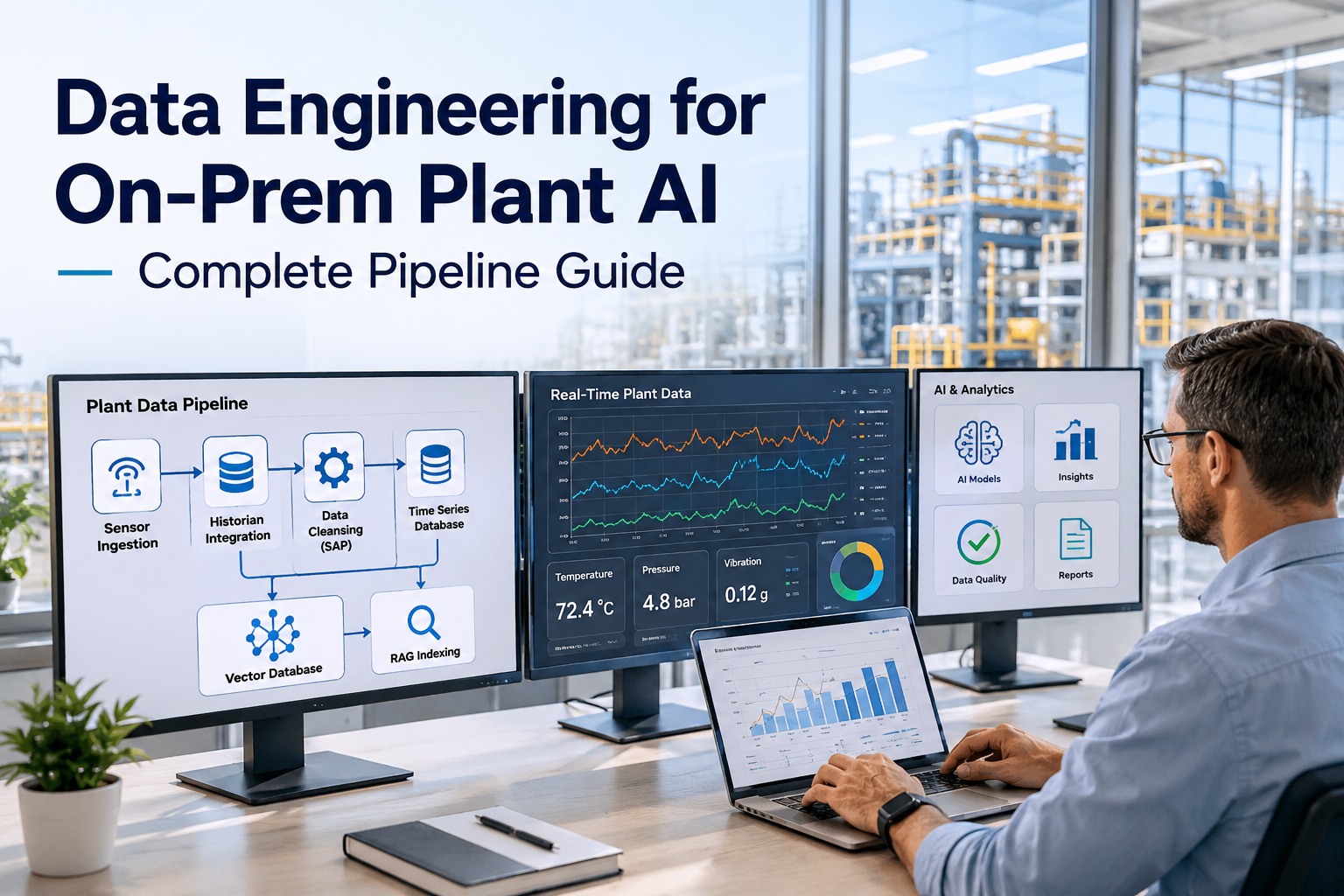
Data Engineering for On-Prem Plant AI — Complete Pipeline Guide
Sensor ingestion, OPC UA + MQTT transport, historian federation, SAP master-data cleansing, time-series storage, vector indexing, and RAG retrieval — engineered for industrial plants and available as a turnkey on-prem appliance or fully managed cloud deployment.
What You Get with iFactory's Data Engineering Stack
The pipeline is delivered as a complete bundle — not a kit you assemble. Whether you choose the on-prem appliance or our cloud deployment, the data engineering layer is identical and includes everything below.
The complete bundle
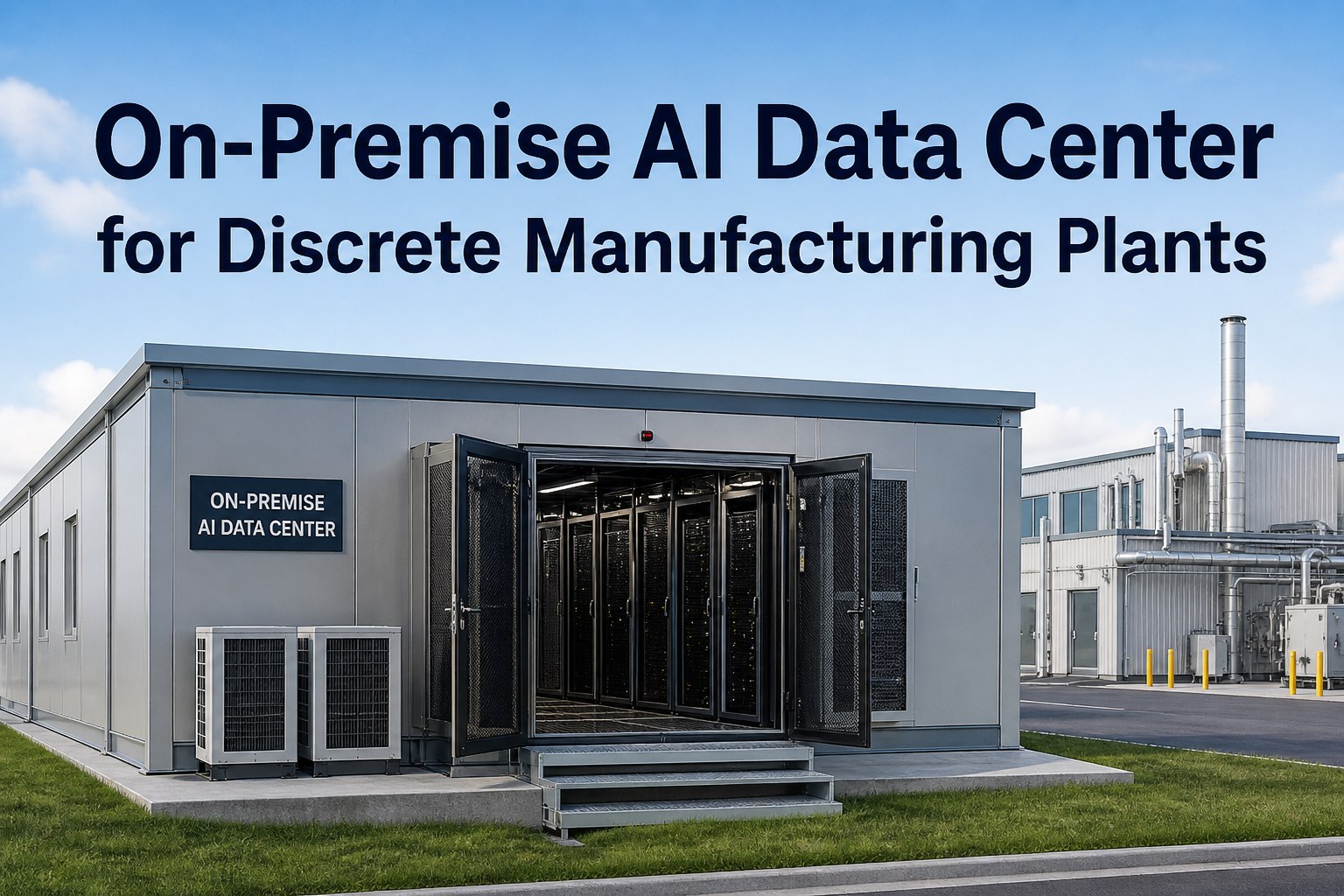
- Pre-configured NVIDIA AI server (on-prem option) — ships racked, software pre-loaded, ready to plug into power and Ethernet.
- OPC UA + MQTT ingestion layer with Sparkplug B support — drops in next to your PLCs, SCADA, and edge gateways.
- Historian connectors for AVEVA PI (OSIsoft), Wonderware InSQL, GE Proficy, Honeywell PHD, and Yokogawa Exaquantum.
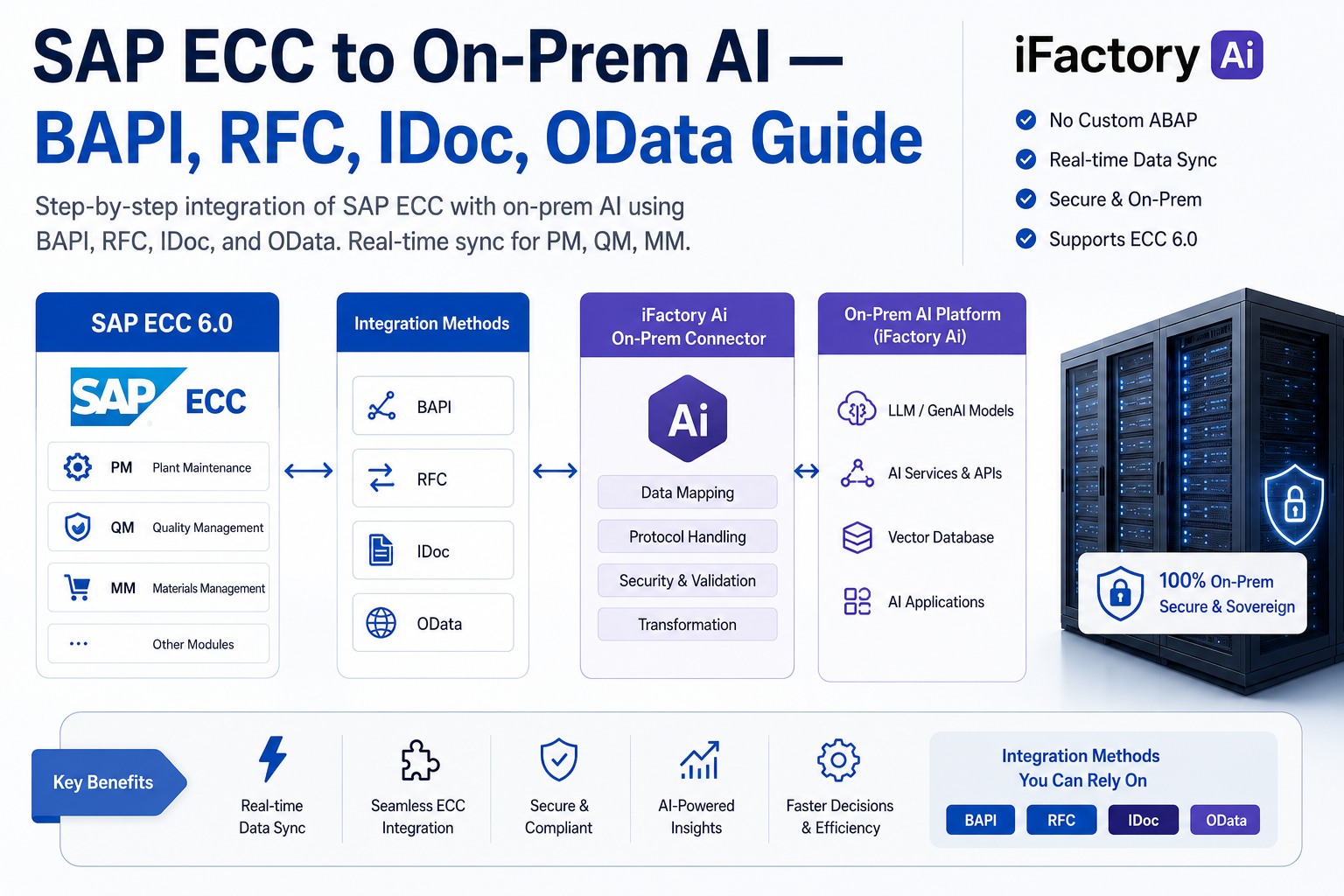
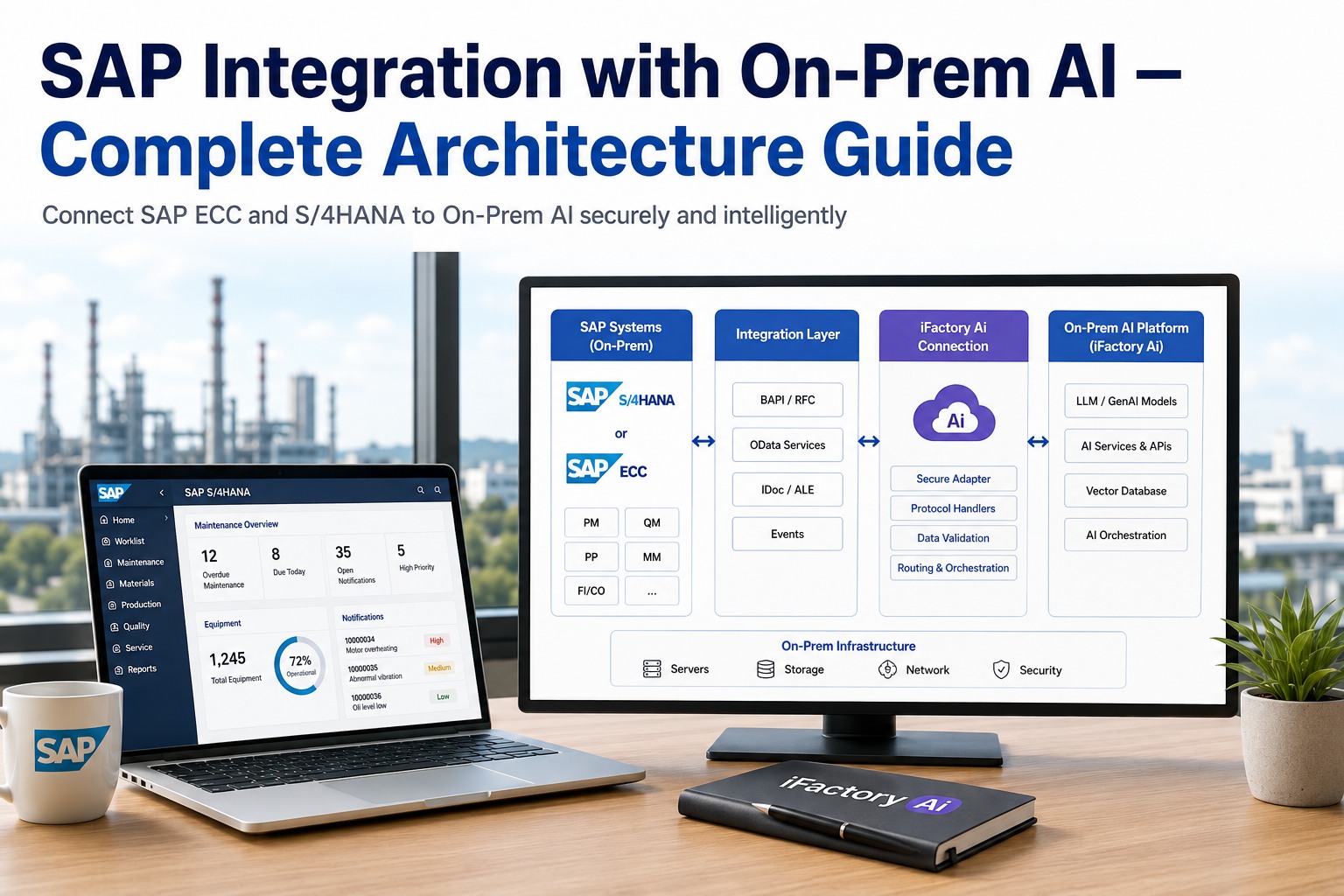
- SAP integration adapters for S/4HANA, ECC, MII, PCo, and BTP — extract, cleanse, and federate material masters, work orders, batch records, and quality results.
- Time-series storage with TimescaleDB and InfluxDB 3 — pre-tuned for industrial cardinality and retention policies.
- Vector database + RAG indexing for manuals, SOPs, P&IDs, and historical incident reports — semantic search across your entire plant knowledge base.
- Cabling, network, and PLC integration handled by field technicians.
- Operator training, 24×7 remote monitoring, and ongoing software updates for the life of the contract.
Why Most Plant AI Projects Stall at the Data Layer
Walk into any plant that has tried to run AI and you'll find the same pattern. There's a brilliant model in a notebook somewhere, a data scientist who's left the company, and a half-built pipeline that nobody trusts. The diagnosis is almost always the same — the data engineering wasn't done, or it was done by someone who treated industrial data like web analytics.
Raw OPC UA tags aren't AI-ready
A tag named L3_M07_TT_4421 means nothing to a model. Without metadata, asset hierarchy, engineering units, and quality flags, your AI can't distinguish a motor temperature from an ambient probe.
Timestamps drift between systems
PLC clocks, historian clocks, and SAP timestamps rarely agree. A 200ms drift across systems is enough to break causality for any predictive model. NTP/PTP sync is non-negotiable but rarely deployed correctly.
Historian data lives in silos
OSIsoft PI, Wonderware InSQL, Proficy Historian — each stores time-series in a proprietary format. Querying across them needs custom ETL or expensive middleware that breaks with every firmware update.
SAP master data is dirty by default
Duplicate material masters, retired equipment still on BOMs, units of measure in three different formats. Feed that into a maintenance copilot and you get confident hallucinations grounded in stale records.
The pattern is consistent across every failed deployment — the model was the easy part. The pipeline was the hard part, and nobody budgeted for it. iFactory's approach inverts that — the pipeline is the product, the model just runs on top of it. Get a turnkey quote if you'd rather skip the 18-month internal build.
The End-to-End Pipeline — Six Layers, One Stack
The full data engineering pipeline for industrial AI runs across six tightly coupled layers. Each layer has a specific job, a specific failure mode, and a specific contribution to whether the AI on top actually works. iFactory ships all six layers as a single integrated stack — on-prem or cloud.
Layer 1 — Sensor & PLC Ingestion
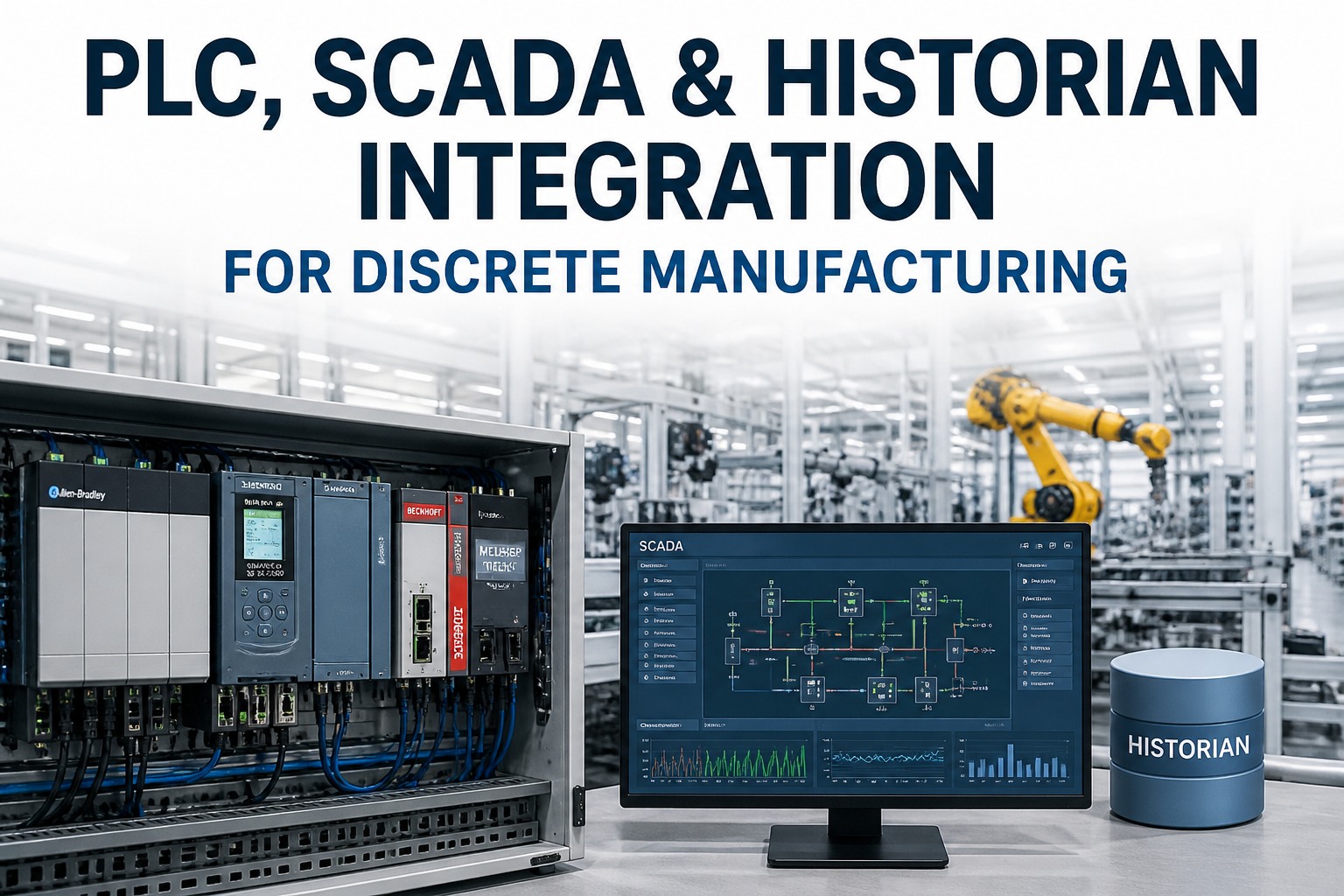
Everything starts at the plant floor. PLCs, CNCs, DCS controllers, field instruments, drives, sensors, and vision systems generate signals in native protocols — Modbus, Profibus, EtherNet/IP, Siemens S7, and a long tail of vendor-specific dialects. The job of this layer is to normalize all of that into something a modern data pipeline can actually work with.
OPC UA at the edge
OPC UA is the model-centric standard — it carries not just values but also data types, units, asset hierarchy, and quality flags. iFactory deploys OPC UA servers at the SCADA layer (or via edge gateway for legacy PLCs that lack native OPC UA) so every consumer sees the same structured information model.
Coverage — Siemens S7, Rockwell ControlLogix, Schneider Modicon, Mitsubishi MELSEC, Beckhoff TwinCAT, Allen Bradley, Omron, ABB AC800M, Honeywell Experion, Yokogawa CENTUM, Emerson DeltaV.MQTT + Sparkplug B for transport
Once tags are modeled in OPC UA, MQTT moves them. The industry consensus has settled — OPC UA organizes the data, MQTT moves it, and Sparkplug B adds the structure and state that makes the pipeline production-grade. iFactory ships a managed broker out of the box, so there's no middleware project and no six-month integration.
Why this matters — AWS, Azure, Google Cloud, SAP, Siemens, Beckhoff, and Rockwell now all support OPC UA over MQTT natively. Building the pipeline on these two protocols is a future-proof choice.Legacy protocol bridges
Roughly half of every plant we deploy in has at least one PLC older than 15 years with no OPC UA server. iFactory's edge gateways speak the legacy dialects — Modbus RTU/TCP, OPC DA/HDA, Allen Bradley DF1, Profibus-DP, DNP3 — and translate them into the unified namespace so nothing on the plant floor is left behind.
Vision and sensor fusion
Modern plant AI needs more than scalar tags. iFactory ingests vision feeds (RTSP, ONVIF, GigE), vibration analyzers, ultrasonic sensors, and IIoT telemetry into the same pipeline, with metadata aligned so multimodal AI can reason across them.
Layer 2 — Normalization & Asset Context
This is where raw signal becomes useful data. The edge compute layer normalizes tag names, aligns timestamps, applies engineering unit conversions, and enriches raw values with the asset context — equipment ID, location, criticality, maintenance history. Without this layer, every downstream analytics consumer has to reinvent the same enrichment logic, and every model gets fed slightly different data.
Tag normalization
Before — L3_M07_TT_4421
After — Plant.Line3.Mixer07.Bearing.Temperature, unit=°C, quality=Good, asset=MX-3007, criticality=A
Timestamp sync
PTP/NTP at the edge ensures sub-millisecond clock alignment across PLC, SCADA, historian, and SAP — so when AI correlates a vibration spike with a quality reject, the timestamps actually mean the same thing.
Unified Namespace
Single agreed topic tree — site/area/line/cell/tag. Producers publish once, every consumer subscribes to the same source of truth. Sparkplug B birth/death certificates handle state transitions reliably.
Layer 3 — Historian Federation & SAP Data Cleansing
Most plants don't start from scratch. There are decades of historian data in OSIsoft PI (now AVEVA PI), Wonderware InSQL, Proficy Historian, Honeywell PHD, or Yokogawa Exaquantum. There's a SAP system with millions of records. The AI pipeline has to federate both — without forcing a rip-and-replace.
Historian connectors
| Historian | Integration method | Use case | Typical setup time |
|---|---|---|---|
| AVEVA PI (OSIsoft) | PI Web API, OPC UA bridge, AF SDK | Process plants, refining, chemicals, mining | 1–2 weeks |
| Wonderware InSQL | SQL Server linked queries, OPC UA, ODBC | Discrete and batch manufacturing | 1–2 weeks |
| GE Proficy Historian | Proficy SDK, REST API, OPC UA | Power generation, water/wastewater | 2–3 weeks |
| Honeywell PHD / Uniformance | PHD client API, OPC HDA | Refining, petrochemicals | 2–3 weeks |
| Yokogawa Exaquantum | OPC HDA, native Exaquantum API | Process industries, pharma APIs | 2–3 weeks |
| InfluxDB / TimescaleDB (greenfield) | Native iFactory storage, no migration needed | New deployments, modern facilities | Day 1 |
SAP data cleansing — the hidden 60% of any plant AI project
SAP is the system of record. It carries the asset master, the material master, the BOMs, the routings, the maintenance plans, the work orders, and the batch records. If you want AI to schedule maintenance or recommend parts or trace quality issues to a supplier, it has to query SAP. And SAP is almost always dirty.
What we cleanse
- Material master deduplication — fuzzy matching across MM01 records that look slightly different but represent the same SKU.
- Equipment master alignment — IH08 records reconciled with what's actually on the plant floor today (versus what was installed in 2009).
- BOM hygiene — orphan components, retired parts still on active BOMs, unit-of-measure inconsistencies.
- Work order history normalization — IW38 records with free-text descriptions converted into structured failure codes via NLP.
- Vendor and supplier reconciliation — duplicate vendor IDs collapsed, consolidated for quality root-cause analysis.
How we extract
- SAP S/4HANA — OData services, CDS views, ABAP RFC, SAP Datasphere.
- SAP ECC — RFC, IDoc, table extraction via certified connectors.
- SAP MII / xMII — direct extraction for plants still on legacy MII before end-of-life migration.
- SAP PCo — plant-floor connectivity bridged into iFactory's unified namespace.
- SAP BTP — clean integration with SAP's own AI offerings where customers want hybrid.
Cleansing isn't a one-time job — it's a continuous process. iFactory runs ongoing data quality checks against SAP and flags anomalies (a part with no movement in 5 years, a BOM with a circular reference, a work order with an impossible cycle time) so the data trust score keeps climbing instead of decaying. See the SAP cleansing module in a live demo.
Layer 4 — Time-Series Storage at Industrial Scale
Industrial time-series data has a brutal write profile — high cardinality, high frequency, long retention. A mid-sized plant with 50,000 tags sampling at 1 Hz generates 4.3 billion points a day. Most plants need 7 years of retention for compliance. Generic SQL doesn't survive contact with that volume.
TimescaleDB
PostgreSQL extension with hypertables — the default choice when teams already have SQL skills, want full ACID guarantees, and need to join time-series with relational data (SAP master records, operator shifts, batch records) in a single query.
InfluxDB 3
Rust-based engine, columnar storage, sub-millisecond timestamp precision. Best when ingestion throughput is the binding constraint — handling millions of writes per second for high-tag-count facilities.
Data lake archive
Cold data offloaded to Parquet on object storage (S3-compatible on-prem or cloud) with retention policies. Hot data on TimescaleDB/InfluxDB for sub-second dashboards, warm data in the lake for ML training and compliance lookback.
iFactory picks the right storage engine based on your workload — and you don't manage it. The on-prem appliance ships with the database pre-tuned, capacity planned, retention policies set, and backups automated. Get a quote with capacity sizing based on your tag count.
Layer 5 — Vector Database & RAG Indexing
This is where industrial AI in 2026 separates from industrial AI in 2022. A predictive maintenance model running on time-series alone is yesterday's product. Today's plant copilot has to answer questions like "what did we do last time this happened?" or "show me the SOP for line 3 changeover" or "is this vibration pattern consistent with the bearing wear we saw on MX-2002 three months ago?" That requires retrieval-augmented generation grounded in your plant's own knowledge.
What gets indexed
Equipment manuals
OEM PDFs, exploded views, parts catalogs. Chunked at the section level, embedded with metadata for equipment ID and revision.
SOPs & work instructions
Standard operating procedures with step-level granularity so the copilot can surface exactly the right step for an operator's current situation.
Historical incidents
Past work orders, deviation reports, CAPA records, root cause analyses — converted from free text into searchable semantic context.
P&IDs and drawings
Multimodal indexing of piping and instrumentation diagrams, electrical schematics, and CAD drawings — searchable by tag, by area, or by visual similarity.
The vector stack we use
| Component | Default choice | Why | Alternative |
|---|---|---|---|
| Vector database | pgvector (Postgres + vector extension) | Single database for relational, time-series (TimescaleDB), and vector — fewer moving parts, simpler ops | Qdrant, Milvus (when scale demands a purpose-built engine) |
| Embedding model | Open-source on-prem (e5-mistral, BGE, Sentence-BERT) | No data leaves the plant; runs on the same NVIDIA AI server as inference | Cloud-hosted embedding APIs (cloud deployment only) |
| Chunking strategy | Section-level for manuals (512–1024 tokens), step-level for SOPs | Industrial documents have natural structure — respect it rather than fixed-size splits | Sliding window with overlap for narrative documents |
| Retrieval | Hybrid — vector similarity + BM25 keyword + metadata filter | Hybrid retrieval improves recall by 1–9% over pure vector search, and metadata filtering is non-negotiable for industrial use | Pure vector for narrative-heavy documents |
| Reranking | Cross-encoder reranker after retrieval | Doubles RAG accuracy on industrial benchmarks where exact part numbers and tag references matter | Skip when latency budget is <200ms |
| Grounding policy | Every AI answer cites source documents | Operators trust what they can verify — citations are non-negotiable in regulated environments | None — this rule is locked |
Layer 6 — Serving Layer (Where the AI Actually Shows Up)
The pipeline doesn't matter if the AI can't reach the operator at the moment of decision. iFactory's serving layer delivers the model output through three interfaces, all running on the same data foundation.
Plant copilot
Conversational interface for operators, technicians, and supervisors. Natural-language questions about asset health, procedures, history, and recommended actions — grounded in your plant's own data.
Automated actions
The AI drafts work orders, raises maintenance alerts, suggests setpoint adjustments, and routes them through your existing CMMS/EAM. AI drafts and routes — humans approve regulated actions.
SAP and MES integration
Recommendations pushed back into SAP work orders, batch records, and quality results. Closed-loop integration so AI insights become operational reality, not stranded dashboards.
What a plant operator actually sees
Sources — AVEVA PI MX-3007 bearing tags, SAP IW38 history, SOP MX-3007-MAINT rev 4.
This is what the pipeline is for. Six layers of data engineering so an operator at 2 AM can ask one question and get a grounded, actionable, traceable answer — not a dashboard, not a chart, an answer. See the copilot live in a demo.
On-Prem or Cloud — You Choose
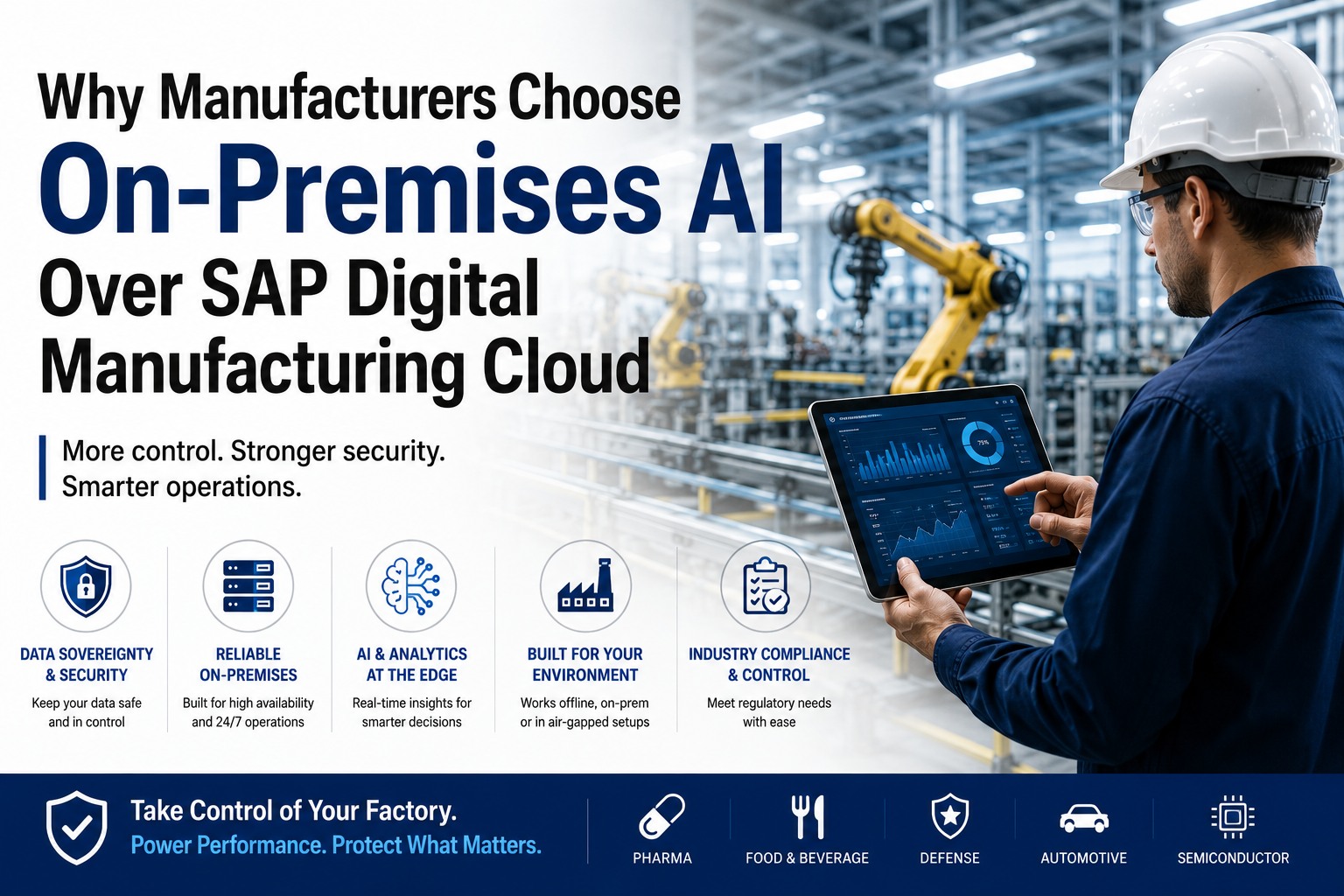
This is where iFactory differs from most vendors. The same data engineering stack, the same models, the same operator experience — but you pick the deployment that fits your security posture, data sovereignty rules, and IT preferences. Many of our customers run a hybrid — on-prem appliance for the regulated production data, cloud for fleet-wide benchmarking and shared models. Both are first-class.
iFactory On-Prem AI Appliance For plants where data sovereignty is non-negotiable
- Pre-configured NVIDIA AI server — ships racked, software pre-loaded, ready to plug in.
- All data stays inside the plant — no production data ever leaves your perimeter.
- Local inference — sub-50ms response times for operator copilot, no cloud round-trip.
- Works without internet — pipeline keeps running during connectivity outages.
- Best fit — defense, pharma, regulated chemicals, sensitive IP, air-gapped sites.
- Deployment — 6–12 weeks turnkey, hardware + cabling + training all included.
iFactory Cloud For multi-site fleets and faster time-to-value
- Fully managed — no hardware to ship, no rack to provision, no DB to tune.
- Fastest deployment — first pipeline live in 2–4 weeks, full rollout in 6–8 weeks.
- Fleet benchmarking — compare performance across plants without on-site infrastructure.
- Elastic scale — model training and large historical backfills don't require buying more on-prem capacity.
- Best fit — multi-site CPG, food & bev, discrete manufacturing, new greenfield plants.
- Compliance — SOC 2 Type II, ISO 27001, region-locked data residency.
Not sure which deployment is right for your plant?
Most customers don't decide upfront — we run a 60-minute architecture session covering your data residency rules, network constraints, SAP landscape, and growth plans, then recommend on-prem, cloud, or hybrid with concrete numbers.
The 3-Phase Turnkey Roadmap — Live in 6 to 12 Weeks
The build doesn't take 18 months. It doesn't take 12. The standard turnkey deployment delivers a working pipeline and live AI copilot in 6 to 12 weeks, depending on plant size and SAP complexity. The roadmap is identical for on-prem and cloud — only the hardware shipment step differs.
Ship + Network + Data
Hardware arrives (on-prem) or cloud tenant provisioned. Field techs handle cabling, network, PLC integration. Data engineers connect OPC UA, historians, and SAP. Discovery run on tag inventory and SAP master quality.
- NVIDIA AI server racked and powered
- Network and DMZ configured
- OPC UA + MQTT broker live
- Historian and SAP connectors verified
- Initial data quality report delivered
Model Train + Pilot
Pipeline running end-to-end, time-series storage filling, vector index built from manuals and SOPs. Models trained on the customer's own historical data. Pilot copilot live for a small group of operators, feedback loop active.
- Time-series ingestion at full rate
- Vector index built from plant docs
- Models trained on plant history
- Pilot copilot in operator hands
- Feedback collected and tuned
Go-Live + Training
Full plant rollout. Operators, technicians, and supervisors trained. SAP work-order integration live. 24×7 monitoring active. Success metrics baselined for ROI tracking. Handover to ongoing managed service.
- Plant-wide rollout complete
- Operator training delivered
- SAP work-order integration live
- 24×7 monitoring active
- ROI baseline captured
Common Pitfalls We've Seen — and How the Stack Avoids Them
After hundreds of industrial AI deployments, the failure patterns are consistent. None of these are model problems. All of them are data engineering problems. The iFactory stack is designed to make every one of them impossible by default.
| Pitfall | What goes wrong | How iFactory handles it |
|---|---|---|
| Raw MQTT without OPC UA context | AI can't distinguish motor_temp from ambient_temp without metadata. Tags become meaningless without information models. | OPC UA information models always preserved through Sparkplug B. No raw MQTT in the pipeline. |
| Streaming to a data lake with no operational layer | Data accumulates in cloud storage but no one acts on it. Dashboards exist but work orders never get raised. | iFactory's serving layer converts pipeline output into work orders, alerts, and SAP-integrated actions. No stranded data. |
| Insecure broker deployment | MQTT brokers without TLS, no certificate management, flat network topology — every plant is one breach away from disaster. | Mutual TLS, certificate rotation, topic-level ACLs, IT/OT segmentation, audit logging — all configured out of the box. |
| Tag explosion | Generic time-series DB chokes on high-cardinality industrial data. Performance degrades as tag count grows. | TimescaleDB and InfluxDB 3 pre-tuned for industrial cardinality. Tested at 500,000+ tags per facility. |
| Single broker dependency | One broker goes down, the whole pipeline stops. No failover, no buffering, lost data during outages. | HA broker pair with store-and-forward at the edge. Pipeline survives broker, network, or cloud outages without data loss. |
| Stale RAG index | SOPs updated, manuals revised, but the vector index still reflects last year's documents. AI gives confident wrong answers. | Document versioning, automated re-indexing on source changes, citation freshness checks built into the retrieval layer. |
| Dirty SAP propagated downstream | Duplicate materials, orphan equipment records, free-text work orders — AI hallucinates because grounding is unreliable. | Continuous SAP cleansing — fuzzy dedup, NLP-structured work order history, automated anomaly flagging. |
Frequently Asked Questions
Do I have to buy NVIDIA servers separately?
No. The on-prem appliance ships fully loaded — NVIDIA AI server, software pre-installed, network gear, cabling, the works. You provide rack space, line power, and Ethernet. We provide everything else. There's no separate hardware procurement, no firmware tuning, no driver compatibility headaches. If you choose the cloud deployment, there's no hardware at all.
What's the difference between iFactory's on-prem and cloud deployments?
The data engineering pipeline is identical — same connectors, same normalization, same time-series store, same vector DB, same models. What differs is where the compute and storage live. On-prem keeps everything inside your plant perimeter (best for regulated/sensitive sites). Cloud is fully managed by iFactory (fastest to deploy, best for multi-site fleets). Many customers run a hybrid — sensitive sites on-prem, others on cloud, with fleet-wide analytics in the cloud layer.
How fast can we be live?
The standard turnkey timeline is 6–12 weeks from contract signature to operator-facing copilot. A simple greenfield cloud deployment with modern OPC UA infrastructure can be live in 4 weeks. A complex multi-site on-prem rollout with legacy SCADA, multiple historians, and heavy SAP cleansing typically lands at the 12-week end. First predictive alerts usually come within 30 days of data flow being established.
We already have SAP S/4HANA. How does iFactory's pipeline integrate?
iFactory has certified connectors for S/4HANA (OData services, CDS views, ABAP RFC) and SAP BTP. We extract material masters, equipment masters, BOMs, routings, work orders, and batch records — cleanse them — then federate with plant-floor data in the unified namespace. SAP remains the system of record. AI insights flow back into SAP as draft work orders, draft batch deviations, or recommendations for review. AI drafts and routes; humans approve regulated actions.
What about our existing AVEVA PI / Wonderware / GE Proficy historian?
No rip-and-replace. iFactory federates with your existing historian — PI Web API, AF SDK, Proficy SDK, InSQL ODBC, or OPC UA bridges where vendor-specific APIs aren't available. Your historian stays as the system of record for time-series. iFactory layers on top, adding the AI-ready normalization, vector indexing, and serving layer. If you don't have a historian yet, iFactory's pre-tuned TimescaleDB or InfluxDB 3 fills that role natively.
Can the pipeline handle our tag volume?
Production iFactory deployments handle 50,000 to 500,000+ tags per facility with sub-second query latency on the operational tier. The storage layer is pre-tuned for industrial cardinality — capacity sizing happens upfront based on your tag inventory, sampling rates, and retention policy, and it's part of the quote. We've stress-tested the pipeline at over 5 million writes per second across multi-plant deployments.
What happens to the AI if our network goes down?
For on-prem deployments — nothing. Everything runs inside the plant, including inference, so the copilot keeps working during internet outages. For cloud deployments, edge gateways buffer data with store-and-forward and resume sync when connectivity returns. No data is lost in either case. Operators on cloud lose the AI conversational interface during prolonged outages but local SCADA, alarms, and dashboards remain unaffected.
How is data security handled?
Mutual TLS on every MQTT broker connection, certificate rotation, topic-level access control lists, IT/OT network segmentation with DMZ architecture, encryption at rest, audit logging on all data access, and role-based access control on the operator interface. On-prem deployments add the option of air-gapped operation. Cloud deployments are SOC 2 Type II certified and ISO 27001 aligned, with region-locked data residency available.
Does iFactory replace our MES or CMMS?
No. iFactory's pipeline is designed to integrate with your existing MES, CMMS, EAM, and quality systems — not replace them. AI recommendations flow into those systems through native integration. If you don't have a CMMS or your current one isn't meeting AI-era requirements, iFactory's sister platform OxMaint can fill that role, but it's not required.
Can we start with a pilot before committing to the full deployment?
Yes. The standard pilot covers one production line or one asset class for 6 weeks. The full data engineering stack is deployed (just scoped to the pilot), one or two use cases are configured (typically predictive maintenance + operator copilot), and ROI is measured against a baseline. Most pilots convert to full plant deployment within 60 days of go-live.
Who owns the data and the models?
You own the data, full stop. On-prem, the data never leaves your perimeter. On cloud, the data is yours and we hold it under a data processing agreement. Models trained on your data are yours — they're not shared across customers and they're not used to train shared foundation models. Anonymized benchmarking is optional and explicitly opt-in.
What's the difference between this and just using SAP's own AI offerings?
SAP's AI offerings are built for SAP data — they're excellent inside the SAP universe. The hard part of plant AI is everything outside SAP — sensor streams, historian time-series, vision systems, SOPs, manuals, P&IDs. iFactory's pipeline brings all of that into one place and then integrates back into SAP, so you get the best of both. Customers who already invest in SAP BTP often run iFactory alongside it, with iFactory handling the plant-floor data engineering and SAP BTP handling the enterprise AI layer.
Ready to stop fighting your data and start running AI?
Whether you need a quote for the on-prem appliance, a walkthrough of the cloud option, or a hybrid architecture session — pick the path that fits and we'll handle the rest. Turnkey delivery, fully managed, live in 6 to 12 weeks.