A steel plant is a thousand decisions a day made by people staring at 2D drawings, paper P&IDs, and HMI screens that look like 1995. The blast furnace operator can't see the casting bay; the casting supervisor can't see the rolling mill; the maintenance planner can't see what the night-shift crew already discussed. Everyone has fragments. The plant itself — the actual operating geometry of the asset, where every belt and ladle and pinion stand sits in space, what changed during last week's outage, where the spare-part instances are physically located — exists nowhere as a single live picture. NVIDIA Omniverse is the platform that finally makes that picture real, and the iFactory Photoreal Steel Twin ships it as a turnkey appliance: an RTX PRO 6000 Blackwell Server Edition workstation racked with Omniverse pre-loaded, your CAD/BIM/laser-scan data composed into one OpenUSD scene, your live PLC/SCADA/historian feeding real-time state into that scene, and an RTX-path-traced photoreal twin that engineers, planners, and operators all look at — same scene, same source of truth. 96 GB of GDDR7 ECC memory means an entire integrated steel works can sit in a single GPU's working set without tile-swapping. Live in 6 weeks from PO.
NVIDIA Omniverse For Steel Plants
A Photoreal OpenUSD Twin Of Your Mill, Racked And Ready In Six Weeks
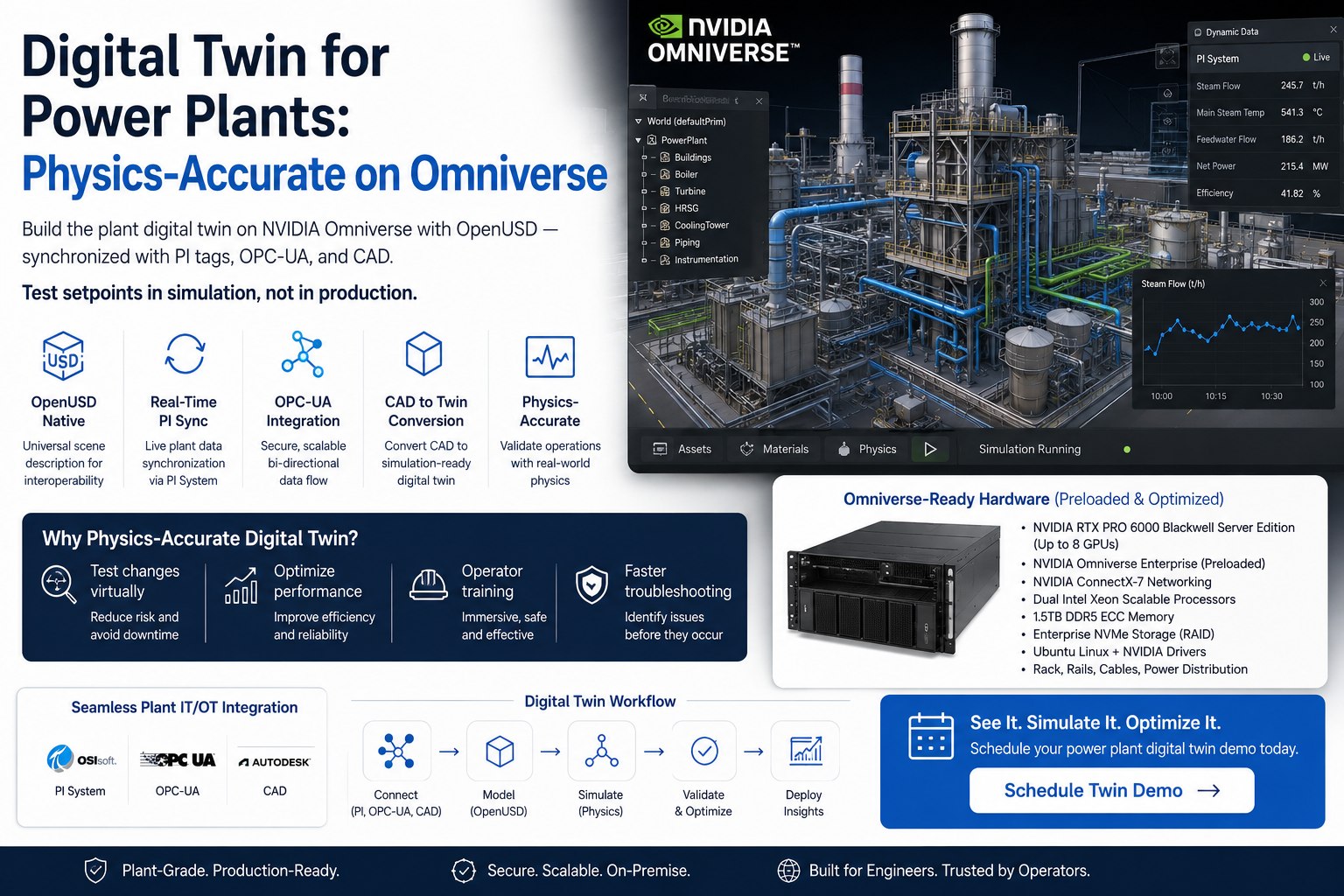
Blast furnace, BOF/EAF shop, caster bay, hot strip mill, cold mill, finishing line — composed into one OpenUSD scene from your CAD, BIM, P&IDs and laser scans. RTX path-tracing renders it photoreal. DLSS 4 keeps it real-time at full plant scale. PLC, SCADA, and historian feeds drive the live state on top. Maintenance, ops, planning, and HSE all open the same scene from the same single source of truth. Pre-loaded on a turnkey RTX PRO 6000 Blackwell Server Edition workstation. We ship the box; you plug it in.
Why Omniverse Is The Right Substrate For An Industrial Twin — Not Just A 3D Viewer
Plant twins have existed for years. Most of them are skinned 3D models — pretty pictures with no live data. The ones that do connect data tend to be siloed, vendor-locked, and impossible to extend. NVIDIA Omniverse is different because it's built on OpenUSD: an open standard for describing 3D worlds that lets CAD, BIM, scans, simulation results, and live PLC tags all compose into a single shared scene. The same scene a mechanical engineer opens in their CAD tool is the scene the operator sees in the control room. Talk to our digital twin lead about what your existing CAD and scan archives would give you.
A vendor's proprietary 3D viewer with the plant geometry baked in. Looks great in the demo. Six months in, the geometry hasn't kept up with the last shutdown, no live PLC data feeds it, the mechanical team can't push CAD changes back, and adding a new line means another $400K services engagement. The model and the plant drift apart.
OpenUSD is the substrate. CAD changes flow in via USD layers. Laser-scan updates after a shutdown compose as a new layer. Live PLC tags drive material temperatures and equipment states in real time. The scene is the source of truth — for engineering, operations, maintenance, planning, HSE — and it stays current because every team writes to it through their existing tools.
A digital twin that issues control commands to the real plant without a human gate is not a twin — it's an unvalidated controller wearing twin clothes. The Photoreal Steel Twin reads from your DCS, SCADA, and historian only. Recommendations flow to engineers and operators. Setpoint changes are committed manually through your existing MOC. The twin shows; humans decide.
Why The 96 GB ECC On The RTX PRO 6000 Matters For An Integrated Steel Works
An integrated steel works is geometrically large. Coke ovens, sinter plant, blast furnace and stoves, BOF or EAF shop, casters, slab yard, reheating furnaces, hot strip mill, cold mill, pickling line, galvanising line, finishing — that's miles of building, hundreds of thousands of unique parts, and a high-detail mesh that doesn't fit in 24 GB. With the RTX PRO 6000 Blackwell Server Edition's 96 GB GDDR7 ECC, the entire scene sits in one GPU's working set — no tile swapping, no detail decimation, no "we couldn't render the BF area today". Below is what that capacity actually buys you.
Integrated mill geometry — typically 20–40 GB of compressed USD with materials, textures, and instance data — sits resident with headroom for live overlays, simulation results, and physics state.
Real-time path-traced lighting on the full scene — molten-metal incandescence in the casting bay, sodium lighting in the slab yard, daylight through the hot mill skylights — without dropping below interactive frame rates.
You can layer engineering CAD, post-shutdown laser-scan reality capture, and as-built modifications as separate USD layers without quantising any of them. Engineers see the design intent; operators see the actual plant; the difference is visible.
RTX neural shaders generate complex materials at runtime; DLSS 4 upscales internally rendered frames. The 5th-gen Tensor cores carry that workload alongside any AI inference (object detection, anomaly highlighting) running concurrently in the scene.
Because the scene is SimReady OpenUSD with PhysX, you can generate synthetic camera and lidar data for vision-AI training, simulate robot paths, run CFD overlays on the casting cooling bay — same model, no rebuild.
The 5th-gen Tensor cores' FP4 support means a vision model that highlights anomalies in scene cameras, or a language model that answers natural-language queries about the twin, can share the GPU — no second appliance required.
OpenUSD As The Single Source Of Truth — Why The Standard Matters
OpenUSD (Universal Scene Description) is a Pixar-originated, NVIDIA-supported, Alliance for OpenUSD-governed open standard for describing and composing 3D worlds. Siemens, Rockwell Automation, Schaeffler, Ansys, Cadence and a long list of others are converging on it as the substrate for industrial twins. The reason: it is composable, layerable, and non-destructive — a property that 30 years of proprietary 3D formats failed to deliver. Below is how that translates to a steel plant.
Mechanical CAD from Autodesk Inventor, SolidWorks, NX, CATIA — converted to USD via Omniverse Connectors. Plant arrangement BIM from Revit, AECOsim, Tekla — also USD. Each discipline's authoritative geometry sits as a layer. Engineering changes propagate non-destructively.
Post-shutdown reality scans (Leica BLK, Faro, NavVis) layered as point-cloud or NuRec 3D-Gaussian-Splatting USD. The as-built version of the plant, captured to the centimetre, sits next to the design version. Difference highlighted in the scene.
OPC-UA / Modbus TCP feeds from your DCS, SCADA, and historian drive USD attribute values in real time. Furnace temperatures, caster strand status, mill stand torque, conveyor running flags, ladle positions — all live in the scene as visual state, no separate dashboard needed.
USD-native PhysX physics for material flow, robot motion, and equipment kinematics. Ansys / Cadence / Altair CFD results compose as overlay layers on the casting cooling bay or the BOF off-gas hood. One scene, multiple physics views.
Same scene opens in Omniverse Kit on a workstation, in a web viewer for plant ops, in a tablet for a maintenance walkdown, in a VR headset for HSE training. Each role sees the same single source of truth, filtered to their concerns.
The point of OpenUSD is non-destructive composition. Adding a new caster, modifying a coke-oven battery, capturing a post-shutdown scan — none of these touches the others. Layers stack. The scene stays current. That is why plant twins built on OpenUSD don't drift away from the real plant the way proprietary-format twins do.
From CAD & BIM Archives To A Live Operational Twin — The Five-Step Path
Every steel plant has the raw material for a twin already. The mechanical CAD lives in the engineering team's vault. The plant BIM lives in the AEC archive from the last expansion project. The P&IDs live as PDFs in document control. The laser scans live on a contractor's hard drive after the last turnaround. The live state lives in the historian. iFactory's job is to compose these into one scene that stays current. Here's how.
Mechanical CAD (Inventor, SolidWorks, NX, CATIA), plant BIM (Revit, AECOsim, Tekla), P&IDs, laser-scan E57 / RCS files, equipment vendor 3D from Primetals, SMS Group, Danieli, FLSmidth. We use Omniverse Connectors and converters to bring everything into USD without re-modelling.
Each ingested source becomes a USD layer. Layers reference each other by path. The mechanical layer references the BIM layer for room boundaries; the scan layer references the mechanical layer for as-built diff. The full plant composes in Omniverse Kit on the RTX PRO 6000.
OPC-UA / Modbus TCP / EtherNet-IP read-only client on the appliance. Tag mappings to USD attribute paths — e.g. /World/BlastFurnace/Stove1.tempStove writes to a stove-temperature heatmap material. Historian (PI / Aveva / Ignition) feeds the time-series sidebar.
RTX path tracing handles lighting, reflections, and the molten-metal glow that distinguishes a real steel mill twin from a generic factory diagram. DLSS 4 keeps the frame rate interactive at full plant scale. RTX neural shaders generate detailed materials at runtime, saving texture memory.
The composed scene streams to web viewers for ops, runs natively on engineering workstations, opens on tablets for maintenance walkdowns, renders in VR for HSE training. One source of truth, many access surfaces — and every change to the source updates every consumer.
What The Twin Is Actually Used For — Six Real Use Cases On A Steel Floor
A photoreal twin is a substrate, not a single application. It earns its place by serving multiple disciplines from one scene. Below are six use cases steel plants run on the iFactory Photoreal Steel Twin, each rooted in the same OpenUSD scene driven by the same RTX PRO 6000 Blackwell Server Edition.
Plan a coke-oven rebuild, a BF reline, or a caster overhaul inside the photoreal twin. Crane reach, scaffold layouts, contractor staging, refractory tonnage, lay-down areas — visualised in 3D before the first shift starts. Reduces planning meetings; reduces day-of-shutdown surprises.
Control room wall display shows the integrated mill in photoreal 3D with live PLC state. BF temperatures shaded onto the stove geometry. Caster strands lit when running. Mill stands shown with torque overlays. Every shift handover walks the twin instead of paper logs.
Maintenance lead opens the twin on a tablet, walks to a defective drive, sees the as-built geometry overlay against the engineering CAD, and identifies the spare-part instance. CMMS work order opens with the asset's USD path attached, which links straight to drawings and history.
VR walkthrough of a confined-space entry, a hot-work permit zone, or an LOTO procedure. Trainees see the actual geometry of the location they'll work in, the exact valves they'll lock, the precise routes they'll take. Permit-to-work briefings reference the twin instead of a sketch.
Planning team evaluates a third caster strand, a re-routing of slab transport, or a new pickling line in the twin before any CapEx is committed. Material flow simulated in the scene. Existing equipment clearances checked against laser-scan reality. The plan that gets approved is the plan the constructor sees.
Vision AI for slab QC, robotic ladle handling, conveyor anomaly detection — all trained on synthetic data generated from the twin. The same OpenUSD scene that operations uses produces unlimited photoreal training images with labels. No production downtime, no manual annotation.
Pre-Racked RTX PRO 6000 Blackwell Workstation — Ships Configured
The full Omniverse stack arrives racked, burn-in tested, and pre-loaded. We don't send a parts list and a deployment guide; we send a working appliance. Plug in power and Ethernet, point it at your CAD vault and your historian, and the twin is composing on day one. The headline machine sits below; the optional add-ons that pair with it for larger plants are listed beside it.
Why pre-racked, not a parts list: Omniverse, OpenUSD, the Connectors, the runtime, the licence configuration, the GPU driver stack, the NVIDIA Enterprise software bundle — assembling all of that on bare hardware is a 4-to-8-week project on its own. Shipping the appliance pre-loaded is what compresses your timeline from a year-long IT effort into a 6-week deployment.
From PO To Live Photoreal Twin In Three Phases — 12-Week Standard Path
The 6-week path delivers a working photoreal twin against your existing CAD and live PLC data. The full 12-week path adds laser-scan composition, PhysX simulation layers, and synthetic-data generation. Plants choose based on what their archives already contain. Either way, every phase produces a working artefact, not a milestone update.
RTX PRO 6000 Blackwell workstation ships pre-configured. Field engineer racks it, plugs power and Ethernet. Connectors configured against your CAD vault and BIM archive. AGX Orin gateway wired to your DCS over OPC-UA. First USD scene composed and rendering on the appliance.
Laser-scan layers composed (where archives exist). Live PLC tag bindings finalised — temperatures, statuses, positions, torque overlays driving the scene. Role-specific filtered views configured (engineering / ops / maintenance / planning / HSE). Pilot in shadow with reliability lead.
Web viewer for control-room wall. Tablet client for maintenance walkdowns. VR for HSE training. 3-day on-site training across engineering, ops, maintenance, planning, HSE. CMMS hook live (work orders carry USD asset paths). 24x7 remote monitoring active.
CAD changes auto-flow into the twin via Connectors. Post-shutdown scans recomposed as new layers. Quarterly review with our digital twin lead — scene drift report, role adoption, query volume, AI integration opportunities. Optional after year one.
Same Scene, Two Levels Of Detail — Plant Director & Mechanical Engineer
A plant director needs to see the integrated mill at a glance — green / amber / red on each shop, where attention is needed today, what's on the upcoming shutdown plan. A mechanical engineer needs to walk into the BF area and inspect a specific charging belt instance, see its CAD lineage, its scan-derived as-built geometry, its live torque, its CMMS history. Same scene, two depths.
Hardware, Omniverse Software, Composition, Training — One PO
The Photoreal Steel Twin is delivered as one turnkey package: the RTX PRO 6000 Blackwell Workstation pre-loaded, the AGX Orin gateway, optional GB300 add-on, the OpenUSD scene scaffolding, our digital twin engineers on the floor for ingest, composition, training, and handover. 6 to 12 weeks from PO depending on archive completeness. Owned by you outright. No recurring license.
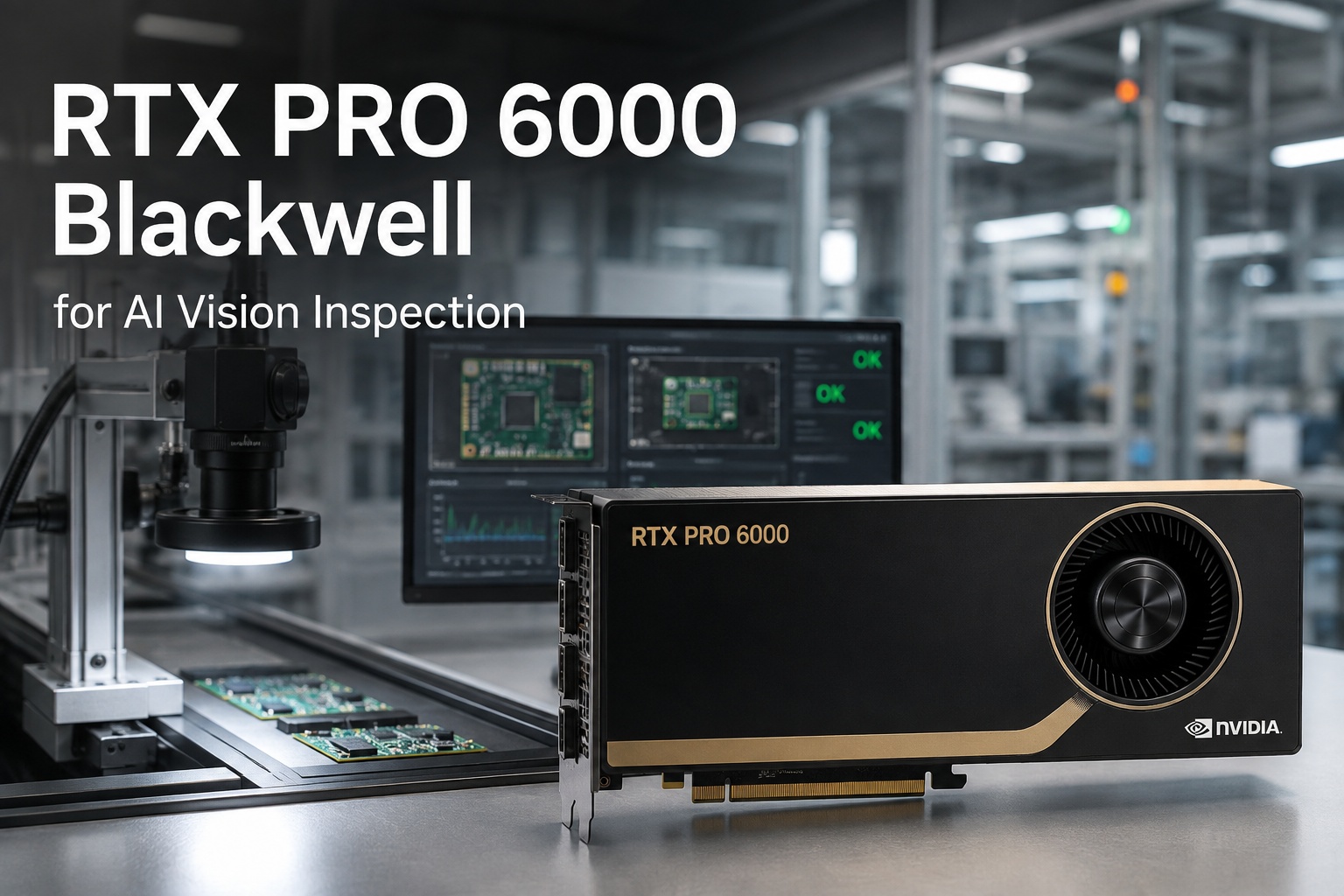
Pre-racked, burn-in tested, IEC 62443 zoned. 96 GB GDDR7 ECC, 24,064 CUDA cores, 5th-gen Tensor with FP4. NVIDIA Omniverse runtime, USD Composer, Connectors, iFactory twin scaffold pre-loaded. Air-gapped from public internet. One-time CapEx. Global shipping included.
OPC-UA / Modbus TCP / EtherNet-IP read-only client. Tag-to-USD-attribute mappings configured during Phase 2. Less than 10 ms PLC sync. Historian tie-in to PI / Aveva / Ignition. DIN-rail mount, IP-rated.
Our digital twin engineers ingest your CAD (Inventor / SolidWorks / NX / CATIA), BIM (Revit / AECOsim / Tekla), P&IDs, vendor models, and laser scans into a composed USD scene. Layer hierarchy designed for non-destructive updates as your plant evolves.
PLC tag bindings to USD attributes (temperatures, statuses, positions, torque). Role-specific filtered scene views for engineering, operations, maintenance, planning, HSE. CMMS hook (OxMaint, SAP PM, Maximo, Infor EAM) so work orders carry USD asset paths.
Web viewer for the control-room wall. Tablet client for maintenance walkdowns. VR client for HSE training and permit-to-work briefings. All consume the same USD scene over the local network — no per-seat licence multiplier.
3-day on-site training across disciplines. 24x7 remote monitoring of all stack nodes. CAD changes flow in via Connectors. Post-shutdown scan refreshes recomposed quarterly. Annual review with our digital twin lead. Optional after year one.
What Steel Plant Engineers & IT Ask First
Yes. Omniverse Connectors cover Inventor, SolidWorks, NX, CATIA, Revit, AECOsim, Tekla, Rhino, 3ds Max, Maya, Blender, plus E57 and RCS for laser scans, plus generic STEP / IGES / FBX. Vendor models from Primetals, SMS Group, Danieli, FLSmidth, and Outotec are typically supplied as STEP and convert cleanly. We handle the conversion and the layer hierarchy during Phase 1.
No, by architecture. The AGX Orin gateway reads from your DCS, SCADA, and historian read-only via OPC-UA / Modbus TCP. There is no write path back. The twin is a visualisation and analysis layer; setpoint changes happen through your existing operator HMI and MOC procedure, exactly as they do today.
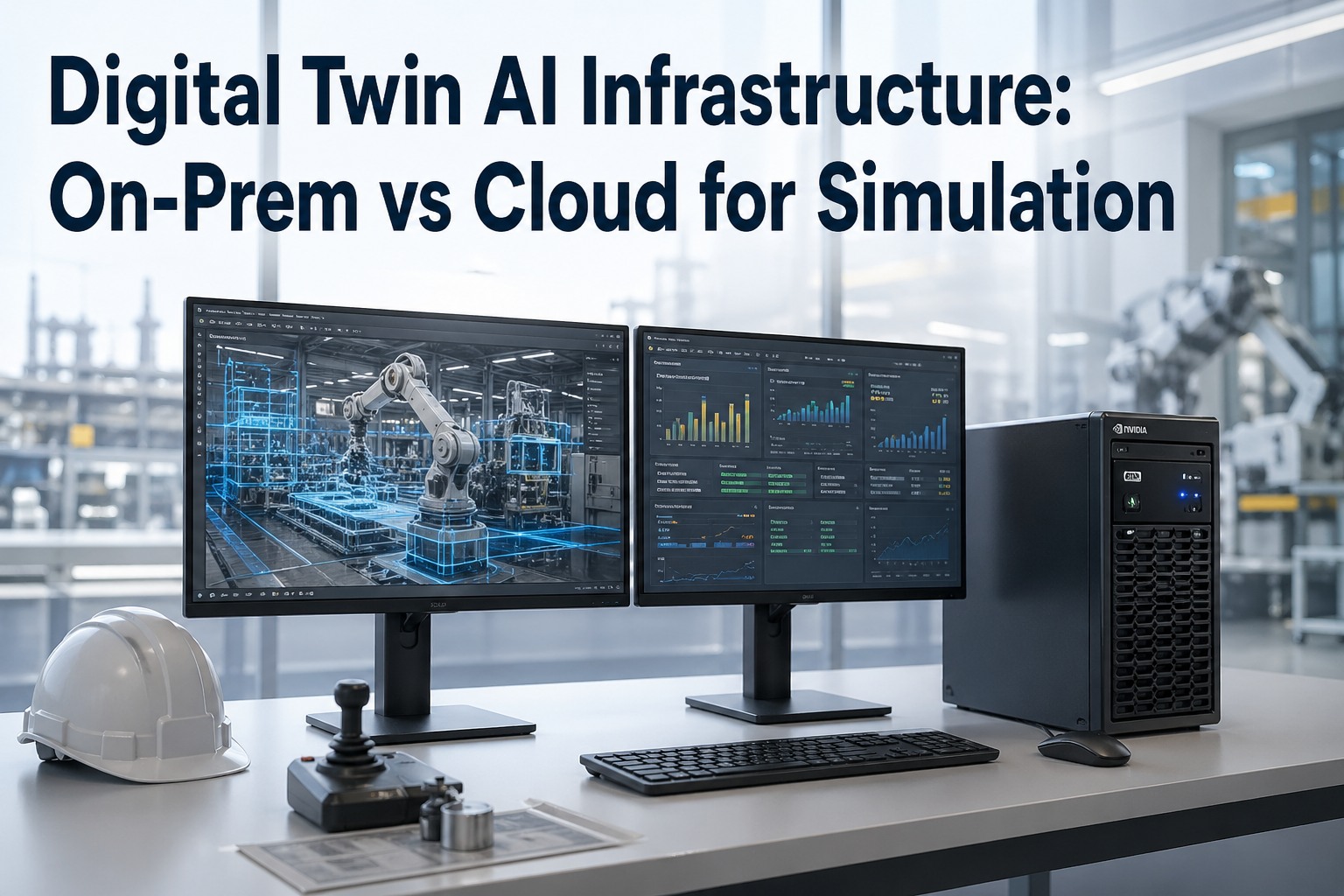
Three reasons: latency (live PLC state at less than 10 ms doesn't tolerate a cloud round-trip), data sovereignty (a steel plant's geometry, layout, and live operational state are sensitive), and CapEx clarity (one box, one PO, no recurring egress fees). The cloud path exists if you want it — Omniverse runs on Google Cloud G4 VMs — but the on-prem appliance is the default for steel plants.
That's the whole point of OpenUSD's layer model. A new caster is a new USD layer that references the existing scene. A modified BF charging system is a non-destructive override. A post-shutdown laser scan is a new reality-capture layer that overlays the engineering CAD. Nothing rebuilds; everything composes. Engineering pushes through Connectors; the twin updates.
The appliance ships with NVIDIA Enterprise software entitlements bundled. Omniverse libraries and OpenUSD are open and free; the NVIDIA Enterprise stack covers support, security updates, and the runtime. We handle the licence configuration as part of Phase 1. No separate per-seat charge for web, tablet, or VR consumers on your local network.
The appliance keeps running. You own the workstation, the AGX Orin gateway, the composed USD scene, the layer history, and the role views. Renew support and quarterly recomposition annually, run it in-house with our handover docs, or do a mix. No kill switch, no recurring license fee.
Walk A Real Photoreal Steel Mill Twin Live On The RTX PRO 6000 Box
The actual RTX PRO 6000 Blackwell Workstation with 96 GB GDDR7 ECC. A real integrated steel works composed in OpenUSD. Live PLC tags driving the scene in real time. RTX path-traced photoreal rendering on the booth display. DLSS 4 keeping it interactive. Bring your CAD inventory and historian tag list — our digital twin lead will walk through what your plant would compose into.