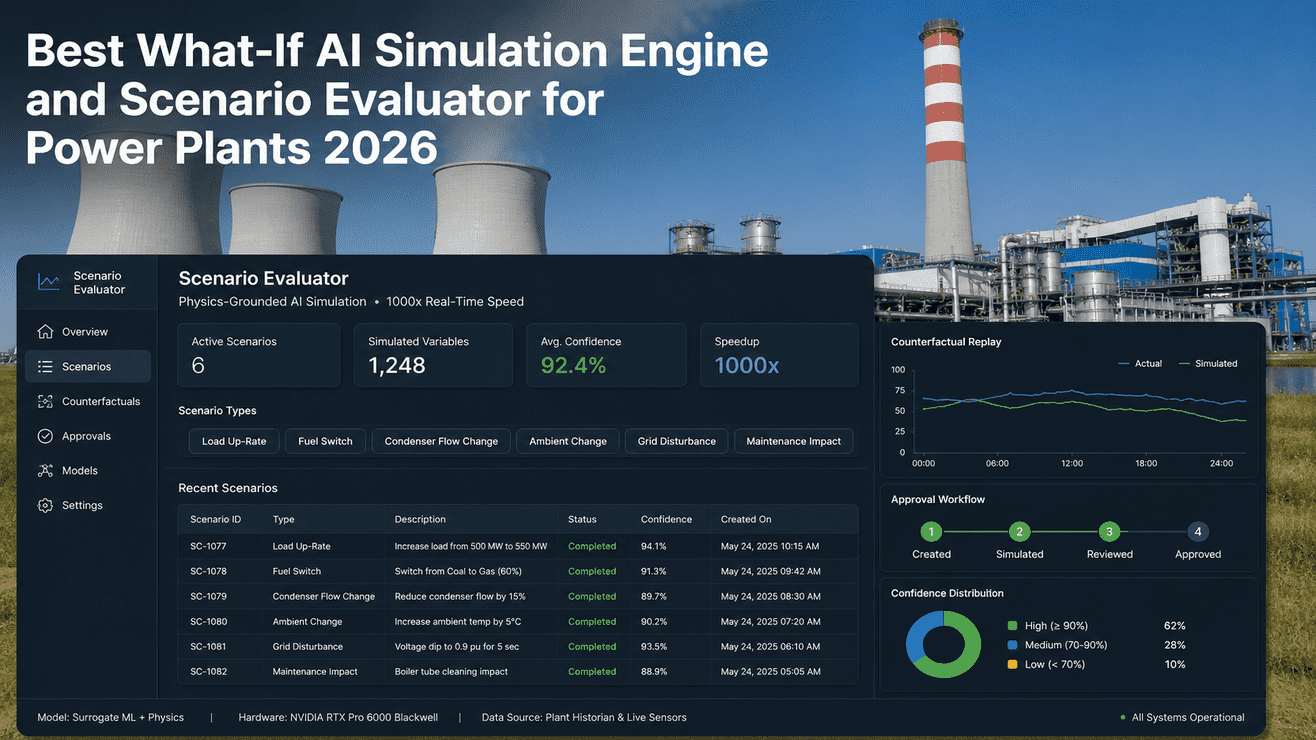
The performance engineering team at a typical 660 MW unit makes 40 to 60 small operating decisions a week — load dispatch within a unit-commitment block, fuel mix tweaks against incoming coal lots, an energy/auxiliary-power swap when ID fan VFD efficiency starts drifting, a maintenance deferral when a planned shutdown collides with a high-tariff window. Most of those decisions get made on engineering judgement alone because the alternative — running a CFD model overnight or queuing a Modelica simulation that takes 40 minutes per scenario — doesn't fit the 30-minute decision window. The What-If Scenario Analysis tool is built around the engineer's actual decision tempo. A scenario gets typed at 11:42 AM, the AI surrogate runs the next 90 minutes of simulated plant behaviour in roughly 5 seconds, the engineer reviews the impact, and either commits to ops or revises. 1,248 scenarios per month is what a typical performance team runs once the workflow is in place — 60 active engineers across shifts each running 5 scenarios per day on average. ~$290K/month in realised savings is the number a deployed customer fleet typically reports after 6 months of disciplined adoption. The simulator runs. The engineer reviews. The AI never writes to the DCS. This page walks through the actual UI a performance engineer sees — six real scenarios SC-1077 through SC-1082 — and the 5-step pipeline each one passes through before the result lands on screen.
What-If Scenario Analysis For Power Plants —
Run It At The Engineer's Decision Tempo, Not The CFD Solver's
Type a scenario into the UI; the physics + AI twin runs the next 90 minutes of plant behaviour in roughly 5 seconds; the engineer reviews the impact, the safety-envelope check, and the confidence score; ops commits the move on the DCS panel. AI writes nothing.
Most Plant Decisions Get Made On Judgement Because The Tools Are Too Slow
An offline CFD run on a single component takes hours; a coupled boiler + turbine + condenser simulation in Modelica or APROS takes 30 to 60 minutes per scenario. Engineers stop running them after the first month because the answers arrive after the decision window has closed. The tool ends up on the shelf, the decision happens on judgement, and the audit trail records "engineering review" instead of "simulation result". The What-If Scenario AI is what closes the gap between the engineer's actual tempo and the simulator's response time. Talk to our performance lead about your team's current scenario throughput.
Engineer recommends a 430 MW dispatch with current fuel mix; ops accepts; condenser back-pressure climbs unexpectedly because of a CW pump scheduling interaction nobody had time to model. Three weeks later, root cause review finds the simulation that would have caught it — but it would have taken 40 minutes that nobody had at 11:42 AM.
Engineer types the 430 MW dispatch into the UI. AI surrogate trained on your CFD outputs runs the 90-minute trajectory in 5 seconds. Safety envelope check flags the back-pressure interaction. Engineer revises CW scheduling, re-runs in another 5 seconds, commits. Audit trail captures both the scenario and the operator move.
An AI that commits scenarios to the DCS without engineer review is not a what-if tool — it is an unvalidated autonomous controller. The What-If AI has no write path to the DCS, BMS, or governor. Recommendations only. Engineers commit on the panel. Always.
Six Scenarios, SC-1077 To SC-1082 — Run, Reviewed, Committed In One Shift
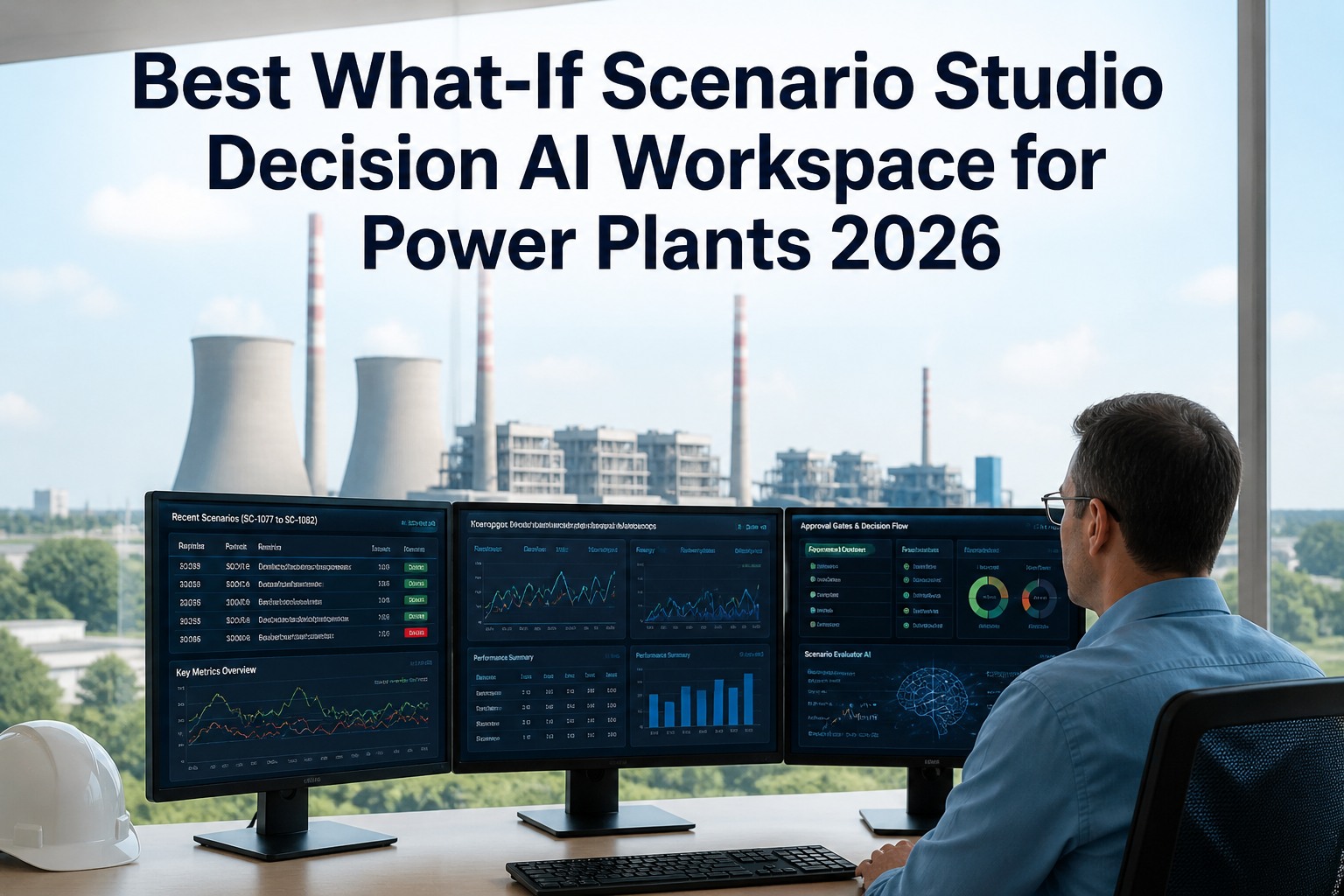
An illustrative walk-through of six scenarios a performance engineer might run during a typical day shift, exactly as they appear in the iFactory console. Numbers are representative of a 500 MW supercritical unit at moderate load. The scenarios cover the four canonical decision categories — load dispatch, fuel mix, energy/APC, maintenance deferral — plus two edge-case explorations. Each card shows the input, the 5-step pipeline status, the impact, the safety check, and the confidence score.
The thing to notice: SC-1078 and SC-1082 weren't failures — they were the safety envelope doing its job. SC-1078 was rerun successfully as SC-1079 with a revised blend; SC-1082 stayed blocked because deferring inspection would have walked the fan vibration into ISO 20816-3 Zone C, which the policy correctly refuses. The 4 committed scenarios out of 6 attempted is the realistic acceptance ratio. The 2 blocked scenarios are where the tool earns the trust that lets engineers run the next 1,242 in the month.
From Scenario Typed To Result Rendered — Five Stages In ~5 Seconds
Each scenario in the console above passes through five stages. The pipeline is not just inference — it is the boundary-condition setup, the fast physics co-simulation, the surrogate model that closes the speed gap, the safety-envelope check that protects against unsafe recommendations, and the impact projection rendered for the engineer. Step 4 is the gate that blocks scenarios like SC-1082; step 5 is what surfaces the impact in business terms (kcal/kWh, $/event, ISO zone) the engineer can act on.
Current operating point pulled from PI in real time — load, MS pressure, MS temp, condenser back-pressure, fuel flow, ambient conditions. Scenario delta layered on top — "raise load to 430 MW", "trim O2 to 1.8%", "switch fuel blend". Boundary conditions for the next 90 minutes prepared.
Coupled boiler + turbine + condenser physics runs as Modelica process model coupled with reduced-order CFD surrogates trained from your overnight Star-CCM+ or Ansys runs. Physics handles the regimes the AI surrogate hasn't seen; the surrogate handles the regimes physics is too slow to run in the decision window.
Neural-net surrogate trained on PhysicsNeMo + Modelica outputs evaluates the trajectory at full plant scale. For load-dispatch and maintenance-deferral scenarios, MCTS explores the action space — published research on MCTS in carbon-efficient power dispatch and nuclear plant operations confirms the algorithm's suitability for plant-scale combinatorial decisions.
Hard rules. Vibration projected against ISO 20816-3 zone boundaries (Zone A/B acceptable, Zone C requires action, Zone D blocks). CO projected against burner CO knee. NOx projected against permit band. Boiler tube-metal temps, turbine blade-life consumption, condenser tube-fouling rates checked against policy. Any breach blocks the scenario before impact rendering.
Final stage renders the impact in business terms — heat rate delta in kcal/kWh, APC delta in MW, annualised $ savings, confidence score from model variance + steady-state quality. Below 80% confidence the scenario surfaces with a warning. Engineer reads, decides, routes to ops or revises and reruns.
Why ~5 seconds and not real-time-instant: the physics co-simulation in step 2 is the hard floor. A 90-minute plant trajectory with coupled BTG dynamics has to be numerically integrated; Modelica + reduced-order CFD is currently the fastest credible way to do it. The neural surrogate accelerates the regimes it has seen but is bounded by physics for the regimes it hasn't. 5 seconds is fast enough for the engineer's decision tempo and slow enough to remain numerically grounded — which is the right trade.
A Truck Pulls Up. Three Boxes Come Off. Your Plant Has An AI Brain By Friday.
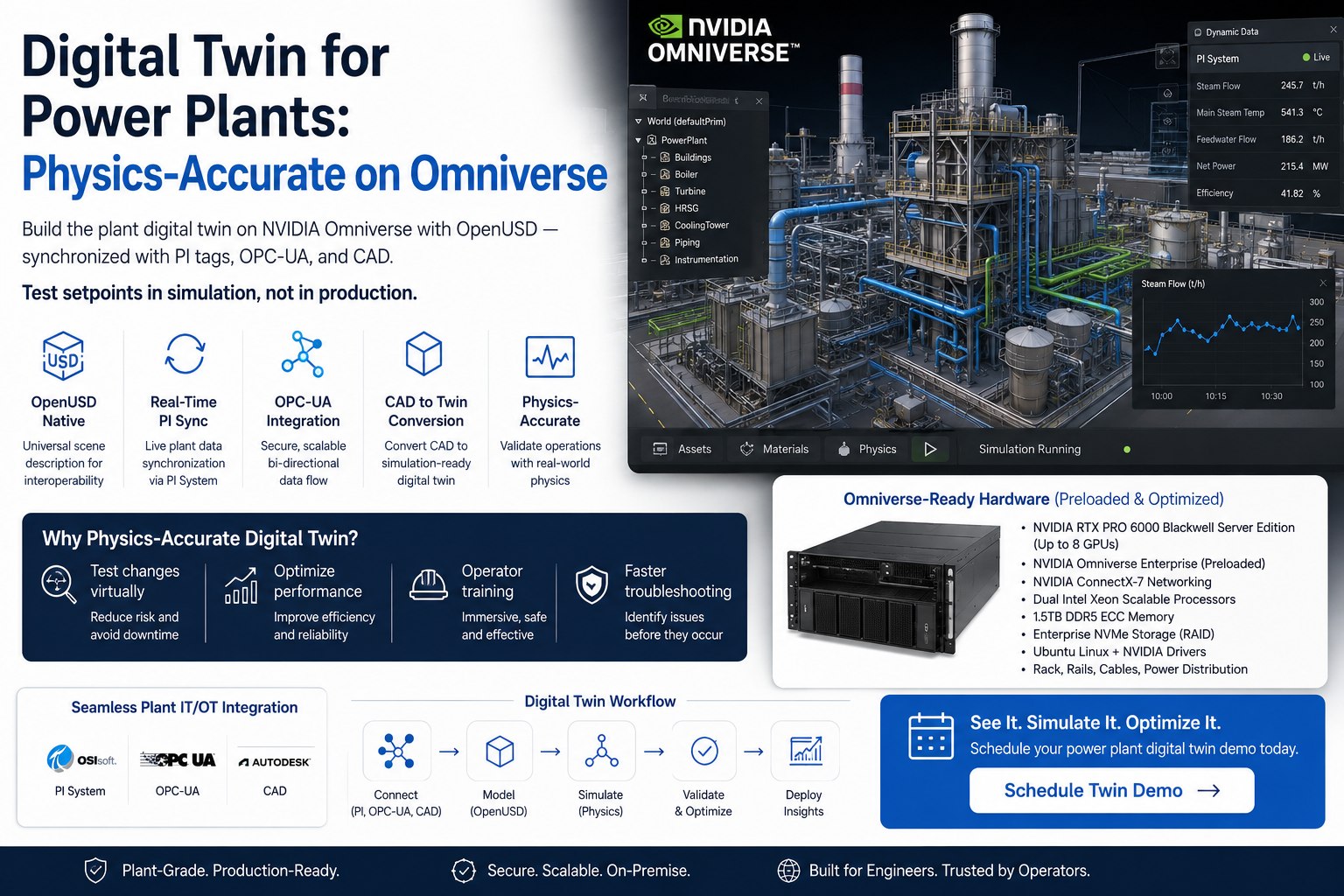
No procurement saga. No nine-month integration project. No five vendors pointing at each other when something doesn't work. iFactory ships you a complete on-premise AI server — already assembled, already loaded with the software, already burned-in tested for three days at our facility before it leaves the dock. Our field engineer plugs in two cables (power and Ethernet), walks your team through the dashboard, and you have a plant AI running on hardware you own outright. That's the entire turnkey experience. Below is exactly what shows up on your loading dock — and what each piece does, in plain language.
Now — there are two sizes of the main server. Which one is right for your plant depends on whether you are deploying for one site or for a corporate fleet of plants. Both ship the same way, both are owned outright, both run inside your perimeter. Think of them like a "plant-sized" model and a "headquarters-sized" model. The story of each is below.
Imagine a tower computer about the size of a hotel-room safe. It sits next to your existing DCS rack in the control building. It hums quietly. It runs every iFactory AI you turn on — the what-if simulator, the heat rate optimizer, the operator copilot, the predictive maintenance models. One of these per plant is enough for the day-to-day operations work most engineering teams do.
Imagine a sleek workstation about the size of a desktop briefcase. Despite being smaller than a tower PC, it has more raw computing power than most data centres had ten years ago. NVIDIA built it specifically to run the kind of giant AI models that previously needed a whole rack of servers — including, if you ever need it, models with up to 1 trillion parameters. To put that in perspective: this is the same class of hardware that runs the world's leading AI assistants, sitting on a desk at your headquarters.
The reassurance most people want next: you don't need to choose right now. Most customers start with the plant-sized server (Option A) at one site, see the workflow land in 12 weeks, and then add the headquarters-sized server (Option B) at corporate when they're ready to roll out across the fleet. Both run the same iFactory software, so nothing has to be rebuilt.
What Performance Engineers & Operations Heads Ask First
Yes, for the steady-state and near-steady-state regimes the surrogate has been trained against. Scenarios that explore regimes the surrogate hasn't seen — extreme load excursions, novel fuel blends, non-standard equipment configurations — fall back to longer physics co-simulation and can take 30 to 90 seconds. The console flags those as "extended-runtime scenarios" so the engineer knows what to expect. The 5-second number is the typical-shift median, not a peak claim.
As hard rules in step 4 of the pipeline. Vibration: ISO 20816-3 zone boundaries (Zone A acceptable, Zone B operational, Zone C requires action, Zone D blocks). Combustion: CO knee per fuel and load band, characterised during Phase 2 deployment. Emissions: NOx, SOx, particulate, opacity all checked against your CEMS-reported permit limits. Tube-metal temps, blade-life consumption, condenser fouling — all encoded against design and operating policy. Your engineering team owns and signs off the rule library; we don't impose it.
No, by architecture. The What-If AI is read-only against your DCS, PI, and CEMS. Recommendations surface to the performance engineer, who reviews and routes them to operations. The DCS operator commits the scenario manually on the panel under your existing MOC procedure. There is no write path in the tool surface — not a policy that could be flipped, an architectural absence.
Typical-customer fleet observation across deployments after 6 months of adoption. Roughly 60 active engineers across all shifts running an average of 5 scenarios per engineer per day, with roughly 30 work-days per month. The number scales with plant size and team adoption — a single-unit plant with one performance engineer per shift typically runs 200–400 scenarios per month; a multi-unit corporate fleet with a centralised performance team runs 5,000+. The dollar figure scales similarly.
Two layers. First, per-scenario realised-vs-projected gain — for every committed scenario, the system tracks whether the predicted impact materialised in plant data over the next 90 minutes, and the cumulative annualised savings is rendered with full audit trail. Second, fleet-level baseline-vs-actual heat rate, APC, and dispatch margin trended monthly with confidence intervals. The numbers your CFO can defend to the regulator and to the board. Specific savings vary by fleet — we share customer-specific numbers under NDA.
Logged, not lost. Every blocked scenario is captured in the audit trail with the rule that triggered the block. Performance engineers can see what would have happened if the safety envelope hadn't intervened, which is useful training material for new engineers and useful regulatory evidence for the audit team. Blocked scenarios also contribute to model retraining data — a blocked scenario rerun later under different boundary conditions teaches the surrogate where the envelope walls actually sit.
Stays inside your perimeter. The scenario engine, the surrogate weights, the audit trail, the saved scenario library — all on the on-prem appliance you own. Air-gapped from the public internet by default. The model retrains on your operating data only; we don't share weights between customers, and we don't build a "cross-customer" surrogate from your data.
The pipeline keeps running. You own the appliance (RTX PRO 6000 stack or DGX Station, depending on tier), the trained surrogate weights, the rule library, the audit logs, and the saved scenario history. Renew support and monthly retraining annually, run it in-house with our handover docs, or do a mix. No kill switch, no recurring license. Your engineers can build new scenarios, save them, and rerun them indefinitely.
Run Your First Scenario From A Working Session
Two ways forward. The full What-If pipeline runs on the actual on-prem AI server stack — RTX PRO 6000 Blackwell or DGX Station GB300 Ultra — against a representative 500 MW unit model. Bring scenario types from your team's typical week and we'll run them live. Second: a 30-minute working session with our performance lead — bring 90 days of PI tag history (sanitised is fine) and three real scenario types your team runs. We'll calibrate against your data and run the first three through the pipeline.