On-Prem vs Cloud AI Infrastructure: Enterprise Decision Guide

By lamine yamal on April 27, 2026

on-prem-vs-cloud-ai-infrastructure
Loading...
Wed, May 13, 2026 · 5.30 PM EDT SAP Sapphire, Orlando
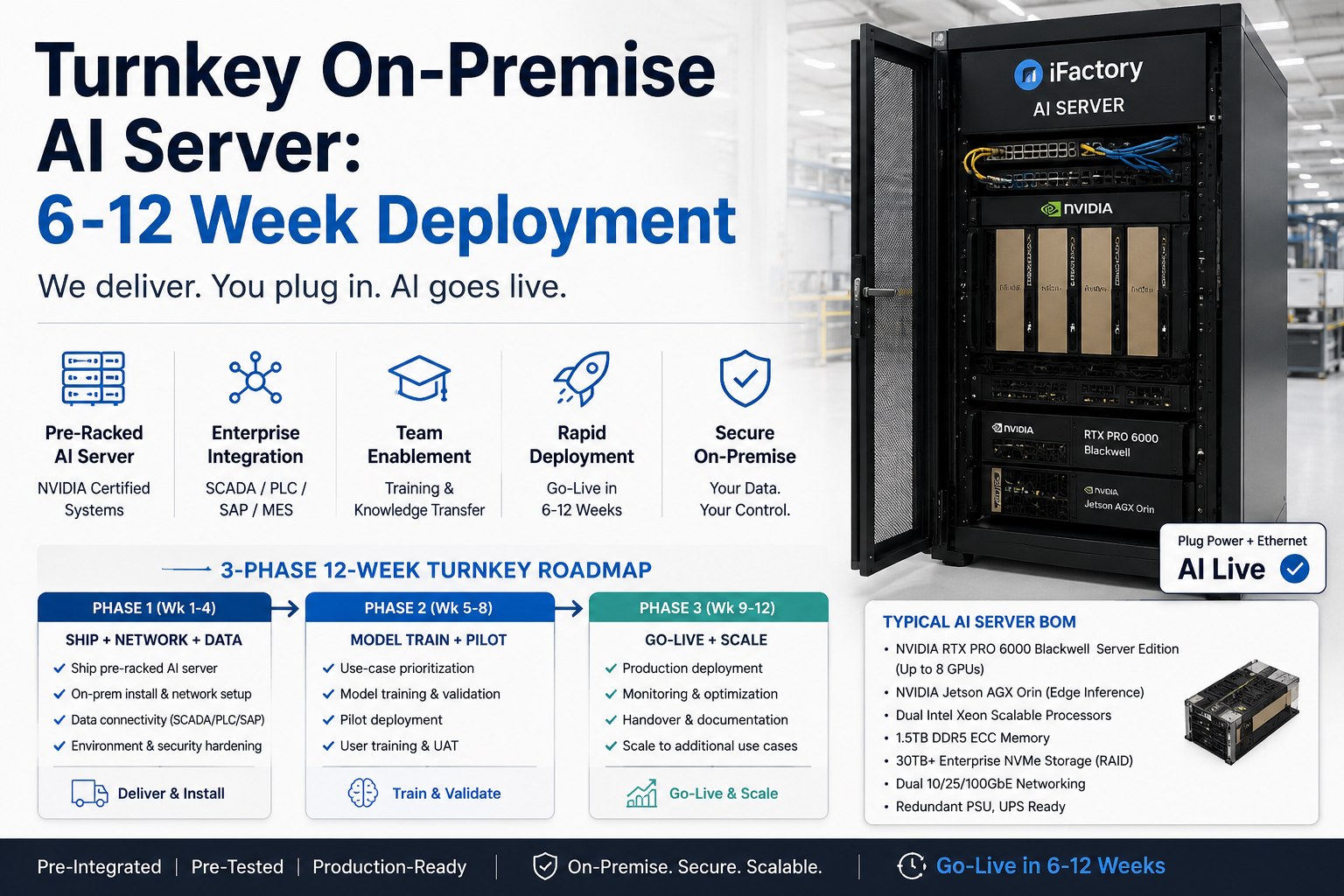
Join Us at SAP Sapphire 2026: The Self-Healing Factory — On-Premise AI for Manufacturing

The on-premise vs cloud AI infrastructure decision used to be straightforward — cloud for everything, scale on demand, ship fast. In 2026 that math has flipped for most sustained workloads. Breakeven against on-demand cloud now lands inside four months at modest utilization, frontier API costs scale linearly forever, and the data sovereignty bar keeps rising. This guide gives infrastructure leaders the actual numbers — utilization thresholds, token-cost crossovers, latency budgets, compliance gates — and a no-fluff decision framework for placing each workload where it belongs.

Upcoming iFactory Event · May 13, 2026 · 5:30 PM EDT, SAP Sapphire Orlando

Meet Us at SAP Sapphire 2026 — Get Your On-Prem vs Cloud Roadmap

Bring your token volumes, current cloud invoice, and compliance constraints. Our enterprise AI architects will walk you through workload placement, breakeven math, and a hybrid migration plan tailored to your stack — live, on the show floor.

Live breakeven analysis on your actual workload
Workload-by-workload placement matrix
Compliance gating for HIPAA, PCI, FedRAMP
Hybrid migration roadmap with milestone gates
The Decision At a Glance

Two Architectures, Two Cost Curves, Two Risk Profiles

On-premise and cloud AI aren't competing solutions — they're different cost structures optimized for different workload patterns. The choice isn't ideology; it's pattern matching. Below is the side-by-side that frames the rest of this guide.

On-Premise AI
Front-loaded CapEx — flattens after Year 1
  • Cost shapeFront-loaded, then near-zero marginal
  • Best atSustained inference, regulated data, low latency
  • Time to live4–12 weeks (procurement + setup)
  • SovereigntyFull — data never leaves perimeter
  • CeilingOwned capacity (capacity planning required)
  • Worst caseIdle hardware at low utilization
vs
Cloud AI / API
Linear OpEx — grows with every token
  • Cost shapeLinear, scales with usage forever
  • Best atBursty workloads, frontier models, prototyping
  • Time to liveMinutes (API key + SDK)
  • SovereigntyVendor-managed; depends on region/SLA
  • CeilingEffectively unlimited (subject to quota)
  • Worst caseRunaway bills at scale + egress fees
The Inflection Math

Where the Two Cost Curves Cross — And Why It Matters

Every workload has a crossover point — the moment cumulative cloud spend equals on-premise TCO. Beyond that point, every additional token costs you more on cloud than it would on owned hardware. Below are the four crossover signals every infrastructure leader should track.

< 4 months
Breakeven at >20% utilization

For B200/B300 deployments running sustained inference at modest utilization, on-prem hardware pays for itself in under four months — down from 12–18 months in the previous hardware generation.

6 hrs / day
GPU usage threshold

If your cloud GPU instance runs more than six hours a day, you're paying more for cloud than you would for owned equivalent hardware over a 5-year lifecycle — even at on-demand pricing.

60–70%
Cloud spend trigger (Deloitte)

When cloud AI spend reaches 60–70% of projected on-prem TCO, the migration evaluation should start. Below that, cloud flexibility wins; above it, savings compound monthly.

8×–18×
Token cost advantage

Self-hosting on enterprise-grade Blackwell hardware delivers 8× lower cost per million tokens vs cloud IaaS, and up to 18× lower vs frontier Model-as-a-Service APIs at sustained volume.

The 5-year math: Over a standard 5-year hardware lifecycle, an 8× B300 server saves over $5.2M compared to the equivalent AWS p6-b300 hourly rate — even before factoring in egress fees, premium GPU markups, and reserved-capacity commitments.
Workload Placement

Which Workloads Belong On-Prem, Which Belong on Cloud

Treating "AI" as one workload is the most common strategic error. In reality, an enterprise runs five to fifteen distinct AI workloads — each with different latency, sovereignty, volume, and capability profiles. Below is the placement matrix our architects use on every engagement.

Owned Hardware
Production inference at scale
High volume, predictable load, latency-sensitive
Document Q&A on internal data
RAG over proprietary corpora, IP-sensitive
Plant-floor / edge AI
Sub-50ms latency, air-gapped operations
Healthcare / financial inference
HIPAA, PCI, GDPR data residency requirements
Fine-tuned domain models
Trade-secret training data, no third-party touch
Hybrid Routing
Customer support agents
Common queries on-prem, escalations to frontier
Code generation / review
Bulk on-prem, frontier for complex reasoning
Multi-modal pipelines
Vision/audio on-prem, text on capable model
Search + summarization
Embeddings on-prem, rerank where needed
Cloud / API
Frontier capability access
GPT-class, Claude, Gemini for state-of-art tasks
Bursty training / fine-tuning
Once-a-month runs, scale up and back down
Experimentation & prototypes
No commitment, fast iteration, model comparison
Customer-facing scale
Multi-region availability, elastic to demand spikes
Pre-launch validation
Validate before committing capital to on-prem
Latency, Sovereignty, Compliance

The Non-Cost Factors That Often Decide the Architecture

TCO models miss the requirements that aren't measured in dollars. For many enterprises, the gating constraint isn't cost at all — it's a 50ms latency budget, a sovereignty regulation, or a compliance auditor who needs to see the data flow. Below is how each non-cost factor pushes the decision.

01
Latency Budget
On-Prem (edge GPU)

5–15 ms
On-Prem (data center)

20–50 ms
Cloud (same region)

80–150 ms
Cloud (cross-region)

200–500 ms

Real-time inference (defect detection, fraud scoring, voice agents) needs sub-50ms response. That eliminates cross-region cloud and often pushes critical workloads to owned edge or on-prem GPU.

02
Data Sovereignty
Customer PII
Trade secrets
Regulated PHI / PCI
Government / classified
Cross-border data flow

When data residency policies forbid sending information to third-party infrastructure — even when cloud compliance is technically possible — on-prem becomes the only path. This is the reason healthcare, finance, defense, and increasingly EU-based enterprises run their inference internally.

03
Compliance Audit Surface
HIPAA
PCI DSS
GDPR
FedRAMP High
SOC 2 Type II
ISO 27001

Cloud providers offer broad compliance certifications, but the audit boundary still includes the customer's configuration, data flow, and access controls. On-prem narrows the audit surface to your own perimeter — often dramatically simpler to evidence to regulators.

04
Hardware Refresh Risk
Model architecture changes
Quantization standards
VRAM requirements
Power / cooling envelope

The cloud's flip-side advantage: AI hardware moves faster than typical 5-year refresh cycles. Cloud customers get instant access to next-gen GPUs without stranded assets. On-prem owners need a deliberate refresh strategy — Blackwell B300 today, what comes next is your problem.

The Hidden Cost Audit

What TCO Models Quietly Leave Out — On Both Sides

Vendor TCO calculators are sales tools. The honest math includes line items both sides prefer not to highlight. Below is the audit framework our architects walk customers through before any procurement decision.

On-Prem — What Vendors Skip
Power & Cooling
10–15 kW per B200 server, 24/7
Data Center Floor Space
Rack rental or owned facility CapEx
ML / Platform Engineers
0.5–1.5 FTE per cluster
Hardware Refresh
3–5 year lifecycle, 30–40% residual
Spare Capacity
N+1 redundancy for production SLA
Security Operations
Patching, audit logs, IAM, monitoring
Cloud — What Vendors Skip
Egress Fees
15–30% of total AI spend at scale
Premium GPU Markup
2–3× wholesale rate on rented capacity
Reserved Commit Lock-In
1–3 yr commits to hit advertised pricing
Cross-Service Integration
Lambda, S3, monitoring add 10–20%
Cost Surprise Risk
Bills volatile without strong FinOps controls
Capacity Constraints
GPU availability gates timelines at peak

A defensible TCO model loads every line above into both sides. Vendor calculators that compare raw hourly rates against a hardware quote are not TCO — they're a marketing collateral.

Decision Framework

A 5-Question Test for Workload Placement

Run every AI workload through these five questions before deciding where it lives. Two or more pulls toward on-prem usually means on-prem; two or more pulls toward cloud usually means cloud. Mixed answers nearly always mean hybrid with workload routing.

Q1
What's the sustained token volume — and is it predictable?
On-Prem >500K tokens/day inference, predictable load
Cloud Spiky, sub-100K tokens/day, unpredictable
Q2
Does the data have sovereignty, IP, or regulatory constraints?
On-Prem Trade secrets, PHI, PCI, classified, residency rules
Cloud Public data, internal docs, non-regulated content
Q3
What's the latency budget for a single inference call?
On-Prem Sub-50ms required (real-time, edge, voice)
Cloud 200ms+ acceptable (async, batch, summaries)
Q4
Do you need frontier model capability that open-weights can't match yet?
On-Prem Llama 3.3 70B / Mistral / domain fine-tunes are sufficient
Cloud Need GPT-class reasoning, complex tool use
Q5
What's your operational maturity to run owned infrastructure?
On-Prem ML / MLOps / SecOps in place or partner deploys team
Cloud Lean engineering, no DC operations capability

Skip the spreadsheet model

Get a custom on-prem vs cloud TCO analysis for your workload

Bring your token volumes, current cloud spend, and latency requirements. We'll model your exact scenario across on-demand cloud, reserved cloud, and on-prem Blackwell — with a defensible 3-year TCO output you can take to the board.

Migration Patterns

Three Patterns We See Working in 2026

Most organizations don't go pure cloud or pure on-prem — they evolve through one of three deliberate patterns. Each has a distinct trigger, sequencing, and cost profile.

Pattern A

Cloud First, On-Prem When Scale Hits

Most common in 2026. Start cloud-only for fast iteration. Migrate to on-prem when sustained workloads cross the 60–70% threshold against projected on-prem TCO. Keep cloud as the burst capacity safety valve.

Trigger: Cloud bill exceeds 60–70% of on-prem TCO
Best for: Mid-market scaling toward $1M+ annual AI spend
Time to migrate: 6–12 months phased
Pattern B

On-Prem Core + Cloud Burst

Production inference on owned hardware, frontier capability via cloud APIs. Saves 40–60% versus pure cloud while preserving access to state-of-art models. The most cost-efficient long-term architecture.

Trigger: Sustained >1B tokens/month + frontier needs
Best for: Mature AI orgs with mixed workloads
Time to deploy: 4–8 week cycle for on-prem layer
Pattern C

Sovereign On-Prem with Air-Gap Option

Fully owned, fully internal — typical for healthcare, defense, finance, and regulated manufacturing. Cloud excluded by policy. Open-weight models, dedicated AI engineering team, all data inside the perimeter.

Trigger: Regulatory or sovereignty mandate
Best for: Healthcare, finance, defense, manufacturing
Time to deploy: 8–16 weeks (greenfield possible)
Common Mistakes

Five Decision Errors That Cost Enterprises Millions

We've seen these patterns repeatedly across enterprise engagements. Each one is preventable — but only if surfaced before architecture lock-in.

Buying hardware before measuring real utilization

A $300K B200 server at 12% utilization costs more per token than on-demand cloud. Always baseline existing GPU utilization for 60+ days before signing a hardware PO.

Treating "AI" as a single workload

Your customer chatbot, defect-detection model, and code-gen assistant have different latency, accuracy, and compliance profiles. They almost certainly belong in different environments.

Forgetting egress in cloud TCO

Egress fees average 15–30% of total AI spend at production scale. A "cloud is cheaper" comparison that ignores egress is undercounting cloud cost by hundreds of thousands of dollars annually.

Underestimating MLOps headcount on-prem

The staffing line is the number most on-prem cost models quietly omit. Plan 0.5–1.5 FTE per cluster for ML engineering, MLOps, and security — or partner with someone who deploys the team.

Arriving at hybrid by accident

Most enterprises run hybrid AI today — but they got there through accumulated migration decisions, not architectural intent. Re-architecting an accidental sprawl costs 5–10× more than designing it deliberately.

FAQ

Frequently Asked Questions

When does on-prem actually beat cloud on cost?
For a Blackwell B200/B300 deployment running sustained inference, breakeven against on-demand cloud lands inside 4 months at >20% utilization. Against 3-year reserved cloud commitments, it's 12–22 months. Either way, once the CapEx is amortized, ongoing costs collapse to electricity, cooling, and operations — typically 8× cheaper per million tokens than cloud IaaS.
What's the cleanest signal it's time to migrate from cloud to on-prem?
The Deloitte threshold: when cloud AI spend reaches 60–70% of projected on-prem TCO, start the migration evaluation. Below that, cloud flexibility justifies the premium. Above it, savings compound monthly. A second signal: GPU instances running >6 hours/day means you're already paying more for cloud than equivalent owned hardware.
Can we run everything on-prem and skip cloud entirely?
Technically yes, strategically usually no. Cloud APIs remain irreplaceable for frontier capability access (when open-weight models can't match GPT-class reasoning yet), bursty training runs, and rapid prototyping. Pure on-prem makes sense for sovereignty-bound organizations (defense, classified workloads). For everyone else, hybrid wins on cost and capability.
What's the right starting workload to migrate from cloud to on-prem?
Pick a workload that's high-volume, latency-sensitive, and uses sensitive data. Document Q&A on internal corpora, defect detection on production cameras, and domain-specific code generation are the most common entry points. Avoid migrating bursty training jobs first — they leave hardware idle and make the TCO look terrible.
How do we handle GPU refresh on owned hardware?
Plan a 3–5 year hardware lifecycle. Open-weight models (Llama, Mistral, Gemma) generally run on existing hardware without architecture rewrites — what changes is quantization support and inference throughput. Blackwell's NVFP4, for example, doubles FP4 throughput vs Hopper without requiring new infrastructure.
What ongoing operating costs should we model for on-prem AI?
Beyond hardware CapEx, model: electricity (10–15 kW per Blackwell server at full load), precision cooling (20–25°C target), data center floor space, ML/MLOps/SecOps staffing (0.5–1.5 FTE per cluster), GPU driver and CUDA upgrades, security audits, and a 3–5 year refresh assumption. Total operating cost typically runs 15–25% of CapEx per year.
Does on-prem AI actually improve compliance posture?
Often, yes — but not automatically. Cloud providers carry broad compliance certifications (SOC 2, HIPAA, FedRAMP), but the audit boundary still includes the customer's configuration and access controls. On-prem narrows the audit surface to your perimeter — typically simpler to evidence to regulators, especially for cross-border data flow and trade-secret training data.
Do we need a dedicated AI engineering team to run on-prem infrastructure?
Yes — and the staffing line is the number most TCO models quietly omit. At minimum: ML engineering, MLOps/platform engineering, and a security function. iFactory deploys complete AI engineering teams trained and embedded inside customer factories — eliminating the staffing burden while keeping infrastructure on-prem and under your control.
Build Your Architecture

Get a Custom On-Prem vs Cloud TCO Model for Your Stack

Our enterprise AI architects have shipped 1,000+ deployments across regulated and high-volume industries. Bring your token volumes, current cloud invoice, and compliance needs. We'll deliver a defensible 3-year TCO model, workload placement matrix, and migration roadmap you can take to the board.
1,000+
Enterprise AI deployments shipped
8×–18×
Token cost advantage at scale
4–8 wk
Typical project cycle to production
$1.2M
Average annual savings per plant

Share This Story, Choose Your Platform!