When both GPUs wear the same NVIDIA RTX PRO badge and both ship with ECC memory, enterprise drivers, and Blackwell architecture, the buying decision narrows to a single honest question: do you need 32 GB or 96 GB of VRAM? The RTX PRO 4500 Blackwell is a professionally certified mid-tier workstation GPU built on the GB203 die — not the flagship GB202 die that powers the RTX PRO 6000. That difference matters for AI inference and fine-tuning in ways that a feature comparison table cannot fully capture. This page puts both cards through real AI workloads, maps the VRAM ceilings to current open-weight model sizes, and gives you a clear framework for knowing when the 4500 is the smarter buy and when the 6000 is the only option.
RTX PRO 4500 vs RTX PRO 6000
Bring your model sizes and training cadence. Leave with a spec sheet, cost comparison, and a clear go / no-go decision on whether the 4500 saves you $5,000 or costs you six months of re-buying.
Live 70B inference demo: 4500 vs 6000
VRAM ceiling walkthrough by use case
Breakeven analysis: when 32 GB is enough
On-site workstation configuration delivery
Spec Sheet
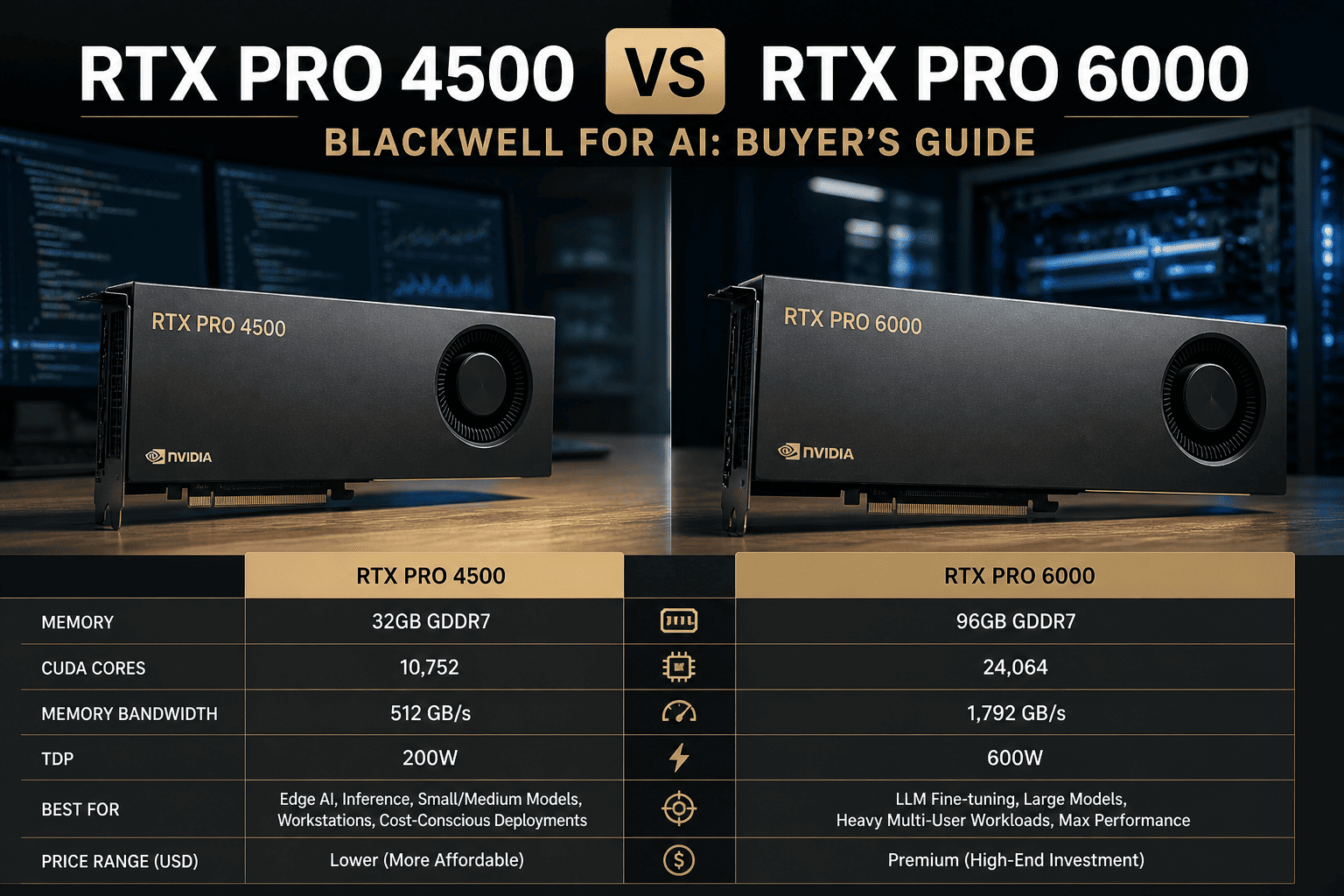
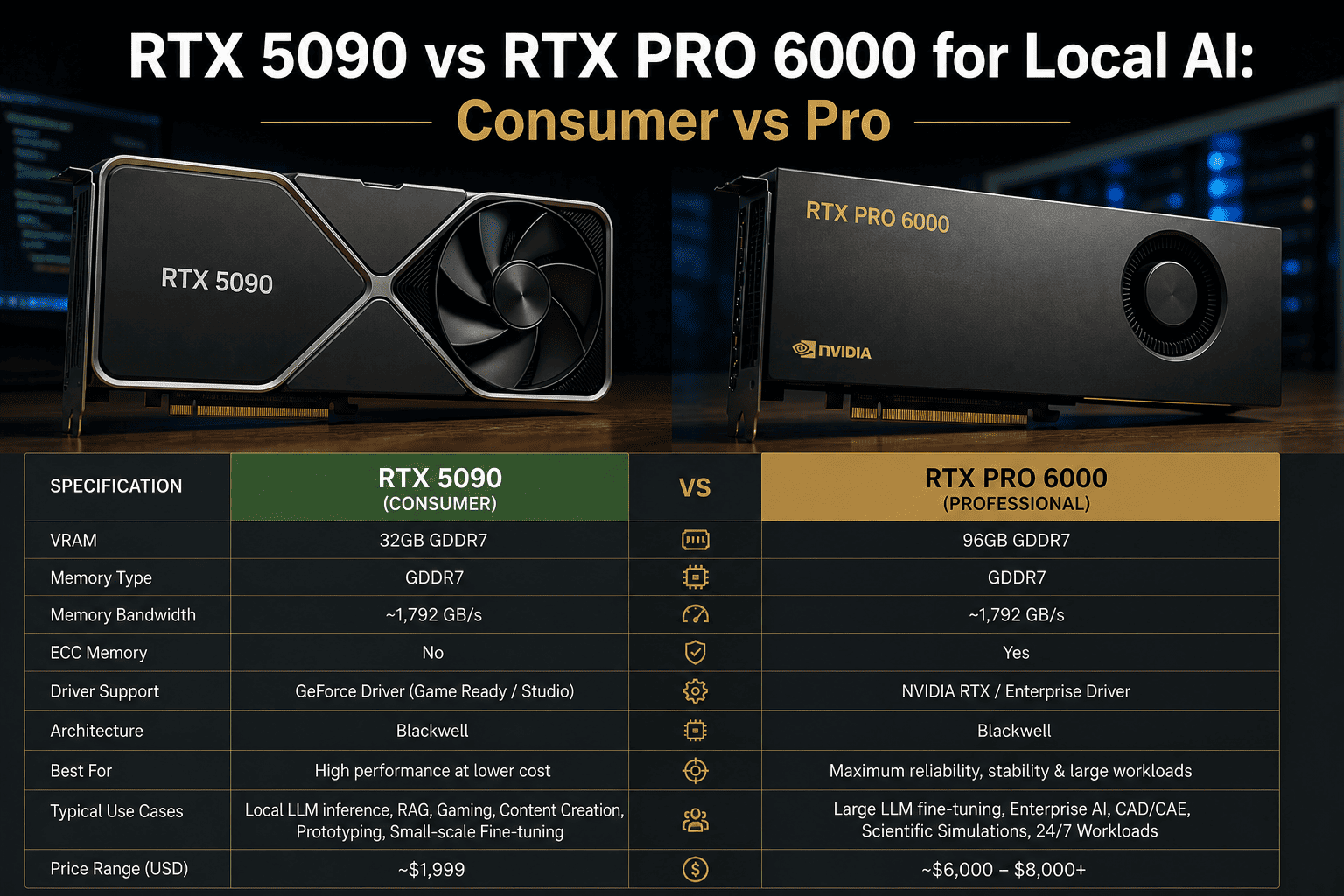
RTX PRO 4500 vs RTX PRO 6000 — Full Specification Comparison
The key architectural difference is the die. The RTX PRO 4500 uses the GB203 die — a step below the GB202 die in the RTX PRO 6000. Both are Blackwell, both carry ECC memory, both run on quarterly enterprise driver cycles. But CUDA core count, VRAM, memory bus width, and NVLink support diverge significantly.
| Specification | RTX PRO 4500 | RTX PRO 6000 |
| GPU Die |
GB203 (mid-tier Blackwell) |
GB202 (flagship Blackwell) |
| CUDA Cores |
10,496 |
24,064 (+129%) |
| Tensor Cores |
328 (5th gen) |
752 (5th gen) |
| RT Cores |
82 |
188 |
| VRAM |
32 GB GDDR7 |
96 GB GDDR7 |
| Memory Bus |
256-bit |
512-bit |
| Memory Bandwidth |
896 GB/s |
~1,800 GB/s (2×) |
| ECC Memory |
Yes |
Yes |
| NVLink |
No |
Yes — 1,800 GB/s bi-directional |
| MIG (Multi-Instance GPU) |
No |
Yes |
| TDP (Workstation) |
200 W |
300 W (Max-Q) / 600 W (full) |
| Form Factor |
Full-height, dual-slot |
Dual-slot (multiple editions) |
| Driver Track |
RTX Enterprise (quarterly QA) |
RTX Enterprise (quarterly QA) |
| Street Price (2026) |
~$2,500–$3,500 |
~$8,000–$11,000 |
| Target Segment |
Professional mid-tier workstation |
Professional flagship workstation / server |
Where 32 GB Is Enough
The VRAM Question — Exactly Which Models Fit Where
Both cards share ECC memory and enterprise drivers — the professional differentiators most buyers cite. The only hard technical question is VRAM. Below is the model-to-VRAM map for the most common open-weight models AI teams run in 2026. It determines which card you actually need.
RTX PRO 4500 handles these (32 GB)
OKLlama 3.1 8B · QLoRA 4-bit fine-tune
OKLlama 3.1 8B · full FP16 fine-tune (~16 GB)
OKMistral 7B · LoRA BF16 inference
OKQwen 3 7B · full fine-tune
OK13B model · 4-bit quantized inference
OKRAG pipelines up to 13B embedding model
OKCode-generation 7B · local deployment
EDGE13B model · BF16 inference (~28 GB)
Requires RTX PRO 6000 (96 GB)
NOLlama 3.3 70B · QLoRA 4-bit (~38–42 GB)
NOLlama 3.3 70B · BF16 inference (~140 GB)
NOMixtral 8x7B · full model load (~90 GB)
NO30B model · full FP16 fine-tune (~60+ GB)
NOQwen 3 14B · full precision fine-tune
NOMulti-modal 70B + vision head
NOAny 30B+ sustained inference workload
NOFoundation model fine-tuning at BF16
The 13B BF16 inference case sits at approximately 28 GB — technically within the 32 GB ceiling, but leaving almost no headroom for optimizer states, KV cache, or batch concurrency. Teams running 13B models at any production throughput level consistently hit OOM errors on a 32 GB card within 60 days of deployment. If 13B is your target, size for 96 GB from day one.
Performance Data
Compute Performance Comparison — What the Core Count Difference Means in Practice
The RTX PRO 6000 carries 24,064 CUDA cores on the GB202 die versus 10,496 on the RTX PRO 4500's GB203. That 129% core count advantage translates directly to FP32 and Tensor throughput — the two metrics that govern training speed and inference tokens per second. Below is the relative performance picture across relevant AI compute dimensions.
Power Draw (Workstation Edition)
The RTX PRO 4500's 200 W TDP is its standout advantage for dense multi-GPU workstation builds. Four RTX PRO 4500 cards draw 800 W combined — the same total power as a single RTX PRO 6000 Max-Q pair. For inference-only server builds where model size fits 32 GB, high-density 4500 arrays are a legitimate architecture.
Side-by-Side Tradeoffs
Where Each Card Wins — The Honest Scorecard
Both carry ECC and enterprise drivers. The decision comes down to model size, NVLink dependency, compute density requirements, and whether the $5,000–$7,000 price delta buys you something you will actually use. This table maps the real tradeoff by dimension.
Dimension
RTX PRO 4500
RTX PRO 6000
Winner
VRAM Capacity
32 GB ECC GDDR7 — sufficient for 7B–13B models and small-dataset fine-tuning
96 GB ECC GDDR7 — covers the full spectrum of current open-weight models
PRO 6000
Memory Bandwidth
896 GB/s (256-bit bus) — adequate for inference on models up to ~13B
~1,800 GB/s (512-bit bus) — 2× bandwidth enables faster token generation on large models
PRO 6000
NVLink Multi-GPU
No NVLink — PCIe-only multi-GPU with bandwidth limited to ~64 GB/s
NVLink 5 — 1,800 GB/s bi-directional for tensor-parallel inference across 2–4 GPUs
PRO 6000
MIG Partitioning
Not supported — one workload per GPU
Supported — partition one GPU into up to 7 isolated instances for multi-tenant inference
PRO 6000
ECC Memory
Yes — production-safe for long training runs
Yes — production-safe for long training runs
Tied
Enterprise Driver Support
RTX Enterprise quarterly QA — identical track
RTX Enterprise quarterly QA — identical track
Tied
Power Draw (Workstation)
200 W — fits 4 cards in a standard workstation PSU budget
300 W (Max-Q) / 600 W (full) — requires careful thermal planning in dense configs
PRO 4500
Street Price (2026)
~$2,500–$3,500 — accessible for departmental budgets and research grants
~$8,000–$11,000 — enterprise capex, typically requires purchase order process
PRO 4500
When PRO 4500 Wins
Three Scenarios Where the RTX PRO 4500 Is the Correct Buy
The RTX PRO 4500 is not a compromise card for teams that cannot afford the PRO 6000. It is the right card for specific workload profiles where 32 GB is genuinely sufficient and where the $5,000+ savings per GPU compound across multi-card deployments. Here are the three scenarios where the 4500 wins outright.
01
Department-Level 7B Fine-Tuning at Scale
A team running quarterly domain-specific fine-tunes on 7B models — legal, medical coding, internal knowledge bases — fits entirely within 32 GB. At $3,000 per card versus $9,000, a department can deploy three 4500s per budget cycle that would otherwise buy one 6000. For this profile, the 4500 array delivers more total VRAM capacity at lower cost, and the identical enterprise driver support means no compliance gap.
Buy: RTX PRO 4500 — 3× the density at equal total VRAM for 7B workloads
02
High-Density Inference Servers for 13B and Smaller
For inference serving of models up to 13B, where the goal is maximum request throughput per rack unit, dense 4500 deployments are architecturally correct. At 200 W TDP, eight 4500 cards draw 1,600 W — fitting comfortably in a standard 2U server power budget. Eight 4500s provide 256 GB of total ECC VRAM at roughly $24,000 versus 256 GB from three PRO 6000 cards at $27,000+. The 4500 array also runs cooler and allows individual GPU failure without taking down the full model pool.
Buy: RTX PRO 4500 — better power efficiency and comparable cost at this VRAM bracket
03
Research Labs with Known Model Size Constraints
Academic AI labs and corporate research teams working on defined 7B–13B model architectures — where the research roadmap does not include 70B models — benefit from the 4500's $5,000+ per-card savings. The identical ECC memory, enterprise driver, and CUDA compatibility means the research output is portable to any NVIDIA professional GPU environment. For teams with a 24-month defined research scope on sub-30B models, the PRO 4500 is the financially disciplined choice.
Buy: RTX PRO 4500 — same compliance posture, same driver track, $5K+ savings per GPU
Expert View
What Engineers Who Have Tested Both Cards Report
Independent technical analysis from workstation builders and ML infrastructure teams consistently surfaces the same conclusion: the die difference between GB203 and GB202 is significant for large-model work, and identical for enterprise compliance posture.
Central Computers — Blackwell Pro Lineup Analysis (Jan 2026)
The RTX PRO 4500 is built on the GB203 die — one tier below the GB202 in the PRO 6000. For multi-GPU server builds where model size fits 32 GB, the 4500's 200 W TDP makes it the right card. For any workload requiring tensor-parallel inference across GPUs, the absence of NVLink on the 4500 is a fundamental constraint. The PRO 6000 is the only option for that use case in the professional workstation lineup.
VRLA Tech — Professional Workstation GPU Guide (2026)
Both cards carry ECC memory and enterprise driver certification — the two non-negotiables for regulated AI environments. The decision between them is not a quality decision. It is a model-size decision. Teams that know today that their largest model will never exceed 13B can save $5,000–$7,000 per GPU and deploy more total capacity for the same budget. Teams with any likelihood of moving to 30B+ should buy the 6000 once.
NVIDIA Official Positioning — GTC 2025 / 2026
NVIDIA explicitly positions the RTX PRO 4500 for data science workflows, feature and model evaluation, and AI inference on datasets that fit in 32 GB — citing CUDA-X library compatibility and RAPIDS acceleration. The PRO 6000 is positioned for foundation model development, 70B+ fine-tuning, and multi-GPU NVLink configurations. The two cards are not competing products; they are targeted at different positions on the model-size spectrum.
Decision Matrix
RTX PRO 4500 or RTX PRO 6000 — Decision Framework by Workload
Work through your situation against the matrix below. If you hit a split decision or have a hybrid use case, our team will spec it for free in 24–48 hours using your actual model mix and training cadence.
Your Situation
Recommended
Reasoning
Models up to 13B, known 24-month roadmap
RTX PRO 4500
32 GB is sufficient — save $5K+ per GPU and deploy more total capacity
Planning to run 30B–70B models within 12 months
RTX PRO 6000
96 GB is required — buying 4500 and re-buying 6000 costs more than buying once
Need tensor-parallel inference across 2+ GPUs
RTX PRO 6000
NVLink 5 (1,800 GB/s) vs PCIe (64 GB/s) — no comparison for tensor-parallel workloads
High-density inference server for 7B–13B models
RTX PRO 4500
200 W TDP allows 4–8 card builds; more GPUs, more total throughput at same power budget
Regulated data — PHI, GDPR, IL5 — on-premises
Either
Both carry ECC and enterprise RTX driver certification — model size determines the choice
Multi-tenant inference with GPU partitioning (MIG)
RTX PRO 6000
MIG is only available on the PRO 6000 — up to 7 isolated instances per GPU
Research lab, 7B fine-tuning, tight grant budget
RTX PRO 4500
Same compliance and driver posture as the 6000 — $5K–$7K savings per card
FAQ
RTX PRO 4500 vs RTX PRO 6000 — Frequently Asked Questions
Does the RTX PRO 4500 have ECC memory like the RTX PRO 6000?
Yes. The RTX PRO 4500 ships with ECC GDDR7 memory across the full 32 GB capacity. ECC detection and correction is the same at the hardware level on both the 4500 and the 6000 — this is a non-negotiable feature in NVIDIA's professional GPU lineup and one of the key differences versus the consumer GeForce RTX 5090. For regulated environments — healthcare PHI, defense IL5, financial audit trails — both cards meet the memory integrity requirement. The VRAM capacity, not ECC presence, is the differentiating factor between the two cards. Learn more about building
compliant on-premises AI fine-tuning infrastructure.
Can the RTX PRO 4500 run Llama 3.3 70B locally?
In 4-bit quantized form (GGUF Q4), a 70B model requires approximately 38–42 GB of VRAM — above the RTX PRO 4500's 32 GB ceiling. The model will not load on a single 4500. Using two 4500s connected via PCIe can provide the combined VRAM capacity, but without NVLink, inter-GPU bandwidth is limited to ~64 GB/s, which creates severe throughput bottlenecks for 70B inference. The practical answer for anyone running Llama 3.3 70B on a single card is the RTX PRO 6000 with 96 GB. iFactory can
spec the right configuration for your model and throughput target.
Is the RTX PRO 4500 on the same driver track as the RTX PRO 6000?
Yes. Both the RTX PRO 4500 and RTX PRO 6000 run on NVIDIA's RTX Enterprise driver track — quarterly releases that are QA-validated for AI frameworks (PyTorch, TensorFlow, CUDA), professional CAD applications, and visualization software. This is the same driver track used across the entire professional RTX PRO Blackwell lineup, and the key distinction versus the GeForce Game Ready driver used by the RTX 5090. Both cards receive the same driver updates on the same schedule, meaning your operational overhead for fleet management is identical regardless of which card you deploy. For enterprise AI teams managing fleets of workstations, this matters significantly for compliance and patching cadence. Talk to our team about
managed AI workstation deployment options.
What is the price difference between the RTX PRO 4500 and RTX PRO 6000 in 2026?
In early 2026, the RTX PRO 4500 Blackwell workstation edition is available from channel partners in the range of approximately $2,500–$3,500, with the server edition starting around €3,670 in European markets. The RTX PRO 6000 Blackwell workstation edition carries a street price of approximately $8,000–$11,000 depending on the edition and channel. The per-card delta is $5,000–$7,000. For teams deploying four GPUs in a workstation, that delta represents $20,000–$28,000 — enough to fund a second workstation at RTX PRO 4500 pricing. The decision of whether that gap buys you something your workload requires is exactly what iFactory's free
30-minute GPU selection consultation is designed to answer.
Can I start with the RTX PRO 4500 and upgrade to the PRO 6000 later?
Yes, and this is a reasonable strategy if your current workload genuinely fits within 32 GB and your 18-month roadmap has not yet committed to 70B model development. The risk is the total cost of the upgrade path: purchasing two cards sequentially typically costs 20–30% more than buying the target card once, after accounting for resale depreciation on the 4500 and the price premium on used 6000 inventory. If there is meaningful likelihood your team will need 96 GB within 24 months, iFactory's standard recommendation is to size for the 6000 at the outset. Our ML engineers will model both paths against your roadmap —
send us your workload details.
Make the Right Workstation GPU Call
Get a Costed RTX PRO 4500 vs RTX PRO 6000 Recommendation in 30 Minutes
Tell us your model sizes, training cadence, and regulatory posture. iFactory's ML engineers will spec the right GPU, deliver a total cost comparison across both cards, and give you a clear recommendation — backed by 1000+ enterprise AI deployments across on-prem, cloud, and hybrid architectures.
1000+
Enterprise AI deployments shipped
$5–7K
Per-card savings when 4500 fits
96 GB
PRO 6000 VRAM — 3× the 4500
24–48 hr
Workstation spec delivered free