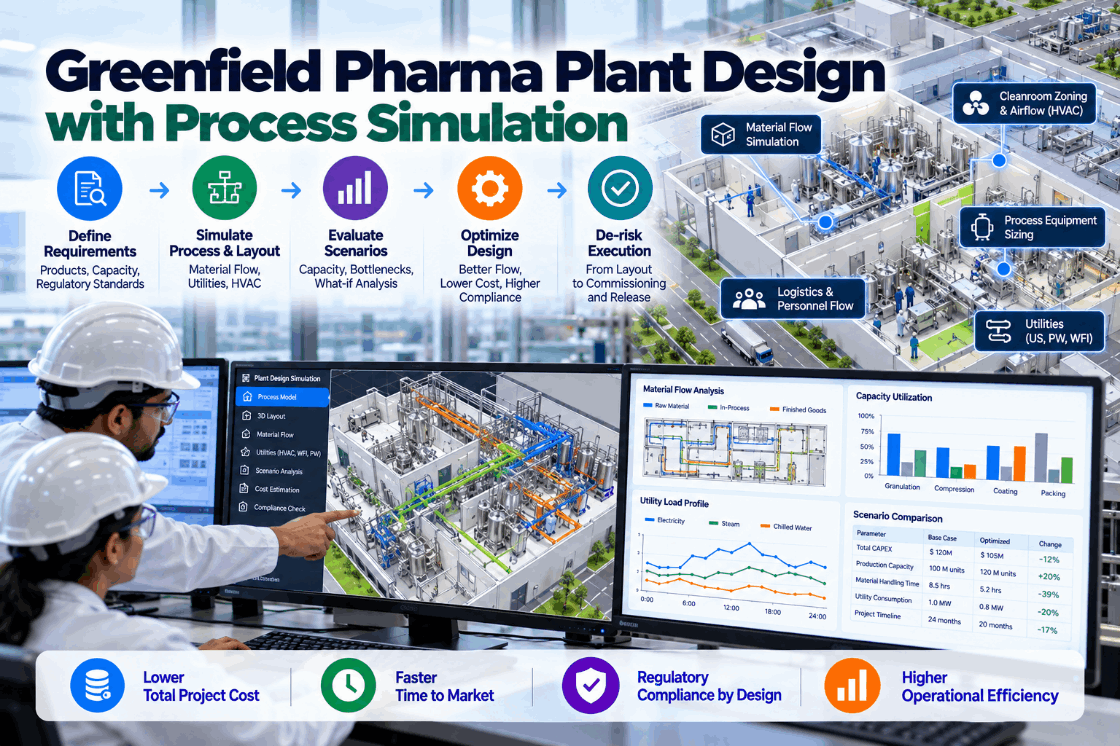
A new pharma plant is shaped by decisions made long before the first batch: how many lines, how big each room, where people and materials move, how much water for injection and clean steam, how many cold rooms. Once the concrete is poured and the equipment ordered, those decisions are very expensive to change, and some cannot be changed at all without requalification. Process simulation lets teams test those decisions against realistic demand, product mix and operating rules while they are still on paper. This guide explains what plant simulation is, where it fits in the project, which scenarios to test, how it supports GMP design and how the design model becomes an operating twin. To discuss simulation for your project, book a short walkthrough.
Greenfield Pharma Plant Design With Process Simulation: De-Risk Decisions Before They Are Built In
Capacity, layout, utilities, cleaning and staffing tested against real demand scenarios while the plant is still a model, from concept through to release.
Why Early Design Decisions Carry So Much Risk
Pharma plants are among the most expensive and slowest industrial facilities to build. IntuitionLabs’ analysis of new plants cites industry associations putting construction of a new US facility at five to ten years, with a typical biotech drug plant costing around $2 billion. Recent announcements show the scale of what is coming: over $300 billion in US manufacturing commitments from companies including Eli Lilly, Johnson & Johnson, Roche, AstraZeneca and Novartis.
The decisions that fix a plant’s capacity and flexibility are taken early, in concept and basic design, often from spreadsheets and rules of thumb. A room sized too small, a utility loop without headroom, or a layout that forces materials and people through the same corridor becomes permanent. Changing it later means construction work in a qualified facility, requalification and lost production.
Simulation does not replace engineering judgment. It tests that judgment against realistic operations before it is built in. We can discuss where it fits in your project on a call.
What Process Simulation Means for Plant Design
Several kinds of simulation are used in pharma plant design. Each answers different questions.
Most greenfield questions are about time and capacity, which is why discrete-event simulation is usually the core tool. Utility and layout models are layered on as design matures. We scope the right mix in a design review.
Where Simulation Fits in the Project
Simulation adds the most value when it starts early and stays with the project.
Test capacity options and line counts against demand scenarios.
Size rooms, holding areas, cold rooms and utilities.
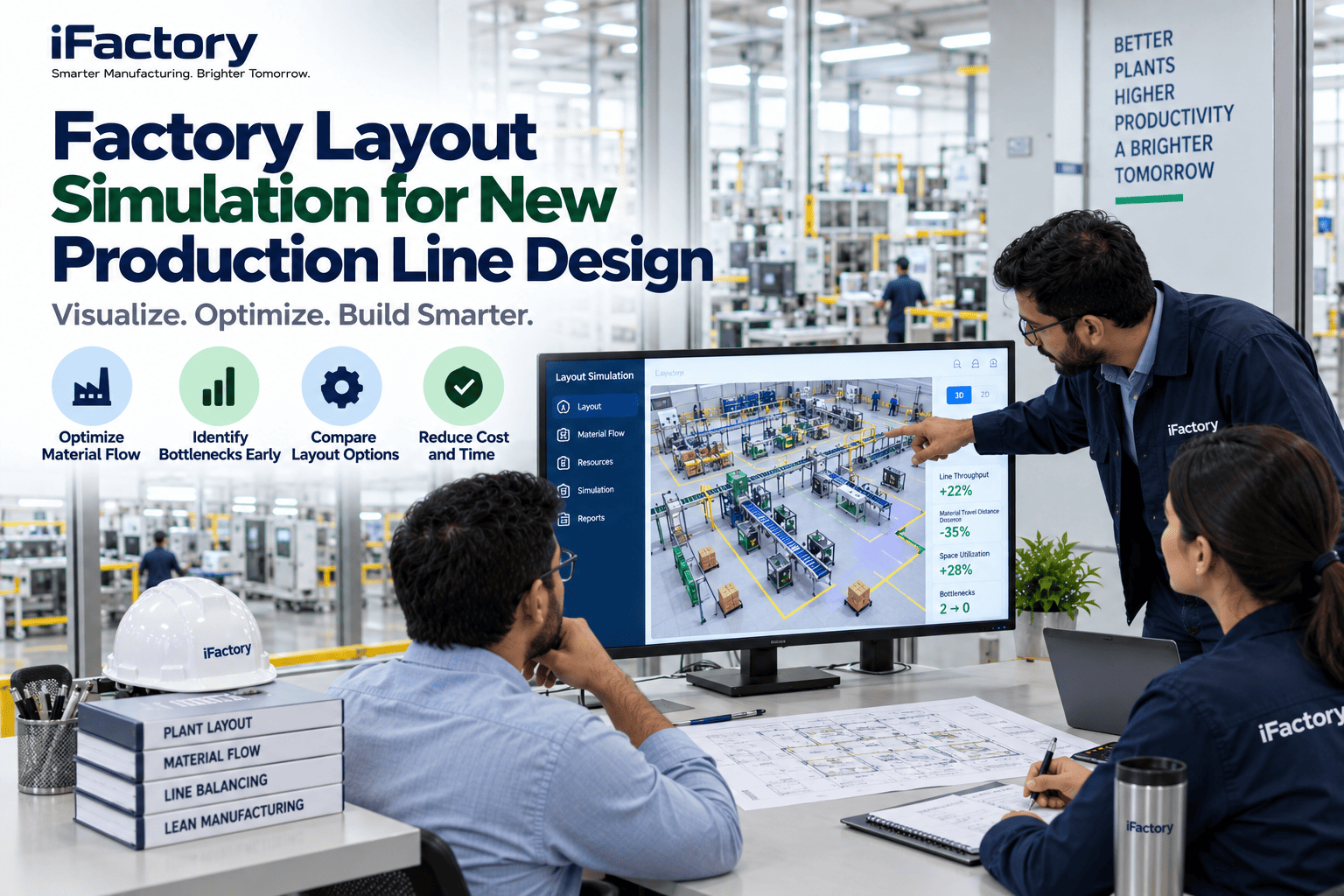
Check layouts, flows, staffing and shift patterns.
Evaluate change requests against capacity impact.
Plan ramp-up, qualification runs and early campaigns.
Keep the model as an operating twin for scheduling and change.
Each stage uses a different level of detail. At concept, the model may treat a whole filling suite as one block with a cycle time and a changeover rule. By detailed design it may include individual rooms, airlocks, operators and utility connections. Starting simple and adding detail as the design firms up keeps the model useful at every point without delaying early decisions.
The concept and basic design stages are where changes are cheapest and decisions most consequential. A model that tells the team in month three that a second cold room is needed saves far more than one that finds the same thing during commissioning.
Keeping the model current through design changes is the discipline that makes it trustworthy. Our engineers maintain it alongside the design team.
Scenarios Every Greenfield Model Should Test
A model is only as useful as the questions put to it. These scenarios test a design’s robustness.
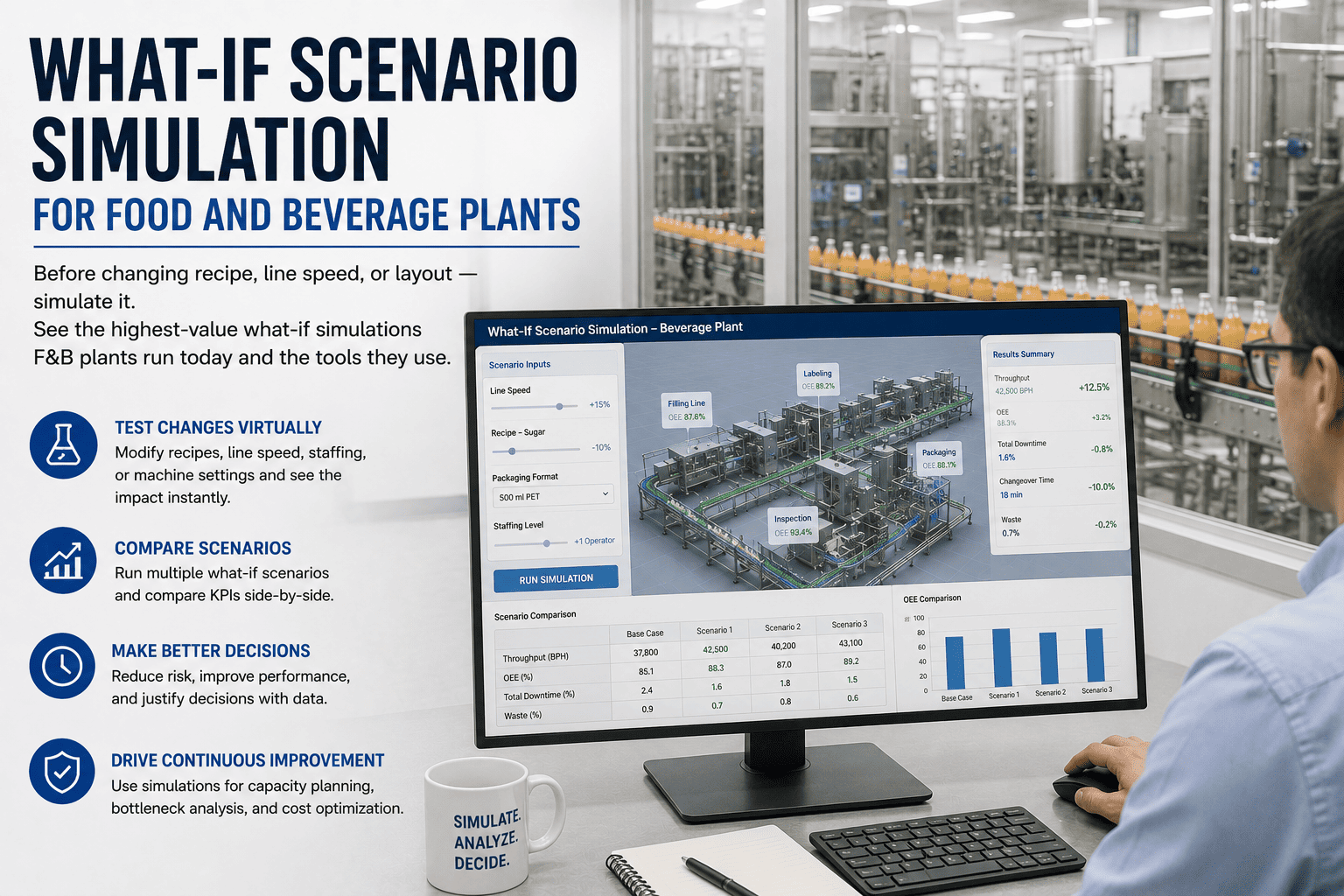
Does the plant meet peak demand, and how idle is it at low demand?
What happens when the mix shifts to more potent, smaller or more complex products?
How much capacity do cleaning and changeover consume at different mixes?
How sensitive is output to breakdowns on critical equipment?
Which operating pattern delivers output with the fewest bottlenecks in people?
Can a second phase be added without disrupting the first?
Failure scenarios are often skipped and often most revealing. A design that meets demand only if every machine runs perfectly has no margin. See failure scenarios run in a demo.
What Simulation Results Look Like
Results turn design debates into comparisons. Here is an illustrative example for a fill-finish plant.
| Scenario | Annual output | Filling line utilization | Bottleneck |
|---|---|---|---|
| A: one line, two shifts | 4.8M units | 78% | Filling line |
| B: one line, three shifts | 6.8M units | 86% | Filling line |
| C: two lines, three shifts | 8.7M units | 61% | Cold room capacity |
| D: two lines plus larger cold room | 10.0M units | 70% | Inspection and packing |
In this example, adding a second filling line alone does not deliver its full value because the cold room becomes the constraint. A relatively modest change to a support area unlocks more output than the expensive line. Findings like this are common, and they are exactly what spreadsheets miss.
Each scenario can also be costed, giving a clear view of output per dollar of capital. We present results this way in every study.
How Simulation Supports GMP Design
Simulation is not a GMP requirement, but it supports many GMP design goals. This checklist shows where.
Quarantine and QC capacity are frequent surprises: a plant that makes product faster than the lab can release it fills its warehouse. The model reveals that early. Ask our team how it is modelled.
From Design Model to Operating Twin
The simulation model does not have to end at handover. Kept current and connected to live data, it becomes a tool for running the plant.
Replace design assumptions with measured cycle times, cleaning durations and yields from start-up.
Link the model to MES, scheduling and maintenance data.
Use it to test weekly schedules and campaign plans before committing.
Check new products, equipment or shift patterns before they are approved.
Compare actual performance with the model to find hidden losses.
Calibration is where the model earns trust with operations: once its predictions match what the plant actually does, planners start using it for real decisions.
This continuity is valuable. The team that designed the plant and the team that runs it share the same model and the same understanding of its constraints, rather than starting again with spreadsheets after start-up.
An operating twin also supports later expansion, because the next phase can be tested against real data. That path is covered in a session.
Why Simulation Pays for Itself on Greenfield Projects
Simulation is a small line in a greenfield budget. Its value comes from the decisions it improves.
The fill-finish example above shows the pattern: a model that redirects spending from a second line to a support area can change the value of an entire phase. The earlier such insights arrive, the more they are worth.
We usually start with a short concept-stage study to show value before a full engagement. Discuss scope with our design experts.
How iFactory Delivers Greenfield Plant Simulation
Batches, rooms, equipment, people and materials over time.
Cleaning hold times, campaigns, segregation and release lead times.
Demand, mix, failures, staffing and expansion tested side by side.
WFI, steam, HVAC and gas loads under real schedules.
Change requests assessed for capacity impact.
Model calibrated and connected after start-up.
It works alongside your engineering partners and design tools. Bring your concept design and demand forecast to a scoping workshop.
Test Your Plant Design Before It Is Built
We model your concept design against low, base and high demand, show where the real constraints are and compare options for capacity, support areas and operating patterns.
Simulation shows the cold room becomes the bottleneck at 80% of peak demand. Filling lines run at 61% utilization.
A Design Question Answered in the Model
This exchange shows how a project engineer might use the iFactory model during basic design.
iFactory ships as a pre-configured NVIDIA AI server, racked and ready with the plant simulation and operating twin models loaded. Rack it, plug in power and Ethernet, and the AI is live on your network. Our scope covers sensors and data connections across design, engineering and operations systems, PLC/SCADA, MES, LIMS and ERP integration, cabling and network setup, operator and quality team training, and 24×7 remote monitoring.
Server installed, sensors and system links live, historical batch, lab and maintenance records loaded.
Models trained on your own batches and equipment, then run in parallel on one area with your quality and engineering teams reviewing every output.
Rollout to the agreed areas under your change control and validation procedures, team training and 24×7 remote monitoring in place.
Software, server and integration come as one package. For pricing on your project, contact our sales team.
Frequently Asked Questions
It models how batches, equipment, rooms, people, materials and utilities behave over time under realistic rules, so capacity, layout, utility and staffing decisions can be tested before the plant is built.
As early as concept design, when capacity and line-count decisions are made and changes are cheapest, and it should continue through basic and detailed design.
Whether the plant meets demand across scenarios, where bottlenecks are, how much capacity cleaning and changeover consume, whether utilities have enough headroom, and which shift patterns work best.
Yes. It tests segregation flows, gowning and airlock capacity, quarantine and cold storage sizing, cleaning hold times and QC lab capacity against release needs.
It can be calibrated with real data and connected to MES and scheduling systems, becoming an operating twin used for planning and evaluating changes.
A concept-stage study typically takes weeks, with the model then maintained through design. Plan scope with our engineers.
Build the Plant You Tested, Not the One You Guessed
iFactory simulates your future plant against real demand and operating rules, finds the constraints while they are still cheap to fix and carries the model into operations.
Illustrative results. The best value option is often a support area, not another line.