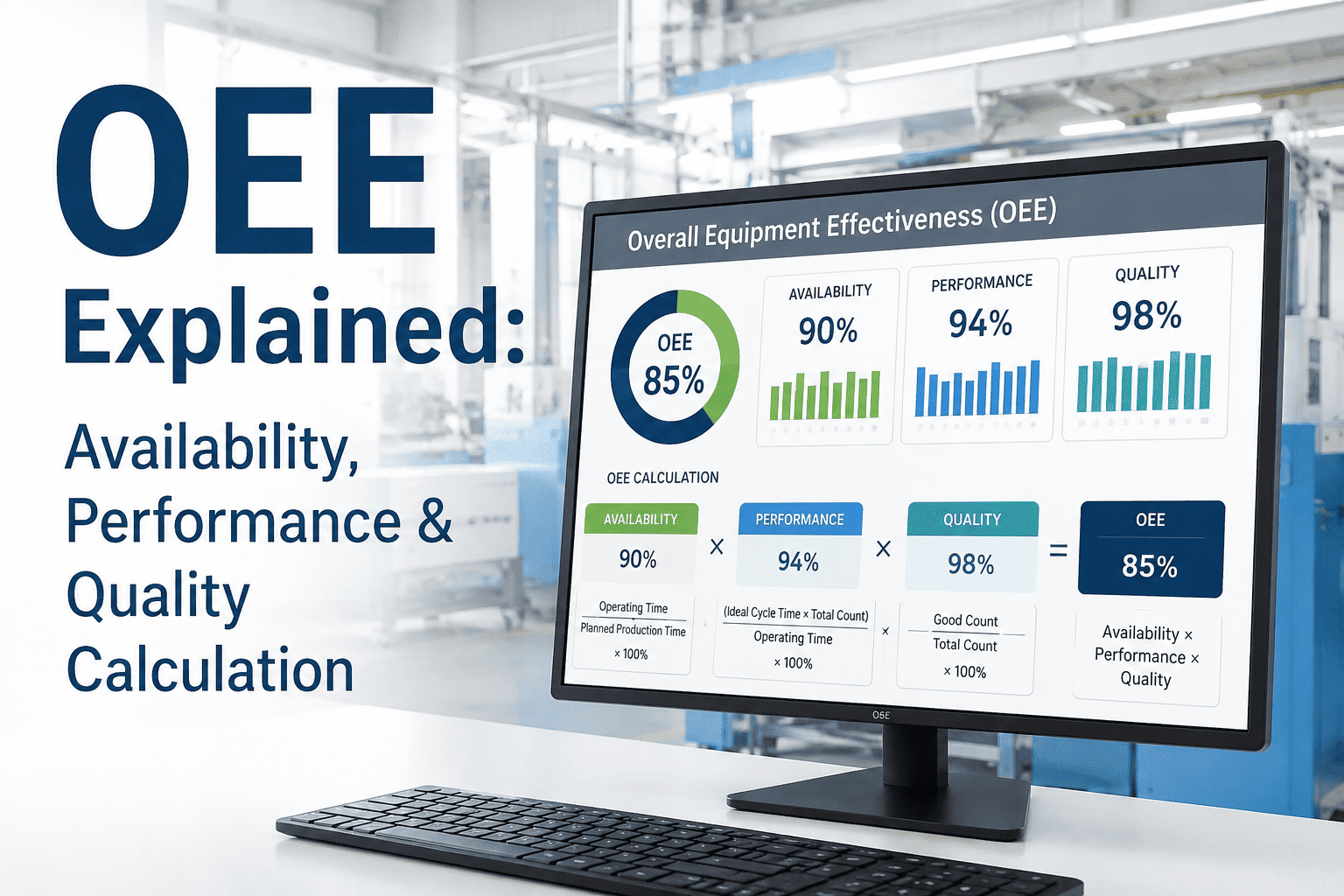
OEE looks simple on a slide: three percentages multiplied into one. On the shop floor it goes wrong in small ways, such as a break counted as downtime, an ideal cycle time set too slow or rework logged as good output. The result is a number nobody trusts. This guide walks through an OEE calculation from availability, performance and quality, then shows where the traps hide. Plants that want it computed automatically can book a demo to see OEE built from live line signals.
OEE Calculation Guide: Availability, Performance and Quality
Follow one shift from clock time to fully productive time, one step at a time. iFactory AI calculates OEE from machine signals so the three factors and their losses stay consistent.
The Three Questions Behind OEE
OEE is a product of three ratios, and each one asks a separate question about the same stretch of planned time. Nakajima introduced the measure in his work on total productive maintenance, and the UpKeep guide sets out the formulas below.
Was it running?
Actual run time divided by planned production time. Breakdowns, setups and waiting reduce it.
Was it running fast?
Units made times the ideal cycle time, divided by run time. Slow cycles and short stops reduce it.
Was it right first time?
Good units divided by units produced. Scrap and rework reduce it.
Multiply the three and you have OEE. The UpKeep article headlines the formula with plus signs, but its own numbers only work as a product, which is the correct reading. Adding the ratios would give a figure above 100 percent for a decent line.
From Clock Time to Fully Productive Time
Picture an 8-hour shift on a packing line with an ideal rate of 20 units a minute, which is an ideal cycle time of 0.05 minutes. Time falls away in layers. The bar shows where each of the 480 minutes goes. The figures are illustrative.
OEE is simply the fully productive time divided by the planned production time. Here that is 352.8 divided by 440, or 80.2 percent. The next section builds the same answer from the three factors, so you can see that they agree.
The OEE Calculation, Step by Step
Work down the steps in order. Each step uses a number you can find in a shift log or a machine counter.
Get an OEE You Can Defend
Book a 30-minute demo and iFactory AI will show OEE built from machine signals, with every minute of loss traced to a reason.
Same OEE, Very Different Problems
A single OEE figure can mislead, because very different lines can score the same. The grid shows three illustrative lines that all land at about 60 percent. The weakest factor in each is shaded darkest.
The TeepTrak guide makes the same point with three CNC lines at 60 percent each. Line X needs fewer stops or faster changeovers, Line Y needs to find its micro-stops and slow cycles, and Line Z needs to fix defects or rework. Treating them alike wastes effort.
Low availability
Look at breakdowns, setups and waiting. Reason codes and maintenance history matter most.
Low performance
Look at short stops, reduced speed and starved or blocked machines.
Low quality
Look at scrap, rework and start-up losses, and trace them to process settings.
Mapping the Six Big Losses to A, P and Q
Nakajima's six big losses give every minute a home. The mapping below follows common practice, as the UpKeep article describes each loss without drawing the grid itself.
| Big Loss | Factor | Typical Shop-Floor Example | First Question to Ask |
|---|---|---|---|
| Equipment failure | Availability | A motor trips and the line waits for a repair | What failed, and was it predictable? |
| Setup and adjustment | Availability | Changeover to the next product | Which tasks could be done while running? |
| Idling and minor stoppages | Performance | A jam cleared in two minutes | Where do short stops cluster? |
| Reduced speed | Performance | Line run below its ideal rate | Why is the rate held down? |
| Process defects | Quality | Scrap and rework in steady running | Which setting drives the defect? |
| Reduced yield | Quality | Losses between start-up and stable running | How long to reach stable output? |
Definitions That Quietly Change the Number
Most disputes over OEE come down to a handful of definitions. Settle them once, write them down and apply them to every line.
| Question | Common Rule | What Goes Wrong |
|---|---|---|
| Do planned stops reduce availability? | No. Planned maintenance and breaks come out of planned production time | Counting them makes availability look worse than it is |
| Are short stops downtime? | Stops under about five minutes show up as lost performance | They disappear from reports if only long stops are logged |
| What is ideal cycle time? | The design cycle for the product being run | An ideal rate set too slow gives performance above 100 percent, and one set too fast understates it |
| Is reworked product good? | No. Only units right the first time count as good | Counting rework as good inflates quality |
| Which product sets the ideal rate? | The product actually running, not an average | Mixed products need a rate per product |
The TeepTrak guide flags several of these as frequent errors: counting reworked parts as good, reporting quality above 99 percent without checking rework, and reading performance above 100 percent as a real result. A line cannot beat its own design speed for long, so treat any performance above 100 percent as an alarm on the ideal rate.
What World-Class Means, and Whether You Need It
The 85 percent benchmark comes from component targets. The UpKeep article quotes them as availability above 90 percent, performance above 95 percent and quality above 99 percent.
The article also says an average company sits near 40 percent and that Nakajima encouraged 77 percent or more as a practical target. Treat all of these as reference points from one vendor guide, not laws. A batch process with long cleans may never reach 85, and a high-volume line may need to beat it.
The better yardstick is your own history. Set a baseline per line and product, then aim for steady gains and a smaller gap to the best shift on the same line.
Where the Inputs Come From
An OEE figure is only as good as the signals under it. Manual logs are better than nothing, but they miss short stops and drift with the shift. Automatic capture is steadier.
Keep the reason list short. Twenty or thirty choices at the line mean operators pick the first one. Ten to fifteen well-named choices, reviewed monthly, give far better data.
OEE in Different Kinds of Plants
The three factors apply everywhere, but what each one means shifts with the process. Agree the local meaning before comparing plants.
Parts and assembly
Counts are easy and the ideal cycle time is clear. Micro-stops and changeovers usually dominate the loss.
Mixing and cooking
Cycle time is set by the recipe. Cleaning, hold times and batch yield are often the largest losses.
Flow processes
Rate replaces cycle time. Availability depends on long runs, and quality on steady conditions.
Whichever type you run, define the ideal rate from design or demonstrated best running, not from last month's average. An average already contains the losses you want to find.
Reading the Trend: Shift, Day and Week
A single OEE figure for a month is a poor guide to action. Look at it at three speeds and each one answers a different question.
| View | Question It Answers | Who Uses It | Typical Action |
|---|---|---|---|
| Shift | What stopped us today, and why? | Operators and supervisors | Fix the top loss reason before the next shift |
| Day and week | Which losses repeat, and on which products? | Production and maintenance leads | Plan repairs, changeover work and training |
| Month and quarter | Is the line really improving? | Plant managers | Set targets and fund projects |
Keep the same definitions across all three. If the shift board says 78 percent and the monthly report says 71, people stop believing either, and the discussion turns to the maths instead of the line.
Linking OEE to Maintenance and Quality
OEE shows that a loss happened. Maintenance and quality records explain why. Connecting them turns a score into a plan.
From downtime to work orders
Link each repeated stop to an asset and a work order. A machine that shows up three times in a month is a candidate for a root cause review.
From rejects to settings
Link scrap to the product, the machine settings and the lot. Patterns often point to a drifting setting or a worn tool.
When OEE, maintenance and quality sit in one record, the weekly meeting changes. Instead of arguing about last week, the team looks at a ranked list of causes and agrees who owns each.
Making OEE Part of the Daily Routine
A number on a screen changes nothing until people use it. The simplest routine is a short stand-up at the line, in front of the board, at the start of each shift.
Keep it to ten minutes and keep it about the line, not about blame. Crews that see their own improvements on the board tend to protect the data, because it now helps them.
What One Point of OEE Is Worth
OEE earns its keep when it turns into money. A point of OEE on the example line is a point of planned production time, so the arithmetic is short. The figures are illustrative.
Moving this line from 80.2 to 85 percent is 4.8 points, or about 228,096 a year. The figure holds only if the extra output can be sold, so check demand before counting it. Where the line is not the bottleneck, the saving may be lower overtime or a postponed investment instead.
Common OEE Calculation Mistakes
Each of these shows up in real plants. Each has a plain fix.
A 90-Day Path to Trusted OEE
iFactory AI is built as a turnkey server that racks in, plugs in and goes live in roughly 6 to 12 weeks, so an OEE pilot on a few lines fits inside a quarter.
What iFactory AI Adds
iFactory AI is smart manufacturing and industrial software. For OEE it joins machine signals, stop reasons and quality data into one calculation.
Plain-Language Glossary
Shared words keep operators, engineers and managers on one page.
Frequently Asked Questions
How do you calculate OEE from availability, performance and quality?
Multiply the three ratios: run time over planned time, ideal output time over run time, and good units over total units. Book a demo to see the calculation run live on your line.
What is a good OEE score?
A vendor guide citing Nakajima puts world-class at 85 percent or more and an average company near 40. Use your own baseline first, since processes differ.
Do planned stops count against OEE?
Not in availability under the common rule. Breaks and planned maintenance come out of planned production time. Book a demo to see planned stops handled correctly in the platform.
Why is my performance above 100 percent?
It usually means the ideal rate is set too slow or was entered wrongly. Check the design rate for the product being run and correct it before trusting any OEE trend.
Does rework count as good output?
No. Only units that are right the first time count, so rework lowers quality. Book a demo to see first-pass quality tracked with rework separated.
Calculate OEE the Same Way on Every Line
iFactory AI computes availability, performance and quality from machine signals and ties every loss to a reason. Book a walkthrough on your own line data.