The cloud-versus-on-premise question gets asked as if it were a single decision for the whole plant, when it is really a different answer for every workload. A vision system inspecting parts at full line speed cannot tolerate a network round trip the way a weekly reporting dashboard can. Floors with unreliable connectivity, strict data residency rules, or sensitive process IP tend to land on different answers than a single well-connected site with light compute needs. Working through which of your own workloads actually needs local deployment is something manufacturing teams can walk through against their own plant constraints in a short session.
Cloud or On-Premise Isn't One Decision, It's Five
iFactory AI ships as a turnkey on-premise deployment for the workloads that need it, so latency-sensitive inference never waits on a network.
The Real Question Isn't Cloud or On-Premise
It is which specific constraint is driving the decision for a specific workload. A plant can reasonably run vision inference on-premise while sending weekly rollup reports to a cloud dashboard, and most mature deployments end up exactly there.
| Factor | Favors On-Premise | Favors Cloud |
|---|---|---|
| Response time needed | Milliseconds, line-speed decisions | Minutes to hours is acceptable |
| Network reliability | Floor connectivity is inconsistent | Stable, high-bandwidth connection available |
| Data sensitivity | Process IP or regulated data stays on site | Data has no residency or IP restriction |
| Site count | Single site, compute stays local | Many sites, central aggregation valuable |
| Cost preference | Predictable cost, capital available upfront | Lower upfront cost, ongoing subscription preferred |
Work Out Which Workloads Need Local Deployment
Book a 30-minute session and iFactory AI will map your own workloads against latency, connectivity and data requirements.
What the Numbers Actually Look Like
The deployment debate often stays abstract until it gets put in concrete terms. A vision inspection decision that has to happen within a production cycle has a very different latency budget than a weekly OEE rollup, and the gap between them is usually bigger than people expect.
Where On-Premise Tends to Win
Four situations repeatedly point toward local deployment, regardless of company size or industry.
Line-Speed Vision Inference
A defect decision made at full line speed cannot wait on a round trip to a remote data center without slowing the line or missing the window to act.
Sensitive Process Data
Proprietary recipes, process parameters or regulated data that cannot leave the site push the decision toward keeping compute local.
Unreliable Floor Connectivity
A plant with frequent network drops cannot depend on a cloud connection for a decision that has to happen every cycle.
Predictable Cost at Scale
A fixed, owned system avoids the compounding cost of continuous high-volume cloud inference once usage scales up.
Where Cloud Tends to Win
The same logic runs the other way for a different set of workloads.
Multi-Site Rollup Reporting
Aggregating KPIs across many sites into one dashboard is naturally a centralized job that benefits from a shared cloud platform.
Low Upfront Capital
A subscription model with no hardware purchase fits a plant that wants to pilot before committing capital.
Infrequent, Non-Urgent Compute
Analysis that runs weekly or monthly rarely justifies the overhead of owned on-site infrastructure.
Central IT Already Cloud-Native
A company with existing cloud infrastructure and skills can extend that investment rather than build a new local practice.
Signals Your Current Deployment Doesn't Fit
These patterns usually mean the deployment model, not the software itself, is the actual problem.
Questions to Ask Before Committing to Either Model
A short internal review, answered honestly rather than aspirationally, usually settles the deployment question faster than a lengthy vendor comparison ever does.
Where iFactory AI Fits
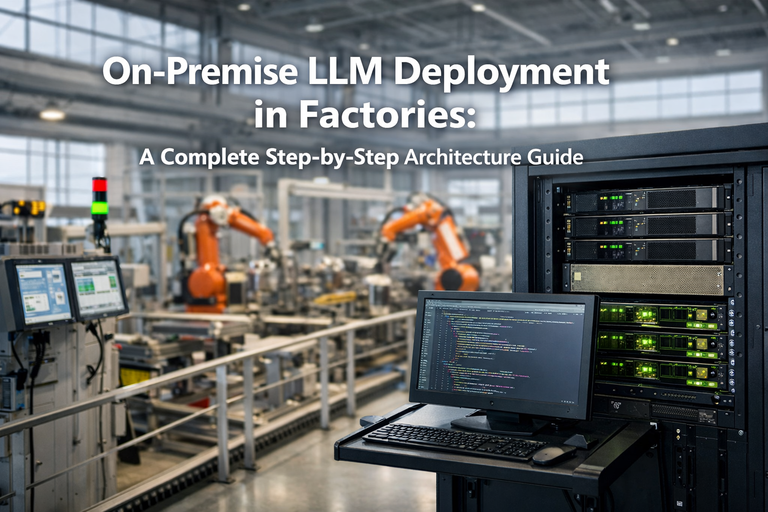
iFactory AI is built to run as a turnkey on-premise deployment for the workloads that need it, without asking a plant to build its own IT practice from scratch.
Pre-Configured Hardware
Arrives racked and ready on an NVIDIA server with software pre-loaded, no build-out required.
Local Inference, No Round Trip
Vision and sensor inference run on site, keeping line-speed decisions independent of network conditions.
Data Stays Where You Need It
Process data and footage remain on site by default, with rollup reporting configured separately where needed.
Remote Monitoring Without Remote Dependence
24×7 remote support keeps the system healthy without the plant's core decisions depending on that connection.
Reviewed by iFactory AI's Solutions Architecture team for accuracy against current deployment practice. The scoring shown is illustrative; the right mix of on-premise and cloud for a specific plant depends on actual network conditions, data policy and workload volume, and should be assessed against your own environment before a deployment model is finalized.
Frequently Asked Questions
Can we start on-premise and add cloud reporting later?
Yes, this is the most common path. Starting with local inference for line-speed decisions and layering in cloud rollup reporting once multi-site visibility becomes a priority avoids committing to one model before the real needs are clear. Support can walk through a phased rollout plan.
How much IT involvement does an on-premise deployment need?
Less than most teams expect, since the server ships pre-configured rather than requiring a build-out. Your IT team's main involvement is network connectivity and integration with existing ERP or MES systems during rollout.
Is on-premise always more expensive upfront?
Usually yes in raw upfront cost, but the comparison changes once volume and time horizon are factored in. High-volume, continuous inference workloads often reach cost parity with cloud within a reasonable window, and after that point owned infrastructure tends to be cheaper. See a cost comparison run against your own volume in a short session.
What if our network connectivity improves later?
The deployment model can be revisited as conditions change. A plant that later gets more reliable connectivity can choose to shift more workloads to cloud, and one with growing data sensitivity concerns can move the other way.
Does remote monitoring compromise the on-premise benefit?
No, remote monitoring checks system health and performance, it does not route your production inference or data through an external connection, so latency-sensitive decisions stay fully local. Ask support exactly what remote monitoring does and does not touch.
Put the Right Workload on the Right Infrastructure
iFactory AI delivers turnkey on-premise deployment for the decisions that cannot wait on a network. Book a walkthrough on your own plant.