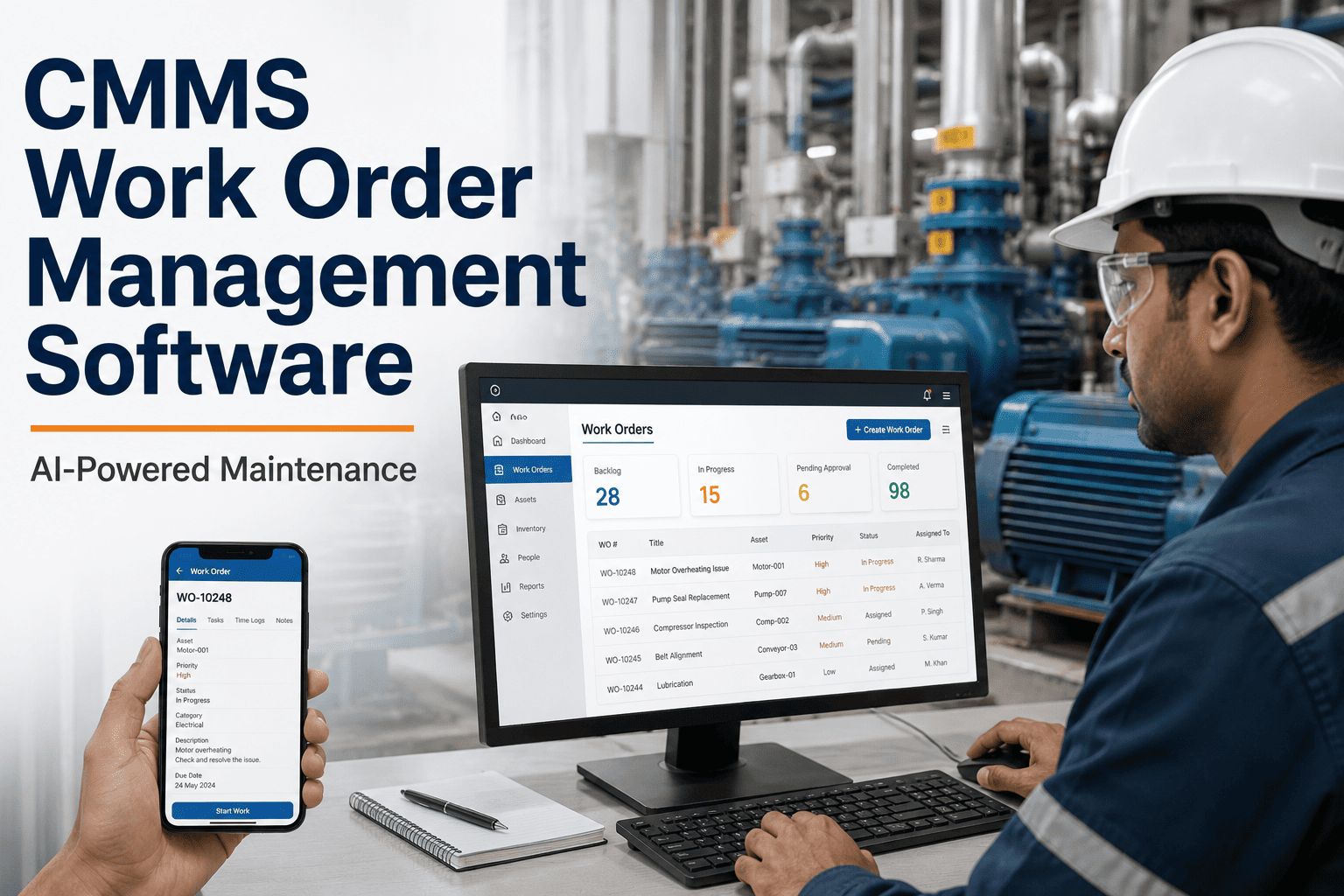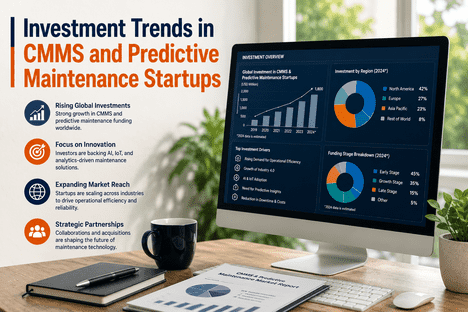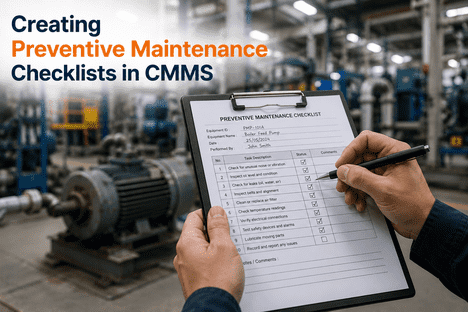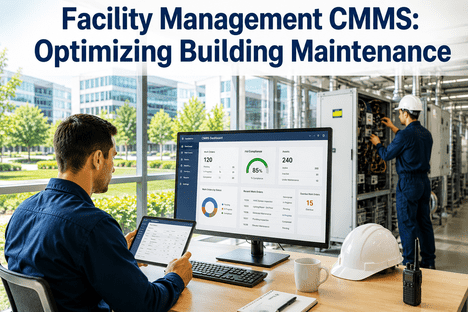
Maintenance management and customer relationship management have historically operated as separate organizational functions — one focused on keeping assets running, the other on keeping customers satisfied. In 2026, this separation is a liability. When a customer calls to report a service failure, the CRM agent sees account history but has no visibility into work order status, asset condition, or scheduled maintenance timelines. Meanwhile, the maintenance team resolves the issue without any record of the customer's service history, SLA commitments, or commercial sensitivity. The result is slower response, inconsistent communication, and the erosion of customer confidence that occurs when service organizations cannot demonstrate that they understand both the technical and relationship dimensions of every service event. Linking CMMS with CRM systems closes this gap — creating a unified operational view where maintenance actions are informed by customer context and customer-facing teams are always aligned with the true status of maintenance delivery.
Why the CMMS–CRM Gap Costs Service Organizations More Than They Realize
Most service organizations underestimate the financial and reputational cost of operating CMMS and CRM as disconnected platforms. The CMMS records work orders, asset histories, preventive maintenance schedules, and technician deployment. The CRM stores customer accounts, service contracts, SLA parameters, complaint histories, and commercial relationships. Neither system alone can answer the question that determines customer satisfaction: "Given this customer's contract terms and service history, is the current maintenance response appropriate — and is the customer aware of it?" Answering that question requires both systems to communicate in real time. Without integration, service teams default to phone calls, manual lookups, and duplicated data entry to bridge the gap — consuming labor hours that produce no service value and introducing transcription errors that create downstream billing, compliance, and SLA tracking failures.
The commercial stakes of this gap are measurable. Service organizations that increased on-time delivery from 87 to 96 percent through CMMS-enabled reliability improvements demonstrate that maintenance performance translates directly to customer outcomes. When the CRM captures the customer satisfaction dimension of that improvement — linking it to contract renewals, reduced escalations, and preferred supplier status — the combined data from both systems creates a business case for maintenance investment that finance leadership can evaluate alongside operational KPIs. The integration of CMMS and CRM is not a technology project; it is the organizational architecture that makes customer-centric maintenance strategy executable rather than aspirational.
What CMMS–CRM Integration Actually Means: The Data Exchange Architecture
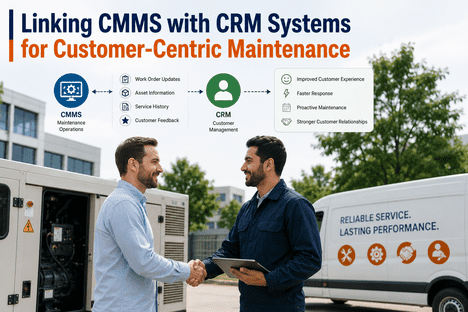
CMMS–CRM integration is not a single data connection — it is a bidirectional data exchange architecture that synchronizes specific records between the two systems at defined trigger points. Understanding the data flows involved is essential for selecting the right integration approach and configuring it to produce outcomes rather than data noise. The architecture below represents the production-grade integration model that delivers measurable customer service improvement rather than a superficial link between systems.
CRM to CMMS: Customer and Contract Context
When a work order is created in the CMMS — whether triggered by an IoT alert, a preventive maintenance schedule, or a customer-reported fault — the CMMS queries the CRM for the customer account linked to the affected asset. It retrieves SLA response time commitments, maintenance contract terms, escalation contacts, and the customer's service history including previous complaints and open cases. This context is embedded in the work order before assignment, ensuring the technician and the scheduling system apply the correct priority tier from the moment the work order is opened — without requiring a separate lookup or phone call to the service desk.
CMMS to CRM: Work Order Status and Maintenance Updates
As work orders progress through the CMMS workflow — from creation to assignment, to in-progress, to resolution — status updates are automatically pushed to the CRM customer record. The customer-facing service team sees real-time work order status without needing CMMS access or manual updates from the maintenance team. When a work order is completed, the CRM record is updated with resolution details, technician notes, parts used, and the next scheduled preventive maintenance date — creating a complete service event record that persists in the customer account history for future reference, SLA reporting, and contract renewal discussions.
SLA Monitoring and Automated Escalation
With SLA parameters from the CRM embedded in the work order, the CMMS can monitor SLA compliance in real time against the specific contractual terms for each customer. When a work order's elapsed time approaches the SLA response threshold, the system triggers an automated escalation to the service manager and updates the CRM case with a risk flag visible to the account team. This removes the manual monitoring burden that typically causes SLA breaches to go undetected until a customer complaint, and gives the commercial team advance warning to engage the customer proactively before a missed SLA becomes a relationship event.
Asset Quality Data from AI Vision to Both Systems
Where AI vision inspection platforms like iFactory's are deployed in the production or service environment, inspection results — defect classifications, quality alerts, and pass/fail records — can be simultaneously delivered to the CMMS for maintenance workflow triggering and to the CRM for customer quality record updating. A quality alert that generates a CMMS work order also updates the CRM with the quality event context, enabling the account manager to communicate proactively about corrective action before the customer raises a complaint. This closed-loop quality-to-customer communication is the most direct mechanism for converting maintenance performance into customer relationship value.
The Six Business Outcomes That CMMS–CRM Integration Delivers
The return on investment from CMMS–CRM integration is distributed across six distinct outcome categories that compound across the customer base over time. Yield engineers, operations directors, and service managers evaluating the business case for integration should quantify each category against their specific customer volume, contract complexity, and current SLA performance baseline. Teams ready to see how this maps to their production environment can Book a Demo with iFactory's team for a facility-specific assessment.
SLA Compliance and Contract Performance
SLA compliance is the most directly measurable outcome of CMMS–CRM integration. When work order priority is automatically set by CRM contract parameters, and when real-time SLA monitoring triggers escalations before breaches occur, service organizations consistently achieve higher SLA compliance rates than teams relying on manual priority assignment and retrospective SLA reporting. The financial value of this improvement is quantified by the cost of SLA breach penalties, the revenue impact of contract renewals influenced by SLA performance data, and the labor cost avoided by eliminating manual SLA monitoring workflows. Modern CMMS platforms support customizable priority frameworks with associated SLA parameters and automated escalation alerts when high-priority work orders are not addressed within threshold windows — exactly the capability that contract-driven service organizations require to operate at scale without proportionally growing their service desk headcount.
| SLA Category | Without Integration | With CMMS–CRM Integration | Business Impact |
|---|---|---|---|
| Response Time Monitoring | Manual tracking by service desk — breach detected after event | Automated SLA timer from work order creation — escalation before breach | Breach prevention, penalty avoidance |
| Priority Assignment | Technician or scheduler judgment — inconsistent by contract tier | CRM contract data drives automatic priority — consistent every time | Correct resource allocation from first assignment |
| SLA Reporting | Manual assembly from CMMS and CRM data — days after period end | Live SLA dashboard combining work order and contract data — real time | Proactive customer communication, accurate invoicing |
| Customer Escalation Visibility | Account team unaware until customer complaint | CRM updated automatically when SLA risk flag is raised in CMMS | Proactive account management, reduced escalations |
Customer Communication Accuracy and Speed
Before CMMS–CRM integration, the service desk's only source of work order status information is a phone call to the maintenance team or manual access to the CMMS — neither of which scales across a large service contract portfolio. Integration eliminates this bottleneck by making work order status visible in the CRM in real time. When a customer calls to inquire about a service event, the account manager or service desk agent can see current work order status, technician assignment, estimated completion time, and parts availability without contacting the maintenance team. This reduces call handling time, improves the accuracy of information provided to the customer, and removes the internal communication overhead that consumes maintenance supervisor time on status inquiries rather than operational management.
Proactive and Predictive Customer Service
The highest-value outcome of CMMS–CRM integration is not reactive service improvement — it is the ability to shift maintenance delivery from reactive to proactive in a way that is visible to the customer. When the CMMS receives condition monitoring signals or AI vision inspection alerts that indicate a developing equipment issue, the integrated system can simultaneously create a maintenance work order and update the CRM with a proactive service notification. The customer learns about the issue and the corrective action before experiencing any service disruption. This reversal of the traditional customer-complaint sequence — where the customer discovers the problem before the service organization does — is the defining characteristic of customer-centric maintenance and one of the strongest drivers of contract renewal and preferred supplier status in service-intensive industries.
Data Accuracy and Elimination of Duplicate Entry
Before integration, customer contact details, asset information, and service history are entered separately in the CMMS and the CRM — creating two diverging records that require periodic manual reconciliation and that produce billing errors, inaccurate SLA reports, and incorrect asset attribution on work orders. Integration establishes the CRM as the authoritative source for customer and contract data, and the CMMS as the authoritative source for work order and asset data — with automatic synchronization between them at defined trigger points. The result is a single source of truth that eliminates duplicate entry labor, removes transcription errors, and ensures that both systems reflect the same operational reality. Integrated CMMS platforms eliminate duplicate data entry, automate workflows, and create system interoperability that reduces manual intervention and error rates across the enterprise service operation.
Where AI Vision Fits in the CMMS–CRM Customer Data Loop
For manufacturing and production service organizations, the missing data layer in most CMMS–CRM integrations is real-time product quality information. The CMMS tracks equipment condition and maintenance history. The CRM tracks customer service events and commercial relationships. Neither system, on its own, captures the quality of what the equipment produces — which is often the most direct determinant of customer satisfaction. AI vision camera systems fill this gap by generating structured, machine-readable quality inspection records at production line speed, and delivering them simultaneously to the CMMS and the CRM through standardized API connections.
iFactory's AI Vision Camera platform connects to CMMS platforms via OPC UA and REST API, and to CRM systems via REST API and webhook integrations — delivering automated defect classification records, production quality scores, and inspection pass/fail data to both systems from a single inspection event. When iFactory's AI vision system detects a defect pattern that indicates equipment wear or process drift, it simultaneously creates a CMMS work order with the defect evidence attached and updates the CRM customer quality record with the inspection event summary. The maintenance team receives a contextualized work order. The account manager receives a quality alert with enough information to engage the customer proactively. Both responses are triggered automatically from a single AI inspection event — without manual intervention at any stage. Explore iFactory's full platform capabilities at ifactoryapp.com/ai-vision-camera. Teams ready to see this integration in action can Book a Demo with iFactory's engineering team.
iFactory's AI Vision Camera detects a defect pattern on a production line. Within seconds, the platform creates a CMMS work order linked to the specific process tool identified by spatial defect mapping, and pushes a quality event notification to the CRM customer record for the affected production batch. The maintenance team responds to a contextualized work order with full defect evidence. The account manager reaches out to the customer with a quality alert and corrective action summary before the customer has identified or reported the issue. The customer receives proactive communication confirming that the service organization detected and is already addressing the quality event. This sequence — detection to customer notification in minutes rather than days — is the operational definition of customer-centric maintenance, and it is only possible when AI vision quality data, CMMS maintenance workflows, and CRM customer communication are connected by live data integration.
Implementation: How to Link CMMS and CRM Without Disrupting Operations
A structured implementation approach is the difference between a CMMS–CRM integration that delivers measurable outcomes and one that creates a new category of data synchronization problems. The integration plan below reflects the framework used by service organizations achieving production-grade integration without operational disruption.
Define Authoritative Systems and Master Data Ownership
Before writing a single API connection, establish which system owns which data. The CRM is the authoritative source for customer account data, contact details, contract terms, and SLA parameters. The CMMS is the authoritative source for work order records, asset histories, maintenance schedules, and technician deployment data. Defining this boundary prevents the synchronization conflicts and data overwrite errors that cause most integration failures. Normalize asset identifiers across both systems — every asset in the CMMS must map to a corresponding account or asset record in the CRM using a consistent ID format before integration goes live.
Map the Trigger Events and Data Payloads
Define precisely which events in each system trigger a data exchange, and exactly what data is included in each exchange payload. Key trigger events include: work order creation in the CMMS (triggers CRM query for customer and SLA context), work order status change (triggers CRM update), work order completion (triggers CRM service record update with resolution details and next maintenance date), SLA threshold approach in CMMS (triggers CRM escalation flag), and quality alert from AI vision platform (triggers simultaneous CMMS work order and CRM quality notification). Mapping triggers before implementation prevents the integration from becoming a data flood that overwhelms both systems with unnecessary synchronization events.
Select the Integration Method: API, Middleware, or Native Connector
REST API integration is the standard method for CMMS–CRM data exchange in 2026, supported by all major CMMS platforms including SAP PM, IBM Maximo, Oracle EAM, and Salesforce Field Service. Native connectors — pre-built integrations maintained by the CMMS or CRM vendor — are the lowest-effort option for common platform combinations and reduce ongoing maintenance overhead. Middleware platforms handle complex integration scenarios involving data transformation, multiple system fanout, or legacy platforms without native API capability. For AI vision data integration, iFactory's REST API and webhook outputs connect to both CMMS and CRM systems without requiring custom middleware development on standard modern platforms.
Pilot on a Single Customer Account Segment
Start integration deployment on one defined subset of customer accounts — ideally the highest-value SLA tier or a single contract type — before extending across the full customer base. Piloting allows data quality issues, synchronization conflicts, and user adoption gaps to be identified and resolved without affecting the full service operation. Capture feedback from both the maintenance team and the customer-facing service team during the pilot period — the two user populations have fundamentally different data needs from the integration, and both perspectives are required to validate that the integration produces outcomes rather than data noise for either group.
Measure SLA Compliance, Response Times, and Customer Satisfaction Post-Integration
Define the KPIs that will be used to evaluate integration success before go-live — SLA compliance rate, mean time to acknowledge, mean time to resolve, customer escalation frequency, and customer satisfaction score for service events. Review these KPIs at 30, 60, and 90 days post-deployment against the pre-integration baseline. The integration 2026 playbook recommends reviewing data quality at defined intervals: is the right data syncing between systems at the right time, and is the data being used to drive decisions rather than sitting in both systems unused? Successful CMMS–CRM integration is evidenced by maintenance teams that make priority decisions using CRM contract data automatically, and customer teams that answer service status queries from CRM records rather than calls to the maintenance floor.
Industry Benchmarks: What Customer-Centric Maintenance Delivers in 2026
The documented performance outcomes of organizations operating integrated CMMS and CRM platforms reflect a consistent pattern across manufacturing, facilities management, and service-intensive industries. The benchmark data below gives operations directors and service managers the comparison points needed to build an investment case for CMMS–CRM integration at their organization. To see how these benchmarks map to your specific service operation and customer portfolio, Book a Demo with iFactory's team.
| Performance Metric | Disconnected CMMS + CRM | Integrated CMMS + CRM | Value Driver |
|---|---|---|---|
| On-Time Service Delivery | Industry avg 82–88% | 94–97% with SLA-driven priority | Contract retention, penalty avoidance |
| Customer Status Query Resolution | 15–45 min (requires CMMS manual lookup) | Under 2 min (live CRM visibility) | Service desk efficiency, customer experience |
| SLA Breach Rate | 8–15% of work orders per period | Under 2% with automated escalation | Penalty cost avoidance, NPS improvement |
| Duplicate Data Entry Labor | 2–4 hrs/technician/week | Eliminated — automated sync | Labor reallocation to service delivery |
| Quality Complaint to Resolution Time | 24–72 hrs (manual discovery and routing) | Under 4 hrs with AI vision + integration | Customer retention, NPS, contract value |
| Preventive Maintenance Customer Visibility | Not available — maintenance-only record | PM schedule visible in CRM — proactive customer notification | Service differentiation, upsell opportunity |
Frequently Asked Questions
A CMMS manages the operational dimension of maintenance — work orders, asset records, PM schedules, technician deployment, and parts inventory. A CRM manages the customer relationship dimension — account history, service contracts, SLA commitments, complaints, and commercial data. Both systems are necessary, and neither alone can answer questions that require both operational status and customer context simultaneously. Linking them creates a unified view where maintenance priority is driven by customer contract data, and customer-facing teams have real-time visibility into maintenance status — eliminating the communication gaps that cause SLA breaches and customer dissatisfaction in service organizations operating both systems in isolation.
Most major CMMS platforms — IBM Maximo, SAP PM, Oracle EAM, Salesforce Field Service (which is natively built on a CRM platform), and cloud-native platforms like MaintainX and Limble — support REST API integration with common CRM systems including Salesforce, HubSpot, Microsoft Dynamics 365, and ServiceNow. Native connectors (pre-built, maintained by the vendor) exist for the most common CMMS–CRM platform pairings, particularly Salesforce-based combinations. For platforms without native connectors, middleware tools handle data transformation and synchronization between systems. The REST API integration approach works across virtually all platform combinations and is the most flexible method for organizations managing custom workflows or non-standard data structures.
iFactory's AI Vision Camera platform connects to CMMS systems via OPC UA and REST API, and to CRM systems via REST API and webhook integrations. When the AI vision system detects a defect pattern at the production line, it simultaneously triggers a CMMS work order with full defect evidence and asset context, and delivers a quality event notification to the CRM customer record linked to the affected production batch. The maintenance team receives a contextualized work order for immediate action. The account manager receives a structured quality alert with enough detail to engage the customer proactively. Both responses are triggered by a single AI inspection event without manual intervention. To see this workflow demonstrated on your specific CMMS and CRM environment, Book a Demo with iFactory's engineering team.
ROI from CMMS–CRM integration comes from four measurable value streams: reduced downtime translating to improved on-time service delivery, lower administrative overhead from eliminated duplicate data entry, stronger SLA compliance reducing breach penalty costs, and improved customer retention driven by proactive service communication. Organizations that deploy on native-connector or pre-built API integrations typically reach measurable SLA compliance improvement within the first 60 to 90 days of full deployment — before the longer-cycle customer satisfaction and retention benefits accumulate. The fastest payback cases are in service organizations with high SLA breach penalty exposure and large customer-facing service desk teams, where both the penalty avoidance and the labor efficiency gains are immediately quantifiable. A site-specific ROI model requires knowing your current SLA breach rate, service desk labor cost, and customer escalation frequency.
API-based CMMS–CRM integration does not require production downtime. The integration operates at the software layer — connecting the two platforms through their existing API endpoints — without modifying the core application of either system or interrupting operational workflows. The recommended approach is a phased rollout: first deploying read-only data visibility (CRM users see CMMS work order status), then activating bidirectional synchronization on a pilot account segment, then extending to the full customer base after data quality validation. For AI vision integration with iFactory's platform, the connection to CMMS and CRM systems is completed in parallel with model training — typically within 4 to 8 weeks of project start — without any interruption to production line operations or maintenance workflows.