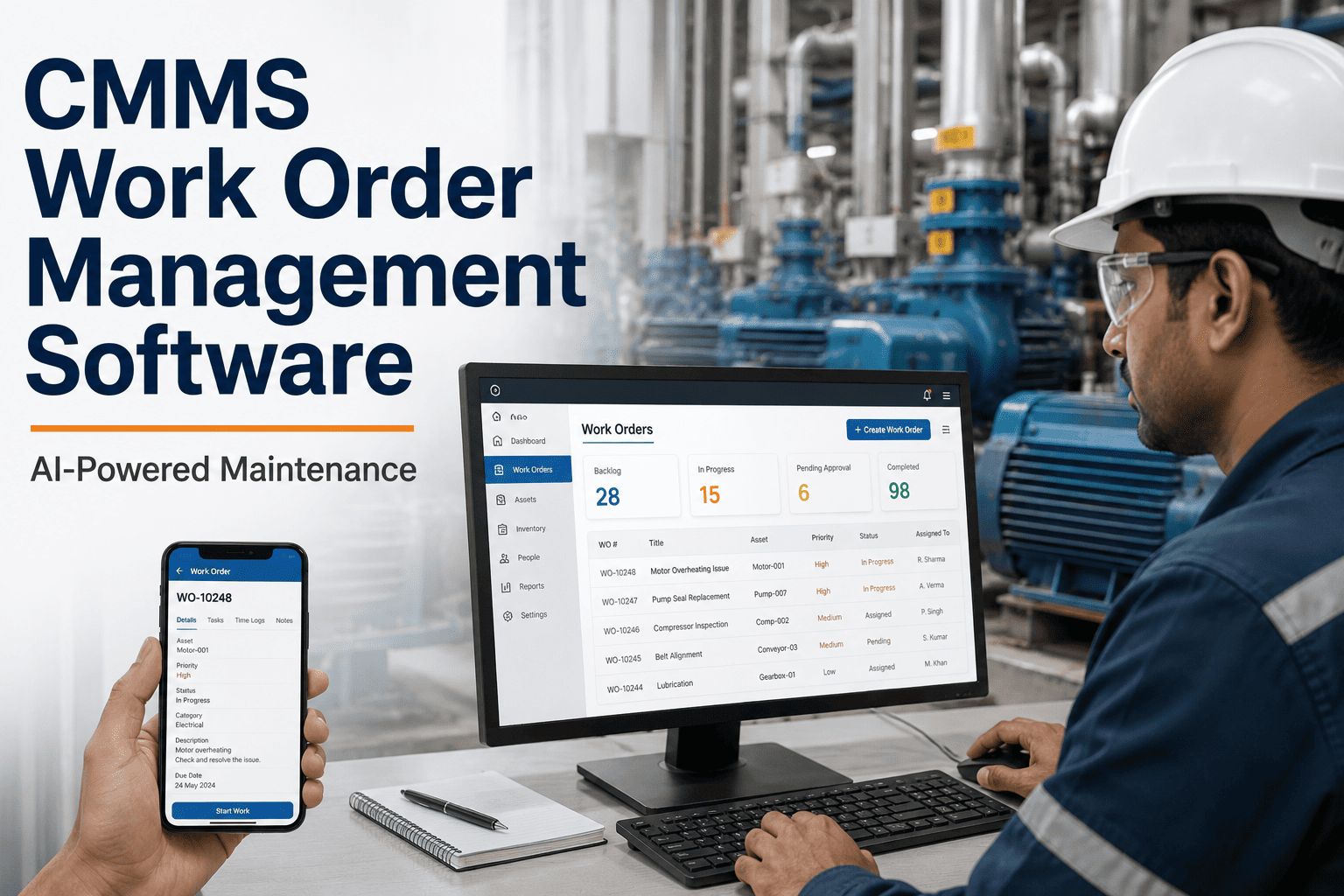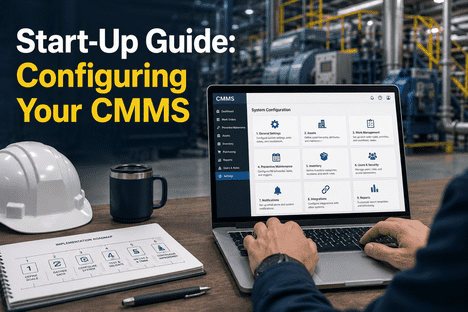
Configuring a Computerised Maintenance Management System (CMMS) is one of the highest-leverage decisions a maintenance organisation can make in 2026 — yet the majority of CMMS deployments underperform their potential within the first twelve months because the initial configuration phase is treated as a technical setup task rather than a strategic programme design exercise. A CMMS that has been correctly configured from day one — with the right asset hierarchy, preventive maintenance schedules, work order workflows, spare parts structure, and KPI baselines — becomes the operational backbone of a maintenance organisation capable of achieving the predictive, AI-driven maintenance outcomes that Industry 4.0 demands. A CMMS that has been configured incorrectly, or configured incompletely, becomes a digital version of the paper-based system it replaced: it records what happened, but does not drive what should happen next. This start-up guide walks maintenance managers, reliability engineers, and CMMS administrators through every critical configuration decision — from asset data import and user access provisioning to IoT sensor integration and predictive maintenance alert calibration — structured to the sequence that iFactory's deployment engineers use when configuring and commissioning CMMS programs across manufacturing, healthcare, utilities, and asset-intensive industrial environments. Use it to configure your new CMMS correctly from the start, to remediate a live CMMS that is underperforming, or to validate that every capability your maintenance programme requires is active and correctly set up before your first external audit. Book a Demo to see how iFactory's AI-powered CMMS platform is configured and deployed for your facility type.
Start-Up Guide: Configuring Your CMMS for Industry 4.0 Operational Excellence
A step-by-step configuration framework for deploying an AI-powered CMMS — covering asset hierarchy, PM scheduling, work order workflows, IoT integration, predictive maintenance, and audit-ready documentation across every maintenance programme tier.
Configure Your CMMS the Right Way — From Day One
Connect with an iFactory CMMS specialist to configure your asset hierarchy, PM schedules, IoT integrations, and predictive maintenance workflows — and go live with a system that delivers operational excellence from the first shift.
The Six Configuration Failures That Undermine CMMS Programmes
Most CMMS platforms are technically capable of delivering predictive maintenance, real-time KPI dashboards, and full audit documentation — but only if they are configured to do so. The gap between CMMS capability and CMMS delivery is almost always a configuration gap, not a software gap. Understanding the most common configuration failures before you begin setup is the most effective way to avoid them in your own deployment. Facilities that want to avoid these pitfalls can Book a Demo with iFactory to see how each failure mode is addressed in a correctly configured deployment.
Flat Asset Register Without Hierarchy
Assets entered as a flat list rather than a structured parent-child hierarchy prevent the CMMS from attributing maintenance costs, downtime events, and work order frequency to the correct system or subsystem — making root cause analysis and asset lifecycle decisions impossible at the data level.
PM Schedules Copied From Paper Without Review
Migrating time-based PM intervals from legacy paper schedules into a digital CMMS without reviewing them against manufacturer specifications and actual failure history replicates the inefficiency of the previous system in digital form — and misses the opportunity to shift to condition-based intervals enabled by the new platform.
Work Order Workflows Without Approval Gates
Work order configurations that allow technicians to close jobs without supervisor approval, parts sign-off, or post-maintenance verification produce records that satisfy CMMS completeness metrics while containing no verifiable evidence that the work was performed to specification — a critical audit vulnerability.
Spare Parts Catalogue Without Min/Max Thresholds
A spare parts inventory loaded into the CMMS without minimum stock level thresholds and automatic reorder alerts provides inventory visibility without inventory control — the facility can see what it has but the CMMS will not prevent stock-out events on critical spare parts that cause extended corrective maintenance downtime.
IoT Sensors Connected Without Alarm Calibration
IoT sensor data streams connected to the CMMS without properly calibrated alert thresholds generate either alarm fatigue — too many notifications that operators learn to ignore — or missed detections — thresholds set so conservatively that genuine anomalies do not trigger. Both outcomes eliminate the safety and maintenance value of the IoT investment.
KPI Dashboards Without Baseline Periods
CMMS KPI dashboards activated without a documented baseline measurement period give maintenance management trend lines with no reference point — making it impossible to determine whether current performance represents improvement, deterioration, or steady state relative to the pre-CMMS baseline.
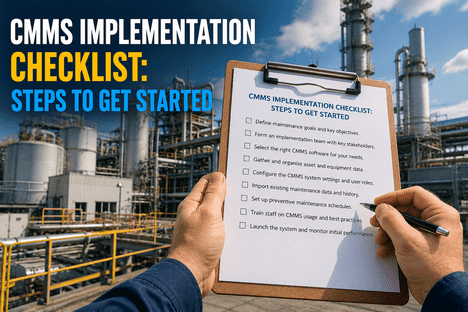
CMMS Configuration Readiness: Pre-Start Checklist
Before opening the CMMS configuration interface, verify that these four organisational prerequisites are in place — their absence during configuration creates rework that typically costs more than the time saved by starting without them.
Confirm that a complete, deduplicated asset list exists with manufacturer, model, serial number, installation date, and physical location for every asset to be managed in the CMMS. Assets discovered after configuration begins create hierarchy re-work that disrupts already-configured PM schedules and work order routing.
Document the maintenance organisation structure — technician roles, supervisor spans, contractor relationships, and approval authority levels — before configuring user access and work order routing. Role structure defined after configuration typically requires full workflow reconfiguration rather than incremental adjustment.
Collect manufacturer-specified maintenance intervals, task lists, and spare parts requirements for every critical asset before building PM schedules in the CMMS. Using manufacturer specifications as the starting point produces defensible PM intervals that satisfy ISO 9001, ISO 13485, and FDA QSR audit requirements from day one.
Define the maintenance KPIs the organisation intends to track — OEE, MTBF, MTTR, PM completion rate, planned vs. reactive maintenance ratio — and agree a baseline measurement period before go-live so that CMMS performance can be benchmarked against the pre-implementation state.
Phase-by-Phase CMMS Configuration Framework
iFactory's CMMS deployment engineers follow a seven-phase configuration sequence that builds each capability layer on a validated foundation — ensuring that work order workflows built in Phase 3 are correctly linked to the asset hierarchy built in Phase 1, and that predictive maintenance alerts configured in Phase 6 are calibrated against the PM baseline established in Phase 2. Operators wanting to understand how this sequence applies to their facility can Book a Demo for a facility-specific configuration walkthrough.
Asset Hierarchy & Master Data Configuration
Build the asset register as a structured hierarchy — Site → Facility → System → Equipment → Component — and populate each asset record with manufacturer data, criticality classification, sour service designation where applicable, and linked documentation. The hierarchy depth determines the granularity of maintenance cost attribution and failure analysis available in all subsequent CMMS reporting.
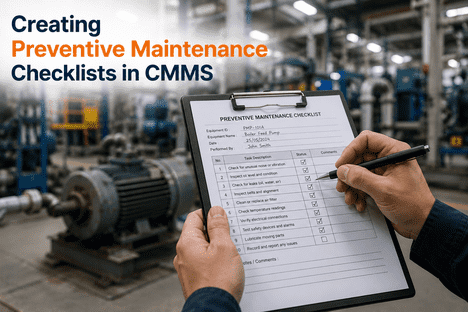
Preventive Maintenance Schedule Build
Create PM task templates from manufacturer specifications and internal maintenance procedures, assign intervals (time-based, meter-based, or condition-triggered), link required spare parts and consumables from the inventory catalogue, and assign to qualified technician roles. iFactory's AI engine reviews PM interval distribution to identify scheduling conflicts and resource bottlenecks before the schedule goes live.
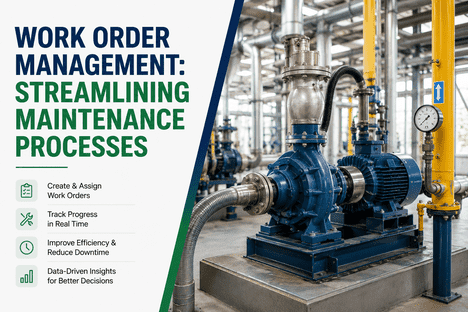
Work Order Workflow & Approval Configuration
Configure work order lifecycle stages — Requested, Approved, Assigned, In Progress, Pending Parts, Completed, Closed — with mandatory approval gates, required field completion rules, and escalation timers at each stage. Define priority tiers for corrective work orders (Emergency, High, Medium, Routine) with SLA response targets linked to asset criticality classification.
Spare Parts Inventory & Procurement Integration
Import the approved spare parts catalogue with manufacturer part numbers, approved equivalent references, unit costs, lead times, and minimum/maximum stock levels for each critical item. Link parts to the asset records they service and to the PM task templates that consume them, enabling automatic stock reservation when PM work orders are generated and reorder alert triggering when stock falls below minimum threshold.
User Access, Mobile Deployment & Training
Configure role-based user access — Technician, Supervisor, Planner, Manager, Administrator, Read-Only — with permission sets matched to each role's operational scope. Deploy mobile CMMS access for field technicians, configure offline work order capability for low-connectivity areas, and complete structured training for each user group before go-live. Mobile-first deployment is the single configuration decision with the greatest impact on work order documentation completeness.
IoT Sensor Integration & Predictive Alert Calibration
Connect IoT condition monitoring sensors — vibration, temperature, current draw, pressure, cycle count — to the iFactory AI analytics engine via standard industrial protocols (OPC-UA, MQTT, Modbus TCP). Configure baseline collection periods for each sensor channel, then calibrate predictive alert thresholds against the established baselines to generate maintenance work orders triggered by equipment condition data rather than calendar intervals alone.
KPI Dashboard, Reporting & Audit Documentation Setup
Configure the maintenance KPI dashboard with the metrics agreed in the pre-start checklist — OEE, MTBF, MTTR, PM completion rate, open work order age distribution, spare parts availability rate — and set reporting frequencies for each stakeholder group. Configure audit report templates for each applicable compliance standard, and activate the CMMS audit trail to capture all record modifications with user identity and timestamp.
CMMS Configuration: Traditional vs. iFactory AI-Powered Approach
How an AI-powered CMMS platform changes the configuration outcomes across the four dimensions that matter most to maintenance programme performance in 2026.
How iFactory's AI Engine Enhances CMMS Configuration Outcomes
Configuring a CMMS with a built-in AI analytics engine is fundamentally different from configuring a traditional rule-based CMMS. The AI layer changes what the system can do with the configuration you build — enabling outcomes that are not possible in systems without machine learning capabilities regardless of how well they are configured. Maintenance managers looking to understand how AI transforms CMMS configuration ROI can Book a Demo to see iFactory's AI capabilities demonstrated on data representative of their own asset portfolio.
AI-Driven PM Interval Optimisation
iFactory's AI engine continuously analyses work order completion data, failure event history, and IoT condition monitoring streams to identify PM intervals that are either over-frequent (consuming maintenance resource on healthy assets) or under-frequent (allowing degradation to progress between scheduled interventions). Recommended interval adjustments are presented to maintenance planners with supporting data rather than applied automatically, preserving human decision authority while eliminating the manual analysis effort that makes interval optimisation impractical in traditional CMMS environments.
Predictive Failure Detection from IoT Data
Once IoT sensors are integrated and baseline periods are complete, iFactory's machine learning models identify equipment-specific degradation signatures — the combination of vibration frequency shift, temperature elevation, and current draw increase that precedes a particular bearing failure mode, for example — and generate predictive maintenance work orders before the failure event occurs. This transitions the maintenance programme from time-based prevention to condition-based intervention, reducing both unplanned downtime and unnecessary preventive maintenance activity simultaneously.
Maintenance Resource Scheduling Optimisation
iFactory's AI scheduling engine analyses the work order backlog, technician qualification profiles, spare parts availability, and production schedule constraints simultaneously to generate an optimised daily maintenance schedule — sequencing work orders to minimise travel time, match task complexity to technician qualification level, and avoid scheduling maintenance that requires parts currently below minimum stock threshold. Manual CMMS scheduling produces a work list; iFactory AI produces a sequenced plan.
Anomaly Detection in Work Order Data Quality
iFactory's AI monitors work order completion patterns and flags anomalies that indicate data quality problems — work orders closed significantly faster than the task checklist requires, repeated closure by the same technician without supervisor sign-off, or corrective work orders for the same fault mode on the same asset occurring at intervals shorter than the PM frequency for that asset. These patterns are invisible in aggregate CMMS reporting but detectable by AI analysis of individual work order data streams.
Automated Compliance Documentation and Audit Reporting
Every maintenance event, work order closure, calibration record, spare parts transaction, and technician qualification verification is automatically written to an immutable audit log with user identity, timestamp, and record hash. iFactory generates pre-formatted compliance reports for ISO 9001, ISO 13485, FDA 21 CFR Part 820, and GFSI scheme requirements on demand — eliminating the manual record assembly that consumes quality team capacity in the days before scheduled audits.
Compliance Standards Supported by iFactory CMMS Configuration
A correctly configured iFactory CMMS generates the maintenance documentation evidence required for these regulatory frameworks automatically — without additional quality team effort at audit preparation time.
| Compliance Standard | Maintenance Documentation Requirement | iFactory CMMS Configuration Output |
|---|---|---|
| ISO 9001:2015 | Documented equipment maintenance program with evidence of PM execution | PM work order history, task-level completion records, and trend reports exportable per asset or asset class. |
| ISO 13485:2016 | Equipment maintenance and calibration records with traceability to national standards | Calibration record linkage to technician qualifications, calibration certificates, and as-found/as-left data for every calibration event. |
| FDA 21 CFR Part 820 | Equipment maintenance, calibration, and qualification documentation for production equipment | Electronic records with full audit trail meeting 21 CFR Part 11 requirements for electronic record integrity. |
| SQF / BRC / FSSC 22000 | Equipment maintenance program with documented PM schedules, corrective actions, and completion verification | GFSI-formatted compliance reports with PM completion rates, corrective work order histories, and changeover validation records. |
| ISO 55001 (Asset Management) | Asset lifecycle management documentation from acquisition through decommissioning | Complete asset history from commissioning through current status, with maintenance cost attribution, failure event history, and lifecycle cost modelling. |
"We had been running a CMMS for four years before iFactory's team audited our configuration. Three of those four years we thought we had a maintenance management system — what we actually had was a digital work log. The asset hierarchy had no parent-child structure, the PM schedules were copies of our 2009 paper cards, and the IoT sensors we had installed were streaming data that no one was acting on. The iFactory reconfiguration took six weeks. Within ninety days of going live, our unplanned downtime had dropped by 44% and our last ISO 9001 audit closed with zero maintenance-related observations for the first time since certification. The lesson was that the software was never the constraint — configuration was."
CMMS Configuration: Frequently Asked Questions
Q: How long does a full iFactory CMMS configuration typically take for a mid-size manufacturing facility?
A complete seven-phase CMMS configuration for a facility with 200–800 assets typically takes 6 to 10 weeks from data import to validated go-live — including asset hierarchy build, PM schedule creation, work order workflow configuration, mobile deployment, IoT integration, and KPI dashboard setup. Facilities with clean, complete asset data and pre-documented PM specifications consistently complete at the lower end of this range.
Q: Can iFactory's CMMS import data from our existing legacy system or spreadsheet records?
Yes. iFactory provides structured data import tools supporting Excel, CSV, and direct API migration from all major legacy CMMS platforms. The import process includes a data quality validation step that identifies duplicate assets, missing mandatory fields, and inconsistent naming conventions before the data is committed to the live system — preventing the legacy data quality problems from being replicated in the new configuration.
Q: What IoT sensor protocols does iFactory's CMMS support for condition monitoring integration?
iFactory's CMMS integrates with IoT condition monitoring devices via OPC-UA, MQTT, Modbus TCP/RTU, BACnet, and REST API connections — supporting sensors from all major industrial IoT vendors as well as custom sensor hardware. The platform also supports integration with vibration analysis systems, thermal imaging cameras, and ultrasonic thickness measurement devices that generate inspection data rather than continuous streaming data.
Q: How does iFactory's AI predictive maintenance work for assets with limited failure history?
For assets with insufficient facility-specific failure history, iFactory's AI analytics engine uses manufacturer-provided degradation models and cross-facility anonymised benchmarks to establish initial condition monitoring baselines. The predictive model is progressively refined as facility-specific operating data accumulates, with the model transition from benchmark-based to facility-specific documented for audit purposes.
Q: Can the CMMS be configured for multiple sites with different asset types and compliance requirements?
Yes. iFactory's CMMS supports multi-site deployment with site-level asset hierarchies, site-specific PM schedules and work order workflows, site-level user access controls, and site-specific compliance report configurations — while providing corporate-level visibility across all sites in a single dashboard. Each site's configuration is independent, allowing facilities with different regulatory requirements and asset types to be managed within the same organisational CMMS instance.
Q: What training does iFactory provide as part of the CMMS configuration and go-live process?
iFactory's deployment package includes role-specific training for all user groups — Technician mobile app training, Supervisor work order management training, Planner PM scheduling and inventory training, and Manager KPI dashboard and reporting training. Training is delivered in the configured live environment rather than a generic demo instance, ensuring that users learn the system as it is set up for their specific facility from their first session.
Q: How does iFactory's CMMS handle the transition from time-based to condition-based maintenance once IoT is configured?
The transition from time-based to condition-based maintenance is managed as a configurable programme-level setting in iFactory's CMMS — allowing maintenance managers to shift individual assets from calendar-interval PM to condition-triggered PM as sufficient IoT baseline data accumulates, rather than requiring a system-wide transition. Assets where condition-based maintenance is not yet validated continue on their time-based schedules while the AI builds confidence in the condition model.
Q: What is the return on investment timeline for a correctly configured iFactory CMMS deployment?
Facilities with correctly configured iFactory CMMS deployments typically achieve positive ROI within 8 to 14 months — driven by reductions in unplanned downtime, elimination of emergency spare parts procurement premiums, reduction in regulatory audit preparation labour cost, and PM labour savings from condition-based interval optimisation. The configuration quality directly determines the speed and magnitude of these outcomes: a well-configured deployment delivers measurable KPI improvement within 90 days; a poorly configured deployment may take 18 months to reach the same baseline.
Conclusion: CMMS Configuration Is the Programme Decision That Determines Every Other Outcome
The gap between a CMMS that transforms maintenance performance and one that becomes an expensive digital filing cabinet is almost never a software capability gap — it is a configuration gap. Asset hierarchies built without parent-child structure, PM schedules migrated from paper without review, work order workflows without approval gates, IoT sensors connected without calibrated thresholds, and KPI dashboards activated without baseline periods are all configuration decisions that determine whether the CMMS delivers Industry 4.0 maintenance outcomes or replicates the limitations of the system it replaced. iFactory's seven-phase configuration framework — supported by an AI analytics engine that optimises PM intervals, predicts failures from IoT data, and generates audit documentation automatically — provides the structure to configure a CMMS correctly from day one, and the intelligence to make it continuously more effective as operational data accumulates. For maintenance managers ready to move from configuration to operational excellence, iFactory's deployment team is the fastest path to a correctly configured, audit-ready, predictive maintenance programme. Book a Demo to start your configuration journey.
Ready to Configure Your CMMS for Operational Excellence in 2026?
Speak with an iFactory CMMS specialist today. Get a configuration roadmap built for your asset portfolio, your compliance requirements, and your Industry 4.0 maintenance goals — and go live with a system that works from day one.