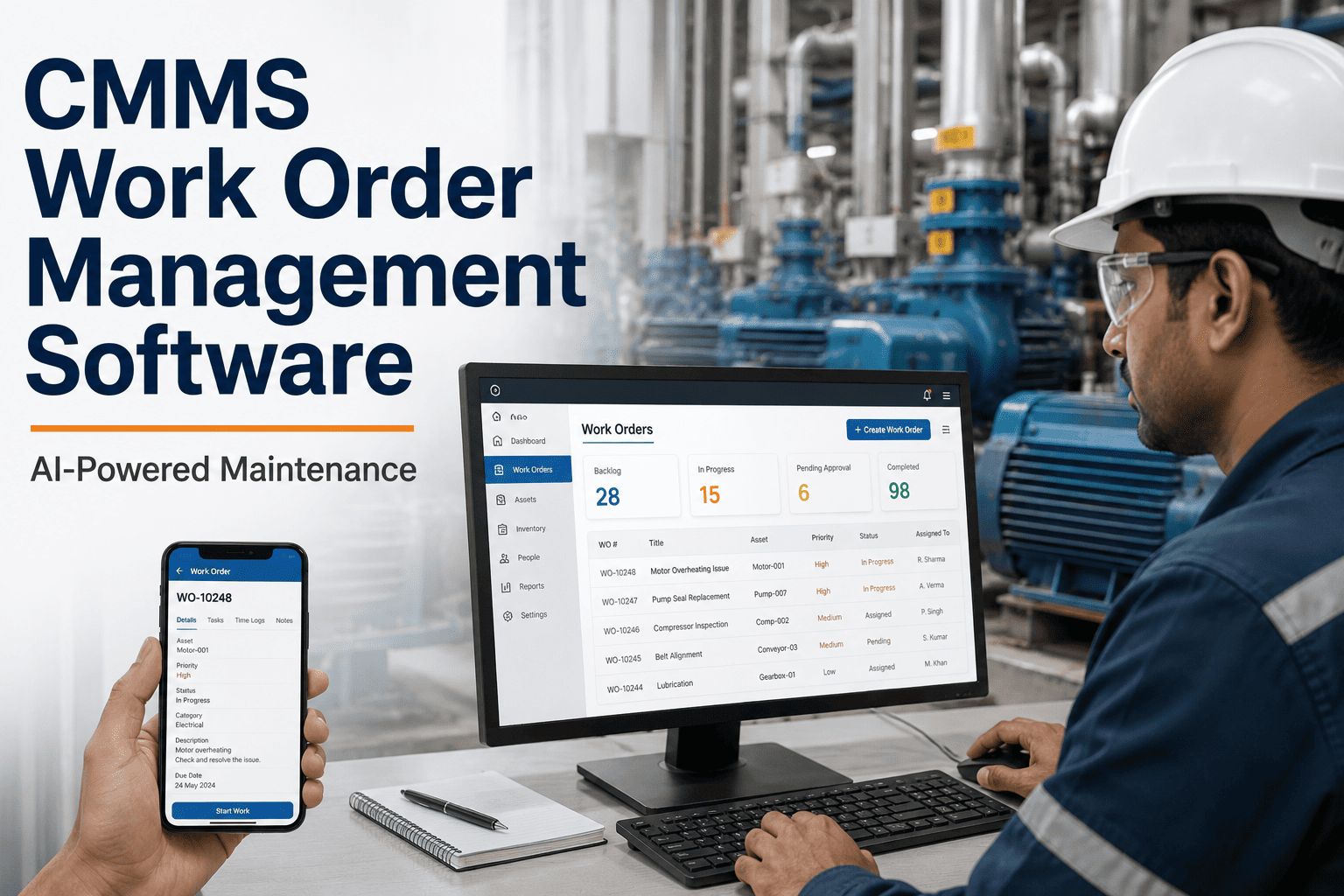
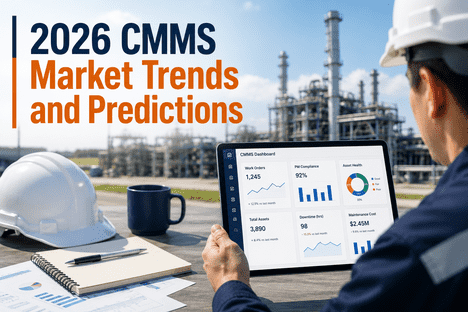
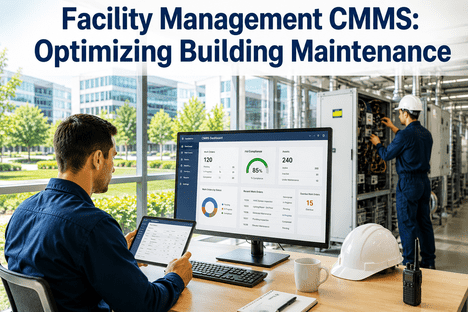
The way maintenance teams interact with Computerized Maintenance Management Systems is undergoing a fundamental transformation in 2026. For two decades, CMMS platforms were designed for desktop-bound planners — dense interfaces built around data entry, not decision-making, and certainly not for a technician standing next to a failing conveyor with grease on their hands. That era is ending. Mobile-first design, conversational UX, AI-assisted workflows, and real-time IoT integration are reshaping what a CMMS looks and feels like — and more importantly, what it enables. For maintenance organizations that have struggled with low adoption rates, poor data quality, and work orders that exist on paper more than in the system, the new generation of CMMS UX is the answer. This guide covers the critical UX and mobile-first design trends defining CMMS platforms in 2026, and how iFactory AI extends those capabilities with predictive intelligence and AI Vision that closes the loop between the field and the digital system. Book a Demo to see how iFactory's mobile-first maintenance platform fits your team's workflow.
Mobile-First Maintenance Intelligence — Built for the Floor, Not the Office
iFactory AI delivers predictive maintenance, AI Vision inspection, and work order automation through a mobile-first interface your technicians will actually use — with zero paper, zero data-entry friction, and real-time alerts that reach the right person on any device.
Why CMMS UX Has Become a Strategic Priority in 2026
CMMS adoption failure is one of the most documented and least solved problems in industrial operations. Studies consistently show that 40 to 60 percent of CMMS implementations fall short of their intended value — not because the underlying data or logic is wrong, but because the interface demands more from technicians than they can realistically give during a shift. A work order that requires eight fields to be completed on a desktop form gets abandoned or back-filled at the end of the day with guessed data. A predictive alert that arrives as an email buried in a supervisor's inbox gets acted on hours late or not at all. The cost of poor CMMS UX is not measured in user satisfaction scores — it is measured in unplanned downtime, missed PMs, and inaccurate maintenance records that corrupt every analytics model built on top of them.
The shift to mobile-first, AI-assisted CMMS design in 2026 is a direct response to this failure pattern. When the interface meets technicians where they are — on the floor, on a phone, in the moment — adoption rises, data quality improves, and the predictive models built on that data become reliable enough to actually prevent failures. iFactory AI's platform is built on this principle: every UX decision is made to maximize field adoption and data completeness, because without both, predictive maintenance is a dashboard exercise rather than an operational reality.
The Eight Defining UX and Mobile-First Design Trends Shaping CMMS in 2026
01
Offline-First Mobile Architecture
The most consequential shift in CMMS mobile design is the move to offline-first architecture — where the app functions fully without a network connection and syncs automatically when connectivity returns. Industrial environments routinely have dead zones in basements, inside equipment enclosures, and in remote plant sections. A CMMS that requires connectivity to function is not a mobile tool — it is a desktop tool with a smaller screen. True offline-first design means technicians can complete work orders, capture readings, upload photos, and log parts consumed anywhere in the facility, with all data synchronized to the cloud the moment connectivity is restored.
02
Conversational AI and Voice-Assisted Work Orders
Voice-to-text work order completion is transitioning from novelty to standard in 2026, driven by LLM-based natural language processing that can interpret spoken maintenance observations and structure them into CMMS fields automatically. A technician can say "pump bearing on Line 3 running hot, vibration increasing, recommend replacement within 48 hours" and the system creates a structured work order with asset, symptom, recommended action, and priority — without a single tap. iFactory AI's conversational interface layer applies this capability to work order creation, inspection recording, and predictive alert acknowledgment, dramatically reducing data-entry friction for field teams.
03
QR and NFC Asset Identification
Asset identification by memory or manual search is a leading cause of CMMS data errors — technicians work on the wrong asset version, log time against an incorrect asset ID, or skip the CMMS entry entirely because finding the right record takes too long. QR code and NFC tag scanning eliminates this friction: the technician scans the tag physically attached to the asset, the correct asset record opens instantly with full history, pending work orders, and current sensor readings displayed. iFactory supports both QR and NFC identification with automatic asset context loading — making asset-specific data entry the path of least resistance rather than an obstacle.
04
AI Vision Camera Integration for Visual Inspection
The integration of AI Vision cameras into the CMMS mobile workflow represents the most significant UX advancement for inspection-heavy maintenance programs. Rather than requiring a technician to manually assess, classify, and document a visual condition finding, iFactory's AI Vision system automatically detects visual anomalies — corrosion, seal degradation, alignment deviation, insulation damage — and creates a structured CMMS record with image evidence, anomaly classification, severity rating, and recommended action attached. Inspections that previously required 20 minutes of documentation now generate a complete, evidence-backed work order in seconds. Learn more about the AI Vision Camera at the
iFactory AI Vision Camera product page.
05
Role-Based Adaptive Interfaces
A maintenance planner and a field technician have fundamentally different information needs and interaction patterns — yet most CMMS platforms present both with the same interface, forcing each role to navigate past irrelevant features to reach the tools they need. Role-based adaptive design in 2026-generation CMMS platforms means the interface automatically configures itself based on the user's role, location, and current task context. A technician opening iFactory on their phone sees today's assigned work orders, asset health alerts for nearby equipment, and a quick-capture field for new observations. A planner opening iFactory on a browser sees backlog prioritization, resource allocation, and predictive failure timeline visualization. Same platform, different experience.
06
Push Notification and Alert Intelligence
Alert fatigue is the CMMS equivalent of the boy who cried wolf — when every sensor deviation generates a push notification, technicians stop reading them. Intelligent alert design in 2026 means AI-filtered notifications where only actionable, high-confidence alerts reach mobile devices, contextualized with enough information to make an immediate decision. iFactory's alert engine applies priority scoring, confidence weighting, and role-based routing to ensure that a field technician receives only the alerts that require their physical response — while planners receive trend summaries and scheduling recommendations. The result is an alert channel that teams trust and act on, rather than silence.
07
Augmented Reality Work Instructions
Augmented reality (AR) overlays on mobile devices are moving from pilot projects to production deployment in 2026, particularly for complex equipment with high documentation requirements. A technician pointing their phone at a gearbox sees a superimposed maintenance procedure, torque specifications, and a step-completion checklist overlaid on the physical equipment — reducing lookup time, eliminating the risk of following the wrong procedure for a similar-looking asset, and capturing step-by-step completion evidence automatically. iFactory's AR work instruction module connects directly to asset-specific procedures stored in the CMMS, ensuring the field team always sees the procedure matched to the exact equipment version in front of them.
08
Predictive Maintenance UX: Surfacing the Right Action at the Right Time
The UX challenge unique to predictive maintenance is surfacing a failure prediction — generated days or weeks before a failure — in a way that a busy maintenance team acts on immediately rather than deferring until it becomes urgent. iFactory's predictive maintenance interface presents each alert as an action recommendation with estimated failure date, confidence level, suggested intervention, estimated cost of action versus cost of failure, and a one-tap work order creation button. The design minimizes cognitive load and decision friction — the path from prediction to scheduled work order takes under 30 seconds.
Book a Demo to see the full predictive alert workflow.
Mobile-First CMMS Adoption: Before and After the UX Transformation
The measurable impact of mobile-first, AI-assisted CMMS design on operational outcomes is documented across iFactory AI's customer base and consistent with industry benchmarks for mobile maintenance management adoption. The following comparison captures the operational difference between legacy desktop-centric CMMS implementations and the current mobile-first standard.
| Operational Area |
Legacy Desktop CMMS UX |
iFactory Mobile-First Design |
Measurable Outcome |
| Work Order Completion Rate |
40–60% completion — back-filling and abandonment common |
85–95% completion — mobile capture in the moment |
2× improvement in data completeness |
| Asset Identification Accuracy |
Manual search — frequent wrong-asset errors |
QR/NFC scan — asset record opens instantly, error-free |
Near-zero asset identification errors |
| Inspection Documentation Time |
15–25 minutes per inspection record |
AI Vision auto-generates structured record in seconds |
80–90% reduction in documentation time |
| Predictive Alert Response Time |
Hours to days — email-based, easily missed |
Minutes — intelligent push notification with one-tap action |
4–8× faster alert-to-action cycle |
| CMMS Platform Adoption Rate |
30–50% active use among field teams |
75–90% active use — friction removed from core workflows |
50–80% adoption improvement |
| Unplanned Downtime |
Reactive — failures discovered after the fact |
Predictive — 14–28 day failure lead time, planned response |
30–45% reduction in unplanned downtime |
iFactory AI: Mobile-First Maintenance Intelligence for Industry 4.0
iFactory AI's platform is designed at the intersection of mobile-first UX principles and industrial AI analytics — combining the adoption advantages of intuitive mobile design with the operational intelligence of predictive maintenance, AI Vision inspection, and IoT-driven asset health monitoring. The platform does not require replacing existing CMMS infrastructure: it integrates with SAP PM, IBM Maximo, Infor EAM, and eMaint as an analytics and mobile intelligence layer, extending their capability with the UX and AI features that legacy platforms lack.
Mobile Work Order Management
Full work order lifecycle — creation, assignment, execution, completion, and parts logging — on any mobile device, with offline capability and automatic sync. QR and NFC asset scanning for zero-error asset identification.
AI Vision Inspection Automation
iFactory AI Vision cameras detect visual anomalies automatically and generate structured CMMS work orders with photographic evidence, anomaly classification, and recommended action — eliminating manual inspection documentation entirely.
Predictive Failure Alerts
AI models trained on asset-specific sensor signatures detect failure precursors 14 to 28 days ahead. Alerts are routed to the right role via intelligent push notification with one-tap work order creation and failure cost estimation.
Role-Based Dashboard Design
Technicians, planners, reliability engineers, and managers each see a purpose-built interface view — with relevant KPIs, alerts, and action items surfaced automatically based on role and current context.
IoT Sensor Integration
Native connectivity to vibration, temperature, current, pressure, and flow sensors via OPC-UA, MQTT, and Modbus — delivering real-time asset health data to mobile dashboards and feeding the predictive analytics engine continuously.
CMMS Integration Layer
Pre-built integrations with SAP PM, Maximo, Infor EAM, and eMaint. iFactory's mobile intelligence layer extends existing CMMS investments with AI analytics and mobile UX — no rip-and-replace required, live in 2 to 4 weeks.
14–28 days
Average predictive failure lead time — iFactory AI across industrial asset classes
85–95%
Work order completion rate on iFactory mobile vs. 40–60% on legacy desktop CMMS
80–90%
Reduction in inspection documentation time with AI Vision camera integration
Your CMMS Data Should Drive Decisions on the Floor — Not in a Report Two Days Later.
iFactory AI connects your existing CMMS, IoT sensors, and AI Vision cameras into a mobile-first maintenance intelligence platform. Predictive alerts, visual inspection automation, and role-based dashboards — live in 2 to 4 weeks, no replacement required.
The Industry 4.0 Context: Why Mobile UX and AI Are Inseparable in 2026
Industry 4.0 adoption in maintenance management has created a paradox: the volume of available data has grown exponentially while the ability of field teams to act on it has remained constrained by interfaces designed for a pre-IoT world. A sensor network generating 50,000 data points per minute is only valuable if the right subset of that data reaches the right person in a form they can act on within the time window that matters. That is fundamentally a UX problem as much as it is an analytics problem — and the two cannot be solved independently.
iFactory AI's approach to this challenge is to treat UX and AI as a unified design problem. The predictive model is only as good as the quality of historical maintenance data feeding it — which depends on field adoption of the mobile work order system. The mobile alert is only as valuable as the confidence the technician has in its accuracy — which depends on the quality of the AI model behind it. Each layer reinforces the other, and both depend on a UX that reduces friction to the point where using the system correctly is the path of least resistance for every maintenance role. Book a Demo to see how iFactory's integrated UX and AI architecture works in practice.
Expert Perspective: Mobile-First CMMS in the Modern Maintenance Organization
The maintenance organizations achieving the strongest results from their CMMS investments in 2025 and 2026 are not the ones with the most sophisticated analytics models — they are the ones with the highest field adoption rates. You can have the best predictive engine in the industry, but if your technicians are completing work orders on paper and entering them into the system two days later, you are feeding your AI model garbage. The mobile-first platforms that have closed this gap — the ones with offline capability, QR scanning, voice capture, and AI-filtered alerts — have transformed CMMS from a compliance obligation into an operational advantage. The data quality improvement alone drives predictive model accuracy above the threshold where it starts catching real failures ahead of time. That is the flywheel: better UX drives better data, better data drives better predictions, better predictions drive measurable downtime reduction, and measurable downtime reduction drives adoption. The organizations that have started that flywheel are pulling away from the ones still fighting their CMMS interface.
Frequently Asked Questions: UX and Mobile-First CMMS Design
Does iFactory AI replace our existing CMMS or integrate with it?
iFactory AI is designed as an analytics and mobile intelligence layer that integrates with existing CMMS platforms — SAP PM, IBM Maximo, Infor EAM, eMaint, and others. Your existing work order workflows, asset registry, and maintenance history remain in place. iFactory adds the mobile-first UX, AI Vision inspection, predictive analytics, and intelligent alert routing on top of your current system. Most integrations are live in 2 to 4 weeks.
Book a Demo to review compatibility with your current CMMS stack.
What mobile platforms does iFactory AI support?
iFactory AI's mobile interface is a progressive web application (PWA) accessible on iOS and Android devices without requiring App Store installation. The offline-first architecture ensures full functionality in areas without network connectivity, with automatic synchronization when connectivity is restored. Dedicated native apps are also available for organizations requiring deeper device integration, including NFC scanning and camera-based AI Vision capabilities.
How does iFactory AI Vision Camera work within the mobile CMMS workflow?
iFactory AI Vision cameras are fixed or portable cameras that continuously analyze visual feeds for anomalies — corrosion, seal degradation, misalignment, insulation damage, and other visual failure indicators. When an anomaly is detected, the AI Vision system automatically creates a structured CMMS work order with the image evidence, anomaly classification, severity, and recommended action attached — without any manual input from the field technician. The technician receives a mobile push notification with the evidence and a one-tap option to accept, escalate, or schedule the work order. Full details at the
iFactory AI Vision Camera page.
How does iFactory handle the alert fatigue problem in predictive maintenance?
iFactory's alert engine applies confidence scoring, priority weighting, and role-based routing to every predictive signal before it generates a notification. Only alerts meeting a configurable confidence threshold and priority level reach field technicians as mobile push notifications. Planners receive a daily priority digest rather than individual alerts for lower-urgency signals. The system continuously calibrates thresholds based on false positive rates and technician feedback, so alert quality improves over time as the model learns your specific equipment behavior. Most iFactory customers report an 80 to 90 percent reduction in alert volume compared to rule-based alarm systems, with a corresponding increase in action rate on the alerts that are sent.
What is the typical deployment timeline for iFactory AI's mobile CMMS platform?
A standard iFactory AI deployment — covering CMMS integration, IoT sensor connectivity, baseline model training, and mobile platform configuration — is typically complete in 4 to 6 weeks from contract execution. The first predictive failure alerts typically appear within 30 to 45 days of go-live, as AI models build sufficient baseline history on connected assets. Mobile work order capability and AI Vision inspection are available from day one of deployment.
Book a Demo for a deployment timeline specific to your facility size and integration requirements.
Can iFactory AI support multi-site maintenance organizations with a single mobile platform?
Yes. iFactory AI's multi-site architecture supports organizations managing maintenance across multiple facilities from a single platform, with site-specific asset registries, alert configurations, and role-based access controls. Regional maintenance managers see cross-site KPI dashboards and comparative reliability benchmarks. Site-level technicians and planners see only their facility's data. The mobile experience is consistent across all sites, enabling technicians who move between facilities to operate with the same interface and workflow regardless of location.
Give Your Maintenance Team a CMMS They Will Actually Use — On Any Device, Anywhere.
iFactory AI's mobile-first maintenance intelligence platform combines predictive analytics, AI Vision inspection, and role-based mobile UX into a single layer that works with your existing CMMS — not against it. Deployed in weeks, adopted by teams, and built to prevent the failures your current system only records.